" height="18.016311920580208px" id="GKXyVanMq" stroke-dasharray="0" stroke-linecap="butt" stroke-linejoin="miter" stroke-miterlimit="10" stroke-width="0.5" stroke="rgb(0, 0, 0)" transform="translate(3 3)" width="18px"/></svg>)
"/><stop offset="1" stop-color="rgb(227, 224, 244)"/></linearGradient><linearGradient id="CBS1bzkxF-2031533640-linear-gradient" x1="0.49751243781094523" x2="0.5024875621890548" y1="0" y2="1"><stop offset="0" stop-color="rgb(255, 255, 255)"/><stop offset="1" stop-color="rgb(227, 224, 244)"/></linearGradient><linearGradient id="Jd7AK81w9-2031533640-linear-gradient" x1="0.49751243781094523" x2="0.5024875621890548" y1="0" y2="1"><stop offset="0" stop-color="rgb(255, 255, 255)"/><stop offset="1" stop-color="rgb(227, 224, 244)"/></linearGradient></defs><g d="M 0 16 L 0 0 L 16 0 L 16 16 Z M 9.167 5.167 C 9.167 4.891 8.943 4.667 8.667 4.667 C 8.391 4.667 8.167 4.891 8.167 5.167 C 8.167 6.784 7.809 7.834 7.155 8.488 C 6.501 9.143 5.451 9.5 3.833 9.5 C 3.557 9.5 3.333 9.724 3.333 10 C 3.333 10.276 3.557 10.5 3.833 10.5 C 5.451 10.5 6.501 10.857 7.155 11.512 C 7.809 12.166 8.167 13.216 8.167 14.833 C 8.167 15.109 8.391 15.333 8.667 15.333 C 8.943 15.333 9.167 15.109 9.167 14.833 C 9.167 13.216 9.524 12.166 10.178 11.512 C 10.832 10.857 11.883 10.5 13.5 10.5 C 13.776 10.5 14 10.276 14 10 C 14 9.724 13.776 9.5 13.5 9.5 C 11.883 9.5 10.832 9.143 10.178 8.488 C 9.524 7.834 9.167 6.784 9.167 5.167 Z M 4 3.667 C 4 3.483 3.851 3.333 3.667 3.333 C 3.483 3.333 3.333 3.483 3.333 3.667 C 3.333 4.32 3.189 4.715 2.952 4.952 C 2.715 5.189 2.32 5.333 1.667 5.333 C 1.483 5.333 1.333 5.483 1.333 5.667 C 1.333 5.851 1.483 6 1.667 6 C 2.32 6 2.715 6.145 2.952 6.382 C 3.189 6.618 3.333 7.013 3.333 7.667 C 3.333 7.851 3.483 8 3.667 8 C 3.851 8 4 7.851 4 7.667 C 4 7.013 4.145 6.618 4.382 6.382 C 4.618 6.145 5.013 6 5.667 6 C 5.851 6 6 5.851 6 5.667 C 6 5.483 5.851 5.333 5.667 5.333 C 5.013 5.333 4.618 5.189 4.382 4.952 C 4.145 4.715 4 4.32 4 3.667 Z M 7.333 1 C 7.333 0.816 7.184 0.667 7 0.667 C 6.816 0.667 6.667 0.816 6.667 1 C 6.667 1.422 6.573 1.65 6.445 1.778 C 6.317 1.906 6.089 2 5.667 2 C 5.483 2 5.333 2.149 5.333 2.333 C 5.333 2.517 5.483 2.667 5.667 2.667 C 6.089 2.667 6.317 2.761 6.445 2.889 C 6.573 3.016 6.667 3.244 6.667 3.667 C 6.667 3.851 6.816 4 7 4 C 7.184 4 7.333 3.851 7.333 3.667 C 7.333 3.244 7.427 3.016 7.555 2.889 C 7.683 2.761 7.911 2.667 8.333 2.667 C 8.517 2.667 8.667 2.517 8.667 2.333 C 8.667 2.149 8.517 2 8.333 2 C 7.911 2 7.683 1.906 7.555 1.778 C 7.427 1.65 7.333 1.422 7.333 1 Z" fill="transparent" height="16px" id="aoZYv33vR" width="16px"><path d="M 0 16 L 0 0 L 16 0 L 16 16 Z" fill="transparent" height="16px" id="Z2uGmhW9f" width="16px"/><g d="M 7.833 4.5 C 7.833 4.224 7.609 4 7.333 4 C 7.057 4 6.833 4.224 6.833 4.5 C 6.833 6.117 6.476 7.168 5.822 7.822 C 5.168 8.476 4.117 8.833 2.5 8.833 C 2.224 8.833 2 9.057 2 9.333 C 2 9.61 2.224 9.833 2.5 9.833 C 4.117 9.833 5.168 10.191 5.822 10.845 C 6.476 11.499 6.833 12.549 6.833 14.167 C 6.833 14.443 7.057 14.667 7.333 14.667 C 7.609 14.667 7.833 14.443 7.833 14.167 C 7.833 12.549 8.191 11.499 8.845 10.845 C 9.499 10.191 10.549 9.833 12.167 9.833 C 12.443 9.833 12.667 9.61 12.667 9.333 C 12.667 9.057 12.443 8.833 12.167 8.833 C 10.549 8.833 9.499 8.476 8.845 7.822 C 8.191 7.168 7.833 6.117 7.833 4.5 Z M 2.667 3 C 2.667 2.816 2.517 2.667 2.333 2.667 C 2.149 2.667 2 2.816 2 3 C 2 3.654 1.855 4.048 1.618 4.285 C 1.382 4.522 0.987 4.667 0.333 4.667 C 0.149 4.667 0 4.816 0 5 C 0 5.184 0.149 5.333 0.333 5.333 C 0.987 5.333 1.382 5.478 1.618 5.715 C 1.855 5.952 2 6.346 2 7 C 2 7.184 2.149 7.333 2.333 7.333 C 2.517 7.333 2.667 7.184 2.667 7 C 2.667 6.346 2.811 5.952 3.048 5.715 C 3.285 5.478 3.68 5.333 4.333 5.333 C 4.517 5.333 4.667 5.184 4.667 5 C 4.667 4.816 4.517 4.667 4.333 4.667 C 3.68 4.667 3.285 4.522 3.048 4.285 C 2.811 4.048 2.667 3.654 2.667 3 Z M 6 0.333 C 6 0.149 5.851 0 5.667 0 C 5.483 0 5.333 0.149 5.333 0.333 C 5.333 0.756 5.239 0.984 5.112 1.112 C 4.984 1.239 4.756 1.333 4.333 1.333 C 4.149 1.333 4 1.483 4 1.667 C 4 1.851 4.149 2 4.333 2 C 4.756 2 4.984 2.094 5.112 2.222 C 5.239 2.35 5.333 2.578 5.333 3 C 5.333 3.184 5.483 3.333 5.667 3.333 C 5.851 3.333 6 3.184 6 3 C 6 2.578 6.094 2.35 6.222 2.222 C 6.35 2.094 6.578 2 7 2 C 7.184 2 7.333 1.851 7.333 1.667 C 7.333 1.483 7.184 1.333 7 1.333 C 6.578 1.333 6.35 1.239 6.222 1.112 C 6.094 0.984 6 0.756 6 0.333 Z" fill="transparent" height="14.66671286102295px" id="ae6ccdFme" transform="translate(1.333 0.667)" width="12.66663px"><path d="M 5.833 0.5 C 5.833 0.224 5.609 0 5.333 0 C 5.057 0 4.833 0.224 4.833 0.5 C 4.833 2.117 4.476 3.168 3.822 3.822 C 3.168 4.476 2.117 4.833 0.5 4.833 C 0.224 4.833 0 5.057 0 5.333 C 0 5.61 0.224 5.833 0.5 5.833 C 2.117 5.833 3.168 6.191 3.822 6.845 C 4.476 7.499 4.833 8.549 4.833 10.167 C 4.833 10.443 5.057 10.667 5.333 10.667 C 5.609 10.667 5.833 10.443 5.833 10.167 C 5.833 8.549 6.191 7.499 6.845 6.845 C 7.499 6.191 8.549 5.833 10.167 5.833 C 10.443 5.833 10.667 5.61 10.667 5.333 C 10.667 5.057 10.443 4.833 10.167 4.833 C 8.549 4.833 7.499 4.476 6.845 3.822 C 6.191 3.168 5.833 2.117 5.833 0.5 Z" fill="url(%23t2lXByE48-2031533640-linear-gradient)" height="10.66671px" id="t2lXByE48" transform="translate(2 4)" width="10.66663px"/><path d="M 2.667 0.333 C 2.667 0.149 2.517 0 2.333 0 C 2.149 0 2 0.149 2 0.333 C 2 0.987 1.855 1.382 1.618 1.618 C 1.382 1.855 0.987 2 0.333 2 C 0.149 2 0 2.149 0 2.333 C 0 2.517 0.149 2.667 0.333 2.667 C 0.987 2.667 1.382 2.811 1.618 3.048 C 1.855 3.285 2 3.68 2 4.333 C 2 4.517 2.149 4.667 2.333 4.667 C 2.517 4.667 2.667 4.517 2.667 4.333 C 2.667 3.68 2.811 3.285 3.048 3.048 C 3.285 2.811 3.68 2.667 4.333 2.667 C 4.517 2.667 4.667 2.517 4.667 2.333 C 4.667 2.149 4.517 2 4.333 2 C 3.68 2 3.285 1.855 3.048 1.618 C 2.811 1.382 2.667 0.987 2.667 0.333 Z" fill="url(%23CBS1bzkxF-2031533640-linear-gradient)" height="4.66667px" id="CBS1bzkxF" transform="translate(0 2.667)" width="4.66667px"/><path d="M 2 0.333 C 2 0.149 1.851 0 1.667 0 C 1.483 0 1.333 0.149 1.333 0.333 C 1.333 0.756 1.239 0.984 1.112 1.112 C 0.984 1.239 0.756 1.333 0.333 1.333 C 0.149 1.333 0 1.483 0 1.667 C 0 1.851 0.149 2 0.333 2 C 0.756 2 0.984 2.094 1.112 2.222 C 1.239 2.35 1.333 2.578 1.333 3 C 1.333 3.184 1.483 3.333 1.667 3.333 C 1.851 3.333 2 3.184 2 3 C 2 2.578 2.094 2.35 2.222 2.222 C 2.35 2.094 2.578 2 3 2 C 3.184 2 3.333 1.851 3.333 1.667 C 3.333 1.483 3.184 1.333 3 1.333 C 2.578 1.333 2.35 1.239 2.222 1.112 C 2.094 0.984 2 0.756 2 0.333 Z" fill="url(%23Jd7AK81w9-2031533640-linear-gradient)" height="3.333333px" id="Jd7AK81w9" transform="translate(4 0)" width="3.3333399999999997px"/></g></g></svg>)
" height="24px" id="WCm44spAV" width="24px"/><path d="M 3.892 7.742 C 1.674 7.742 0 6.014 0 3.882 C 0 1.738 1.589 0 3.892 0 C 5.107 0 5.951 0.374 6.623 1.173 L 5.566 2.09 C 5.118 1.621 4.564 1.386 3.892 1.386 C 2.452 1.386 1.547 2.517 1.547 3.882 C 1.547 5.246 2.452 6.356 3.924 6.356 C 4.649 6.356 5.193 6.111 5.63 5.63 L 6.718 6.558 C 6.153 7.24 5.193 7.742 3.892 7.742 Z" fill="rgb(255, 255, 255)" height="7.741500000000002px" id="XEPpGD7l5" transform="translate(4 8.25)" width="6.717999999999989px"/><path d="M 2.74 7.922 C 1.215 7.922 0 6.632 0 5.032 C 0 3.433 1.215 2.122 2.74 2.122 C 3.7 2.122 4.201 2.516 4.5 3.113 L 4.5 2.239 L 5.928 2.239 L 5.928 7.784 L 4.531 7.784 L 4.531 6.877 C 4.233 7.507 3.731 7.922 2.74 7.922 Z M 1.439 5.023 C 1.439 5.865 2.057 6.622 2.975 6.622 C 3.924 6.622 4.531 5.897 4.531 5.033 C 4.531 4.169 3.924 3.423 2.975 3.423 C 2.057 3.423 1.439 4.159 1.439 5.022 Z M 6.784 7.784 L 6.784 0 L 8.224 0 L 8.224 7.784 L 6.784 7.784 Z" fill="rgb(255, 255, 255)" height="7.9224997406005855px" id="lGDJupIUR" transform="translate(10.5 8)" width="8.223500194549558px"/></g></svg>)
" width="18px"><path d="M 2 8 C 0.895 8 0 7.105 0 6 L 0 2 C 0 0.895 0.895 0 2 0 L 6 0 C 7.105 0 8 0.895 8 2 L 8 6 C 8 7.105 7.105 8 6 8 Z" fill="transparent" height="8px" id="ZrCrI93dV" stroke-dasharray="" stroke-linecap="round" stroke-linejoin="round" stroke-width="2" stroke="rgb(0, 0, 0)" width="8px"/><path d="M 0 0 L 0 4 C 0 5.105 0.895 6 2 6 L 6 6" fill="transparent" height="6px" id="emltWYAiE" stroke-dasharray="" stroke-linecap="round" stroke-linejoin="round" stroke-width="2" stroke="rgb(0, 0, 0)" transform="translate(4 8)" width="6px"/><path d="M 2 8 C 0.895 8 0 7.105 0 6 L 0 2 C 0 0.895 0.895 0 2 0 L 6 0 C 7.105 0 8 0.895 8 2 L 8 6 C 8 7.105 7.105 8 6 8 Z" fill="transparent" height="8px" id="WpBecYDfi" stroke-dasharray="" stroke-linecap="round" stroke-linejoin="round" stroke-width="2" stroke="rgb(0, 0, 0)" transform="translate(10 10)" width="8px"/></g></svg>)



5 Best Class Scheduling Software | Cal.com
Running classes means keeping track of who’s booked, how many places are left, when sessions are happening, and whether instructors are available. As the number of classes and students grows, doing that manually becomes harder to manage.
Cal.com handles this complex process behind the scenes while keeping your schedule organized and the booking experience simple for students. You can set class capacity, take payments, schedule recurring sessions, send reminders, and keep availability synced with your calendars. The free plan covers these needs for a solo instructor, while paid plans add team scheduling and API access for connecting Cal.com with other systems you use.
Cal.com isn’t the only option, though. We compared it with four other class booking systems to see how each one handles the features you’re most likely to need.
We looked at:
Seat capacity: Can you set a limit and show students how many seats are left?
Class packs: Can students buy a pack of classes and use it to book individual sessions?
Calendar sync: Does the system keep availability up to date across calendars?
The comparison table near the end scores every tool on these three, plus whether it has a free plan.
TL;DR: the 5 best class scheduling software at a glance
Cal.com: best overall for flexible class booking
Acuity Scheduling: best for selling class packs and memberships
Arlo: best for end-to-end commercial training management
Bookwhen: best for flexible course and series booking
SimplyBook.me: best for a fully customizable booking site
What is class scheduling software?
Class scheduling software lets training businesses publish classes online so students can book and pay for class seats themselves. You set the class, capacity, and availability once, then share a booking page that updates as people book or cancel.
These systems support group sessions with limited seats, recurring classes, waitlists, and payments. Depending on the platform, you may also get class packs, memberships, attendance tracking, and bookings for multi-session courses.
Training businesses use class scheduling software for everything from fitness and yoga to tutoring, music and dance schools, workshops, and professional training. The right system reduces admin, keeps your schedule organized, and makes it easier for students to book.
What to look for in class scheduling software
Whether you run weekly classes, multi-session courses, or one-off workshops, these features help you manage bookings more easily:
Group and recurring classes. Look for software that lets multiple students book the same session and supports classes that repeat weekly, monthly, or as part of a multi-session course.
Capacity limits and waitlists. You should be able to limit the number of students per class, show remaining seats, close bookings when a class fills, and use a waitlist to fill spots after cancellations.
Payments, deposits, and class packs. Look for online payments through services like Stripe or PayPal. If needed, check whether you can also take deposits, charge no-show fees, and sell class packs or memberships.
Automated reminders. Booking confirmations, reminders, and waitlist notifications help to reduce no-shows without adding more manual work for your team.
Calendar sync. Two-way sync keeps instructor and room availability up to date across calendars and helps prevent double-bookings.
Branding, embedding, and an API. Look for options to match the booking page to your brand and add it to your website. API access is also useful if you need to connect your booking system with other tools or build it into your existing systems.
The 5 best class scheduling software for training businesses
1. Cal.com: best overall for flexible class booking
Free plan? | Starting price | Standout feature | Best use case |
|---|---|---|---|
Yes, unlimited bookings | $16/user/month | Group booking with seat limits | Training businesses that want flexible booking on their own website |
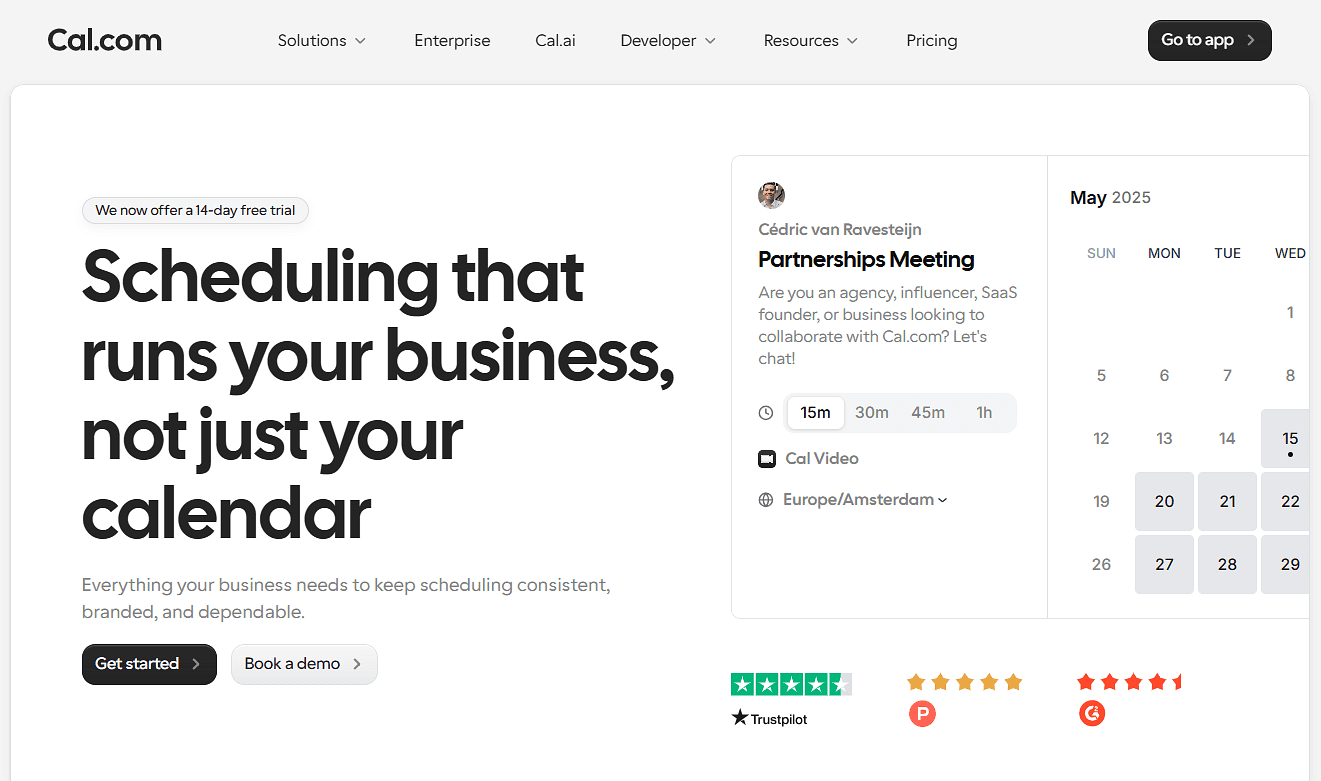
What it is: Cal.com is a scheduling platform that training businesses can use to publish classes, manage available seats, take payments, and keep schedules up to date. Students can find a class, reserve a seat, and pay while availability stays synced with your calendars. It focuses on booking rather than managing your entire training operation. If you need built-in class packs, memberships, or a full course catalog, you’ll need to add an integration or use another tool for those functions.
Why it ranks here: Cal.com brings class bookings, payments, capacity, recurring sessions, reminders, and calendar availability together in one place. You can also embed booking on your website, customize its appearance to match your brand, and easily connect it with other systems you use.
Key features:
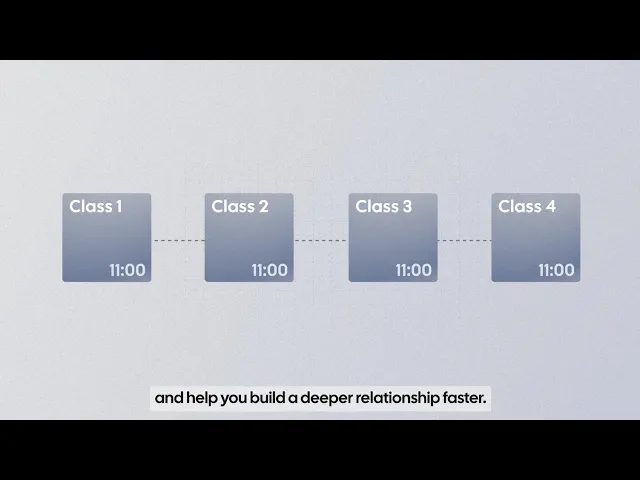
Group classes: Set a maximum number of attendees and show students how many seats are available.
Recurring classes: Schedule classes that repeat weekly, monthly, or across multiple sessions.
Online classes: Run virtual sessions with Cal Video or connect bookings to tools such as Zoom and Google Meet.
Booking limits and buffers: Control how often classes can be booked and add time between sessions.
Online payments: Charge students for classes or collect deposits through Stripe.
Automated notifications: Send booking confirmations, reminders, and other notifications automatically.
Calendar sync: Connect your calendars to keep availability up to date and prevent scheduling conflicts.
Team scheduling: Use round-robin and collective scheduling to distribute bookings across instructors.
Booking questions: Collect information from students when they book.
Branded booking pages: Customize your booking pages and remove Cal.com branding on eligible plans.
Website embedding: Add booking to your existing website so students can book without leaving it.
100+ native integrations: Connect Cal.com with the tools you already use, including calendars, video conferencing, CRM, and payment platforms.
API access: Connect Cal.com with your existing systems or build booking directly into your website or application.
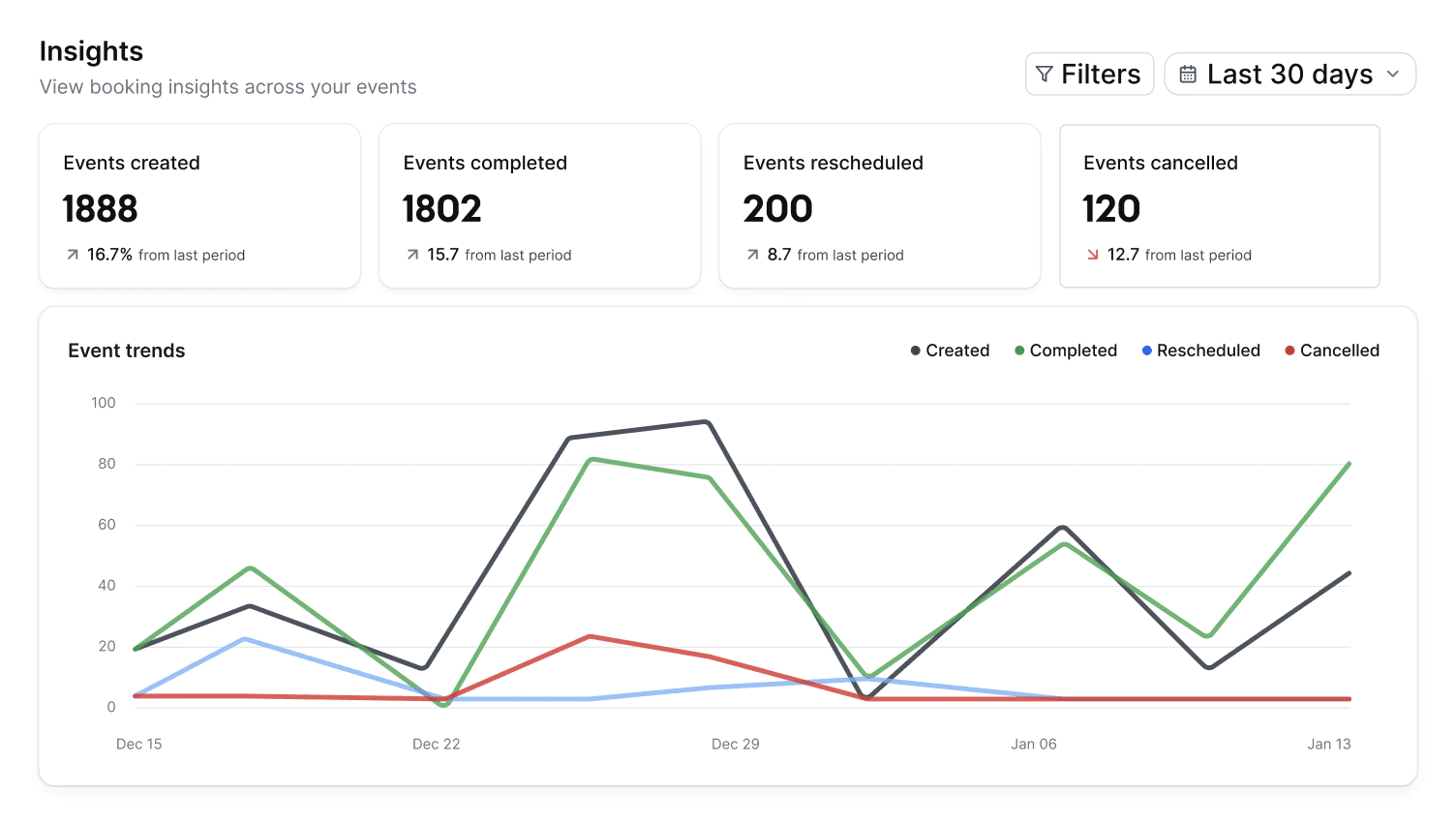
Booking analytics: Track booking activity and other scheduling data to understand how your classes are performing.
Pricing: Cal.com has a free forever plan for one user with unlimited booking pages, unlimited bookings, group classes, two-way calendar sync, payments, and automated reminders. Paid plans start at $16/user/month, or $12/user/month when billed annually, and add team scheduling, recurring classes, booking analytics, and API access.
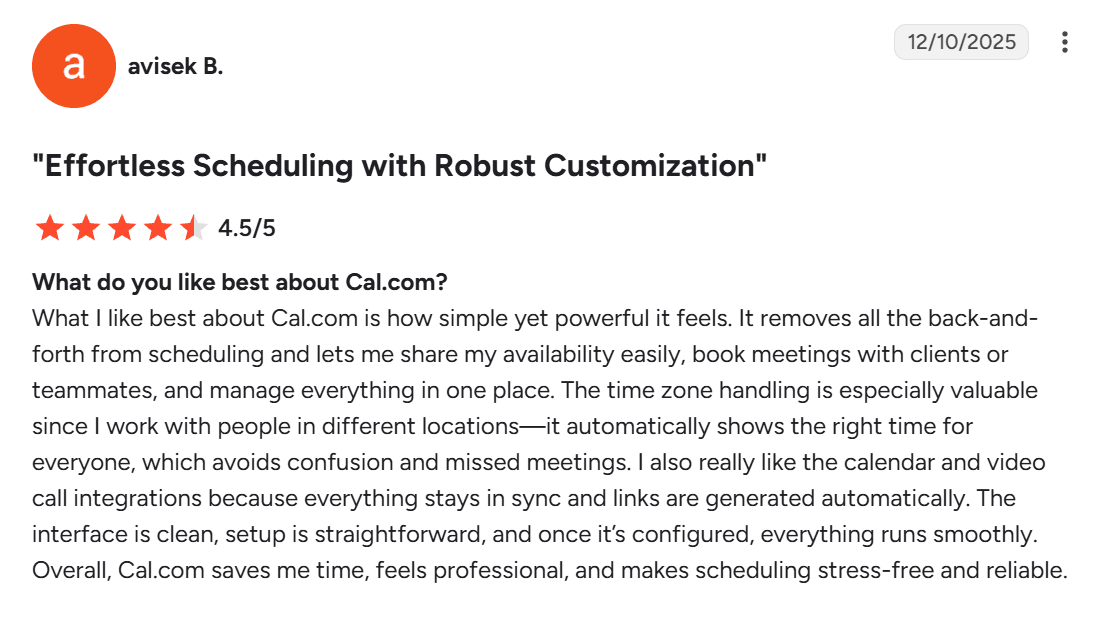
Best for: Training businesses, workshops, tutoring centers, course providers, and studios that want to customize their booking experience, add it to their website, and connect it with existing systems through native integrations or an API.
Verdict: Cal.com is a good fit for training businesses that want to let students book and pay for classes without paying for a large training management system. You can start with the free plan as a solo instructor and move to a paid plan as you add instructors and need API access. You can also connect Cal.com with the other tools you use as your business grows.
Try Cal.com’s free plan to get started, or book a demo if you want to see how it can work for your classes.
2. Acuity Scheduling: best for selling class packs and memberships
Free plan? | Starting price | Standout feature | Best use case |
|---|---|---|---|
No, 7-day trial | $20/month | Built-in class packs, memberships, and subscriptions | Studios that sell packs and memberships |

What it is: Acuity Scheduling is a scheduling platform with support for group classes, packages, memberships, and subscriptions. It’s particularly useful for training businesses where students regularly buy a bundle of classes or pay for ongoing access rather than booking and paying for each class separately. It also includes tools for managing client information, payments, and reminders alongside your class schedule.
Key features:
Group classes: Create one-time or recurring classes, set a maximum number of students, and stop new bookings when a class is full.
Packages and memberships: Sell bundles of classes or services, or offer recurring memberships and subscriptions with automatic payments.
Online payments: Accept payments, deposits, and prepayments through Stripe, Square, PayPal, or Venmo.
Client intake forms: Collect information such as contact details, preferences, experience, waivers, or other required information before a class.
Email and text reminders: Send booking confirmations and automated email reminders, with SMS reminders available on paid plans that include them.
Limitations:
It has no free plan.
Selling memberships and packages aren’t available on the starter plan.
Pricing: Acuity doesn’t have a free plan, but you can try it free for 7 days. Paid plans start at $20/month and include one connected calendar, client self-booking, payment processing, and email reminders. Higher plans add features such as text reminders, waitlists, packages, memberships, and support for more calendars.
Best for: Coaches, studios, and small training businesses that sell class packs, memberships, or subscriptions and want those features built into the scheduler.
Verdict (vs. Cal.com): Choose Acuity if you need built-in packages and memberships for your classes. Choose Cal.com if you’re starting with a small team and want to get more scheduling features without paying upfront. Its generous free plan includes the features you need to get started, while routing and round-robin scheduling help distribute bookings across instructors as your team grows. You can also embed booking on your website and easily connect Cal.com with the other systems you use.
3. Arlo: best for end-to-end commercial training management
Free plan? | Starting price | Standout feature | Best use case |
|---|---|---|---|
No, 14-day trial | $132/month, per license | Full training management in one system | Commercial training providers running courses at scale |
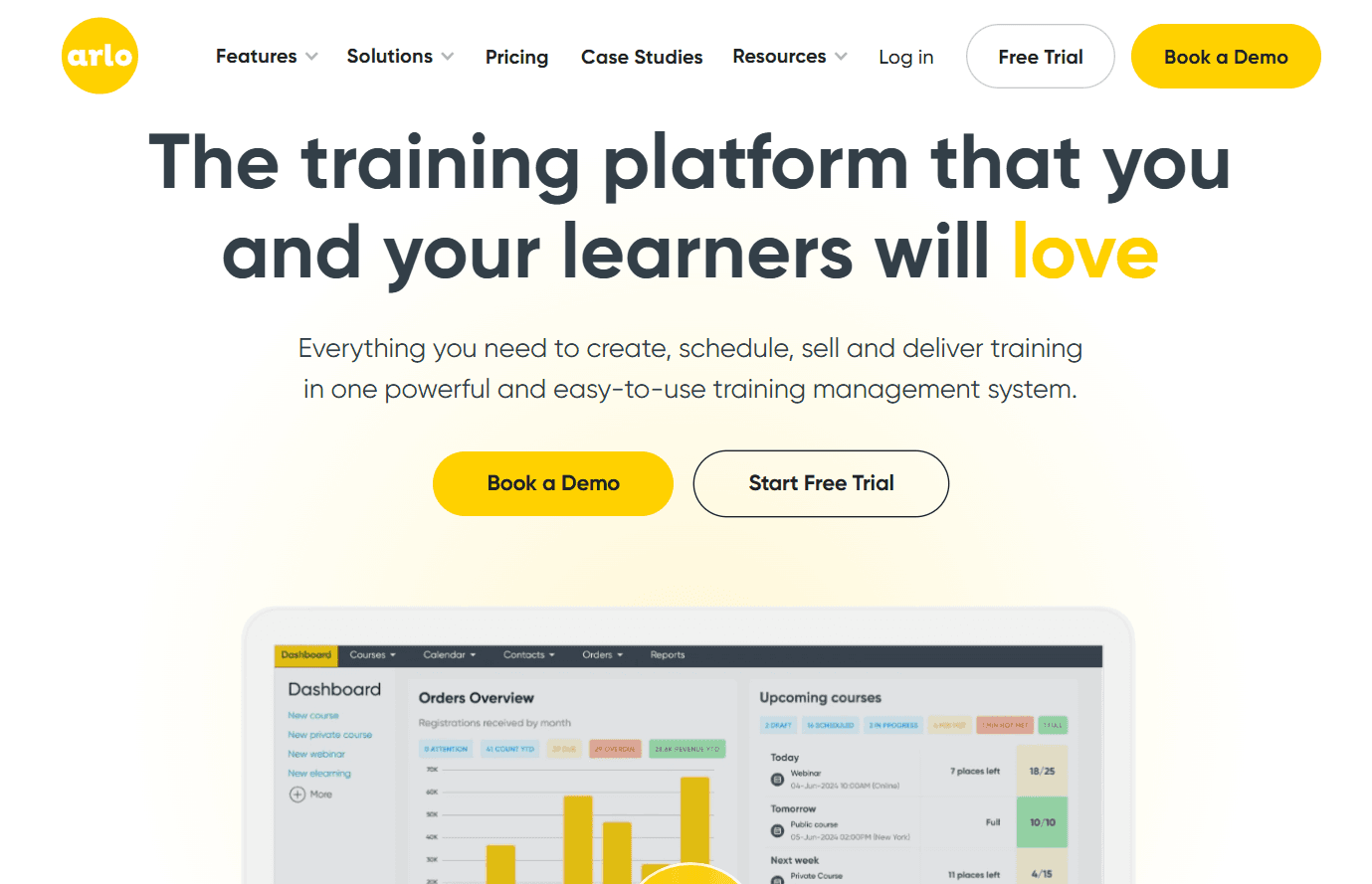
What it is: Arlo is a training management system built for commercial training providers. You can use it to schedule courses, manage registrations, take payments, manage customer information, build training websites and checkout pages, track attendance and results, issue certificates, and generate reports. Instead of focusing mainly on the booking experience, Arlo brings the different parts of running a training business into one system.
Key features:
Course scheduling: Create one-off, recurring, and multi-session courses using reusable templates across different formats.
Registration and enrollment: Create registration forms, set enrollment limits, manage waitlists, apply discounts, and screen registrants.
Payments and invoicing: Accept card payments, bank transfers, or invoices, and offer payment plans, discounts, and vouchers.
Instructor mobile access: Let instructors view rosters, record attendance, check payments, and update participant details from their phones.
Certificates and completion tracking: Issue certificates when learners complete training and track certification renewals.
Limitations:
Arlo is much more expensive than a dedicated scheduling software.
It’s complex to set up and has a steep learning curve.
Pricing: Arlo doesn’t have a free plan, but offers a 14-day free trial. Paid plans start at $132/month, and include course scheduling, email automation, an Arlo website and checkout, and basic CRM and reporting. Higher plans add website integration, multi-session courses, customer portals, instructor mobile access, waitlists, and integrations with 3,000+ apps.
Best for: Established commercial training companies and professional training providers that need scheduling, registration, customer management, and other training operations in one system.
Verdict (vs. Cal.com): Arlo is a good fit when you need a complete training management platform. If your main requirement is letting people book and pay for classes, Cal.com is simpler, more flexible, and much cheaper to start with.
4. Bookwhen: best for flexible course and series booking
Free plan? | Starting price | Standout feature | Best use case |
|---|---|---|---|
Yes, 50 bookings per month | $16/month | Flexible series booking with passes and memberships | Course and workshop businesses that sell passes |
What it is: Bookwhen is a booking platform for classes, courses, and workshops. You can publish individual sessions or group several sessions into a course or series, set the number of available slots, and let students book and pay online. You can also sell passes and memberships for students who attend multiple sessions, and use waitlists when a class fills up. This makes Bookwhen a good fit for training businesses that run recurring classes, workshops, or multi-session courses.
Key features:
Recurring schedules: Set up a class once and have Bookwhen automatically repeat it on your chosen schedule, whether that's weekly, monthly, or another recurring pattern.
Course and group tickets: Sell single-session, full-course, or group tickets, with options such as early-bird pricing and discounts for booking multiple sessions.
Class passes and memberships: Sell blocks of classes that customers can redeem later, or offer recurring memberships with access to selected events or discounted tickets.
Attendance tracking: Use the attendee list to mark who attended and record no-shows as the class takes place.
Online and offline payments: Accept online payments through supported providers such as Stripe and PayPal, or let customers pay offline.
Limitations:
Bookwhen's interface feels dated.
It has few native integrations.
Pricing: Bookwhen has a free plan for one team member with one booking page and 50 bookings per month. Paid plans start at $16/month for two team members, one booking page, 300 bookings, online events via Zoom, and payments.
Best for: Course providers, workshops, community education programs, and class businesses that need flexible series booking, passes, and ticketing.
Verdict (vs. Cal.com): Bookwhen is a good fit if you sell multi-session courses, passes, or memberships and want those options built into your booking system. Cal.com is better suited to businesses that want more control over their booking pages, calendar scheduling, team routing, and integrations.
5. SimplyBook.me: best for a fully customizable booking site
Free plan? | Starting price | Standout feature | Best use case |
|---|---|---|---|
Yes, 50 bookings per month | $13.90/month | Modular custom features you can switch on as needed | Businesses that want a customizable booking site |
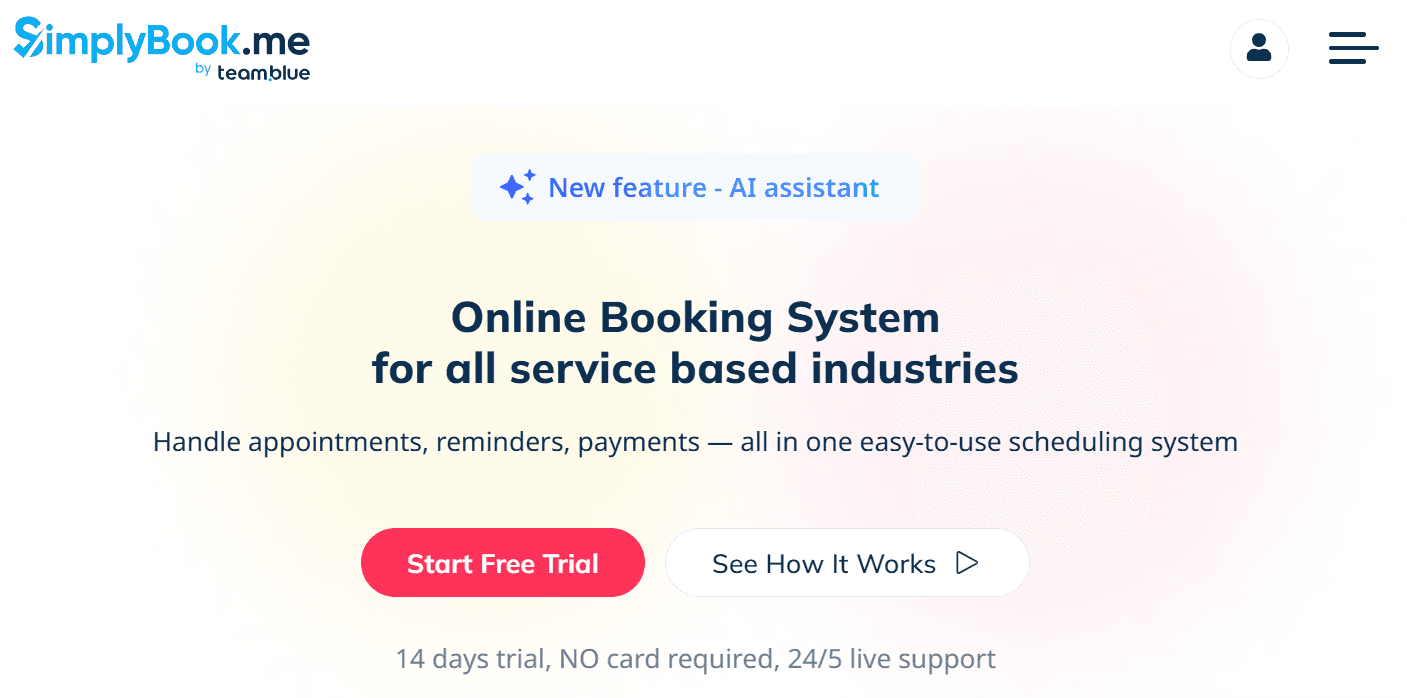
What it is: SimplyBook.me lets you build a booking site by selecting the features you need. You can add memberships, packages, gift cards, online payments, point-of-sale tools, and class booking, then customize the booking page to match your business. It also gives you tools to manage staff, schedules, and customer bookings from the same platform.
Key features:
Class and group booking: Create classes with schedules, instructors, and capacity limits, and stop bookings when full.
Memberships and packages: Sell memberships for selected classes or packages that bundle multiple classes and services.
Gift cards and discounts: Sell gift cards and create fixed or percentage-based discounts with expiry dates.
Online payments and deposits: Collect full payments or deposits when students book.
Branded booking site and app: Give clients a branded website and mobile app to book and manage their bookings.
Limitations:
Booking volume is capped on every plan.
The setup can feel overwhelming due to its many settings, menus, and plug-ins.
Pricing: SimplyBook.me has a free plan for one provider with 50 bookings per month and one premium custom feature. Paid plans start at $13.90/month for five providers, 100 bookings, and three premium custom features. Higher plans increase the booking limit and number of available custom features.
Best for: Training businesses that want to build a customizable booking site with specific add-ons such as packages, memberships, payments, or gift cards.
Verdict (vs. Cal.com): SimplyBook.me is a good fit if you want to add features such as memberships, packages, and gift cards to your booking site. Cal.com is a better fit if you want unlimited bookings, a more generous free plan, and team scheduling features such as routing and round-robin.
Class scheduling software compared: quick comparison
Here’s how the five class scheduling software compare on key features and free plans:
Tool | Free plan | Seat capacity | Class packs | Calendar sync |
|---|---|---|---|---|
Cal.com | ✅ Free forever, unlimited bookings | ✅ Group classes with seat limits | ⚠️ Native payments feature; packs and memberships need an integration | ✅ Two-way sync across Google, Outlook, and Apple calendars |
Acuity Scheduling | ❌ No, 7-day trial | ✅ Group classes with per-class capacity | ✅ Packages and memberships | ✅ Two-way sync across calendars |
Arlo | ❌ No, 14-day trial | ✅ Course and session capacity with waitlists | ⚠️ Supports course bundles, but not traditional class packs | ✅ Two-way sync across calendars |
Bookwhen | ⚠️ Free plan with 50 bookings per month | ✅ Capacity with automatic waitlists | ✅ Passes and memberships | ⚠️ One-way sync across calendars |
SimplyBook.me | ⚠️ Free plan with 50 bookings per month | ✅ Class and group capacity limits | ✅ Packages and memberships through custom features | ✅ Two-way sync across calendars |
Final verdict
Before you choose a class scheduling software, start by deciding whether you need a scheduling platform, built-in tools for selling class packs or memberships, or software that also handles your other business operations.
Cal.com is the best choice if you need a simple class scheduling software without paying for a full training management platform. Its free plan gives solo instructors unlimited bookings, group classes, payments, calendar sync, and automated reminders. Paid plans add team scheduling, recurring classes, analytics, and API access as your requirements grow.
For class packs and memberships, consider Acuity Scheduling or Bookwhen. For course registration, CRM, certificates, and reporting, Arlo is the more comprehensive option. If you want to assemble a booking site around different add-ons, SimplyBook.me gives you that flexibility.
Build your first class booking page with Cal.com’s free plan, or book a demo if you’d like to talk through setting up Cal.com for your team.
Frequently asked questions
What's the best class scheduling software for training businesses? Cal.com is the best option if you mainly need to book group classes, manage capacity, take payments, and keep calendars up to date. Acuity is better suited to businesses that sell class packs and memberships, Bookwhen to course and series-based businesses, Arlo to companies that need training management beyond scheduling, and SimplyBook.me to businesses that want a customizable booking site.
Is there free class scheduling software? Yes. Cal.com has a free forever plan for one user with unlimited bookings, group classes, payments, two-way calendar sync, and automated reminders. Bookwhen and SimplyBook.me also offer free plans, but with booking limits. Acuity and Arlo have no free plans, only trials.
Can Cal.com handle group classes with limited seats? Yes. Cal.com's group booking features let you set a maximum number of attendees and show students how many seats are available. You can also schedule recurring classes, collect payments, send automated reminders, and keep availability synced with your calendars.
How much does class scheduling software cost? Some class scheduling software have free plans, while paid plans range from around $12 to more than $100 per month. Cal.com starts free for one user, with paid plans starting at $16/user/month or $12/user/month when billed annually. SimplyBook.me starts at $13.90/month, Bookwhen at $16/month, Acuity at $20/month, and Arlo at $132/month.
Which class booking system is best for a small studio or solo instructor? Cal.com's free plan is a practical starting point if you mainly need to schedule classes, manage capacity, take payments, and keep your calendar updated. If you sell class packs or memberships, Acuity or Bookwhen may be a better match. SimplyBook.me is another option if you want to add features such as packages, memberships, or gift cards to your booking site.

Get started with Cal.com for free today!
Experience seamless scheduling and productivity with no hidden fees. Sign up in seconds and start simplifying your scheduling today, no credit card required!