" height="18.016311920580208px" id="GKXyVanMq" stroke-dasharray="0" stroke-linecap="butt" stroke-linejoin="miter" stroke-miterlimit="10" stroke-width="0.5" stroke="rgb(0, 0, 0)" transform="translate(3 3)" width="18px"/></svg>)
"/><stop offset="1" stop-color="rgb(227, 224, 244)"/></linearGradient><linearGradient id="CBS1bzkxF-2031533640-linear-gradient" x1="0.49751243781094523" x2="0.5024875621890548" y1="0" y2="1"><stop offset="0" stop-color="rgb(255, 255, 255)"/><stop offset="1" stop-color="rgb(227, 224, 244)"/></linearGradient><linearGradient id="Jd7AK81w9-2031533640-linear-gradient" x1="0.49751243781094523" x2="0.5024875621890548" y1="0" y2="1"><stop offset="0" stop-color="rgb(255, 255, 255)"/><stop offset="1" stop-color="rgb(227, 224, 244)"/></linearGradient></defs><g d="M 0 16 L 0 0 L 16 0 L 16 16 Z M 9.167 5.167 C 9.167 4.891 8.943 4.667 8.667 4.667 C 8.391 4.667 8.167 4.891 8.167 5.167 C 8.167 6.784 7.809 7.834 7.155 8.488 C 6.501 9.143 5.451 9.5 3.833 9.5 C 3.557 9.5 3.333 9.724 3.333 10 C 3.333 10.276 3.557 10.5 3.833 10.5 C 5.451 10.5 6.501 10.857 7.155 11.512 C 7.809 12.166 8.167 13.216 8.167 14.833 C 8.167 15.109 8.391 15.333 8.667 15.333 C 8.943 15.333 9.167 15.109 9.167 14.833 C 9.167 13.216 9.524 12.166 10.178 11.512 C 10.832 10.857 11.883 10.5 13.5 10.5 C 13.776 10.5 14 10.276 14 10 C 14 9.724 13.776 9.5 13.5 9.5 C 11.883 9.5 10.832 9.143 10.178 8.488 C 9.524 7.834 9.167 6.784 9.167 5.167 Z M 4 3.667 C 4 3.483 3.851 3.333 3.667 3.333 C 3.483 3.333 3.333 3.483 3.333 3.667 C 3.333 4.32 3.189 4.715 2.952 4.952 C 2.715 5.189 2.32 5.333 1.667 5.333 C 1.483 5.333 1.333 5.483 1.333 5.667 C 1.333 5.851 1.483 6 1.667 6 C 2.32 6 2.715 6.145 2.952 6.382 C 3.189 6.618 3.333 7.013 3.333 7.667 C 3.333 7.851 3.483 8 3.667 8 C 3.851 8 4 7.851 4 7.667 C 4 7.013 4.145 6.618 4.382 6.382 C 4.618 6.145 5.013 6 5.667 6 C 5.851 6 6 5.851 6 5.667 C 6 5.483 5.851 5.333 5.667 5.333 C 5.013 5.333 4.618 5.189 4.382 4.952 C 4.145 4.715 4 4.32 4 3.667 Z M 7.333 1 C 7.333 0.816 7.184 0.667 7 0.667 C 6.816 0.667 6.667 0.816 6.667 1 C 6.667 1.422 6.573 1.65 6.445 1.778 C 6.317 1.906 6.089 2 5.667 2 C 5.483 2 5.333 2.149 5.333 2.333 C 5.333 2.517 5.483 2.667 5.667 2.667 C 6.089 2.667 6.317 2.761 6.445 2.889 C 6.573 3.016 6.667 3.244 6.667 3.667 C 6.667 3.851 6.816 4 7 4 C 7.184 4 7.333 3.851 7.333 3.667 C 7.333 3.244 7.427 3.016 7.555 2.889 C 7.683 2.761 7.911 2.667 8.333 2.667 C 8.517 2.667 8.667 2.517 8.667 2.333 C 8.667 2.149 8.517 2 8.333 2 C 7.911 2 7.683 1.906 7.555 1.778 C 7.427 1.65 7.333 1.422 7.333 1 Z" fill="transparent" height="16px" id="aoZYv33vR" width="16px"><path d="M 0 16 L 0 0 L 16 0 L 16 16 Z" fill="transparent" height="16px" id="Z2uGmhW9f" width="16px"/><g d="M 7.833 4.5 C 7.833 4.224 7.609 4 7.333 4 C 7.057 4 6.833 4.224 6.833 4.5 C 6.833 6.117 6.476 7.168 5.822 7.822 C 5.168 8.476 4.117 8.833 2.5 8.833 C 2.224 8.833 2 9.057 2 9.333 C 2 9.61 2.224 9.833 2.5 9.833 C 4.117 9.833 5.168 10.191 5.822 10.845 C 6.476 11.499 6.833 12.549 6.833 14.167 C 6.833 14.443 7.057 14.667 7.333 14.667 C 7.609 14.667 7.833 14.443 7.833 14.167 C 7.833 12.549 8.191 11.499 8.845 10.845 C 9.499 10.191 10.549 9.833 12.167 9.833 C 12.443 9.833 12.667 9.61 12.667 9.333 C 12.667 9.057 12.443 8.833 12.167 8.833 C 10.549 8.833 9.499 8.476 8.845 7.822 C 8.191 7.168 7.833 6.117 7.833 4.5 Z M 2.667 3 C 2.667 2.816 2.517 2.667 2.333 2.667 C 2.149 2.667 2 2.816 2 3 C 2 3.654 1.855 4.048 1.618 4.285 C 1.382 4.522 0.987 4.667 0.333 4.667 C 0.149 4.667 0 4.816 0 5 C 0 5.184 0.149 5.333 0.333 5.333 C 0.987 5.333 1.382 5.478 1.618 5.715 C 1.855 5.952 2 6.346 2 7 C 2 7.184 2.149 7.333 2.333 7.333 C 2.517 7.333 2.667 7.184 2.667 7 C 2.667 6.346 2.811 5.952 3.048 5.715 C 3.285 5.478 3.68 5.333 4.333 5.333 C 4.517 5.333 4.667 5.184 4.667 5 C 4.667 4.816 4.517 4.667 4.333 4.667 C 3.68 4.667 3.285 4.522 3.048 4.285 C 2.811 4.048 2.667 3.654 2.667 3 Z M 6 0.333 C 6 0.149 5.851 0 5.667 0 C 5.483 0 5.333 0.149 5.333 0.333 C 5.333 0.756 5.239 0.984 5.112 1.112 C 4.984 1.239 4.756 1.333 4.333 1.333 C 4.149 1.333 4 1.483 4 1.667 C 4 1.851 4.149 2 4.333 2 C 4.756 2 4.984 2.094 5.112 2.222 C 5.239 2.35 5.333 2.578 5.333 3 C 5.333 3.184 5.483 3.333 5.667 3.333 C 5.851 3.333 6 3.184 6 3 C 6 2.578 6.094 2.35 6.222 2.222 C 6.35 2.094 6.578 2 7 2 C 7.184 2 7.333 1.851 7.333 1.667 C 7.333 1.483 7.184 1.333 7 1.333 C 6.578 1.333 6.35 1.239 6.222 1.112 C 6.094 0.984 6 0.756 6 0.333 Z" fill="transparent" height="14.66671286102295px" id="ae6ccdFme" transform="translate(1.333 0.667)" width="12.66663px"><path d="M 5.833 0.5 C 5.833 0.224 5.609 0 5.333 0 C 5.057 0 4.833 0.224 4.833 0.5 C 4.833 2.117 4.476 3.168 3.822 3.822 C 3.168 4.476 2.117 4.833 0.5 4.833 C 0.224 4.833 0 5.057 0 5.333 C 0 5.61 0.224 5.833 0.5 5.833 C 2.117 5.833 3.168 6.191 3.822 6.845 C 4.476 7.499 4.833 8.549 4.833 10.167 C 4.833 10.443 5.057 10.667 5.333 10.667 C 5.609 10.667 5.833 10.443 5.833 10.167 C 5.833 8.549 6.191 7.499 6.845 6.845 C 7.499 6.191 8.549 5.833 10.167 5.833 C 10.443 5.833 10.667 5.61 10.667 5.333 C 10.667 5.057 10.443 4.833 10.167 4.833 C 8.549 4.833 7.499 4.476 6.845 3.822 C 6.191 3.168 5.833 2.117 5.833 0.5 Z" fill="url(%23t2lXByE48-2031533640-linear-gradient)" height="10.66671px" id="t2lXByE48" transform="translate(2 4)" width="10.66663px"/><path d="M 2.667 0.333 C 2.667 0.149 2.517 0 2.333 0 C 2.149 0 2 0.149 2 0.333 C 2 0.987 1.855 1.382 1.618 1.618 C 1.382 1.855 0.987 2 0.333 2 C 0.149 2 0 2.149 0 2.333 C 0 2.517 0.149 2.667 0.333 2.667 C 0.987 2.667 1.382 2.811 1.618 3.048 C 1.855 3.285 2 3.68 2 4.333 C 2 4.517 2.149 4.667 2.333 4.667 C 2.517 4.667 2.667 4.517 2.667 4.333 C 2.667 3.68 2.811 3.285 3.048 3.048 C 3.285 2.811 3.68 2.667 4.333 2.667 C 4.517 2.667 4.667 2.517 4.667 2.333 C 4.667 2.149 4.517 2 4.333 2 C 3.68 2 3.285 1.855 3.048 1.618 C 2.811 1.382 2.667 0.987 2.667 0.333 Z" fill="url(%23CBS1bzkxF-2031533640-linear-gradient)" height="4.66667px" id="CBS1bzkxF" transform="translate(0 2.667)" width="4.66667px"/><path d="M 2 0.333 C 2 0.149 1.851 0 1.667 0 C 1.483 0 1.333 0.149 1.333 0.333 C 1.333 0.756 1.239 0.984 1.112 1.112 C 0.984 1.239 0.756 1.333 0.333 1.333 C 0.149 1.333 0 1.483 0 1.667 C 0 1.851 0.149 2 0.333 2 C 0.756 2 0.984 2.094 1.112 2.222 C 1.239 2.35 1.333 2.578 1.333 3 C 1.333 3.184 1.483 3.333 1.667 3.333 C 1.851 3.333 2 3.184 2 3 C 2 2.578 2.094 2.35 2.222 2.222 C 2.35 2.094 2.578 2 3 2 C 3.184 2 3.333 1.851 3.333 1.667 C 3.333 1.483 3.184 1.333 3 1.333 C 2.578 1.333 2.35 1.239 2.222 1.112 C 2.094 0.984 2 0.756 2 0.333 Z" fill="url(%23Jd7AK81w9-2031533640-linear-gradient)" height="3.333333px" id="Jd7AK81w9" transform="translate(4 0)" width="3.3333399999999997px"/></g></g></svg>)
" height="24px" id="WCm44spAV" width="24px"/><path d="M 3.892 7.742 C 1.674 7.742 0 6.014 0 3.882 C 0 1.738 1.589 0 3.892 0 C 5.107 0 5.951 0.374 6.623 1.173 L 5.566 2.09 C 5.118 1.621 4.564 1.386 3.892 1.386 C 2.452 1.386 1.547 2.517 1.547 3.882 C 1.547 5.246 2.452 6.356 3.924 6.356 C 4.649 6.356 5.193 6.111 5.63 5.63 L 6.718 6.558 C 6.153 7.24 5.193 7.742 3.892 7.742 Z" fill="rgb(255, 255, 255)" height="7.741500000000002px" id="XEPpGD7l5" transform="translate(4 8.25)" width="6.717999999999989px"/><path d="M 2.74 7.922 C 1.215 7.922 0 6.632 0 5.032 C 0 3.433 1.215 2.122 2.74 2.122 C 3.7 2.122 4.201 2.516 4.5 3.113 L 4.5 2.239 L 5.928 2.239 L 5.928 7.784 L 4.531 7.784 L 4.531 6.877 C 4.233 7.507 3.731 7.922 2.74 7.922 Z M 1.439 5.023 C 1.439 5.865 2.057 6.622 2.975 6.622 C 3.924 6.622 4.531 5.897 4.531 5.033 C 4.531 4.169 3.924 3.423 2.975 3.423 C 2.057 3.423 1.439 4.159 1.439 5.022 Z M 6.784 7.784 L 6.784 0 L 8.224 0 L 8.224 7.784 L 6.784 7.784 Z" fill="rgb(255, 255, 255)" height="7.9224997406005855px" id="lGDJupIUR" transform="translate(10.5 8)" width="8.223500194549558px"/></g></svg>)
" width="18px"><path d="M 2 8 C 0.895 8 0 7.105 0 6 L 0 2 C 0 0.895 0.895 0 2 0 L 6 0 C 7.105 0 8 0.895 8 2 L 8 6 C 8 7.105 7.105 8 6 8 Z" fill="transparent" height="8px" id="ZrCrI93dV" stroke-dasharray="" stroke-linecap="round" stroke-linejoin="round" stroke-width="2" stroke="rgb(0, 0, 0)" width="8px"/><path d="M 0 0 L 0 4 C 0 5.105 0.895 6 2 6 L 6 6" fill="transparent" height="6px" id="emltWYAiE" stroke-dasharray="" stroke-linecap="round" stroke-linejoin="round" stroke-width="2" stroke="rgb(0, 0, 0)" transform="translate(4 8)" width="6px"/><path d="M 2 8 C 0.895 8 0 7.105 0 6 L 0 2 C 0 0.895 0.895 0 2 0 L 6 0 C 7.105 0 8 0.895 8 2 L 8 6 C 8 7.105 7.105 8 6 8 Z" fill="transparent" height="8px" id="WpBecYDfi" stroke-dasharray="" stroke-linecap="round" stroke-linejoin="round" stroke-width="2" stroke="rgb(0, 0, 0)" transform="translate(10 10)" width="8px"/></g></svg>)

By

Cédric van Ravesteijn
5 Best Government Scheduling Software
When residents need to book a permit appointment, submit records, or meet with a caseworker, you want them to find the right service and the right time without calling your office first.
The scheduling tool you choose should help route each request correctly, check staff availability, and reduce the manual work that comes with managing appointments.
Cal.com is the best option for government agencies focused on taking appointment bookings online. Its routing forms direct residents to the right service or clerk, while two-way calendar sync checks staff availability before offering a slot. Its API and webhooks can also send bookings to permitting, case, or queue systems.
We compared Cal.com with four other government scheduling software options and evaluated each one on three key questions:
Routing rules: Can resident responses send bookings to the right desk?
System integrations: Do bookings reach staff calendars and other systems?
Access controls: Does the tool support single sign-on (SSO), roles, and the security requirements your agency has?
The comparison table near the end of the article shows how all five tools stack up against these criteria.
Top government scheduling software at a glance
Cal.com: best for agencies moving counter services to online appointments
Qmatic: best for busy offices managing appointments and queues
QLess: best for government offices managing long virtual queues
WaitWell: best for small offices that need bookings and queues
Microsoft Bookings: best for simple appointment booking in Microsoft 365
What is government scheduling software?
Government scheduling software lets residents book appointments with public offices online. It shows available times, confirms the booking, sends reminders, and adds the appointment to the right staff member's calendar.
Government scheduling tools generally focus on one of two jobs: managing appointments or managing queues.
Appointment scheduling tools let residents choose a specific time and sends the booking to the appropriate staff member or service.
Queue management tools handle walk-ins and virtual lines. Residents join a queue through a phone, website, text message, or kiosk and wait until staff call them.
Some offices need both. A busy DMV, for example, might use appointment booking for scheduled visits and queue management for walk-ins. A permit desk, records counter, or benefits office moving from walk-ins to scheduled appointments usually focuses on appointment scheduling.
What to look for in government scheduling software
The right scheduling software should make it easier for residents to book the service they need and for staff to manage those bookings.
Before choosing a tool, check these features:
Walk-ins and appointments together: If your office still accepts walk-ins, check whether staff can manage booked appointments and walk-ins in the same queue. Otherwise, they may have to switch between separate systems.
Calendar sync: Staff already use calendars such as Outlook or Google Calendar. Look for two-way sync that checks existing events before offering a time, and confirm which calendars are included in the plan you need.
Email and SMS reminders: Reminders help reduce missed appointments, so check which channels the tool supports. Look at whether email and SMS reminders are included in the plan, whether there are limits on the number of text messages you can send, and whether SMS requires a paid add-on.
Calendar and system integrations: If bookings need to reach a permitting system, case-management system, CRM, or another internal tool, check whether the scheduler has a documented API and webhooks. These integrations reduce the need for staff to enter the same booking twice.
Routing to the right desk: Look for intake questions that send residents to the right service, location, or staff member based on their answers. Round-robin scheduling helps distribute bookings when several clerks handle the same service.
Security and data control: Ask for proof of security certifications such as SOC 2 Type II and ISO 27001. Also check for single sign-on (SSO), role-based access, and information about where your data is stored. Involve your information technology (IT) team early so they can confirm the tool meets your agency's security requirements.
Total cost and procurement: Published pricing makes it easier to estimate your costs and compare tools. With quote-based pricing, you won't know the cost until you speak with sales. Check for additional costs such as text messages, kiosk hardware, installation, annual support, and per-user or per-location fees.
The 5 best government scheduling software options
1. Cal.com: best for agencies moving counter services to online appointments
Free plan? | Starting price | Standout feature | Best use case |
|---|---|---|---|
Yes, for one user and unlimited bookings | $16/user/month | Routing forms plus two-way Google, Outlook, and Apple Calendar sync | Counters moving walk-in services to booked appointments |

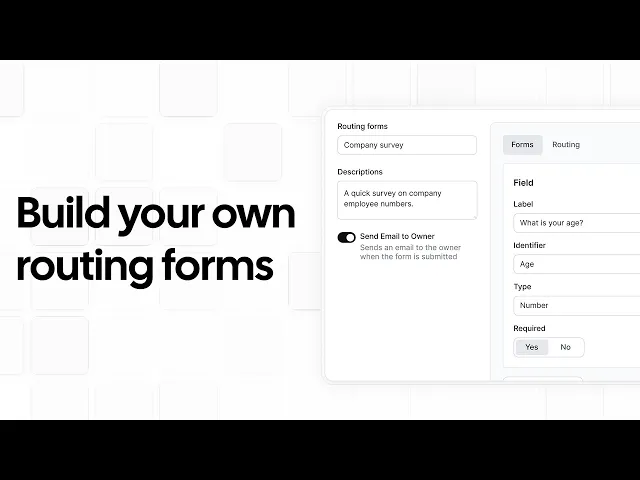
What it is: Cal.com helps government agencies manage online appointments, from booking pages for individual services to scheduling across multiple departments. You can set staff availability, create routing forms that direct residents to the right service or clerk, send reminders, sync staff calendars, and use webhooks to pass booking information to other systems.
This makes it a strong fit for agencies moving counter services to online appointments, especially when residents need to reach the right person without staff manually sorting every request.

Why it ranks first: Cal.com stands out for agencies that need to direct residents to the right service without manually sorting appointment requests. It routes residents based on their answers and checks staff availability through two-way sync with Outlook, Google Calendar, and Apple Calendar to prevent double-bookings.
For larger agencies, sub-teams and role-based permissions keep departmental schedules separate, while SSO and SCIM provide more control over access. Agencies with 50 or more users can also request EU data hosting through Cal.eu.
Key features:
Direct residents to the right service: Ask residents questions about what they need and send them to the appropriate service, office, or clerk based on their answers.
Match residents to staff: Route bookings based on staff details such as location or department, helping residents reach the right team across multiple offices.
Distribute appointments across staff: Assign bookings to available clerks automatically, using availability, workload weights, or priority rules.
Check calendar availability: Connect Google Calendar, Outlook, or Apple Calendar to check for scheduling conflicts before offering a time.
Add bookings to staff calendars: Write confirmed appointments to the selected calendar so staff can see their bookings without entering them manually.
Send email and text reminders: Automatically send booking confirmations and appointment reminders by email or SMS.
Set booking limits: Require advance notice, add breaks between appointments, cap daily bookings, limit how many appointments one person can hold, and require staff approval before confirming requests.
Translated booking pages: Offer booking pages in 65+ languages and auto-translate event titles and descriptions. On the Organizations plan, reminders are also translated into each resident’s language.
Virtual meetings: Let residents meet with staff online through Cal Video, Google Meet, or Zoom, without visiting the office in person.
Separate departmental schedules: Organize teams by department and restrict access so staff only see the schedules they're permitted to access.
Control staff access: Use single sign-on (SSO) and automated account provisioning through SCIM to manage staff access centrally.
Connect bookings to other systems: Use webhooks and the public API to send booking details to permitting, case-management, or other internal systems when appointments are created or updated.
Team insights dashboard: Track booking trends, appointment volumes, and team workloads to see how residents use your scheduling service.

Pricing: Cal.com’s free plan covers one user with unlimited event types, bookings, calendar connections, and email and SMS notifications. The Teams plan costs $16/user/month with monthly billing or $12/user/month with annual billing. It adds routing forms, round-robin scheduling, and booking analytics. The Organizations plan costs $37/user/month with monthly billing or $28/user/month with annual billing. It adds sub-team management, SSO, and SCIM support.

Yadiki Venkata review of Cal.com
Best for: Cities, counties, and state agencies moving counter services to online appointments, from single-service desks to multi-department offices.
Verdict: If your goal is to move more residents from walk-ins to scheduled appointments, Cal.com gives you the routing, calendar sync, team scheduling, and security controls to support that shift. You can also see the price of each plan before talking to sales.
Get started with Cal.com’s free plan or book a demo to see how it could work for your team.
2. Qmatic: best for busy offices managing appointments and queues
Free plan? | Starting price | Standout feature | Best use case |
|---|---|---|---|
No, and no trial | Custom quote | Kiosks, screens, and virtual queue in one system | Busy city halls and motor vehicle offices |

What it is: Qmatic helps government offices manage the entire in-person visit, from appointment booking and check-in to queue management and calling residents to the right counter. It also provides kiosks for check-in and screens that display queue updates in waiting areas. This makes it a strong choice for busy city halls, social services offices, and motor vehicle offices that handle both scheduled appointments and walk-ins. If your main challenge is managing long lines and keeping visitors moving through the office, Qmatic offers more of the tools you need than a standard appointment scheduler.
Key features:
Appointments and queues: Manage scheduled visits and walk-ins together, with rules for when residents are checked in and called to a service counter.
Virtual queues: Let residents join a queue from their phones, check their place in line, and receive updates while they wait away from the office.
Kiosks and screens: Let residents check in on arrival, then display queue updates and call residents to the right counter.
Outlook sync: Keep staff appointments aligned with Outlook calendars so existing events and bookings are easier to coordinate.
Security controls: Protect booking data with encryption, control staff access, support single sign-on (SSO), and meet the ISO 27001 security standard.
Limitations:
Kiosk and signage hardware add cost and implementation time.
Qmatic supports Outlook calendar integration but doesn't list native integrations for Google Calendar or Apple Calendar.
Integrating Qmatic with other systems can be complex and may require technical support.
Pricing: Qmatic doesn't publish pricing. You have to schedule a demo and request a custom quote.
Best for: Large government offices where walk-in traffic and lobby wait times are major operational concerns and there's budget for hardware.
Verdict (vs. Cal.com): Choose Qmatic if long queues and managing visitors at the counter are your main challenges. Choose Cal.com if you want residents to book ahead, avoid scheduling conflicts, and reach the right staff member. If your office handles both scheduled visits and heavy walk-in traffic, the two tools can complement each other.
3. QLess: best for government offices managing long virtual queues
Free plan? | Starting price | Standout feature | Best use case |
|---|---|---|---|
No, and no trial | Custom quote | Remote queue access with routing to less busy locations | Motor vehicle and permit offices with long lines |

What it is: QLess helps government offices manage long lines without requiring residents to wait at the office. Residents join a virtual queue from home, a kiosk, or by text, then receive updates so they know when to arrive for service. QLess also supports appointment booking, with reminders and self-rescheduling options that let residents change their plans without calling the office. When someone cancels, the system can offer the freed-up appointment slot to another resident. These features make QLess a strong choice for busy motor vehicle offices, tag agencies, and permit centers handling high volumes of walk-ins.
Key features:
Remote queues: Let residents join online, by phone or text, or at a kiosk, then track their place in line and estimated wait time without waiting in the lobby.
Location balancing: Direct residents to locations with more capacity based on wait times and travel distance, helping busy offices manage demand.
Reminders and rescheduling: Remind residents about visits and let them reschedule bookings themselves, reducing no-shows and staff follow-up.
Fill cancelled appointment slots: Notify residents when cancellations or rescheduling open an earlier appointment, helping your office fill available slots.
Phone callbacks: Let residents request a callback rather than stay on the phone waiting for an available staff member.
Limitations:
Staff calendar sync isn't clearly documented, so confirm Outlook and Google Calendar support in your demo with the team.
QLess offers an API, but its documentation isn’t public, so you'll need to confirm integration requirements with QLess.
Its queue-first approach offers less advanced appointment routing than dedicated scheduling tools.
Pricing: QLess doesn't publish pricing or plan tiers. You’ll have to book a demo and request a custom quote.
Best for: Motor vehicle offices, tag agencies, and permit centers handling long walk-in queues.
Verdict (vs. Cal.com): QLess is the better choice for offices managing virtual queues and heavy walk-in traffic. Cal.com is better for advance bookings, with routing forms to direct residents to the right staff, calendar sync to prevent scheduling conflicts, and transparent pricing.
4. WaitWell: best for small offices that need bookings and queues
Free plan? | Starting price | Standout feature | Best use case |
|---|---|---|---|
No, and no trial | $29/location/month | Unlimited staff accounts on per-location pricing | Small offices mixing walk-ins and bookings |

What it is: WaitWell helps public offices manage appointments and walk-ins through one system. Residents can book a visit in advance or join a virtual queue, making it useful for services such as criminal record checks, police reports, vehicle registration, and license plate services. Staff can manage both types of visits in one queue instead of switching between separate systems. WaitWell also publishes its starting prices and charges by location rather than by staff account, making it easier for smaller offices to estimate costs as they add staff.
Key features:
Appointments and queues: Let residents join a virtual queue or book appointments through the same website, while staff manage both in one system.
Unlimited staff accounts: Give clerks their own accounts without paying separately for each staff member.
Multilingual support: Detect residents’ languages and translate queue updates and appointment messages.
Pre-visit forms: Let residents submit required information, waivers, and documents before their visit.
Video meetings: Connect online visits through Microsoft Teams, Google Meet, or Zoom, so residents can meet with staff remotely.
Limitations:
Higher-volume offices may quickly outgrow the lower plan because of visit and notification limits.
SSO, webhooks, and the open API are only available on the custom-priced Enterprise and Campus plans, and the Starter plan has no API access.
Pricing: WaitWell doesn’t offer a free plan or trial. The starter plan costs $29/location/month for one location, one virtual queue, and 100 monthly notifications. The Basic plan costs $55/location/month and adds video meetings through Microsoft Teams, Google Meet, or Zoom, plus more locations, virtual queues, and monthly notifications. Enterprise and Campus plans are custom-priced.
5. Microsoft Bookings: best for simple appointment booking in Microsoft 365
Free plan? | Starting price | Standout feature | Best use case |
|---|---|---|---|
No, included with eligible Microsoft 365 plans | $5.40/user/month | Integrates with your existing Microsoft 365 environment | Letting residents book appointments with staff who use Outlook |

What it is: If your agency already uses Microsoft 365, you probably have access to Microsoft Bookings, so you may not need to pay for another scheduling tool. Bookings gives residents an online page to choose an appointment time based on staff availability in Outlook, then sends them an email confirmation with their booking details. For offices that mainly need residents to book appointments with staff who use Outlook, Bookings covers the basics without requiring a separate scheduling subscription.
Key features:
Outlook calendar sync: Check staff availability in Outlook when residents book appointments, helping prevent double-bookings without a separate calendar system.
Group bookings: Let multiple residents book the same time slot with one staff member, useful for group sessions or information briefings.
Custom booking fields: Collect additional details from residents during booking, such as the reason for their visit or information staff need to prepare.
Online appointments: Add Microsoft Teams meeting links to eligible bookings so residents can meet with staff remotely instead of visiting the office.
Booking notifications: Send residents email confirmations and appointment updates, helping them keep track of their bookings.
Limitations:
It’s less suited to teams that rely on Google Calendar or a mix of calendar providers.
Limited booking page customization and routing features.
Pricing: Microsoft Bookings has no free plan. Instead, it’s included as part of eligible Microsoft 365 plans rather than sold separately. Microsoft 365 Business Basic starts at $5.40/user/month with annual billing (without MS Teams), or $7.00/user/month (with Teams included).
Best for: Agencies using Microsoft 365 that need simple appointment booking without advanced routing and team scheduling features.
Verdict (vs. Cal.com): Bookings is a practical option if it's already included in your Microsoft 365 subscription and your scheduling needs are simple. Cal.com is a better fit if you need more advanced routing, support for multiple calendar providers, text reminders without an add-on, or deeper integrations.
Government scheduling software: quick comparison
Here’s how the five government scheduling software compare on key features and free plans:
Tool | Free plan | Routing rules | System integrations | Access controls |
|---|---|---|---|---|
Cal.com | ✅ Free forever for one user | Answer-based and attribute routing | Google, Outlook, Apple, and Zoho Calendar sync; API and webhooks | SSO, SCIM, roles, SOC 2, and ISO 27001 |
Qmatic | ❌ No, and no trial | Routes by service, skill, and language | Outlook sync, API, and Dynamics; no Google Calendar listed | SSO, encryption, and ISO 27001 |
QLess | ❌ No, and no trial | Supports location routing | API available, but documentation isn’t public; staff calendar sync not documented | SSO on request; certifications unconfirmed |
WaitWell | ❌ No, and no trial | Service types and desk routing | Outlook sync, API, and webhooks | Basic roles, SSO, and audit logs |
Microsoft Bookings | ❌ No, included with MS 365 plans | No answer-based routing | Native Outlook sync; Bookings API via Microsoft Graph | Uses your organization's Microsoft sign-in and restricts access to internal users |
Final verdict
Choose government scheduling software based on whether you need to move appointments online, manage queues, or handle both.
Cal.com is the best fit for agencies moving counter services to online appointments. Its routing forms direct residents to the right service, while calendar sync prevents scheduling conflicts and integrations send bookings to other systems.
If you need to manage walk-ins alongside appointments, consider Qmatic, QLess, or WaitWell. Qmatic and QLess suit offices with heavy queues, while WaitWell offers a more affordable starting point with published pricing. Microsoft Bookings suits agencies that already use Microsoft 365 and need basic appointment booking.
Ready to move your counter services online? Start with Cal.com's free plan or book a demo for your team.
Frequently asked questions
What is the best government scheduling software? Cal.com is the best fit for government agencies moving counter services to online appointments. Its routing forms direct residents to the right service or clerk, while calendar sync checks staff availability and integrations send bookings to other systems. Qmatic, QLess, and WaitWell are better suited to offices where queue management is a priority.
How much does Cal.com cost for a government agency? Cal.com offers a free plan for one user. Teams costs $16/user/month with monthly billing or $12/user/month annually, adding routing forms, round-robin scheduling, and booking analytics. Organizations costs $37/user/month monthly or $28/user/month annually, adding sub-team management, SSO, and SCIM. Enterprise pricing is available on request.
Is there free government scheduling software? Yes. Cal.com's free plan includes unlimited bookings, event types, and calendar connections for one user, along with email and SMS notifications. Microsoft Bookings is also included with eligible Microsoft 365 plans. Qmatic, QLess, and WaitWell don't offer free plans.
Can government scheduling software be self-hosted? Cal.com supports self-hosting on its Enterprise plan, giving agencies more control over where and how they deploy the software. This can help agencies meet specific security and data residency requirements. Agencies should review the technical requirements and ensure their deployment meets their security policies and rules governing where government data is stored and processed.
Which government scheduling software is best for a small city or county office? If you're moving a single service from walk-ins to online appointments, start with Cal.com's free plan. Choose its Teams plan when you need routing forms and round-robin scheduling across staff. If you also need to manage walk-ins and virtual queues, consider WaitWell, which publishes its pricing and charges by location rather than by staff account.

Get started with Cal.com for free today!
Experience seamless scheduling and productivity with no hidden fees. Sign up in seconds and start simplifying your scheduling today, no credit card required!