" height="18.016311920580208px" id="GKXyVanMq" stroke-dasharray="0" stroke-linecap="butt" stroke-linejoin="miter" stroke-miterlimit="10" stroke-width="0.5" stroke="rgb(0, 0, 0)" transform="translate(3 3)" width="18px"/></svg>)
"/><stop offset="1" stop-color="rgb(227, 224, 244)"/></linearGradient><linearGradient id="CBS1bzkxF-2031533640-linear-gradient" x1="0.49751243781094523" x2="0.5024875621890548" y1="0" y2="1"><stop offset="0" stop-color="rgb(255, 255, 255)"/><stop offset="1" stop-color="rgb(227, 224, 244)"/></linearGradient><linearGradient id="Jd7AK81w9-2031533640-linear-gradient" x1="0.49751243781094523" x2="0.5024875621890548" y1="0" y2="1"><stop offset="0" stop-color="rgb(255, 255, 255)"/><stop offset="1" stop-color="rgb(227, 224, 244)"/></linearGradient></defs><g d="M 0 16 L 0 0 L 16 0 L 16 16 Z M 9.167 5.167 C 9.167 4.891 8.943 4.667 8.667 4.667 C 8.391 4.667 8.167 4.891 8.167 5.167 C 8.167 6.784 7.809 7.834 7.155 8.488 C 6.501 9.143 5.451 9.5 3.833 9.5 C 3.557 9.5 3.333 9.724 3.333 10 C 3.333 10.276 3.557 10.5 3.833 10.5 C 5.451 10.5 6.501 10.857 7.155 11.512 C 7.809 12.166 8.167 13.216 8.167 14.833 C 8.167 15.109 8.391 15.333 8.667 15.333 C 8.943 15.333 9.167 15.109 9.167 14.833 C 9.167 13.216 9.524 12.166 10.178 11.512 C 10.832 10.857 11.883 10.5 13.5 10.5 C 13.776 10.5 14 10.276 14 10 C 14 9.724 13.776 9.5 13.5 9.5 C 11.883 9.5 10.832 9.143 10.178 8.488 C 9.524 7.834 9.167 6.784 9.167 5.167 Z M 4 3.667 C 4 3.483 3.851 3.333 3.667 3.333 C 3.483 3.333 3.333 3.483 3.333 3.667 C 3.333 4.32 3.189 4.715 2.952 4.952 C 2.715 5.189 2.32 5.333 1.667 5.333 C 1.483 5.333 1.333 5.483 1.333 5.667 C 1.333 5.851 1.483 6 1.667 6 C 2.32 6 2.715 6.145 2.952 6.382 C 3.189 6.618 3.333 7.013 3.333 7.667 C 3.333 7.851 3.483 8 3.667 8 C 3.851 8 4 7.851 4 7.667 C 4 7.013 4.145 6.618 4.382 6.382 C 4.618 6.145 5.013 6 5.667 6 C 5.851 6 6 5.851 6 5.667 C 6 5.483 5.851 5.333 5.667 5.333 C 5.013 5.333 4.618 5.189 4.382 4.952 C 4.145 4.715 4 4.32 4 3.667 Z M 7.333 1 C 7.333 0.816 7.184 0.667 7 0.667 C 6.816 0.667 6.667 0.816 6.667 1 C 6.667 1.422 6.573 1.65 6.445 1.778 C 6.317 1.906 6.089 2 5.667 2 C 5.483 2 5.333 2.149 5.333 2.333 C 5.333 2.517 5.483 2.667 5.667 2.667 C 6.089 2.667 6.317 2.761 6.445 2.889 C 6.573 3.016 6.667 3.244 6.667 3.667 C 6.667 3.851 6.816 4 7 4 C 7.184 4 7.333 3.851 7.333 3.667 C 7.333 3.244 7.427 3.016 7.555 2.889 C 7.683 2.761 7.911 2.667 8.333 2.667 C 8.517 2.667 8.667 2.517 8.667 2.333 C 8.667 2.149 8.517 2 8.333 2 C 7.911 2 7.683 1.906 7.555 1.778 C 7.427 1.65 7.333 1.422 7.333 1 Z" fill="transparent" height="16px" id="aoZYv33vR" width="16px"><path d="M 0 16 L 0 0 L 16 0 L 16 16 Z" fill="transparent" height="16px" id="Z2uGmhW9f" width="16px"/><g d="M 7.833 4.5 C 7.833 4.224 7.609 4 7.333 4 C 7.057 4 6.833 4.224 6.833 4.5 C 6.833 6.117 6.476 7.168 5.822 7.822 C 5.168 8.476 4.117 8.833 2.5 8.833 C 2.224 8.833 2 9.057 2 9.333 C 2 9.61 2.224 9.833 2.5 9.833 C 4.117 9.833 5.168 10.191 5.822 10.845 C 6.476 11.499 6.833 12.549 6.833 14.167 C 6.833 14.443 7.057 14.667 7.333 14.667 C 7.609 14.667 7.833 14.443 7.833 14.167 C 7.833 12.549 8.191 11.499 8.845 10.845 C 9.499 10.191 10.549 9.833 12.167 9.833 C 12.443 9.833 12.667 9.61 12.667 9.333 C 12.667 9.057 12.443 8.833 12.167 8.833 C 10.549 8.833 9.499 8.476 8.845 7.822 C 8.191 7.168 7.833 6.117 7.833 4.5 Z M 2.667 3 C 2.667 2.816 2.517 2.667 2.333 2.667 C 2.149 2.667 2 2.816 2 3 C 2 3.654 1.855 4.048 1.618 4.285 C 1.382 4.522 0.987 4.667 0.333 4.667 C 0.149 4.667 0 4.816 0 5 C 0 5.184 0.149 5.333 0.333 5.333 C 0.987 5.333 1.382 5.478 1.618 5.715 C 1.855 5.952 2 6.346 2 7 C 2 7.184 2.149 7.333 2.333 7.333 C 2.517 7.333 2.667 7.184 2.667 7 C 2.667 6.346 2.811 5.952 3.048 5.715 C 3.285 5.478 3.68 5.333 4.333 5.333 C 4.517 5.333 4.667 5.184 4.667 5 C 4.667 4.816 4.517 4.667 4.333 4.667 C 3.68 4.667 3.285 4.522 3.048 4.285 C 2.811 4.048 2.667 3.654 2.667 3 Z M 6 0.333 C 6 0.149 5.851 0 5.667 0 C 5.483 0 5.333 0.149 5.333 0.333 C 5.333 0.756 5.239 0.984 5.112 1.112 C 4.984 1.239 4.756 1.333 4.333 1.333 C 4.149 1.333 4 1.483 4 1.667 C 4 1.851 4.149 2 4.333 2 C 4.756 2 4.984 2.094 5.112 2.222 C 5.239 2.35 5.333 2.578 5.333 3 C 5.333 3.184 5.483 3.333 5.667 3.333 C 5.851 3.333 6 3.184 6 3 C 6 2.578 6.094 2.35 6.222 2.222 C 6.35 2.094 6.578 2 7 2 C 7.184 2 7.333 1.851 7.333 1.667 C 7.333 1.483 7.184 1.333 7 1.333 C 6.578 1.333 6.35 1.239 6.222 1.112 C 6.094 0.984 6 0.756 6 0.333 Z" fill="transparent" height="14.66671286102295px" id="ae6ccdFme" transform="translate(1.333 0.667)" width="12.66663px"><path d="M 5.833 0.5 C 5.833 0.224 5.609 0 5.333 0 C 5.057 0 4.833 0.224 4.833 0.5 C 4.833 2.117 4.476 3.168 3.822 3.822 C 3.168 4.476 2.117 4.833 0.5 4.833 C 0.224 4.833 0 5.057 0 5.333 C 0 5.61 0.224 5.833 0.5 5.833 C 2.117 5.833 3.168 6.191 3.822 6.845 C 4.476 7.499 4.833 8.549 4.833 10.167 C 4.833 10.443 5.057 10.667 5.333 10.667 C 5.609 10.667 5.833 10.443 5.833 10.167 C 5.833 8.549 6.191 7.499 6.845 6.845 C 7.499 6.191 8.549 5.833 10.167 5.833 C 10.443 5.833 10.667 5.61 10.667 5.333 C 10.667 5.057 10.443 4.833 10.167 4.833 C 8.549 4.833 7.499 4.476 6.845 3.822 C 6.191 3.168 5.833 2.117 5.833 0.5 Z" fill="url(%23t2lXByE48-2031533640-linear-gradient)" height="10.66671px" id="t2lXByE48" transform="translate(2 4)" width="10.66663px"/><path d="M 2.667 0.333 C 2.667 0.149 2.517 0 2.333 0 C 2.149 0 2 0.149 2 0.333 C 2 0.987 1.855 1.382 1.618 1.618 C 1.382 1.855 0.987 2 0.333 2 C 0.149 2 0 2.149 0 2.333 C 0 2.517 0.149 2.667 0.333 2.667 C 0.987 2.667 1.382 2.811 1.618 3.048 C 1.855 3.285 2 3.68 2 4.333 C 2 4.517 2.149 4.667 2.333 4.667 C 2.517 4.667 2.667 4.517 2.667 4.333 C 2.667 3.68 2.811 3.285 3.048 3.048 C 3.285 2.811 3.68 2.667 4.333 2.667 C 4.517 2.667 4.667 2.517 4.667 2.333 C 4.667 2.149 4.517 2 4.333 2 C 3.68 2 3.285 1.855 3.048 1.618 C 2.811 1.382 2.667 0.987 2.667 0.333 Z" fill="url(%23CBS1bzkxF-2031533640-linear-gradient)" height="4.66667px" id="CBS1bzkxF" transform="translate(0 2.667)" width="4.66667px"/><path d="M 2 0.333 C 2 0.149 1.851 0 1.667 0 C 1.483 0 1.333 0.149 1.333 0.333 C 1.333 0.756 1.239 0.984 1.112 1.112 C 0.984 1.239 0.756 1.333 0.333 1.333 C 0.149 1.333 0 1.483 0 1.667 C 0 1.851 0.149 2 0.333 2 C 0.756 2 0.984 2.094 1.112 2.222 C 1.239 2.35 1.333 2.578 1.333 3 C 1.333 3.184 1.483 3.333 1.667 3.333 C 1.851 3.333 2 3.184 2 3 C 2 2.578 2.094 2.35 2.222 2.222 C 2.35 2.094 2.578 2 3 2 C 3.184 2 3.333 1.851 3.333 1.667 C 3.333 1.483 3.184 1.333 3 1.333 C 2.578 1.333 2.35 1.239 2.222 1.112 C 2.094 0.984 2 0.756 2 0.333 Z" fill="url(%23Jd7AK81w9-2031533640-linear-gradient)" height="3.333333px" id="Jd7AK81w9" transform="translate(4 0)" width="3.3333399999999997px"/></g></g></svg>)
" height="24px" id="WCm44spAV" width="24px"/><path d="M 3.892 7.742 C 1.674 7.742 0 6.014 0 3.882 C 0 1.738 1.589 0 3.892 0 C 5.107 0 5.951 0.374 6.623 1.173 L 5.566 2.09 C 5.118 1.621 4.564 1.386 3.892 1.386 C 2.452 1.386 1.547 2.517 1.547 3.882 C 1.547 5.246 2.452 6.356 3.924 6.356 C 4.649 6.356 5.193 6.111 5.63 5.63 L 6.718 6.558 C 6.153 7.24 5.193 7.742 3.892 7.742 Z" fill="rgb(255, 255, 255)" height="7.741500000000002px" id="XEPpGD7l5" transform="translate(4 8.25)" width="6.717999999999989px"/><path d="M 2.74 7.922 C 1.215 7.922 0 6.632 0 5.032 C 0 3.433 1.215 2.122 2.74 2.122 C 3.7 2.122 4.201 2.516 4.5 3.113 L 4.5 2.239 L 5.928 2.239 L 5.928 7.784 L 4.531 7.784 L 4.531 6.877 C 4.233 7.507 3.731 7.922 2.74 7.922 Z M 1.439 5.023 C 1.439 5.865 2.057 6.622 2.975 6.622 C 3.924 6.622 4.531 5.897 4.531 5.033 C 4.531 4.169 3.924 3.423 2.975 3.423 C 2.057 3.423 1.439 4.159 1.439 5.022 Z M 6.784 7.784 L 6.784 0 L 8.224 0 L 8.224 7.784 L 6.784 7.784 Z" fill="rgb(255, 255, 255)" height="7.9224997406005855px" id="lGDJupIUR" transform="translate(10.5 8)" width="8.223500194549558px"/></g></svg>)
" width="18px"><path d="M 2 8 C 0.895 8 0 7.105 0 6 L 0 2 C 0 0.895 0.895 0 2 0 L 6 0 C 7.105 0 8 0.895 8 2 L 8 6 C 8 7.105 7.105 8 6 8 Z" fill="transparent" height="8px" id="ZrCrI93dV" stroke-dasharray="" stroke-linecap="round" stroke-linejoin="round" stroke-width="2" stroke="rgb(0, 0, 0)" width="8px"/><path d="M 0 0 L 0 4 C 0 5.105 0.895 6 2 6 L 6 6" fill="transparent" height="6px" id="emltWYAiE" stroke-dasharray="" stroke-linecap="round" stroke-linejoin="round" stroke-width="2" stroke="rgb(0, 0, 0)" transform="translate(4 8)" width="6px"/><path d="M 2 8 C 0.895 8 0 7.105 0 6 L 0 2 C 0 0.895 0.895 0 2 0 L 6 0 C 7.105 0 8 0.895 8 2 L 8 6 C 8 7.105 7.105 8 6 8 Z" fill="transparent" height="8px" id="WpBecYDfi" stroke-dasharray="" stroke-linecap="round" stroke-linejoin="round" stroke-width="2" stroke="rgb(0, 0, 0)" transform="translate(10 10)" width="8px"/></g></svg>)


Best Lead Management Software 2026
If you can’t see your entire sales pipeline, you can’t improve it. Most modern sales teams do not have a problem with lead availability or talent; they have a problem with visibility.
Successful sales teams bring in leads with outreach programs and marketing. However, without an adequate top-down view of your entire sales pipeline, you’re fighting in the dark to close leads and optimize your sales team.
With the right response time improvement, pipeline bottleneck identification, and sales rep performance overview, you can improve lead conversion rates, positively influencing revenue. But how do you do that if your sales pipelines involve jumping between spreadsheets, CRM software, and manual scheduling? How do you optimize a team when you don’t know where the bottlenecks are?
That’s where the lead management software comes in. Think of it like a superpowered CRM dedicated to your sales funnel. Yes, your CRM can store contacts and help you assign leads to representatives, but the best lead management software does much more. It allows your team to avail of automated sales lead distribution along with predefined lead routing logic. These features ensure fair workload delivery and top-down monitoring of the entire sales lead lifecycle.
To help you find the best lead tracking software in 2026, we’ve tested and assembled a curated list of the best lead management software currently available. So, if you’re a founder, sales team, or RevOps leader struggling to find ways to improve lead conversions and scale revenue, this guide is for you.
What is lead management software?
A lead management system is a multi-function tool. On one hand, its purpose is to capture, track, and assign leads to the right representative. On the other hand, the CRM lead management software monitors the entire lifecycle of a lead inside your sales funnel. The monitoring capabilities are what differentiate lead management software from a dedicated lead routing or distribution tool.
How does a lead management system work?
A lead management system works in many layers due to its multiple functionalities. If you go chronologically, here’s how the functions of a sales CRM software work:
Captures lead from forms, ads, chat, emails, events, or outbound responses
Enriches the data of each lead with information from the CRM
Scores and qualifies leads based on buyer intent and interest to determine lead priority
Automatically assigns a lead to the right sales representative based on predefined routing logic
Tracks representative response time and interactions across email, calls, meetings, and demos
Monitors the movement of leads through the sales pipeline and tracks rep performance
The system works hands-free with automation. And with the right sales management software, you can even add automated meeting scheduling with leads in the mix.
Lead management vs CRM vs pipeline management
Since a lead management system has multiple functions and sometimes other tools offer similar features, are they all the same? No. While the terms may be used interchangeably, each software has distinct functions.
Customer relationship management (CRM): A CRM is a broad tool with the primary focus on storing customer data. It also tracks communication history with customers and manages accounts. CRM lead management software includes some lead tracking features, but it shines as a home base for customer data and communication.
Lead management software: Lead management software focuses on capturing, enriching, routing, and distributing leads to the right representatives. The primary focus of this tool is to help teams efficiently convert leads.
Pipeline management software: The pipeline management software focuses on revenue tracking and revenue forecasts. It helps teams monitor active opportunities and study how a lead performs through the different stages of your sales pipeline.
To simplify:
A CRM manages client data and relationships
A lead management software controls the flow/assignment of leads for optimal conversion chances
A pipeline tool monitors revenue and the journey of a lead through your sales pipeline.
While these intricacies may feel overwhelming, do you know the best part? A modern lead management software for small businesses combines the functions of these three tools in one clean and easy-to-set-up tool. So, how do you differentiate between tools and choose the best lead management software for your business? By comparing automation depth and features.
Key features your lead management software must have in 2026
The purpose of sales is to drive revenue, so your lead tracking software must have features that help you meet that goal. Here are the most essential features to look for in your sales pipeline management software in 2026.
Lead capture and tracking
Modern sales teams receive leads from multichannel sources. Your sales lead software should be able to capture leads from:
Website forms
Chatbots
Email responses
Outbound prospects
Paid ads
The lead management journey starts with lead capture. If your tool doesn’t support lead capturing from any channel, that’s lost revenue right there.
Automated lead routing and distribution
Manual lead routing takes time and can cause response time delays. Speed-to-lead has been consistently correlated with higher conversion rates. So, your sales pipeline management software should automatically route and assign leads from your CRM pipeline based on:
Rep availability
Rep experience and record
Lead territory
Product line
Pipeline visualization
Managers and admins should have a clear top-down view of where every lead sits in your sales pipeline. Your online sales software should be able to:
Monitor the position of every lead in your sales pipeline
Identify points of friction and bottlenecks
Track conversion rates at every stage
Forecast and track revenue from closed deals
A visual data-based dashboard here can make a world of difference for your team. It will put abstract data into the right context to generate actionable insights for optimizing your team.
CRM integration
CRM integration is one of the key features for your lead management software. You should aim to choose a sales lead management software that allows native-level integration with your CRM. This feature empowers your lead routing and distribution process. Additionally, you should also look for:
Real-time calendar sync
Marketing automation connections for lead capture
Communication tool integrations for easy meeting setups
Reporting and forecasting
Strong reporting capabilities and forecasting features are the one true benefit of lead management software. So, make sure you choose a tool that can:
Track how many leads convert
Track the response time of each rep and the overall team's average response times
Track sources that generate the highest ROI
Track lead dropoff points in the sales pipeline
7 best lead management software in 2026
1. Cal.com: best modern lead management software
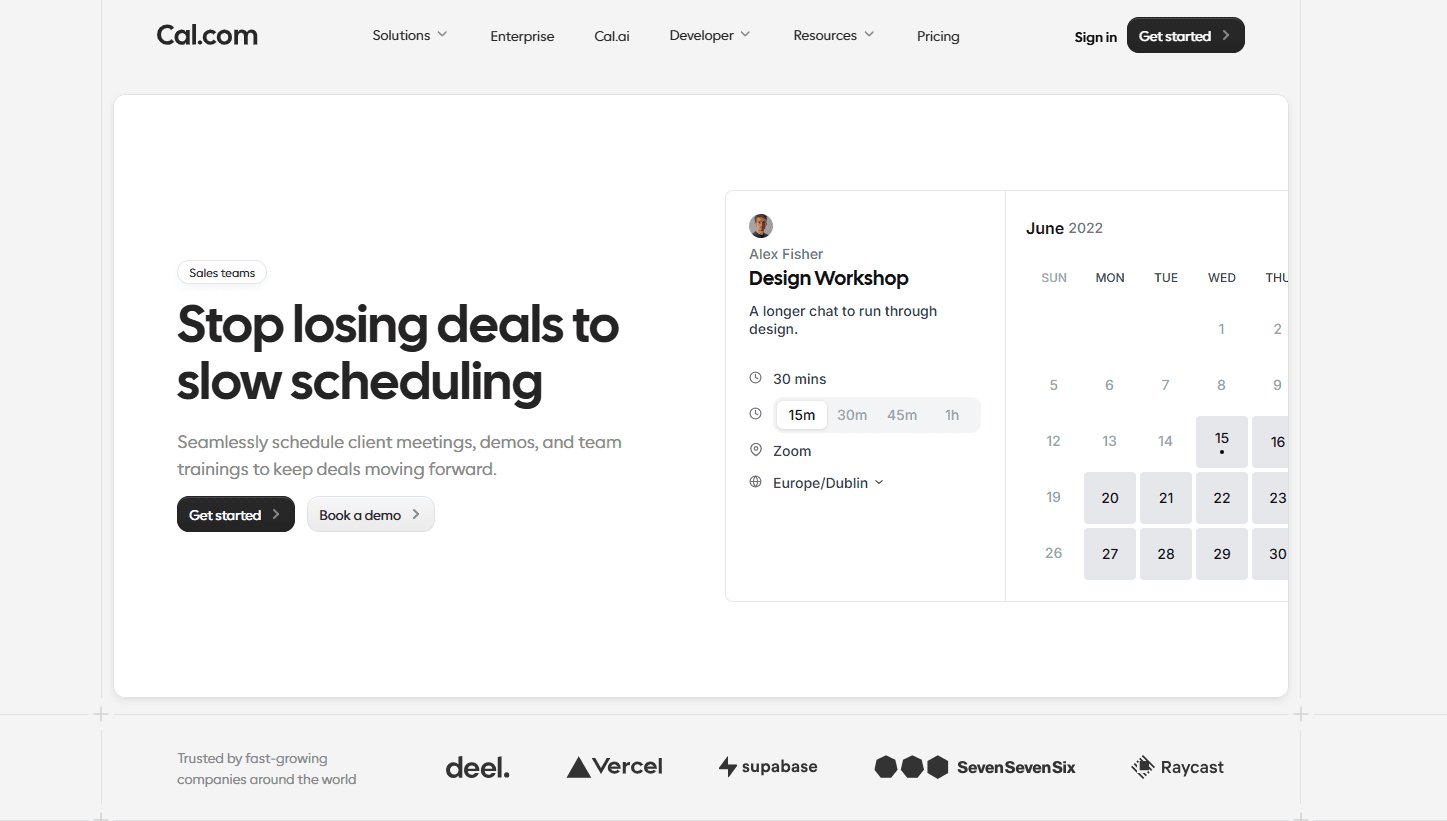
Cal.com isn’t a jack of all trades; it’s the master of one, improving speed-to-lead and speed-to-meeting for sales teams. That’s why Cal.com ranks as the best lead management software in 2026. Unlike traditional lead management CRM that tries to do everything, Cal.com focuses on specialization that matters to businesses.
It provides feature depth that supports scalability
It provides core automations that make the entire lead routing, qualification, and distribution process hands-free
It seamlessly integrates into any workflow and popular CRM and sales software like Salesforce. Becoming a powerful layer within modern sales lead tracking software stacks.
It creates booked meetings with leads instantly while matching them with the right representative
It has a beautiful design with a clean UI that’s easy to navigate and set up without heavy RevOps infrastructure
These features do not replace your CRM; they work as a powerful overlay that powers immediate routing, automated qualification, frictionless meeting bookings, and seamless handoff to your existing CRM.
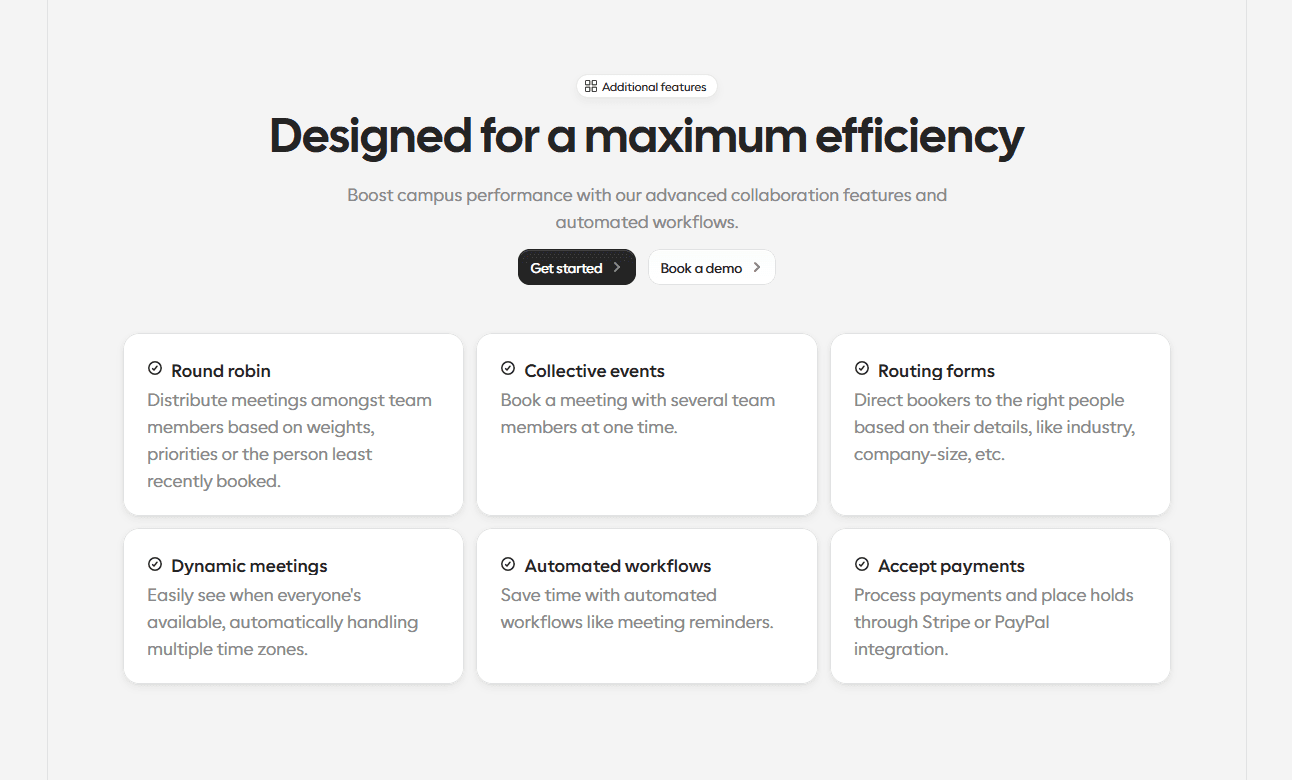
Instant lead-to-meeting automation: Cal.com optimizes speed-to-lead with instant lead routing to the right representative automatically. This eliminates follow-up delays as the system prioritizes leads for representatives.
Advanced routing and qualification workflows: Cal.com supports advanced routing logic, including territory and account-based routing, round-robin scheduling, and availability-based assignments. The use of logic-driven lead qualification ensures leads are always assigned to the right rep.
Deep CRM integration: Cal.com seamlessly integrates with the top CRM tools, such as Salesforce, for real-time data sync. This is made possible by the API-first infrastructure of Cal.com.
Flexible automation logic: As a leading sales lead tracking software, Cal.com outperforms the competition with its use case and automation logic flexibility. The flexibility allows Cal.com to provide equally efficient lead management solutions for small sales operations and large enterprise teams.
Customizability: Cal.com is built with customization at its core. Whether it is customization to seamlessly integrate into your existing workflow or customization to develop curated user experiences for your customers, Cal.com can do it all.
Cal.com’s core competencies can be best summed up by Rohit C’s review of Cal.com, stating, “I love the unmatched flexibility of Cal.com. Its ability to mold the scheduling process entirely around our business logic is impressive. The Collective and Round-Robin scheduling features are game-changers for us. They allow clients to book necessary personnel at once, and ensure fair lead distribution based on availability, boosting both efficiency and team morale.”

Best for:
Inbound heavy B2B teams
Companies focused on speed to lead
RevOps teams building automated systems
2. HubSpot: best all-in-one lead management CRM
If your team generates leads from marketing and ads, HubSpot can be a good lead management solution for your team. As an integrated marketing CRM software, HubSpot offers features like built-in lead tracking, email marketing, automation, and pipeline management. Its primary USP is having marketing and sales functionalities under one roof.
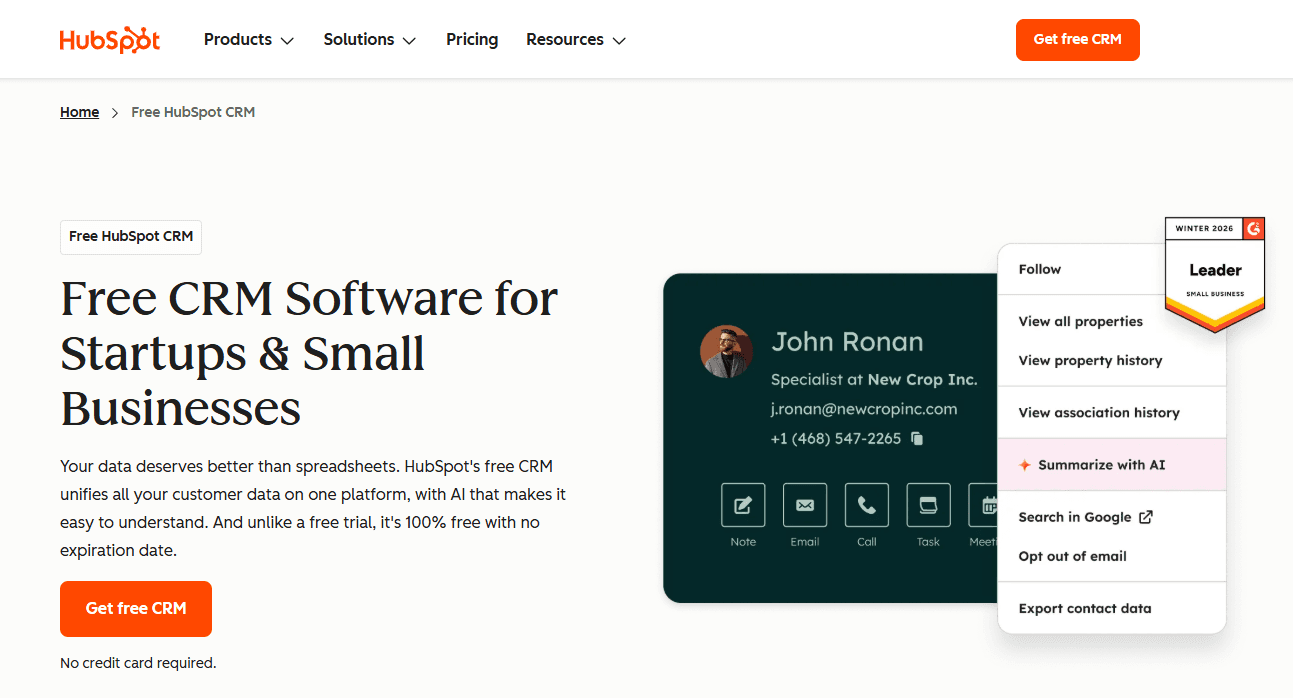
The all-in-one lead management solution of HubSpot allows assigned leads to be enriched with appropriate lead data scraped from the CRM. HubSpot also offers a user-friendly interface and doesn’t require heavy RevOps infrastructure as an all-in-one CRM software for sales.
Best for:
Small businesses that want marketing and sales functionalities in one platform
3. Salesforce: best enterprise lead management system
Salesforce is a powerful enterprise-level customer relationship management CRM software with robust sales lead management capabilities. It is also one of the most customizable sales management software with incredible features and automation depth. In fact, it even has a sub-software (LeanData) that works as the lead routing and distribution layer for Salesforce.
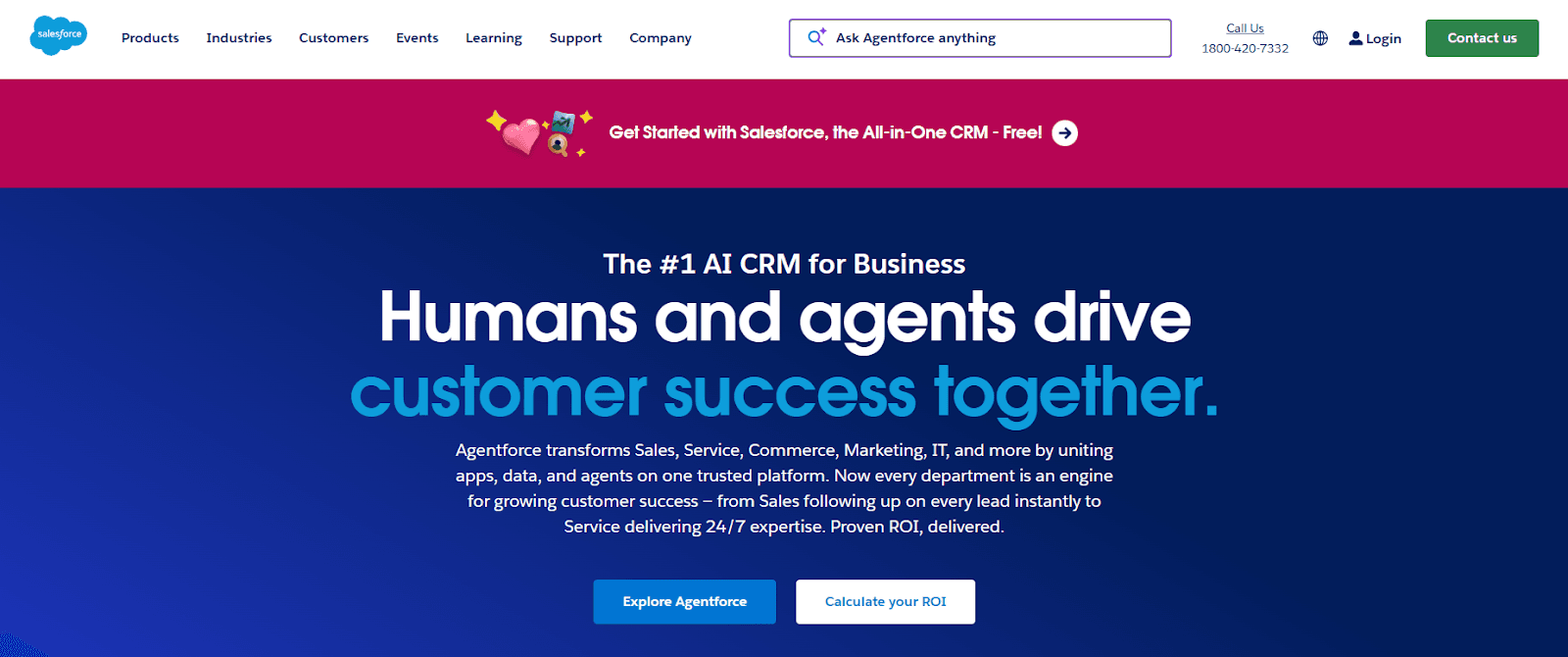
One of the strongest features of Salesforce is its revenue reporting and forecasting capabilities, matched with its expansive ecosystem of reliable add-ons and integrations. So, why isn’t Salesforce the best lead management software in 2026? Because firstly, it is too complex to set up and use without a significant RevOps infrastructure. Next, it's an overkill for smaller and medium-sized businesses.
Best for:
Enterprise businesses
Sales teams that need very advanced lead management
4. Zoho CRM: best budget-friendly option
The primary benefit of using the Zoho CRM is its pricing. Its low starting price is useful for small and growing teams that don’t want to be overwhelmed with enterprise-level pricing or features. The Zoho CRM does have useful features as a simple CRM for small business teams, such as lead scoring, assignment, and light automation.
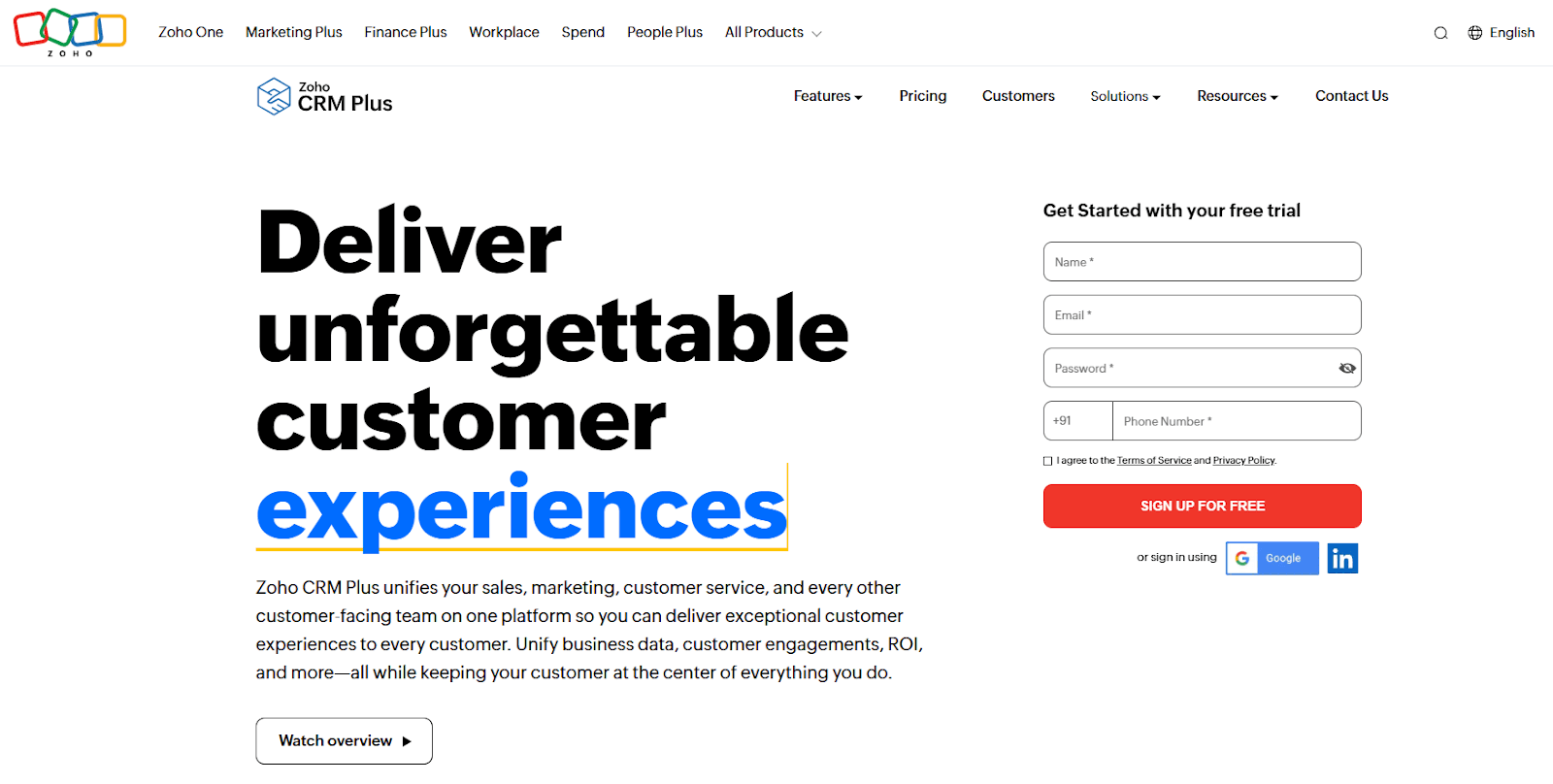
However, it is important to note that the Zoho CRM is most useful for teams who are willing to invest in and use the Zoho ecosystem. And in terms of limitations, the Zoho CRM is not the most scalable option on this list.
Best for:
Small sales startups with a tight budget
5. Pipedrive: best for pipeline visibility
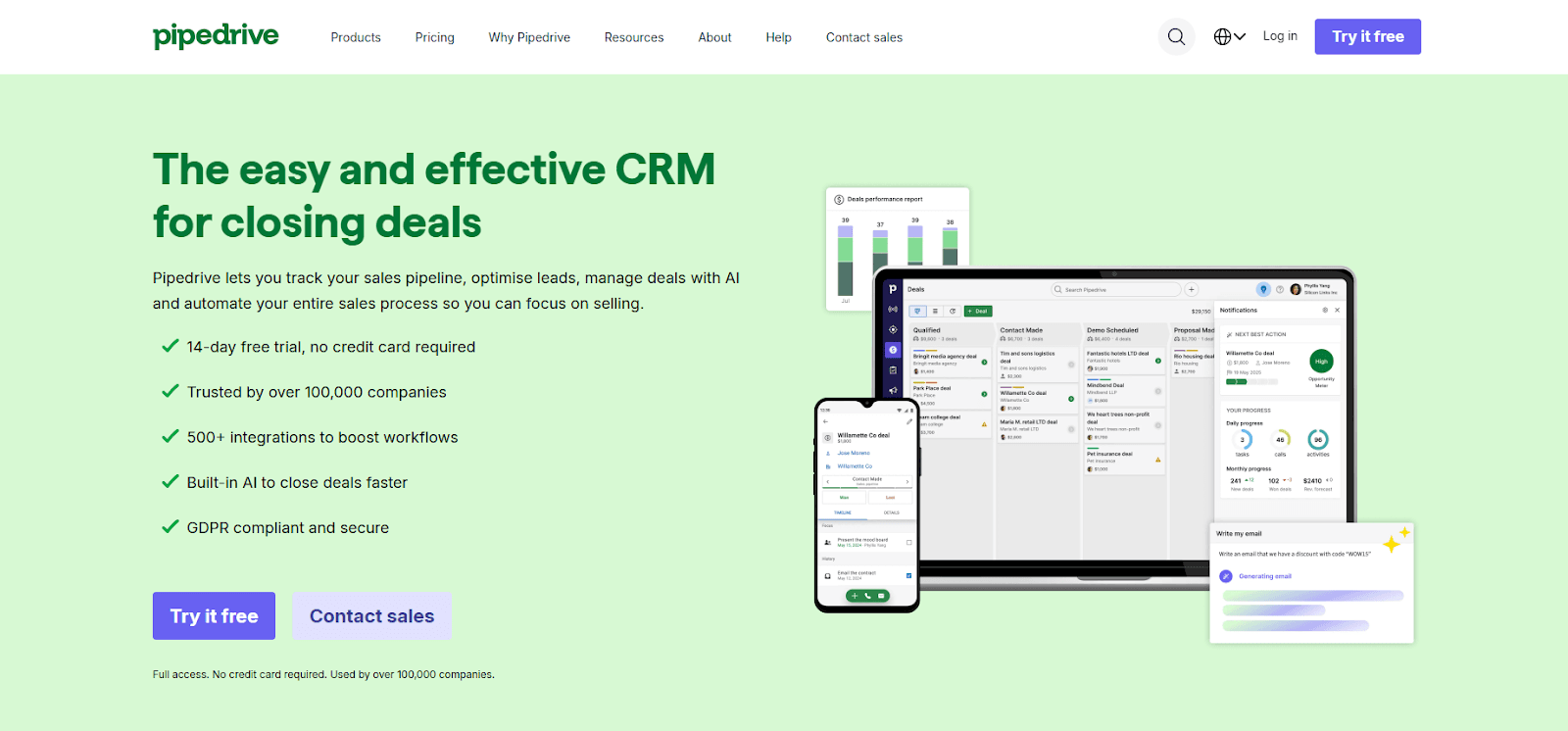
Pipedrive is built as a visual-first interface. It helps teams see their sales pipeline from a top-down view to see exactly where in the CRM pipeline every lead stands. It is a simple tool that really outperforms far more powerful pipeline management tools because of its simple user experience and visual drag-and-drop sales pipeline interface. The software also offers useful features such as automation add-ons for follow-ups and clear activity and deal tracking.
Best for:
Sales teams that want visual pipeline visibility
6. Salesflare: best for automated data capture
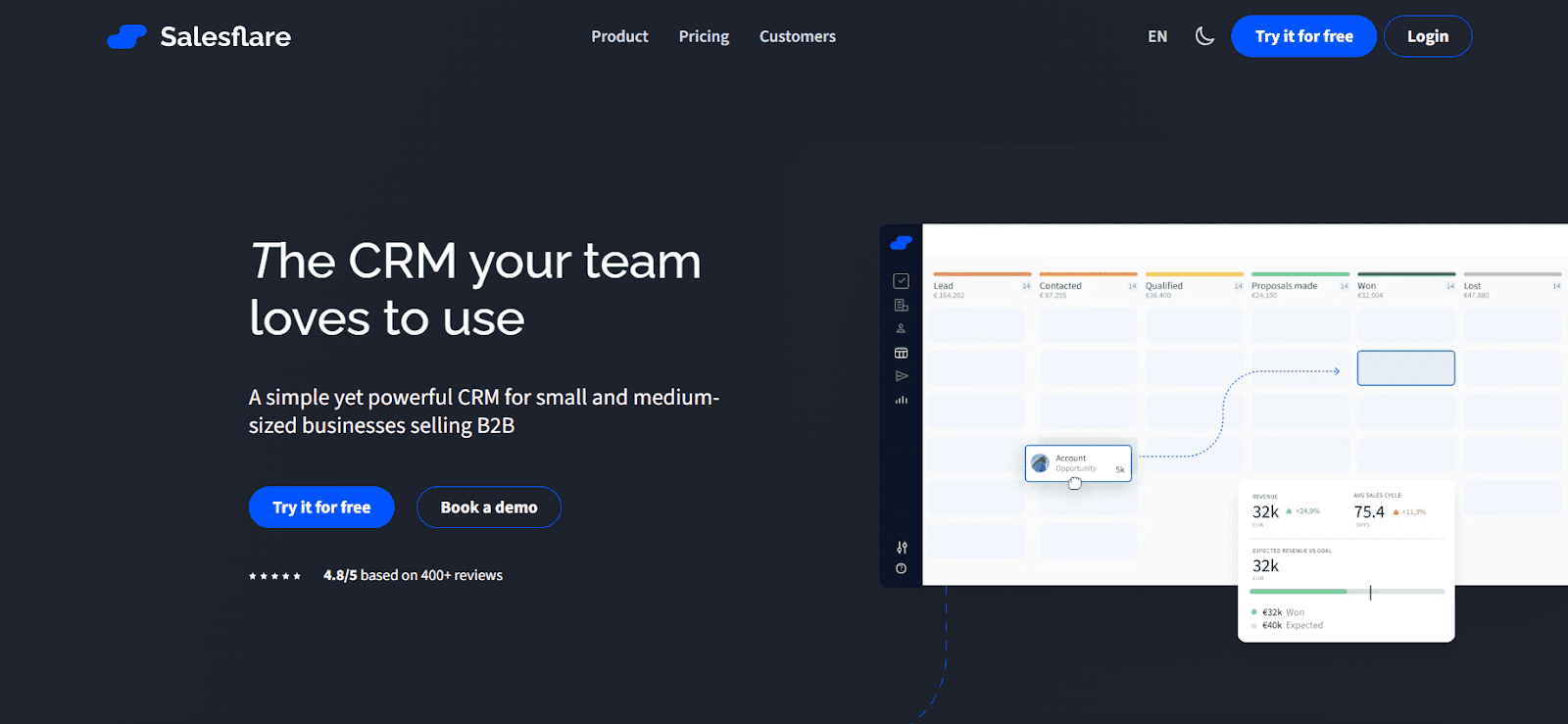
If you want your CRM to be automated and updated by itself without manual intervention, Salesflare performs well. Its automation features provide automatic contact and company enrichment, along with smart email and interaction tracking. The automation and feature depth of Salesflare are limited, which makes it useful for small teams specifically.
Best for:
Small sales teams that want a lightweight automated CRM
7. Flowlu: best free lead management software
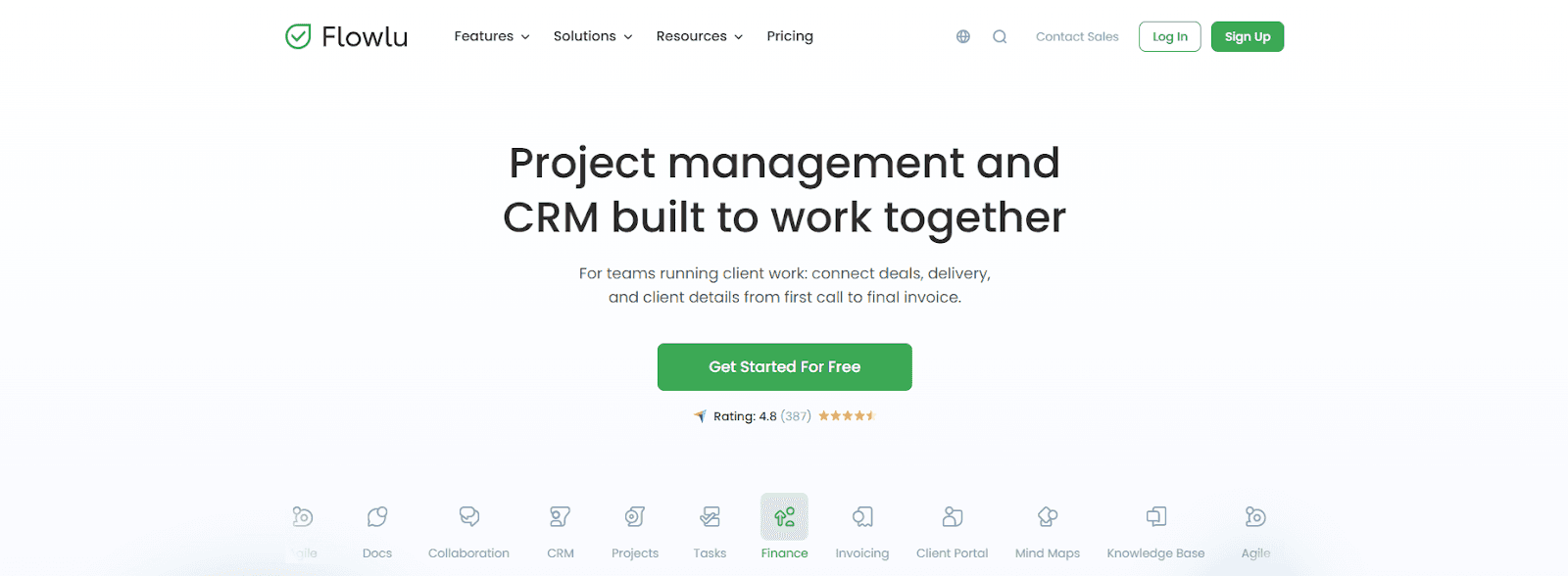
Flowlu stands out as a free lead management software thanks to its accessible free tier. Even with limitations, the free tier of Flowlu is useful for early-stage startups that don’t have a budget for business software just yet. It provides basic pipeline and deal tracking features with a simple interface for new users who may never have used CRM software before.
Best for:
Early-stage startups with a low budget
Comparison Table
Tool | Best for | Automation depth | CRM features | Pricing | Ease of setup |
Cal.com | Sales teams that want to improve speed-to-lead and speed-to-meeting | Very High | Native-level integration with top CRMs like Salesforce | Starting at $12 per seat, per month, billed annually | Easy |
HubSpot | Teams that want marketing-focused sales management | Very High | HubSpot CRM integrates with other ecosystem apps | Starting at $9 per seat, per month, billed annually | Moderate to difficult |
Salesforce | Enterprise-level sales teams with complex lead management requirements | Very High | Powerful CRM with a robust ecosystem of add-ons | Starting at $25 per seat, per month, billed annually | Difficult |
Zoho CRM | Sales teams interested in the Zoho ecosystem | Medium | Native CRM with its own ecosystem of apps | Starting at $8.79 per seat, per month, billed annually | Moderate |
Pipedrive | Teams that want visual sales pipeline visibility | Low | Limited CRM features | Starting at $14 per seat, per month, billed annually | Easy |
Salesflare | Teams that want a lightweight CRM with automation features | Medium | Limited CRM features | Starting at $29 per month, billed annually | Easy |
Flowlu | Early-stage startups with a low budget | Low | Limited CRM features | Starting at $9 per month, billed annually | Easy |
How to choose the right tool?
With all the information about the best lead management software in 2026 laid out for you, it's time to make a decision. Yes, it is a complicated choice, so we’re here to make it easy for you. While we cannot decide on what’s right for your business, here’s a starting point you can use based on common factors.
Team size: If you have a small sales team with a limited budget and no CRM software in place, consider Zoho CRM or Flowlu for cost-effective options. However, if you want a scalable solution, choose Cal.com. It has an affordable starting price and a powerful free tier to help you get started. For enterprise-level teams, Salesforce, HubSpot, and Cal.com are the top choices.
Sales complexity: If you have simple lead assignment and routing requirements, choose tools like Pipedrive, which have a visual drag-and-drop interface. However, if you have complex sales routing and assignment requirements, choose advanced tools like Salesforce or Cal.com.
Automation needs: Automation is a highly marketed feature; however, only a few tools have the required automation depth to support the practical requirements of a sales team. So, if you want heavy automation, choose a tool like Salesforce or Cal.com.
Budget: Low budget? Go for Zoho CRM, Flowlu, or Cal.com’s free tier. Have a higher budget? Choose the paid tier of Cal.com for the most scalable and lightweight sales management software.
Scalability: Here’s the thing about scalability: if the tool requires a robust RevOps setup to be used to its fullest potential, is it really scalable? Doesn’t it force your hand upfront? That’s why, in terms of scalability, Cal.com ranks as the best option. It can be set up and used optimally both with and without heavy RevOps infrastructure.
Final verdict
One of the leading principles of SaaS is to create a niche solution for real business problems. Cal.com fits perfectly in that outline as the only tool in our recommendations that can help you with a specific goal and improvement. The multi-disciplinary approach of Salesforce and HubSpot makes for a great base layer. However, Cal.com is the specialized layer on top that actually helps teams optimize and get results.
FAQs
What is the best lead management software in 2026?
Cal.com ranks as the best lead management software in 2026 in our rankings. It's a focused feature set that helps improve speed-to-lead and speed-to-meeting for sales teams, which can directly influence revenue.
Is lead management software the same as CRM?
No, lead management software focuses on capturing, enriching, routing, and assigning leads. The CRM is like a business address book that stores all customer data.
Can small businesses use lead management software?
Yes, small businesses can use lead management software like Cal.com to streamline lead routing, assignment, and tracking the progress of every lead.
Is there free lead management software?
While there is no truly free lead management software, Cal.com, Flowlu, and HubSpot offer dedicated free plans. These plans can be useful for solopreneurs and small businesses just getting started.

Get started with Cal.com for free today!
Experience seamless scheduling and productivity with no hidden fees. Sign up in seconds and start simplifying your scheduling today, no credit card required!