" height="18.016311920580208px" id="GKXyVanMq" stroke-dasharray="0" stroke-linecap="butt" stroke-linejoin="miter" stroke-miterlimit="10" stroke-width="0.5" stroke="rgb(0, 0, 0)" transform="translate(3 3)" width="18px"/></svg>)
"/><stop offset="1" stop-color="rgb(227, 224, 244)"/></linearGradient><linearGradient id="CBS1bzkxF-2031533640-linear-gradient" x1="0.49751243781094523" x2="0.5024875621890548" y1="0" y2="1"><stop offset="0" stop-color="rgb(255, 255, 255)"/><stop offset="1" stop-color="rgb(227, 224, 244)"/></linearGradient><linearGradient id="Jd7AK81w9-2031533640-linear-gradient" x1="0.49751243781094523" x2="0.5024875621890548" y1="0" y2="1"><stop offset="0" stop-color="rgb(255, 255, 255)"/><stop offset="1" stop-color="rgb(227, 224, 244)"/></linearGradient></defs><g d="M 0 16 L 0 0 L 16 0 L 16 16 Z M 9.167 5.167 C 9.167 4.891 8.943 4.667 8.667 4.667 C 8.391 4.667 8.167 4.891 8.167 5.167 C 8.167 6.784 7.809 7.834 7.155 8.488 C 6.501 9.143 5.451 9.5 3.833 9.5 C 3.557 9.5 3.333 9.724 3.333 10 C 3.333 10.276 3.557 10.5 3.833 10.5 C 5.451 10.5 6.501 10.857 7.155 11.512 C 7.809 12.166 8.167 13.216 8.167 14.833 C 8.167 15.109 8.391 15.333 8.667 15.333 C 8.943 15.333 9.167 15.109 9.167 14.833 C 9.167 13.216 9.524 12.166 10.178 11.512 C 10.832 10.857 11.883 10.5 13.5 10.5 C 13.776 10.5 14 10.276 14 10 C 14 9.724 13.776 9.5 13.5 9.5 C 11.883 9.5 10.832 9.143 10.178 8.488 C 9.524 7.834 9.167 6.784 9.167 5.167 Z M 4 3.667 C 4 3.483 3.851 3.333 3.667 3.333 C 3.483 3.333 3.333 3.483 3.333 3.667 C 3.333 4.32 3.189 4.715 2.952 4.952 C 2.715 5.189 2.32 5.333 1.667 5.333 C 1.483 5.333 1.333 5.483 1.333 5.667 C 1.333 5.851 1.483 6 1.667 6 C 2.32 6 2.715 6.145 2.952 6.382 C 3.189 6.618 3.333 7.013 3.333 7.667 C 3.333 7.851 3.483 8 3.667 8 C 3.851 8 4 7.851 4 7.667 C 4 7.013 4.145 6.618 4.382 6.382 C 4.618 6.145 5.013 6 5.667 6 C 5.851 6 6 5.851 6 5.667 C 6 5.483 5.851 5.333 5.667 5.333 C 5.013 5.333 4.618 5.189 4.382 4.952 C 4.145 4.715 4 4.32 4 3.667 Z M 7.333 1 C 7.333 0.816 7.184 0.667 7 0.667 C 6.816 0.667 6.667 0.816 6.667 1 C 6.667 1.422 6.573 1.65 6.445 1.778 C 6.317 1.906 6.089 2 5.667 2 C 5.483 2 5.333 2.149 5.333 2.333 C 5.333 2.517 5.483 2.667 5.667 2.667 C 6.089 2.667 6.317 2.761 6.445 2.889 C 6.573 3.016 6.667 3.244 6.667 3.667 C 6.667 3.851 6.816 4 7 4 C 7.184 4 7.333 3.851 7.333 3.667 C 7.333 3.244 7.427 3.016 7.555 2.889 C 7.683 2.761 7.911 2.667 8.333 2.667 C 8.517 2.667 8.667 2.517 8.667 2.333 C 8.667 2.149 8.517 2 8.333 2 C 7.911 2 7.683 1.906 7.555 1.778 C 7.427 1.65 7.333 1.422 7.333 1 Z" fill="transparent" height="16px" id="aoZYv33vR" width="16px"><path d="M 0 16 L 0 0 L 16 0 L 16 16 Z" fill="transparent" height="16px" id="Z2uGmhW9f" width="16px"/><g d="M 7.833 4.5 C 7.833 4.224 7.609 4 7.333 4 C 7.057 4 6.833 4.224 6.833 4.5 C 6.833 6.117 6.476 7.168 5.822 7.822 C 5.168 8.476 4.117 8.833 2.5 8.833 C 2.224 8.833 2 9.057 2 9.333 C 2 9.61 2.224 9.833 2.5 9.833 C 4.117 9.833 5.168 10.191 5.822 10.845 C 6.476 11.499 6.833 12.549 6.833 14.167 C 6.833 14.443 7.057 14.667 7.333 14.667 C 7.609 14.667 7.833 14.443 7.833 14.167 C 7.833 12.549 8.191 11.499 8.845 10.845 C 9.499 10.191 10.549 9.833 12.167 9.833 C 12.443 9.833 12.667 9.61 12.667 9.333 C 12.667 9.057 12.443 8.833 12.167 8.833 C 10.549 8.833 9.499 8.476 8.845 7.822 C 8.191 7.168 7.833 6.117 7.833 4.5 Z M 2.667 3 C 2.667 2.816 2.517 2.667 2.333 2.667 C 2.149 2.667 2 2.816 2 3 C 2 3.654 1.855 4.048 1.618 4.285 C 1.382 4.522 0.987 4.667 0.333 4.667 C 0.149 4.667 0 4.816 0 5 C 0 5.184 0.149 5.333 0.333 5.333 C 0.987 5.333 1.382 5.478 1.618 5.715 C 1.855 5.952 2 6.346 2 7 C 2 7.184 2.149 7.333 2.333 7.333 C 2.517 7.333 2.667 7.184 2.667 7 C 2.667 6.346 2.811 5.952 3.048 5.715 C 3.285 5.478 3.68 5.333 4.333 5.333 C 4.517 5.333 4.667 5.184 4.667 5 C 4.667 4.816 4.517 4.667 4.333 4.667 C 3.68 4.667 3.285 4.522 3.048 4.285 C 2.811 4.048 2.667 3.654 2.667 3 Z M 6 0.333 C 6 0.149 5.851 0 5.667 0 C 5.483 0 5.333 0.149 5.333 0.333 C 5.333 0.756 5.239 0.984 5.112 1.112 C 4.984 1.239 4.756 1.333 4.333 1.333 C 4.149 1.333 4 1.483 4 1.667 C 4 1.851 4.149 2 4.333 2 C 4.756 2 4.984 2.094 5.112 2.222 C 5.239 2.35 5.333 2.578 5.333 3 C 5.333 3.184 5.483 3.333 5.667 3.333 C 5.851 3.333 6 3.184 6 3 C 6 2.578 6.094 2.35 6.222 2.222 C 6.35 2.094 6.578 2 7 2 C 7.184 2 7.333 1.851 7.333 1.667 C 7.333 1.483 7.184 1.333 7 1.333 C 6.578 1.333 6.35 1.239 6.222 1.112 C 6.094 0.984 6 0.756 6 0.333 Z" fill="transparent" height="14.66671286102295px" id="ae6ccdFme" transform="translate(1.333 0.667)" width="12.66663px"><path d="M 5.833 0.5 C 5.833 0.224 5.609 0 5.333 0 C 5.057 0 4.833 0.224 4.833 0.5 C 4.833 2.117 4.476 3.168 3.822 3.822 C 3.168 4.476 2.117 4.833 0.5 4.833 C 0.224 4.833 0 5.057 0 5.333 C 0 5.61 0.224 5.833 0.5 5.833 C 2.117 5.833 3.168 6.191 3.822 6.845 C 4.476 7.499 4.833 8.549 4.833 10.167 C 4.833 10.443 5.057 10.667 5.333 10.667 C 5.609 10.667 5.833 10.443 5.833 10.167 C 5.833 8.549 6.191 7.499 6.845 6.845 C 7.499 6.191 8.549 5.833 10.167 5.833 C 10.443 5.833 10.667 5.61 10.667 5.333 C 10.667 5.057 10.443 4.833 10.167 4.833 C 8.549 4.833 7.499 4.476 6.845 3.822 C 6.191 3.168 5.833 2.117 5.833 0.5 Z" fill="url(%23t2lXByE48-2031533640-linear-gradient)" height="10.66671px" id="t2lXByE48" transform="translate(2 4)" width="10.66663px"/><path d="M 2.667 0.333 C 2.667 0.149 2.517 0 2.333 0 C 2.149 0 2 0.149 2 0.333 C 2 0.987 1.855 1.382 1.618 1.618 C 1.382 1.855 0.987 2 0.333 2 C 0.149 2 0 2.149 0 2.333 C 0 2.517 0.149 2.667 0.333 2.667 C 0.987 2.667 1.382 2.811 1.618 3.048 C 1.855 3.285 2 3.68 2 4.333 C 2 4.517 2.149 4.667 2.333 4.667 C 2.517 4.667 2.667 4.517 2.667 4.333 C 2.667 3.68 2.811 3.285 3.048 3.048 C 3.285 2.811 3.68 2.667 4.333 2.667 C 4.517 2.667 4.667 2.517 4.667 2.333 C 4.667 2.149 4.517 2 4.333 2 C 3.68 2 3.285 1.855 3.048 1.618 C 2.811 1.382 2.667 0.987 2.667 0.333 Z" fill="url(%23CBS1bzkxF-2031533640-linear-gradient)" height="4.66667px" id="CBS1bzkxF" transform="translate(0 2.667)" width="4.66667px"/><path d="M 2 0.333 C 2 0.149 1.851 0 1.667 0 C 1.483 0 1.333 0.149 1.333 0.333 C 1.333 0.756 1.239 0.984 1.112 1.112 C 0.984 1.239 0.756 1.333 0.333 1.333 C 0.149 1.333 0 1.483 0 1.667 C 0 1.851 0.149 2 0.333 2 C 0.756 2 0.984 2.094 1.112 2.222 C 1.239 2.35 1.333 2.578 1.333 3 C 1.333 3.184 1.483 3.333 1.667 3.333 C 1.851 3.333 2 3.184 2 3 C 2 2.578 2.094 2.35 2.222 2.222 C 2.35 2.094 2.578 2 3 2 C 3.184 2 3.333 1.851 3.333 1.667 C 3.333 1.483 3.184 1.333 3 1.333 C 2.578 1.333 2.35 1.239 2.222 1.112 C 2.094 0.984 2 0.756 2 0.333 Z" fill="url(%23Jd7AK81w9-2031533640-linear-gradient)" height="3.333333px" id="Jd7AK81w9" transform="translate(4 0)" width="3.3333399999999997px"/></g></g></svg>)
" height="24px" id="WCm44spAV" width="24px"/><path d="M 3.892 7.742 C 1.674 7.742 0 6.014 0 3.882 C 0 1.738 1.589 0 3.892 0 C 5.107 0 5.951 0.374 6.623 1.173 L 5.566 2.09 C 5.118 1.621 4.564 1.386 3.892 1.386 C 2.452 1.386 1.547 2.517 1.547 3.882 C 1.547 5.246 2.452 6.356 3.924 6.356 C 4.649 6.356 5.193 6.111 5.63 5.63 L 6.718 6.558 C 6.153 7.24 5.193 7.742 3.892 7.742 Z" fill="rgb(255, 255, 255)" height="7.741500000000002px" id="XEPpGD7l5" transform="translate(4 8.25)" width="6.717999999999989px"/><path d="M 2.74 7.922 C 1.215 7.922 0 6.632 0 5.032 C 0 3.433 1.215 2.122 2.74 2.122 C 3.7 2.122 4.201 2.516 4.5 3.113 L 4.5 2.239 L 5.928 2.239 L 5.928 7.784 L 4.531 7.784 L 4.531 6.877 C 4.233 7.507 3.731 7.922 2.74 7.922 Z M 1.439 5.023 C 1.439 5.865 2.057 6.622 2.975 6.622 C 3.924 6.622 4.531 5.897 4.531 5.033 C 4.531 4.169 3.924 3.423 2.975 3.423 C 2.057 3.423 1.439 4.159 1.439 5.022 Z M 6.784 7.784 L 6.784 0 L 8.224 0 L 8.224 7.784 L 6.784 7.784 Z" fill="rgb(255, 255, 255)" height="7.9224997406005855px" id="lGDJupIUR" transform="translate(10.5 8)" width="8.223500194549558px"/></g></svg>)
" width="18px"><path d="M 2 8 C 0.895 8 0 7.105 0 6 L 0 2 C 0 0.895 0.895 0 2 0 L 6 0 C 7.105 0 8 0.895 8 2 L 8 6 C 8 7.105 7.105 8 6 8 Z" fill="transparent" height="8px" id="ZrCrI93dV" stroke-dasharray="" stroke-linecap="round" stroke-linejoin="round" stroke-width="2" stroke="rgb(0, 0, 0)" width="8px"/><path d="M 0 0 L 0 4 C 0 5.105 0.895 6 2 6 L 6 6" fill="transparent" height="6px" id="emltWYAiE" stroke-dasharray="" stroke-linecap="round" stroke-linejoin="round" stroke-width="2" stroke="rgb(0, 0, 0)" transform="translate(4 8)" width="6px"/><path d="M 2 8 C 0.895 8 0 7.105 0 6 L 0 2 C 0 0.895 0.895 0 2 0 L 6 0 C 7.105 0 8 0.895 8 2 L 8 6 C 8 7.105 7.105 8 6 8 Z" fill="transparent" height="8px" id="WpBecYDfi" stroke-dasharray="" stroke-linecap="round" stroke-linejoin="round" stroke-width="2" stroke="rgb(0, 0, 0)" transform="translate(10 10)" width="8px"/></g></svg>)

By

Cédric van Ravesteijn
7 Best Scheduling Software for Therapists | Cal.com
Your scheduling process should make it easy for clients to find an available time, book a session, and manage changes without having to call or email you. At the same time, you need accurate availability and a reliable way to get each booking to the right clinician.
That's what we looked for when curating this list of the best scheduling software for therapists. We found that Cal.com is the best choice if you already have your clinical tools and mainly want more control over scheduling.
You can customize booking questions, sync Google, Outlook, and Apple calendars in both directions, and route clients by specialty, location, or language. The free plan supports one user and includes two-way calendar sync and conflict checking.
We compared Cal.com with six other therapy scheduling software based on:
Compliance cost: Is the software HIPAA-compliant, and does a signed business associate agreement (BAA) cost extra?
Calendar sync: Does it keep your calendars in sync both ways?
Clinician routing: Can it send clients to the right clinician automatically?
The comparison table near the end shows how all seven tools compare, along with what’s included in their free plans.
TL;DR: the ranked list
Cal.com: best for group and telehealth practices that want flexible scheduling
SimplePractice: best all-in-one system for solo mental health practices
TherapyNotes: best for counseling practices that rely on insurance billing
Jane: best for clinics running several disciplines under one roof
Healthie: best for telehealth-first and wellness practices
Acuity Scheduling: best for solo practitioners offering paid sessions online
Calendly: best for consultations and internal meetings
What is scheduling software for therapists?
Scheduling software lets clients book, reschedule, and cancel sessions online while practices manage availability, intake, reminders, and compliance.
There are two main types:
Behavioral health EHRs (electronic health records): Combine scheduling with client records, clinical notes, treatment plans, insurance claims, and other clinical workflows.
Dedicated scheduling tools: Focus on booking and connect to the clinical system you already use.
If you need to manage client records, clinical notes, and insurance claims alongside appointments, an EHR may be the better fit. If you already have those systems in place and mainly need an easier way for clients to book and manage appointments, a dedicated scheduling tool may be the better choice.
What to look for in scheduling software for therapists
The right therapy scheduling software should make booking easier while keeping your calendars, client information, and appointments organized.
These six features are worth checking before you choose one:
A BAA on your plan. Confirm that the vendor offers a BAA on the tier you plan to buy. Some vendors include it, while others charge extra or restrict it to higher plans.
Two-way calendar sync. The tool should both add appointments to your calendar and check events you've added elsewhere. Otherwise, you risk double-booking yourself.
Intake and consent at booking. Look for custom questions that let clients provide relevant information before a session, without exposing sensitive details in calendar titles or email subject lines.
Recurring sessions you can edit. If clients book weekly sessions, you should be able to change one appointment without rebuilding the entire series.
Reminders on the plan you buy. Check whether email and text reminders, confirmations, and self-service rescheduling are included in your chosen tier.
Clinician routing. Group practices should be able to route clients to the right clinician based on factors such as specialty, location, or language.
Setup time. Consider how quickly you can get started. A full clinical system may take time to configure, while dedicated scheduling software can usually be added to an existing setup much faster.
The 7 best scheduling software for therapists
1. Cal.com: best for group and telehealth practices that want flexible scheduling
Free plan? | Starting price | Standout feature | Best use case |
|---|---|---|---|
Yes, free forever for one user | $16/user/month | API-first booking you can customize | Group and telehealth practices keeping their existing clinical system |

What it is: Cal.com is a scheduling platform that connects with your calendars and existing clinical tools. It lets clients book, reschedule, and cancel appointments without requiring you to replace your EHR. You can create branded booking pages, collect intake information while a client books an appointment, send reminders, and route clients to the right clinician.
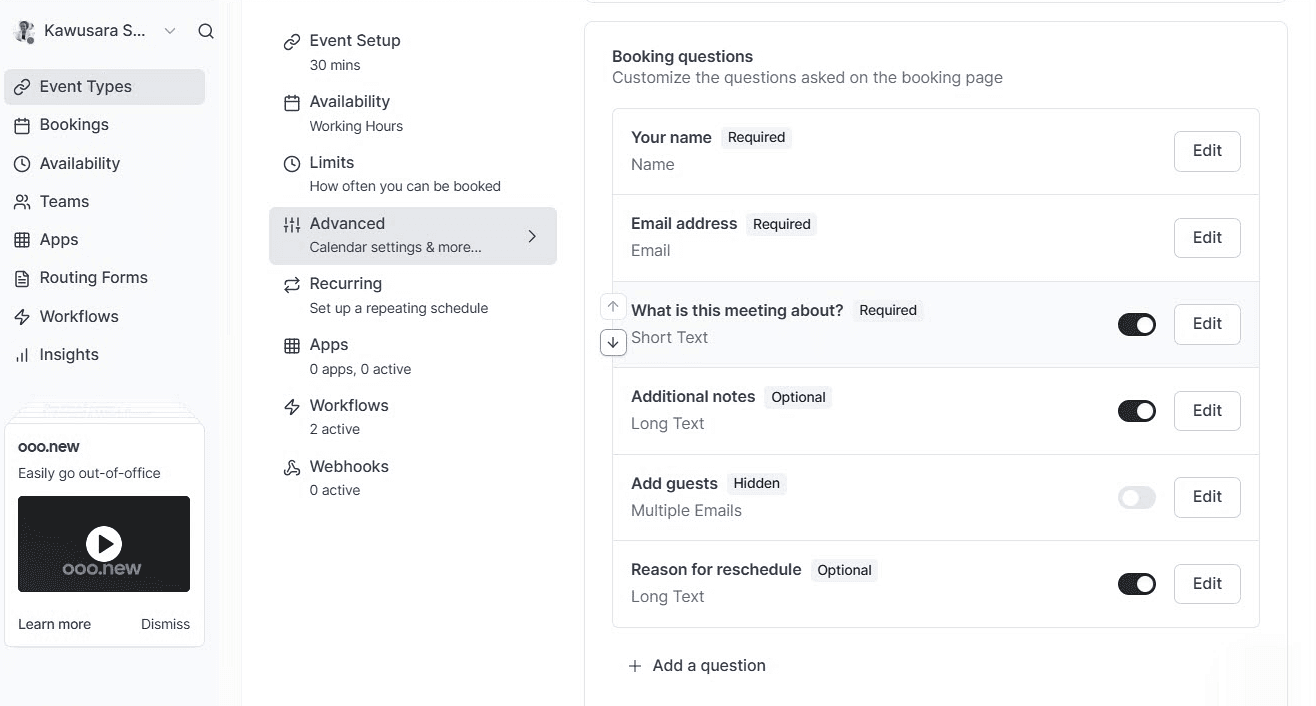
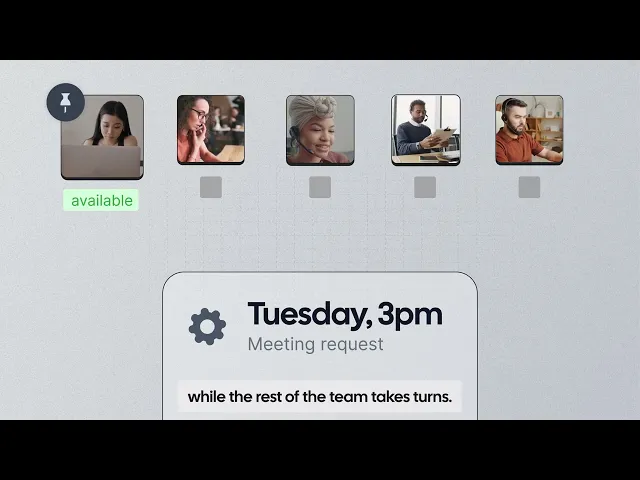
Why it ranks first: Cal.com is the best option in this list if you already have a clinical system and want more control over scheduling. You can customize session types, availability, buffers, booking limits, intake questions, and routing rules to fit how your practice operates. Its API and webhooks also let you connect scheduling with your EHR, billing workflow, or own application.
Key features:
Branded booking pages on your own domain, without Cal.com branding.
Two-way calendar sync with Google, Outlook, and Apple, with conflict checking.
Custom booking questions for information such as history, insurance, and consent.
Recurring events for standing sessions, plus buffers between appointments.
Round-robin and collective availability for multi-clinician scheduling.
Routing forms and custom-attribute routing to direct clients by specialty, location, language, or other criteria.
Reminder and follow-up workflows through email, text, and WhatsApp.
Video meetings through Cal Video, Zoom, or Google Meet.
Stripe and PayPal payments for payments collected during booking.
Public API and webhooks for connecting bookings to other systems.
Self-hosting on your own infrastructure, available on the Enterprise plan.
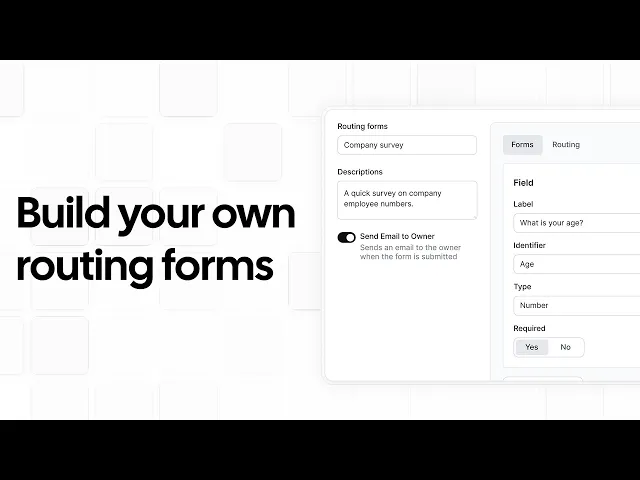
Pricing: Cal.com has a free plan for one user with unlimited calendar connections and bookings. The Teams plan costs $16/user/month and includes team scheduling, routing, and booking analytics. The Organizations plan costs $37/user/month and adds unlimited sub-teams, a booking page on your company subdomain, and HIPAA support. Enterprise pricing is custom. A signed BAA costs a one-time $300 fee on the free and Teams plans and is included at no extra cost on the Organizations and Enterprise plans.
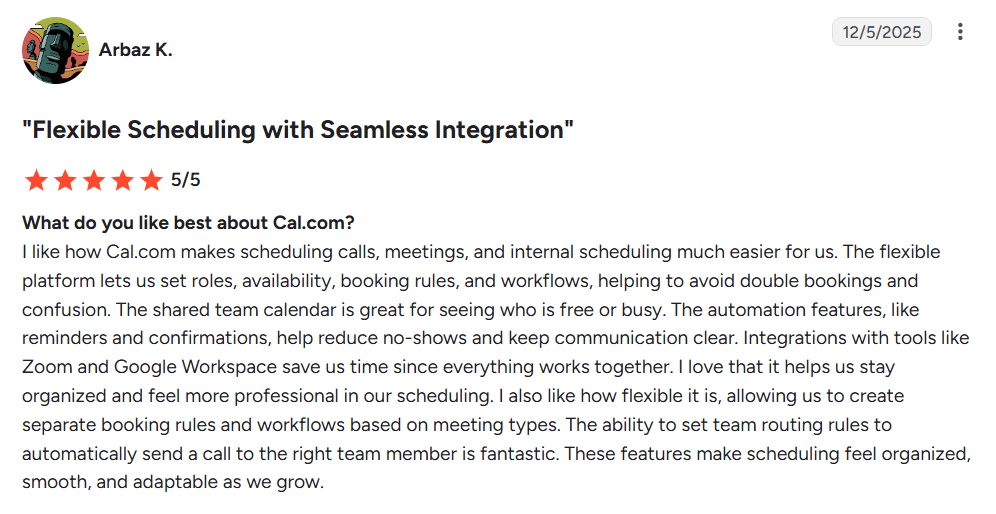
Best for: Group practices, telehealth providers, and anyone who wants branded scheduling without replacing their existing clinical system.
Verdict: Cal.com is a good fit when scheduling is the part of your workflow you want to improve. You get control over branding, availability, routing, and integrations, while solo practitioners can start with the free plan.
Try Cal.com’s free plan today, or book a demo to see how Cal.com could fit your team's workflow.
2. SimplePractice: best all-in-one system for solo mental health practices
Free plan? | Starting price | Standout feature | Best use case |
|---|---|---|---|
No, 30-day trial | $49/month | Notes, billing, telehealth, and booking in one system | Solo therapists who want one clinical system for everything |
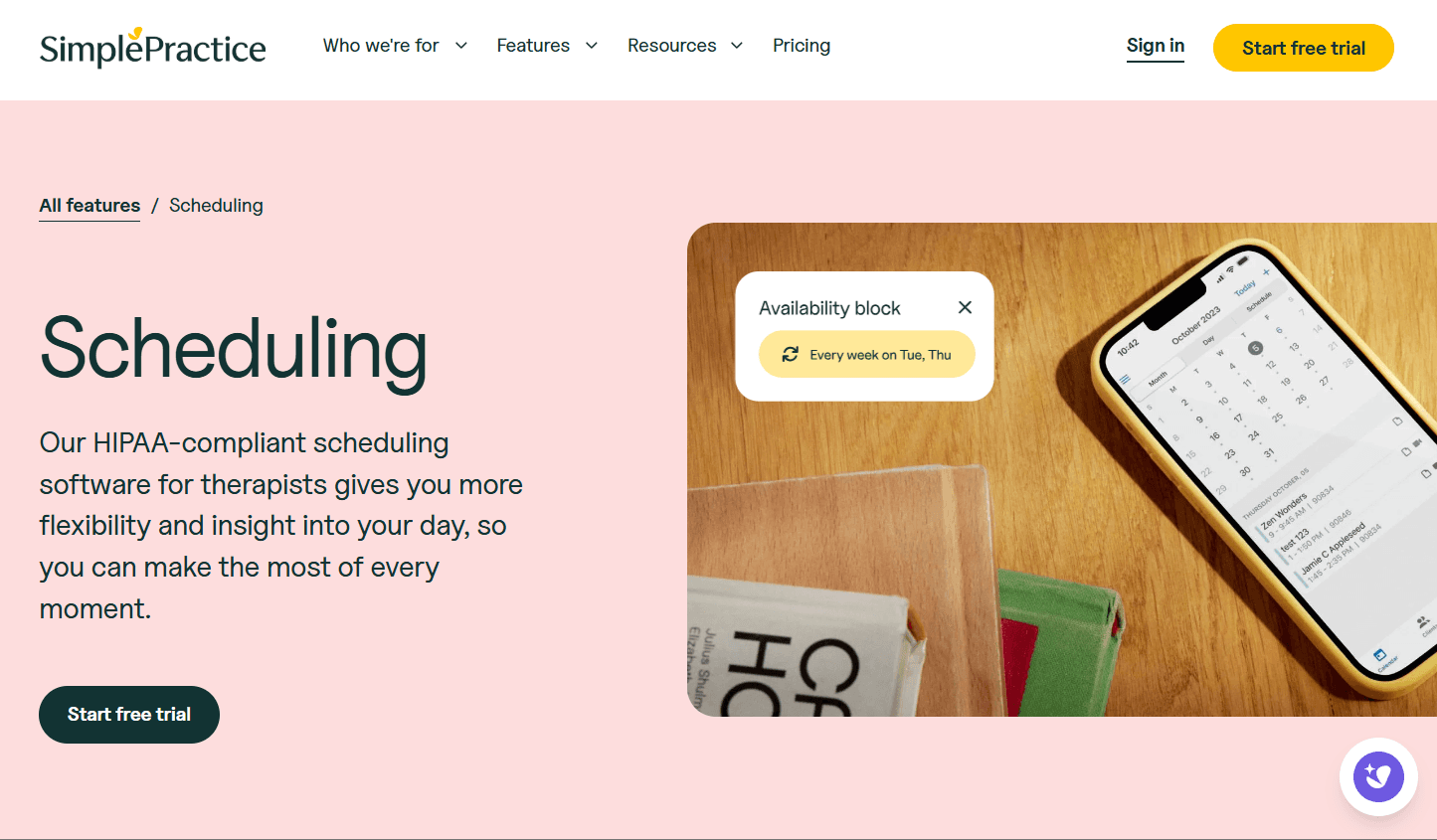
What it is: SimplePractice is a mental health EHR and practice management platform that brings scheduling, client records, clinical notes, treatment plans, telehealth, billing, and insurance claims into one system. It also includes a client portal where clients can request, reschedule, and cancel appointments, complete intake forms, send secure messages, and manage payments.
Key features:
Client portal booking where clients can request appointments and complete paperwork.
Clinical documentation with treatment plans and customizable notes on higher plans.
Insurance billing with electronic claim filing.
Built-in telehealth across all subscription plans.
Appointment reminders by email, text, and voice on higher plans.
Pricing: SimplePractice has no free plan, but offers a 30-day free trial. Paid plans start at $49/month and include scheduling, client management, notes, billing, and other practice management features.
Pros:
Built specifically for mental health practices
BAA included at no extra cost with all plans
Notes, billing, telehealth, and scheduling are all in one system
Cons:
Calendar sync and full appointment reminders aren't included on the entry plan
Booking pages have limited branding and customization
There's no rules-based routing to automatically assign clients to the right clinician
Best for: Solo therapists who want scheduling, documentation, billing, and telehealth in one system.
Comparison verdict: SimplePractice is ideal if you're looking for an all-in-one platform rather than scheduling software alone. If your practice already has systems for managing client care and payments, a standalone scheduling tool like Cal.com gives you more flexibility without adding another full practice system.
3. TherapyNotes: best for counseling practices that rely on insurance billing
Free plan? | Starting price | Standout feature | Best use case |
|---|---|---|---|
No, 30-day trial | $69/month | Insurance billing and 24/7 support | Counseling practices where insurance is a major revenue source |
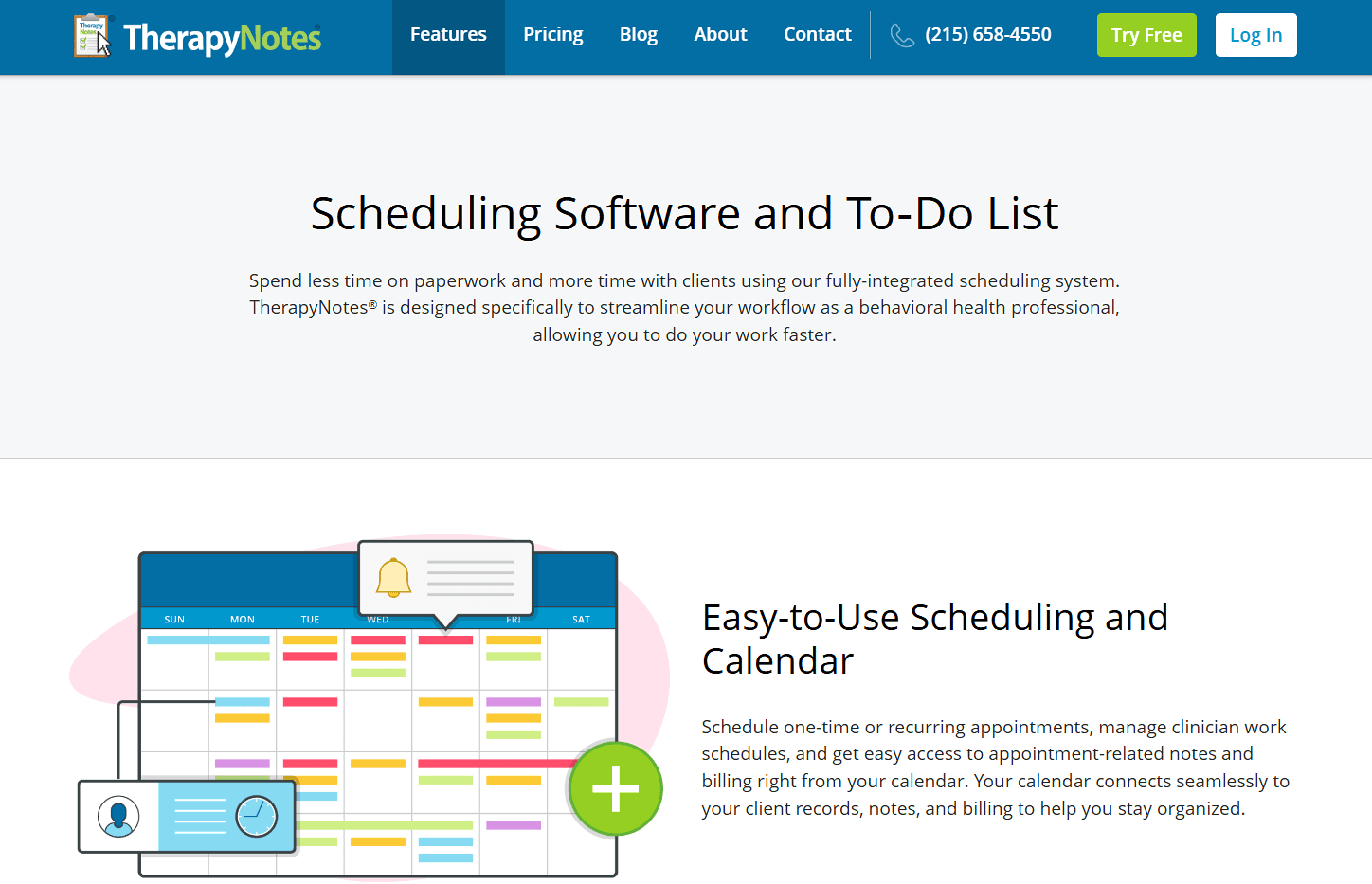
What it is: TherapyNotes is a behavioral health EHR that combines scheduling with clinical documentation, treatment planning, billing, and client management. Its scheduling is closely tied to the client's chart and billing workflows, making it particularly useful for insurance-based practices.
Key features:
Scheduling tied to charts and billing for one-time and recurring appointments.
Structured clinical notes and treatment planning.
Insurance claims and reimbursement workflows.
Built-in video sessions launched from the calendar.
Client portal with appointment requests and secure messaging.
Pricing: TherapyNotes has no free plan, but offers a 30-day free trial. Paid plans start at $69/month for solo practitioners and include scheduling, clinical notes, billing, and other practice management features. Group plans start at $79/month for the first clinician, with each additional clinician costing $50/month.
Pros:
Insurance billing is a core part of the platform
Non-clinical staff don't add to the subscription cost
24/7 phone and email support
Cons:
Calendar sync only works one way, so Google Calendar events don’t block time in TherapyNotes and can lead to double bookings
The booking experience offers little room for branding
Clients must be assigned manually because there’s no clinician routing
Best for: Solo and small group counseling practices where insurance reimbursement is a major part of the business.
Comparison verdict: TherapyNotes fits practices that need scheduling alongside insurance claims and clinical documentation. If you already have those workflows covered and mainly need better scheduling, Cal.com offers more control over calendar sync, self-scheduling, branding, and clinician routing.
4. Jane: best for clinics running several disciplines under one roof
Free plan? | Starting price | Standout feature | Best use case |
|---|---|---|---|
No, and no trial | $54/month | Scheduling and clinical tools across disciplines | Multi-discipline clinics |
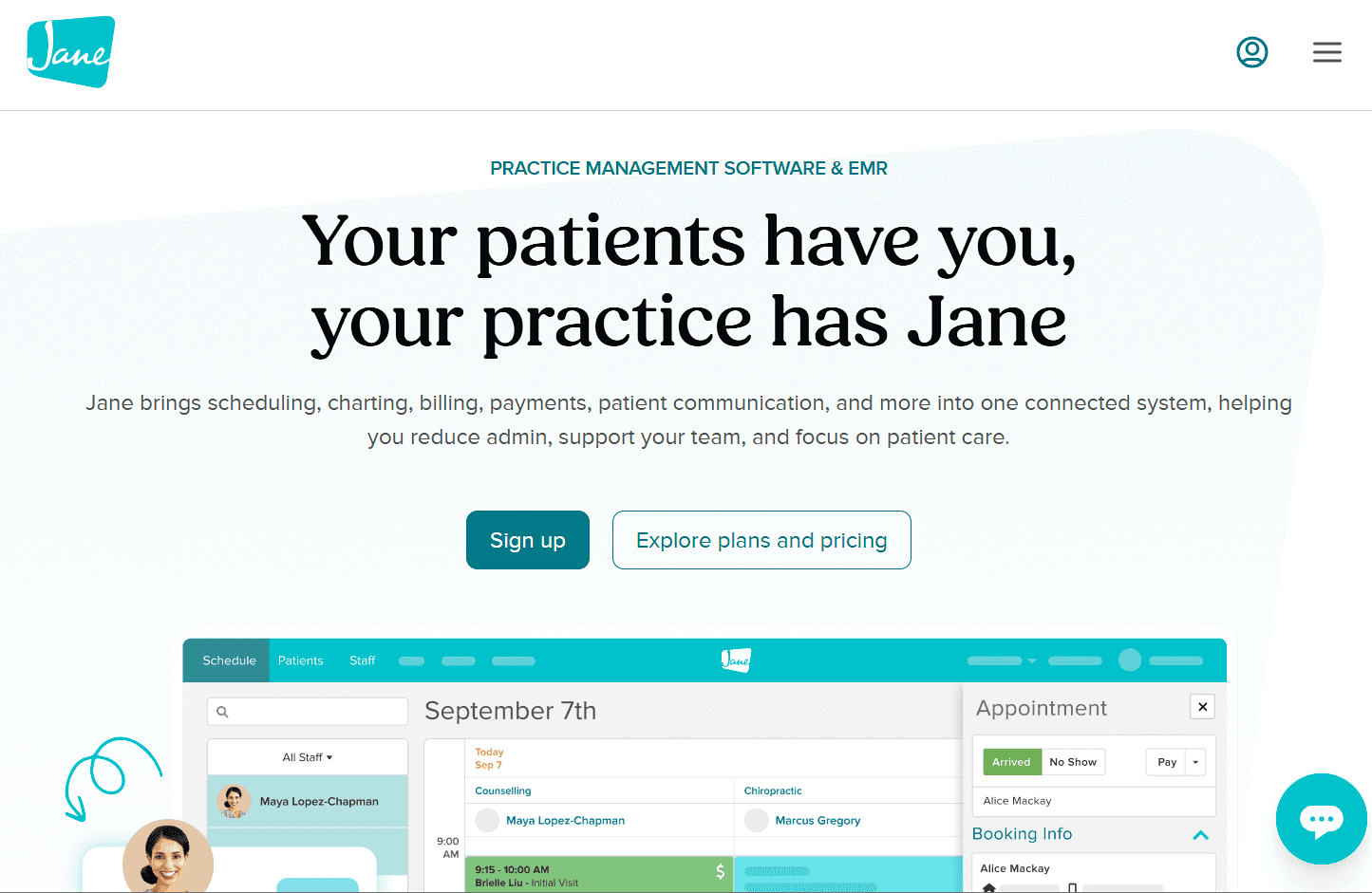
What it is: Jane is practice management software for health and wellness clinics that offer different types of care. One account can support services such as counseling, physical therapy, massage, and other disciplines, with scheduling, online booking, client records, payments, billing, and telehealth all connected. You can also manage multiple practitioners, locations, rooms, and resources from the same system.
Key features:
Custom-branded booking site with real-time availability, included on every plan.
Charting across disciplines with intake forms and template libraries.
One-to-one video sessions with group video as a paid add-on.
Unlimited locations and free admin staff on every plan.
Waitlists and reminders with unlimited text reminders on higher plans.
Pricing: Jane doesn't offer a free plan or trial, but you can book a demo and access a demo account. Paid plans start at $54 a month and include scheduling, online booking, and practice management features. Additional practitioners cost extra based on how many hours they book, and insurance billing is available as an add-on.
Pros:
Good fit for clinics offering multiple disciplines
Booking, charting, payments, and telehealth are in one system
Admin and support staff don't add to the subscription
Unlimited support is included
Cons:
There's no free trial
Insurance billing costs extra
It can get very expensive as your team grows
Best for: Multi-discipline clinics that want booking, clinical management, and payments in one system.
Comparison verdict: Jane is a better fit when your clinic needs one system across several disciplines. If you mainly need more control over scheduling, Cal.com lets you customize routing and integrations while keeping your existing clinical tools.
5. Healthie: best for telehealth-first and wellness practices
Free plan? | Starting price | Standout feature | Best use case |
|---|---|---|---|
No, 14-day trial | $19.99/month | Scheduling, telehealth, charting, and client management | Remote-first practices spanning therapy, nutrition, and coaching |

What it is: Healthie is a practice management platform for providers who work largely online. It combines scheduling with charting, telehealth, secure messaging, payments, and a client portal, and is also used by providers in nutrition and wellness.
Key features:
Online booking and self-scheduling with automated email and text reminders.
Two-way calendar sync with Google and Outlook, plus one-way sync with Apple.
PHI-aware calendar sync that keeps client names off external calendars unless you have an agreement with the calendar provider.
Built-in video sessions without needing a separate video tool.
Secure messaging and client portal for intake forms, documents, and communication.
Pricing: Healthie has no free plan, but offers a 14-day free trial. Paid plans start at $19.99/month and include scheduling, online booking, and client management, though the entry plan is limited to 10 active clients. Plans for larger client lists start at $49.99/month, while group plans start at $149.99/month with additional provider licenses costing $50 each.
Pros:
Compliance included across plans
Scheduling, telehealth, and clinical tools in one platform
Supports practices that combine therapy with nutrition or coaching
Cons:
The entry plan is limited to 10 active clients
Setting up templates and billing can take time
Group practices don't get rules-based routing by specialty
Best for: Telehealth-first therapists and wellness providers who want booking, video, and clinical tools in one platform.
Comparison verdict: Healthie is a good choice if you want a clinical platform with telehealth included. Cal.com is a better fit if your priority is flexible scheduling and routing while keeping your existing clinical system.
6. Acuity Scheduling: best for solo practitioners offering paid sessions online
Free plan? | Starting price | Standout feature | Best use case |
|---|---|---|---|
No, 7-day trial | $20/month | Packages, memberships, and payments at booking | Solo cash-pay practitioners |

What it is: Acuity is a booking platform from Squarespace that includes scheduling, intake forms, payments, reminders, packages, and memberships. It focuses on appointment booking and payments, making it a good fit for practitioners who mainly need those tools rather than a full clinical system.
Key features:
Online booking and payments let clients book appointments and pay through Stripe, Square, or PayPal.
Custom intake forms let you collect client details, consent, health history, and other information before an appointment.
Automated reminders send appointment confirmations and reminders by email or text to help reduce no-shows.
Packages and memberships let you sell prepaid appointment packages, recurring memberships, and gift certificates.
API and custom CSS let you connect Acuity to other software and customize the look of your scheduling page.
Pricing: Acuity has no free plan, but offers a 7-day free trial. Paid plans start at $20/month and include scheduling, online booking, and payments. The plan that supports a signed BAA costs $61/month, which is the relevant option for practices that need HIPAA compliance.
Pros:
Quick to set up
Payments and intake forms are included
Flat account pricing can work well for small teams
Cons:
No routing by specialty or language
Reminders aren’t included on the entry plan
Best for: Solo cash-pay practitioners who sell packages and don't need a full clinical system.
Comparison verdict: Acuity is a good fit for solo practitioners who need online booking, payments, and intake forms. However, it doesn't offer rules-based routing for sending clients to the right clinician. Cal.com is a better fit for practices that need compliant scheduling with flexible routing and calendar sync.
7. Calendly: best for consultations and internal meetings
Free plan? | Starting price | Standout feature | Best use case |
|---|---|---|---|
Yes, one event type | $12/seat/month | Fast, simple booking links | Consultations and internal meetings |
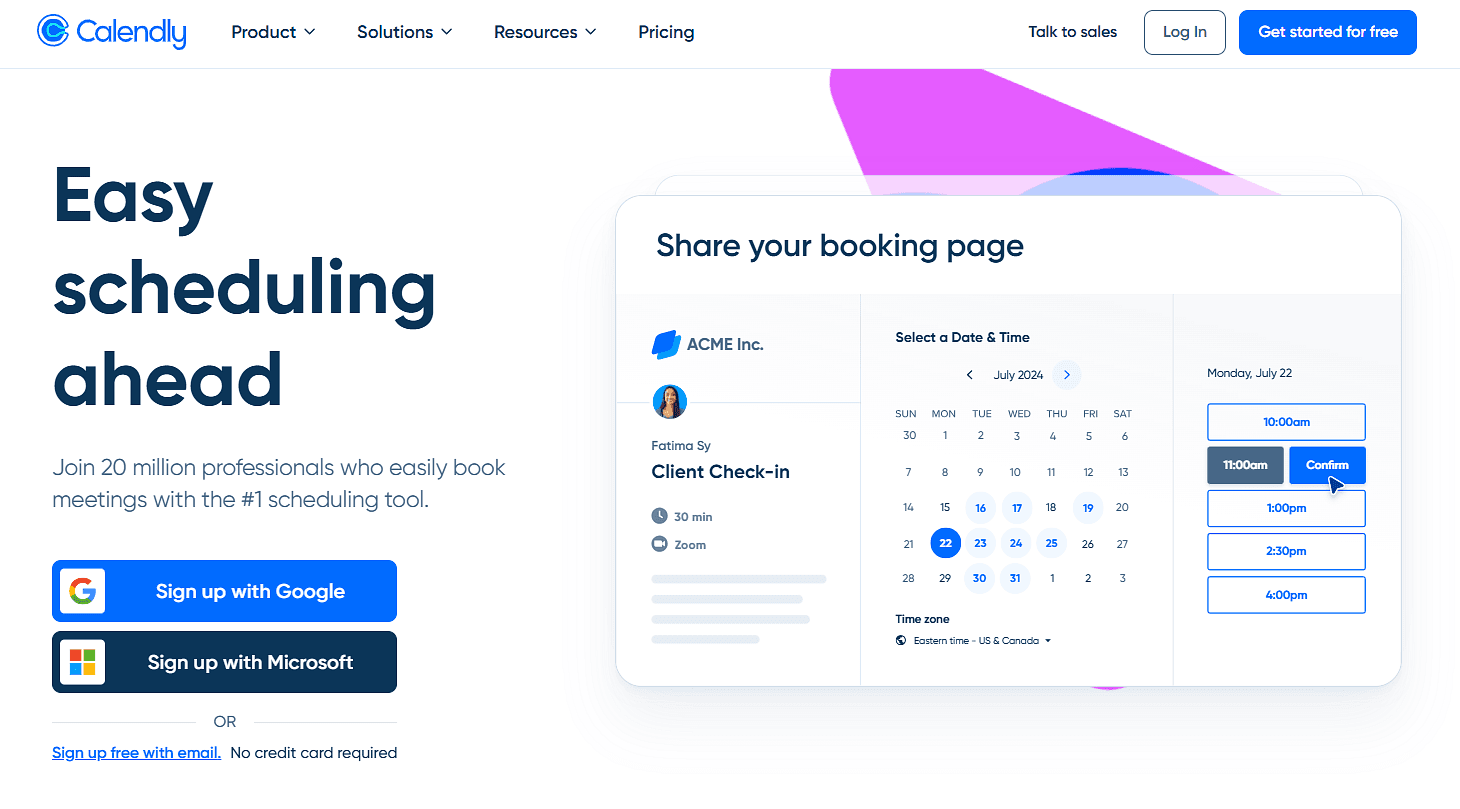
What it is: Calendly is a general-purpose scheduling tool known for its simple booking experience. For therapists, it's useful for introductory calls, supervision sessions, and internal meetings that don't involve clinical information, but it isn't intended for collecting protected health information (PHI), so it shouldn't be used to book clinical sessions involving PHI.
Key features:
Booking links let you create shareable scheduling pages for different meeting types and embed them on your website.
Calendar sync checks connected calendars for conflicts and adds new bookings to your calendar to help prevent double-booking.
Round-robin and collective scheduling let clients book with the next available team member or find a time when multiple hosts are available.
Automated reminders and follow-ups help keep clients informed before and after scheduled meetings.
Payment collection lets you require clients to pay through Stripe or PayPal when they book.
Pricing: TCalendly offers a free plan with one event type and unlimited meetings. Paid plans start at $12/seat/month and add features such as multiple event types, additional calendar connections, and scheduling automation.
Pros:
Easy for clients to use
Free plan covers basic scheduling
Wide calendar and video integration ecosystem
Cons:
Not designed for collecting PHI
It's not a substitute for a clinical scheduling system
Limited routing for practices with multiple clinicians
Best for: Consultation calls, supervision, peer meetings, and other bookings that don't involve clinical information.
Comparison verdict: Calendly is a good option for introductory calls and other meetings that don't involve clinical information. For therapy sessions, Cal.com provides the BAA, intake questions, routing, and branding needed for clinical scheduling.
Scheduling software for therapists: quick comparison
Here’s how the seven therapy scheduling tools stack up across key features and free plans:
Tool | Free plan | Compliance cost | Calendar sync | Clinician routing |
|---|---|---|---|---|
Cal.com | ✅ Free forever | ✅ Included at no cost on Teams and Organizations plans | ✅ Two-way sync with Google, Outlook, and Apple | ✅ Round robin scheduling and routing forms |
SimplePractice | ❌ No, 30-day trial | ✅ Included on every plan | ⚠️ Two-way sync on higher plans; limited on Starter | ❌ No rules-based routing |
TherapyNotes | ❌ No, 30-day trial | ✅ Included on every plan | ❌ One-way to sync only | ❌ Manual assignment |
Jane | ❌ No, and no trial | ✅ Included on every plan | ⚠️ Two separate one-way syncs, Google only | ❌ No rules-based routing |
Healthie | ❌ No, 14-day trial | ✅ Included on every plan | ✅ Two-way with Google, iCloud, and Outlook | ❌ No specialty-based routing |
Acuity Scheduling | ❌ No, 7-day trial | ✅ Included on Premium plan | ✅ Two-way with Google, Outlook, and Apple | ❌ No rules-based routing |
Calendly | ✅ Free forever | ❌ Not designed for PHI | ✅ Two-way with Google, Outlook, and Apple | ✅ Round robin only |
Final verdict
For most therapists, the main choice is between an all-in-one clinical system and a scheduling tool that works with the systems you already use.
SimplePractice is a good fit if you want scheduling, clinical notes, billing, and telehealth in one system. TherapyNotes is a better choice if insurance billing is central to your practice. Jane is suited to clinics offering several types of care, while Healthie fits practices that work mainly online.
If you already have your clinical tools and mainly need more control over scheduling, Cal.com is the best option for you. It gives you two-way calendar sync, custom intake questions, branded booking pages, and clinician routing without requiring you to replace your existing systems.
Solo practitioners can start with Cal.com's free plan, while teams can book a demo to see how it could fit their scheduling workflow.
Frequently asked questions
What is the best scheduling software for therapists? Cal.com is a good fit for practices that need flexible scheduling, two-way calendar sync, intake questions, clinician routing, and branding without replacing their existing clinical system. If you also need charting and insurance billing, SimplePractice or TherapyNotes may be a better fit.
How much does scheduling software for therapists cost? Booking tools range from free with Cal.com to $61/month for Acuity Scheduling's Premium plan. Full clinical systems start at $49/month with SimplePractice, while TherapyNotes starts at $69. The real cost can be higher once you account for compliance, additional clinicians, insurance billing, or add-ons.
Is Cal.com HIPAA compliant, and what does it cost? Yes. Cal.com supports HIPAA-compliant scheduling and signs BAAs. The BAA is included at no extra cost with Organizations and Enterprise, while the Free and Teams plans charge a one-time $300 fee.
Which scheduling software is best for a solo private practice? It depends on what you already use. If you already have systems for clinical notes and billing, Cal.com gives you a dedicated way to manage scheduling that fits into your existing setup. If you want one system for scheduling, notes, billing, and telehealth, SimplePractice is the more complete option.
Can I use Calendly to book therapy sessions? Calendly isn't designed for collecting PHI, so it shouldn't be used for clinical bookings that involve protected health information. It's better suited to consultations, supervision, and internal meetings where clinical information isn't collected. For therapy sessions, Cal.com is a better option if you need compliant scheduling with intake questions, clinician routing, and calendar sync.

Get started with Cal.com for free today!
Experience seamless scheduling and productivity with no hidden fees. Sign up in seconds and start simplifying your scheduling today, no credit card required!







