" height="18.016311920580208px" id="GKXyVanMq" stroke-dasharray="0" stroke-linecap="butt" stroke-linejoin="miter" stroke-miterlimit="10" stroke-width="0.5" stroke="rgb(0, 0, 0)" transform="translate(3 3)" width="18px"/></svg>)
"/><stop offset="1" stop-color="rgb(227, 224, 244)"/></linearGradient><linearGradient id="CBS1bzkxF-2031533640-linear-gradient" x1="0.49751243781094523" x2="0.5024875621890548" y1="0" y2="1"><stop offset="0" stop-color="rgb(255, 255, 255)"/><stop offset="1" stop-color="rgb(227, 224, 244)"/></linearGradient><linearGradient id="Jd7AK81w9-2031533640-linear-gradient" x1="0.49751243781094523" x2="0.5024875621890548" y1="0" y2="1"><stop offset="0" stop-color="rgb(255, 255, 255)"/><stop offset="1" stop-color="rgb(227, 224, 244)"/></linearGradient></defs><g d="M 0 16 L 0 0 L 16 0 L 16 16 Z M 9.167 5.167 C 9.167 4.891 8.943 4.667 8.667 4.667 C 8.391 4.667 8.167 4.891 8.167 5.167 C 8.167 6.784 7.809 7.834 7.155 8.488 C 6.501 9.143 5.451 9.5 3.833 9.5 C 3.557 9.5 3.333 9.724 3.333 10 C 3.333 10.276 3.557 10.5 3.833 10.5 C 5.451 10.5 6.501 10.857 7.155 11.512 C 7.809 12.166 8.167 13.216 8.167 14.833 C 8.167 15.109 8.391 15.333 8.667 15.333 C 8.943 15.333 9.167 15.109 9.167 14.833 C 9.167 13.216 9.524 12.166 10.178 11.512 C 10.832 10.857 11.883 10.5 13.5 10.5 C 13.776 10.5 14 10.276 14 10 C 14 9.724 13.776 9.5 13.5 9.5 C 11.883 9.5 10.832 9.143 10.178 8.488 C 9.524 7.834 9.167 6.784 9.167 5.167 Z M 4 3.667 C 4 3.483 3.851 3.333 3.667 3.333 C 3.483 3.333 3.333 3.483 3.333 3.667 C 3.333 4.32 3.189 4.715 2.952 4.952 C 2.715 5.189 2.32 5.333 1.667 5.333 C 1.483 5.333 1.333 5.483 1.333 5.667 C 1.333 5.851 1.483 6 1.667 6 C 2.32 6 2.715 6.145 2.952 6.382 C 3.189 6.618 3.333 7.013 3.333 7.667 C 3.333 7.851 3.483 8 3.667 8 C 3.851 8 4 7.851 4 7.667 C 4 7.013 4.145 6.618 4.382 6.382 C 4.618 6.145 5.013 6 5.667 6 C 5.851 6 6 5.851 6 5.667 C 6 5.483 5.851 5.333 5.667 5.333 C 5.013 5.333 4.618 5.189 4.382 4.952 C 4.145 4.715 4 4.32 4 3.667 Z M 7.333 1 C 7.333 0.816 7.184 0.667 7 0.667 C 6.816 0.667 6.667 0.816 6.667 1 C 6.667 1.422 6.573 1.65 6.445 1.778 C 6.317 1.906 6.089 2 5.667 2 C 5.483 2 5.333 2.149 5.333 2.333 C 5.333 2.517 5.483 2.667 5.667 2.667 C 6.089 2.667 6.317 2.761 6.445 2.889 C 6.573 3.016 6.667 3.244 6.667 3.667 C 6.667 3.851 6.816 4 7 4 C 7.184 4 7.333 3.851 7.333 3.667 C 7.333 3.244 7.427 3.016 7.555 2.889 C 7.683 2.761 7.911 2.667 8.333 2.667 C 8.517 2.667 8.667 2.517 8.667 2.333 C 8.667 2.149 8.517 2 8.333 2 C 7.911 2 7.683 1.906 7.555 1.778 C 7.427 1.65 7.333 1.422 7.333 1 Z" fill="transparent" height="16px" id="aoZYv33vR" width="16px"><path d="M 0 16 L 0 0 L 16 0 L 16 16 Z" fill="transparent" height="16px" id="Z2uGmhW9f" width="16px"/><g d="M 7.833 4.5 C 7.833 4.224 7.609 4 7.333 4 C 7.057 4 6.833 4.224 6.833 4.5 C 6.833 6.117 6.476 7.168 5.822 7.822 C 5.168 8.476 4.117 8.833 2.5 8.833 C 2.224 8.833 2 9.057 2 9.333 C 2 9.61 2.224 9.833 2.5 9.833 C 4.117 9.833 5.168 10.191 5.822 10.845 C 6.476 11.499 6.833 12.549 6.833 14.167 C 6.833 14.443 7.057 14.667 7.333 14.667 C 7.609 14.667 7.833 14.443 7.833 14.167 C 7.833 12.549 8.191 11.499 8.845 10.845 C 9.499 10.191 10.549 9.833 12.167 9.833 C 12.443 9.833 12.667 9.61 12.667 9.333 C 12.667 9.057 12.443 8.833 12.167 8.833 C 10.549 8.833 9.499 8.476 8.845 7.822 C 8.191 7.168 7.833 6.117 7.833 4.5 Z M 2.667 3 C 2.667 2.816 2.517 2.667 2.333 2.667 C 2.149 2.667 2 2.816 2 3 C 2 3.654 1.855 4.048 1.618 4.285 C 1.382 4.522 0.987 4.667 0.333 4.667 C 0.149 4.667 0 4.816 0 5 C 0 5.184 0.149 5.333 0.333 5.333 C 0.987 5.333 1.382 5.478 1.618 5.715 C 1.855 5.952 2 6.346 2 7 C 2 7.184 2.149 7.333 2.333 7.333 C 2.517 7.333 2.667 7.184 2.667 7 C 2.667 6.346 2.811 5.952 3.048 5.715 C 3.285 5.478 3.68 5.333 4.333 5.333 C 4.517 5.333 4.667 5.184 4.667 5 C 4.667 4.816 4.517 4.667 4.333 4.667 C 3.68 4.667 3.285 4.522 3.048 4.285 C 2.811 4.048 2.667 3.654 2.667 3 Z M 6 0.333 C 6 0.149 5.851 0 5.667 0 C 5.483 0 5.333 0.149 5.333 0.333 C 5.333 0.756 5.239 0.984 5.112 1.112 C 4.984 1.239 4.756 1.333 4.333 1.333 C 4.149 1.333 4 1.483 4 1.667 C 4 1.851 4.149 2 4.333 2 C 4.756 2 4.984 2.094 5.112 2.222 C 5.239 2.35 5.333 2.578 5.333 3 C 5.333 3.184 5.483 3.333 5.667 3.333 C 5.851 3.333 6 3.184 6 3 C 6 2.578 6.094 2.35 6.222 2.222 C 6.35 2.094 6.578 2 7 2 C 7.184 2 7.333 1.851 7.333 1.667 C 7.333 1.483 7.184 1.333 7 1.333 C 6.578 1.333 6.35 1.239 6.222 1.112 C 6.094 0.984 6 0.756 6 0.333 Z" fill="transparent" height="14.66671286102295px" id="ae6ccdFme" transform="translate(1.333 0.667)" width="12.66663px"><path d="M 5.833 0.5 C 5.833 0.224 5.609 0 5.333 0 C 5.057 0 4.833 0.224 4.833 0.5 C 4.833 2.117 4.476 3.168 3.822 3.822 C 3.168 4.476 2.117 4.833 0.5 4.833 C 0.224 4.833 0 5.057 0 5.333 C 0 5.61 0.224 5.833 0.5 5.833 C 2.117 5.833 3.168 6.191 3.822 6.845 C 4.476 7.499 4.833 8.549 4.833 10.167 C 4.833 10.443 5.057 10.667 5.333 10.667 C 5.609 10.667 5.833 10.443 5.833 10.167 C 5.833 8.549 6.191 7.499 6.845 6.845 C 7.499 6.191 8.549 5.833 10.167 5.833 C 10.443 5.833 10.667 5.61 10.667 5.333 C 10.667 5.057 10.443 4.833 10.167 4.833 C 8.549 4.833 7.499 4.476 6.845 3.822 C 6.191 3.168 5.833 2.117 5.833 0.5 Z" fill="url(%23t2lXByE48-2031533640-linear-gradient)" height="10.66671px" id="t2lXByE48" transform="translate(2 4)" width="10.66663px"/><path d="M 2.667 0.333 C 2.667 0.149 2.517 0 2.333 0 C 2.149 0 2 0.149 2 0.333 C 2 0.987 1.855 1.382 1.618 1.618 C 1.382 1.855 0.987 2 0.333 2 C 0.149 2 0 2.149 0 2.333 C 0 2.517 0.149 2.667 0.333 2.667 C 0.987 2.667 1.382 2.811 1.618 3.048 C 1.855 3.285 2 3.68 2 4.333 C 2 4.517 2.149 4.667 2.333 4.667 C 2.517 4.667 2.667 4.517 2.667 4.333 C 2.667 3.68 2.811 3.285 3.048 3.048 C 3.285 2.811 3.68 2.667 4.333 2.667 C 4.517 2.667 4.667 2.517 4.667 2.333 C 4.667 2.149 4.517 2 4.333 2 C 3.68 2 3.285 1.855 3.048 1.618 C 2.811 1.382 2.667 0.987 2.667 0.333 Z" fill="url(%23CBS1bzkxF-2031533640-linear-gradient)" height="4.66667px" id="CBS1bzkxF" transform="translate(0 2.667)" width="4.66667px"/><path d="M 2 0.333 C 2 0.149 1.851 0 1.667 0 C 1.483 0 1.333 0.149 1.333 0.333 C 1.333 0.756 1.239 0.984 1.112 1.112 C 0.984 1.239 0.756 1.333 0.333 1.333 C 0.149 1.333 0 1.483 0 1.667 C 0 1.851 0.149 2 0.333 2 C 0.756 2 0.984 2.094 1.112 2.222 C 1.239 2.35 1.333 2.578 1.333 3 C 1.333 3.184 1.483 3.333 1.667 3.333 C 1.851 3.333 2 3.184 2 3 C 2 2.578 2.094 2.35 2.222 2.222 C 2.35 2.094 2.578 2 3 2 C 3.184 2 3.333 1.851 3.333 1.667 C 3.333 1.483 3.184 1.333 3 1.333 C 2.578 1.333 2.35 1.239 2.222 1.112 C 2.094 0.984 2 0.756 2 0.333 Z" fill="url(%23Jd7AK81w9-2031533640-linear-gradient)" height="3.333333px" id="Jd7AK81w9" transform="translate(4 0)" width="3.3333399999999997px"/></g></g></svg>)
" height="24px" id="WCm44spAV" width="24px"/><path d="M 3.892 7.742 C 1.674 7.742 0 6.014 0 3.882 C 0 1.738 1.589 0 3.892 0 C 5.107 0 5.951 0.374 6.623 1.173 L 5.566 2.09 C 5.118 1.621 4.564 1.386 3.892 1.386 C 2.452 1.386 1.547 2.517 1.547 3.882 C 1.547 5.246 2.452 6.356 3.924 6.356 C 4.649 6.356 5.193 6.111 5.63 5.63 L 6.718 6.558 C 6.153 7.24 5.193 7.742 3.892 7.742 Z" fill="rgb(255, 255, 255)" height="7.741500000000002px" id="XEPpGD7l5" transform="translate(4 8.25)" width="6.717999999999989px"/><path d="M 2.74 7.922 C 1.215 7.922 0 6.632 0 5.032 C 0 3.433 1.215 2.122 2.74 2.122 C 3.7 2.122 4.201 2.516 4.5 3.113 L 4.5 2.239 L 5.928 2.239 L 5.928 7.784 L 4.531 7.784 L 4.531 6.877 C 4.233 7.507 3.731 7.922 2.74 7.922 Z M 1.439 5.023 C 1.439 5.865 2.057 6.622 2.975 6.622 C 3.924 6.622 4.531 5.897 4.531 5.033 C 4.531 4.169 3.924 3.423 2.975 3.423 C 2.057 3.423 1.439 4.159 1.439 5.022 Z M 6.784 7.784 L 6.784 0 L 8.224 0 L 8.224 7.784 L 6.784 7.784 Z" fill="rgb(255, 255, 255)" height="7.9224997406005855px" id="lGDJupIUR" transform="translate(10.5 8)" width="8.223500194549558px"/></g></svg>)
" width="18px"><path d="M 2 8 C 0.895 8 0 7.105 0 6 L 0 2 C 0 0.895 0.895 0 2 0 L 6 0 C 7.105 0 8 0.895 8 2 L 8 6 C 8 7.105 7.105 8 6 8 Z" fill="transparent" height="8px" id="ZrCrI93dV" stroke-dasharray="" stroke-linecap="round" stroke-linejoin="round" stroke-width="2" stroke="rgb(0, 0, 0)" width="8px"/><path d="M 0 0 L 0 4 C 0 5.105 0.895 6 2 6 L 6 6" fill="transparent" height="6px" id="emltWYAiE" stroke-dasharray="" stroke-linecap="round" stroke-linejoin="round" stroke-width="2" stroke="rgb(0, 0, 0)" transform="translate(4 8)" width="6px"/><path d="M 2 8 C 0.895 8 0 7.105 0 6 L 0 2 C 0 0.895 0.895 0 2 0 L 6 0 C 7.105 0 8 0.895 8 2 L 8 6 C 8 7.105 7.105 8 6 8 Z" fill="transparent" height="8px" id="WpBecYDfi" stroke-dasharray="" stroke-linecap="round" stroke-linejoin="round" stroke-width="2" stroke="rgb(0, 0, 0)" transform="translate(10 10)" width="8px"/></g></svg>)

Manual Scheduling vs. Scheduling App: Which Wins in 2026? (Pros, Cons & Verdict)
Manual scheduling vs. scheduling app is a common debate for anyone who still books appointments by phone, paper diary, or spreadsheets. Misplaced notes, double-bookings, and costly no-shows quickly disrupt your workday. For most businesses with more than a handful of bookings each week, a scheduling app saves time, reduces errors, and cuts down on no-shows.

You can also replace manual appointment scheduling with Cal.com for free. This guide explains both approaches, covers the advantages and disadvantages of a manual appointment system, compares them side by side, and shares a clear verdict.
What matters | Manual scheduling | Scheduling app (Cal.com) |
Setup | No tools, but everything's on you | Free account, live in minutes |
Time per booking | Phone tag, back-and-forth | Self-service booking page |
Double bookings | Easy to make | Prevented by real-time calendar sync |
No-shows/reminders | Manual calls, easily missed | Automated email/SMS reminders |
Availability visibility | Depends on one person's memory or paper records | Shared, always up to date |
Rescheduling | Another phone call | One-click reschedule link |
Scales with volume | Becomes hard to manage as bookings grow | Handles high volume and teams |
Cost | "Free," but costs hours | Free plan, paid tiers as you grow |
See the difference for free. Start with Cal.com. |
What is Manual Scheduling?
Manual appointment scheduling is a management process where a person takes, tracks, and logs appointments by hand using analog tools or basic spreadsheets. Someone answers the call, checks a calendar or notebook, writes the appointment down, and hopes nobody double-books the same hour later that day.
Plenty of small offices, clinics, and solo practices still run this way, and there's nothing wrong with that on its own. It's familiar, doesn't require a login, and works well for businesses with a light booking volume.
What is a Scheduling App?
A scheduling app is software that lets clients book themselves against your real-time availability, with reminders, calendar sync, and rescheduling built in. You set your hours once, share a link, and clients pick an open slot without a single phone call.
Cal.com offers a modern, calendar-native example of this tool that allows you to launch a booking page for free without code or technical background.
Manual Scheduling: Advantages and Disadvantages
A recent survey of small businesses by Zoho Bookings and Cint found that 72.83% still schedule primarily by email and 57.1% by phone. Once those meetings get booked, 31.9% call double bookings a top challenge and 34.7% flag no-shows as a significant problem.
Before you write off manual booking entirely, you must identify the advantages and disadvantages of a manual appointment system on their own terms to see how these patterns impact daily operations.
Advantages
Operating without digital tools provides a few distinct operational benefits for small setups:
Eliminates software costs and monthly recurring invoices.
Grants full personal control over every individual booking decision.
Accommodates very low appointment volumes with minimal effort.
Removes the need to learn a new digital interface.
Disadvantages
Despite these benefits, administrative hurdles quickly multiply without automation. The primary drawbacks of this traditional approach include:
Consumes hours of staff time through back-and-forth phone tag for every single booking.
Increases double-booking risks whenever two people update the calendar separately.
Lacks automatic reminders, which directly elevates your total no-show rate.
Traps current availability inside one person's head or a single physical notebook.
Restricts business scaling past a handful of bookings per day.
Multiplies transcription errors since humans log details by hand.
One disadvantage of appointment systems that rely on paper is how every single one of these problems compounds as your business grows. The pattern holds true across almost every industry that books appointments.
Scheduling Apps: Advantages and Disadvantages
Modern booking platforms change how a business handles its daily calendar operations. While digital platforms streamline administrative tasks, implementing new technology requires a balanced evaluation of operational impacts.
You must consider both sides of the digital transition to understand how these tools change your workflow.
Advantages
Deploying a dedicated application provides several immediate operational benefits:
Enables self-service booking that eliminates the back-and-forth phone call.
Prevents scheduling conflicts in real time across every connected calendar.
Sends automated reminders that drastically cut down on no-shows.
Displays shared availability that everyone on the team can view instantly.
Simplifies cancellations and adjustments through a single rescheduling link.
Scales cleanly to absorb high booking volumes and growing team sizes.
Generates built-in reporting on bookings, attendance, and seasonal trends.
Supports recurring bookings for repeat clients, without rebuilding the appointment each time.
Disadvantages
If you ask which is a disadvantage of computerized appointment systems, you must consider the operational challenges alongside the benefits. The core drawbacks of automating your calendar include:
Mandates a continuous reliance on a stable, working internet connection.
Imposes potential monthly subscription costs that increase your software overhead.
Demands an initial learning curve as staff members adapt to a digital workflow.
One disadvantage of appointment systems is that your team must get comfortable with new software before it becomes second nature. Cal.com addresses these specific concerns directly. A robust free plan removes the cost objection for small teams, while a simple setup gets your first booking page live within minutes to eliminate the traditional learning curve.
Manual Scheduling vs Scheduling App: Head-to-Head
Here's where manual scheduling vs scheduling app gets decided on the details that actually affect your day.
Time and effort
Manual scheduling means phone tag and manual entry for every booking. A scheduling app lets clients book themselves in seconds.
A study run out of ETH Zurich found that groups of 10 to 15 people needed 1.5 to 2 hours to land on a meeting time using manual methods, compared with about 45 minutes using an online scheduling tool. Cal.com's self-service booking page removes that back-and-forth for meetings of any size.
Errors and double bookings
Manual scheduling depends on human memory, handwriting notes, or spreadsheets, which makes booking mistakes more likely. A scheduling app checks your connected calendars in real time before it ever offers a slot. This real-time check is how you prevent double bookings without a second thought.
Cal.com syncs Google, Outlook, and Apple calendars automatically. A booking on one calendar shows up instantly on every other calendar you've connected, and this single mechanic is where manual scheduling vs scheduling app stops being a close call.
Time zones
Manual scheduling means doing time zone math by hand, and one wrong conversion can put a client on the calendar at 3 a.m. their time. A scheduling app detects each person's time zone automatically and displays the correct local time to everyone involved.
Cal.com handles this conversion automatically. Nobody has to double-check a client's local hours before confirming a booking.
No-shows and reminders
Missed appointments cost the U.S. healthcare system an estimated $150 billion each year, and automated reminders reduce no-shows by 30% to 60%. Manual appointment scheduling relies on someone to remember every reminder call or message, and missed reminders become more likely as bookings grow.
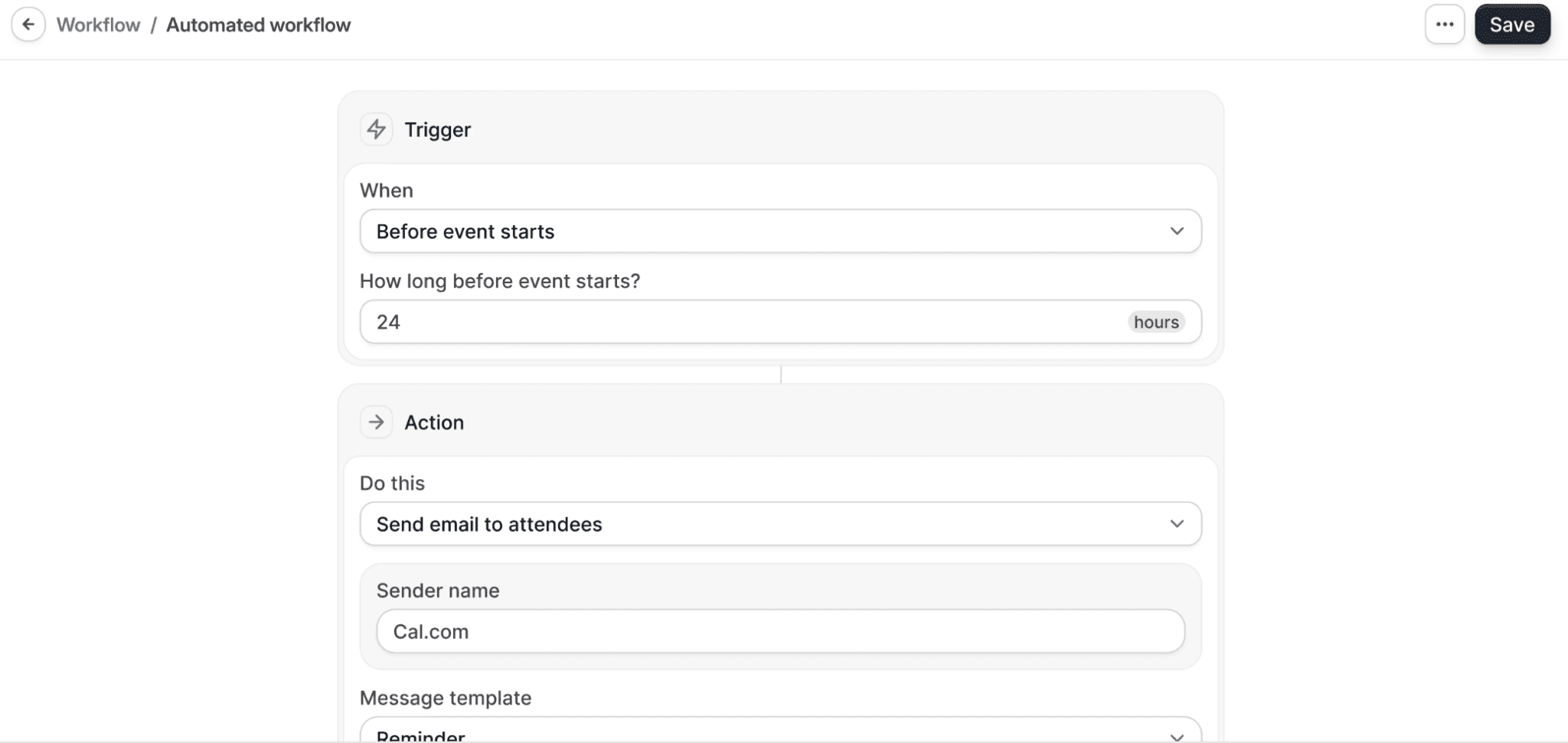
A scheduling app sends reminders automatically by email or SMS. Cal.com's reminder workflows handle every follow-up on schedule without extra admin work.
Cost (the real comparison)
Manual scheduling isn't actually free. It costs staff hours every single day, and those hours add up fast. One disadvantage of appointment systems is that they carry a price tag manual booking doesn't, though Cal.com's free plan makes the switch effectively free for solo professionals and small teams.
You're trading invisible hours for a visible, and much smaller, line item. Cal.com also includes its own video conferencing tool, Cal Video, on the free plan. That's one less subscription, since you don't need a separate Zoom plan just to hold the meetings you book.
Scalability
Manual scheduling breaks down fast once volume or team size grows past a person or two. A scheduling app handles round-robin assignment and shared availability without extra headcount.
Buffers between appointments, minimum notice windows, and daily booking limits keep your calendar from filling up faster than you can manage. None of those rules need to be tracked by hand.
Ten bookings a week and a hundred bookings a week end up looking about the same from your side of the screen. This is the clearest gap in the manual scheduling vs scheduling app comparison once a business starts to grow.
Why a Scheduling App Wins for Most Businesses
A direct comparison of manual scheduling vs scheduling app workflows reveals that automated software saves time, cuts errors, and reduces no-shows for growing businesses. The minor advantages of a manual appointment system disappear when a free, intuitive app handles the workload.
Cal.com provides specific features that solve traditional booking problems out of the box:
Blocks or redirects bookings automatically when you mark yourself out of office. Nobody lands on your calendar while you're away.
Syncs calendars in real time across Google, Outlook, and Apple to stop double bookings.
Sends automated email and SMS reminders to cut no-shows without manual follow-up.
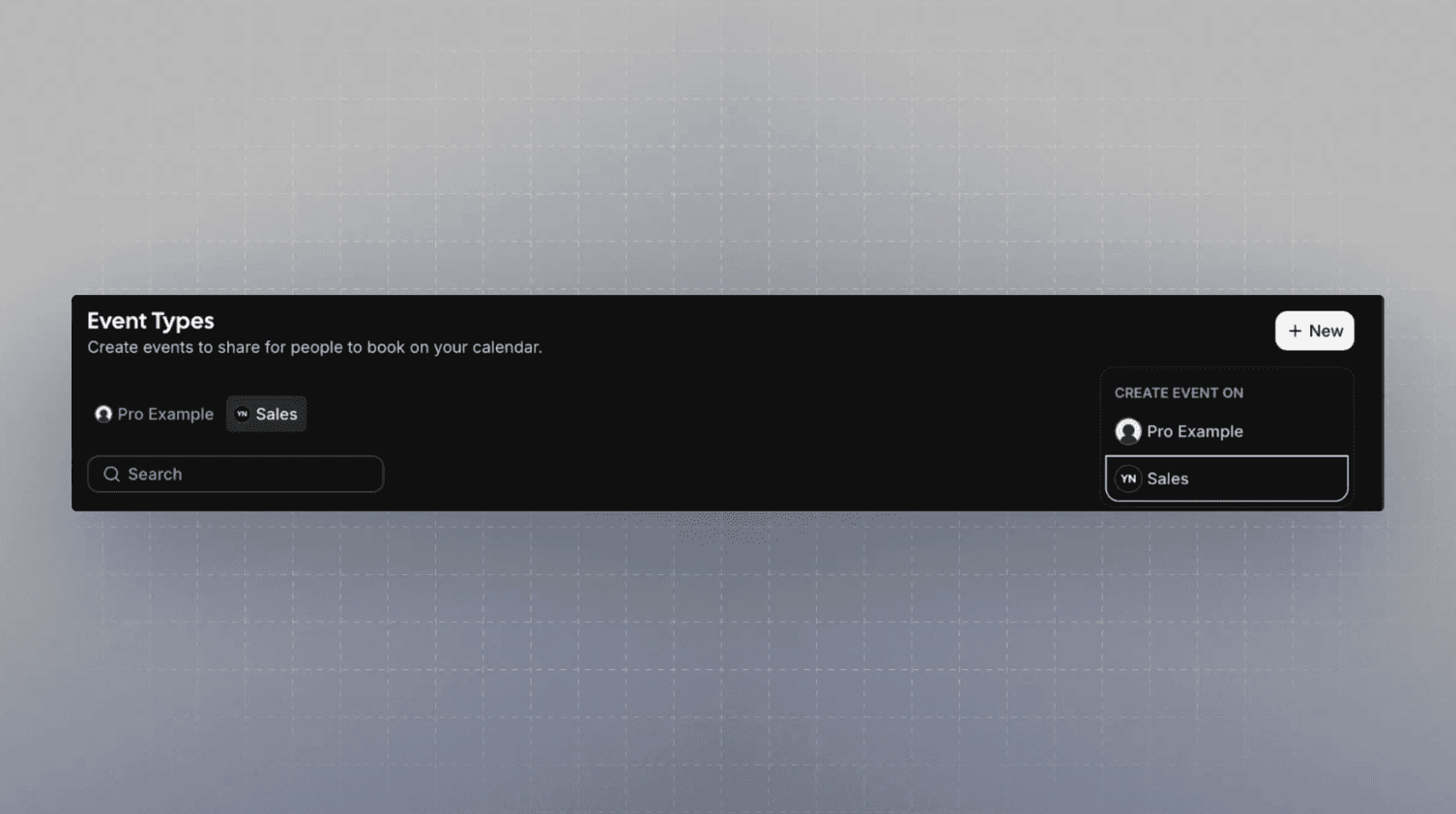
Offers a self-service booking page with one-click rescheduling, branded to your business on your own custom domain instead of a generic link.
Assigns bookings via round-robin routing and manages shared team availability on the Teams plan, once you're ready to add teammates.
Compliance coverage that scales with you, including SOC 2 and GDPR on Organizations, with a signed BAA for HIPAA available on Enterprise for clinics that need it.
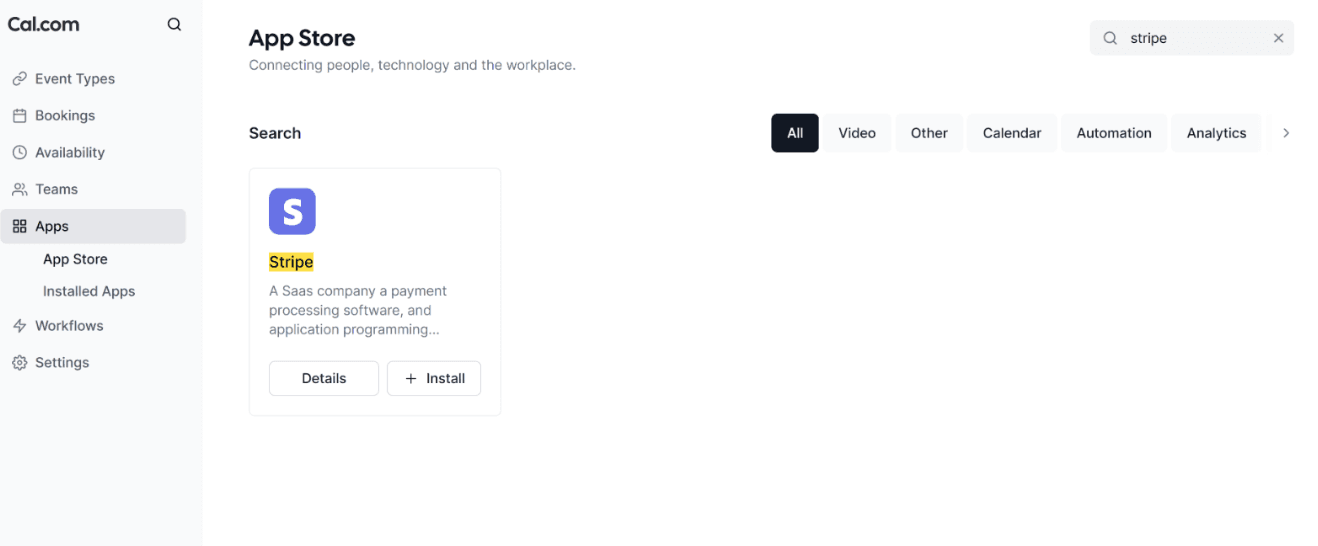
Collects payments at booking through Stripe or PayPal. Payment lands before the appointment even starts.
Stays free forever for individuals, with paid upgrades available for expanding operations.
Current pricing plans reflect this accessibility. The individual tier costs nothing, the Teams tier costs $16/user/month (month-to-month), and the Organizations plan costs $37/user/month (month-to-month). Enterprise options require custom terms. The free plan meets the exact requirements of most solo professionals and small setups.
Ready to switch from manual scheduling for free? Create your Cal.com account and see your first booking page live in minutes. |
When Manual Scheduling Might Still Make Sense
To keep the manual scheduling vs. scheduling app comparison fair, manual scheduling still has a place. A solo operator who handles only a handful of monthly bookings and prefers a personal phone call can easily manage operations without software. When you identify the advantages and disadvantages of a manual appointment system, this familiar approach functions perfectly well under low-volume conditions.
Even then, a free scheduling page removes the phone tag at zero cost. It's worth trying even if you only use it for the bookings that come in outside business hours.
The Smart Move for Your Business Calendar
When you identify the advantages and disadvantages of a manual appointment system next to the capabilities of a modern app, traditional booking clearly costs you valuable hours. Manual methods increase the risk of double bookings and missed appointments.
A scheduling app fixes these operational challenges immediately. Cal.com addresses these issues by providing real-time calendar sync, automated reminders, and self-service booking options on a plan that costs nothing to start. Evaluating manual scheduling vs scheduling app options highlights the efficiency gains of automation.
Leave manual scheduling behind. Create your free Cal.com page in under two minutes to automate your calendar operations.
Frequently Answered Questions
What is manual scheduling?
Manual scheduling is the practice of booking appointments by phone, paper diary, or spreadsheet, managed entirely by a person with no software involved. It's the traditional form of manual appointment scheduling most small offices grew up using.
Which is a disadvantage of computerized appointment systems?
One disadvantage of computerized appointment systems is the learning curve, subscription costs, and dependence on an internet connection. Cal.com's free plan and simple setup address the cost and complexity that often come with other scheduling tools.
What are the disadvantages of manual appointment scheduling?
A common disadvantage of manual appointment scheduling is the time lost to phone tag, along with a higher risk of double bookings, more no-shows without automatic reminders, and a system that becomes difficult to manage beyond a handful of bookings each week.
Is a scheduling app better than manual scheduling?
Yes, a scheduling app is better than manual scheduling for almost every business. It saves time, reduces booking errors, and helps prevent no-shows with automated reminders. Cal.com lets you switch from manual scheduling for free, removing the cost barrier that often keeps businesses using older methods.
Is there a free scheduling app?
Yes, there are free scheduling apps. Cal.com's free plan includes calendar sync, automated reminders, and self-service booking, allowing you to start scheduling without an upfront cost.
Do I need technical skills to switch from manual scheduling?
No, you do not need technical skills to switch from manual scheduling. A Cal.com booking page is live in minutes, with no code and no technical background required.

Get started with Cal.com for free today!
Experience seamless scheduling and productivity with no hidden fees. Sign up in seconds and start simplifying your scheduling today, no credit card required!







