" height="18.016311920580208px" id="GKXyVanMq" stroke-dasharray="0" stroke-linecap="butt" stroke-linejoin="miter" stroke-miterlimit="10" stroke-width="0.5" stroke="rgb(0, 0, 0)" transform="translate(3 3)" width="18px"/></svg>)
"/><stop offset="1" stop-color="rgb(227, 224, 244)"/></linearGradient><linearGradient id="CBS1bzkxF-2031533640-linear-gradient" x1="0.49751243781094523" x2="0.5024875621890548" y1="0" y2="1"><stop offset="0" stop-color="rgb(255, 255, 255)"/><stop offset="1" stop-color="rgb(227, 224, 244)"/></linearGradient><linearGradient id="Jd7AK81w9-2031533640-linear-gradient" x1="0.49751243781094523" x2="0.5024875621890548" y1="0" y2="1"><stop offset="0" stop-color="rgb(255, 255, 255)"/><stop offset="1" stop-color="rgb(227, 224, 244)"/></linearGradient></defs><g d="M 0 16 L 0 0 L 16 0 L 16 16 Z M 9.167 5.167 C 9.167 4.891 8.943 4.667 8.667 4.667 C 8.391 4.667 8.167 4.891 8.167 5.167 C 8.167 6.784 7.809 7.834 7.155 8.488 C 6.501 9.143 5.451 9.5 3.833 9.5 C 3.557 9.5 3.333 9.724 3.333 10 C 3.333 10.276 3.557 10.5 3.833 10.5 C 5.451 10.5 6.501 10.857 7.155 11.512 C 7.809 12.166 8.167 13.216 8.167 14.833 C 8.167 15.109 8.391 15.333 8.667 15.333 C 8.943 15.333 9.167 15.109 9.167 14.833 C 9.167 13.216 9.524 12.166 10.178 11.512 C 10.832 10.857 11.883 10.5 13.5 10.5 C 13.776 10.5 14 10.276 14 10 C 14 9.724 13.776 9.5 13.5 9.5 C 11.883 9.5 10.832 9.143 10.178 8.488 C 9.524 7.834 9.167 6.784 9.167 5.167 Z M 4 3.667 C 4 3.483 3.851 3.333 3.667 3.333 C 3.483 3.333 3.333 3.483 3.333 3.667 C 3.333 4.32 3.189 4.715 2.952 4.952 C 2.715 5.189 2.32 5.333 1.667 5.333 C 1.483 5.333 1.333 5.483 1.333 5.667 C 1.333 5.851 1.483 6 1.667 6 C 2.32 6 2.715 6.145 2.952 6.382 C 3.189 6.618 3.333 7.013 3.333 7.667 C 3.333 7.851 3.483 8 3.667 8 C 3.851 8 4 7.851 4 7.667 C 4 7.013 4.145 6.618 4.382 6.382 C 4.618 6.145 5.013 6 5.667 6 C 5.851 6 6 5.851 6 5.667 C 6 5.483 5.851 5.333 5.667 5.333 C 5.013 5.333 4.618 5.189 4.382 4.952 C 4.145 4.715 4 4.32 4 3.667 Z M 7.333 1 C 7.333 0.816 7.184 0.667 7 0.667 C 6.816 0.667 6.667 0.816 6.667 1 C 6.667 1.422 6.573 1.65 6.445 1.778 C 6.317 1.906 6.089 2 5.667 2 C 5.483 2 5.333 2.149 5.333 2.333 C 5.333 2.517 5.483 2.667 5.667 2.667 C 6.089 2.667 6.317 2.761 6.445 2.889 C 6.573 3.016 6.667 3.244 6.667 3.667 C 6.667 3.851 6.816 4 7 4 C 7.184 4 7.333 3.851 7.333 3.667 C 7.333 3.244 7.427 3.016 7.555 2.889 C 7.683 2.761 7.911 2.667 8.333 2.667 C 8.517 2.667 8.667 2.517 8.667 2.333 C 8.667 2.149 8.517 2 8.333 2 C 7.911 2 7.683 1.906 7.555 1.778 C 7.427 1.65 7.333 1.422 7.333 1 Z" fill="transparent" height="16px" id="aoZYv33vR" width="16px"><path d="M 0 16 L 0 0 L 16 0 L 16 16 Z" fill="transparent" height="16px" id="Z2uGmhW9f" width="16px"/><g d="M 7.833 4.5 C 7.833 4.224 7.609 4 7.333 4 C 7.057 4 6.833 4.224 6.833 4.5 C 6.833 6.117 6.476 7.168 5.822 7.822 C 5.168 8.476 4.117 8.833 2.5 8.833 C 2.224 8.833 2 9.057 2 9.333 C 2 9.61 2.224 9.833 2.5 9.833 C 4.117 9.833 5.168 10.191 5.822 10.845 C 6.476 11.499 6.833 12.549 6.833 14.167 C 6.833 14.443 7.057 14.667 7.333 14.667 C 7.609 14.667 7.833 14.443 7.833 14.167 C 7.833 12.549 8.191 11.499 8.845 10.845 C 9.499 10.191 10.549 9.833 12.167 9.833 C 12.443 9.833 12.667 9.61 12.667 9.333 C 12.667 9.057 12.443 8.833 12.167 8.833 C 10.549 8.833 9.499 8.476 8.845 7.822 C 8.191 7.168 7.833 6.117 7.833 4.5 Z M 2.667 3 C 2.667 2.816 2.517 2.667 2.333 2.667 C 2.149 2.667 2 2.816 2 3 C 2 3.654 1.855 4.048 1.618 4.285 C 1.382 4.522 0.987 4.667 0.333 4.667 C 0.149 4.667 0 4.816 0 5 C 0 5.184 0.149 5.333 0.333 5.333 C 0.987 5.333 1.382 5.478 1.618 5.715 C 1.855 5.952 2 6.346 2 7 C 2 7.184 2.149 7.333 2.333 7.333 C 2.517 7.333 2.667 7.184 2.667 7 C 2.667 6.346 2.811 5.952 3.048 5.715 C 3.285 5.478 3.68 5.333 4.333 5.333 C 4.517 5.333 4.667 5.184 4.667 5 C 4.667 4.816 4.517 4.667 4.333 4.667 C 3.68 4.667 3.285 4.522 3.048 4.285 C 2.811 4.048 2.667 3.654 2.667 3 Z M 6 0.333 C 6 0.149 5.851 0 5.667 0 C 5.483 0 5.333 0.149 5.333 0.333 C 5.333 0.756 5.239 0.984 5.112 1.112 C 4.984 1.239 4.756 1.333 4.333 1.333 C 4.149 1.333 4 1.483 4 1.667 C 4 1.851 4.149 2 4.333 2 C 4.756 2 4.984 2.094 5.112 2.222 C 5.239 2.35 5.333 2.578 5.333 3 C 5.333 3.184 5.483 3.333 5.667 3.333 C 5.851 3.333 6 3.184 6 3 C 6 2.578 6.094 2.35 6.222 2.222 C 6.35 2.094 6.578 2 7 2 C 7.184 2 7.333 1.851 7.333 1.667 C 7.333 1.483 7.184 1.333 7 1.333 C 6.578 1.333 6.35 1.239 6.222 1.112 C 6.094 0.984 6 0.756 6 0.333 Z" fill="transparent" height="14.66671286102295px" id="ae6ccdFme" transform="translate(1.333 0.667)" width="12.66663px"><path d="M 5.833 0.5 C 5.833 0.224 5.609 0 5.333 0 C 5.057 0 4.833 0.224 4.833 0.5 C 4.833 2.117 4.476 3.168 3.822 3.822 C 3.168 4.476 2.117 4.833 0.5 4.833 C 0.224 4.833 0 5.057 0 5.333 C 0 5.61 0.224 5.833 0.5 5.833 C 2.117 5.833 3.168 6.191 3.822 6.845 C 4.476 7.499 4.833 8.549 4.833 10.167 C 4.833 10.443 5.057 10.667 5.333 10.667 C 5.609 10.667 5.833 10.443 5.833 10.167 C 5.833 8.549 6.191 7.499 6.845 6.845 C 7.499 6.191 8.549 5.833 10.167 5.833 C 10.443 5.833 10.667 5.61 10.667 5.333 C 10.667 5.057 10.443 4.833 10.167 4.833 C 8.549 4.833 7.499 4.476 6.845 3.822 C 6.191 3.168 5.833 2.117 5.833 0.5 Z" fill="url(%23t2lXByE48-2031533640-linear-gradient)" height="10.66671px" id="t2lXByE48" transform="translate(2 4)" width="10.66663px"/><path d="M 2.667 0.333 C 2.667 0.149 2.517 0 2.333 0 C 2.149 0 2 0.149 2 0.333 C 2 0.987 1.855 1.382 1.618 1.618 C 1.382 1.855 0.987 2 0.333 2 C 0.149 2 0 2.149 0 2.333 C 0 2.517 0.149 2.667 0.333 2.667 C 0.987 2.667 1.382 2.811 1.618 3.048 C 1.855 3.285 2 3.68 2 4.333 C 2 4.517 2.149 4.667 2.333 4.667 C 2.517 4.667 2.667 4.517 2.667 4.333 C 2.667 3.68 2.811 3.285 3.048 3.048 C 3.285 2.811 3.68 2.667 4.333 2.667 C 4.517 2.667 4.667 2.517 4.667 2.333 C 4.667 2.149 4.517 2 4.333 2 C 3.68 2 3.285 1.855 3.048 1.618 C 2.811 1.382 2.667 0.987 2.667 0.333 Z" fill="url(%23CBS1bzkxF-2031533640-linear-gradient)" height="4.66667px" id="CBS1bzkxF" transform="translate(0 2.667)" width="4.66667px"/><path d="M 2 0.333 C 2 0.149 1.851 0 1.667 0 C 1.483 0 1.333 0.149 1.333 0.333 C 1.333 0.756 1.239 0.984 1.112 1.112 C 0.984 1.239 0.756 1.333 0.333 1.333 C 0.149 1.333 0 1.483 0 1.667 C 0 1.851 0.149 2 0.333 2 C 0.756 2 0.984 2.094 1.112 2.222 C 1.239 2.35 1.333 2.578 1.333 3 C 1.333 3.184 1.483 3.333 1.667 3.333 C 1.851 3.333 2 3.184 2 3 C 2 2.578 2.094 2.35 2.222 2.222 C 2.35 2.094 2.578 2 3 2 C 3.184 2 3.333 1.851 3.333 1.667 C 3.333 1.483 3.184 1.333 3 1.333 C 2.578 1.333 2.35 1.239 2.222 1.112 C 2.094 0.984 2 0.756 2 0.333 Z" fill="url(%23Jd7AK81w9-2031533640-linear-gradient)" height="3.333333px" id="Jd7AK81w9" transform="translate(4 0)" width="3.3333399999999997px"/></g></g></svg>)
" height="24px" id="WCm44spAV" width="24px"/><path d="M 3.892 7.742 C 1.674 7.742 0 6.014 0 3.882 C 0 1.738 1.589 0 3.892 0 C 5.107 0 5.951 0.374 6.623 1.173 L 5.566 2.09 C 5.118 1.621 4.564 1.386 3.892 1.386 C 2.452 1.386 1.547 2.517 1.547 3.882 C 1.547 5.246 2.452 6.356 3.924 6.356 C 4.649 6.356 5.193 6.111 5.63 5.63 L 6.718 6.558 C 6.153 7.24 5.193 7.742 3.892 7.742 Z" fill="rgb(255, 255, 255)" height="7.741500000000002px" id="XEPpGD7l5" transform="translate(4 8.25)" width="6.717999999999989px"/><path d="M 2.74 7.922 C 1.215 7.922 0 6.632 0 5.032 C 0 3.433 1.215 2.122 2.74 2.122 C 3.7 2.122 4.201 2.516 4.5 3.113 L 4.5 2.239 L 5.928 2.239 L 5.928 7.784 L 4.531 7.784 L 4.531 6.877 C 4.233 7.507 3.731 7.922 2.74 7.922 Z M 1.439 5.023 C 1.439 5.865 2.057 6.622 2.975 6.622 C 3.924 6.622 4.531 5.897 4.531 5.033 C 4.531 4.169 3.924 3.423 2.975 3.423 C 2.057 3.423 1.439 4.159 1.439 5.022 Z M 6.784 7.784 L 6.784 0 L 8.224 0 L 8.224 7.784 L 6.784 7.784 Z" fill="rgb(255, 255, 255)" height="7.9224997406005855px" id="lGDJupIUR" transform="translate(10.5 8)" width="8.223500194549558px"/></g></svg>)
" width="18px"><path d="M 2 8 C 0.895 8 0 7.105 0 6 L 0 2 C 0 0.895 0.895 0 2 0 L 6 0 C 7.105 0 8 0.895 8 2 L 8 6 C 8 7.105 7.105 8 6 8 Z" fill="transparent" height="8px" id="ZrCrI93dV" stroke-dasharray="" stroke-linecap="round" stroke-linejoin="round" stroke-width="2" stroke="rgb(0, 0, 0)" width="8px"/><path d="M 0 0 L 0 4 C 0 5.105 0.895 6 2 6 L 6 6" fill="transparent" height="6px" id="emltWYAiE" stroke-dasharray="" stroke-linecap="round" stroke-linejoin="round" stroke-width="2" stroke="rgb(0, 0, 0)" transform="translate(4 8)" width="6px"/><path d="M 2 8 C 0.895 8 0 7.105 0 6 L 0 2 C 0 0.895 0.895 0 2 0 L 6 0 C 7.105 0 8 0.895 8 2 L 8 6 C 8 7.105 7.105 8 6 8 Z" fill="transparent" height="8px" id="WpBecYDfi" stroke-dasharray="" stroke-linecap="round" stroke-linejoin="round" stroke-width="2" stroke="rgb(0, 0, 0)" transform="translate(10 10)" width="8px"/></g></svg>)

Best Online Booking Software for Small Business in 2026
Phone-based booking is a thing of the past in 2026. Nobody likes getting on a call and talking to a stranger in order to set up an appointment. Be it for a hair appointment or a healthcare checkup. Online appointment booking offers privacy and ease of use for customers that’s unmatched. So, online booking software is a necessity for small businesses in 2026.
With online booking software, you can:
Reduce the workload of your receptionists
Allow customers to schedule appointments even when your store is closed
Accept payments directly at the time of appointment booking
Reduce the risk of no-shows with automated reminders
All these benefits and more are possible when you choose an online booking software for a small business. It is not hard to find online booking software in 2026; the problem is to find the right one for your business.
To help you find the best online booking software for your needs, we’ve tested all the top online booking software currently available and ranked them. Each of the mentions in our rankings has been personally tested by our team extensively.
So, sit back, relax, and give your admin/receptionist team a long-deserved break as you set up your new online booking software for small business.
What is an online booking software?
As the name suggests, an online booking software is a business tool that allows businesses to get appointment bookings over the internet. The tool is used by service-based businesses specifically to get appointment bookings online, which would otherwise have to be booked via phone calls or physical visits.
The best online booking software in 2026 also offers incredible automation features that make following up, reminders, and confirmations work out without the need for manual oversight. In fact, you can also set up team meetings internally and fairly distribute the workload among employees using an online booking software.
Who needs an online booking software?
To be honest, every business needs it. Scheduling is related to all business operations, and with the right scheduling app, you can make your business more efficient. From workforce planning to internal meetings and client discussions, everything requires scheduling to a certain extent. Here’s a breakdown of how different industries use scheduling.
Manufacturing industry: They use scheduling software for internal team meetings and S&OP briefings. Businesses also use employee scheduling apps for internal employee scheduling.
Service-based industry: Service-based businesses depend a lot on online booking systems for appointment booking. They also use online appointment scheduler apps for workload management and fair division of work among all team members without bias.
Digital businesses: SaaS companies and digital focus businesses depend a lot on employee scheduling software and online booking software. Based on the industry, they use online booking systems for client calls and sales meetings. They use employee scheduling software for internal team meetings and management.
What features to look for in online booking software for small business
In 2026, there will be tools with AI features and automation support. So, when you’re planning to add a new tool to your stack, you must make sure it adds value and efficiency to your work. There is no lack of features in software today, but you must understand that every shiny software comes with its price tag. So, make sure you always cover your basics with a reliable solution before going for the fancy features. Here are the features we focused on heavily in our online booking software ranking process.
Easy online scheduling: The right scheduling software should allow you to set up meetings and schedules without much back and forth. This is made possible by features like shareable booking links, real-time calendar availability, instant booking confirmations, and mobile-friendly booking pages.
Automated reminders and notifications: Automation is a necessity for online booking software in 2026. Your scheduling app must have features that allow automated confirmations, reminders, and follow-ups via email and SMS. The best online booking software also allows you to automatically respond based on customer behavior patterns.
Calendar integrations: Any booking software must have calendar integrations to be functional. Your client booking system must be able to integrate with Google Calendar, Microsoft Outlook, and Apple’s iCalendar. But that’s not all, your integration should be two-way to ensure you’re never double-booked at the same time on two different calendars.
Custom availability settings: No one can be in meetings all throughout the day. So, your work schedule maker should be able to help you set up your availability in a customizable manner. You should be able to set up when you’re available, how long, and even create buffer time between back-to-back meeting appointments. These features can improve your efficiency and overall progress.
Team scheduling features: Make sure your online booking software for small businesses doesn’t just have client-facing features. You also need team scheduling features that will help you optimize your business operations. The best features to look out for include round-robin scheduling, collective team booking, custom routing forms, and staff assignment automation.
Integrations: Apart from calendars, your appointment scheduler also needs to work as a part of your overall workflow and existing stack. This is why CRM integrations are a must. Make sure your online booking system integrates bi-directionally with your CRM, like Salesforce or HubSpot.
Payment collection: As you’re looking for an online booking software, you must find one with a strong payment integration with known aggregators like Stripe. This will help you get your payments in before the appointment and improve your revenue flow.
Analytics and reporting: If you get the right analytics and reporting data from your scheduling app, it can help you optimize your business further. With the right data, you can understand employee performance and also identify bottlenecks in your operations before they start bleeding revenue.
Best online booking software for small business: Quick comparison
Tool | Key feature | Pricing | Best for |
Cal.com | Customizable scheduling app with payment support and strong team scheduling features | Free plan available. Paid plans start at $12 per month | Businesses of all sizes |
Lunacal | Beautifully designed booking pages with payments, multi-session packages, reminders, subscriptions and team scheduling | Free trial available. Paid plans start at $9 per user per month | Service businesses that want their booking page to build trust and convert more visitors |
Square Appointments | Integrated payment support with client CRM | Free plan available. Paid plans start at $49 per month. | Service-based businesses with both online and offline payment requirements |
Simplybook.me | Custom widgets and memberships (recurring appointments) | No free plan available. Paid plans start at $13 per month | Small businesses with heavy customization needs |
Calendly | Easy to set up individual scheduling | Free plan available. Paid plans start at $10 per month | Individual consultants and coaches |
Booksy | Mobile app support | Free plan not available. Paid plans start at $29.99 per month | Salons-style businesses |
Setmore | Multi-staff support | Free plan available. Paid plans start at $5 per month | Businesses with a small budget |
Acuity Scheduling | Custom intake forms | Free plan not available. Paid plans start at $16 per month. | Service-based businesses |
7 best online booking software for small business ranked and reviewed
1. Cal.com: best overall online booking software for small business
What it is: Cal.com is a highly customizable and modern online booking software. It has one of the most reliable booking engines that seamlessly integrates with your existing workflow thanks to its API-first architecture. Cal.com has a highly competitive free plan that supports integrations with top CRMs like Salesforce and HubSpot. Cal.com can also integrate with Google Calendar, Microsoft Outlook, Zoom, Stripe, and over 3,000 other business tools with Zapier.
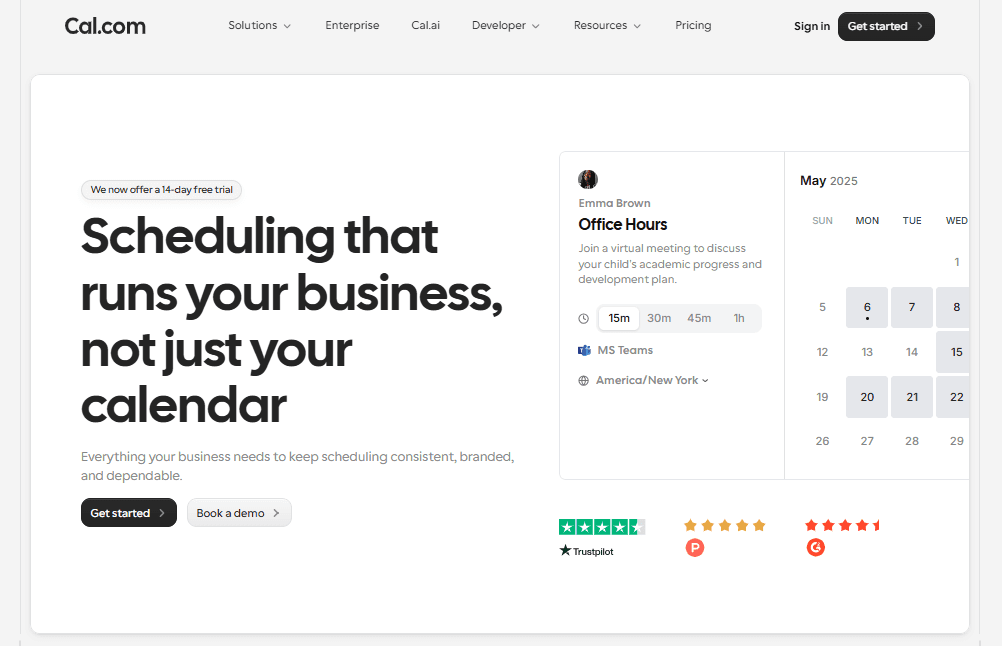
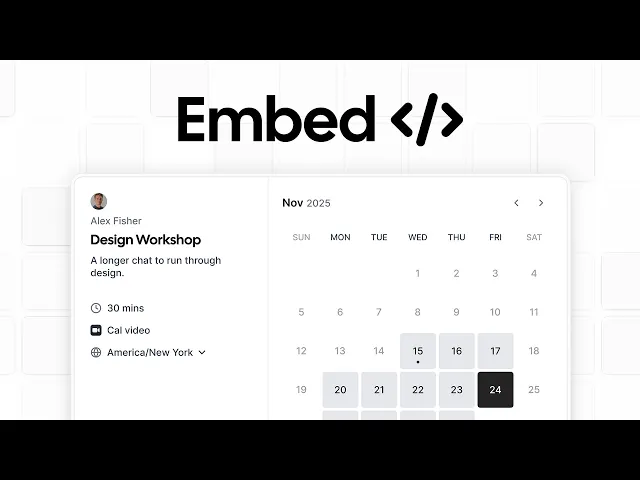
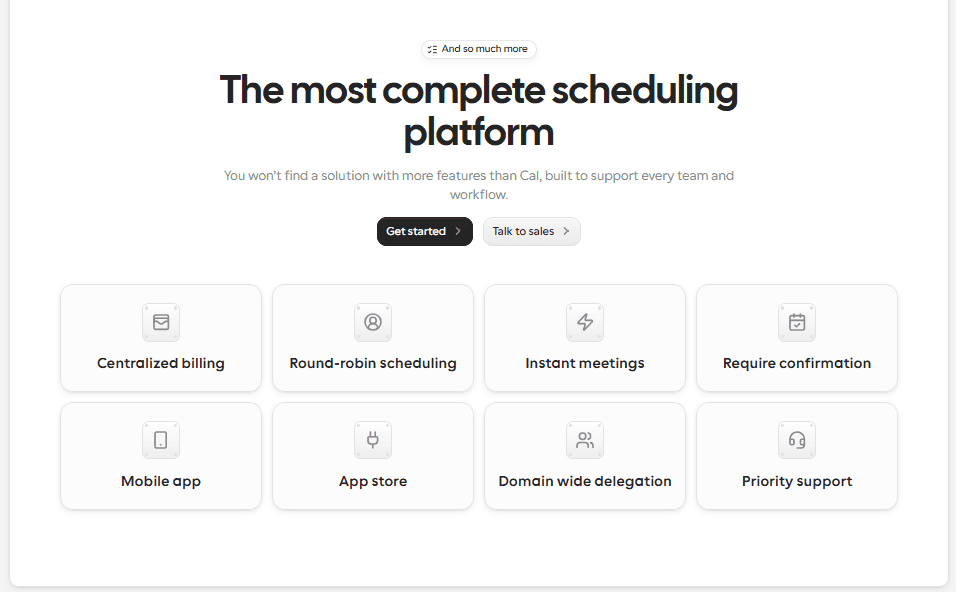
Why it ranks #1: Cal.com ranks #1 as the best overall booking software for small businesses because of its features. Cal.com allows users to create customizable and fully brandable booking pages that you can embed in your websites, apps, or PWAs. You can also set up custom availability using Cal.com and automate workload management with its round-robin scheduling feature.
Apart from that, Cal.com has one of the strongest booking engines that supports two-way sync with both calendars and CRMs. This ensures you’re never double-booked, and you don’t have to spend hours updating your CRM manually. And the best part? Cal.com supports multi-provider service-based businesses easily while ensuring all the employee scheduling software functionalities are available without fail.
Standout features for small business
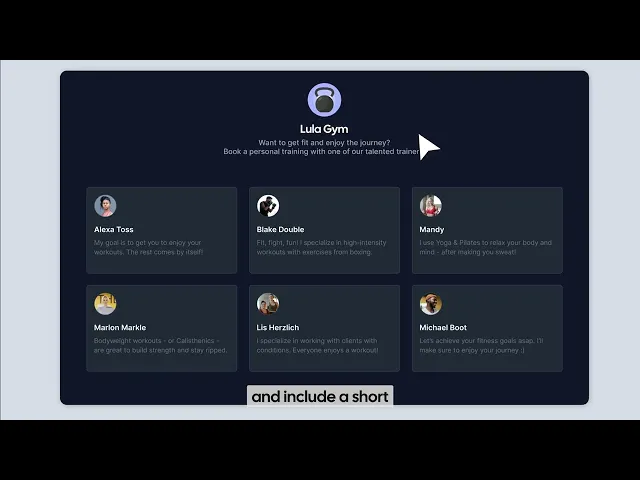
Customizable booking pages: Cal.com allows users to customize every aspect of their booking page and flow, complete with branding. This helps users create a consistent branding for their business across all digital formats.
Payment integration: To help service-based businesses, Cal.com supports payment integration with Stripe to help you collect payments at the time of booking. This helps you reduce no-shows and also reduces the payment rush on your employees during the time of the appointment.
Automated reminders: No-shows are a big problem for service-based businesses. That’s why Cal.com offers automated appointment confirmations, reminders, and even follow-ups. This helps businesses retain clients and prevent no-shows.
Two-way calendar sync: Apart from no-shows, the other big problem service-based businesses have is double bookings. Cal.com solves this problem with a two-way calendar sync that ensures every booking is reflected on both Cal.com and your calendar. This way, you get proper calendar blocking across all devices and systems.
Team scheduling: Cal.com is not only a client-facing scheduling software, it also works as a team scheduling solution. You get features like round-robin scheduling to automatically distribute work fairly among all team members without bias. You also get features like custom routing forms that ensure Cal.com automatically routes appointments to specific employees, based on skills, specialities, and customer requests.
Pros
Strong free tier that’s free forever for individuals
Customizable and embeddable booking pages
Scalable booking solution for service-based businesses
Multi-location and multi-provider support
Multi-language and multiple timezone support for online bookings

Cons
Maybe too feature-packed for small solopreneurs
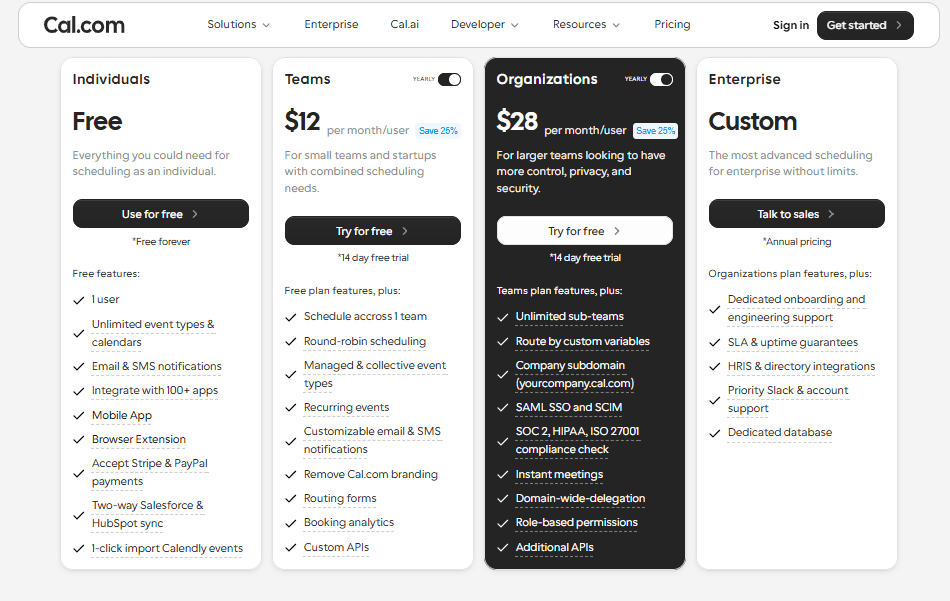
Pricing: Cal.com has one of the most robust free plans that is free forever for individuals. The paid plans start at $12/user per month.
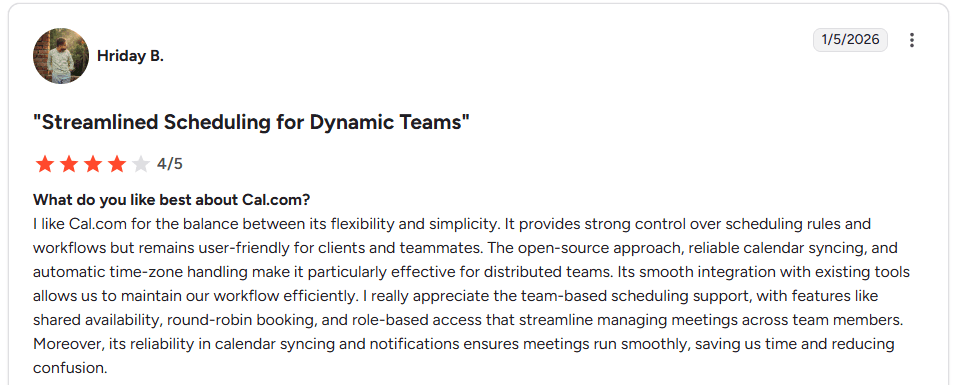
Hriday B Review of Cal.com
Best for: Cal.com is best for businesses of all sizes; it is best for small businesses that are looking for a scalable online booking software. Cal.com also has transparent pricing, which allows you to see your cost upfront as your business scales.
2. Lunacal: Best low-cost online booking software with advanced small-business features
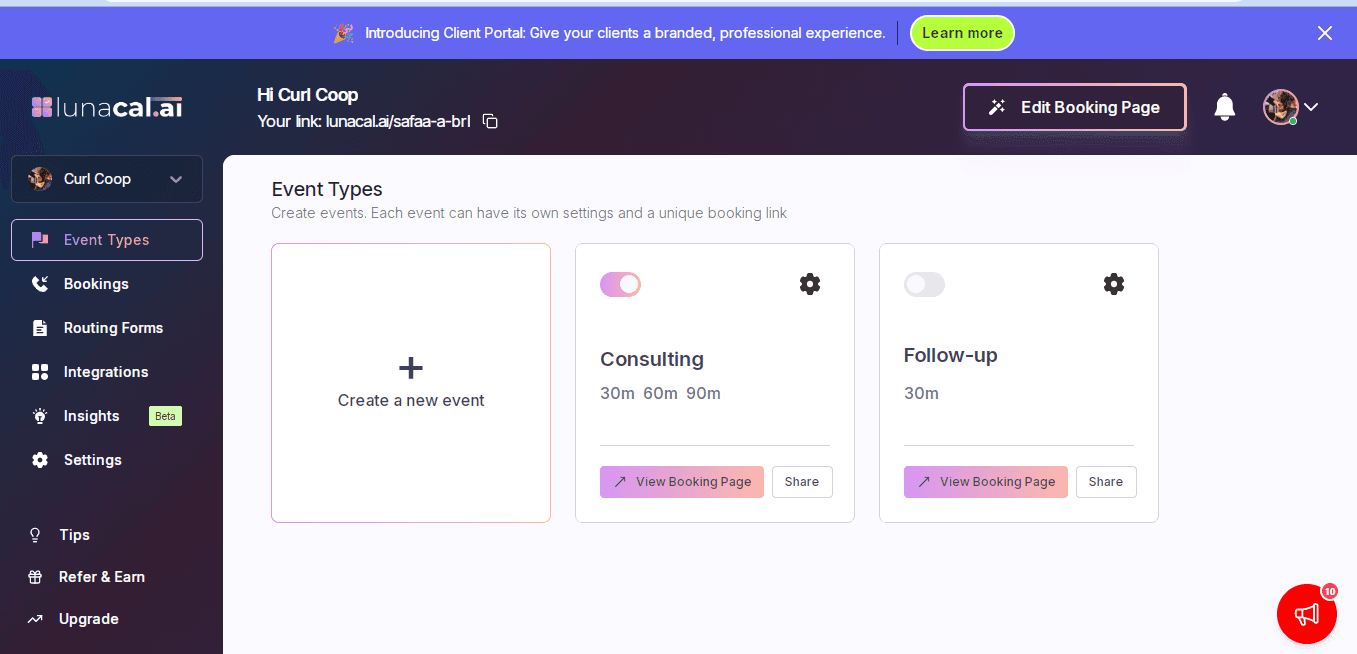
What it is: Lunacal is an affordable online booking platform built for small businesses that need advanced features such as multi-session packages, paid appointments, automated email and SMS reminders, team scheduling, intake forms, and a client portal.
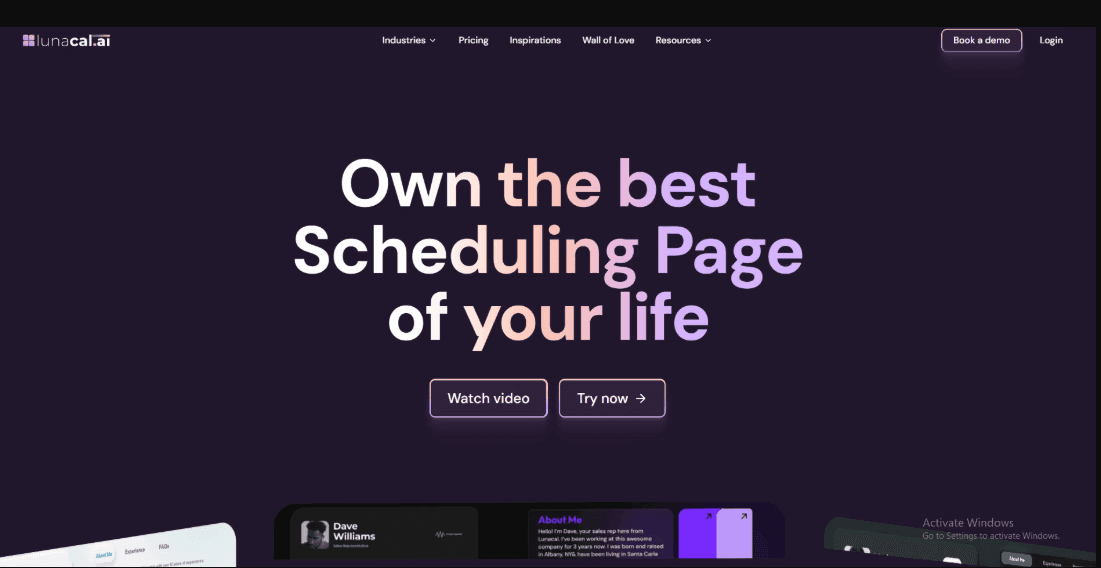
Lunacal’s main difference is that it manages more of the customer journey within one platform. Businesses can attract and educate customers through detailed booking pages, collect payments during booking, send reminders, sell appointment packages, and give returning customers access to their bookings, credits, files, and resources through a dedicated client portal.
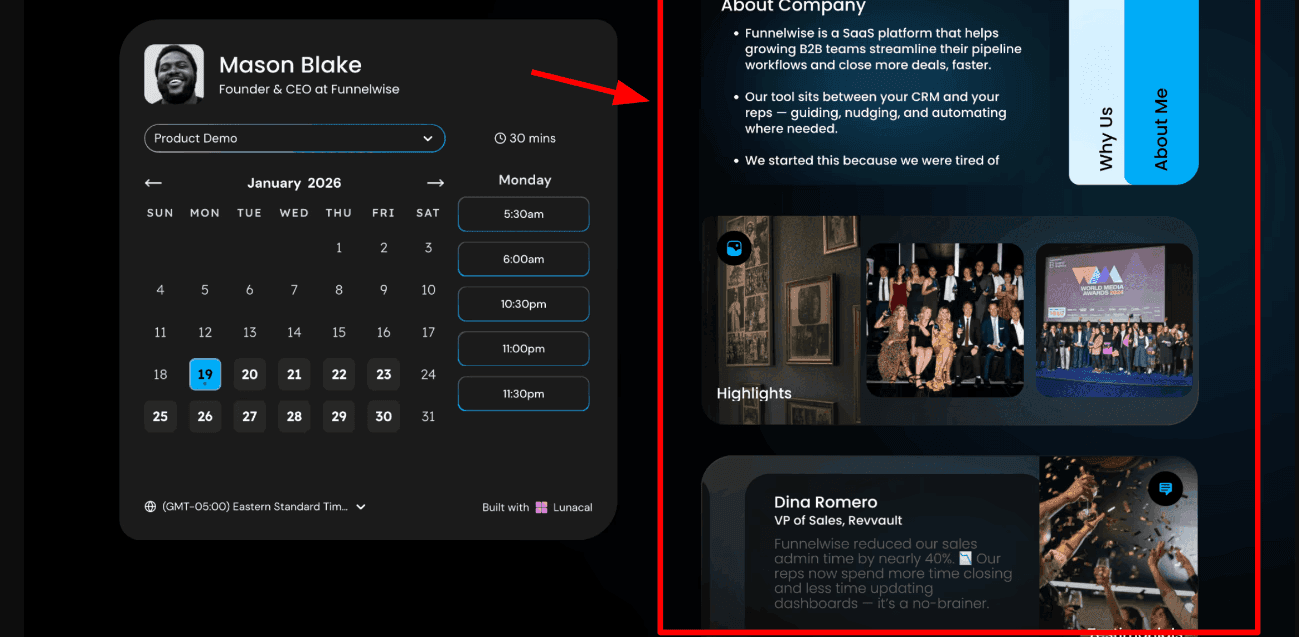
Its booking pages can include service descriptions, images, videos, testimonials, FAQs, pricing information, intake questions, and other relevant content. Businesses can also use their own domain for booking links and send booking emails from their own email domain. This creates a more consistent and credible experience than sending customers to a generic third-party scheduling page.
Lunacal is particularly suitable for consultants, coaches, clinics, agencies, trainers, and local service businesses. It offers the accessibility of a low-cost scheduling tool while including many of the operational features usually associated with more expensive appointment management platforms.
Lunacal is also one of the highest-rated scheduling platforms across major software marketplaces. It is rated 4.9 out of 5 on G2, 5 out of 5 on Microsoft AppSource, and 4.8 out of 5 on Google Workspace Marketplace.
Why it ranks #2
Lunacal earns the second position because it provides a strong combination of affordability, advanced scheduling features, customer-facing content, and brand control. Many online booking tools handle appointment availability well but require separate tools for selling packages, collecting detailed customer information, sharing resources, or managing repeat clients.
With Lunacal, a business can create a detailed service page, accept a payment or deposit, schedule multiple sessions, send email and SMS reminders, and manage the customer after the booking. Its client portal is particularly useful for businesses with repeat appointments because customers can access upcoming bookings, package credits, files, and shared resources from one place.
Lunacal is therefore best understood as a low-cost but feature-rich scheduling platform for small businesses.
Standout features for small businesses
Customizable booking pages: Lunacal enables businesses to add text, images, videos, testimonials, FAQs, service details, and other content to their booking pages. This helps customers understand the offering and feel more confident before confirming an appointment.
Payment and package support: Businesses can accept payments through Stripe and PayPal directly within the booking flow. Lunacal also supports deposits, discount coupons, and multi-session packages—ideal for coaches, consultants, trainers, clinics, and other businesses that sell repeat services.
Automated reminders: Lunacal can send automated email and SMS confirmations and reminders. This reduces manual follow-up work and helps minimize forgotten appointments and no-shows.
Multiple calendar integrations: Lunacal connects with Google Calendar, Microsoft Outlook, and Apple Calendar. Businesses can check availability across multiple calendars, ensuring personal commitments and appointments from other calendars do not cause double bookings.
Team scheduling: Lunacal includes round-robin scheduling, collective meetings, team booking pages, and routing options. These features allow businesses to distribute appointments among team members based on availability or specific booking requirements.
Custom intake forms: Businesses can add questions to the booking flow to collect essential information before an appointment. For instance, a cleaning company could ask about property size, while a consultant could ask about the client's primary objective ahead of the meeting.
Pros
Highly customizable and content-rich booking pages
Supports Stripe and PayPal payments
Includes deposits, coupons, and multi-session packages
Strong calendar support across Google, Outlook, and Apple
Round-robin, collective, and team scheduling features
Automated email and SMS reminders
Cons
May require more setup than a basic scheduling link
Some advanced settings take time to explore
Smaller integration ecosystem than some established platforms
Can be more than necessary for users who only need simple one-to-one scheduling
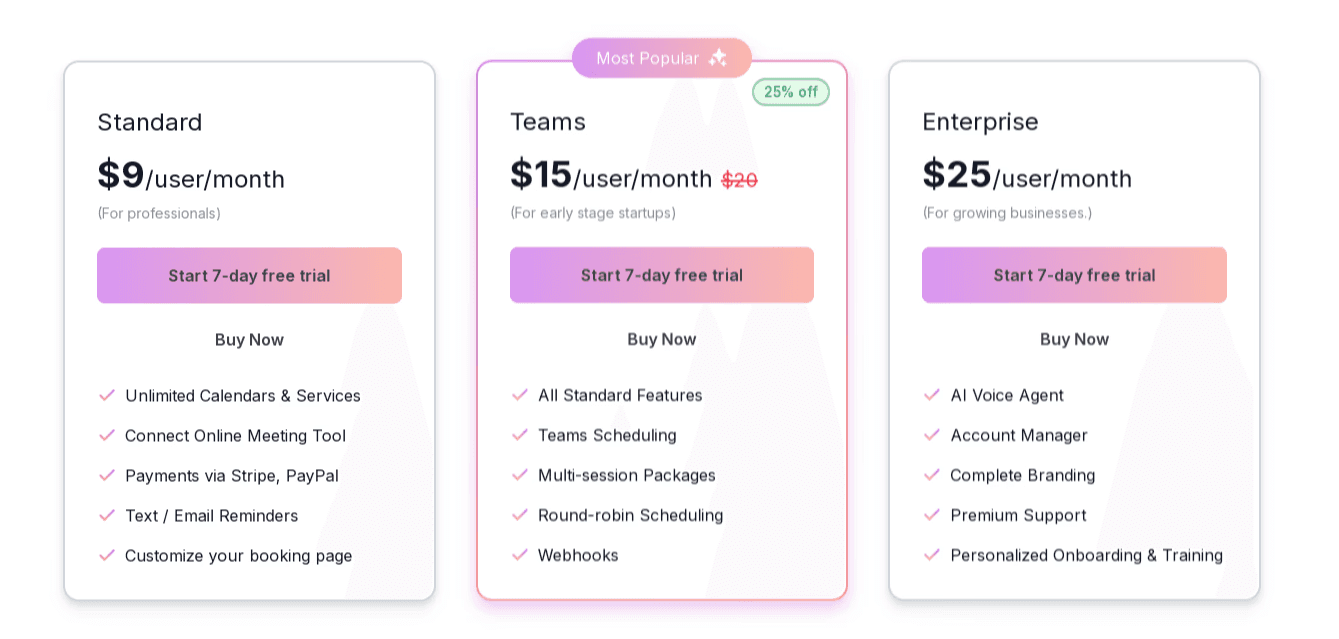
Pricing: Lunacal offers a free trial. The Standard plan starts at $9 per user per month, the Teams plan starts at $15 per user per month, and the Enterprise plan starts at $25 per user per month.
Best for: Lunacal is best suited for small service businesses that want their booking page to do more than just display available times. It is particularly useful for consultants, agencies, coaches, clinics, trainers, and local businesses that want to build trust with customers, collect payments, sell packages, and manage both individual and team appointments from one unified platform.
3. Square Appointments: best online booking software for businesses using Square
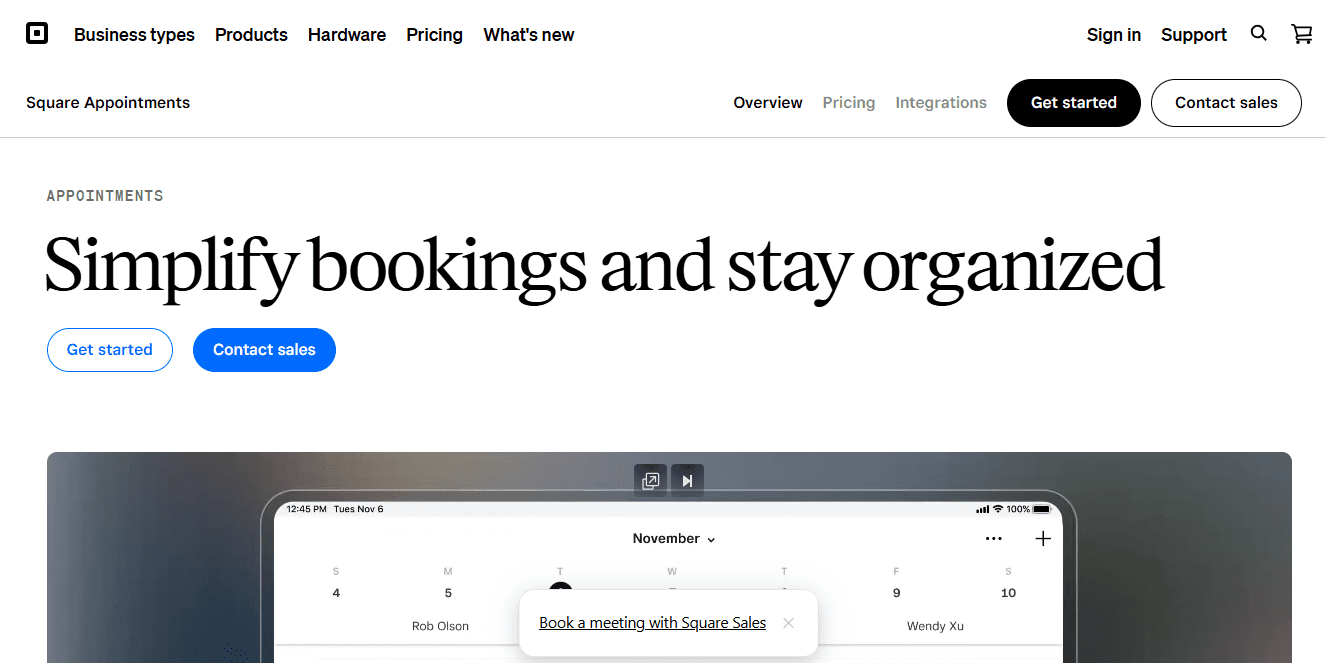
What it is: Square Appointments is an online booking software that’s specifically built for service-based businesses. It offers native integration with the Square ecosystem and CRM. So, if you’re using the Square payments ecosystem at your point-of-sale (POS), the Square Appointments app can help you extend your ecosystem usability.
Standout features for small businesses
Payment integration: Square Appointments can accept payments with bookings both online and offline.
Integration with the Square ecosystem: The native integration with the Square ecosystem is one of the strongest features of Square Appointments
Good for physical service-based businesses: The feature set of Square Appointments is set up for service-based businesses with a physical setup.
Pros
Free plan available
Supports both online and offline payment
Square ecosystem integration
Cons
Dependence on Square ecosystem
Limited employee scheduling software features
Limited integrations
Pricing can be high for small businesses
Pricing: Square Appointments has a free plan. The paid plans start at $49/location per month.
Best for: Square Appointments is best for service-based businesses with a physical presence and multiple locations that are already using Square for payments.
4. Simplybook.me: online booking software for membership businesses
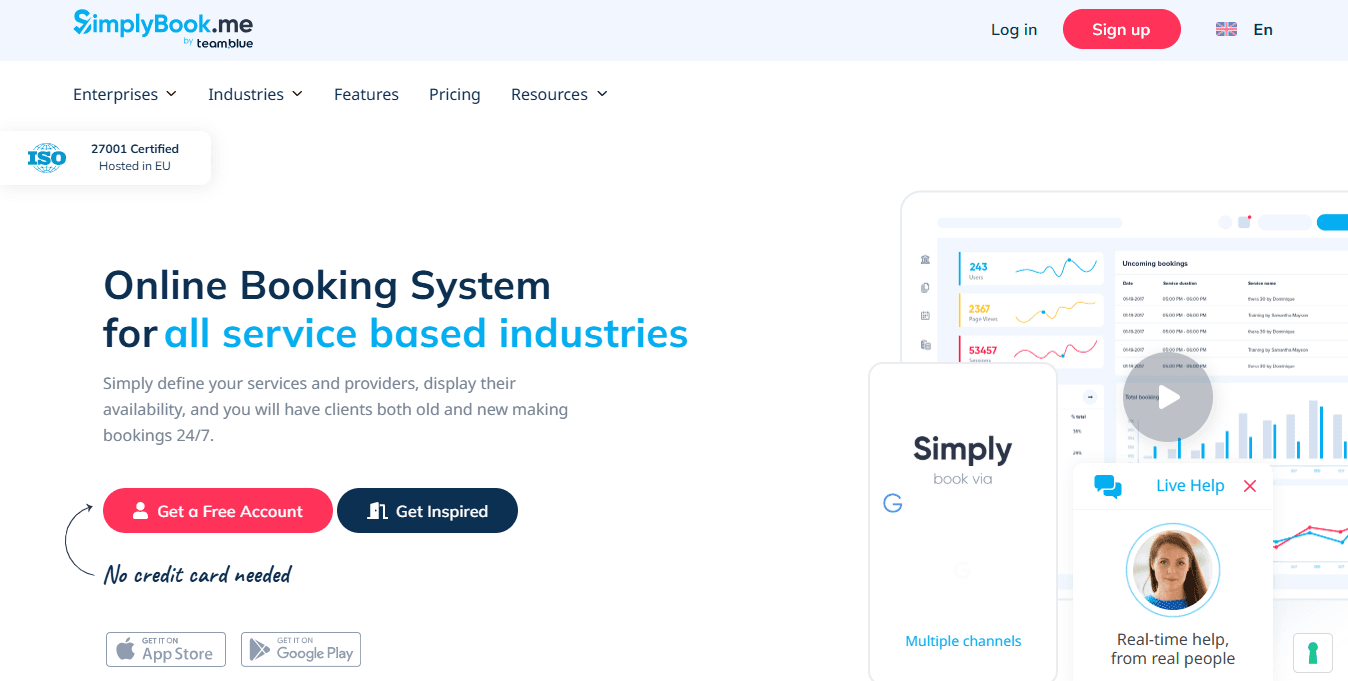
What it is: Much like Square Appointments, Simplybook.me is also an online booking platform that’s designed for service-based businesses. What stands out for Simplybook.me is its customization options, which are better than some of the other listings in our rankings. The software can manage membership-type bookings and one-on-one sessions easily.
Standout features for small businesses
Customization features: To create a booking flow that resembles your workflow, Simplybook.me allows customization options that are suitable for small businesses
Membership support: With Simplybook.me, businesses can set up recurring bookings and payments like memberships. This makes it useful for service-based businesses
Analytics and reporting: You can check out the booking patterns of customers and the most popular services, as well as revenue trends on the Simplybook.me dashboard.
Pros
Customizable booking engine for small businesses
Reporting and analytics useful for businesses
Supports recurring bookings with memberships
Cons
Feature depth is limited
Doesn’t offer strong employee scheduling features
Doesn’t have strong automation options
Limited integration depth
Pricing: Free plan available. Paid plans start at $13.8 per month with limited bookings.
Best for: Service-based businesses that focus a lot on memberships and recurring bookings.
5. Calendly: best online booking software for individuals
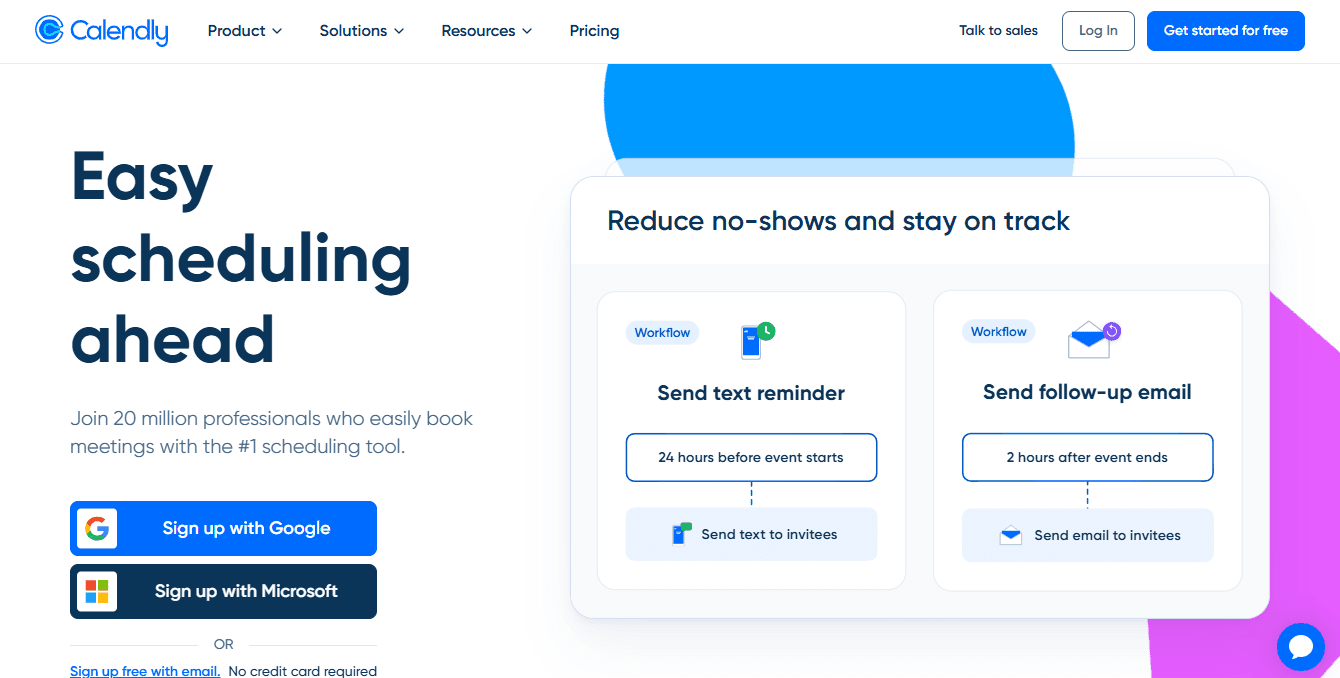
What it is: Calendly is known as one of the most popular online booking software available today. It is used widely by individuals for its ease of use and quick out-of-the-box working capabilities. Calendly offers a simple booking page interface, and it can help businesses get off the ground with online scheduling.
Standout features for small businesses
Ease of use: Calendly is easy to use, and it has a quick setup time. Anyone who has never used a scheduling app in their life can also set up Calendly and start booking meetings online.
Quick setup: Many businesses prefer booking software that can be set up quickly. Calendly excels in this department, with setups often taking less than 10 minutes.
Customization options: Calendly offers some customization options on paid plans to help businesses brand their booking pages.
Pros
Lightweight online scheduling app
Popular for quick setup time
Cons
Limited features for internal team scheduling
Many useful features are available only higher priced tiers
The free plan is only useful for individuals, not businesses
Pricing: Calendly has a free plan. The paid plans start at $10/user per month.
Best for: Calendly is best for individual professionals, such as coaches and personal trainers.
6. Booksy: best online booking software for barbers and stylists
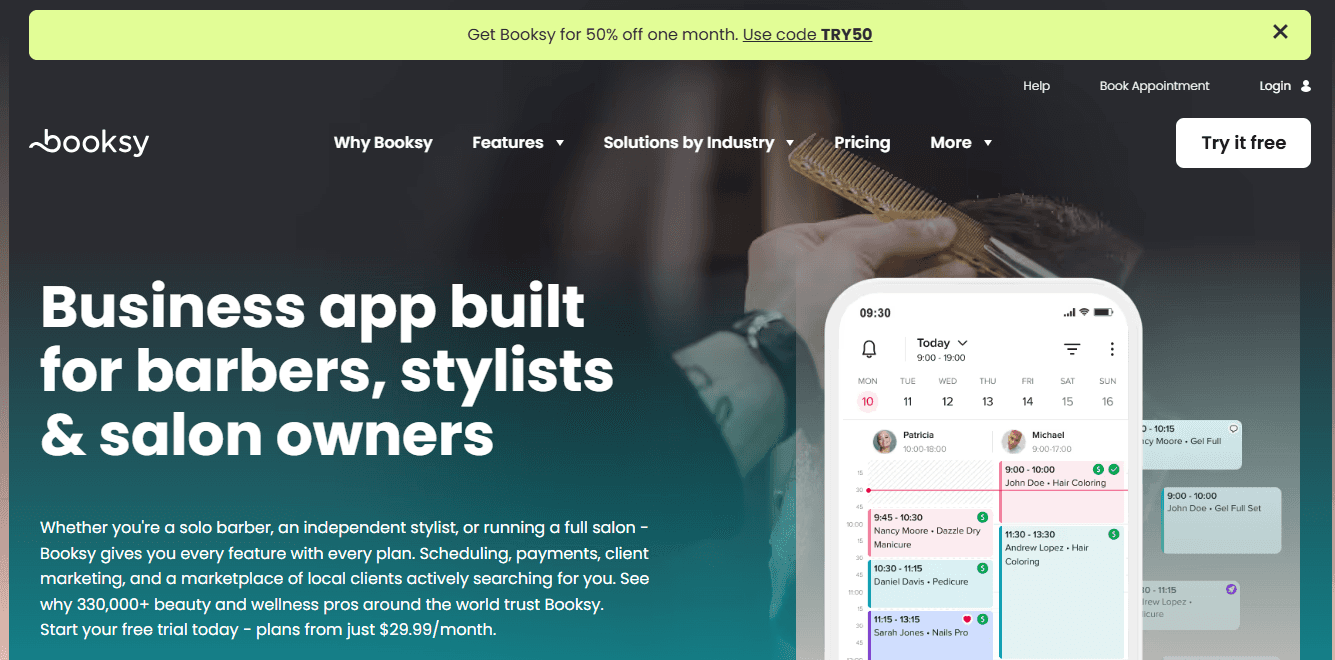
What it is: Booksy is a booking system that’s built specifically for barbers, stylists, and salon owners. It allows users to book appointments online for the beauty industry, and its interface is created so that it is easy to understand for beauty professionals. It is a niche tool, even within the service-based industry; however, this has worked in the favor of Booksy as its well-loved by the beauty community.
Standout features for small businesses
Mobile app support: Booksy has a mobile-first design and mobile app support, which makes keeping track of your bookings on the go convenient.
Accepts payments: Businesses using Booksy can accept payments using the software, which makes revenue flow better for businesses.
Marketplace: Booksy has its own marketplace where you can list your business. This makes your business visible to millions of local users.
Pros
Mobile app support makes schedule tracking easier
Marketplace helps businesses generate leads
Curated features for barbers and stylists
Cons
Very niche product for a specific industry
Feature depth is limited
Does not have strong support for multiple locations
Pricing: Booksy does not have a free plan; paid plans start at $29.99 per month.
Best for: Booksy is best suited for salon professionals, spas, and hair studios.
7. Setmore: best online booking software for tight budgets
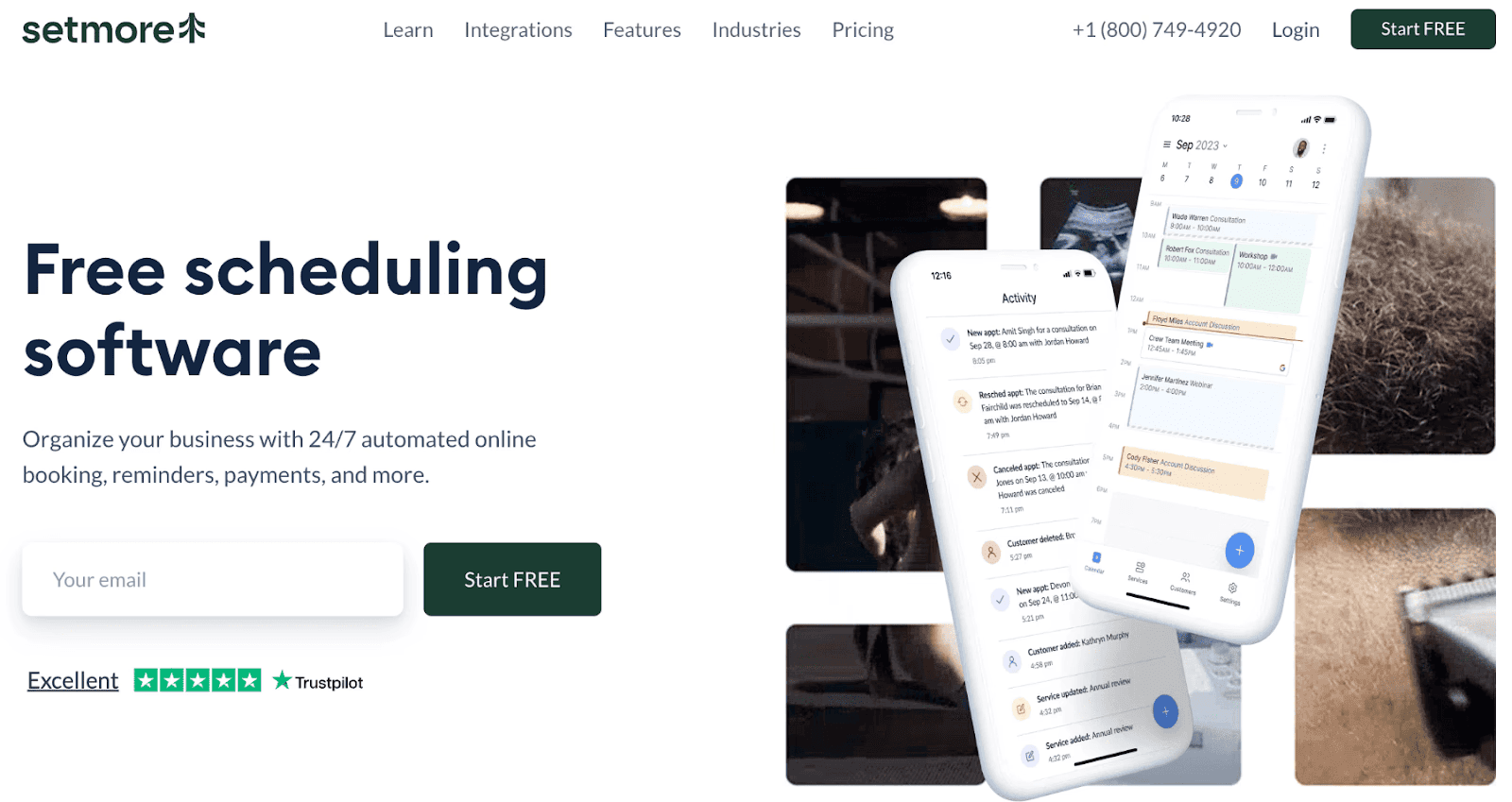
What it is: Setmore markets itself as a free scheduling software. But it is not indeed free. The free tier gives you access to basic features and facilities that are usable for small businesses with a team size of up to four members. So, if your team size is more than four, you won’t get much benefit from the free plan of Setmore. It is best suited for individual professionals like coaches or guides.
Standout features for small businesses
Multi-staff scheduling: You can easily schedule your bookings among team members with the multi-staff booking features.
Individual calendar support: Each team member gets their own calendar, and they get to set their own availability as per their requirements.
Square integration: Setmore can integrate with the Square ecosystem for both online and offline payments.
Pros
Supports multi-staff and location scheduling
Multiple calendar support for all team members
Automation features for confirmations, reminders, and follow-ups
Cons
The free plan has several limitations
Integration options are limited
Doesn’t have strong internal employee management features
Pricing: Free plan available. Paid plans start at $5 per month.
Best for: Setmore is best suited for small businesses that have a very small budget.
8. Acuity Scheduling:
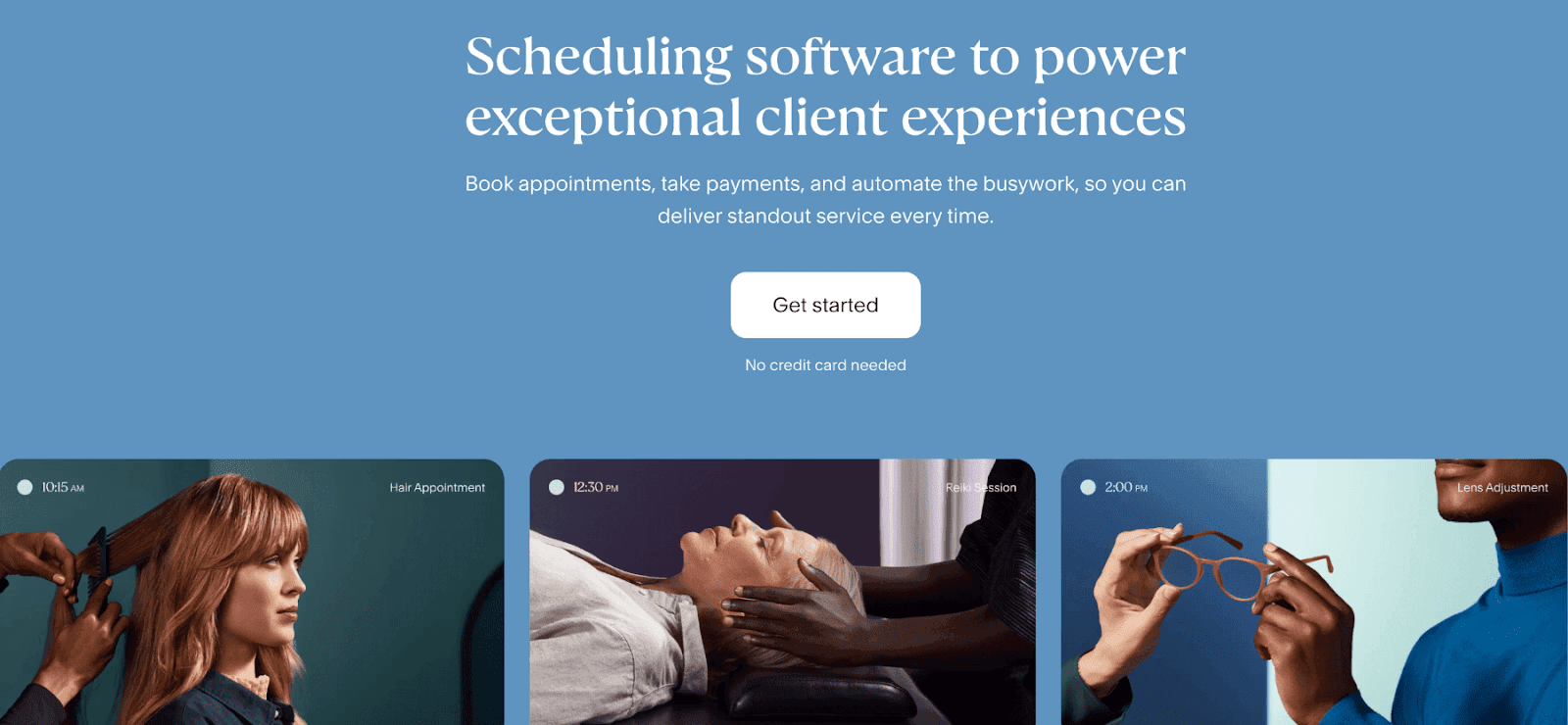
What it is: This is an interesting option because Acuity Scheduling is owned by Squarespace. Is it the same as Square? No. Acuity Scheduling has strong features for small businesses, and it actually has useful features that can help you improve client experience. From payment processing to custom intake forms, Acuity Scheduling has a good range of features for businesses.
Standout features for small businesses
Custom intake forms: This is a standout feature, as it helps reduce the time it takes for customers to get checked in at their appointment. The right intake forms can start the onboarding process for each appointment even before it starts.
Payment support: Acuity Scheduling not only supports payments, but it also allows features like discount support and package sales.
Analytics and reporting: To help businesses track their services and service provider performance, Acuity Scheduling offers analytics and reporting processes.
Pros
Good for appointment-heavy businesses
Custom intake forms reduce customer delays during appointments
Payment processing helps with revenue flow
Cons
Limited features for internal team scheduling
Limited customization options
Limited automation features
Pricing: Acuity Scheduling does not have a free plan. The paid plans start at $16 per month.
How to find the right online booking software for your business
With our recommendations, you have a starting point for how to find the right online booking software for a small business. However, we want to help you beyond just a review, so here’s an overview of the different online booking software categories and which tools are best for each category. This will help you get started quickly and start setting up appointments in no time.
Individual professional: If you are a coach or a guide who handles a lot of one-on-one online bookings, you can get started with Calendly or Cal.com. Both of them are easy to use and quick to set up online booking software.
Healthcare practice: If you have a solo healthcare practice, you must adhere to HIPAA compliance requirements. As a result, you can get started with Cal.com, which offers highly transparent and reasonably priced BAAs for HIPAA compliance support on hosted plans.
Service-based business: If you have a small service-based business that’s online without any physical presence, you can get started using Simplybook.me or Cal.com. Both these tools have great customization options to help you maintain consistent branding.
Physical service-based business: If you have a spa or salon, you can get started with Booksy, Square Appointments, Setmore, Acuity Scheduling, or Cal.com. All these options have great support for payments during the appointment booking flow. Some of these options also allow physical POS payment integrations.
SaaS business: If you run an online SaaS business and need an online booking software that works equally well in handling client bookings and internal team management, choose Cal.com. It can help you with custom routing inbound leads while also enabling automated scheduling for internal meetings without manual oversight.
Final verdict
Small businesses are the backbone of the economy, and in 2026, it is easier to start a small business than ever before. So, if you’re looking to get your business off the ground, make sure you start with a scalable and reliable online booking software like Cal.com.
It offers robust features and a free forever plan with actually useful features. Cal.com also has transparent pricing, so you’ll always know exactly how much your expenses are going to be when you choose Cal.com, because there are no hidden charges.
So, don’t wait, set up an account today and try Cal.com, the #1 online booking software for small business in 2026.
Frequently Asked Questions (FAQs)
1. What is the best online booking software for businesses in 2026?
Cal.com is the best online booking software for small business in 2026, as per our rankings. It ranks #1 because of its reliable booking engine, API-first infrastructure, and customization features that are useful for service-based businesses and small businesses of all industries.
2. What’s the most affordable online booking software?
The most affordable online booking software is Setmore, which has paid plans starting at $5 per month. However, it has limited features and bookings. The free plan of Cal.com offers unlimited appointment bookings and event types. It also offers two-way calendar sync with Google and Outlook calendars. Cal.com has paid plans starting at just $12 per month.
3. What’s the most flexible tool for growing teams?
The most flexible tool for growing teams is Cal.com. It is a highly scalable platform that can manage enterprise-grade scheduling requirements without a problem. Cal.com also offers transparent pricing that shows teams how their expenses may grow as their business scales. Cal.com’s scalability is supported by its enterprise-grade data security.
4. Is free online booking software worth it?
There isn’t a straight answer to this question because there is no truly free online booking software. The free plan is available on many online booking software. However, the free plans are limited in most cases, with limited features. Only Cal.com stands out with a free plan that’s robust and feature-rich among our rankings.
5. Do online booking platforms allow payments?
Yes, some online booking platforms like Setmore, Square Appointments, Acuity Scheduling, and Cal.com support payments at the time of appointment booking. Some online booking platforms also support offline payments for online booked appointments using POS machines.

Get started with Cal.com for free today!
Experience seamless scheduling and productivity with no hidden fees. Sign up in seconds and start simplifying your scheduling today, no credit card required!