" height="18.016311920580208px" id="GKXyVanMq" stroke-dasharray="0" stroke-linecap="butt" stroke-linejoin="miter" stroke-miterlimit="10" stroke-width="0.5" stroke="rgb(0, 0, 0)" transform="translate(3 3)" width="18px"/></svg>)
"/><stop offset="1" stop-color="rgb(227, 224, 244)"/></linearGradient><linearGradient id="CBS1bzkxF-2031533640-linear-gradient" x1="0.49751243781094523" x2="0.5024875621890548" y1="0" y2="1"><stop offset="0" stop-color="rgb(255, 255, 255)"/><stop offset="1" stop-color="rgb(227, 224, 244)"/></linearGradient><linearGradient id="Jd7AK81w9-2031533640-linear-gradient" x1="0.49751243781094523" x2="0.5024875621890548" y1="0" y2="1"><stop offset="0" stop-color="rgb(255, 255, 255)"/><stop offset="1" stop-color="rgb(227, 224, 244)"/></linearGradient></defs><g d="M 0 16 L 0 0 L 16 0 L 16 16 Z M 9.167 5.167 C 9.167 4.891 8.943 4.667 8.667 4.667 C 8.391 4.667 8.167 4.891 8.167 5.167 C 8.167 6.784 7.809 7.834 7.155 8.488 C 6.501 9.143 5.451 9.5 3.833 9.5 C 3.557 9.5 3.333 9.724 3.333 10 C 3.333 10.276 3.557 10.5 3.833 10.5 C 5.451 10.5 6.501 10.857 7.155 11.512 C 7.809 12.166 8.167 13.216 8.167 14.833 C 8.167 15.109 8.391 15.333 8.667 15.333 C 8.943 15.333 9.167 15.109 9.167 14.833 C 9.167 13.216 9.524 12.166 10.178 11.512 C 10.832 10.857 11.883 10.5 13.5 10.5 C 13.776 10.5 14 10.276 14 10 C 14 9.724 13.776 9.5 13.5 9.5 C 11.883 9.5 10.832 9.143 10.178 8.488 C 9.524 7.834 9.167 6.784 9.167 5.167 Z M 4 3.667 C 4 3.483 3.851 3.333 3.667 3.333 C 3.483 3.333 3.333 3.483 3.333 3.667 C 3.333 4.32 3.189 4.715 2.952 4.952 C 2.715 5.189 2.32 5.333 1.667 5.333 C 1.483 5.333 1.333 5.483 1.333 5.667 C 1.333 5.851 1.483 6 1.667 6 C 2.32 6 2.715 6.145 2.952 6.382 C 3.189 6.618 3.333 7.013 3.333 7.667 C 3.333 7.851 3.483 8 3.667 8 C 3.851 8 4 7.851 4 7.667 C 4 7.013 4.145 6.618 4.382 6.382 C 4.618 6.145 5.013 6 5.667 6 C 5.851 6 6 5.851 6 5.667 C 6 5.483 5.851 5.333 5.667 5.333 C 5.013 5.333 4.618 5.189 4.382 4.952 C 4.145 4.715 4 4.32 4 3.667 Z M 7.333 1 C 7.333 0.816 7.184 0.667 7 0.667 C 6.816 0.667 6.667 0.816 6.667 1 C 6.667 1.422 6.573 1.65 6.445 1.778 C 6.317 1.906 6.089 2 5.667 2 C 5.483 2 5.333 2.149 5.333 2.333 C 5.333 2.517 5.483 2.667 5.667 2.667 C 6.089 2.667 6.317 2.761 6.445 2.889 C 6.573 3.016 6.667 3.244 6.667 3.667 C 6.667 3.851 6.816 4 7 4 C 7.184 4 7.333 3.851 7.333 3.667 C 7.333 3.244 7.427 3.016 7.555 2.889 C 7.683 2.761 7.911 2.667 8.333 2.667 C 8.517 2.667 8.667 2.517 8.667 2.333 C 8.667 2.149 8.517 2 8.333 2 C 7.911 2 7.683 1.906 7.555 1.778 C 7.427 1.65 7.333 1.422 7.333 1 Z" fill="transparent" height="16px" id="aoZYv33vR" width="16px"><path d="M 0 16 L 0 0 L 16 0 L 16 16 Z" fill="transparent" height="16px" id="Z2uGmhW9f" width="16px"/><g d="M 7.833 4.5 C 7.833 4.224 7.609 4 7.333 4 C 7.057 4 6.833 4.224 6.833 4.5 C 6.833 6.117 6.476 7.168 5.822 7.822 C 5.168 8.476 4.117 8.833 2.5 8.833 C 2.224 8.833 2 9.057 2 9.333 C 2 9.61 2.224 9.833 2.5 9.833 C 4.117 9.833 5.168 10.191 5.822 10.845 C 6.476 11.499 6.833 12.549 6.833 14.167 C 6.833 14.443 7.057 14.667 7.333 14.667 C 7.609 14.667 7.833 14.443 7.833 14.167 C 7.833 12.549 8.191 11.499 8.845 10.845 C 9.499 10.191 10.549 9.833 12.167 9.833 C 12.443 9.833 12.667 9.61 12.667 9.333 C 12.667 9.057 12.443 8.833 12.167 8.833 C 10.549 8.833 9.499 8.476 8.845 7.822 C 8.191 7.168 7.833 6.117 7.833 4.5 Z M 2.667 3 C 2.667 2.816 2.517 2.667 2.333 2.667 C 2.149 2.667 2 2.816 2 3 C 2 3.654 1.855 4.048 1.618 4.285 C 1.382 4.522 0.987 4.667 0.333 4.667 C 0.149 4.667 0 4.816 0 5 C 0 5.184 0.149 5.333 0.333 5.333 C 0.987 5.333 1.382 5.478 1.618 5.715 C 1.855 5.952 2 6.346 2 7 C 2 7.184 2.149 7.333 2.333 7.333 C 2.517 7.333 2.667 7.184 2.667 7 C 2.667 6.346 2.811 5.952 3.048 5.715 C 3.285 5.478 3.68 5.333 4.333 5.333 C 4.517 5.333 4.667 5.184 4.667 5 C 4.667 4.816 4.517 4.667 4.333 4.667 C 3.68 4.667 3.285 4.522 3.048 4.285 C 2.811 4.048 2.667 3.654 2.667 3 Z M 6 0.333 C 6 0.149 5.851 0 5.667 0 C 5.483 0 5.333 0.149 5.333 0.333 C 5.333 0.756 5.239 0.984 5.112 1.112 C 4.984 1.239 4.756 1.333 4.333 1.333 C 4.149 1.333 4 1.483 4 1.667 C 4 1.851 4.149 2 4.333 2 C 4.756 2 4.984 2.094 5.112 2.222 C 5.239 2.35 5.333 2.578 5.333 3 C 5.333 3.184 5.483 3.333 5.667 3.333 C 5.851 3.333 6 3.184 6 3 C 6 2.578 6.094 2.35 6.222 2.222 C 6.35 2.094 6.578 2 7 2 C 7.184 2 7.333 1.851 7.333 1.667 C 7.333 1.483 7.184 1.333 7 1.333 C 6.578 1.333 6.35 1.239 6.222 1.112 C 6.094 0.984 6 0.756 6 0.333 Z" fill="transparent" height="14.66671286102295px" id="ae6ccdFme" transform="translate(1.333 0.667)" width="12.66663px"><path d="M 5.833 0.5 C 5.833 0.224 5.609 0 5.333 0 C 5.057 0 4.833 0.224 4.833 0.5 C 4.833 2.117 4.476 3.168 3.822 3.822 C 3.168 4.476 2.117 4.833 0.5 4.833 C 0.224 4.833 0 5.057 0 5.333 C 0 5.61 0.224 5.833 0.5 5.833 C 2.117 5.833 3.168 6.191 3.822 6.845 C 4.476 7.499 4.833 8.549 4.833 10.167 C 4.833 10.443 5.057 10.667 5.333 10.667 C 5.609 10.667 5.833 10.443 5.833 10.167 C 5.833 8.549 6.191 7.499 6.845 6.845 C 7.499 6.191 8.549 5.833 10.167 5.833 C 10.443 5.833 10.667 5.61 10.667 5.333 C 10.667 5.057 10.443 4.833 10.167 4.833 C 8.549 4.833 7.499 4.476 6.845 3.822 C 6.191 3.168 5.833 2.117 5.833 0.5 Z" fill="url(%23t2lXByE48-2031533640-linear-gradient)" height="10.66671px" id="t2lXByE48" transform="translate(2 4)" width="10.66663px"/><path d="M 2.667 0.333 C 2.667 0.149 2.517 0 2.333 0 C 2.149 0 2 0.149 2 0.333 C 2 0.987 1.855 1.382 1.618 1.618 C 1.382 1.855 0.987 2 0.333 2 C 0.149 2 0 2.149 0 2.333 C 0 2.517 0.149 2.667 0.333 2.667 C 0.987 2.667 1.382 2.811 1.618 3.048 C 1.855 3.285 2 3.68 2 4.333 C 2 4.517 2.149 4.667 2.333 4.667 C 2.517 4.667 2.667 4.517 2.667 4.333 C 2.667 3.68 2.811 3.285 3.048 3.048 C 3.285 2.811 3.68 2.667 4.333 2.667 C 4.517 2.667 4.667 2.517 4.667 2.333 C 4.667 2.149 4.517 2 4.333 2 C 3.68 2 3.285 1.855 3.048 1.618 C 2.811 1.382 2.667 0.987 2.667 0.333 Z" fill="url(%23CBS1bzkxF-2031533640-linear-gradient)" height="4.66667px" id="CBS1bzkxF" transform="translate(0 2.667)" width="4.66667px"/><path d="M 2 0.333 C 2 0.149 1.851 0 1.667 0 C 1.483 0 1.333 0.149 1.333 0.333 C 1.333 0.756 1.239 0.984 1.112 1.112 C 0.984 1.239 0.756 1.333 0.333 1.333 C 0.149 1.333 0 1.483 0 1.667 C 0 1.851 0.149 2 0.333 2 C 0.756 2 0.984 2.094 1.112 2.222 C 1.239 2.35 1.333 2.578 1.333 3 C 1.333 3.184 1.483 3.333 1.667 3.333 C 1.851 3.333 2 3.184 2 3 C 2 2.578 2.094 2.35 2.222 2.222 C 2.35 2.094 2.578 2 3 2 C 3.184 2 3.333 1.851 3.333 1.667 C 3.333 1.483 3.184 1.333 3 1.333 C 2.578 1.333 2.35 1.239 2.222 1.112 C 2.094 0.984 2 0.756 2 0.333 Z" fill="url(%23Jd7AK81w9-2031533640-linear-gradient)" height="3.333333px" id="Jd7AK81w9" transform="translate(4 0)" width="3.3333399999999997px"/></g></g></svg>)
" height="24px" id="WCm44spAV" width="24px"/><path d="M 3.892 7.742 C 1.674 7.742 0 6.014 0 3.882 C 0 1.738 1.589 0 3.892 0 C 5.107 0 5.951 0.374 6.623 1.173 L 5.566 2.09 C 5.118 1.621 4.564 1.386 3.892 1.386 C 2.452 1.386 1.547 2.517 1.547 3.882 C 1.547 5.246 2.452 6.356 3.924 6.356 C 4.649 6.356 5.193 6.111 5.63 5.63 L 6.718 6.558 C 6.153 7.24 5.193 7.742 3.892 7.742 Z" fill="rgb(255, 255, 255)" height="7.741500000000002px" id="XEPpGD7l5" transform="translate(4 8.25)" width="6.717999999999989px"/><path d="M 2.74 7.922 C 1.215 7.922 0 6.632 0 5.032 C 0 3.433 1.215 2.122 2.74 2.122 C 3.7 2.122 4.201 2.516 4.5 3.113 L 4.5 2.239 L 5.928 2.239 L 5.928 7.784 L 4.531 7.784 L 4.531 6.877 C 4.233 7.507 3.731 7.922 2.74 7.922 Z M 1.439 5.023 C 1.439 5.865 2.057 6.622 2.975 6.622 C 3.924 6.622 4.531 5.897 4.531 5.033 C 4.531 4.169 3.924 3.423 2.975 3.423 C 2.057 3.423 1.439 4.159 1.439 5.022 Z M 6.784 7.784 L 6.784 0 L 8.224 0 L 8.224 7.784 L 6.784 7.784 Z" fill="rgb(255, 255, 255)" height="7.9224997406005855px" id="lGDJupIUR" transform="translate(10.5 8)" width="8.223500194549558px"/></g></svg>)
" width="18px"><path d="M 2 8 C 0.895 8 0 7.105 0 6 L 0 2 C 0 0.895 0.895 0 2 0 L 6 0 C 7.105 0 8 0.895 8 2 L 8 6 C 8 7.105 7.105 8 6 8 Z" fill="transparent" height="8px" id="ZrCrI93dV" stroke-dasharray="" stroke-linecap="round" stroke-linejoin="round" stroke-width="2" stroke="rgb(0, 0, 0)" width="8px"/><path d="M 0 0 L 0 4 C 0 5.105 0.895 6 2 6 L 6 6" fill="transparent" height="6px" id="emltWYAiE" stroke-dasharray="" stroke-linecap="round" stroke-linejoin="round" stroke-width="2" stroke="rgb(0, 0, 0)" transform="translate(4 8)" width="6px"/><path d="M 2 8 C 0.895 8 0 7.105 0 6 L 0 2 C 0 0.895 0.895 0 2 0 L 6 0 C 7.105 0 8 0.895 8 2 L 8 6 C 8 7.105 7.105 8 6 8 Z" fill="transparent" height="8px" id="WpBecYDfi" stroke-dasharray="" stroke-linecap="round" stroke-linejoin="round" stroke-width="2" stroke="rgb(0, 0, 0)" transform="translate(10 10)" width="8px"/></g></svg>)


5 Best Swim Lesson Scheduling Software | Cal.com
Booking swim lessons by phone, text, or paper gets messy fast. You may have private lessons booked by text, recurring slots that change when a parent cancels, instructors competing for the same lane, and no easy way to track prepaid lessons.
Cal.com is best for instructors and swim schools that want flexible booking for private and group lessons without adopting a full swim-school management platform. You can create separate booking pages for different lesson types and instructors, then let parents book from a link while calendar availability stays up to date.
But Cal.com isn't the only option. We compared five swim lesson scheduling platforms based on three key questions:
Lesson flexibility: Can you run private, group, and recurring lessons from one system?
Instructor coordination: Can instructors manage their own availability, and can you distribute lessons across the team?
Online booking: Can parents book, reschedule, and pay online, with calendar sync keeping availability up to date?
The comparison table near the end rates all five on these three, plus whether each has a free plan.
The 5 best swim lesson scheduling software at a glance
Cal.com: best for flexible scheduling across private, group, and recurring lessons
Jackrabbit Swim: best for established swim schools that need full class management
iClassPro: best for swim schools that want class management and a parent app
Bookeo: best for swim schools that want parents to self-book classes and courses
MarketBox: best for mobile and in-home swim lesson businesses
What is swim lesson scheduling software?
Swim lesson scheduling software helps instructors, swim schools, and aquatic centers manage lessons without handling every booking manually. Parents or swimmers book online, while the software keeps lesson times, instructor availability, and bookings organized.
Some tools focus on booking, with features such as online reservations, calendar sync, and payments. Others are full swim-school management platforms that also handle student records, recurring tuition, skill tracking, and parent accounts.
The right option depends on how you run your lessons. A solo instructor or small school may only need flexible scheduling and online booking. A larger swim school with hundreds of students may need scheduling alongside billing, student records, and class management.
What to look for in swim lesson scheduling software
Start with how you run your swim lessons. A solo instructor has different needs from a multi-instructor swim school, while a fixed pool has different scheduling needs from a mobile business.
When comparing tools, focus on these six areas:
Online booking and booking links. Let parents and swimmers book from their phones without calling during office hours. A booking page or website embed also lets you send families directly to the right lesson.
Private, group, and recurring lessons. Make sure you can schedule the types of lessons you offer. Group classes should let multiple swimmers book the same time, while recurring lessons should let families reserve repeating sessions without creating each appointment manually.
Instructor availability and assignment. Each instructor should be able to set their own availability. If you manage a team, look for tools that let families choose an instructor or automatically distribute bookings across available instructors.
Pool and lane availability. If several instructors share a pool, you need to prevent two lessons from using the same space at the same time. Some tools support shared resources, while others require you to manage pool and lane availability separately.
Calendar integrations. Sync with Google, Outlook, or Apple Calendar so personal and lesson schedules stay aligned. When an instructor blocks time on their connected calendar, the software should update their booking availability too, so parents can't book a lesson when they're already busy elsewhere.
Payments, rescheduling, and cancellations. Taking payments or deposits online help to reduce admin work and no-shows. Self-service rescheduling and cancellation links also mean you don't have to handle every schedule change yourself.
The 5 best swim lesson scheduling software
1. Cal.com: best for flexible scheduling across private, group, and recurring lessons
Free plan? | Starting price | Standout feature | Best use case |
|---|---|---|---|
Yes | $16/user/month | Separate booking pages for private, group, and recurring lessons with team routing | Instructors and schools that want flexible scheduling without a full management platform |

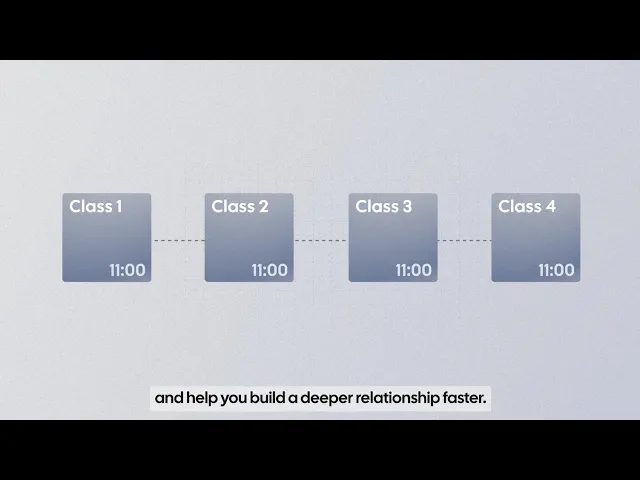
What it is: Cal.com is a flexible scheduling platform for managing online bookings. For swim lessons, you can create separate booking pages for different lesson types or instructors, let parents book online, and connect bookings to your existing calendars and payment tools. Native integrations and an API let you connect Cal.com with other tools you already use, so you can add scheduling without replacing your existing swim-school management system.
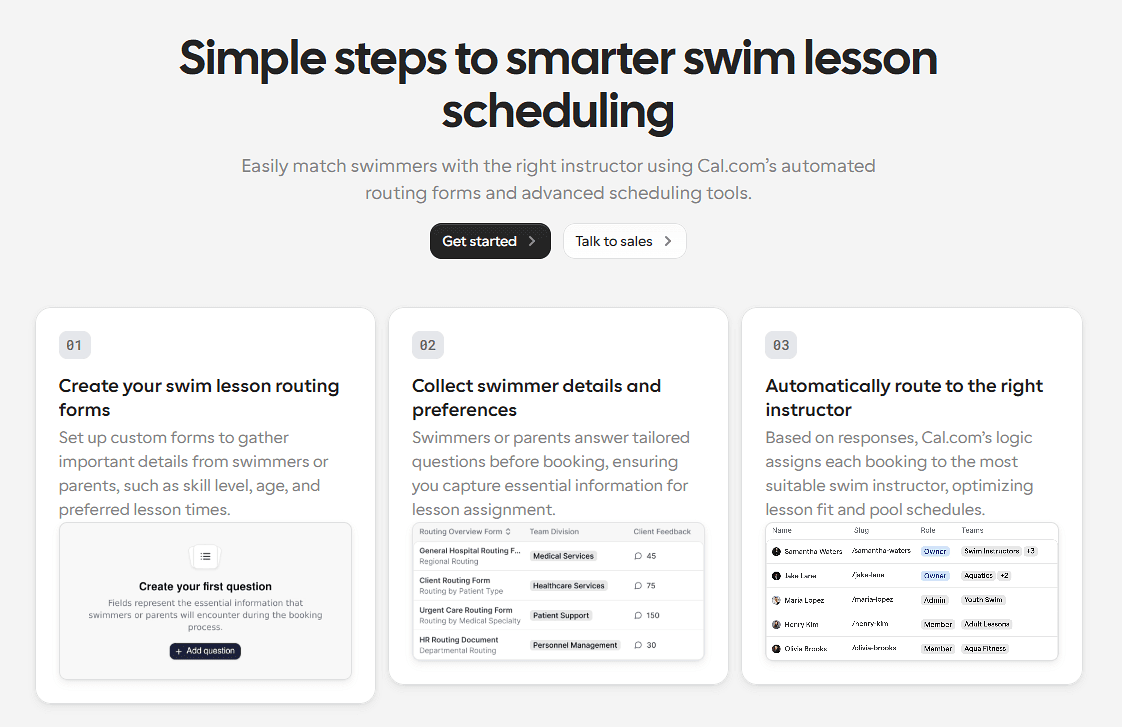
Why it ranks here: Cal.com is the best fit when flexible booking is the priority. A solo instructor can set up separate booking pages for private and group lessons, while a school can create different booking options for each instructor and manage bookings across the team. It also supports recurring lessons, so you can keep using the same scheduling setup as your program grows and your needs become more complex.
Key features:
Multiple event types: Set up separate booking pages for private lessons, semi-private sessions, and group classes.
Group class booking: Let several swimmers book the same class up to the capacity you set.
Recurring lessons: Let students book the same lesson at a set time each week, so they don't have to create a new booking for every session.
Team scheduling: Distribute bookings across instructors based on their availability.
Shared availability: Coordinate availability across team members when multiple instructors need to be available for the same booking flow.
Calendar sync: Connect Google, Outlook, Apple, and Zoho calendars to keep availability current.
Online booking links: Share a booking link or embed booking pages on your swim school's website.
Reschedule and cancel: Let students move or cancel lessons themselves instead of contacting the front desk.
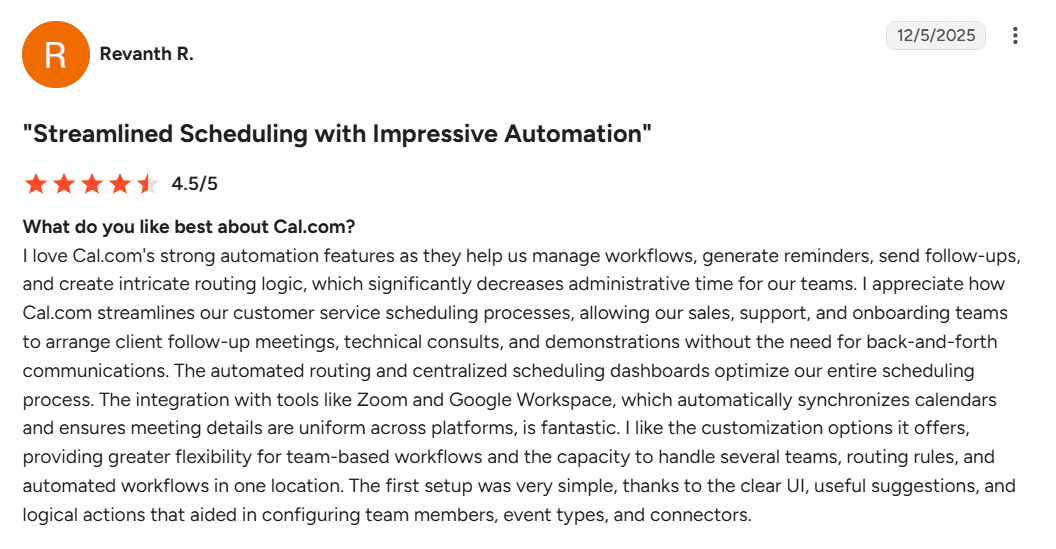
Automated reminders: Send booking confirmations, reminders, and follow-ups through workflows.
Payments: Collect lesson fees or deposits through Stripe or PayPal.
Booking analytics: Track bookings and review scheduling data to see how your booking activity is performing.
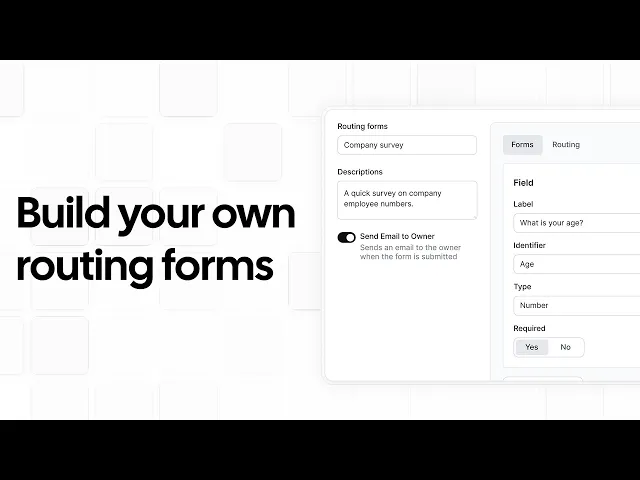
Routing: Direct students or parents to the right instructor or lesson based on the information they provide when booking.
Pricing: Cal.com has a free plan for one user that includes unlimited lesson types, calendar sync, and payments. Paid plans start at $16/user/month, or $12/user/month when billed annually, and add features such as recurring lessons, round robin scheduling, routing, and booking analytics.
Best for: Swim instructors and schools that want flexible online booking for private and group lessons without the extra features of a full swim-school management platform.
Verdict: Cal.com is the best fit if scheduling is your main priority and you don't need a full swim-school management system. It gives you the flexibility to support different lesson formats and grow from a solo setup to a multi-instructor program without forcing you into features you may not need. If you mainly want simpler booking and scheduling, it's the easiest and most affordable platform to start with.
Try Cal.com for free to start booking swim lessons, or book a demo to see how it can work for your swim business.
2. Jackrabbit Swim: best for established swim schools that need full class management
Free plan? | Starting price | Standout feature | Best use case |
|---|---|---|---|
No, and no trial | $49/month | Class management, skill tracking, and family billing | Established swim schools with structured, level-based programs |

What it is: Jackrabbit Swim is a swim-school management platform built for structured programs. It combines class enrollment, rosters, recurring tuition, skill tracking, family accounts, and staff operations in one system. That makes it a good fit for schools that want all of these tasks in one place. If you mainly schedule private or recurring lessons, you may not need all of these features.
Key features:
Class scheduling and enrollment: Create classes, manage rosters and transfers, and let families register online.
Recurring tuition billing: Automate monthly tuition payments and payment collection for families.
Skill and level tracking: Record swimmer levels, certifications, and progress as they advance.
Parent portal: Give families a place to manage registrations, accounts, and absences.
Staff tools: Manage instructor schedules, track staff hours, and control staff permissions.
Pricing: Jackrabbit Swim doesn't offer a free plan or trial. Paid plans start at $49/month for up to 100 students, with pricing increasing as your student count grows.
Pros:
Purpose-built for swim schools and academies
Skill tracking with levels and certification badges
Recurring tuition and family billing
Cons:
Inactive students still count toward your billing total
It may include more features than a small instructor needs
Best for: Established swim schools and academies that need class management, student tracking, and recurring tuition alongside scheduling.
Comparison verdict: Jackrabbit is a better fit if you want scheduling, class rosters, billing, student progress, and family accounts in one system. If you mainly need flexible booking for private and group lessons, Cal.com keeps the focus on scheduling and lets you start with a free plan.
3. iClassPro: best for swim schools that want class management and a parent app
Free plan? | Starting price | Standout feature | Best use case |
|---|---|---|---|
No, and no trial | $139/location/month | All-in-one class management with a branded parent app | Swim schools that want a parent-facing app and skill tracking |
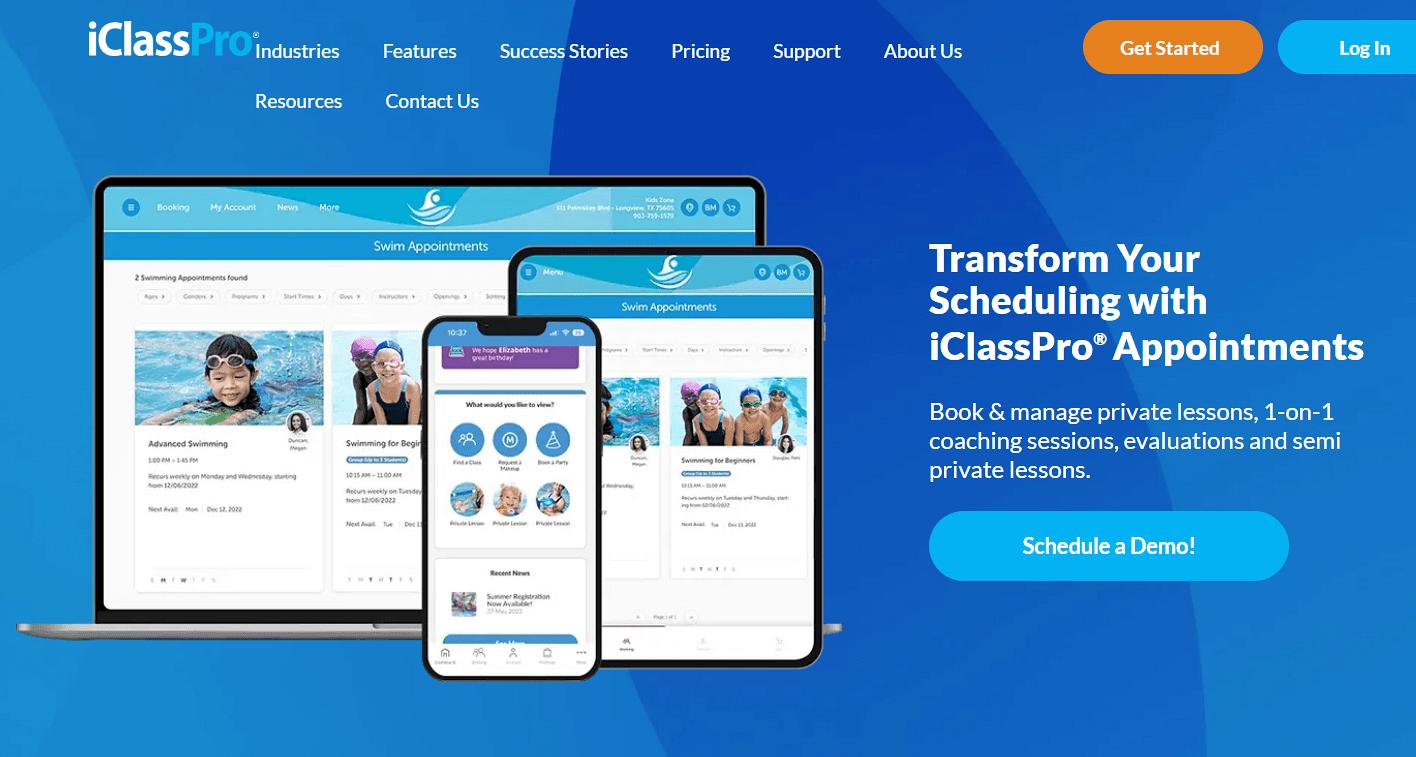
What it is: iClassPro is an all-in-one management platform for children's activity centers, including swim schools. It combines scheduling, registration, payments, staff management, and a parent-facing app in one system. Parents can enroll, pay, and follow their child's progress, while staff can manage classes, attendance, and skills from the same platform. It's a good fit for swim schools that want scheduling, student management, and family communication in one place.
Key features:
Class scheduling and registration: Set up classes, manage enrollment, and let families register online.
Appointments: Schedule private and semi-private lessons and manage student evaluations.
Skill tracking: Record swimmer levels and progress so instructors and parents can track development.
Parent app and portal: Give families a place to book, pay, view information, and manage their accounts.
Billing and reporting: Handle payments and review attendance, retention, and revenue reports.
Pricing: iClassPro offers no free plan or trial. Paid plans start at $139/location/month and include scheduling, registration, skill tracking, payments, and family management.
Pros:
Parent app and customer portal
Built-in skill tracking for level-based programs
Scheduling, billing, and student management in one platform
Cons:
Customizing the parent app to match your brand costs extra
Per-location pricing can get expensive for schools with multiple locations
Best for: Swim schools that want class scheduling, skill tracking, billing, and a parent-facing app in one system.
Comparison verdict: iClassPro is a better fit for schools that want scheduling, student management, and a parent app in one system. If scheduling is your main priority, Cal.com gives you a simpler setup for private, group, and recurring lessons, with a free plan to get started.
4. Bookeo: best for swim schools that want parents to self-book classes and courses
Free plan? | Starting price | Standout feature | Best use case |
|---|---|---|---|
No, 30-day trial | $39.95/month, 1000 bookings | Self-service class and course booking for parents | Small and mid-sized swim schools that want online self-booking |

What it is: Bookeo is a booking platform for swim schools and instructors. It helps families choose lessons, check availability, book online, and manage their reservations themselves. It supports different lesson formats and structured programs, such as recurring weekly classes and multi-week courses, making it a good fit for swim schools that run a regular schedule alongside private lessons.
Key features:
Private and semi-private lessons: Let families book individual lessons based on instructor and availability.
Courses and drop-ins: Offer multi-week courses with late enrollment, makeup classes, and drop-ins.
Recurring group lessons: Run group swim lessons that repeat automatically on a set schedule.
Calendar sync and website booking: Sync with Google, iCal, and Outlook, and embed booking on your website.
Payments and reminders: Take online payments and send automatic booking confirmations and reminders.
Pricing: Bookeo doesn't have a free plan, but it offers a 30-day free trial. Paid plans start at $39.95/month and include 20 teachers and rooms, 20 staff logins, and 1,000 bookings per month. Higher plans support larger teams and more bookings.
Pros:
Parents can book and manage lessons themselves
Supports classes, courses, private lessons, and drop-ins
Low starting price with no booking commission
Cons:
Plans are limited by monthly bookings
You’ll pay extra for features such as digital waivers and SMS credits
Best for: Small and mid-sized swim schools that want parents to self-book classes, courses, and private lessons online.
Comparison verdict: Bookeo is a good fit if your priority is letting families book and manage classes, courses, and lessons themselves. Cal.com is a better choice if you need more flexibility in how private, group, and recurring lessons are scheduled across your instructors.
5. MarketBox: best for mobile and in-home swim lesson businesses
Free plan? | Starting price | Standout feature | Best use case |
|---|---|---|---|
No, 10-day trial | Custom quote | Travel zones and instructor matching for mobile lessons | Businesses running mobile or in-home swim lessons |

What it is: MarketBox is scheduling software built for mobile and in-home service businesses. Families can book and pay online, while businesses can match bookings with nearby instructors and manage their service areas. Businesses can set where instructors are available to work, so families are matched with providers who can serve their location. This makes it particularly useful for swim schools where instructors travel to families rather than teach at one fixed pool.
Key features:
Provider matching: Match families with available instructors based on their location, so customers only see providers who can serve their area.
Travel zones and routing: Let instructors set their service areas and account for travel time when planning lessons.
Recurring bookings and packages: Offer one-off lessons, recurring sessions, and lesson packages with custom pricing.
Automated reminders: Send email and text reminders before lessons to keep families informed and reduce no-shows.
Online payments and integrations: Accept payments through Stripe and connect other tools through Zapier.
Pricing: MarketBox has no free plan, but offers a 10-day free trial. Paid plans require a custom quote.
Pros:
Built for mobile and in-home services
Accounts for travel zones and provider locations
Supports recurring bookings and packages
Cons:
Pricing isn’t published
It may be more than you need for basic swim lesson scheduling
Best for: Mobile swim schools that need to match instructors with families in different service areas.
Comparison verdict: MarketBox is best for swim businesses that send instructors to different locations. If your instructors teach from one pool, Cal.com is a simpler fit for flexible booking, team scheduling, and online payments.
Swim lesson scheduling software compared
Here’s how the five swim lesson scheduling software compare on key features and free plans:
Tool | Free plan | Lesson flexibility | Instructor coordination | Online booking |
|---|---|---|---|---|
Cal.com | ✅ Free forever | Private, group, and recurring | Round robin and team routing | Booking links, calendar sync, and payments |
Jackrabbit Swim | ❌ No, and no trial | Classes, private, and recurring tuition | Staff scheduling and rosters | Online registration and family portal |
iClassPro | ❌ No, and no trial | Classes, private, and recurring | Instructor-assigned appointments | Parent app and online booking |
Bookeo | ⚠️ 30-day trial | Classes, courses, private, and recurring | Instructor and room rostering | Self-service booking and calendar sync |
MarketBox | ⚠️ 10-day trial | Private, recurring, and packages | Provider matching across service areas | Online booking and payments |
Final verdict
The right swim lesson scheduling software depends on whether you want simple, affordable scheduling or a platform that also handles other swim school operations.
Cal.com is the best fit for instructors and schools that want flexible, branded booking. It handles multiple lesson types, group classes, and recurring sessions, while also spreading bookings across instructors, syncing calendars, and taking payments. You can start with a free plan for one instructor and add team scheduling as you grow.
If you need scheduling alongside class management, student tracking, and billing, choose Jackrabbit Swim or iClassPro. Bookeo is a better fit for self-service booking, while MarketBox is designed for mobile and in-home lessons.
If Cal.com fits your needs, you can start with the free plan or book a demo.
Frequently asked questions
What is the best swim lesson scheduling software? Cal.com is the best fit for instructors and schools that want flexible scheduling for private, group, and recurring lessons. Jackrabbit Swim and iClassPro are better suited to schools that also need class management, student tracking, and billing.
How much does swim lesson scheduling software cost? Prices vary by platform. Cal.com has a free plan, with paid plans starting at $16/user/month, or $12/user/month when billed annually. Bookeo starts at $39.95/month, Jackrabbit Swim at $49/month, and iClassPro at $139/location/month. MarketBox requires a custom quote.
Can parents book swim lessons online themselves? Yes. Cal.com lets parents book, reschedule, and cancel through booking links, with calendar sync keeping availability current. Bookeo, iClassPro, Jackrabbit Swim, and MarketBox also support online booking or registration.
Which swim scheduling software is best for a solo swim instructor? Cal.com's free plan is a good fit for solo instructors who need online booking, multiple lesson types, calendar sync, and payments. Recurring lessons and team scheduling are available on paid plans.
Can Cal.com handle group swim classes and recurring lessons? Yes. Cal.com supports group bookings with a set capacity and recurring lessons, so families can book repeating sessions instead of creating each booking manually. You can also auto-distribute bookings across instructors and collect payments online.

Get started with Cal.com for free today!
Experience seamless scheduling and productivity with no hidden fees. Sign up in seconds and start simplifying your scheduling today, no credit card required!







