> ## Documentation Index
> Fetch the complete documentation index at: https://cal.com/docs/llms.txt
> Use this file to discover all available pages before exploring further.
# Managing booking fields
> Prefilling and / or making them read-only.
## Prefilling default booking fields
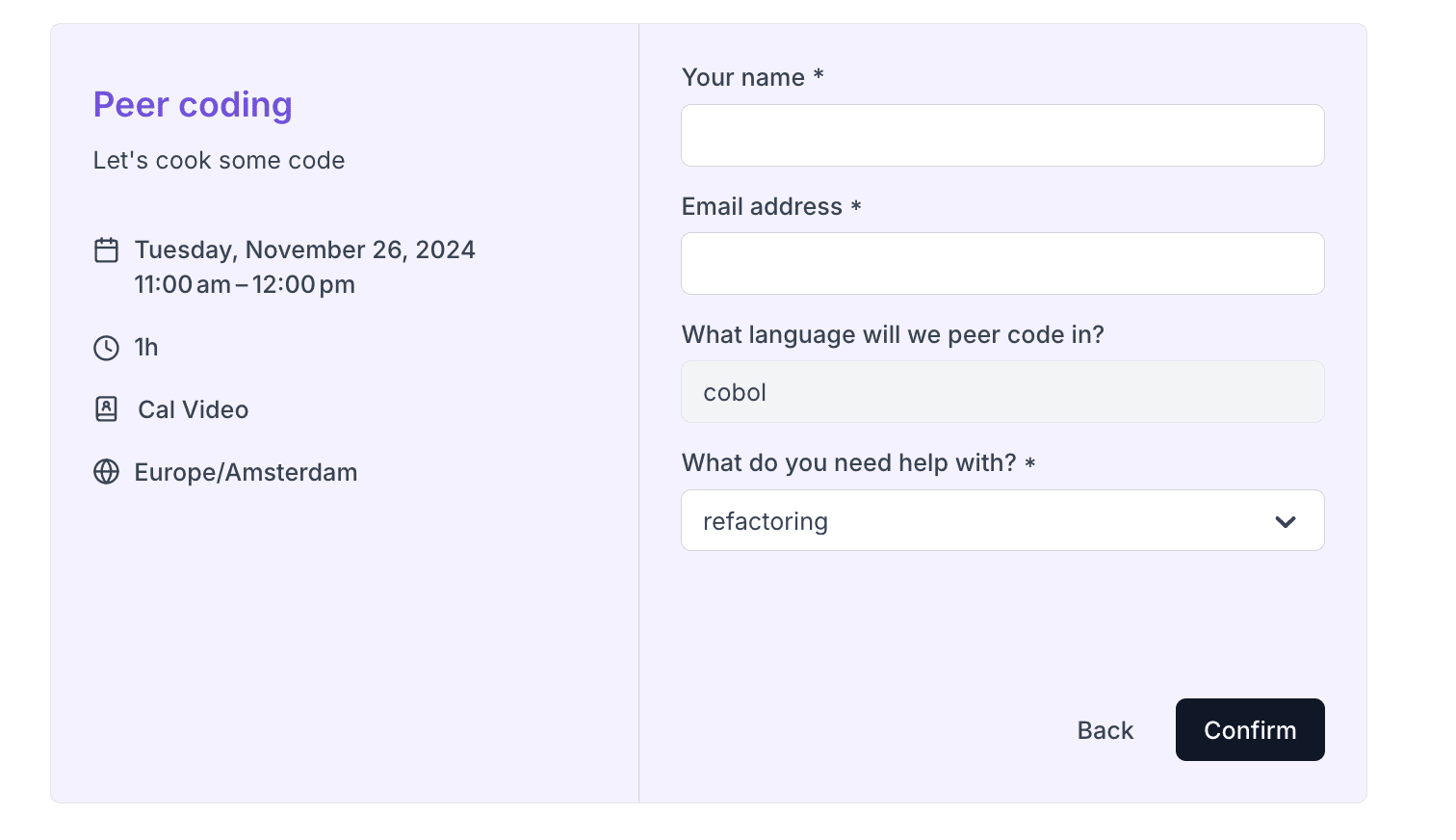
If you want to pre-fill name and email fields you can pass them to the Booker atom's defaultFormValues prop:
```js theme={null}
```
which will look like:
 ## Prefilling custom booking fields
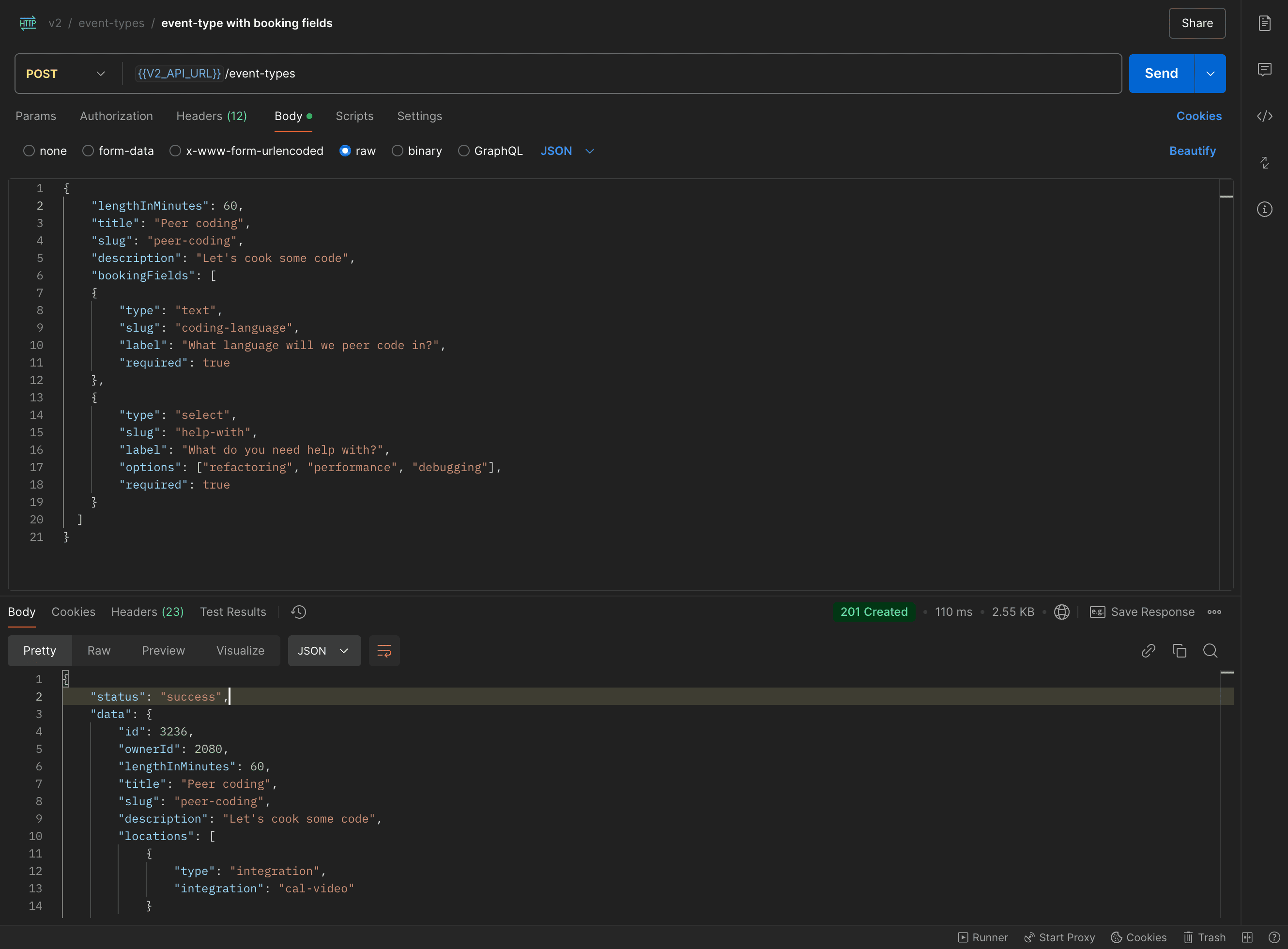
We created an event type for managed user with custom text and select fields. Name and email fields are created by default. Here is the request:
## Prefilling custom booking fields
We created an event type for managed user with custom text and select fields. Name and email fields are created by default. Here is the request:
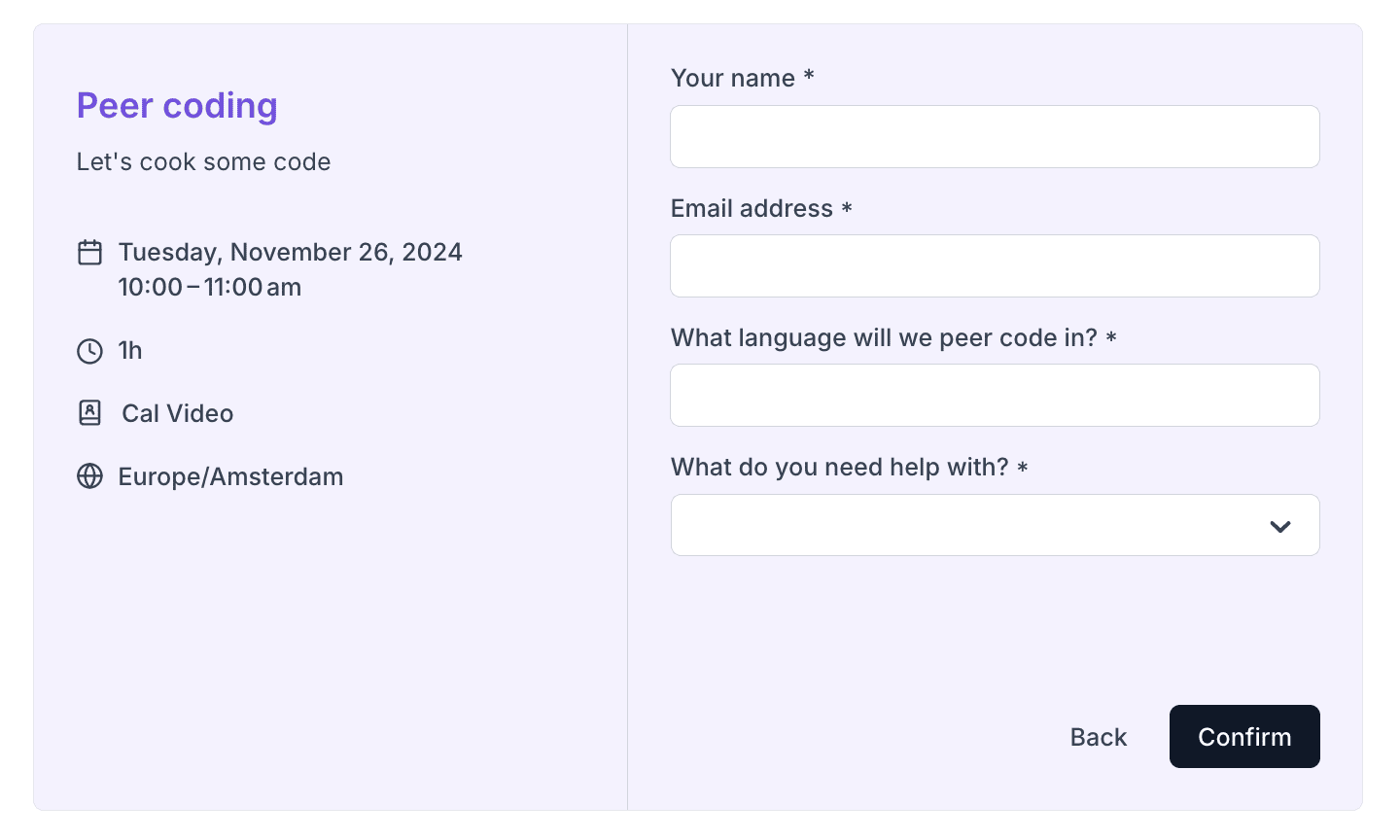
 That looks in booker like:
 Let's say you want that when someone is trying to book one of your managed users that the
booking fields should be pre-filled with some data. We see that one of the booking fields has slug `coding-language` and the other
`help-with`. To pre-fill them you pass their slugs and values to the Booker atom's defaultFormValues prop:
```js theme={null}
```
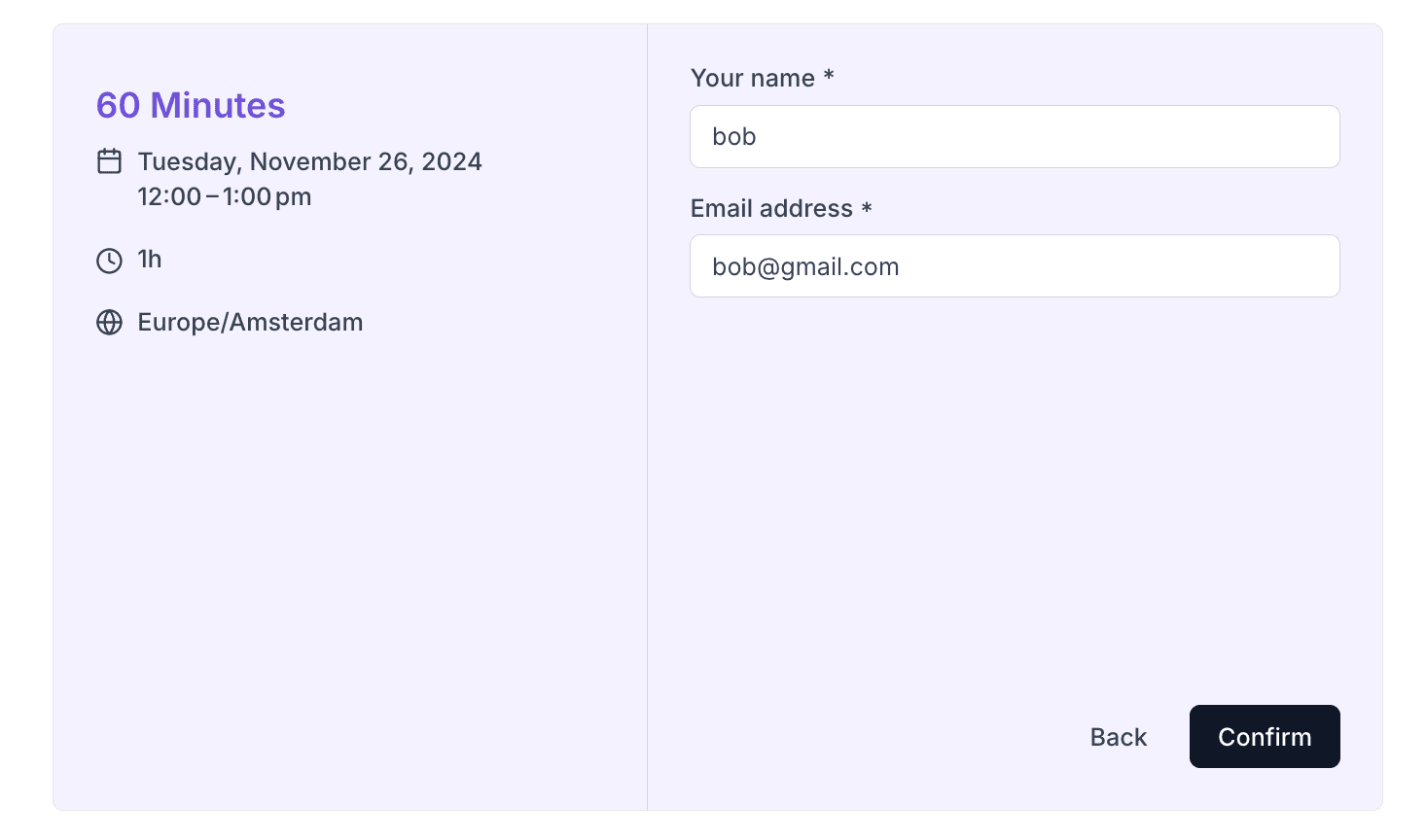
which now will populate the booking fields:
Let's say you want that when someone is trying to book one of your managed users that the
booking fields should be pre-filled with some data. We see that one of the booking fields has slug `coding-language` and the other
`help-with`. To pre-fill them you pass their slugs and values to the Booker atom's defaultFormValues prop:
```js theme={null}
```
which now will populate the booking fields:
 ## Making pre-filled fields read-only
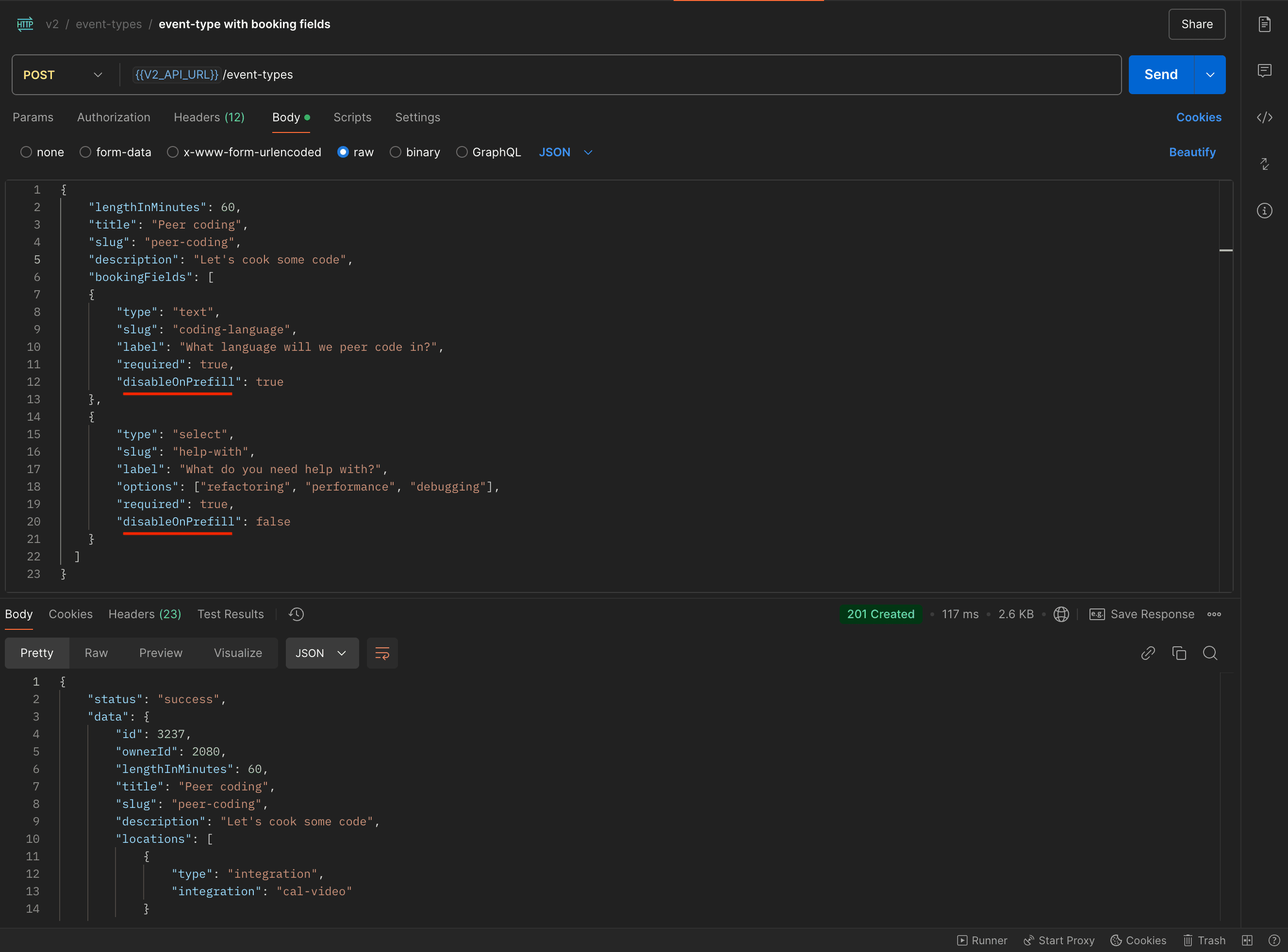
`disableOnPrefill` booking field property controls whether or not to make a booking field read only if we pass its value in the defaultFormValues prop. Here is an example request
where we create an event type with one booking field with "disableOnPrefill": true and the other with "disableOnPrefill": false:
## Making pre-filled fields read-only
`disableOnPrefill` booking field property controls whether or not to make a booking field read only if we pass its value in the defaultFormValues prop. Here is an example request
where we create an event type with one booking field with "disableOnPrefill": true and the other with "disableOnPrefill": false:
 If we pass their values to the Booker atom:
```js theme={null}
```
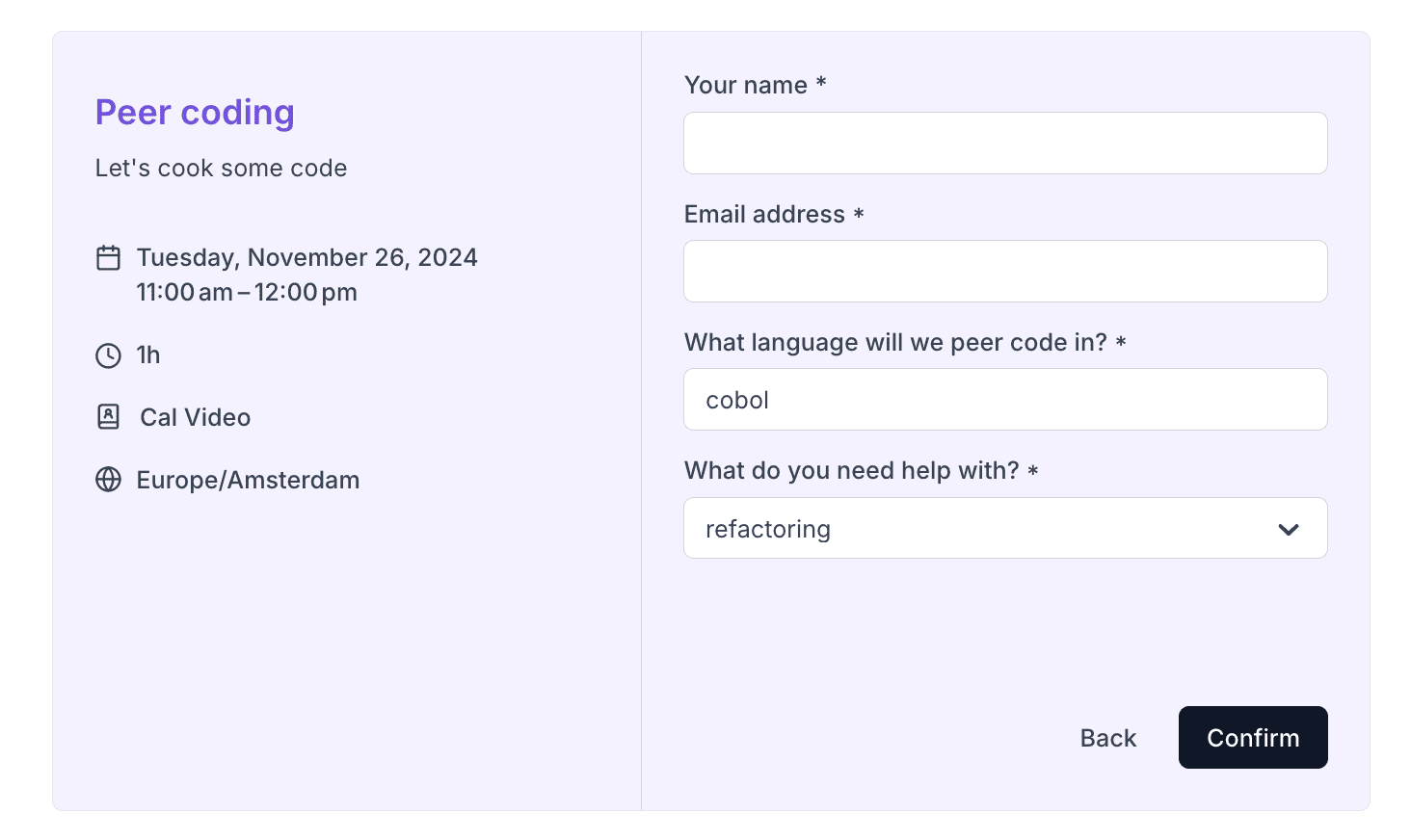
then here is how it will look like in the Booker. The "What language will we peer code in" text field is read only:
If we pass their values to the Booker atom:
```js theme={null}
```
then here is how it will look like in the Booker. The "What language will we peer code in" text field is read only: