> ## Documentation Index
> Fetch the complete documentation index at: https://cal.com/help/llms.txt
> Use this file to discover all available pages before exploring further.
# Create a phone-only event type
> Now available for every version of Cal.com
To create a phone-only event type where attendees only need to provide their phone number, follow these steps:
1. Navigate to any team event type settings page and click on the "Advanced" tab.
2. In the "Booking questions" section, you'll need to modify two fields:
### Email Field
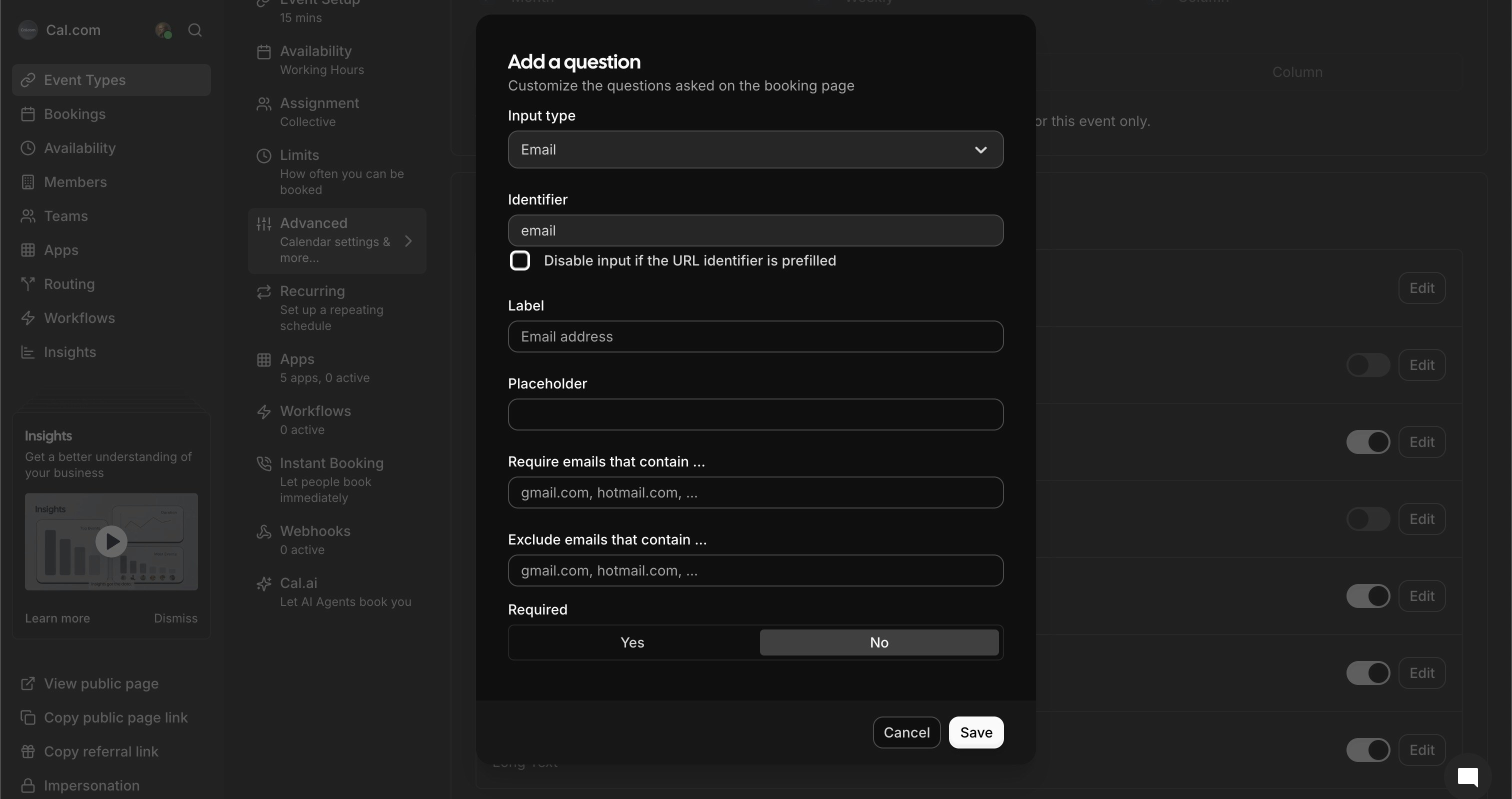 * Click the "Edit" button next to the Email field
* Uncheck the "Required" option
* Click "Save"
Then:
* Click the "Edit" button next to the Email field
* Uncheck the "Required" option
* Click "Save"
Then:
 * Toggle off "Show on booking page" to hide the email field completely
### Phone Number Field
* Toggle off "Show on booking page" to hide the email field completely
### Phone Number Field
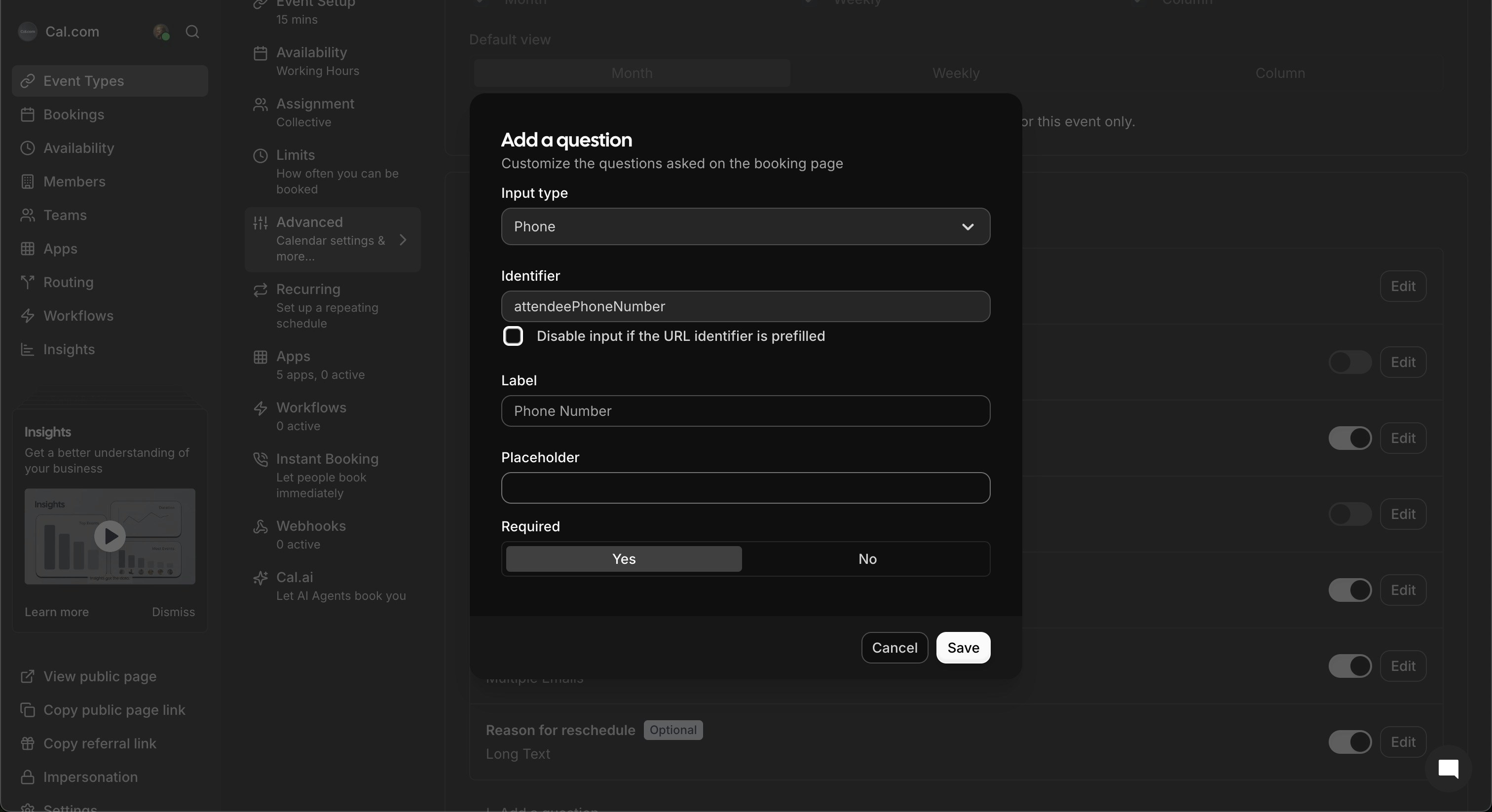 * Click the "Edit" button next to the Phone number field
* Check the "Required" option
* Ensure "Show on booking page" is toggled on
* Click "Save"
3. After saving your changes, your booking page will now only show the phone number field as required:
* Click the "Edit" button next to the Phone number field
* Check the "Required" option
* Ensure "Show on booking page" is toggled on
* Click "Save"
3. After saving your changes, your booking page will now only show the phone number field as required:
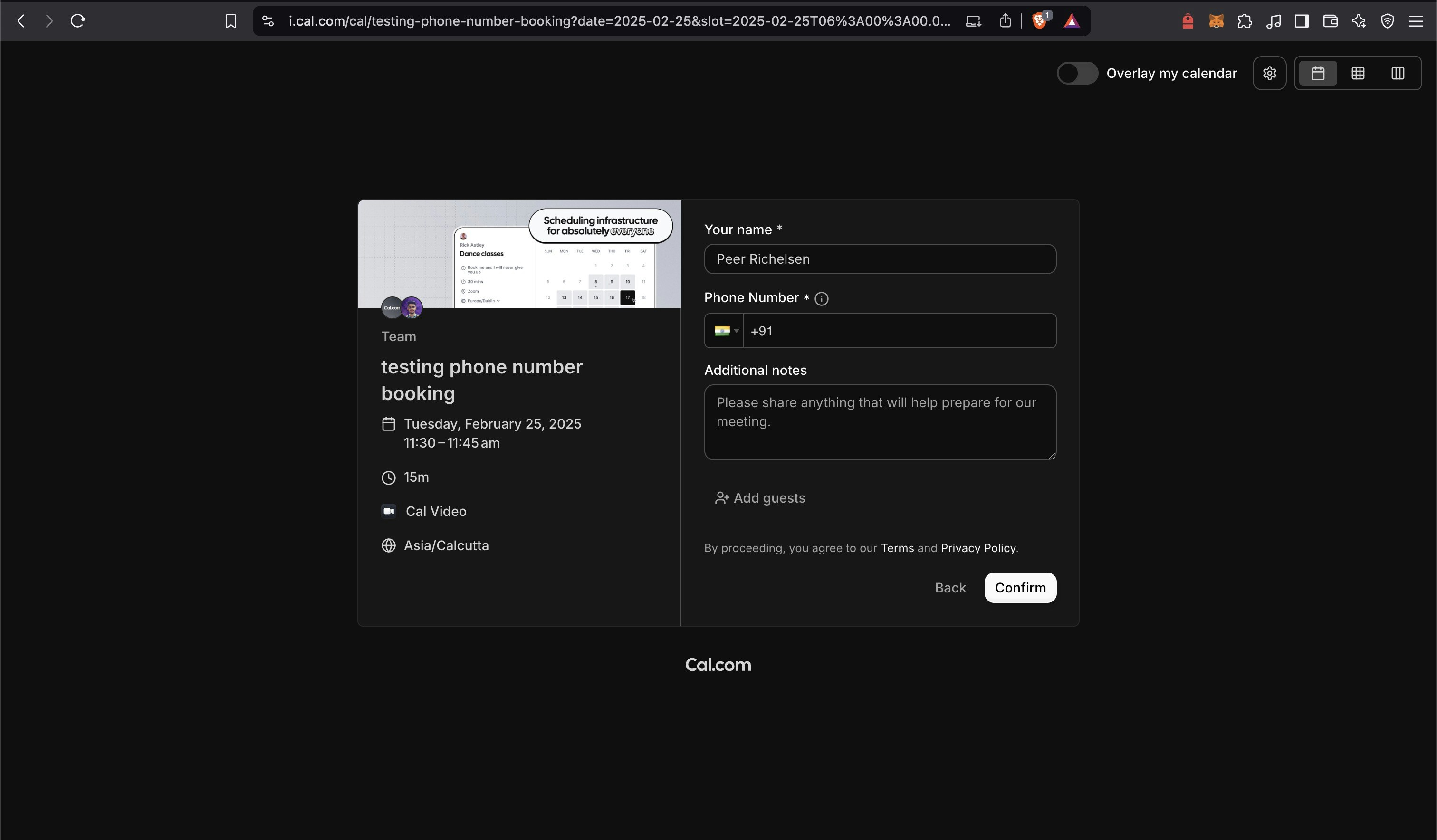 This setup is perfect for scenarios where you only need the attendee's phone number for communication.