

cal.com/<event-slug>.
What the page shows
- The cover image, title, and description
- The date and time, in the viewer’s local time
- The location, or a note that it is revealed after registration
- The hosts
- The guest section, according to your Public guests setting
- A registration button
The registration button
The button changes with the situation:
Returning guests see their own state instead: You’re going, Pending approval, or You’re on the waitlist. As the host, you see You’re hosting, manage event.
When the event has ended, has already started, or was cancelled, the page says so and registration is closed.
Register with iMessage
Guests can also register from their phone without typing an email address. On events that offer it, a Register with iMessage button appears next to Register. If the event needs your approval, it says Request with iMessage instead.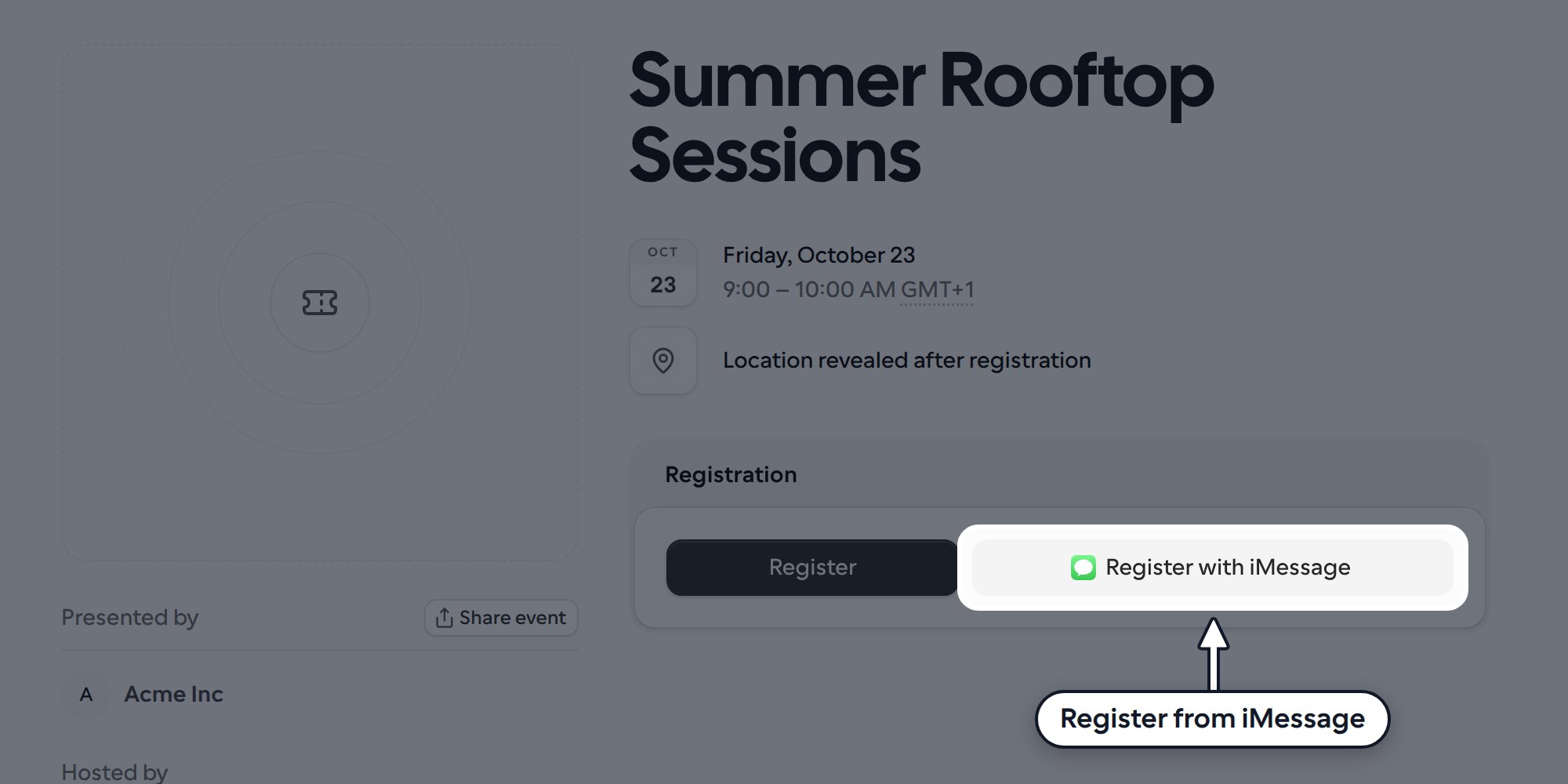
- On an iPhone, iPad or Mac, the button opens Messages with a text already filled in. On other devices it shows a QR code, and scanning it with a phone opens the same message.
- The guest sends the text. The reply asks for their name, then which location they want if the event has more than one, then any required registration questions, one at a time. If you show guest names publicly, it also asks whether they want to appear on the guest list.
- They’re registered, their request is sent to you for approval, or they join the waitlist, just as with the form. The event page shows the result, and the last text includes the date, time and event link. For confirmed guests it also includes the location details.
- The event is paid, or any location has a price.
- The registration form has more than six required questions, or a required question that can’t be answered in one text, such as an address.
- The guest has already registered, or you’re viewing your own event.
- Registration is closed.
What guests should know
- Guests do not need a Cal.com account to register.
- Only one registration per email address per event. Trying again shows that they are already registered.
- Registrants get a personal status link to view or manage their registration.
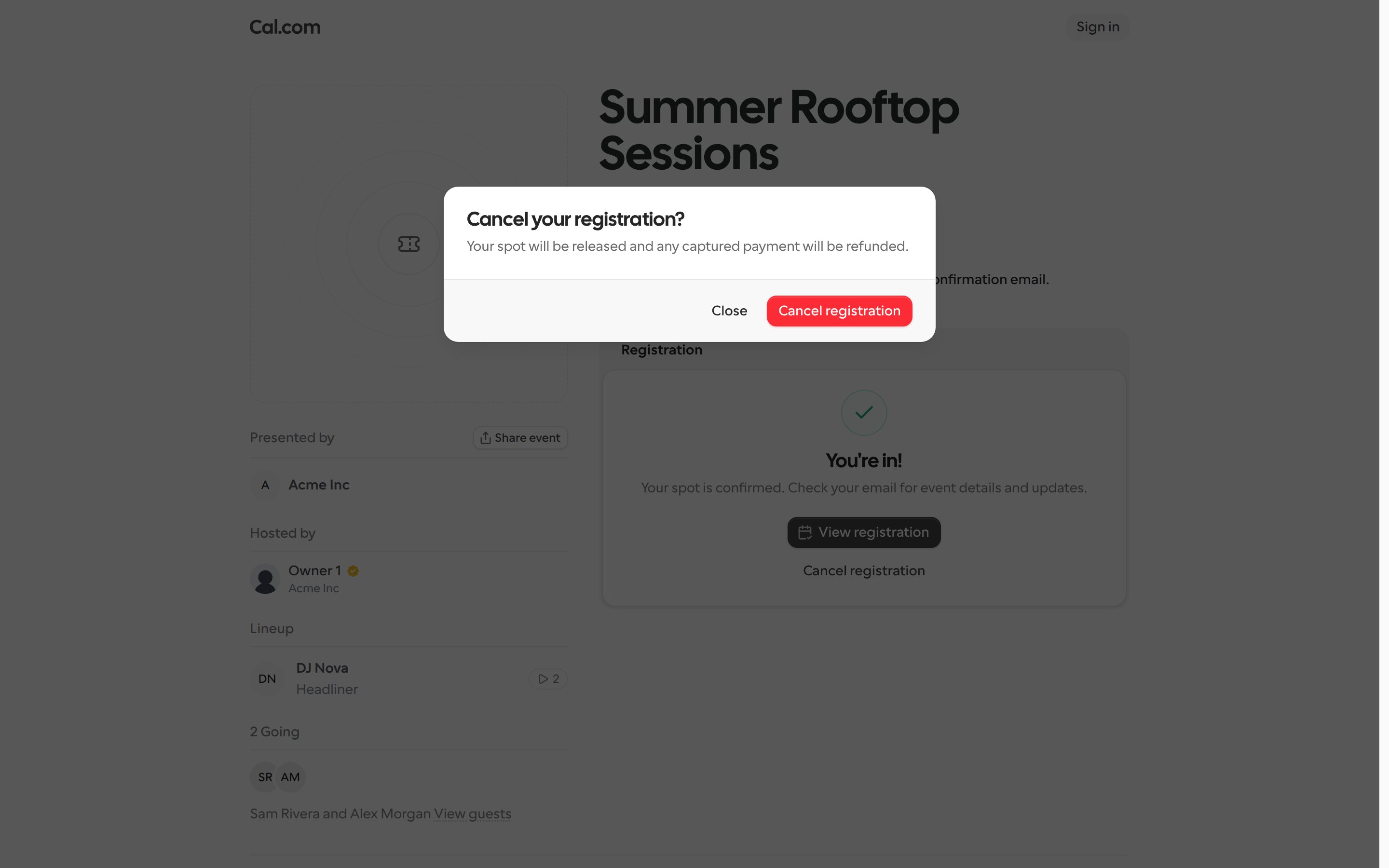
Guests can cancel their own registration
Once registered, guests see Cancel registration under their status on the event page and in their registration confirmation. It is offered to confirmed guests, guests waiting for approval, and guests on the waitlist. Guests are asked to confirm with Cancel your registration?. When they confirm:- Their spot is released, so someone else can take it.
- Any payment that was captured is refunded.
- Workflows for that registration stop, and the guest gets an email confirming they were removed.
- The guest can register again later if registration is still open.
Share the event
The Share event dialog gives you the link and a QR code, which is useful for posters and slides.Where published events are listed
Published events appear in public per-profile event directories:cal.com/<username>/eventscal.com/team/<team-slug>/eventscal.com/org/<orgSlug>/<username>/events
This is separate from the public profile visibility toggle used for Links, which does not apply to events.