Custom host location lets you type any location for an event type, such as a meeting room, a café or “the usual spot”, without it being an address, a phone number or a video link. It is the host-side counterpart of Custom attendee location: you define the location, not the booker. You can give the location a custom label that bookers see on the booking page, and keep the real location hidden until the booking is made.
Custom host location is a location type for one event type. It is not the same as Enable custom host locations on team event types, which lets each host on the team have their own meeting location.

Add a custom host location

1

Open the booking link

Go to Links and open the booking link you want to change.
2

Pick Custom host location

On the Basics tab, open the Location selector and choose Custom host location from the Other group.
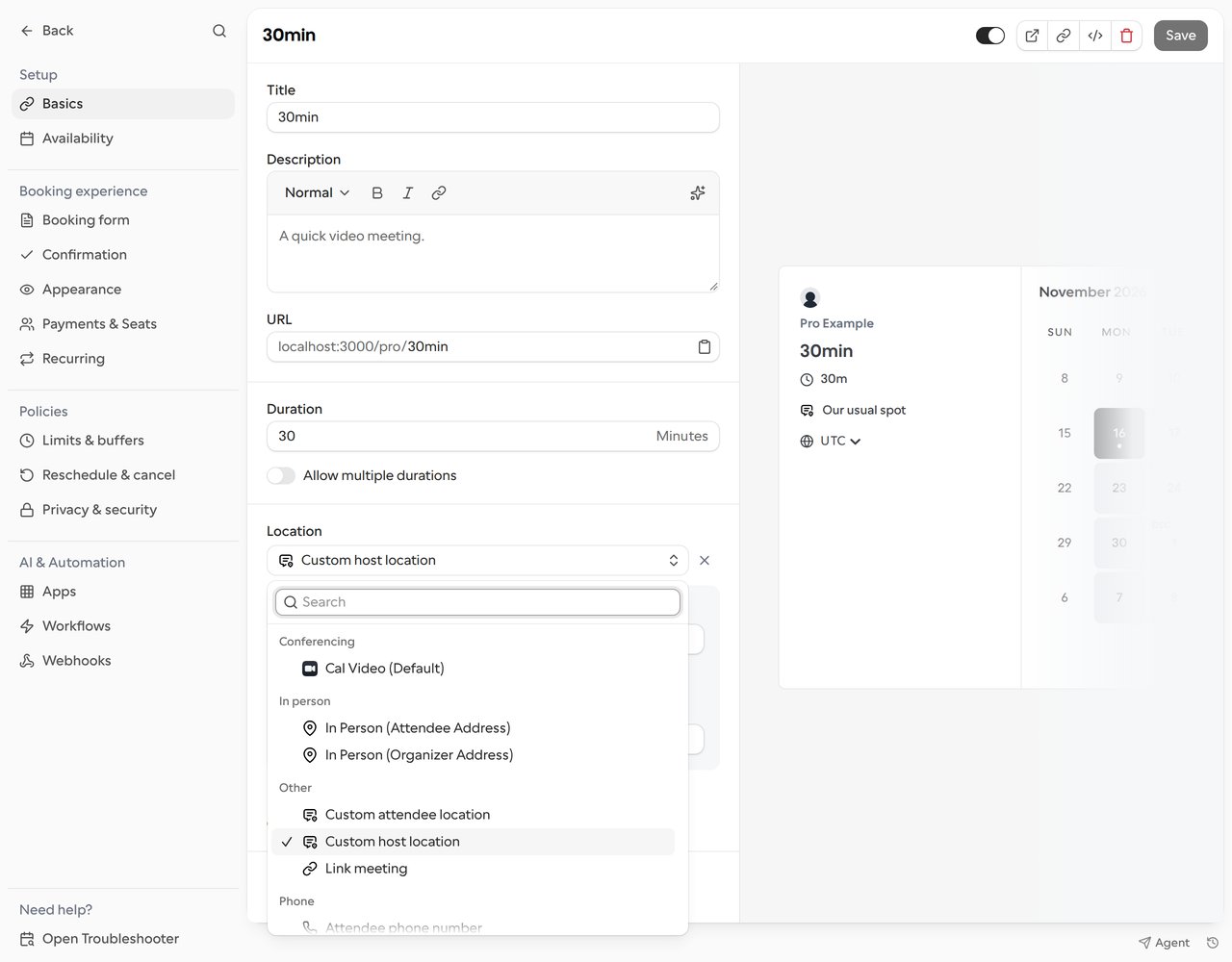
Location selector open on the Basics tab, with Custom host location listed in the Other group next to Custom attendee location
3

Enter the location

Type the location in the Location field. It is free text, so you can write anything, for example The rooftop bar, third floor.
4

Add a label and choose its visibility

Optionally, fill in Custom label on booking page (up to 100 characters), for example Our usual spot. Tick Display on booking page if bookers should see the location you entered before they book.
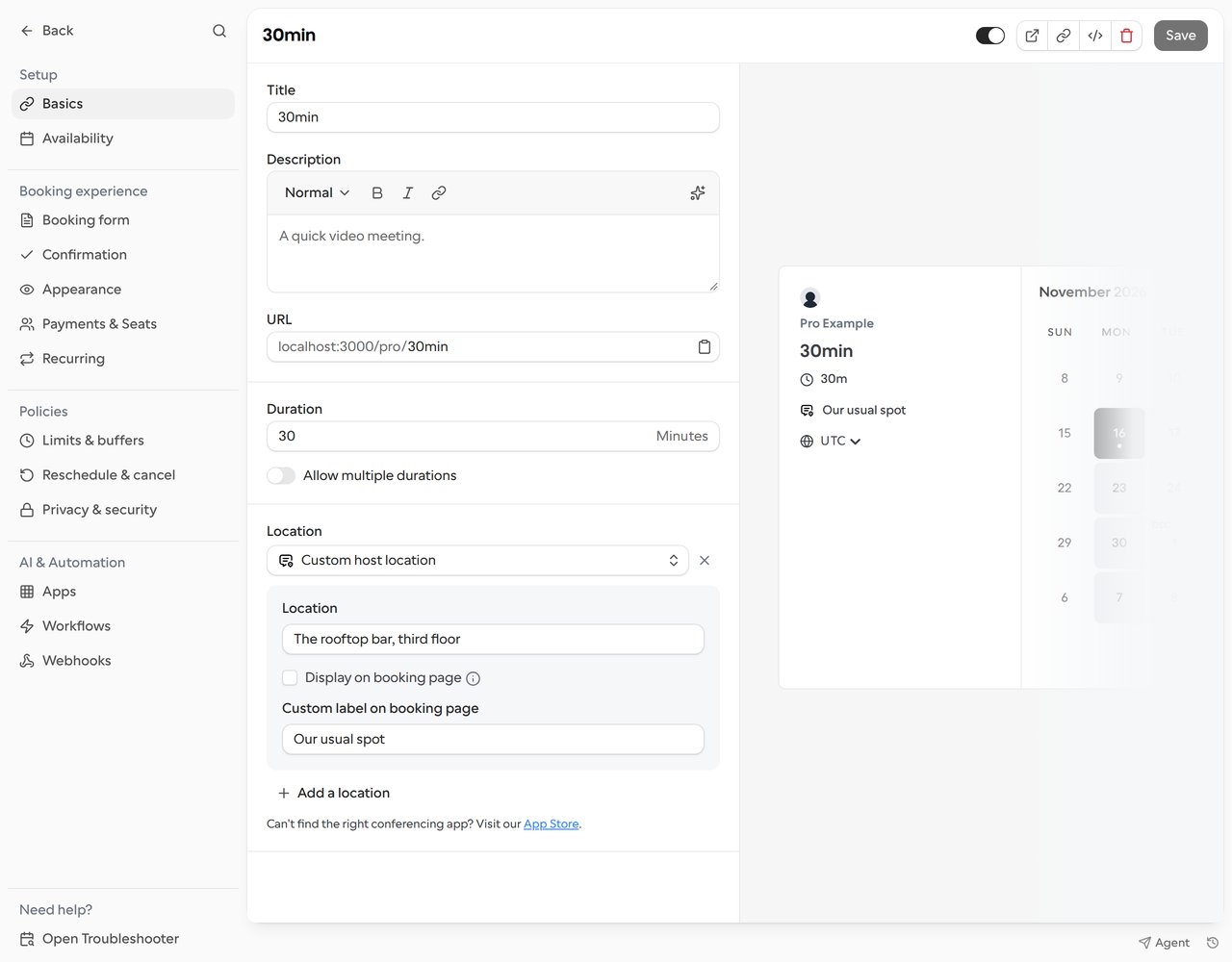
Basics tab with Custom host location selected, the Location field set to The rooftop bar, third floor, Display on booking page unchecked, and the custom label Our usual spot
5

Save

Click Save.
You can add Custom host location more than once on the same booking link, for example to offer two different meeting spots.

What bookers see

Before booking, the booking page shows the location like this:
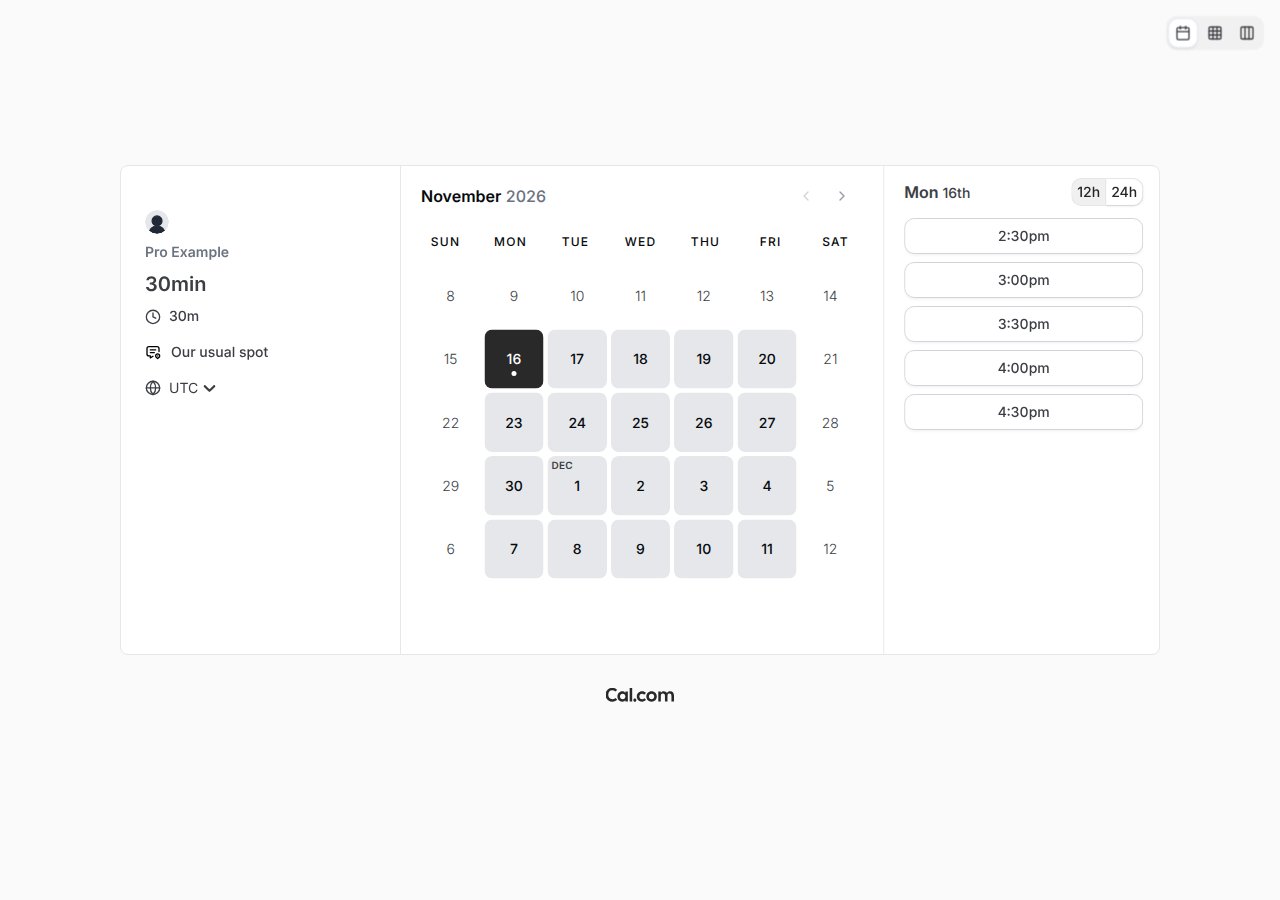
Public booking page with the location row reading Our usual spot instead of the host-entered location
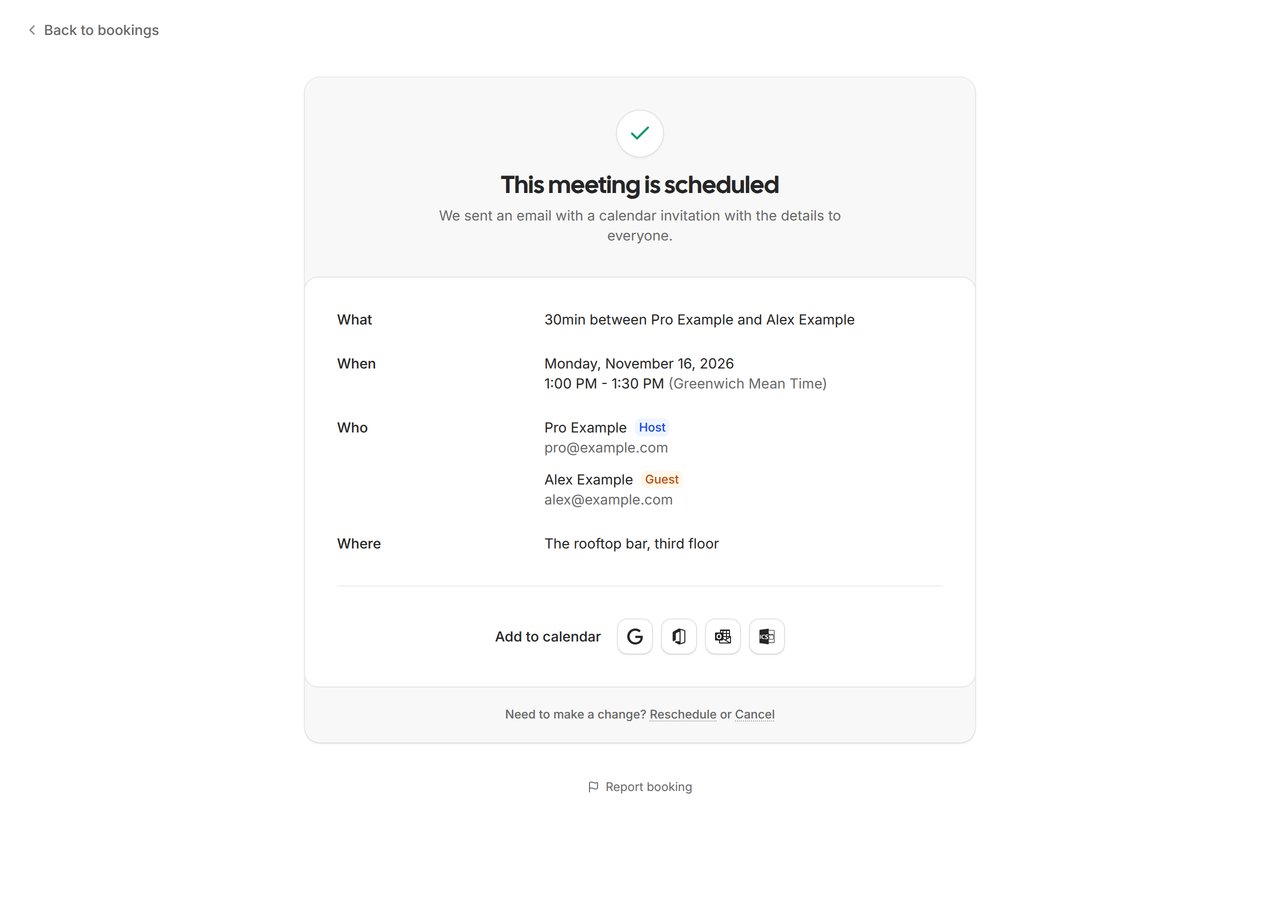
After booking, the booking is saved with the location you entered. The booking confirmation page shows it under Where, so the booker learns the real location once they have booked, even if it was hidden on the booking page. The confirmation email’s Where row shows the custom label when one is set.
Booking confirmation page showing The rooftop bar, third floor under Where
Leave Display on booking page off and set a custom label when you only want booked attendees to know where the meeting is.

Limitations

  • Custom host location can’t be set through the API v2 event type endpoints yet. Event types that use it return the location as unknown in API v2 responses.
  • The location is free text. Cal.com doesn’t look it up or check that it is a real address.