

Hosted server (mcp.cal.com)
The fastest way to get started is to connect your MCP client directly tomcp.cal.com. The hosted server uses Streamable HTTP transport with OAuth 2.1 authentication — your client handles the authorization flow automatically.
Connect your client
Point your MCP client to the hosted server URL:POST /oauth/register or identify themselves with a Client ID Metadata Document (an https client_id URL). Before the Cal.com sign-in, you see a consent page naming the client and the host you’ll be sent back to.
The consent screen also asks for team scopes to create, edit and delete team event types and to view and manage team memberships, so your AI client can set up team event types and add people to teams. It also asks for the organization profile scopes, so an organization admin’s AI client can list, create, edit and delete the organization’s teams. Cal.com still checks your role and permissions in the team on every call. It also asks to view, add, rename and remove your personal contacts (
CONTACT_READ, CONTACT_WRITE). If you connected before these scopes were added, disconnect and reconnect the server to grant them.- Claude Desktop
- Cursor
- VS Code
- fx
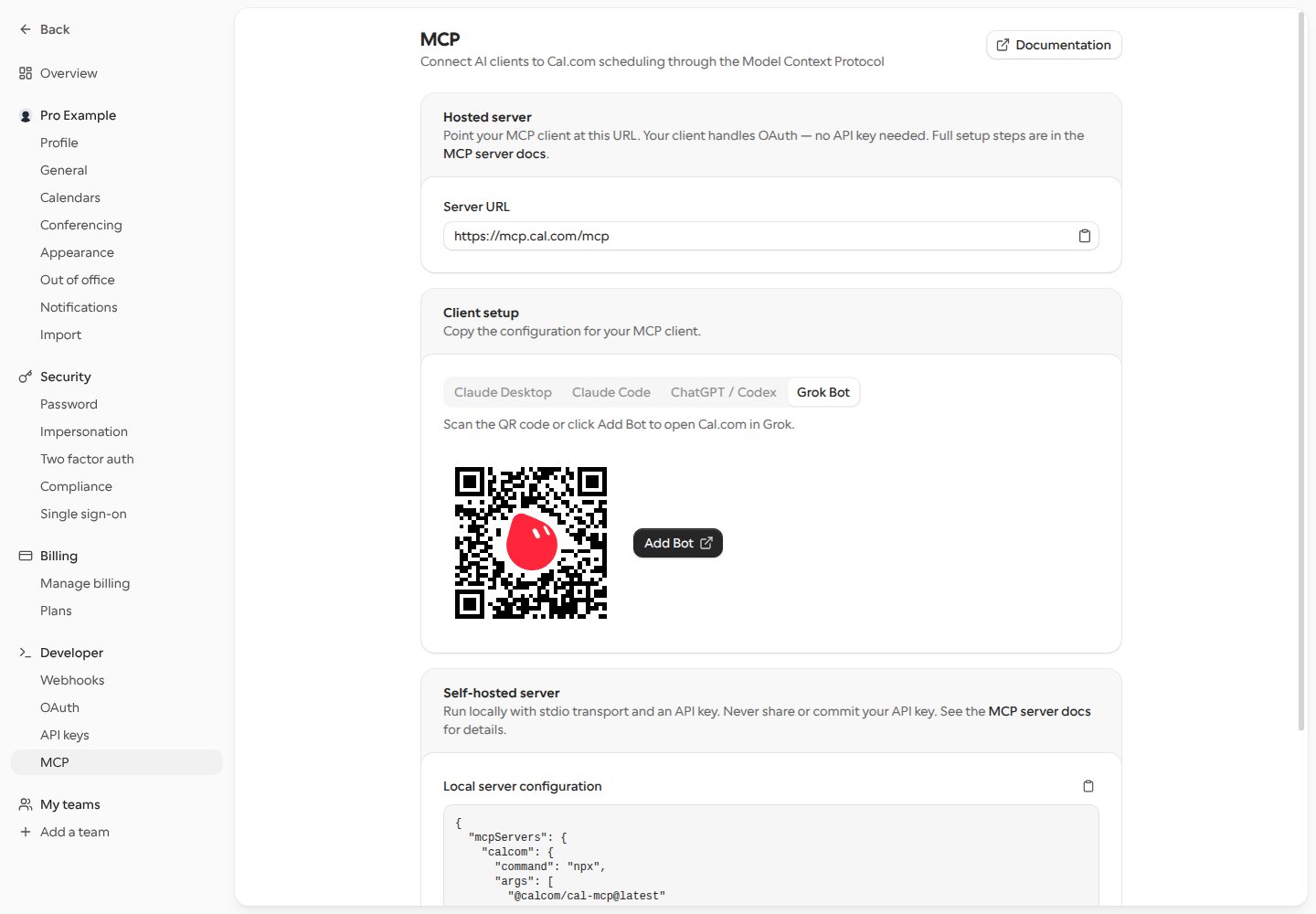
- Grok
Add the following to your
claude_desktop_config.json:- macOS:
~/Library/Application Support/Claude/claude_desktop_config.json - Windows:
%APPDATA%\Claude\claude_desktop_config.json
Self-hosted server (stdio)
If you prefer to run the server locally, you can use stdio transport with an API key. This is useful for development or when you want full control over the server.Prerequisites
- Node.js >= 18
- A Cal.com API key — generate one in Settings → Developer → API Keys
Connect your client
Add the following to your MCP client’s configuration:cal_live_xxxx with your actual API key.
Run the HTTP server with Docker Compose
To self-host the Streamable HTTP server with OAuth, use theapps/mcp/docker-compose.yml file in the Cal.com repository. It runs the MCP server and its PostgreSQL database behind a Caddy proxy on ports 80 and 443.
Set MCP_POSTGRES_PASSWORD before you start it. Compose refuses to start without it. Because the password is also put into the server’s database connection string, use only URL-safe characters.
docker compose -f apps/mcp/docker-compose.yml exec postgres psql -U mcp mcp.
PostgreSQL only reads the password when it first creates its data volume. If you created the volume with an earlier version of the compose file, its password is still
mcp. Set MCP_POSTGRES_PASSWORD=mcp, or change the password with ALTER USER mcp PASSWORD '...' and set the new value.Toolsets
You can restrict which tools the server registers for a session by appending atoolsets query parameter to the server URL:
profile, event-types, events, bookings, availability, schedules, calendars, contacts, discover, teams, organizations, routing-forms, catalog (the find_api_operation / describe_api_operation / call_api_operation meta-tools). Unknown names are rejected with 400 invalid_request. Omitting the parameter registers every tool; the local tools get_app_link and search_docs are always registered regardless of the selection. For a self-hosted stdio server, set MCP_TOOLSETS instead.
Interactive views (MCP Apps)
In clients that support MCP Apps,get_availability and get_bookings also show an interactive view in the chat, so you can pick times and manage bookings by clicking instead of typing:
- Slot picker (
get_availability): open times grouped by day. Use the arrows to move to earlier or later dates, click a time, enter the attendee’s name and email, and click Book. When the assistant is finding a new time for an existing booking, clicking a time offers Move booking here instead. - Bookings (
get_bookings): one card per booking with its time and attendees. Upcoming bookings have Join (when the booking has a meeting link), Reschedule, which shows open times for the next week to pick from, and Cancel, which asks you to confirm in the card first.
create_booking, reschedule_booking and cancel_booking tools on your existing connection, and the assistant is told what you did.
The views are available only when both the
bookings and availability toolsets are enabled, which is the default when you don’t pass toolsets. Clients without MCP Apps support get the same text results as before.Event subscriptions (MCP Events)
The hosted server supports the Beta MCP Events extension,io.modelcontextprotocol/events, for protocol version 2026-07-28. Discovery advertises capabilities.extensions["io.modelcontextprotocol/events"] as { listChanged: false }. Core protocol behavior is unchanged for clients that do not declare it. All four methods return resultType: "complete":
events/list: returns the events you can subscribe to, such asbooking.created,booking.rescheduled,booking.cancelled,meeting.endedandrecording.ready, each with an input schema and a payload schema.events/subscribe: subscribes a callback URL to an event. The callback must be a public HTTPS URL, anddelivery.secretmust be awhsec_secret. Before saving the subscription, the server sends a signed verification request with achallengevalue that your endpoint must echo back in its JSON response. Subscribing again with the same URL, event and arguments refreshes the existing subscription.events/unsubscribe: removes one of your subscriptions usingdelivery: { url }; a missing subscription returns NotFound.events/poll: bootstrap with a null cursor (no history), then pass the returned opaque cursor to receive occurrences. Retention is 24 hours;maxAgeMscan shorten it, and older cursors settruncated: true. Pages default to 50 events (clamped 1–100), withhasMoreandnextPollMs: 30000.
events/stream) is omitted because serverless requests run on different instances without cross-instance pub/sub. Deliveries are signed with Standard Webhooks using your whsec_ secret. Omitted ttlMs defaults to 7 days; numeric values are clamped to 1 hour–30 days. Set ttlMs: null for no expiry and refreshBefore: null (previously null used the default). Refresh returns deliveryStatus: active: true, nullable lastDeliveryAt and lastError, and failedSince when failing. After over 7 days of failures, a no-expiry subscription is deleted and receives one best-effort signed terminated envelope with error code -32027. Webhooks have no replay: cursor is always null, maxAgeMs is accepted and ignored, and no gap envelope is sent.
Your first subscription or poll creates a Cal.com webhook pointing to POST /events/calcom/<ref>. It is removed only when no active subscriptions or 24-hour poll lease remain. Poll occurrences are encrypted at rest. Treat event payloads as untrusted input; only minimal payload fields are delivered.
MCP Events are served over the Streamable HTTP transport only, not by the self-hosted stdio server. They are unrelated to the
events toolset, which manages Cal Events RSVP pages.Available tools
The MCP server exposes 87 tools organized by category:App links
Documentation
User profile
Event types
Events
Cal Events are fixed-date RSVP pages served atcal.com/{slug} — not event types and not calendar events. get_events and get_event need the EVENT_READ OAuth scope, and invite_cal_event_guests needs EVENT_WRITE.
Bookings
Schedules
Availability & calendars
Contacts
Your personal contacts, their tags and the people suggested as contacts from your Contacts page — never team or organization members. The lists need theCONTACT_READ OAuth scope and the writes CONTACT_WRITE. Tags are shared with your links.
Discover
Published Discover listings, searched or read by the ids a search returned, which need theEVENT_TYPE_READ OAuth scope; calls and online bookings at web-found businesses and requests to be told when a provider joins, which need PROFILE_WRITE.
Teams & memberships
Organizations
Routing forms
API catalog
Example prompts
Once connected, you can interact with Cal.com using natural language:- “What bookings do I have this week?”
- “Create a 30-minute event type called ‘Quick Chat’”
- “Cancel my meeting with John tomorrow”
- “Show me my available slots for next Monday”
- “Reschedule my 2pm meeting to Thursday at 3pm”
- “What event types do I have?”
Related resources
- AI agents guide — build AI agents using the Cal.com API directly
- API v2 reference — full API endpoint documentation