" height="18.016311920580208px" id="GKXyVanMq" stroke-dasharray="0" stroke-linecap="butt" stroke-linejoin="miter" stroke-miterlimit="10" stroke-width="0.5" stroke="rgb(0, 0, 0)" transform="translate(3 3)" width="18px"/></svg>)
"/><stop offset="1" stop-color="rgb(227, 224, 244)"/></linearGradient><linearGradient id="CBS1bzkxF-2031533640-linear-gradient" x1="0.49751243781094523" x2="0.5024875621890548" y1="0" y2="1"><stop offset="0" stop-color="rgb(255, 255, 255)"/><stop offset="1" stop-color="rgb(227, 224, 244)"/></linearGradient><linearGradient id="Jd7AK81w9-2031533640-linear-gradient" x1="0.49751243781094523" x2="0.5024875621890548" y1="0" y2="1"><stop offset="0" stop-color="rgb(255, 255, 255)"/><stop offset="1" stop-color="rgb(227, 224, 244)"/></linearGradient></defs><g d="M 0 16 L 0 0 L 16 0 L 16 16 Z M 9.167 5.167 C 9.167 4.891 8.943 4.667 8.667 4.667 C 8.391 4.667 8.167 4.891 8.167 5.167 C 8.167 6.784 7.809 7.834 7.155 8.488 C 6.501 9.143 5.451 9.5 3.833 9.5 C 3.557 9.5 3.333 9.724 3.333 10 C 3.333 10.276 3.557 10.5 3.833 10.5 C 5.451 10.5 6.501 10.857 7.155 11.512 C 7.809 12.166 8.167 13.216 8.167 14.833 C 8.167 15.109 8.391 15.333 8.667 15.333 C 8.943 15.333 9.167 15.109 9.167 14.833 C 9.167 13.216 9.524 12.166 10.178 11.512 C 10.832 10.857 11.883 10.5 13.5 10.5 C 13.776 10.5 14 10.276 14 10 C 14 9.724 13.776 9.5 13.5 9.5 C 11.883 9.5 10.832 9.143 10.178 8.488 C 9.524 7.834 9.167 6.784 9.167 5.167 Z M 4 3.667 C 4 3.483 3.851 3.333 3.667 3.333 C 3.483 3.333 3.333 3.483 3.333 3.667 C 3.333 4.32 3.189 4.715 2.952 4.952 C 2.715 5.189 2.32 5.333 1.667 5.333 C 1.483 5.333 1.333 5.483 1.333 5.667 C 1.333 5.851 1.483 6 1.667 6 C 2.32 6 2.715 6.145 2.952 6.382 C 3.189 6.618 3.333 7.013 3.333 7.667 C 3.333 7.851 3.483 8 3.667 8 C 3.851 8 4 7.851 4 7.667 C 4 7.013 4.145 6.618 4.382 6.382 C 4.618 6.145 5.013 6 5.667 6 C 5.851 6 6 5.851 6 5.667 C 6 5.483 5.851 5.333 5.667 5.333 C 5.013 5.333 4.618 5.189 4.382 4.952 C 4.145 4.715 4 4.32 4 3.667 Z M 7.333 1 C 7.333 0.816 7.184 0.667 7 0.667 C 6.816 0.667 6.667 0.816 6.667 1 C 6.667 1.422 6.573 1.65 6.445 1.778 C 6.317 1.906 6.089 2 5.667 2 C 5.483 2 5.333 2.149 5.333 2.333 C 5.333 2.517 5.483 2.667 5.667 2.667 C 6.089 2.667 6.317 2.761 6.445 2.889 C 6.573 3.016 6.667 3.244 6.667 3.667 C 6.667 3.851 6.816 4 7 4 C 7.184 4 7.333 3.851 7.333 3.667 C 7.333 3.244 7.427 3.016 7.555 2.889 C 7.683 2.761 7.911 2.667 8.333 2.667 C 8.517 2.667 8.667 2.517 8.667 2.333 C 8.667 2.149 8.517 2 8.333 2 C 7.911 2 7.683 1.906 7.555 1.778 C 7.427 1.65 7.333 1.422 7.333 1 Z" fill="transparent" height="16px" id="aoZYv33vR" width="16px"><path d="M 0 16 L 0 0 L 16 0 L 16 16 Z" fill="transparent" height="16px" id="Z2uGmhW9f" width="16px"/><g d="M 7.833 4.5 C 7.833 4.224 7.609 4 7.333 4 C 7.057 4 6.833 4.224 6.833 4.5 C 6.833 6.117 6.476 7.168 5.822 7.822 C 5.168 8.476 4.117 8.833 2.5 8.833 C 2.224 8.833 2 9.057 2 9.333 C 2 9.61 2.224 9.833 2.5 9.833 C 4.117 9.833 5.168 10.191 5.822 10.845 C 6.476 11.499 6.833 12.549 6.833 14.167 C 6.833 14.443 7.057 14.667 7.333 14.667 C 7.609 14.667 7.833 14.443 7.833 14.167 C 7.833 12.549 8.191 11.499 8.845 10.845 C 9.499 10.191 10.549 9.833 12.167 9.833 C 12.443 9.833 12.667 9.61 12.667 9.333 C 12.667 9.057 12.443 8.833 12.167 8.833 C 10.549 8.833 9.499 8.476 8.845 7.822 C 8.191 7.168 7.833 6.117 7.833 4.5 Z M 2.667 3 C 2.667 2.816 2.517 2.667 2.333 2.667 C 2.149 2.667 2 2.816 2 3 C 2 3.654 1.855 4.048 1.618 4.285 C 1.382 4.522 0.987 4.667 0.333 4.667 C 0.149 4.667 0 4.816 0 5 C 0 5.184 0.149 5.333 0.333 5.333 C 0.987 5.333 1.382 5.478 1.618 5.715 C 1.855 5.952 2 6.346 2 7 C 2 7.184 2.149 7.333 2.333 7.333 C 2.517 7.333 2.667 7.184 2.667 7 C 2.667 6.346 2.811 5.952 3.048 5.715 C 3.285 5.478 3.68 5.333 4.333 5.333 C 4.517 5.333 4.667 5.184 4.667 5 C 4.667 4.816 4.517 4.667 4.333 4.667 C 3.68 4.667 3.285 4.522 3.048 4.285 C 2.811 4.048 2.667 3.654 2.667 3 Z M 6 0.333 C 6 0.149 5.851 0 5.667 0 C 5.483 0 5.333 0.149 5.333 0.333 C 5.333 0.756 5.239 0.984 5.112 1.112 C 4.984 1.239 4.756 1.333 4.333 1.333 C 4.149 1.333 4 1.483 4 1.667 C 4 1.851 4.149 2 4.333 2 C 4.756 2 4.984 2.094 5.112 2.222 C 5.239 2.35 5.333 2.578 5.333 3 C 5.333 3.184 5.483 3.333 5.667 3.333 C 5.851 3.333 6 3.184 6 3 C 6 2.578 6.094 2.35 6.222 2.222 C 6.35 2.094 6.578 2 7 2 C 7.184 2 7.333 1.851 7.333 1.667 C 7.333 1.483 7.184 1.333 7 1.333 C 6.578 1.333 6.35 1.239 6.222 1.112 C 6.094 0.984 6 0.756 6 0.333 Z" fill="transparent" height="14.66671286102295px" id="ae6ccdFme" transform="translate(1.333 0.667)" width="12.66663px"><path d="M 5.833 0.5 C 5.833 0.224 5.609 0 5.333 0 C 5.057 0 4.833 0.224 4.833 0.5 C 4.833 2.117 4.476 3.168 3.822 3.822 C 3.168 4.476 2.117 4.833 0.5 4.833 C 0.224 4.833 0 5.057 0 5.333 C 0 5.61 0.224 5.833 0.5 5.833 C 2.117 5.833 3.168 6.191 3.822 6.845 C 4.476 7.499 4.833 8.549 4.833 10.167 C 4.833 10.443 5.057 10.667 5.333 10.667 C 5.609 10.667 5.833 10.443 5.833 10.167 C 5.833 8.549 6.191 7.499 6.845 6.845 C 7.499 6.191 8.549 5.833 10.167 5.833 C 10.443 5.833 10.667 5.61 10.667 5.333 C 10.667 5.057 10.443 4.833 10.167 4.833 C 8.549 4.833 7.499 4.476 6.845 3.822 C 6.191 3.168 5.833 2.117 5.833 0.5 Z" fill="url(%23t2lXByE48-2031533640-linear-gradient)" height="10.66671px" id="t2lXByE48" transform="translate(2 4)" width="10.66663px"/><path d="M 2.667 0.333 C 2.667 0.149 2.517 0 2.333 0 C 2.149 0 2 0.149 2 0.333 C 2 0.987 1.855 1.382 1.618 1.618 C 1.382 1.855 0.987 2 0.333 2 C 0.149 2 0 2.149 0 2.333 C 0 2.517 0.149 2.667 0.333 2.667 C 0.987 2.667 1.382 2.811 1.618 3.048 C 1.855 3.285 2 3.68 2 4.333 C 2 4.517 2.149 4.667 2.333 4.667 C 2.517 4.667 2.667 4.517 2.667 4.333 C 2.667 3.68 2.811 3.285 3.048 3.048 C 3.285 2.811 3.68 2.667 4.333 2.667 C 4.517 2.667 4.667 2.517 4.667 2.333 C 4.667 2.149 4.517 2 4.333 2 C 3.68 2 3.285 1.855 3.048 1.618 C 2.811 1.382 2.667 0.987 2.667 0.333 Z" fill="url(%23CBS1bzkxF-2031533640-linear-gradient)" height="4.66667px" id="CBS1bzkxF" transform="translate(0 2.667)" width="4.66667px"/><path d="M 2 0.333 C 2 0.149 1.851 0 1.667 0 C 1.483 0 1.333 0.149 1.333 0.333 C 1.333 0.756 1.239 0.984 1.112 1.112 C 0.984 1.239 0.756 1.333 0.333 1.333 C 0.149 1.333 0 1.483 0 1.667 C 0 1.851 0.149 2 0.333 2 C 0.756 2 0.984 2.094 1.112 2.222 C 1.239 2.35 1.333 2.578 1.333 3 C 1.333 3.184 1.483 3.333 1.667 3.333 C 1.851 3.333 2 3.184 2 3 C 2 2.578 2.094 2.35 2.222 2.222 C 2.35 2.094 2.578 2 3 2 C 3.184 2 3.333 1.851 3.333 1.667 C 3.333 1.483 3.184 1.333 3 1.333 C 2.578 1.333 2.35 1.239 2.222 1.112 C 2.094 0.984 2 0.756 2 0.333 Z" fill="url(%23Jd7AK81w9-2031533640-linear-gradient)" height="3.333333px" id="Jd7AK81w9" transform="translate(4 0)" width="3.3333399999999997px"/></g></g></svg>)
" height="24px" id="WCm44spAV" width="24px"/><path d="M 3.892 7.742 C 1.674 7.742 0 6.014 0 3.882 C 0 1.738 1.589 0 3.892 0 C 5.107 0 5.951 0.374 6.623 1.173 L 5.566 2.09 C 5.118 1.621 4.564 1.386 3.892 1.386 C 2.452 1.386 1.547 2.517 1.547 3.882 C 1.547 5.246 2.452 6.356 3.924 6.356 C 4.649 6.356 5.193 6.111 5.63 5.63 L 6.718 6.558 C 6.153 7.24 5.193 7.742 3.892 7.742 Z" fill="rgb(255, 255, 255)" height="7.741500000000002px" id="XEPpGD7l5" transform="translate(4 8.25)" width="6.717999999999989px"/><path d="M 2.74 7.922 C 1.215 7.922 0 6.632 0 5.032 C 0 3.433 1.215 2.122 2.74 2.122 C 3.7 2.122 4.201 2.516 4.5 3.113 L 4.5 2.239 L 5.928 2.239 L 5.928 7.784 L 4.531 7.784 L 4.531 6.877 C 4.233 7.507 3.731 7.922 2.74 7.922 Z M 1.439 5.023 C 1.439 5.865 2.057 6.622 2.975 6.622 C 3.924 6.622 4.531 5.897 4.531 5.033 C 4.531 4.169 3.924 3.423 2.975 3.423 C 2.057 3.423 1.439 4.159 1.439 5.022 Z M 6.784 7.784 L 6.784 0 L 8.224 0 L 8.224 7.784 L 6.784 7.784 Z" fill="rgb(255, 255, 255)" height="7.9224997406005855px" id="lGDJupIUR" transform="translate(10.5 8)" width="8.223500194549558px"/></g></svg>)
" width="18px"><path d="M 2 8 C 0.895 8 0 7.105 0 6 L 0 2 C 0 0.895 0.895 0 2 0 L 6 0 C 7.105 0 8 0.895 8 2 L 8 6 C 8 7.105 7.105 8 6 8 Z" fill="transparent" height="8px" id="ZrCrI93dV" stroke-dasharray="" stroke-linecap="round" stroke-linejoin="round" stroke-width="2" stroke="rgb(0, 0, 0)" width="8px"/><path d="M 0 0 L 0 4 C 0 5.105 0.895 6 2 6 L 6 6" fill="transparent" height="6px" id="emltWYAiE" stroke-dasharray="" stroke-linecap="round" stroke-linejoin="round" stroke-width="2" stroke="rgb(0, 0, 0)" transform="translate(4 8)" width="6px"/><path d="M 2 8 C 0.895 8 0 7.105 0 6 L 0 2 C 0 0.895 0.895 0 2 0 L 6 0 C 7.105 0 8 0.895 8 2 L 8 6 C 8 7.105 7.105 8 6 8 Z" fill="transparent" height="8px" id="WpBecYDfi" stroke-dasharray="" stroke-linecap="round" stroke-linejoin="round" stroke-width="2" stroke="rgb(0, 0, 0)" transform="translate(10 10)" width="8px"/></g></svg>)

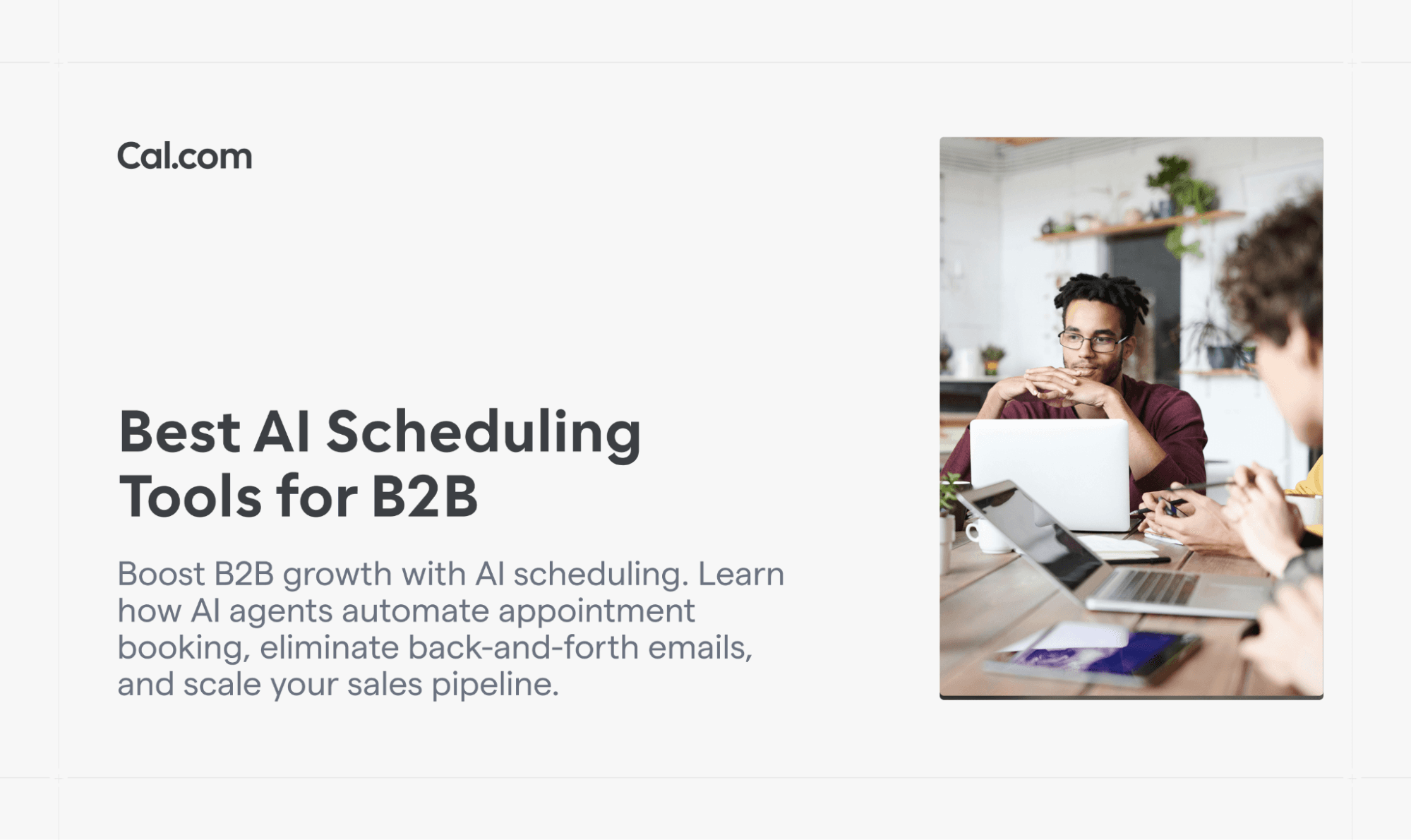

9 meilleurs outils de planification IA pour le B2B et comment automatiser la prise de rendez-vous avec des agents IA
Remplacez les échanges d'e-mails sans fin par une IA qui réserve instantanément des réunions B2B qualifiées. Découvrez les 9 meilleurs outils de planification IA qui automatisent la qualification, les calendriers et les relances afin de réduire les cycles de vente et de faire évoluer votre pipeline 10x plus vite. Vous verrez aussi pourquoi Cal.com est le meilleur outil de planification IA pour les marques B2B.
Manual scheduling is a business bottleneck that wastes hours, slows sales cycles, and kills conversion momentum. That’s why many B2B teams are replacing email ping-pong with AI-powered scheduling that instantly books qualified meetings. No human coordination required.
AI scheduling agents handle lead qualification, availability checks, and booking end-to-end, connecting directly to your CRM and calendar stack. The result is faster response times, fewer no-shows, and more selling time for your reps.
This guide breaks down the 9 best AI scheduling tools for B2B and shows exactly how to automate appointment booking using AI agents. You’ll learn how to build workflows that turn inbound leads into confirmed meetings within minutes, not days. If your competitors still schedule manually, this is your opportunity to outpace them using automation that never sleeps.
AI Scheduling Is Replacing Manual Booking for B2B Teams
Manual scheduling kills momentum, slowing down your business’s growth.
Back-and-forth emails slow down sales cycles. Leads drop off before they ever book. Operations teams waste hours coordinating calendars across time zones.
Every delay is an opportunity for prospects to cool off or competitors to move faster.
The business cost is measurable. Research shows that the average sales team loses about 2 days a week to manual admin tasks like scheduling meetings and demos.
That’s time that could have been spent selling and generating revenue.
The good news? AI agents now handle scheduling end-to-end. Modern AI agent software can qualify leads, check availability, book meetings, and trigger follow-ups automatically without human intervention.
From inbound lead to qualification, booking, and follow-up, the entire flow runs automatically. No human touches the calendar until the meeting actually happens.
What Is AI Scheduling in B2B?
AI scheduling uses artificial intelligence, APIs, and calendar logic to automate appointment booking without human intervention. This goes far beyond sharing booking links and hoping prospects click through.
Modern AI scheduling includes:
AI receptionist flows that greet inbound leads, ask qualifying questions, and book meetings based on responses. The AI converses naturally via chat, email, or phone, extracting intent and scheduling immediately.
Automated qualification where AI agents score leads before booking. High-value prospects get priority scheduling with senior reps. Low-fit inquiries receive polite redirects to self-service resources.
Dynamic scheduling that adjusts availability based on booking patterns, rep performance, and deal velocity. The system learns which time slots convert best and surfaces those first.
Business process automation connecting scheduling to CRM updates, email sequences, SMS reminders, and analytics dashboards. When a meeting is booked, every downstream system updates automatically.
This is fundamentally different from traditional scheduling software. Most booking tools give prospects a link. AI scheduling gives them a conversation that leads to a booked meeting. The difference in conversion rates is substantial.
How AI Agents Automate Appointment Booking
AI appointment booking follows a structured workflow that eliminates manual coordination:
Step 1: Lead Enters Your System
A prospect fills out a form, starts a chat on your website, sends an email, or calls your business number. The entry point doesn't matter. The AI agent monitors all channels simultaneously.
Step 2: AI Agent Qualifies the Lead
Before offering a calendar, the AI asks qualifying questions. Company size, budget range, timeline, and specific pain points. The conversation feels natural, but collects structured data.
The AI scores each lead based on predefined criteria. A startup with 5 employees and no budget gets different treatment than an enterprise with 500 employees and urgent needs.
Step 3: AI Checks Availability via Scheduling API
The agent queries your scheduling infrastructure through an API. It sees which reps are available, accounts for time zones, respects buffer times, and identifies optimal slots based on historical conversion data.
For urgent leads, the system can trigger instant booking that immediately notifies available reps via phone or SMS.
Step 4: AI Books the Meeting Automatically
No calendar link. No manual selection. The AI proposes a time based on lead quality and availability. The prospect confirms. The meeting books instantly across all calendars.
High-priority leads get choice times. Lower-priority leads get less desirable slots. The system optimizes for deal value, not first-come, first-served.
Step 5: Automated Confirmations and Follow-Ups
Confirmation emails are sent immediately with calendar invites, video links, and preparation materials. You can also set reminders to trigger at different times before the meeting. No-show sequences launch automatically if the prospect doesn't join.
CRM records update. Deal stages advance. Analytics dashboards populate. The entire go-to-market stack stays synchronized without anyone touching a spreadsheet.
This orchestration requires an AI agent platform that can execute multi-step workflows, call external APIs, and make decisions based on business logic. The scheduling API provides the infrastructure. The AI agent provides the intelligence.
Key Features to Look for in AI Scheduling Tools
Not all scheduling software supports AI automation. When evaluating tools for AI agent integration, prioritize these capabilities:
Scheduling API access is non-negotiable. The AI agent needs programmatic access to check availability, create bookings, handle reschedules, and query calendar data. APIs should support real-time sync and webhook notifications.
Workflow automation beyond simple confirmations. Complex if-then logic, multi-step sequences, and conditional routing based on lead attributes. The system should handle sophisticated booking scenarios without custom code.
CRM integrations that bidirectionally sync data. When a meeting is booked, the CRM should update automatically. When a deal closes, the scheduling system should know which rep converted that lead.
AI assistant or agent layer built into the platform or easily connected via API. Some tools provide native AI capabilities. Others integrate with AI agent platforms through documented APIs.
Custom routing logic that directs leads to the right person based on skills, availability, performance, or custom rules. Round-robin is table stakes. Intelligent routing is a competitive advantage.
Multi-user and team scheduling with visibility across departments. Sales ops needs to see booking rates. Revenue leaders need conversion metrics. The platform should support organizational complexity.
Multi-language and multi-timezone support: A great AI scheduling tool detects time zones and browser languages, making it ideal for businesses with global operations.
9 Best AI Scheduling Tools for B2B in 2026
1. Cal.com: Best AI Scheduling Infrastructure for B2B and AI Agents
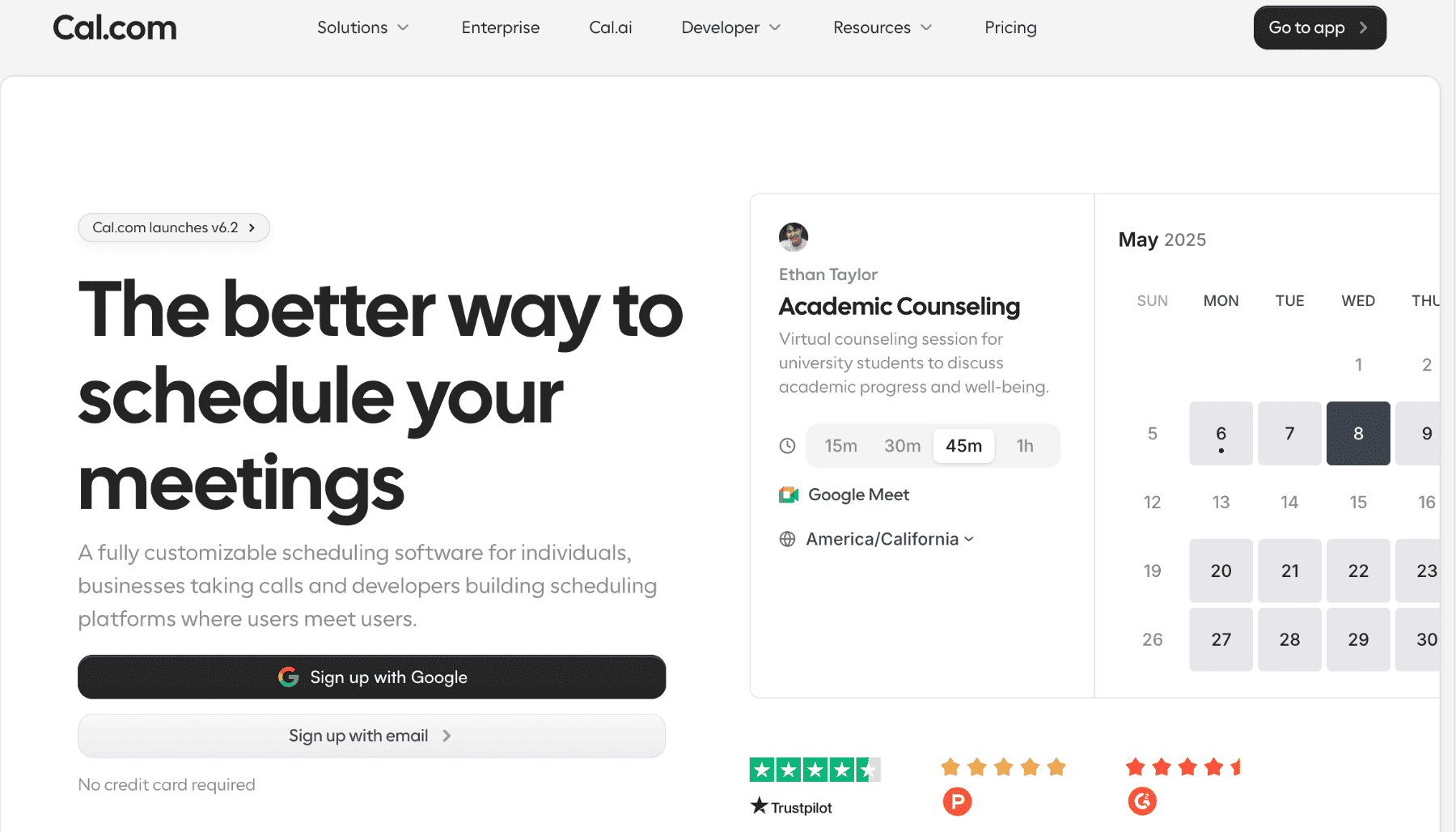
Cal.com provides the scheduling infrastructure that AI agents need to automate appointment booking. While competitors offer booking pages, Cal.com offers booking infrastructure that developers and AI systems can build on.
The platform's API-first architecture makes it the natural choice for teams building automated booking workflows. Every scheduling function is accessible programmatically. AI agents can check availability, create bookings, modify appointments, and query scheduling data without human intervention.
What It Does
Open scheduling infrastructure: Cal.com treats scheduling as infrastructure, not a consumer product. The platform gives you building blocks to create custom booking experiences.
Powerful scheduling API: Comprehensive REST API with endpoints for availability lookup, booking creation, event type management, and webhooks. Rate limits default to 120 requests per minute with options to scale higher for production deployments.
Fully customizable booking logic: Configure routing rules, qualification flows, team assignments, and approval workflows without hitting platform limitations.
Native calendar sync: Real-time bidirectional sync with Google Calendar, Outlook, Apple Calendar, and CalDAV servers. The system checks all calendars for conflicts and blocks time automatically.
Why Cal.com Stands Out for AI Automation
Cal.com was built for developers, not just end users clicking links. This architectural decision creates massive advantages for AI-driven booking:
Works with any AI agent platform: The API documentation provides clear integration paths for Voiceflow, ElevenLabs, custom agents, and internal AI systems. No vendor lock-in.
Enables full automation of appointment booking: AI agents can execute the entire booking workflow from qualification to confirmation without touching the Cal.com UI.
Enterprise-grade reliability: SOC 2, ISO 27001, and HIPAA compliance available on Organizations plan. The platform handles complex security requirements that enterprises demand.
Real B2B Use Cases with Cal.com
Cal.com powers real-world B2B automation beyond basic booking links. Here are proven use cases showing how teams integrate it with AI for seamless, high-impact scheduling.
AI receptionist for inbound sales leads: Use Cal AI to handle phone-based scheduling. The AI receptionist answers calls 24/7, qualifies leads through conversation, and books meetings directly into sales reps' calendars.
Automated demo booking after qualification: You can embed Cal.com's API into lead qualification chatbots for better lead management. High-scoring leads see available demo times immediately and can be routed to the right salesperson.
Customer support escalation scheduling: Support platforms automatically schedule urgent appointments when complex issues arise. The AI agent finds the next available specialist, books the call, and notifies both customer and specialist via their preferred channels.
Recruiting interview automation: Hiring platforms integrate Cal.com to coordinate multi-stage interviews. The AI schedules initial screens, panel interviews, and final rounds by checking availability across multiple interviewers and automatically selecting optimal times.
Cal.com Agents for the Organizations Plan
Cal.com offers Cal.com Agents, an AI interface for managing scheduling workflows and interactions.
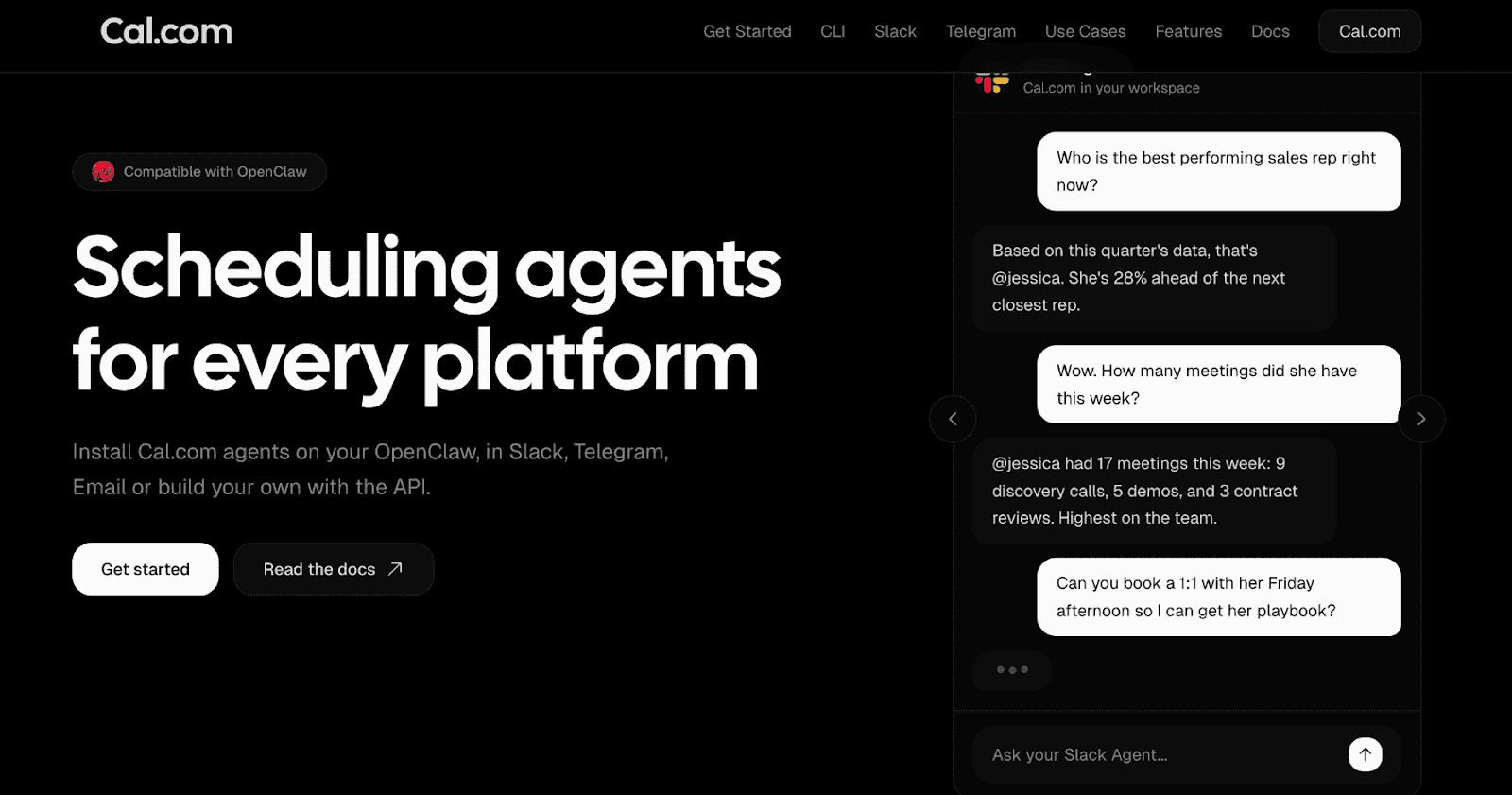
Cal.com Agents enables you to:
Handle inbound scheduling via AI conversations through Slack, Telegram, email, or custom chat interfaces
Reduce manual coordination by letting AI manage the back-and-forth of finding meeting times
Centralize booking logic across teams with consistent routing rules and availability management
Deploy scheduling agents that understand natural language and execute multi-step booking workflows
These lifelike voice agents handle reminders, confirmations, and follow-ups through natural phone and text conversations. The system reduces no-shows, boosts conversion rates, and saves time by automating scheduling.
Cal.com is not just a scheduling tool. It’s an AI-powered scheduling layer for B2B operations. Organizations get the scheduling infrastructure plus the AI intelligence to run it autonomously.
How Cal.com Works with AI Agents
Connect via the scheduling API using simple REST endpoints. Authenticate with API keys generated in Settings → Developer → API Keys. All requests include the cal-api-version header for versioning control. Here’s how that plays out:
Query availability: The API lets you check open time slots by specifying a username, event type, and date range. The system returns all available booking windows that match your criteria.
Create a booking: Send attendee details (name, email), the selected time slot, and the event type to the API. The system creates the appointment, updates all calendars, and automatically sends confirmation emails.
Routing forms to prevent lead leakage: Custom question sets that qualify leads before exposing calendar availability. This prevents lead leakage—the phenomenon where unqualified prospects book sales time, waste 30 minutes, and displace high-value opportunities
Who Should Use Cal.com
SaaS companies that build scheduling into their products need Cal.com's API infrastructure. The platform handles the complexity of calendars, time zones, and availability logic so product teams can focus on their core offering.
Sales teams that need AI-driven lead qualification and booking. The combination of routing forms, round-robin distribution, and API access enables sophisticated lead management without the complexity of enterprise software.
Operations teams that coordinate across departments, locations, and time zones. Multi-calendar support, collective scheduling, and team analytics provide visibility that spreadsheet-based coordination can't match.
AI-first startups building autonomous agents need scheduling infrastructure that they can control programmatically. Cal.com's developer-friendly approach removes scheduling as a blocking technical challenge.
Limitations
Requires setup for advanced workflows. While basic booking works immediately, complex routing logic, custom integrations, and AI agent connections require technical configuration. This isn't a limitation for developers, but it may slow adoption for non-technical teams.
More technical than plug-and-play tools. Calendly optimizes for simplicity. Cal.com optimizes for power. Teams wanting maximum automation accept the learning curve. Teams wanting immediate simplicity may prefer simpler alternatives initially.
Pricing: Free plan with unlimited features. Teams plan at $12/user/month. Organizations plan at $28/user/month (includes Cal.com Agents and enterprise features).
2. Calendly

Calendly is one of the oldest scheduling brands in B2B. It was designed to help teams book meetings quickly with minimal configuration. Onboarding is simple. Share a link. People book. Confirmations are sent automatically. The interface is intuitive enough that training sessions aren't necessary.
Integration quality
Strong native connections to Salesforce, HubSpot, Zoom, and Google Meet. Zapier integration enables workflows with 5,000+ apps.
AI limitations
Calendly's AI capabilities remain basic compared to dedicated AI scheduling platforms. The tool suggests meeting times but doesn't qualify leads, handle conversational booking, or orchestrate complex workflows.
Best for
Small teams wanting fast deployment with broad adoption. Sales reps who need simple link-sharing without technical setup.
Limitations: The free plan is restricted to one event type. Advanced features require expensive per-user tiers. Limited API flexibility for custom AI agent integration.
Pricing: Free plan (limited). Standard at $12/user/month. Teams at $16/user/month. Enterprise custom pricing.
For similar tools, check out our list of the best Calendly alternatives.
3. Reclaim.ai
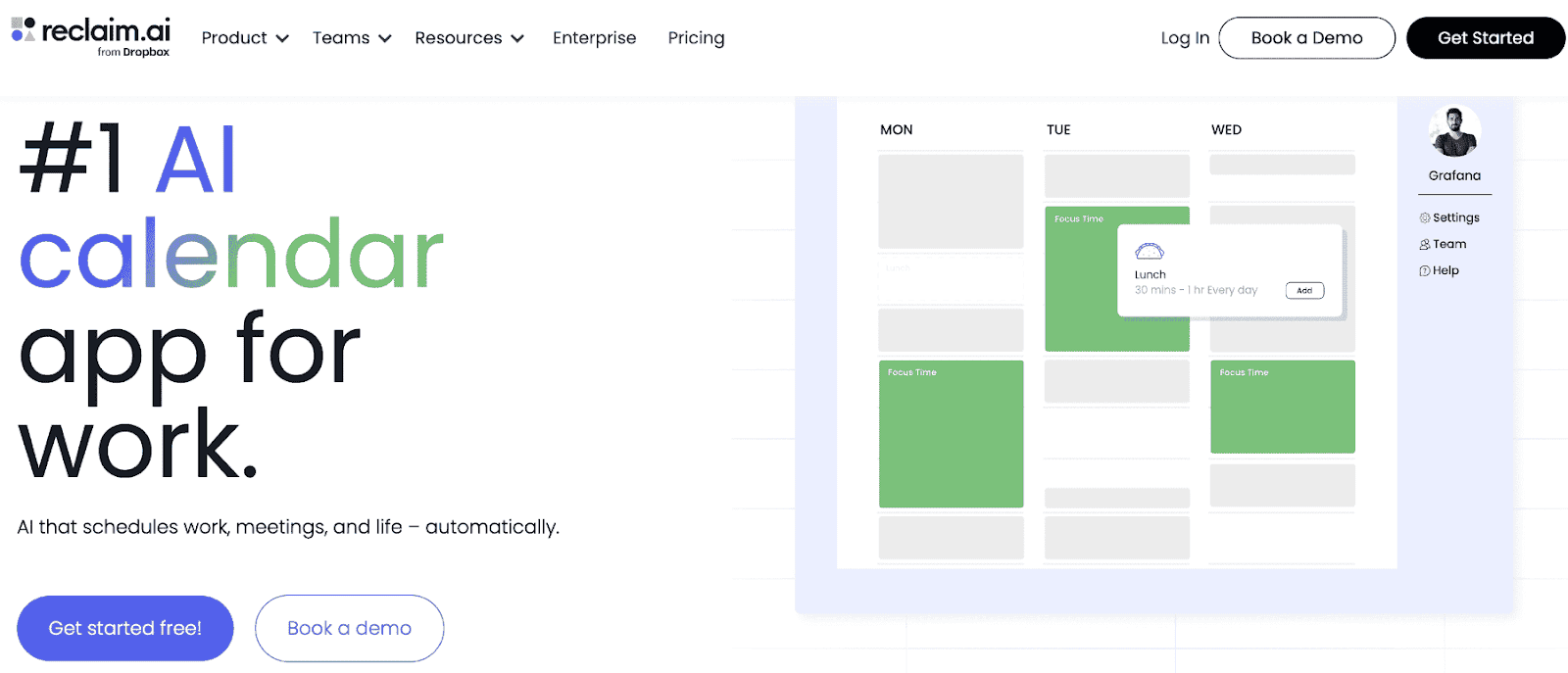
Reclaim.ai uses AI to optimize personal calendars and team workloads. The platform automatically schedules tasks, protects focus time, and finds meeting slots without manual calendar management. One of its standout features is smart time blocking that adapts as priorities change. AI analyzes work patterns and automatically defends focus time. Team analytics show where time goes across the organization.
AI capabilities
Strong AI for internal productivity. The system learns individual work rhythms and automatically optimizes personal schedules.
Limitations for B2B
Not built for external booking flows. Clients can't book appointments through Reclaim. The tool optimizes internal time management but doesn't handle client-facing scheduling.
Best for
Knowledge workers managing personal productivity. Teams looking to reduce meeting overload and protect deep work time.
Pricing: Free for individuals. Paid plans from $10/user/month.
4. Motion
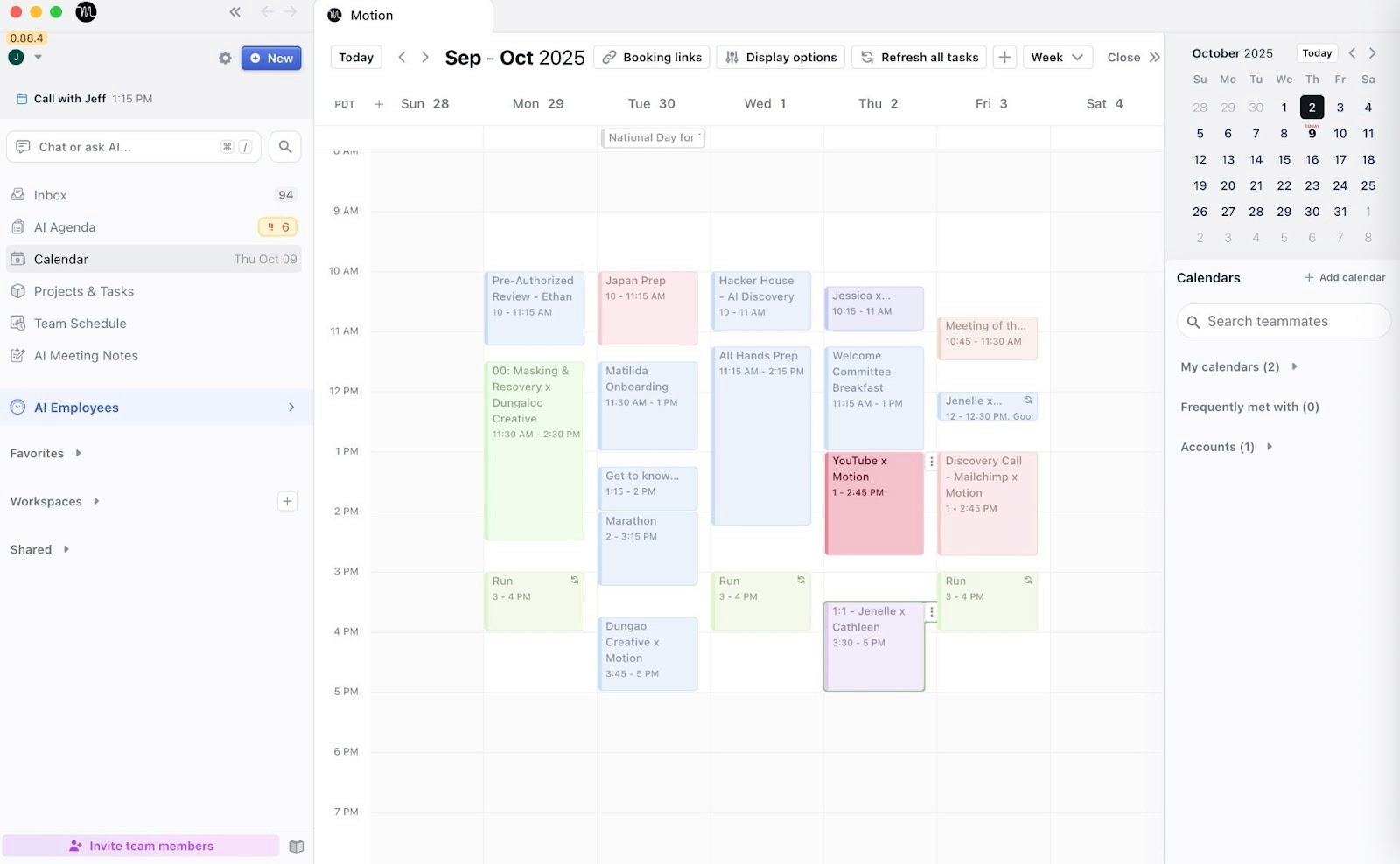
Motion combines tasks, projects, and calendar into one AI-managed system. The platform automatically schedules work based on deadlines, priorities, and available time. With Motion, AI automatically plans your day. It adds tasks with deadlines and schedules them on your calendar. The system reschedules automatically when meetings appear.
AI capabilities
Strong at personal productivity optimization. Weak at team coordination and client booking.
Limitations
Focuses on individual users rather than team scheduling. No client-facing booking pages. Not designed for B2B appointment booking workflows.
Best for
Individuals who want AI to manage their entire workday. Solo consultants who need personal productivity more than team coordination.
Pricing: $34/user/month.
5. Clara
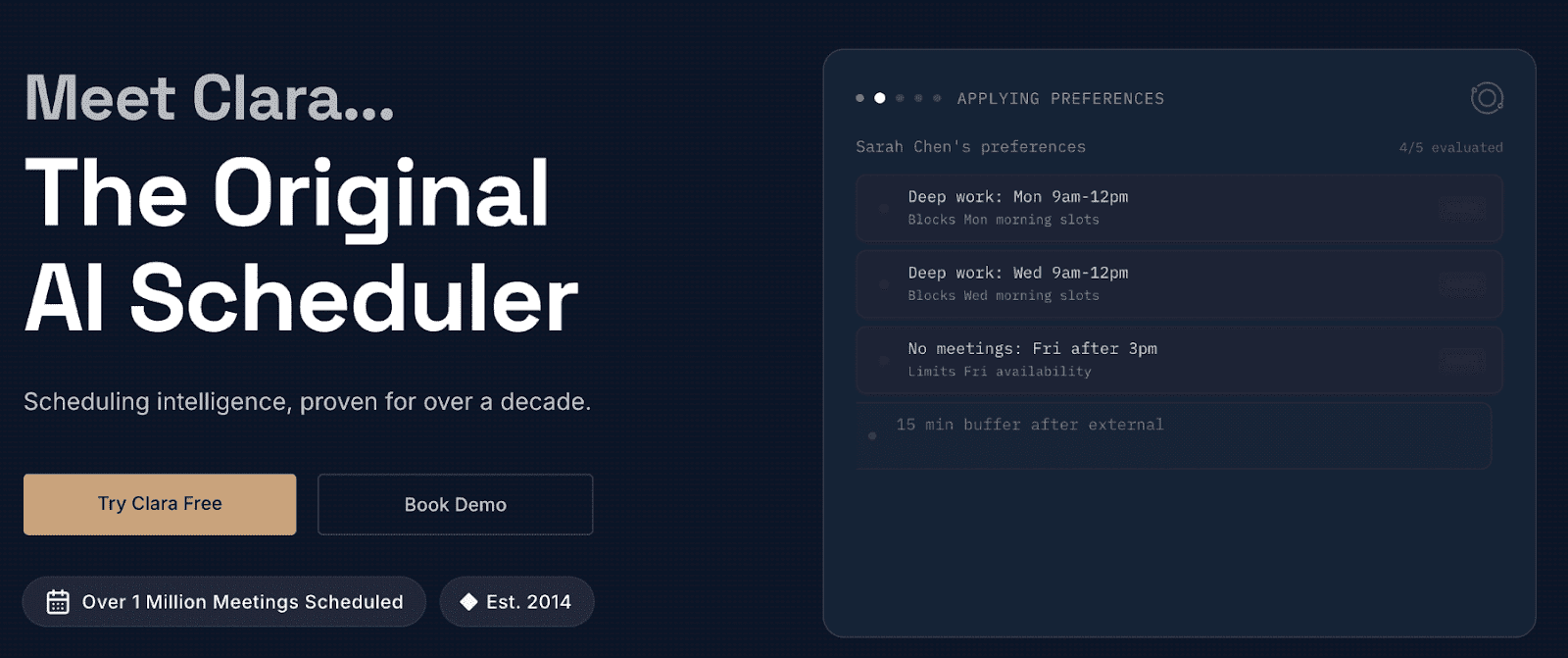
Clara provides an AI assistant that handles email coordination for meeting scheduling. CC Clara on an email thread, and it automatically negotiates times with other parties. The AI handles scheduling conversations via email with remarkable human-like quality. Clara coordinates with multiple parties, handles rescheduling, manages time zones, and sends confirmations.
AI capabilities
Strong at email-based scheduling coordination. The conversational AI feels authentic and manages complex back-and-forth naturally.
Best for
Executives and sales teams that schedule meetings primarily through email. Teams that need an AI receptionist for small business needs, where email is the primary channel.
Limitations
Email-only. No phone or chat booking. Not designed for high-volume client appointment booking. Better for meeting coordination than service appointments.
Pricing: Custom pricing based on volume.
6. Lindy.ai
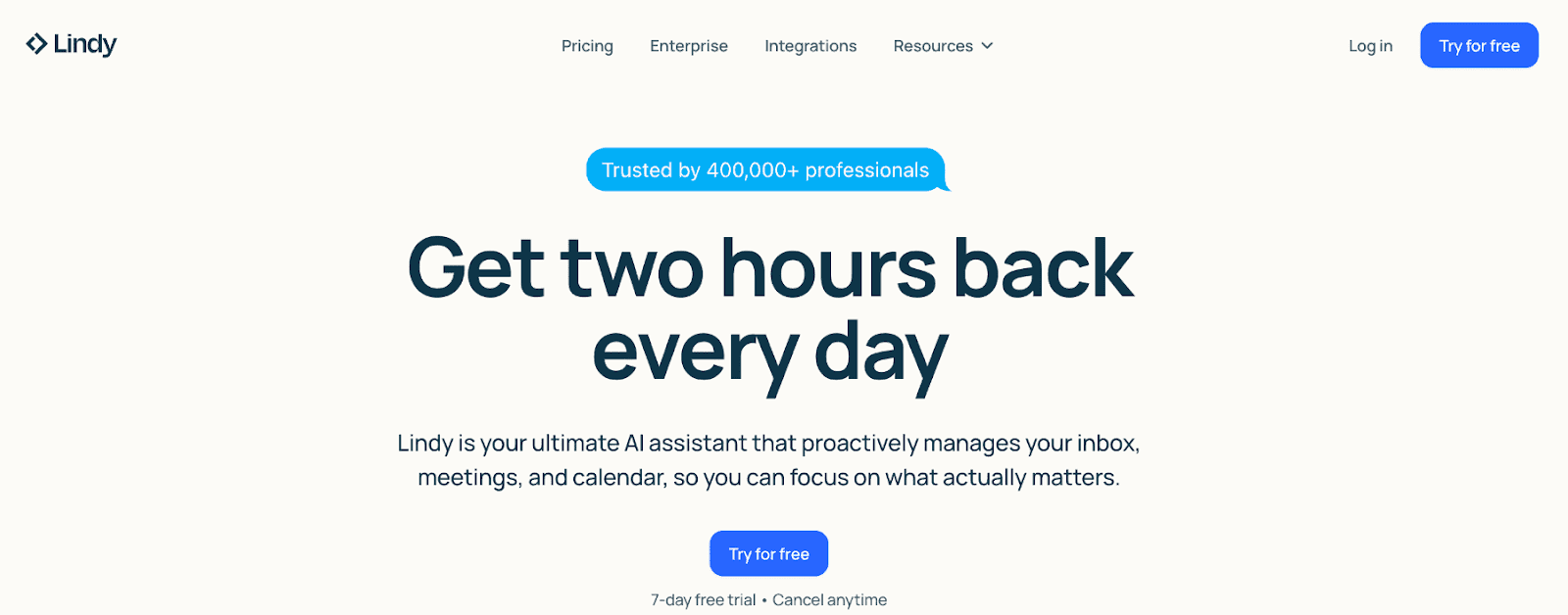
Lindy.ai is an AI agent platform that automates workflows across multiple tools. Scheduling is one of many capabilities in a broader automation framework. The tool builds custom AI agents that handle multi-step workflows. It also enables you to integrate scheduling into agent pipelines alongside other business processes.
AI agent platform capabilities
Strong workflow orchestration. The platform connects multiple tools and executes complex sequences based on triggers and conditions.
Integration with scheduling
Lindy agents can trigger Cal.com or other scheduling APIs as part of broader workflows. For example: qualify lead → score in CRM → book meeting if score > threshold → send prep materials.
Best for
Companies that are building custom AI agent workflows where scheduling is one component of a larger automation strategy.
Pricing: Starts at $30/month for basic agents. Enterprise custom pricing.
7. Chili Piper
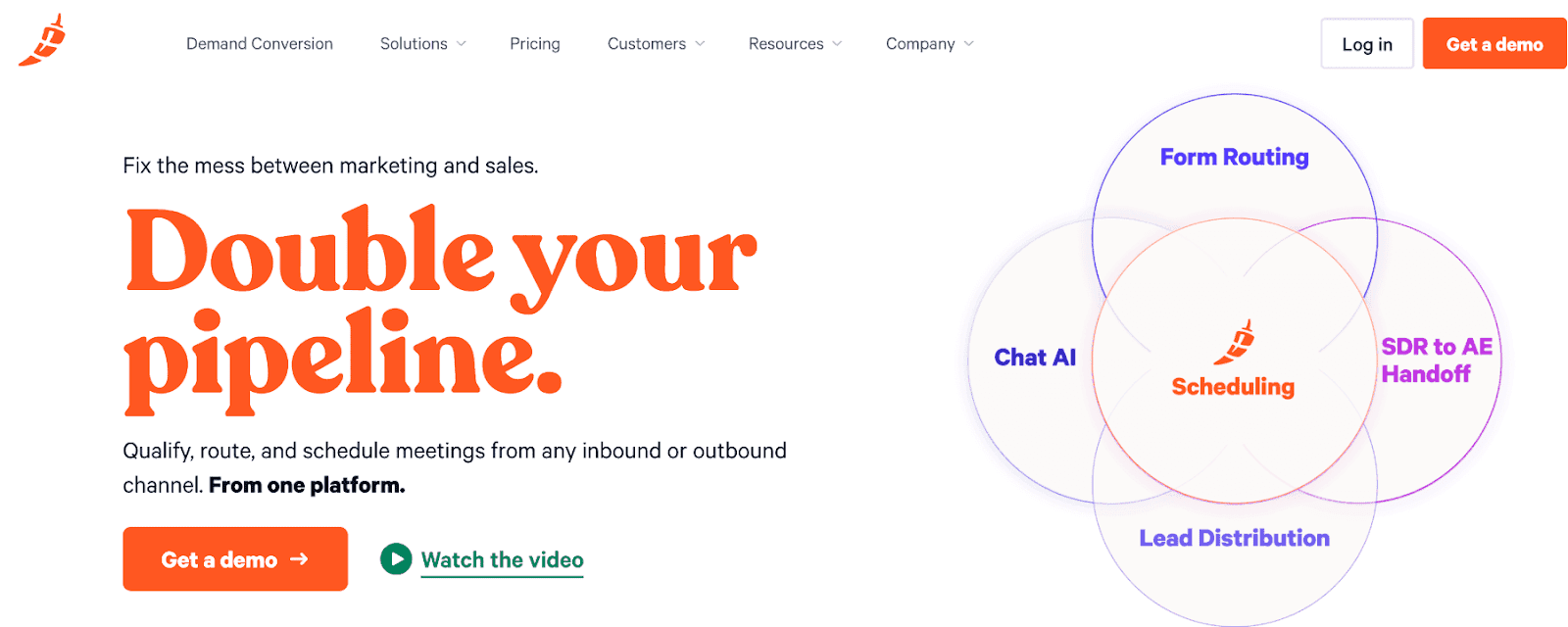
Chili Piper specializes in inbound lead conversion for B2B sales teams. The platform routes and books leads instantly when they submit forms on your website. Form submission triggers immediate routing to available sales reps. Leads book meetings while they're hot. Real-time handoff prevents leads from cooling off during scheduling delays.
Lead routing intelligence
Sophisticated routing rules based on territory, company size, industry, and rep availability. Round-robin, prioritization, and skill-based assignment are all supported.
AI capabilities
Basic AI for routing optimization. Less sophisticated than dedicated AI agent platforms, but highly effective for sales velocity.
Best for
B2B SaaS companies with inbound lead flow. Sales teams prioritizing speed-to-lead over complex qualification.
Limitations
Expensive compared to general scheduling tools. Primarily focused on sales use cases rather than general appointment booking.
Pricing: Starts at $15/user/month. Advanced plans are significantly more expensive.
Check out our list of the best Chili Piper alternatives for similar tools.
8. HubSpot Meeting Scheduler
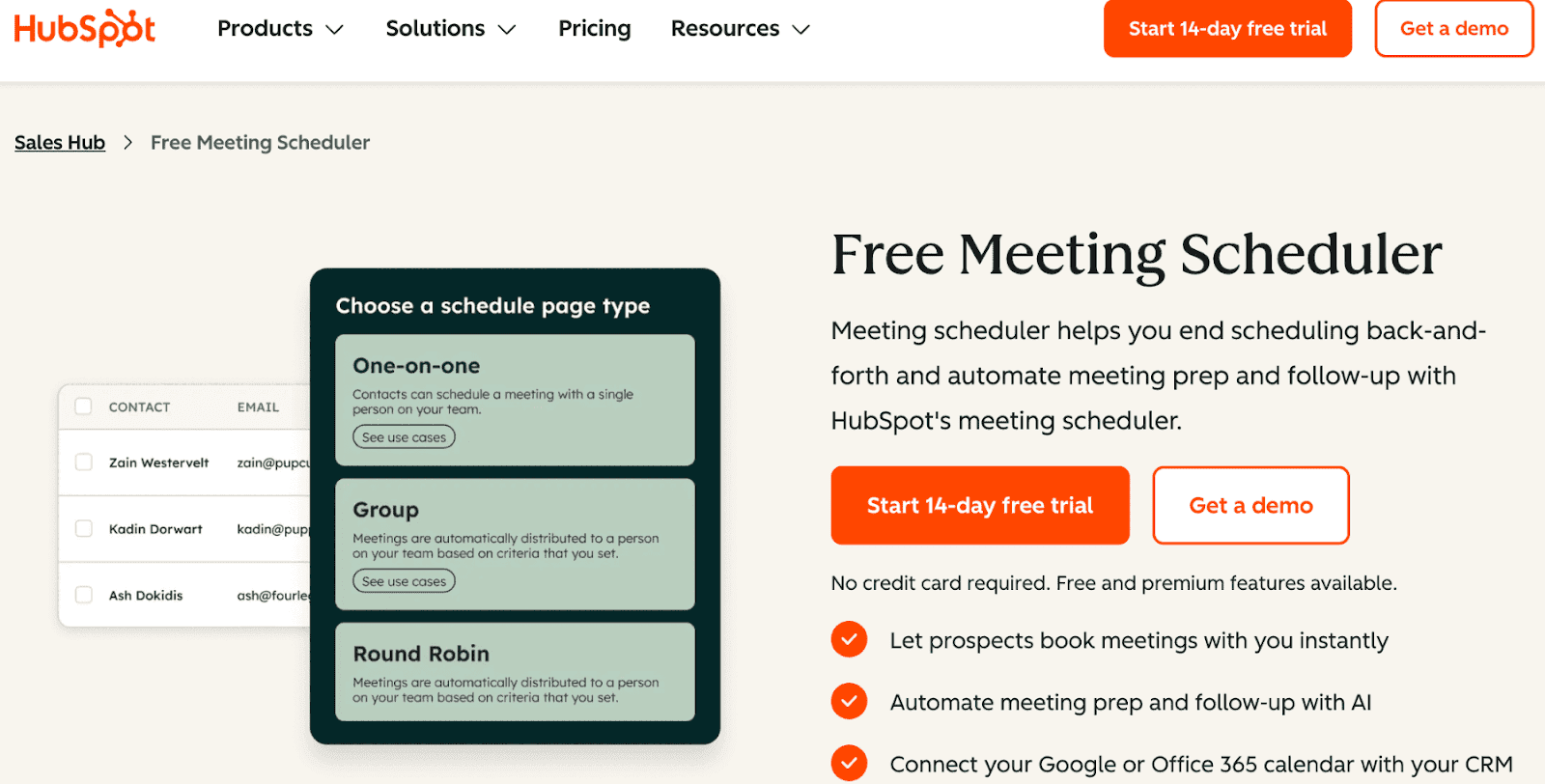
HubSpot Meeting Scheduler integrates natively with the HubSpot CRM. If your entire go-to-market stack runs on HubSpot, the meeting scheduler provides seamless data flow. The native CRM integration means every booking updates contact records, deal stages, and pipeline reports automatically. No third-party sync required.
AI capabilities
Basic AI features are inherited from HubSpot's broader AI platform. Primarily focused on CRM enrichment rather than scheduling intelligence.
Best for
Companies are fully committed to the HubSpot ecosystem. Sales and marketing teams that need unified reporting across all customer touchpoints.
Limitations
Limited functionality outside HubSpot. Third-party integrations are weaker than those of standalone scheduling platforms. API access is more limited than that of dedicated scheduling tools.
Pricing: Included with HubSpot Sales Hub subscriptions.
For advanced scheduling, check out our HubSpot scheduling guide.
9. Cronofy
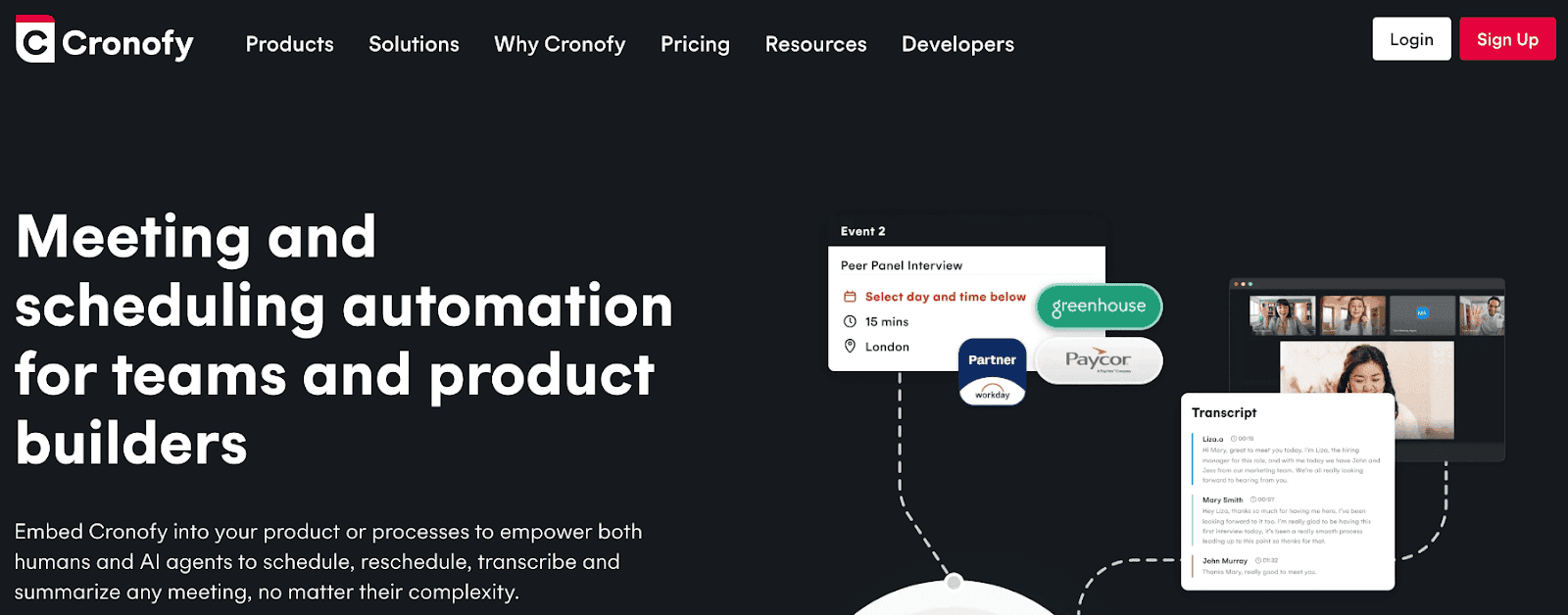
Cronofy provides a scheduling API designed for developers building booking functionality into applications. It features calendar sync across Google, Outlook, Apple Calendar, and Exchange. You also get real-time availability checking and embeddable booking UI components. Everything is designed for programmatic access. No standalone booking pages. The product is infrastructure for developers, not end users.
AI integration
Strong foundation for AI agent integration. The API provides all necessary endpoints for agents to manage scheduling autonomously.
Best for
SaaS companies embedding scheduling into their product. Development teams building custom booking experiences.
Limitations
Requires engineering resources to implement. Not a turnkey solution for teams wanting immediate booking pages.
Pricing: Paid plans start at $15/seat/month.
How to Automate Appointment Booking with AI Agents
Automating appointment booking requires connecting three components: an AI agent platform, a scheduling API, and your business systems. Here's the step-by-step implementation guide.
Step 1: Choose Your AI Agent Platform
Select the platform that will host your AI agent's logic and conversational capabilities. Options include:
Lindy.ai for no-code agent building with pre-built templates and workflow automation across multiple tools.
Voiceflow for conversational AI agents that work across chat, voice, and phone interfaces.
Custom agents built with function calling for complete control over agent behavior.
Internal tools or custom applications, where you embed agent logic directly into existing workflows.
The platform handles conversational understanding, decision-making, and orchestration. It doesn't handle calendar logic. That’s provided by the scheduling API provides.
Step 2: Connect a Scheduling API
Use Cal.com's API or another scheduling platform to enable programmatic calendar management. Your AI agent needs these capabilities:
Availability lookup: Query open time slots for specific users, teams, or event types. Factor in time zones, buffer times, and custom availability rules.
Booking creation: Create appointments programmatically with attendee information, custom field responses, and automatic confirmation emails.
Rescheduling and cancellation: Modify existing bookings without manual intervention when plans change.
Webhook subscriptions: Receive real-time notifications when bookings are created, modified, or cancelled so your AI can trigger downstream actions.
Cal.com's API documentation provides clear integration paths.
Step 3: Build Your AI Receptionist Flow
Design the conversational flow that your AI receptionist will follow. This is where AI receptionist software for small businesses becomes powerful.
Greet the lead: Professional introduction that establishes context. "Hi! I'm here to help you schedule a conversation with our team. First, tell me a bit about what you're looking for."
Qualify with questions: Ask qualifying questions conversationally. Company size, budget, timeline, and specific pain points. The AI extracts structured data from unstructured conversations.
Route to the appropriate resource: Based on the responses, decide whether the lead should book with sales, access self-service content, or speak with support.
Present available times: Query the scheduling API for availability. Present options conversationally: "Great! Sarah has availability on Tuesday at 2pm or Wednesday at 10am. Which works better?"
Confirm booking: Create the appointment and send confirmations. "Perfect! I've scheduled you for Tuesday, January 15th at 2pm Eastern. You'll receive a calendar invite shortly with a Zoom link."
The entire flow runs without human intervention. The AI handles objections, answers common questions, and gracefully escalates to humans when necessary.
Step 4: Add Automation and Follow-Ups
Connect the booking event to downstream systems for complete automation:
Confirmations: Immediate email with calendar invite, video link, and preparation materials. Personalize based on the questions they answered during qualification.
Reminders: 24-hour and 1-hour reminders via email and SMS. Reduces no-shows from the typical 20-30% to under 10%.
CRM updates: Update contact records with meeting scheduled date, assigned rep, and qualification data. Advance deal stages automatically.
Email sequences: Trigger pre-meeting nurture sequences that share case studies, product information, or social proof relevant to their industry.
No-show workflows: If the prospect doesn't join, trigger automatic rescheduling offers or alternative next steps.
This orchestration requires integration between your AI agent platform, scheduling API, CRM, and marketing automation. Tools like Zapier or Make simplify connections. API-based approaches provide more control.
Step 5: Optimize with Data
Track key metrics to continuously improve your AI scheduling system:
Booking rate: Percentage of qualified leads that complete a booking.
No-show rate: Percentage of booked meetings where prospects don't attend.
Conversion rate: Percentage of booked meetings that convert to opportunities or customers. This validates that the qualification is working.
Time to book: Median time from initial inquiry to scheduled meeting. AI systems should book in under 5 minutes, compared to 2-3 days for manual scheduling.
Lead scoring accuracy: Track whether high-scored leads actually convert better than low-scored leads. Refine qualification logic based on results.
Use this data to adjust AI prompts, qualification thresholds, routing rules, and availability presentation. The system improves over time as it learns which patterns lead to closed deals.
Best AI Scheduling Use Cases for B2B Teams
AI Receptionist for Inbound Leads
Deploy an AI receptionist that handles all inbound inquiries across phone, chat, and email. The system qualifies leads automatically and books qualified prospects immediately.
Business impact: Respond to leads within seconds instead of hours. Capture leads outside business hours when human teams are unavailable. Eliminate the email back-and-forth that causes leads to drop off before booking.
Sales Pipeline Automation
Remove scheduling friction from demo booking. When leads hit qualification thresholds in your CRM, trigger automated booking offers via email or SMS with the AI handling all coordination.
Business impact: Accelerate sales cycles by eliminating multi-day scheduling delays. Reduce no-shows through automated reminders and confirmations. Free sales reps from scheduling admin so they can focus on deal advancement and customer conversations.
Customer Support Escalation
When support tickets escalate beyond self-service, automatically schedule calls with specialists. The AI finds available experts, considers ticket priority, and books appropriately.
Business impact: Reduce escalation response time from days to hours. Improve customer satisfaction scores. Optimize expert utilization.
Recruiting and Interview Scheduling
Coordinate multi-stage interviews across multiple interviewers automatically. The AI finds times when all required participants are available and handles candidate communication.
Business impact: Reduce time-to-hire by eliminating scheduling delays. Improve candidate experience with instant scheduling. Scale interview throughput without adding recruiting coordinators.
SaaS Product Scheduling Integration
Embed scheduling into your product so users can book support calls, training sessions, or consultations directly from your application. Use Cal.com's API to power the scheduling layer.
Business impact: Increase product stickiness by making help immediately accessible. Convert free users to paid through seamless consultation booking. Reduce support ticket volume.
How to Choose the Best AI Scheduling Tool for Your Business
With so many options on the market, how do you pick the right AI scheduling tool for your business?
Here are a few pointers
If you need flexibility and developer control: Choose Cal.com. The API-first architecture, generous free plan, and AI agent capabilities make it ideal for teams building custom automation.
If you need immediate simplicity: Choose Calendly. The fastest path to booking links with zero technical setup. Limited AI capabilities but maximum adoption speed.
If you need sophisticated AI workflows: Combine Lindy.ai with Cal.com. Build custom AI agents that handle qualification, routing, and booking as part of broader automation.
If you live in your CRM: Choose HubSpot Meeting Scheduler or Chili Piper, depending on your CRM. Native integration eliminates sync complexity.
If you're embedding scheduling into your product: Choose Cal.com or Cronofy. Both provide robust APIs designed for developers building custom experiences.
Why AI Scheduling Is Becoming Core Infrastructure in B2B
Savvy brands are fast adopting AI scheduling into their infrastructure. Here’s why you should to:
Faster Response Time Wins Deals
B2B buyers contact multiple vendors simultaneously. The first to respond wins disproportionately. Manual scheduling introduces 2-3 day delays. AI scheduling responds in seconds.
Research shows that leads contacted within 5 minutes are 21x more likely to qualify than leads contacted after 30 minutes. AI scheduling makes a sub-5-minute response time possible at scale.
Higher Conversion Rates Through Qualification
Not all leads deserve sales time. AI scheduling qualifies before booking, routing high-value prospects to senior reps and low-value prospects to self-service resources.
Teams using AI qualification report upwards of 60% increases in qualified meeting rates because unqualified prospects never reach the calendar.
Lower Operational Overhead
A 10-person sales team wastes about 50 hours weekly on scheduling. AI scheduling recaptures this time. The ROI is immediate, as every hour saved is an hour available for selling.
Better Customer Experience
Prospects prefer instant booking over email tennis. AI scheduling provides immediate confirmation, eliminates time zone confusion, sends automatic reminders, and handles rescheduling gracefully.
Customer satisfaction scores improve by 25-40% when organizations implement AI scheduling rather than manual coordination.
The Future of Scheduling Is Agent-Driven
Scheduling is no longer a standalone tool. It's part of a larger AI workflow that spans lead capture, qualification, booking, preparation, meeting execution, and follow-up.
Tools like Cal.com sit at the center as infrastructure that AI agents orchestrate. The booking page is just one interface. API-driven scheduling enables dozens of interfaces, including chat, email, phone, SMS, and internal tools. All powered by the same scheduling logic.
Businesses that automate booking win on speed and conversion. While competitors trade emails for three days, automated systems book meetings in three minutes. That velocity compounds into market share.
The tools exist today. The APIs are documented. The AI agents are reliable. The only question is whether your organization will implement before your competitors do.
Frequently Asked Questions
What is AI scheduling?
AI scheduling uses AI to automate meeting scheduling, availability management, and calendar coordination. The system handles qualification, booking, confirmations, and follow-ups without human intervention.
What is an AI receptionist?
An AI receptionist is an AI system that interacts with leads or customers via voice, chat, or email to qualify them and automatically schedule appointments. It operates 24/7 across all communication channels.
What is the best AI scheduling tool for B2B?
Cal.com is one of the best options for B2B because it provides a flexible scheduling API, supports integration with AI agent platforms, and offers enterprise-grade features like routing forms and team scheduling on a generous free plan.
How do AI agents book appointments automatically?
AI agents connect to scheduling APIs to check availability, then create bookings based on predefined workflows and qualification logic. The agent handles the entire process from initial contact through confirmation.
What is a scheduling API?
A scheduling API allows developers to integrate booking functionality into applications or AI systems. It provides programmatic access to calendar data, availability checking, and appointment creation.
Can small businesses use AI receptionist tools?
Yes, many tools offer AI receptionist features tailored for small businesses to automate lead handling and booking.
What is the difference between Calendly and AI scheduling tools?
Calendly provides booking links, while AI scheduling tools include automation, qualification, and agent-driven workflows.
Does Cal.com support AI agents?
Yes. Cal.com can be integrated with AI agents via its API, and features like Agent Chat extend its capabilities for automated scheduling workflows, especially for Organization Plan users.

Commencez avec Cal.com gratuitement dès aujourd'hui !
Découvrez une planification et une productivité sans faille sans frais cachés. Inscrivez-vous en quelques secondes et commencez à simplifier votre planification dès aujourd'hui, sans carte de crédit requise !