" height="18.016311920580208px" id="GKXyVanMq" stroke-dasharray="0" stroke-linecap="butt" stroke-linejoin="miter" stroke-miterlimit="10" stroke-width="0.5" stroke="rgb(0, 0, 0)" transform="translate(3 3)" width="18px"/></svg>)
"/><stop offset="1" stop-color="rgb(227, 224, 244)"/></linearGradient><linearGradient id="CBS1bzkxF-2031533640-linear-gradient" x1="0.49751243781094523" x2="0.5024875621890548" y1="0" y2="1"><stop offset="0" stop-color="rgb(255, 255, 255)"/><stop offset="1" stop-color="rgb(227, 224, 244)"/></linearGradient><linearGradient id="Jd7AK81w9-2031533640-linear-gradient" x1="0.49751243781094523" x2="0.5024875621890548" y1="0" y2="1"><stop offset="0" stop-color="rgb(255, 255, 255)"/><stop offset="1" stop-color="rgb(227, 224, 244)"/></linearGradient></defs><g d="M 0 16 L 0 0 L 16 0 L 16 16 Z M 9.167 5.167 C 9.167 4.891 8.943 4.667 8.667 4.667 C 8.391 4.667 8.167 4.891 8.167 5.167 C 8.167 6.784 7.809 7.834 7.155 8.488 C 6.501 9.143 5.451 9.5 3.833 9.5 C 3.557 9.5 3.333 9.724 3.333 10 C 3.333 10.276 3.557 10.5 3.833 10.5 C 5.451 10.5 6.501 10.857 7.155 11.512 C 7.809 12.166 8.167 13.216 8.167 14.833 C 8.167 15.109 8.391 15.333 8.667 15.333 C 8.943 15.333 9.167 15.109 9.167 14.833 C 9.167 13.216 9.524 12.166 10.178 11.512 C 10.832 10.857 11.883 10.5 13.5 10.5 C 13.776 10.5 14 10.276 14 10 C 14 9.724 13.776 9.5 13.5 9.5 C 11.883 9.5 10.832 9.143 10.178 8.488 C 9.524 7.834 9.167 6.784 9.167 5.167 Z M 4 3.667 C 4 3.483 3.851 3.333 3.667 3.333 C 3.483 3.333 3.333 3.483 3.333 3.667 C 3.333 4.32 3.189 4.715 2.952 4.952 C 2.715 5.189 2.32 5.333 1.667 5.333 C 1.483 5.333 1.333 5.483 1.333 5.667 C 1.333 5.851 1.483 6 1.667 6 C 2.32 6 2.715 6.145 2.952 6.382 C 3.189 6.618 3.333 7.013 3.333 7.667 C 3.333 7.851 3.483 8 3.667 8 C 3.851 8 4 7.851 4 7.667 C 4 7.013 4.145 6.618 4.382 6.382 C 4.618 6.145 5.013 6 5.667 6 C 5.851 6 6 5.851 6 5.667 C 6 5.483 5.851 5.333 5.667 5.333 C 5.013 5.333 4.618 5.189 4.382 4.952 C 4.145 4.715 4 4.32 4 3.667 Z M 7.333 1 C 7.333 0.816 7.184 0.667 7 0.667 C 6.816 0.667 6.667 0.816 6.667 1 C 6.667 1.422 6.573 1.65 6.445 1.778 C 6.317 1.906 6.089 2 5.667 2 C 5.483 2 5.333 2.149 5.333 2.333 C 5.333 2.517 5.483 2.667 5.667 2.667 C 6.089 2.667 6.317 2.761 6.445 2.889 C 6.573 3.016 6.667 3.244 6.667 3.667 C 6.667 3.851 6.816 4 7 4 C 7.184 4 7.333 3.851 7.333 3.667 C 7.333 3.244 7.427 3.016 7.555 2.889 C 7.683 2.761 7.911 2.667 8.333 2.667 C 8.517 2.667 8.667 2.517 8.667 2.333 C 8.667 2.149 8.517 2 8.333 2 C 7.911 2 7.683 1.906 7.555 1.778 C 7.427 1.65 7.333 1.422 7.333 1 Z" fill="transparent" height="16px" id="aoZYv33vR" width="16px"><path d="M 0 16 L 0 0 L 16 0 L 16 16 Z" fill="transparent" height="16px" id="Z2uGmhW9f" width="16px"/><g d="M 7.833 4.5 C 7.833 4.224 7.609 4 7.333 4 C 7.057 4 6.833 4.224 6.833 4.5 C 6.833 6.117 6.476 7.168 5.822 7.822 C 5.168 8.476 4.117 8.833 2.5 8.833 C 2.224 8.833 2 9.057 2 9.333 C 2 9.61 2.224 9.833 2.5 9.833 C 4.117 9.833 5.168 10.191 5.822 10.845 C 6.476 11.499 6.833 12.549 6.833 14.167 C 6.833 14.443 7.057 14.667 7.333 14.667 C 7.609 14.667 7.833 14.443 7.833 14.167 C 7.833 12.549 8.191 11.499 8.845 10.845 C 9.499 10.191 10.549 9.833 12.167 9.833 C 12.443 9.833 12.667 9.61 12.667 9.333 C 12.667 9.057 12.443 8.833 12.167 8.833 C 10.549 8.833 9.499 8.476 8.845 7.822 C 8.191 7.168 7.833 6.117 7.833 4.5 Z M 2.667 3 C 2.667 2.816 2.517 2.667 2.333 2.667 C 2.149 2.667 2 2.816 2 3 C 2 3.654 1.855 4.048 1.618 4.285 C 1.382 4.522 0.987 4.667 0.333 4.667 C 0.149 4.667 0 4.816 0 5 C 0 5.184 0.149 5.333 0.333 5.333 C 0.987 5.333 1.382 5.478 1.618 5.715 C 1.855 5.952 2 6.346 2 7 C 2 7.184 2.149 7.333 2.333 7.333 C 2.517 7.333 2.667 7.184 2.667 7 C 2.667 6.346 2.811 5.952 3.048 5.715 C 3.285 5.478 3.68 5.333 4.333 5.333 C 4.517 5.333 4.667 5.184 4.667 5 C 4.667 4.816 4.517 4.667 4.333 4.667 C 3.68 4.667 3.285 4.522 3.048 4.285 C 2.811 4.048 2.667 3.654 2.667 3 Z M 6 0.333 C 6 0.149 5.851 0 5.667 0 C 5.483 0 5.333 0.149 5.333 0.333 C 5.333 0.756 5.239 0.984 5.112 1.112 C 4.984 1.239 4.756 1.333 4.333 1.333 C 4.149 1.333 4 1.483 4 1.667 C 4 1.851 4.149 2 4.333 2 C 4.756 2 4.984 2.094 5.112 2.222 C 5.239 2.35 5.333 2.578 5.333 3 C 5.333 3.184 5.483 3.333 5.667 3.333 C 5.851 3.333 6 3.184 6 3 C 6 2.578 6.094 2.35 6.222 2.222 C 6.35 2.094 6.578 2 7 2 C 7.184 2 7.333 1.851 7.333 1.667 C 7.333 1.483 7.184 1.333 7 1.333 C 6.578 1.333 6.35 1.239 6.222 1.112 C 6.094 0.984 6 0.756 6 0.333 Z" fill="transparent" height="14.66671286102295px" id="ae6ccdFme" transform="translate(1.333 0.667)" width="12.66663px"><path d="M 5.833 0.5 C 5.833 0.224 5.609 0 5.333 0 C 5.057 0 4.833 0.224 4.833 0.5 C 4.833 2.117 4.476 3.168 3.822 3.822 C 3.168 4.476 2.117 4.833 0.5 4.833 C 0.224 4.833 0 5.057 0 5.333 C 0 5.61 0.224 5.833 0.5 5.833 C 2.117 5.833 3.168 6.191 3.822 6.845 C 4.476 7.499 4.833 8.549 4.833 10.167 C 4.833 10.443 5.057 10.667 5.333 10.667 C 5.609 10.667 5.833 10.443 5.833 10.167 C 5.833 8.549 6.191 7.499 6.845 6.845 C 7.499 6.191 8.549 5.833 10.167 5.833 C 10.443 5.833 10.667 5.61 10.667 5.333 C 10.667 5.057 10.443 4.833 10.167 4.833 C 8.549 4.833 7.499 4.476 6.845 3.822 C 6.191 3.168 5.833 2.117 5.833 0.5 Z" fill="url(%23t2lXByE48-2031533640-linear-gradient)" height="10.66671px" id="t2lXByE48" transform="translate(2 4)" width="10.66663px"/><path d="M 2.667 0.333 C 2.667 0.149 2.517 0 2.333 0 C 2.149 0 2 0.149 2 0.333 C 2 0.987 1.855 1.382 1.618 1.618 C 1.382 1.855 0.987 2 0.333 2 C 0.149 2 0 2.149 0 2.333 C 0 2.517 0.149 2.667 0.333 2.667 C 0.987 2.667 1.382 2.811 1.618 3.048 C 1.855 3.285 2 3.68 2 4.333 C 2 4.517 2.149 4.667 2.333 4.667 C 2.517 4.667 2.667 4.517 2.667 4.333 C 2.667 3.68 2.811 3.285 3.048 3.048 C 3.285 2.811 3.68 2.667 4.333 2.667 C 4.517 2.667 4.667 2.517 4.667 2.333 C 4.667 2.149 4.517 2 4.333 2 C 3.68 2 3.285 1.855 3.048 1.618 C 2.811 1.382 2.667 0.987 2.667 0.333 Z" fill="url(%23CBS1bzkxF-2031533640-linear-gradient)" height="4.66667px" id="CBS1bzkxF" transform="translate(0 2.667)" width="4.66667px"/><path d="M 2 0.333 C 2 0.149 1.851 0 1.667 0 C 1.483 0 1.333 0.149 1.333 0.333 C 1.333 0.756 1.239 0.984 1.112 1.112 C 0.984 1.239 0.756 1.333 0.333 1.333 C 0.149 1.333 0 1.483 0 1.667 C 0 1.851 0.149 2 0.333 2 C 0.756 2 0.984 2.094 1.112 2.222 C 1.239 2.35 1.333 2.578 1.333 3 C 1.333 3.184 1.483 3.333 1.667 3.333 C 1.851 3.333 2 3.184 2 3 C 2 2.578 2.094 2.35 2.222 2.222 C 2.35 2.094 2.578 2 3 2 C 3.184 2 3.333 1.851 3.333 1.667 C 3.333 1.483 3.184 1.333 3 1.333 C 2.578 1.333 2.35 1.239 2.222 1.112 C 2.094 0.984 2 0.756 2 0.333 Z" fill="url(%23Jd7AK81w9-2031533640-linear-gradient)" height="3.333333px" id="Jd7AK81w9" transform="translate(4 0)" width="3.3333399999999997px"/></g></g></svg>)
" height="24px" id="WCm44spAV" width="24px"/><path d="M 3.892 7.742 C 1.674 7.742 0 6.014 0 3.882 C 0 1.738 1.589 0 3.892 0 C 5.107 0 5.951 0.374 6.623 1.173 L 5.566 2.09 C 5.118 1.621 4.564 1.386 3.892 1.386 C 2.452 1.386 1.547 2.517 1.547 3.882 C 1.547 5.246 2.452 6.356 3.924 6.356 C 4.649 6.356 5.193 6.111 5.63 5.63 L 6.718 6.558 C 6.153 7.24 5.193 7.742 3.892 7.742 Z" fill="rgb(255, 255, 255)" height="7.741500000000002px" id="XEPpGD7l5" transform="translate(4 8.25)" width="6.717999999999989px"/><path d="M 2.74 7.922 C 1.215 7.922 0 6.632 0 5.032 C 0 3.433 1.215 2.122 2.74 2.122 C 3.7 2.122 4.201 2.516 4.5 3.113 L 4.5 2.239 L 5.928 2.239 L 5.928 7.784 L 4.531 7.784 L 4.531 6.877 C 4.233 7.507 3.731 7.922 2.74 7.922 Z M 1.439 5.023 C 1.439 5.865 2.057 6.622 2.975 6.622 C 3.924 6.622 4.531 5.897 4.531 5.033 C 4.531 4.169 3.924 3.423 2.975 3.423 C 2.057 3.423 1.439 4.159 1.439 5.022 Z M 6.784 7.784 L 6.784 0 L 8.224 0 L 8.224 7.784 L 6.784 7.784 Z" fill="rgb(255, 255, 255)" height="7.9224997406005855px" id="lGDJupIUR" transform="translate(10.5 8)" width="8.223500194549558px"/></g></svg>)
" width="18px"><path d="M 2 8 C 0.895 8 0 7.105 0 6 L 0 2 C 0 0.895 0.895 0 2 0 L 6 0 C 7.105 0 8 0.895 8 2 L 8 6 C 8 7.105 7.105 8 6 8 Z" fill="transparent" height="8px" id="ZrCrI93dV" stroke-dasharray="" stroke-linecap="round" stroke-linejoin="round" stroke-width="2" stroke="rgb(0, 0, 0)" width="8px"/><path d="M 0 0 L 0 4 C 0 5.105 0.895 6 2 6 L 6 6" fill="transparent" height="6px" id="emltWYAiE" stroke-dasharray="" stroke-linecap="round" stroke-linejoin="round" stroke-width="2" stroke="rgb(0, 0, 0)" transform="translate(4 8)" width="6px"/><path d="M 2 8 C 0.895 8 0 7.105 0 6 L 0 2 C 0 0.895 0.895 0 2 0 L 6 0 C 7.105 0 8 0.895 8 2 L 8 6 C 8 7.105 7.105 8 6 8 Z" fill="transparent" height="8px" id="WpBecYDfi" stroke-dasharray="" stroke-linecap="round" stroke-linejoin="round" stroke-width="2" stroke="rgb(0, 0, 0)" transform="translate(10 10)" width="8px"/></g></svg>)

5 Tips to Reduce No-Shows with Cal.com
As a business owner, there’s nothing we can tell you that you don’t already know about the impact of no-shows on business. From revenue losses to productivity halts, no-shows suck for businesses of all types. While the sad reality is that they can’t be eliminated entirely, they can be reduced significantly with Cal.com.
The right scheduling system can have a significant impact on managing no-shows for your business. While most legacy scheduling systems only work for creating appointments, modern scheduling platforms offer complete support to businesses in order to prevent no-shows and double bookings. This is done in order to optimize business operations and help teams minimize the need for manual intervention in a scheduling workflow.
Today, scheduling platforms like Cal.com offer end-to-end scheduling solutions for businesses of all sizes that are curated to help businesses improve attendance, automate communication, and set clear expectations before appointments. These features help businesses automate reminders and meeting confirmations with both email and SMS notifications. It also helps them create customizable booking forms that outline the penalties for no-shows. The platforms also have integrated no-show fees for missed appointments.
These small features go a long way in building accountability into the scheduling system for your business. In fact, the payment integration option for scheduling platforms like Cal.com was specifically developed as one way for businesses to charge for appointments in advance, thereby preventing or reducing no-shows. So, if you’re a business owner disturbed by the frequency of no-show appointments for your business. We’ve gathered the five best tips and suggestions to help you prevent no-shows with Cal.com.
TL;DR
In a hurry and want to know the five tips to reduce no-shows really quickly? Don’t worry, we've got you!
Send automated email reminders: With Cal.com, you can set up automated email reminders. This helps you reduce the risk of no-shows healthily. You can also integrate your no-show policy in the reminder emails to get your point across even more.
Use real-time messaging: SMS and WhatsApp are a great way to get in touch with your appointment confirmations and reminders to customers and clients. With Cal.com, you can reach customers on both SMS and WhatsApp, and they’re much more likely to see these notifications.
Implement no-show fees: This is one of the best ways to protect the value of your time with a small upfront deposit or advance booking fees. This helps keep your revenue operations streamlined and also minimizes the risk of no-shows.
Clearly communicate your cancellation policy: As mentioned, you can have it on the booking confirmation emails, reminder messages, or also as a part of the booking page itself. This helps customers know upfront what is and isn’t acceptable.
Customize booking questions: Customizing your onboarding and overall booking/routing questions can help you reinforce attendance commitments and ensure attendees understand your booking terms.
Quick summary of five tips to reduce no-shows with Cal.com
Strategy | How it reduces no-shows | How does Cal.com help? |
Automated email reminders | Reminds attendees before their appointments and reduces the risk of forgotten appointments | Cal.com offers an automated email reminder feature to help reduce no-shows |
SMS & WhatsApp reminders | Reaches customers on their phones, which is highly visible and easy to notice | Cal.com allows users to send SMS and WhatsApp reminders on paid plans |
No-show fees | Enforces accountability of customers/clients in case of missed appointments | Cal.com allows Stripe and PayPal integration for payment collection before appointments |
Clear cancellation policy | Ensures customers know the cancellation policy clearly before booking an appointment | Cal.com has customizable booking pages where you can edit and design the page as per your liking |
Custom booking questions | This reinforces the expectation of attendance with customers before the booking is confirmed | Cal.com has advanced booking fields in the booking workflow that help integrate this standard |
Why do meeting no-shows happen?
No-shows are inconvenient from a business standpoint, but they are not always intentional from a customer perspective. It is an uncontrollable truth of running a business that affects both customers and businesses alike. The reason for saying this is that businesses that have enforced extremely aggressive no-show policies have also seen a severe lack of trust from customers. So, it is important to be human and understand the underlying causes for why no-shows happen. To help you understand this phenomenon in greater detail, here’s a detailed breakdown of the most common causes of meeting no-shows.
Forgetting appointments
Everyone has a busy schedule, and appointments that have been made long before are most commonly the ones that are forgotten. Even without a long delay between appointment booking and appointment date, a busy schedule often causes some appointments to slip through the cracks. This is a reality that’s not ideal, but a reality nonetheless. The best thing to do here is to integrate booking reminders before the meeting, even multiple reminders if possible, to mitigate this risk.
Time zone problems
Sometimes booking an appointment may go haywire because of different time zones. This is mainly a problem for remote teams who have to navigate multiple time zones on a daily basis. If the time zones are misunderstood, even simple misunderstandings between ‘AM’ and ‘PM’ can cause missed appointments. So, it is crucial that the scheduling system you use has a simple interface and easy to understand and follow, and has all necessary time zone clarification options available for attendees.
Low-commitment appointments
Businesses that allow customers/clients to book free meetings and appointments have a very low barrier to entry for the opposite party. In such cases, many consumers may book an appointment impulsively, but then have no interest in actually showing up. This is why it is crucial to add some friction and accountability to the meeting booking process in order to reduce no-show rates.
Unclear cancellation policies
If attendees don’t know how to cancel or reschedule their appointments, it would lead to a staggering growth in the number of no-shows. So, it is crucial that you word your cancellation policies clearly and that they’re visible to the customers/clients at the time of booking. This helps encourage better communication and ensure you’re not left with no-shows for appointments.
Last-minute schedule changes
This is something that you can’t control, but it is something that can cause a significant percentage of no-shows for business appointments. The best way to manage them is to have clear cancellation or rescheduling policies. This helps customers/clients prevent no-shows and actually reschedule their appointment instead, even if that means the slot does remain empty operationally for your business.
Key takeaway: The most effective way to reduce meeting no-shows is to combine timely reminders, clear cancellation policies, and accountability measures. These steps can encourage attendees to honor their bookings.
Tip 1: Send automated email reminders before every meeting
This is one of the simplest and easiest no-show reduction measures. It is supported by almost every modern scheduling platform, and it is very easy to set up. The automated confirmation of every meeting is shared by the calendar app or the video conferencing platform of your choice.
However, these platforms do not share an automated reminder beyond a notification 30 minutes before the appointment. For an in-person appointment, 30-minutes may not be enough to visit. So, it is best to have a fallback through your scheduling system that can send an automated reminder on the day of the meeting at any time you choose. This way, you’re not dependent on other systems.
Why email reminders work?
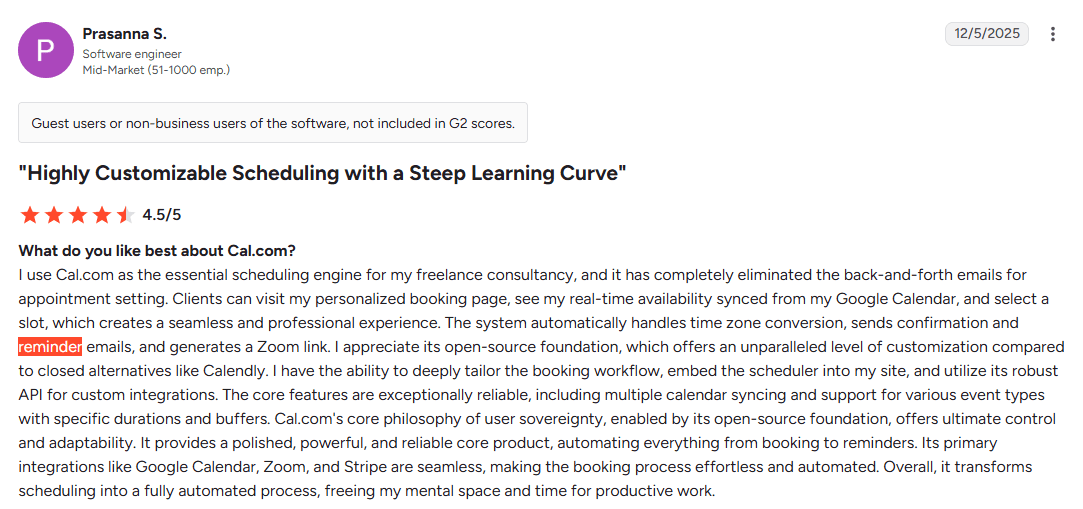
Everyone checks their emails, at least if it is relevant to their work. However, email inboxes are also filled with emails from various providers. So, it is important to send emails when they’re most needed. Old emails get lost in the inbox, so an email confirming your appointment may not be at the top of the inbox anymore on the actual date of the appointment. So, email reminders sent directly on the day of the appointment have a much better chance of being seen. It is just a matter of visibility, and recency helps visibility in an email inbox.
How Cal.com makes sending automated email reminders easy
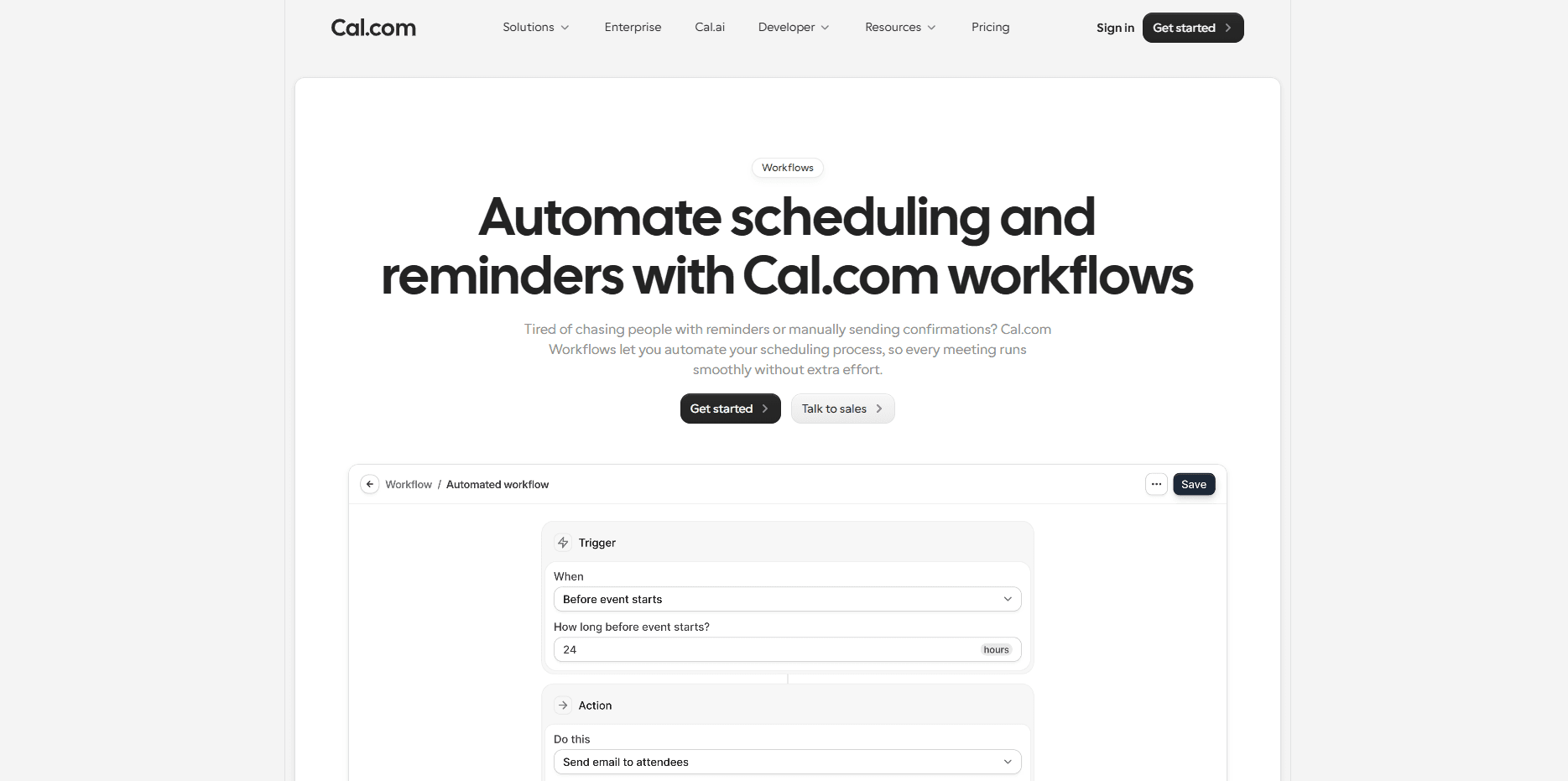
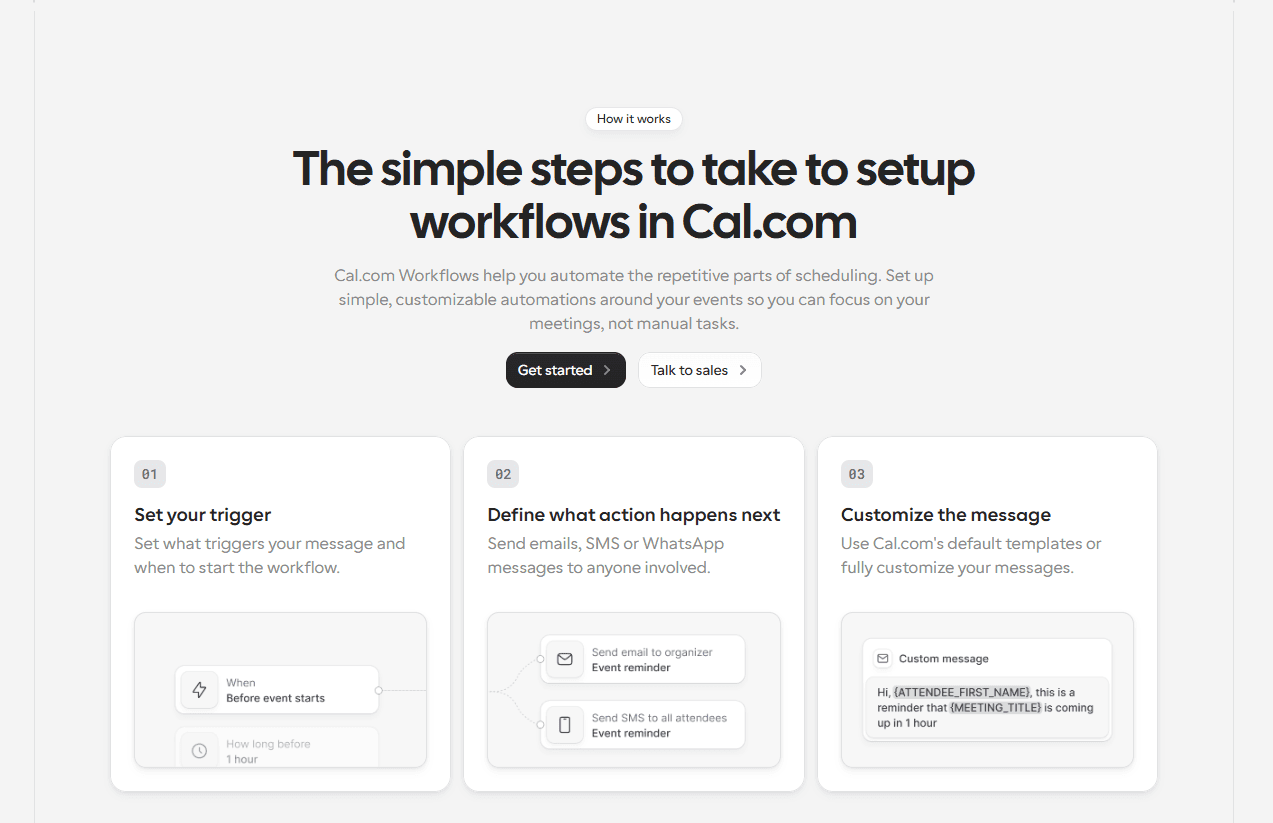
With Cal.com workflows, you can create automated email reminders that are triggered based on your preferred schedule or booking events. For example, you can:
Send a confirmation email immediately after an appointment is booked
Schedule reminder emails 24 hours or 1 hour before the meeting
Include meeting details, joining links, or cancellation instructions in every reminder
Reuse the same workflow across multiple event types instead of configuring reminders individually
This type of time-sensitive reminder helps you reduce the risk of no-shows. Also, with Cal.com, the workflows are automated and also replicable, so you only need to set them up once. This will help you prevent the need for manual intervention or oversight once the system is set up.
Tip #2: Add SMS or WhatsApp reminders for better attendance
Email reminders are great, but sometimes it feels overwhelming to keep up with an inbox full of spam and promotional emails. This is why, even with recency, a lot of the time, emails get lost or missed. Another reason for that is that many users still associate emails with desktops/laptops and not their mobile devices.
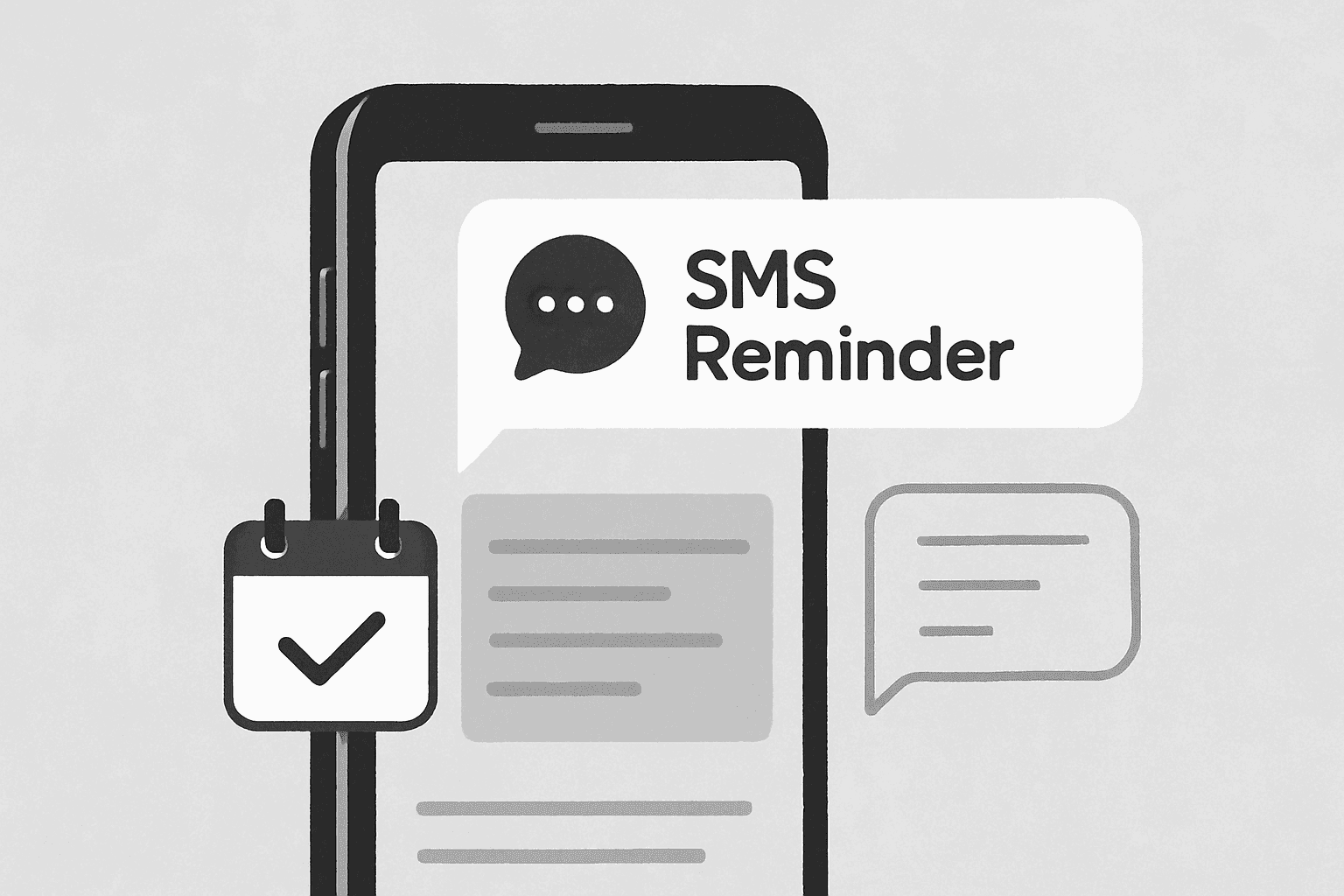
To target the issue of no-shows, it is more effective to reach attendees directly on their mobile devices. An SMS or WhatsApp notification has a significantly higher chance of being seen than an email. Also, SMS and WhatsApp notifications are especially useful for time-sensitive appointments and users who may be on the go.
Why SMS and WhatsApp reminders work
SMS and WhatsApp have a better reach for attendees compared to email, since these platforms are less cluttered than an email inbox for most. Also, text-based reminders are short and concise.
This helps send the point across very easily and quickly. For time-sensitive appointments and even for appointments in general, text-based reminders help alleviate confusion or misunderstandings regarding time zones and forgetting appointments.
Additionally, they can be sent even at the last minute to ensure virtual appointments are not missed. Lastly, SMS and WhatsApp reminders allow you to also offer rescheduling links that can allow attendees to reschedule their appointments in case they are not available.
Some of the most effective use cases of SMS and WhatsApp reminders are:
Client consultations
Healthcare appointments
Sales demos
Interviews and recruiting calls
Coaching sessions
How Cal.com supports SMS and WhatsApp reminders
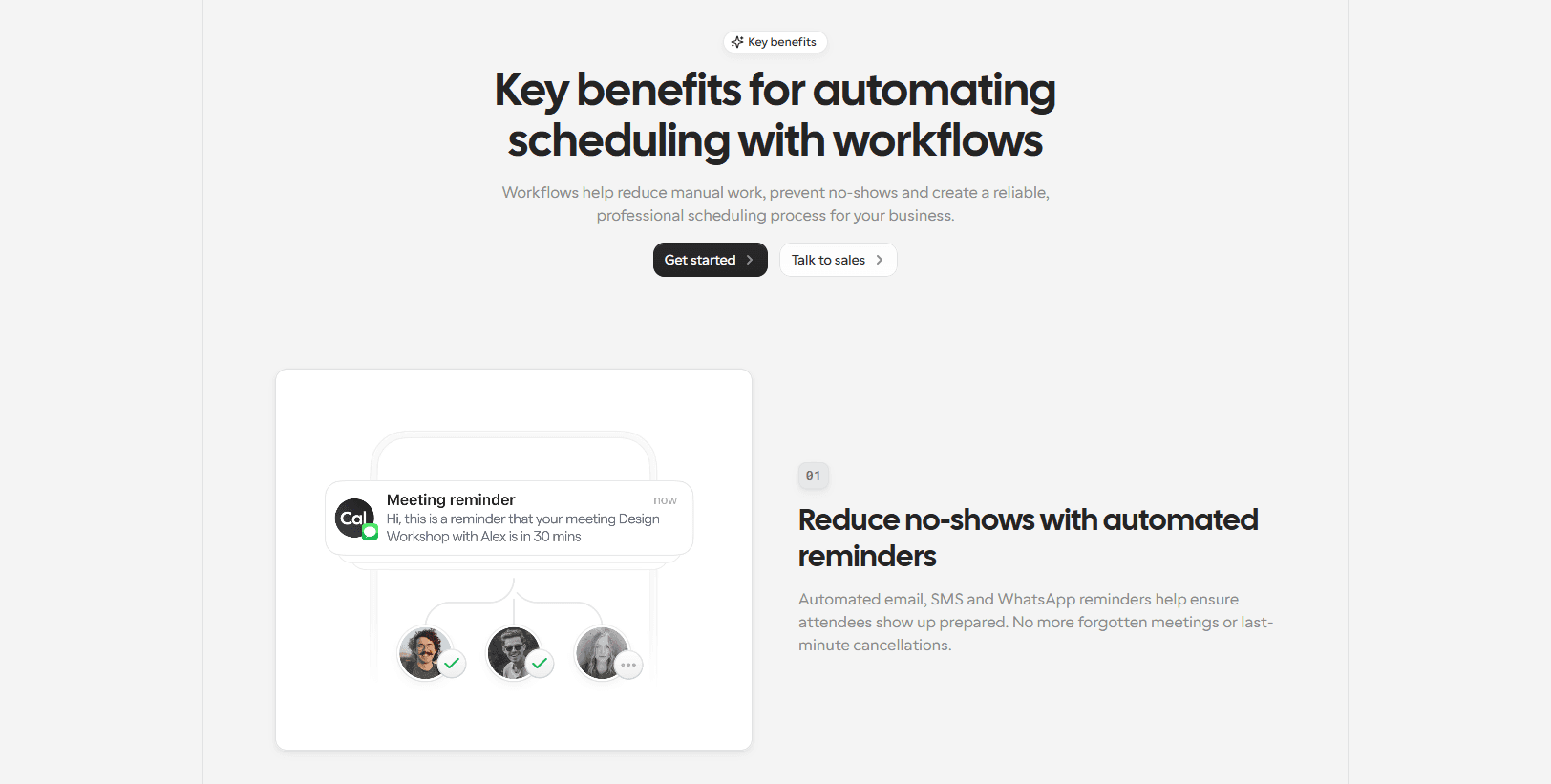
Automating SMS and WhatsApp reminders using Cal.com requires users to have access to a paid plan. With a paid plan, users can use the workflows feature to set up and send SMS and WhatsApp reminders the same way as email reminders. The setup is a one-time process and can be replicated for different event types. Just like email reminders, you can set up time-sensitive triggers for SMS and WhatsApp reminders.
The most useful use cases for SMS and WhatsApp reminders are:
Sending an SMS reminder a few hours before the meeting
Delivering a WhatsApp reminder with a meeting link and even a link to your rescheduling option, if available
Combining email and text reminders to improve visibility across multiple channels
Using multiple reminder channels increases the likelihood that attendees will see your message and attend the meeting. It helps reduce the risk of no-shows. Cal.com also has complete mobile support, which ensures service providers can stay up-to-date with their schedule and receive timely reminders for their appointments directly from the Cal.com mobile app.
Tip #3: Require a no-show fee or deposit
Not every appointment needs a no-show fee, but for high-value meetings, charging one can significantly reduce missed appointments. Deposits and fees do add extra payment records, so reconciling payments and fees each month keeps booking revenue accurate in the books. It also enforces accountability for the attendees and helps them show up.
Now, a no-show fee specifically may be optional; you can also choose to request advance appointment fees. This is not a rare practice and can actually help you manage your revenue operations even more smoothly, since the entire transaction history remains online.
The structure you choose depends largely on the type of business operations you’re running. However, for the most part, this strategy helps you limit no-shows, though they can be converted to reschedule requests accordingly.
Why should you charge a no-show fee?
If you’re going with the no-show fee strategy, you should know when they’re best suited and when you should avoid charging it. For example, charging a no-show fee for a webinar may not be the best use case of the strategy.
In the same way, charging it for a healthcare appointment may be necessary almost always. So, here’s a breakdown of different appointment types and a recommendation on whether you should charge a no-show fee for them or not.
Appointment type | Recommendation |
Consultations | Should charge a no-show fee |
Online coaching | Should charge a no-show fee |
Healthcare appointments | Should charge a no-show fee |
Freelancers | Should charge a no-show fee |
Internal team meetings | Shouldn’t charge a no-show fee |
Public webinars | Shouldn’t charge a no-show fee |
It is important to be restrained with this policy as it is intentionally adding friction to your booking workflow. It can even lead to a drop in your lead conversion rate, as many casual users flake as soon as pre-payment is required to set up an appointment or book a service.
How Cal.com handles no-show fees

Cal.com handles no-show fees and prepayment for appointments in the same way. It integrates with Stripe and PayPal, the two most popular payment aggregator platforms. The integration allows you to charge any fee that you set for an appointment at the time of booking. Unless the payment is made, Cal.com doesn’t allow the booking to be confirmed.
Now, if you want to set up a no-show fee specifically, you have to set it up as a deposit at the time of appointment booking. If the attendee is present for their appointment, the deposit becomes deductible from their appointment fee. (This is applicable only for service-based in-person appointments.) However, if the appointment is missed, the charge becomes non-refundable.
It is very important to word your cancellation policy very clearly and in accordance with local laws to prevent legal action from attendees. If you go ahead with this strategy, it can give you the flexibility to:
Set your own no-show fee based on the value of the appointment
Protect your schedule without charging attendees upfront
Apply fees fairly by only charging when a genuine no-show occurs
This type of flexibility allows you to be in the good books of your customers/clients while also protecting your schedule and enforcing accountability on your attendees without being unfair.
Tip #4: Set clear cancellation expectations before booking
The wording of your cancellation policy is very crucial for showcasing the appropriate standpoint of your business towards cancellations, their consequences, and penalties, if any. This helps attendees be clear about what to expect moving forward, so this information should be clearly listed on the booking page or on the booking confirmation emails, loud and clear. When you have this information easily available, it also helps reduce no-shows, since attendees are clear about the conditions and consequences of cancellation with or without notice. In such cases, attendees are much more likely to communicate their problems and set up rescheduling instead.
What should a cancellation policy include?
Your cancellation policy needs to answer a few very specific questions. It does not have to be long and all-encompassing. However, some specific details need to be answered for the policy to be clear and informative for your customers/clients. The questions include:
Is rescheduling possible or not?
What is the minimum notice period for a cancellation or rescheduling request?
Is late cancellation permitted?
Are there any no-show fees or deposits?
What are the policies surrounding the refund of the no-show fee?
How to contact the team in case of rescheduling requests?
This way, you can eliminate ambiguity and ensure attendees know exactly what to expect before they book an appointment.
Where to display your policy in Cal.com
As mentioned previously, there are a number of spaces where you can integrate your cancellation policy. Cal.com is flexible and customizable enough that you have multiple options when it comes to displaying your cancellation policy. Here are all the spaces where you can insert your cancellation policy when using Cal.com:
Add it to your event description so attendees see it before booking
Include a link to the full policy for additional details
Reference it in booking confirmation and reminder emails using workflows
Reinforce the policy in your booking form or confirmation page
Displaying your policy consistently helps set expectations early, encourages attendees to reschedule when needed, and creates a more professional booking experience for everyone.
Tip #5: Use booking questions to increase commitment
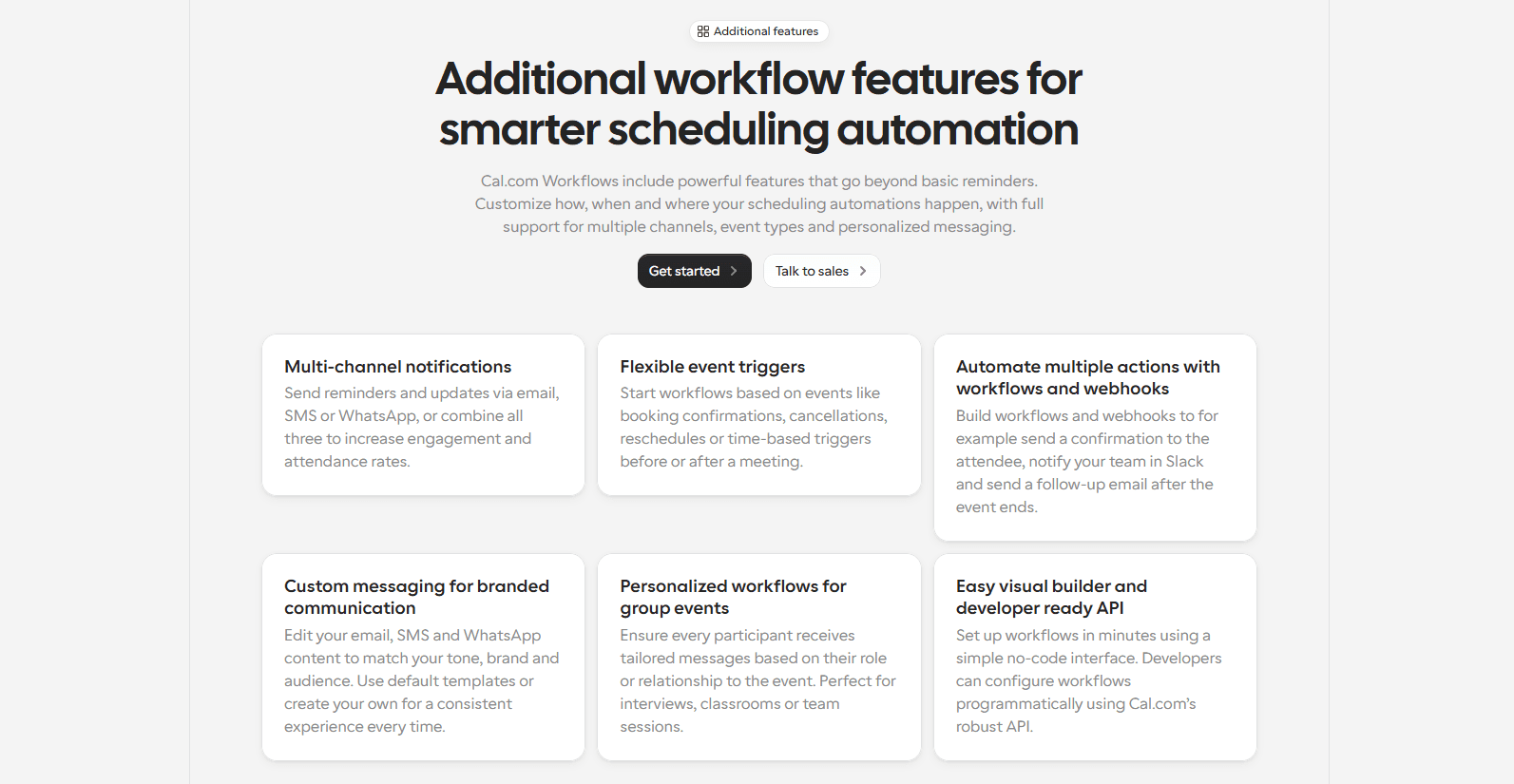
Collecting customer information before the appointment increases their interest in the appointment. If you have a very simple one-click appointment booking process, it will lead to a lot of casual appointment bookings, which have no intention of showing up. However, with booking questions, you can integrate a little friction in your booking flow to understand more about the attendees while also instilling a sense of accountability in them. This improves commitment and can help reduce no-shows significantly. Though it is a small step, this is a significant growth.
Why booking questions work
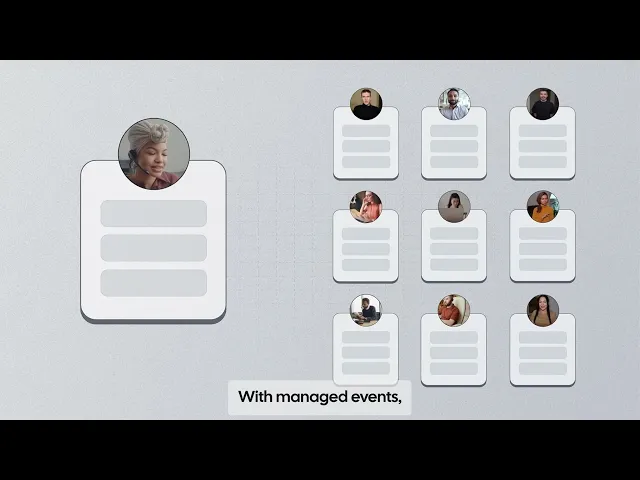
Booking questions work because they instill a little bit of commitment and accountability to attendees when there are multiple steps they must follow to complete a booking. This reduces impulse bookings, which have the highest no-show rates. Additionally, booking questions also help you route the leads to the right team member, which helps improve the chances of lead conversion or customer satisfaction.
Also, adding questions to your booking form can be used to reinforce your cancellation policy or request attendees' preferences ahead of time. This helps ensure a personalized user experience while also ensuring an appropriate interest is generated over the appointment. To give you a brief example, here are a few booking questions you can consider adding to your booking flow.
Booking question | Purpose |
Do you read and agree to the cancellation policy? | Confirms that attendees have read and understand the cancellation policy. This helps refute fraudulent refund requests later. |
Can you provide a notice of at least 24 hours in case of cancellations? | This question reinforces your rescheduling expectations and ensures your attendees understand your policy with their approval. |
Are there any alternate email addresses or phone numbers to reach you? | Ensures reminders are sent to the correct contact information and also to alternate accounts for maximum visibility and minimum chances of forgetting the appointment. |
How to customize booking questions in Cal.com?
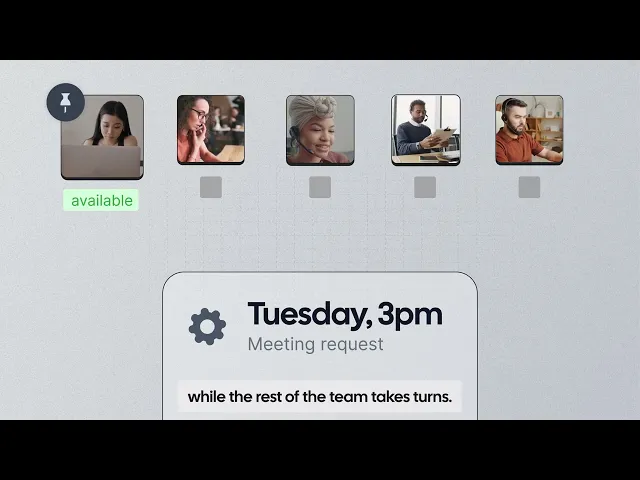
Cal.com lets you add custom booking fields for each event type. It gives you full control over the information you collect before a meeting is confirmed. The specific settings and questions can be set up by customizing your booking page and going to the advanced tab. There, you will be able to find the option to create required and optional questions that are tailored to your scheduling needs.
These questions, as mentioned before, can be used to confirm contact information and get an acknowledgement from attendees that they have read and understood the cancellation policy. Additionally, the custom booking questions help create a smoother booking experience for attendees while making the whole booking process feel more personal.
The added bonus of using Cal.com for custom booking questions is that it can be used as a qualifying criterion to automatically route the bookings to the right service person or support agent. This can be done automatically with Cal.com’s round-robin scheduling features.
Bonus Tip: Use Cal.ai to mitigate the risk of no-shows even more
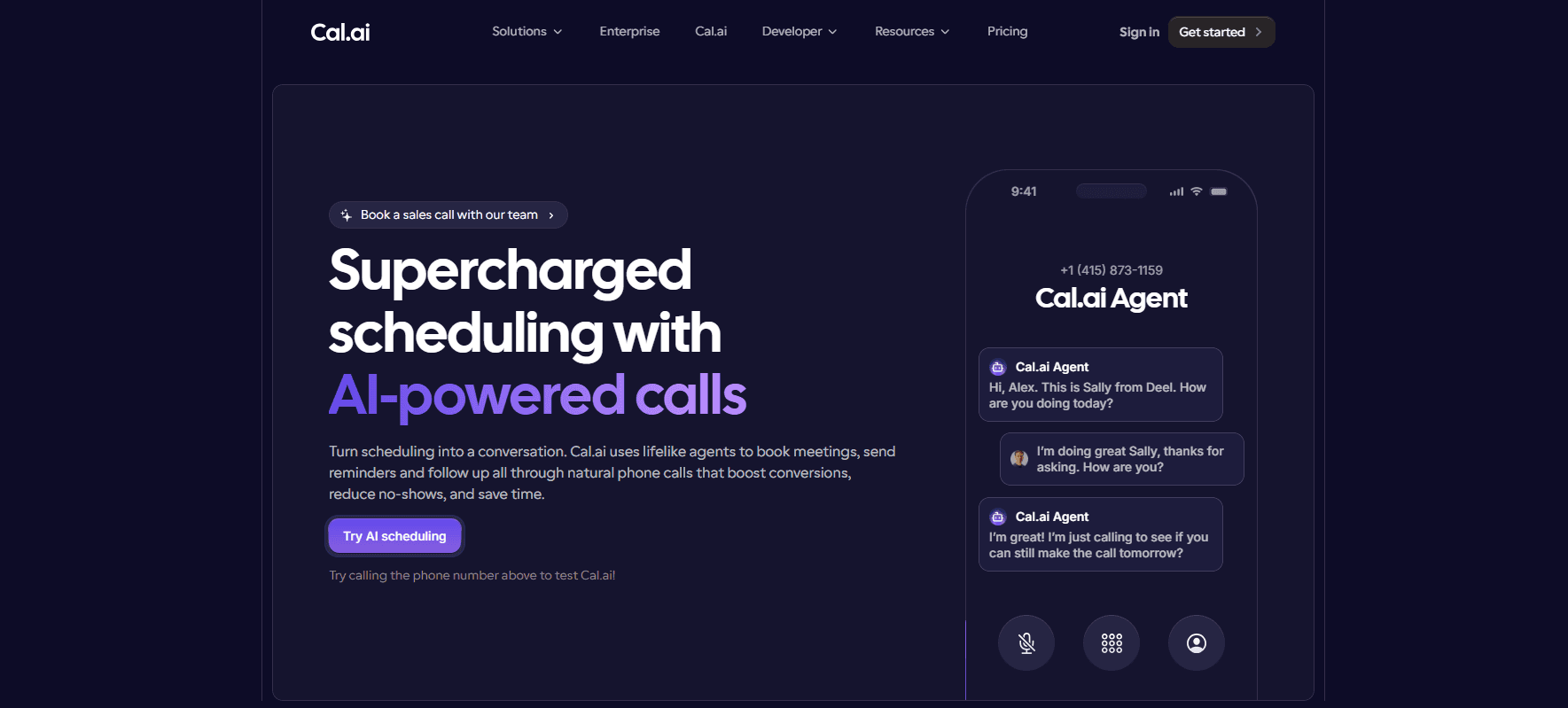
Cal.ai is the platform’s own phone scheduling feature. It is an AI agent-based phone scheduling facility, which can be used to manage call-based appointment booking without a person sitting behind the phone. However, Cal.ai can handle more than incoming call-based appointment booking. It can also handle outgoing call-based reminders and booking confirmations. Calling the attendees directly and getting a confirmation on their availability directly helps you understand whether your appointments are going to go as per their schedule or not.

You can set up Cal.ai in a way that it is only able to confirm the availability, or it can also help manage rescheduling requests if it aligns with your policies. Cal.ai is a one-of-a-kind feature from Cal.com, and it is something that can be a game-changer when it comes to reducing the risk of no-shows. Cal.ai is another reason why you should choose Cal.com for no-show risk management and general scheduling. It is a platform that’s built for businesses with the goal of helping them automate scheduling and all its associated activities.
Conclusion
Reducing no-shows is a necessity for your business as customers lean towards online self-scheduling more and more. Sometimes a completely optimized system helps improve the number of lead generation; however, the leads may not convert. This is why it is important to look at no-show prevention as a cross-departmental activity. The sales team needs to develop a sales funnel that has some friction to clear out casual users.
This helps keep your operational team focused on the best quality leads and attendees, which would help your business grow its clientele and actually develop recurring revenue. The tips mentioned in this blog are best used with Cal.com. The ease of use and clean UI of Cal.com make it very easy to set up and use your scheduling workflow with Cal.com.
So, if you are interested in taking back power over your schedule, get started with Cal.com today. It is absolutely free to get started, no credit cards required.
Frequently asked questions
1. How can I reduce appointment no-shows?
The best way to reduce appointment no-shows without introducing any friction to your scheduling workflow is by using reminders. The best practice is to send email, SMS, or WhatsApp reminders for the appointment at your predefined time to remind attendees about their commitment. They work very well if it reaches the attendees on time.
2. Should I charge a no-show fee?
You should charge a no-show fee only in certain situations. If your appointment aligns with any of the listed activities, you should consider charging a no-show fee. The activities are: healthcare appointments, freelancer meetings, online consultations, and online coaching. If your appointment is not aligned with these activities, it is best not to charge a no-show fee to your booking flow, but instead, you can put your cancellation policy front and centre and add in more questions to your booking workflow.
3. What’s the best reminder timing before a meeting?
The best reminder timing before a meeting depends on whether your meeting is in-person or virtual. For virtual meetings, a reminder one hour before the meeting time can be very helpful. For in-person meetings, sending the reminder in the morning on the day of the meeting is deemed more helpful. You must experiment with the reminder timing to find which one works best in reducing no-shows for your business.
4. Can Cal.com send SMS reminders?
Yes, Cal.com can send SMS and WhatsApp reminders using its workflows feature. However, to send SMS and WhatsApp reminders, you will need to be subscribed to a paid Cal.com plan. The free Cal.com account only allows email reminders to be sent.
5. How do booking questions reduce no-shows?
Booking questions can force attendees to pay attention to what they’re committing to. This way, you can ask them to confirm that they understand your booking expectations and cancellation policies. Once they have read and confirmed that they’ve understood these policies. It can help you prevent no-shows, and in case you have no-show fees, it can protect you against refund requests.
6. Can attendees reschedule instead of cancelling?
Yes, when you use Cal.com, you can set up your booking workflow to allow attendees to reschedule their meetings instead of cancelling. However, you must set up a proper cancellation policy that will reflect the conditions under which you will allow attendees to reschedule their meeting instead of cancelling. Ideally, you should have both options and allow the user to choose which one suits their needs better.
7. Which Cal.com plan supports reminder workflows?
Every Cal.com plan supports reminder workflows; the mode of reminder workflows only changes between the free Cal.com plan and paid plans. With the free Cal.com plan, you can send email reminders at a time of your choosing before the appointment. With the paid plans, you can also send SMS and WhatsApp reminders on top of email reminders at the time of your choosing.

Get started with Cal.com for free today!
Experience seamless scheduling and productivity with no hidden fees. Sign up in seconds and start simplifying your scheduling today, no credit card required!