" height="24px" id="WCm44spAV" width="24px"/><path d="M 3.892 7.742 C 1.674 7.742 0 6.014 0 3.882 C 0 1.738 1.589 0 3.892 0 C 5.107 0 5.951 0.374 6.623 1.173 L 5.566 2.09 C 5.118 1.621 4.564 1.386 3.892 1.386 C 2.452 1.386 1.547 2.517 1.547 3.882 C 1.547 5.246 2.452 6.356 3.924 6.356 C 4.649 6.356 5.193 6.111 5.63 5.63 L 6.718 6.558 C 6.153 7.24 5.193 7.742 3.892 7.742 Z" fill="rgb(255, 255, 255)" height="7.741500000000002px" id="XEPpGD7l5" transform="translate(4 8.25)" width="6.717999999999989px"/><path d="M 2.74 7.922 C 1.215 7.922 0 6.632 0 5.032 C 0 3.433 1.215 2.122 2.74 2.122 C 3.7 2.122 4.201 2.516 4.5 3.113 L 4.5 2.239 L 5.928 2.239 L 5.928 7.784 L 4.531 7.784 L 4.531 6.877 C 4.233 7.507 3.731 7.922 2.74 7.922 Z M 1.439 5.023 C 1.439 5.865 2.057 6.622 2.975 6.622 C 3.924 6.622 4.531 5.897 4.531 5.033 C 4.531 4.169 3.924 3.423 2.975 3.423 C 2.057 3.423 1.439 4.159 1.439 5.022 Z M 6.784 7.784 L 6.784 0 L 8.224 0 L 8.224 7.784 L 6.784 7.784 Z" fill="rgb(255, 255, 255)" height="7.9224997406005855px" id="lGDJupIUR" transform="translate(10.5 8)" width="8.223500194549558px"/></g></svg>)
" width="18px"><path d="M 2 8 C 0.895 8 0 7.105 0 6 L 0 2 C 0 0.895 0.895 0 2 0 L 6 0 C 7.105 0 8 0.895 8 2 L 8 6 C 8 7.105 7.105 8 6 8 Z" fill="transparent" height="8px" id="ZrCrI93dV" stroke-dasharray="" stroke-linecap="round" stroke-linejoin="round" stroke-width="2" stroke="rgb(0, 0, 0)" width="8px"/><path d="M 0 0 L 0 4 C 0 5.105 0.895 6 2 6 L 6 6" fill="transparent" height="6px" id="emltWYAiE" stroke-dasharray="" stroke-linecap="round" stroke-linejoin="round" stroke-width="2" stroke="rgb(0, 0, 0)" transform="translate(4 8)" width="6px"/><path d="M 2 8 C 0.895 8 0 7.105 0 6 L 0 2 C 0 0.895 0.895 0 2 0 L 6 0 C 7.105 0 8 0.895 8 2 L 8 6 C 8 7.105 7.105 8 6 8 Z" fill="transparent" height="8px" id="WpBecYDfi" stroke-dasharray="" stroke-linecap="round" stroke-linejoin="round" stroke-width="2" stroke="rgb(0, 0, 0)" transform="translate(10 10)" width="8px"/></g></svg>)


If you use Cal.com to book meetings and HubSpot to manage leads and revenue, keeping them disconnected creates friction you can’t afford.
When your scheduling tool and customer relationship management (CRM) platform don’t talk to each other, meetings get lost, contacts go untracked, and reporting becomes unreliable. Marketing can’t see which campaigns drive booked calls. Sales reps waste time manually updating records. Leadership makes decisions based on incomplete data.
That’s why the Cal.com and HubSpot integration matters. It automatically syncs bookings, updates contacts in real time, and connects meeting activity directly to your pipeline.
The result? Cleaner data, faster follow-ups, stronger attribution, and a smoother path from first click to closed deal.
What is HubSpot
HubSpot is one of the most popular customer relationship management (CRM) platforms that simplifies communication, retention, and growth. The product features a marketing hub, a sales hub, a service hub, a CMS hub, and an operations hub.
These systems work together in a unified manner to ensure that nothing slips between the cracks.
This makes it easy for your sales teams to communicate with their coworkers in other customer-facing departments, like marketing and customer service. Using HubSpot makes sense not only because it offers easy software integrations and data management but also because it's scalable. This means that HubSpot can keep up with your business's needs as it grows.
Why would you want to use HubSpot with Cal?
Cal.com is a user-friendly, calendar scheduling tool that takes the guesswork out of coordinating meeting times. Cal.com connects with all your existing digital calendars and cross-references custom availability schedules to ensure appointments are booked only during times that work for you.
Cal.com also comes with a built-in app store that can customize and extend your calendar scheduling environment without writing a single line of code.
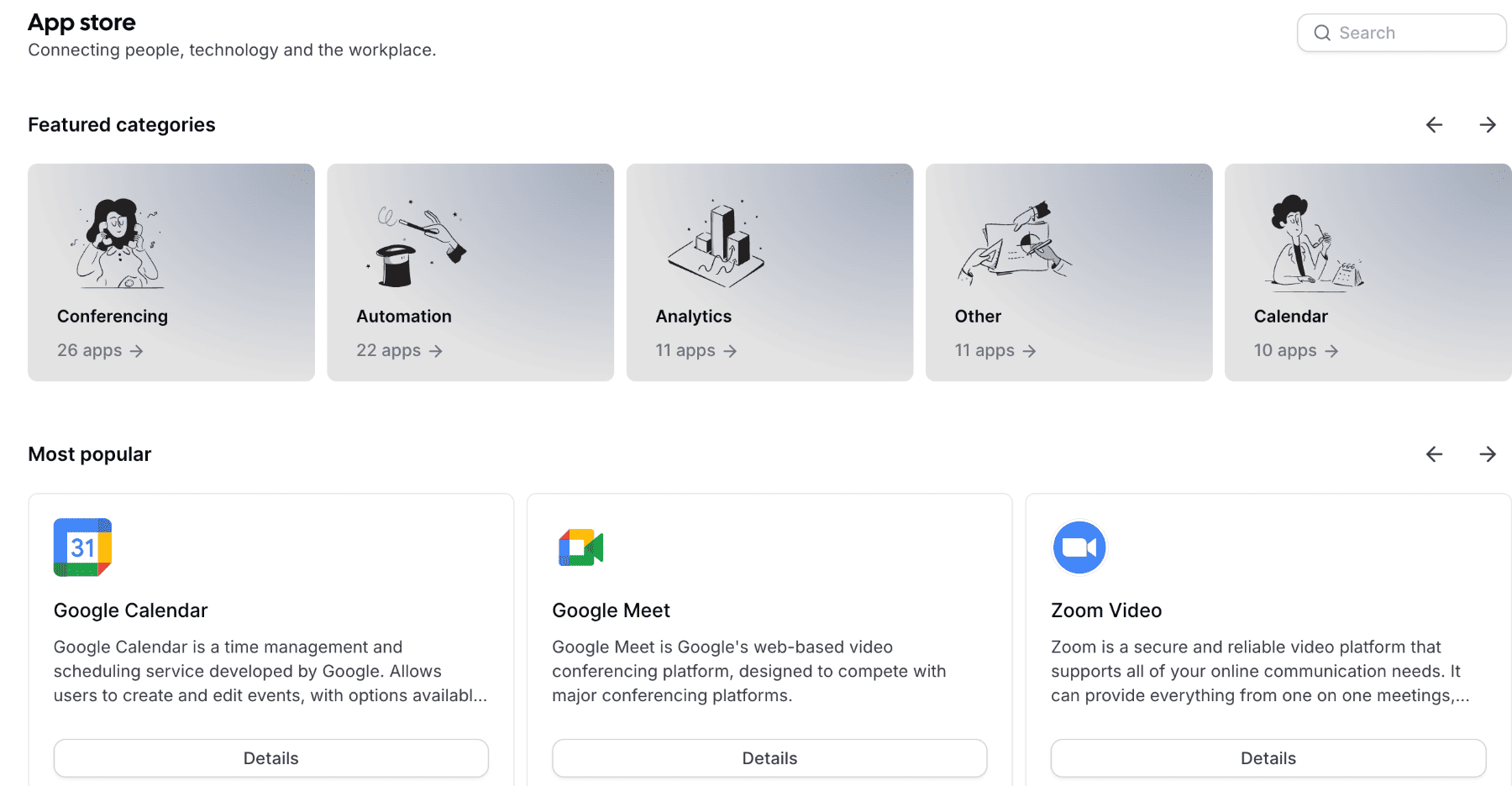
However, if you're comfortable with coding, we're also extremely developer-friendly and have an active community on Slack and GitHub.
Using HubSpot with Cal.com lets you combine the abilities of both platforms. You can leverage HubSpot's robust, scalable customer relationship management capabilities and integrate them with Cal.com's calendar scheduling infrastructure.
Connecting HubSpot to your Cal.com account
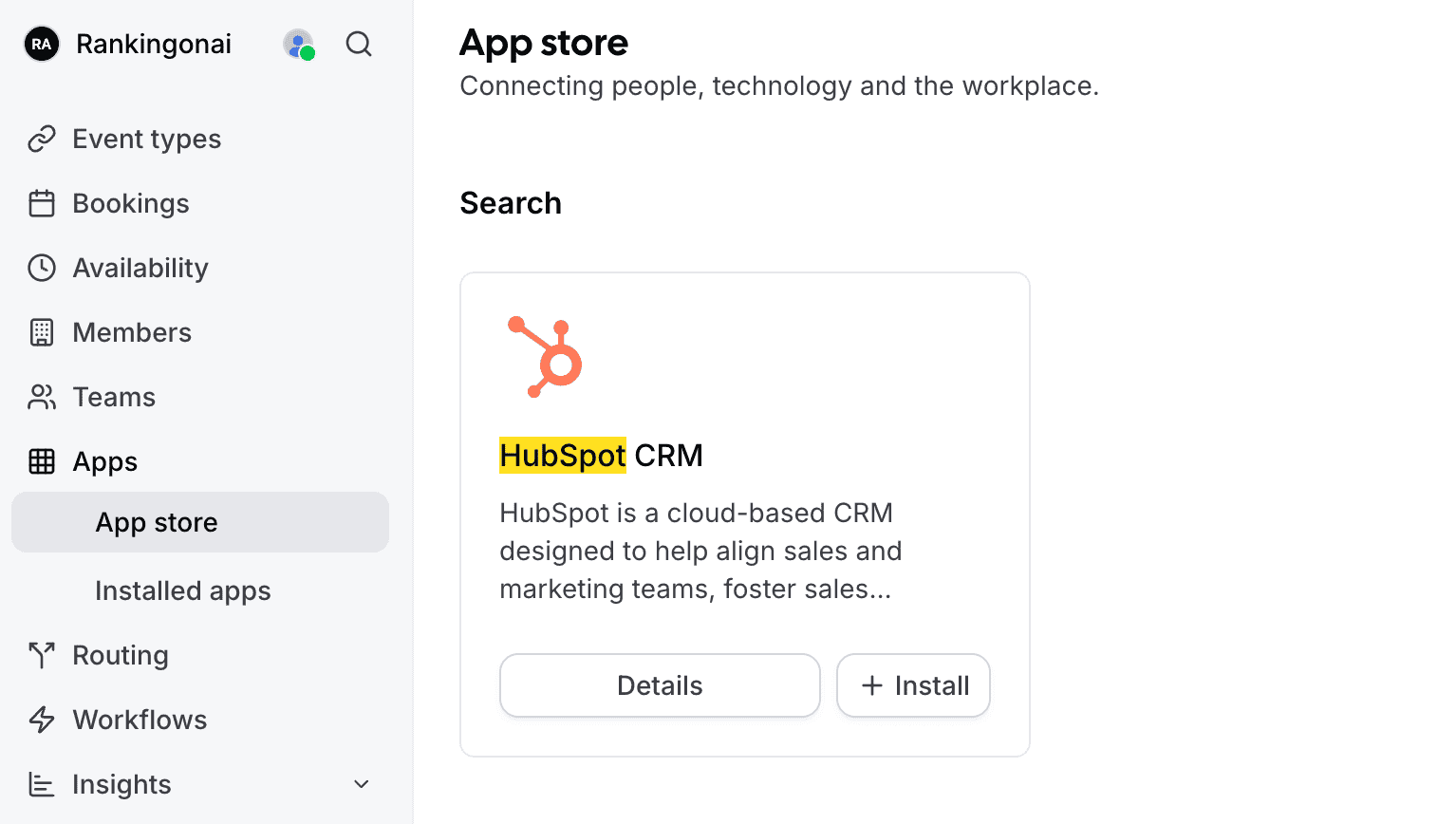
Log in to your Cal.com account
Visit the Cal.com app store
Search for HubSpot
Next, click install
You will now be redirected to the app integration page
Log in to your HubSpot account
Select the account you want to connect by clicking the circle beside it
Next, click the orange choose account button
Finally, select the connect app button to confirm that you want to connect Cal.com and HubSpot
Using Cal.com with HubSpot is easy and can save you time and enhance your workflow. Once the app is installed, you'll be able to create meetings powered by Cal.com in HubSpot. And any attendees who book through your calling who aren't already HubSpot contacts will be automatically associated with your account.
Not only that, you can use Cal.com as a lead routing tool that feeds your CRM with self-qualified leads. This is thanks to features like routing forms and workflow automation.
It only takes a few minutes to connect Cal.com and HubSpot, but once you've done it, it'll save you hours of time.
FAQs on the HubSpot and Cal.com Integration
What makes Cal.com a strong scheduling solution?
Cal.com simplifies meeting scheduling by syncing with your existing calendars and availability preferences. It prevents double bookings and removes back-and-forth emails. With an app store for customization and developer-friendly features, it adapts to your workflow while keeping scheduling efficient and user-friendly.
Why should I integrate Cal.com with HubSpot?
Integrating Cal.com with HubSpot eliminates manual data entry and reduces errors. Booked meetings automatically sync with your CRM, ensuring contacts are updated in real time. This keeps marketing, sales, and leadership aligned with accurate reporting and clear visibility into how meetings impact pipeline and revenue.
What happens if my scheduling tool and CRM aren’t connected?
When your scheduling platform and CRM operate separately, meetings can go untracked, contact records become outdated, and reporting lacks accuracy. Sales teams waste time updating records manually, and marketing struggles to measure campaign performance. Disconnected systems create friction that slows growth and weakens decision-making.
How does the integration improve sales follow-ups?
With automatic syncing between Cal.com and HubSpot, contact records update instantly after a meeting is booked. Sales reps can quickly see activity, context, and lead history without switching tools. This enables faster, more informed follow-ups that increase the chances of converting meetings into revenue.

Get started with Cal.com for free today!
Experience seamless scheduling and productivity with no hidden fees. Sign up in seconds and start simplifying your scheduling today, no credit card required!







