" height="18.016311920580208px" id="GKXyVanMq" stroke-dasharray="0" stroke-linecap="butt" stroke-linejoin="miter" stroke-miterlimit="10" stroke-width="0.5" stroke="rgb(0, 0, 0)" transform="translate(3 3)" width="18px"/></svg>)
"/><stop offset="1" stop-color="rgb(227, 224, 244)"/></linearGradient><linearGradient id="CBS1bzkxF-2031533640-linear-gradient" x1="0.49751243781094523" x2="0.5024875621890548" y1="0" y2="1"><stop offset="0" stop-color="rgb(255, 255, 255)"/><stop offset="1" stop-color="rgb(227, 224, 244)"/></linearGradient><linearGradient id="Jd7AK81w9-2031533640-linear-gradient" x1="0.49751243781094523" x2="0.5024875621890548" y1="0" y2="1"><stop offset="0" stop-color="rgb(255, 255, 255)"/><stop offset="1" stop-color="rgb(227, 224, 244)"/></linearGradient></defs><g d="M 0 16 L 0 0 L 16 0 L 16 16 Z M 9.167 5.167 C 9.167 4.891 8.943 4.667 8.667 4.667 C 8.391 4.667 8.167 4.891 8.167 5.167 C 8.167 6.784 7.809 7.834 7.155 8.488 C 6.501 9.143 5.451 9.5 3.833 9.5 C 3.557 9.5 3.333 9.724 3.333 10 C 3.333 10.276 3.557 10.5 3.833 10.5 C 5.451 10.5 6.501 10.857 7.155 11.512 C 7.809 12.166 8.167 13.216 8.167 14.833 C 8.167 15.109 8.391 15.333 8.667 15.333 C 8.943 15.333 9.167 15.109 9.167 14.833 C 9.167 13.216 9.524 12.166 10.178 11.512 C 10.832 10.857 11.883 10.5 13.5 10.5 C 13.776 10.5 14 10.276 14 10 C 14 9.724 13.776 9.5 13.5 9.5 C 11.883 9.5 10.832 9.143 10.178 8.488 C 9.524 7.834 9.167 6.784 9.167 5.167 Z M 4 3.667 C 4 3.483 3.851 3.333 3.667 3.333 C 3.483 3.333 3.333 3.483 3.333 3.667 C 3.333 4.32 3.189 4.715 2.952 4.952 C 2.715 5.189 2.32 5.333 1.667 5.333 C 1.483 5.333 1.333 5.483 1.333 5.667 C 1.333 5.851 1.483 6 1.667 6 C 2.32 6 2.715 6.145 2.952 6.382 C 3.189 6.618 3.333 7.013 3.333 7.667 C 3.333 7.851 3.483 8 3.667 8 C 3.851 8 4 7.851 4 7.667 C 4 7.013 4.145 6.618 4.382 6.382 C 4.618 6.145 5.013 6 5.667 6 C 5.851 6 6 5.851 6 5.667 C 6 5.483 5.851 5.333 5.667 5.333 C 5.013 5.333 4.618 5.189 4.382 4.952 C 4.145 4.715 4 4.32 4 3.667 Z M 7.333 1 C 7.333 0.816 7.184 0.667 7 0.667 C 6.816 0.667 6.667 0.816 6.667 1 C 6.667 1.422 6.573 1.65 6.445 1.778 C 6.317 1.906 6.089 2 5.667 2 C 5.483 2 5.333 2.149 5.333 2.333 C 5.333 2.517 5.483 2.667 5.667 2.667 C 6.089 2.667 6.317 2.761 6.445 2.889 C 6.573 3.016 6.667 3.244 6.667 3.667 C 6.667 3.851 6.816 4 7 4 C 7.184 4 7.333 3.851 7.333 3.667 C 7.333 3.244 7.427 3.016 7.555 2.889 C 7.683 2.761 7.911 2.667 8.333 2.667 C 8.517 2.667 8.667 2.517 8.667 2.333 C 8.667 2.149 8.517 2 8.333 2 C 7.911 2 7.683 1.906 7.555 1.778 C 7.427 1.65 7.333 1.422 7.333 1 Z" fill="transparent" height="16px" id="aoZYv33vR" width="16px"><path d="M 0 16 L 0 0 L 16 0 L 16 16 Z" fill="transparent" height="16px" id="Z2uGmhW9f" width="16px"/><g d="M 7.833 4.5 C 7.833 4.224 7.609 4 7.333 4 C 7.057 4 6.833 4.224 6.833 4.5 C 6.833 6.117 6.476 7.168 5.822 7.822 C 5.168 8.476 4.117 8.833 2.5 8.833 C 2.224 8.833 2 9.057 2 9.333 C 2 9.61 2.224 9.833 2.5 9.833 C 4.117 9.833 5.168 10.191 5.822 10.845 C 6.476 11.499 6.833 12.549 6.833 14.167 C 6.833 14.443 7.057 14.667 7.333 14.667 C 7.609 14.667 7.833 14.443 7.833 14.167 C 7.833 12.549 8.191 11.499 8.845 10.845 C 9.499 10.191 10.549 9.833 12.167 9.833 C 12.443 9.833 12.667 9.61 12.667 9.333 C 12.667 9.057 12.443 8.833 12.167 8.833 C 10.549 8.833 9.499 8.476 8.845 7.822 C 8.191 7.168 7.833 6.117 7.833 4.5 Z M 2.667 3 C 2.667 2.816 2.517 2.667 2.333 2.667 C 2.149 2.667 2 2.816 2 3 C 2 3.654 1.855 4.048 1.618 4.285 C 1.382 4.522 0.987 4.667 0.333 4.667 C 0.149 4.667 0 4.816 0 5 C 0 5.184 0.149 5.333 0.333 5.333 C 0.987 5.333 1.382 5.478 1.618 5.715 C 1.855 5.952 2 6.346 2 7 C 2 7.184 2.149 7.333 2.333 7.333 C 2.517 7.333 2.667 7.184 2.667 7 C 2.667 6.346 2.811 5.952 3.048 5.715 C 3.285 5.478 3.68 5.333 4.333 5.333 C 4.517 5.333 4.667 5.184 4.667 5 C 4.667 4.816 4.517 4.667 4.333 4.667 C 3.68 4.667 3.285 4.522 3.048 4.285 C 2.811 4.048 2.667 3.654 2.667 3 Z M 6 0.333 C 6 0.149 5.851 0 5.667 0 C 5.483 0 5.333 0.149 5.333 0.333 C 5.333 0.756 5.239 0.984 5.112 1.112 C 4.984 1.239 4.756 1.333 4.333 1.333 C 4.149 1.333 4 1.483 4 1.667 C 4 1.851 4.149 2 4.333 2 C 4.756 2 4.984 2.094 5.112 2.222 C 5.239 2.35 5.333 2.578 5.333 3 C 5.333 3.184 5.483 3.333 5.667 3.333 C 5.851 3.333 6 3.184 6 3 C 6 2.578 6.094 2.35 6.222 2.222 C 6.35 2.094 6.578 2 7 2 C 7.184 2 7.333 1.851 7.333 1.667 C 7.333 1.483 7.184 1.333 7 1.333 C 6.578 1.333 6.35 1.239 6.222 1.112 C 6.094 0.984 6 0.756 6 0.333 Z" fill="transparent" height="14.66671286102295px" id="ae6ccdFme" transform="translate(1.333 0.667)" width="12.66663px"><path d="M 5.833 0.5 C 5.833 0.224 5.609 0 5.333 0 C 5.057 0 4.833 0.224 4.833 0.5 C 4.833 2.117 4.476 3.168 3.822 3.822 C 3.168 4.476 2.117 4.833 0.5 4.833 C 0.224 4.833 0 5.057 0 5.333 C 0 5.61 0.224 5.833 0.5 5.833 C 2.117 5.833 3.168 6.191 3.822 6.845 C 4.476 7.499 4.833 8.549 4.833 10.167 C 4.833 10.443 5.057 10.667 5.333 10.667 C 5.609 10.667 5.833 10.443 5.833 10.167 C 5.833 8.549 6.191 7.499 6.845 6.845 C 7.499 6.191 8.549 5.833 10.167 5.833 C 10.443 5.833 10.667 5.61 10.667 5.333 C 10.667 5.057 10.443 4.833 10.167 4.833 C 8.549 4.833 7.499 4.476 6.845 3.822 C 6.191 3.168 5.833 2.117 5.833 0.5 Z" fill="url(%23t2lXByE48-2031533640-linear-gradient)" height="10.66671px" id="t2lXByE48" transform="translate(2 4)" width="10.66663px"/><path d="M 2.667 0.333 C 2.667 0.149 2.517 0 2.333 0 C 2.149 0 2 0.149 2 0.333 C 2 0.987 1.855 1.382 1.618 1.618 C 1.382 1.855 0.987 2 0.333 2 C 0.149 2 0 2.149 0 2.333 C 0 2.517 0.149 2.667 0.333 2.667 C 0.987 2.667 1.382 2.811 1.618 3.048 C 1.855 3.285 2 3.68 2 4.333 C 2 4.517 2.149 4.667 2.333 4.667 C 2.517 4.667 2.667 4.517 2.667 4.333 C 2.667 3.68 2.811 3.285 3.048 3.048 C 3.285 2.811 3.68 2.667 4.333 2.667 C 4.517 2.667 4.667 2.517 4.667 2.333 C 4.667 2.149 4.517 2 4.333 2 C 3.68 2 3.285 1.855 3.048 1.618 C 2.811 1.382 2.667 0.987 2.667 0.333 Z" fill="url(%23CBS1bzkxF-2031533640-linear-gradient)" height="4.66667px" id="CBS1bzkxF" transform="translate(0 2.667)" width="4.66667px"/><path d="M 2 0.333 C 2 0.149 1.851 0 1.667 0 C 1.483 0 1.333 0.149 1.333 0.333 C 1.333 0.756 1.239 0.984 1.112 1.112 C 0.984 1.239 0.756 1.333 0.333 1.333 C 0.149 1.333 0 1.483 0 1.667 C 0 1.851 0.149 2 0.333 2 C 0.756 2 0.984 2.094 1.112 2.222 C 1.239 2.35 1.333 2.578 1.333 3 C 1.333 3.184 1.483 3.333 1.667 3.333 C 1.851 3.333 2 3.184 2 3 C 2 2.578 2.094 2.35 2.222 2.222 C 2.35 2.094 2.578 2 3 2 C 3.184 2 3.333 1.851 3.333 1.667 C 3.333 1.483 3.184 1.333 3 1.333 C 2.578 1.333 2.35 1.239 2.222 1.112 C 2.094 0.984 2 0.756 2 0.333 Z" fill="url(%23Jd7AK81w9-2031533640-linear-gradient)" height="3.333333px" id="Jd7AK81w9" transform="translate(4 0)" width="3.3333399999999997px"/></g></g></svg>)
" height="24px" id="WCm44spAV" width="24px"/><path d="M 3.892 7.742 C 1.674 7.742 0 6.014 0 3.882 C 0 1.738 1.589 0 3.892 0 C 5.107 0 5.951 0.374 6.623 1.173 L 5.566 2.09 C 5.118 1.621 4.564 1.386 3.892 1.386 C 2.452 1.386 1.547 2.517 1.547 3.882 C 1.547 5.246 2.452 6.356 3.924 6.356 C 4.649 6.356 5.193 6.111 5.63 5.63 L 6.718 6.558 C 6.153 7.24 5.193 7.742 3.892 7.742 Z" fill="rgb(255, 255, 255)" height="7.741500000000002px" id="XEPpGD7l5" transform="translate(4 8.25)" width="6.717999999999989px"/><path d="M 2.74 7.922 C 1.215 7.922 0 6.632 0 5.032 C 0 3.433 1.215 2.122 2.74 2.122 C 3.7 2.122 4.201 2.516 4.5 3.113 L 4.5 2.239 L 5.928 2.239 L 5.928 7.784 L 4.531 7.784 L 4.531 6.877 C 4.233 7.507 3.731 7.922 2.74 7.922 Z M 1.439 5.023 C 1.439 5.865 2.057 6.622 2.975 6.622 C 3.924 6.622 4.531 5.897 4.531 5.033 C 4.531 4.169 3.924 3.423 2.975 3.423 C 2.057 3.423 1.439 4.159 1.439 5.022 Z M 6.784 7.784 L 6.784 0 L 8.224 0 L 8.224 7.784 L 6.784 7.784 Z" fill="rgb(255, 255, 255)" height="7.9224997406005855px" id="lGDJupIUR" transform="translate(10.5 8)" width="8.223500194549558px"/></g></svg>)
" width="18px"><path d="M 2 8 C 0.895 8 0 7.105 0 6 L 0 2 C 0 0.895 0.895 0 2 0 L 6 0 C 7.105 0 8 0.895 8 2 L 8 6 C 8 7.105 7.105 8 6 8 Z" fill="transparent" height="8px" id="ZrCrI93dV" stroke-dasharray="" stroke-linecap="round" stroke-linejoin="round" stroke-width="2" stroke="rgb(0, 0, 0)" width="8px"/><path d="M 0 0 L 0 4 C 0 5.105 0.895 6 2 6 L 6 6" fill="transparent" height="6px" id="emltWYAiE" stroke-dasharray="" stroke-linecap="round" stroke-linejoin="round" stroke-width="2" stroke="rgb(0, 0, 0)" transform="translate(4 8)" width="6px"/><path d="M 2 8 C 0.895 8 0 7.105 0 6 L 0 2 C 0 0.895 0.895 0 2 0 L 6 0 C 7.105 0 8 0.895 8 2 L 8 6 C 8 7.105 7.105 8 6 8 Z" fill="transparent" height="8px" id="WpBecYDfi" stroke-dasharray="" stroke-linecap="round" stroke-linejoin="round" stroke-width="2" stroke="rgb(0, 0, 0)" transform="translate(10 10)" width="8px"/></g></svg>)


Best Photography Scheduling App to Automate Client Bookings
Running a photography business involves more than taking great photos. This guide shows how a scheduling app can automate bookings, sync calendars, send reminders, and reduce no-shows. Learn how Cal.com helps photographers streamline client scheduling and focus more on shooting.
Running a photography business involves more than taking photos. You also manage bookings, client communication, and scheduling. A photography scheduling app like Cal.com helps automate this process. Clients can view your availability, book sessions instantly, and receive automatic confirmations and reminders. This reduces back-and-forth emails, prevents double bookings, and cuts down on no-shows, giving you more time to focus on your photography.
Automate Your Photography Business Tasks with a Scheduling App
Using a photography-friendly scheduling app like Cal.com is a great way to automate several administrative tasks, freeing up time to focus on your art.

Cal.com is the scheduling engine that keeps your photography business running smoothly behind the scenes. While most tools focus on editing workflows or client galleries, Cal.com solves the problem that costs photographers the most time: coordinating bookings without the endless back-and-forth.
Clients can book shoots directly through your personal booking page. They can view your real-time availability, select a session type, and confirm their slot without a single email exchange. Plus, you can have them pay a deposit when they book, thanks to Cal.com’s integrations with payment gateways.
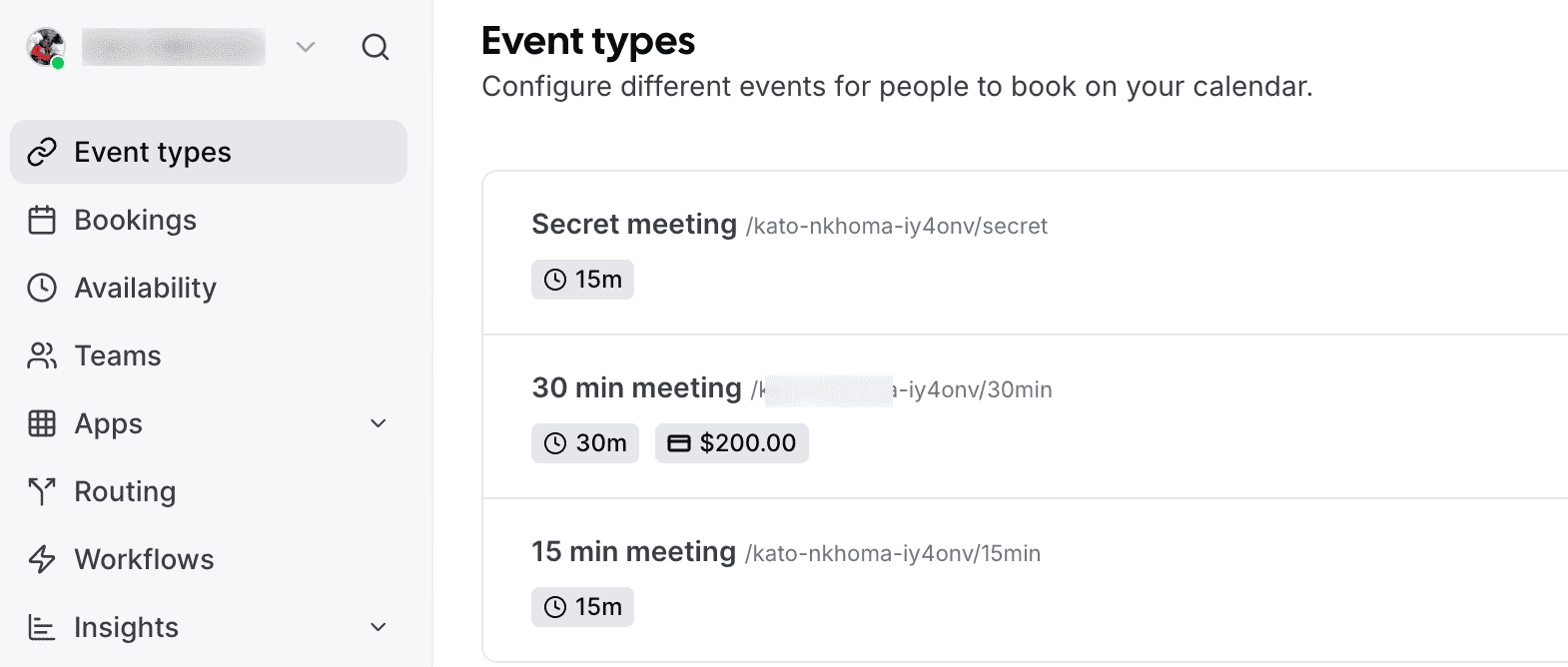
Every booking syncs automatically with Google Calendar, Outlook, and Apple Calendar, so double-bookings become a thing of the past. Cal.com's Workflows feature handles the follow-through: automated SMS and email reminders go out before each session. This reduces no-shows and last-minute cancellations.
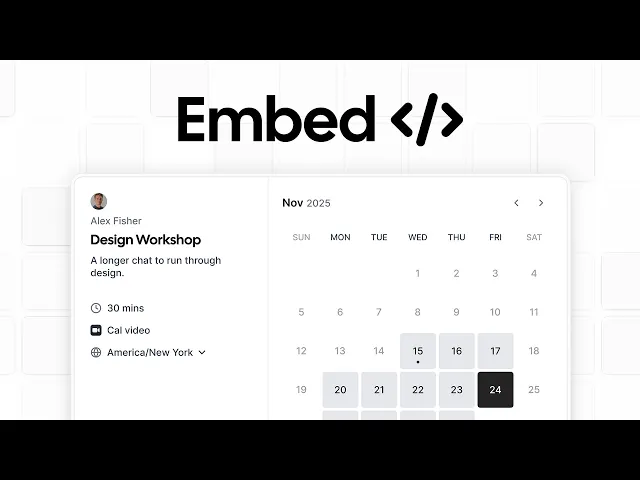
For photographers running a studio or working with a team, Cal.com's routing tools can automatically assign incoming inquiries to the right photographer based on session type, specialization, or location. You can embed your branded booking page directly on your website, share it via social media, or include it in your email signature. This makes it easier to meet and book clients wherever they find you.
It's free to get started with Cal.com. It’s also built to scale from solo shooters to full creative teams.
Key features of Cal.com
Shareable booking links with real-time calendar availability
Two-way sync with Google Calendar, Outlook, and Apple Calendar
Automated SMS and email reminders to reduce no-shows
Customizable booking forms to collect session details upfront
Team routing to assign inquiries to the right photographer automatically
Embeddable booking widget for your photography website
Here’s what some users have to say about Cal.com:
I use Cal.com as my main scheduling platform because it streamlines all my meetings and appointments. I'm impressed by its flexibility and customization, which surpasses many other scheduling tools that stick to rigid templates. I can tailor everything from booking pages and event types to workflows and integrations. I appreciate its open-source nature, ensuring transparency and long-term reliability. The clean, intuitive interface is easy to use for both me and my clients. It integrates seamlessly with my existing tools like calendars, video conferencing apps, CRMs, and more, creating a unified workflow. — G2 User
Consider Your Specific Needs to Streamline Client Scheduling
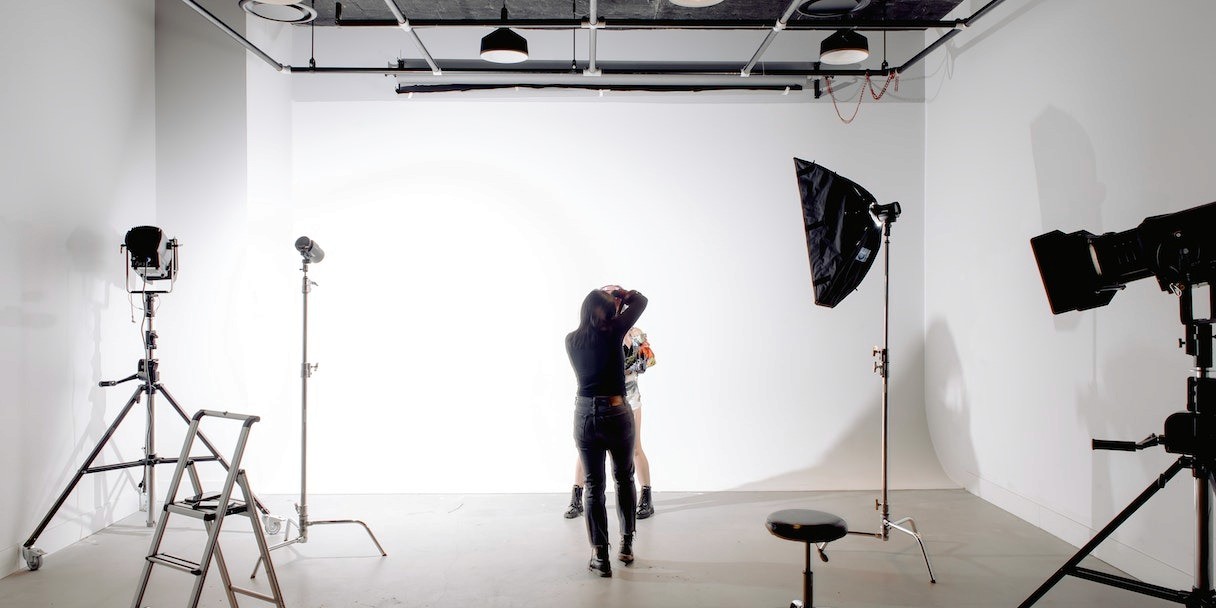
When choosing a photography scheduling app, it's essential to consider your specific needs. Different apps offer different features, so finding one that meets your photography business requirements is crucial. For instance, some booking software like Cal.com provides personalized booking pages. This enables you to customize the look and feel of your booking website. In contrast, others might offer more advanced features, such as workflow automation, AI, or advanced routing.
Cal.com is an ideal choice for people who want the best of both worlds. You can use it straight out of the box and add customizations as you need them.
Automating Appointment Scheduling and Reminders

One of the most significant advantages of using a photography scheduling app is the time you save by automating appointment scheduling and reminders. Clients can book sessions directly through your Cal.com booking page. No phone tag and no email chains. They see your real-time availability, pick a slot that works, and receive an instant confirmation. From that point, Cal.com takes over the follow-through. Here are examples of some time-saving features in a scheduling tool:
Cal.com's Workflows feature lets you build automated communication sequences triggered by booking events. For example, you can set up an email confirmation as soon as a session is booked. You can also set an SMS reminder 48 hours before the shoot, and a follow-up message after the session wraps. All without touching your inbox. You can fully customize the message content and timing to match your brand voice and the specific session type.
If a client needs to reschedule, Cal.com handles that automatically, too. You can set it up to send updated confirmations and adjust your calendar without any manual intervention.
The booking intake forms built into each event type mean both you and your clients are better prepared. You can collect shoot location, style preferences, outfit details, or any other information you need upfront. This means less time coordinating, more time shooting.
Syncing Your Calendars: Integrating Your Favorite Calendar Apps for Seamless Scheduling
Photographers often use different calendars, such as Google Calendar or other online services. By integrating your photography scheduling app with these services, you can sync your calendars and ensure your availability is up-to-date.
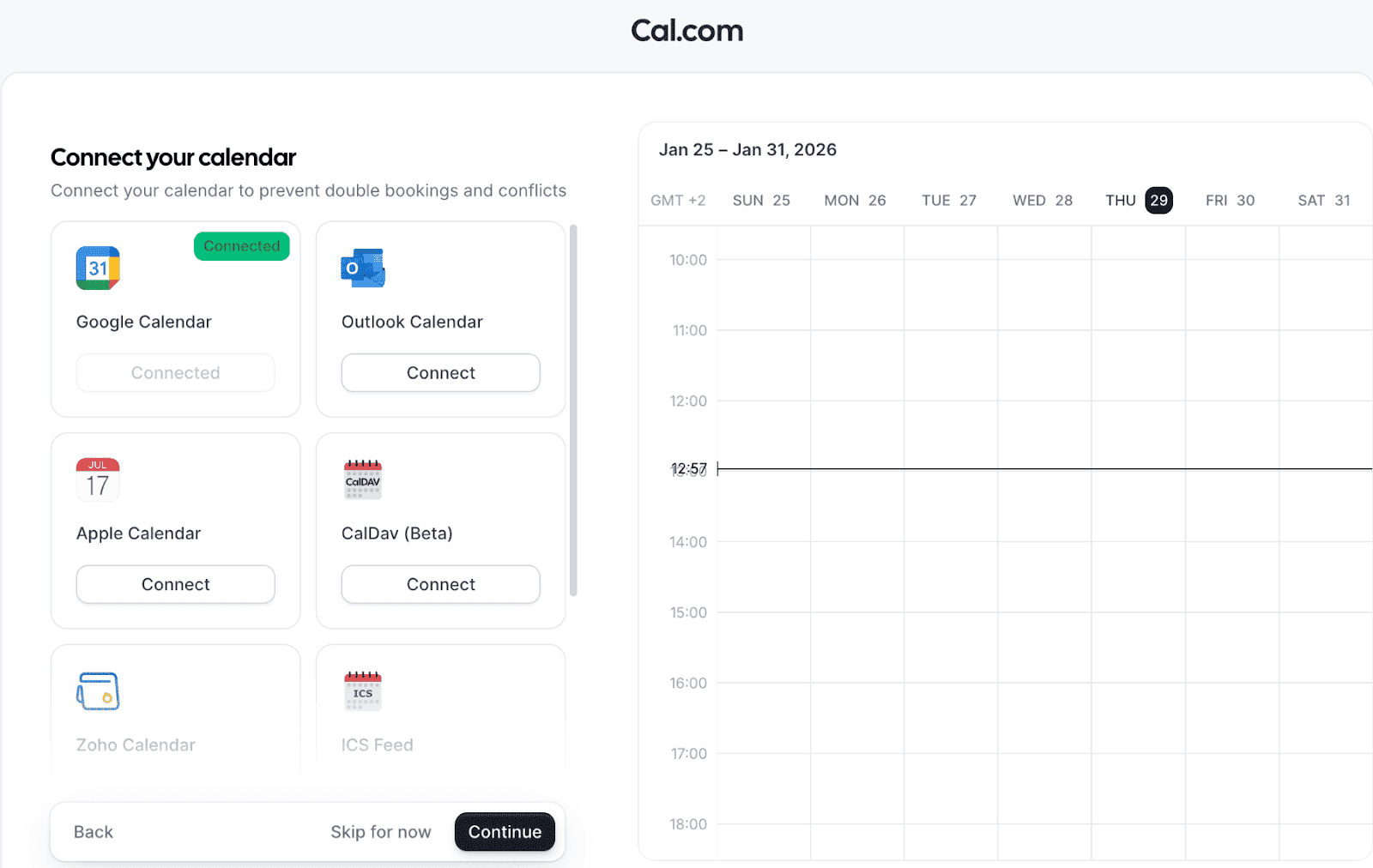
This feature helps you avoid double bookings and simplifies your administrative tasks.
In-person or Online Appointments: Catering to Different Types of Photography Sessions
Whether you offer in-person or online photo sessions, a photography scheduling app can help you manage both bookings efficiently. Clients can choose their preferred appointment type, and the app can automatically set up the calendar invite for your client accordingly.
For in-person sessions, you can include your business address or your clients, depending on where the shoot will take place.
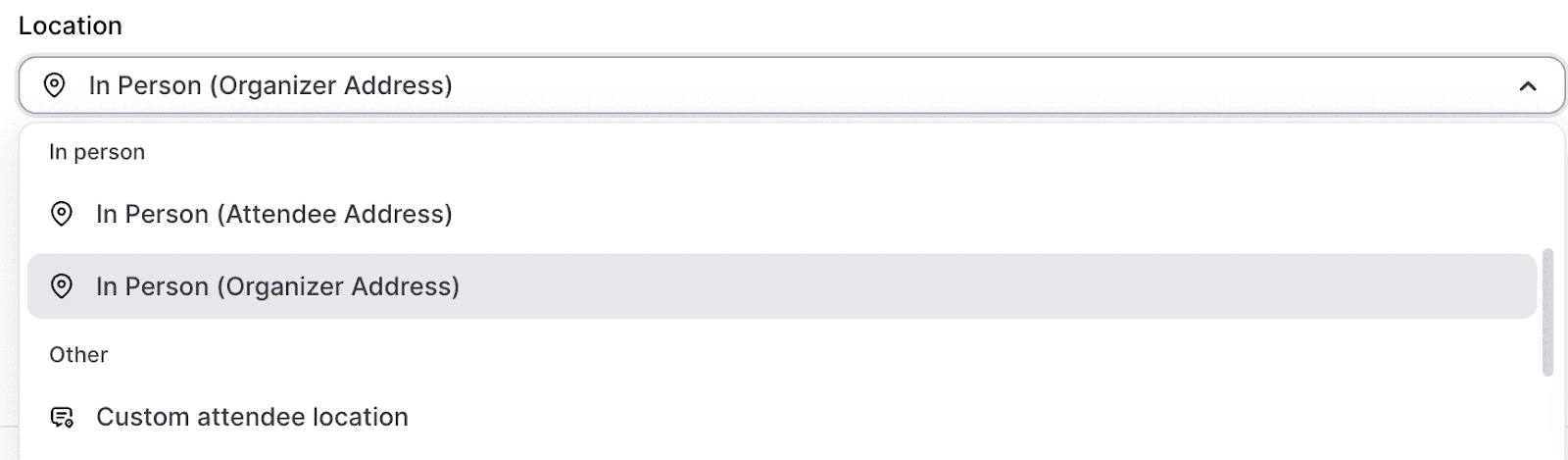
At the same time, for an online meeting, you can either connect your preferred conferencing solution (e.g., Cal Video) or use the scheduling software conferencing app.
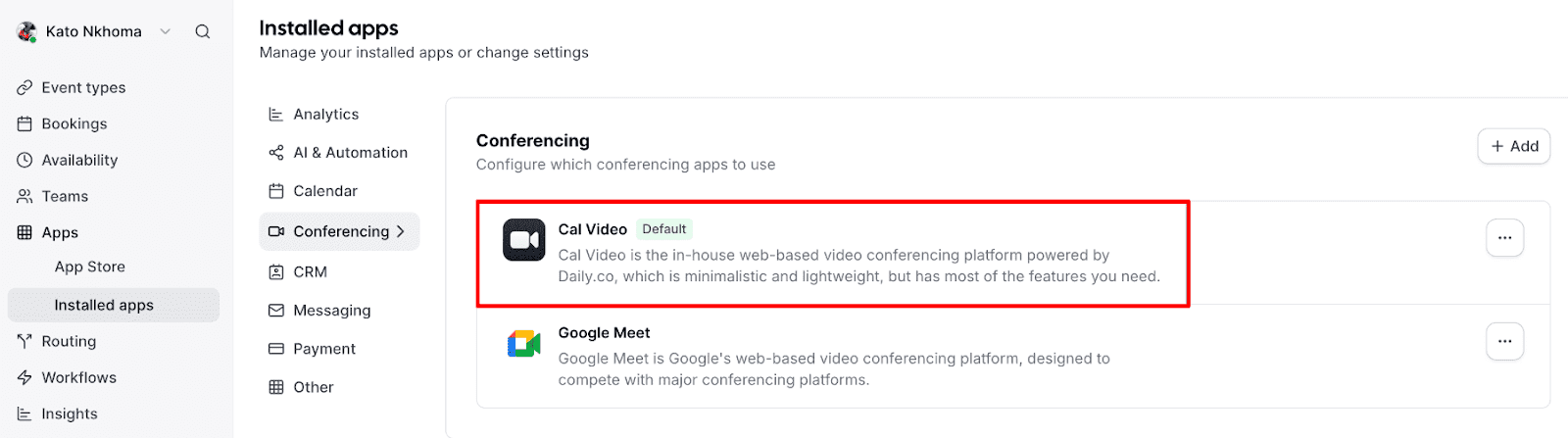
Not all appointment scheduling software comes with native video conferencing, making Cal.com a cut above the rest.
No Timezone Hiccups: Scheduling Software to the Rescue
When working with clients across different time zones, scheduling can become complicated. Photography scheduling apps like cal.com automatically adjust your available time slots to the client's time zone, ensuring a smooth booking process without any confusion. This feature particularly benefits photographers who work with international clients or offer remote consultations.
Streamline your photography business with Cal.com
Appointment scheduling software like Cal.com helps to streamline your photography business by offering a seamless booking experience for your clients. With features like booking calendars, real-time availability, and automatic reminders, your clients can easily book appointments without the hassle of back-and-forth communication.
Additionally, integrations with social media and conferencing solutions make it easy to book from various sources, including social media platforms and websites, and manage both in-person and online photography appointments with popular video conferencing solutions.
FAQs on the best photography app
1. Can clients book sessions without going back and forth with me?
Yes. With Cal.com, clients visit your booking page, view your real-time availability, select a session type, and confirm. All without a single email exchange.
2. Will Cal.com prevent double bookings?
Yes. Cal.com syncs two-ways with Google Calendar, Outlook, and Apple Calendar, so your availability is always up to date and double bookings are automatically prevented.
3. How does Cal.com help reduce no-shows?
The Workflows feature sends automated SMS and email reminders before each session. You can fully customize the timing and message content to suit your brand and session type.
4. Can I collect client details before the shoot?
Yes. Each event type includes a customizable booking intake form where you can gather information like shoot location, style preferences, outfit details, and anything else you need upfront.
5. Does Cal.com work for photography teams or just solo photographers?
Both. Cal.com scales from individual photographers to full studio teams. Its routing tools can automatically assign incoming inquiries to the right photographer based on session type, specialization, or location.

Get started with Cal.com for free today!
Experience seamless scheduling and productivity with no hidden fees. Sign up in seconds and start simplifying your scheduling today, no credit card required!