" height="18.016311920580208px" id="GKXyVanMq" stroke-dasharray="0" stroke-linecap="butt" stroke-linejoin="miter" stroke-miterlimit="10" stroke-width="0.5" stroke="rgb(0, 0, 0)" transform="translate(3 3)" width="18px"/></svg>)
"/><stop offset="1" stop-color="rgb(227, 224, 244)"/></linearGradient><linearGradient id="CBS1bzkxF-2031533640-linear-gradient" x1="0.49751243781094523" x2="0.5024875621890548" y1="0" y2="1"><stop offset="0" stop-color="rgb(255, 255, 255)"/><stop offset="1" stop-color="rgb(227, 224, 244)"/></linearGradient><linearGradient id="Jd7AK81w9-2031533640-linear-gradient" x1="0.49751243781094523" x2="0.5024875621890548" y1="0" y2="1"><stop offset="0" stop-color="rgb(255, 255, 255)"/><stop offset="1" stop-color="rgb(227, 224, 244)"/></linearGradient></defs><g d="M 0 16 L 0 0 L 16 0 L 16 16 Z M 9.167 5.167 C 9.167 4.891 8.943 4.667 8.667 4.667 C 8.391 4.667 8.167 4.891 8.167 5.167 C 8.167 6.784 7.809 7.834 7.155 8.488 C 6.501 9.143 5.451 9.5 3.833 9.5 C 3.557 9.5 3.333 9.724 3.333 10 C 3.333 10.276 3.557 10.5 3.833 10.5 C 5.451 10.5 6.501 10.857 7.155 11.512 C 7.809 12.166 8.167 13.216 8.167 14.833 C 8.167 15.109 8.391 15.333 8.667 15.333 C 8.943 15.333 9.167 15.109 9.167 14.833 C 9.167 13.216 9.524 12.166 10.178 11.512 C 10.832 10.857 11.883 10.5 13.5 10.5 C 13.776 10.5 14 10.276 14 10 C 14 9.724 13.776 9.5 13.5 9.5 C 11.883 9.5 10.832 9.143 10.178 8.488 C 9.524 7.834 9.167 6.784 9.167 5.167 Z M 4 3.667 C 4 3.483 3.851 3.333 3.667 3.333 C 3.483 3.333 3.333 3.483 3.333 3.667 C 3.333 4.32 3.189 4.715 2.952 4.952 C 2.715 5.189 2.32 5.333 1.667 5.333 C 1.483 5.333 1.333 5.483 1.333 5.667 C 1.333 5.851 1.483 6 1.667 6 C 2.32 6 2.715 6.145 2.952 6.382 C 3.189 6.618 3.333 7.013 3.333 7.667 C 3.333 7.851 3.483 8 3.667 8 C 3.851 8 4 7.851 4 7.667 C 4 7.013 4.145 6.618 4.382 6.382 C 4.618 6.145 5.013 6 5.667 6 C 5.851 6 6 5.851 6 5.667 C 6 5.483 5.851 5.333 5.667 5.333 C 5.013 5.333 4.618 5.189 4.382 4.952 C 4.145 4.715 4 4.32 4 3.667 Z M 7.333 1 C 7.333 0.816 7.184 0.667 7 0.667 C 6.816 0.667 6.667 0.816 6.667 1 C 6.667 1.422 6.573 1.65 6.445 1.778 C 6.317 1.906 6.089 2 5.667 2 C 5.483 2 5.333 2.149 5.333 2.333 C 5.333 2.517 5.483 2.667 5.667 2.667 C 6.089 2.667 6.317 2.761 6.445 2.889 C 6.573 3.016 6.667 3.244 6.667 3.667 C 6.667 3.851 6.816 4 7 4 C 7.184 4 7.333 3.851 7.333 3.667 C 7.333 3.244 7.427 3.016 7.555 2.889 C 7.683 2.761 7.911 2.667 8.333 2.667 C 8.517 2.667 8.667 2.517 8.667 2.333 C 8.667 2.149 8.517 2 8.333 2 C 7.911 2 7.683 1.906 7.555 1.778 C 7.427 1.65 7.333 1.422 7.333 1 Z" fill="transparent" height="16px" id="aoZYv33vR" width="16px"><path d="M 0 16 L 0 0 L 16 0 L 16 16 Z" fill="transparent" height="16px" id="Z2uGmhW9f" width="16px"/><g d="M 7.833 4.5 C 7.833 4.224 7.609 4 7.333 4 C 7.057 4 6.833 4.224 6.833 4.5 C 6.833 6.117 6.476 7.168 5.822 7.822 C 5.168 8.476 4.117 8.833 2.5 8.833 C 2.224 8.833 2 9.057 2 9.333 C 2 9.61 2.224 9.833 2.5 9.833 C 4.117 9.833 5.168 10.191 5.822 10.845 C 6.476 11.499 6.833 12.549 6.833 14.167 C 6.833 14.443 7.057 14.667 7.333 14.667 C 7.609 14.667 7.833 14.443 7.833 14.167 C 7.833 12.549 8.191 11.499 8.845 10.845 C 9.499 10.191 10.549 9.833 12.167 9.833 C 12.443 9.833 12.667 9.61 12.667 9.333 C 12.667 9.057 12.443 8.833 12.167 8.833 C 10.549 8.833 9.499 8.476 8.845 7.822 C 8.191 7.168 7.833 6.117 7.833 4.5 Z M 2.667 3 C 2.667 2.816 2.517 2.667 2.333 2.667 C 2.149 2.667 2 2.816 2 3 C 2 3.654 1.855 4.048 1.618 4.285 C 1.382 4.522 0.987 4.667 0.333 4.667 C 0.149 4.667 0 4.816 0 5 C 0 5.184 0.149 5.333 0.333 5.333 C 0.987 5.333 1.382 5.478 1.618 5.715 C 1.855 5.952 2 6.346 2 7 C 2 7.184 2.149 7.333 2.333 7.333 C 2.517 7.333 2.667 7.184 2.667 7 C 2.667 6.346 2.811 5.952 3.048 5.715 C 3.285 5.478 3.68 5.333 4.333 5.333 C 4.517 5.333 4.667 5.184 4.667 5 C 4.667 4.816 4.517 4.667 4.333 4.667 C 3.68 4.667 3.285 4.522 3.048 4.285 C 2.811 4.048 2.667 3.654 2.667 3 Z M 6 0.333 C 6 0.149 5.851 0 5.667 0 C 5.483 0 5.333 0.149 5.333 0.333 C 5.333 0.756 5.239 0.984 5.112 1.112 C 4.984 1.239 4.756 1.333 4.333 1.333 C 4.149 1.333 4 1.483 4 1.667 C 4 1.851 4.149 2 4.333 2 C 4.756 2 4.984 2.094 5.112 2.222 C 5.239 2.35 5.333 2.578 5.333 3 C 5.333 3.184 5.483 3.333 5.667 3.333 C 5.851 3.333 6 3.184 6 3 C 6 2.578 6.094 2.35 6.222 2.222 C 6.35 2.094 6.578 2 7 2 C 7.184 2 7.333 1.851 7.333 1.667 C 7.333 1.483 7.184 1.333 7 1.333 C 6.578 1.333 6.35 1.239 6.222 1.112 C 6.094 0.984 6 0.756 6 0.333 Z" fill="transparent" height="14.66671286102295px" id="ae6ccdFme" transform="translate(1.333 0.667)" width="12.66663px"><path d="M 5.833 0.5 C 5.833 0.224 5.609 0 5.333 0 C 5.057 0 4.833 0.224 4.833 0.5 C 4.833 2.117 4.476 3.168 3.822 3.822 C 3.168 4.476 2.117 4.833 0.5 4.833 C 0.224 4.833 0 5.057 0 5.333 C 0 5.61 0.224 5.833 0.5 5.833 C 2.117 5.833 3.168 6.191 3.822 6.845 C 4.476 7.499 4.833 8.549 4.833 10.167 C 4.833 10.443 5.057 10.667 5.333 10.667 C 5.609 10.667 5.833 10.443 5.833 10.167 C 5.833 8.549 6.191 7.499 6.845 6.845 C 7.499 6.191 8.549 5.833 10.167 5.833 C 10.443 5.833 10.667 5.61 10.667 5.333 C 10.667 5.057 10.443 4.833 10.167 4.833 C 8.549 4.833 7.499 4.476 6.845 3.822 C 6.191 3.168 5.833 2.117 5.833 0.5 Z" fill="url(%23t2lXByE48-2031533640-linear-gradient)" height="10.66671px" id="t2lXByE48" transform="translate(2 4)" width="10.66663px"/><path d="M 2.667 0.333 C 2.667 0.149 2.517 0 2.333 0 C 2.149 0 2 0.149 2 0.333 C 2 0.987 1.855 1.382 1.618 1.618 C 1.382 1.855 0.987 2 0.333 2 C 0.149 2 0 2.149 0 2.333 C 0 2.517 0.149 2.667 0.333 2.667 C 0.987 2.667 1.382 2.811 1.618 3.048 C 1.855 3.285 2 3.68 2 4.333 C 2 4.517 2.149 4.667 2.333 4.667 C 2.517 4.667 2.667 4.517 2.667 4.333 C 2.667 3.68 2.811 3.285 3.048 3.048 C 3.285 2.811 3.68 2.667 4.333 2.667 C 4.517 2.667 4.667 2.517 4.667 2.333 C 4.667 2.149 4.517 2 4.333 2 C 3.68 2 3.285 1.855 3.048 1.618 C 2.811 1.382 2.667 0.987 2.667 0.333 Z" fill="url(%23CBS1bzkxF-2031533640-linear-gradient)" height="4.66667px" id="CBS1bzkxF" transform="translate(0 2.667)" width="4.66667px"/><path d="M 2 0.333 C 2 0.149 1.851 0 1.667 0 C 1.483 0 1.333 0.149 1.333 0.333 C 1.333 0.756 1.239 0.984 1.112 1.112 C 0.984 1.239 0.756 1.333 0.333 1.333 C 0.149 1.333 0 1.483 0 1.667 C 0 1.851 0.149 2 0.333 2 C 0.756 2 0.984 2.094 1.112 2.222 C 1.239 2.35 1.333 2.578 1.333 3 C 1.333 3.184 1.483 3.333 1.667 3.333 C 1.851 3.333 2 3.184 2 3 C 2 2.578 2.094 2.35 2.222 2.222 C 2.35 2.094 2.578 2 3 2 C 3.184 2 3.333 1.851 3.333 1.667 C 3.333 1.483 3.184 1.333 3 1.333 C 2.578 1.333 2.35 1.239 2.222 1.112 C 2.094 0.984 2 0.756 2 0.333 Z" fill="url(%23Jd7AK81w9-2031533640-linear-gradient)" height="3.333333px" id="Jd7AK81w9" transform="translate(4 0)" width="3.3333399999999997px"/></g></g></svg>)
" height="24px" id="WCm44spAV" width="24px"/><path d="M 3.892 7.742 C 1.674 7.742 0 6.014 0 3.882 C 0 1.738 1.589 0 3.892 0 C 5.107 0 5.951 0.374 6.623 1.173 L 5.566 2.09 C 5.118 1.621 4.564 1.386 3.892 1.386 C 2.452 1.386 1.547 2.517 1.547 3.882 C 1.547 5.246 2.452 6.356 3.924 6.356 C 4.649 6.356 5.193 6.111 5.63 5.63 L 6.718 6.558 C 6.153 7.24 5.193 7.742 3.892 7.742 Z" fill="rgb(255, 255, 255)" height="7.741500000000002px" id="XEPpGD7l5" transform="translate(4 8.25)" width="6.717999999999989px"/><path d="M 2.74 7.922 C 1.215 7.922 0 6.632 0 5.032 C 0 3.433 1.215 2.122 2.74 2.122 C 3.7 2.122 4.201 2.516 4.5 3.113 L 4.5 2.239 L 5.928 2.239 L 5.928 7.784 L 4.531 7.784 L 4.531 6.877 C 4.233 7.507 3.731 7.922 2.74 7.922 Z M 1.439 5.023 C 1.439 5.865 2.057 6.622 2.975 6.622 C 3.924 6.622 4.531 5.897 4.531 5.033 C 4.531 4.169 3.924 3.423 2.975 3.423 C 2.057 3.423 1.439 4.159 1.439 5.022 Z M 6.784 7.784 L 6.784 0 L 8.224 0 L 8.224 7.784 L 6.784 7.784 Z" fill="rgb(255, 255, 255)" height="7.9224997406005855px" id="lGDJupIUR" transform="translate(10.5 8)" width="8.223500194549558px"/></g></svg>)
" width="18px"><path d="M 2 8 C 0.895 8 0 7.105 0 6 L 0 2 C 0 0.895 0.895 0 2 0 L 6 0 C 7.105 0 8 0.895 8 2 L 8 6 C 8 7.105 7.105 8 6 8 Z" fill="transparent" height="8px" id="ZrCrI93dV" stroke-dasharray="" stroke-linecap="round" stroke-linejoin="round" stroke-width="2" stroke="rgb(0, 0, 0)" width="8px"/><path d="M 0 0 L 0 4 C 0 5.105 0.895 6 2 6 L 6 6" fill="transparent" height="6px" id="emltWYAiE" stroke-dasharray="" stroke-linecap="round" stroke-linejoin="round" stroke-width="2" stroke="rgb(0, 0, 0)" transform="translate(4 8)" width="6px"/><path d="M 2 8 C 0.895 8 0 7.105 0 6 L 0 2 C 0 0.895 0.895 0 2 0 L 6 0 C 7.105 0 8 0.895 8 2 L 8 6 C 8 7.105 7.105 8 6 8 Z" fill="transparent" height="8px" id="WpBecYDfi" stroke-dasharray="" stroke-linecap="round" stroke-linejoin="round" stroke-width="2" stroke="rgb(0, 0, 0)" transform="translate(10 10)" width="8px"/></g></svg>)
Cal.com vs. Calendly | The Ultimate Comparison Guide
Calendly and Cal.com are arguably two of the most popular scheduling software available today. Putting them head-to-head will help you understand how they fare against each other and help you choose the best scheduling app for your personal or professional purposes. Choosing the right scheduling platform can significantly impact your work experience and productivity.

When you look at it from an objective lens, there’s a reason Calendly became the default choice for scheduling software online. The reason was a simple user interface, quick setup, and a non-restrictive free tier. Even though Calendly or scheduling software in general is a business tool, Calendly explicitly targeted individual users, too, and offered them a free and easy way to reduce scheduling friction. This made it stand out immensely and helped shape the scheduling industry as a whole in some way.
Cal.com, on the other hand, is a completely different beast. It was designed and developed to meet the limitations of Calendly. For example, the free tier of Calendly is only suited for individuals with personal scheduling requirements; it has little value for businesses. Cal.com fixed that with a free tier with better features and more use case flexibility to ensure even small businesses and service-based professionals can find value from Cal.com. The list doesn’t end here. The team at Cal.com spent a lot of time and energy creating a product that could specifically compete with Calendly and come out on top in every department.
So, we could just tell you that Cal.com works better than Calendly and call it a day. But we went through all the motions and performed an unbiased, thorough comparison of both platforms. This comparison focuses on features that matter the most, including scheduling capabilities, customization, integrations, pricing, security, team collaboration, and scalability. So, when you check out the full comparison, you’ll know exactly how both these platforms perform pitted against one another and how they perform in general.
TL;DR: Cal.com vs Calendly
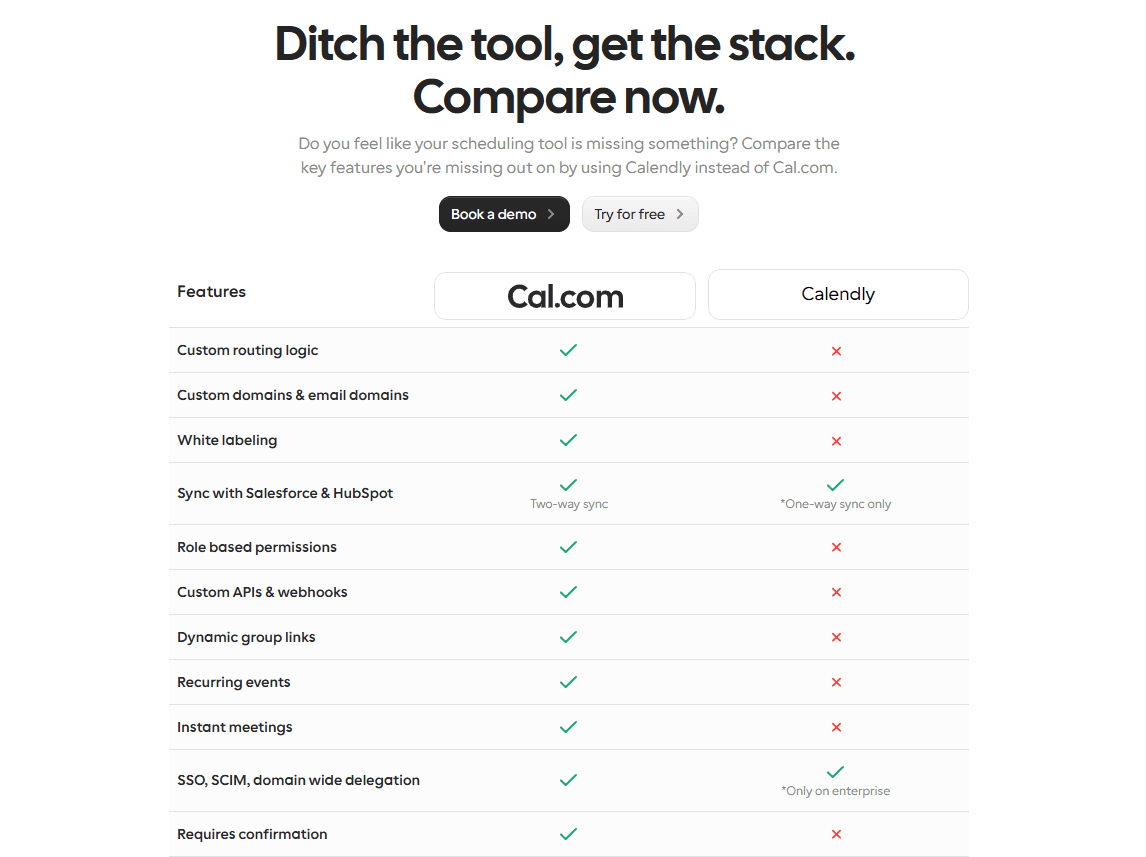
Feature | Cal.com | Calendly | Winner |
Best for | Enterprises, tech teams, sales teams, healthcare practices, marketplaces, customer support teams, and small businesses. | Individuals, freelancers, and small businesses. | Though it depends on your needs, Cal.com inches ahead due to its broader use case. |
Starting price | Paid plans start at $12/user per month | Paid plans start at $10/user per month | If you go directly on a per-dollar comparison, Calendly wins. However, Cal.com offers much more for its paid plans than Calendly. |
Free plan | Generous free plan available with unlimited event types and meeting bookings | Free plan with basic scheduling features for individuals. | Cal.com |
API & developer tools | Extensive API-first infrastructure, custom API support, webhooks, SDKs, and middleware support. | API access is only available on higher-paid plans with limited options. | Cal.com |
Fully customizable and supports white-label scheduling. | Limited customization options. | Cal.com | |
Integrations | Google Calendar, Microsoft Outlook, Zoom, Stripe, Slack, Salesforce, HubSpot, Microsoft Teams, and over 3,000 workplace apps using API and Zapier. | Google Calendar, Microsoft Outlook, Zoom, Stripe, and some other popular business apps. | Cal.com |
Team scheduling | Round-robin scheduling, collective event scheduling, custom routing forms and logic, team workspaces, and advanced automated workflow support. | Round-robin scheduling, team scheduling, and admin controls. | Cal.com |
Enterprise readiness | Self-hosting support for enterprises. SSO, SCIM, and ISO 27001 compliance support. API-first, white-label platform with advanced customization options. | SSO, admin controls, and centralized management. | Cal.com |
Overall winner | Cal.com as it is best for businesses that need flexibility, ownership, and scalability. | Calendly is best only for individuals with minimal scheduling requirements. | Cal.com wins as the best overall scheduling platform between the two. |
Cal.com vs Calendly at a glance
Cal.com and Calendly are both appointment scheduling software. Their main purpose is to help reduce the back-and-forth it takes to set up a meeting with clients or team members. However, the purpose isn’t all black-and-white. This is because good scheduling software doesn’t just eliminate emails from the scheduling flow. It also reduces the effort it takes for each party to schedule a meeting. It helps users find a suitable time for meetings and helps you gather important attendee information before the meeting.
Once the time problem is solved, both Cal.com and Calendly update the appointment information to your calendar of choice to ensure you and the other attendees are aware of the booking and do not miss it. These automated functions are what make both these platforms end-to-end scheduling solutions for both working professionals and businesses. So, where does the difference lie between them? Here’s a brief overview.
Calendly

Known for simplicity and ease of use
Users can set up a booking page in less than five minutes
Works out of the box
Doesn’t require heavy infrastructure or experience to set up
Clean UI that’s easily understandable
Great choice for small teams and individuals who want a quick scheduling solution
Cal.com
Cal.com is known for its API-first infrastructure.
It is built for businesses and professionals, while still having the features that appeal to individuals for personal use
Cal.com supports extensive integrations with custom APIs, webhooks, SDKs, and middleware software like Zapier
It allows extensive customizability in every aspect, from the booking page design to booking flow, routing logic, and even automation aspects
Platform seamlessly supports enterprises with enterprise-grade security and numerous international compliance standards, including ISO 27001, SSO, SAML, and SCIM.
Supports self-hosting, which allows complete data security for enterprise businesses. This is among the rarest features offered by Cal.com
Supports complete white-labeling and removal of all Cal.com branding and mentions
Clean and beautiful UI that’s easy to use and understand
Quick setup is possible for users with experience using scheduling tools
Great choice for enterprises, small businesses, healthcare teams, educational institutions, customer success teams, sales teams, marketplaces, and remote teams.
Quick verdict
If you want… | Choose |
Fast setup, but with limited features | Calendly |
Maximum customization options | Cal.com |
White-label scheduling | Cal.com |
Enterprise workflows | Cal.com |
Basic personal scheduling | Cal.com or Calendly |
Feature comparison
In the end, user experience and nice UI can only take you so far; you need to get into the nitty-gritty details of the features that each platform offers. In this regard, it must be acknowledged that Calendly did set the standard as to what features should be expected from scheduling apps as a whole. However, Cal.com took on the challenge and nailed the feature depth out of the park.
There is practically no division or category where Calendly can outperform Cal.com, and that is specifically because Cal.com was developed to be better than Calendly in every way possible. Nonetheless, you don’t have to take our word for it; here’s a complete overview of the major feature categories of scheduling apps and how Calendly and Cal.com compare against each other in every category.
Booking experience
The primary purpose of scheduling software is to make the booking experience better for customers. Instead of going through an endless cycle of emails just to find a date for the appointment or meeting, the booking software offers a sleek booking page where users can find a time slot for their booking. Both Calendly and Cal.com offer polished booking experiences, but they differ in how much flexibility they provide.
Feature | Calendly | Cal.com |
Event types | Calendly offers features such as one-on-one events, collective events, and group events. | Cal.com supports unlimited events for each event type, even under its free plan. The event types supported include one-on-one, group, collective, round-robin, managed, and recurring events. You can also set up custom event types with Cal.com |
Booking pages | Clean and simple booking pages that are easy to use with basic branding options. | Cal.com offers fully brandable booking pages that even support being hosted on custom domains and being embedded into websites and apps. |
Routing | Routing is one of the weaker aspects of Calendly, as it supports basic routing support, which is available only on the higher-priced tiers of the software. | With advanced routing form support, direct booking routing based on user responses, user availability, and predefined business logic, Cal.com is one of the best in the industry when it comes to routing logic support. |
Availability management | Moderate availability management settings are available with calendar sync and time zone detection features. | Availability management is highly customizable when you use Cal.com. It includes support for buffer times between meetings and complete mobile support to be notified and even reschedule events/appointments right from your phone. |
Buffer times | Supports buffer time between meetings, setting up minimum notice times, and booking limits. | Cal.com supports buffer time both before and after meetings, as well as notice periods, booking limits, and scheduling windows. |
Round robin scheduling | Supports basic round-robin scheduling to distribute meetings across team members. | Supports all types of round-robin scheduling for customizable meeting assignment. Different round-robin logic can be applied for sales and support teams to fairly distribute work and also ensure the right representatives get the right leads. |
Group booking | Supports group events and collective meetings. | Cal.com supports group events, team-based booking scenarios, and collective scheduling seamlessly. |
Why this matters: An ideal booking experience isn’t just about making scheduling faster or displaying the available time slots. An adequate booking experience is helpful to the user in understanding availability options and then choosing a suitable time to set up a meeting. It provides necessary information to the user to help them make informed decisions before booking time and it also helps reduce unnecessary back-and-forth. Cal.com’s flexible event types, routing forms, and availability controls allow users to get these benefits seamlessly. With Cal.com, you can create a booking flow that’s optimized and ready to help you convert meetings into sales.
Winner: Cal.com
As mentioned, both platforms cover the basic necessities of users. However, Cal.com outperforms thanks to its flexibility. The flexibility makes Cal.com equally useful for a sales team and an online coach. This type of adaptability is what makes Cal.com stand out. Also, not to mention, architecturally, the API-first infrastructure, the customizable and brandable booking pages, and advanced routing forms, these features allow users to seamlessly integrate Cal.com into their existing workflows. The intuitive scheduling experience of Cal.com, with its powerful booking features, is what helps Cal.com stand out here.
The flexibility offered by Cal.com is one of its major pros because it can suit itself to the varying scheduling requirements of different businesses and industries. A consultant, healthcare organization, sales team, marketplace, and a SaaS company each of them have different scheduling requirements and styles. Cal.com is among the only scheduling platform that can comfortably cover all these use cases and still be scalable enough to support both small and enterprise businesses in each industry.
Customization and branding
The booking page you create for your business is often the first experience people have with your business or service. Being able to customize and personalize your booking page helps create a consistent and cohesive brand experience for users and clients. Both Calendly and Cal.com offer customization and branding features for their booking pages. However, the extent of customization offered by Cal.com differs significantly from what’s offered by Calendly. Here’s a detailed look at how each of these platforms fares against the others in terms of customization and branding.
Feature | Calendly | Cal.com |
Branding | Calendly allows users to change the logo, brand colors, and other basic booking page customizations on paid plans. | Cal.com is fully customizable. You can change the logo, colors, themes, and layouts of the booking page with Cal.com. The customizability is available on both the free and paid plans of Cal.com |
White-label scheduling | Calendly does not have significant white-label scheduling capabilities. | Meanwhile, Cal.com is one of the strongest white-label scheduling software in the market. It allows complete white-labeling and branding, even supporting custom domains and email SMTP servers. |
Custom domains | You can only avail custom domains on Calendly if you’re using the Enterprise plan. | Cal.com allows users to avail custom domains and even custom email SMTP servers without an enterprise plan. |
Embeddable booking | You can embed Calendly booking pages into websites with standard customization options. | Cal.com supports multiple embed options with inline widgets, pop-ups, and even custom integrations into websites, web apps, and mobile applications. |
Custom fields and forms | Calendly does have custom question support and intake forms; however, they come with fewer customization options and are more template-based. | You can get extensive custom intake support with Cal.com, including intake forms, conditional questions, and routing forms, all of which are editable and customizable. |
Booking flow | Standard booking flow where users have limited control. The customization options are limited. | Multi-step booking flows are supported. These booking flows can be customized to meet specific business requirements. |
Developer customization | API-based customization options are available. However, platform limitations apply even with API integrations. | Cal.com hosts an API-first architecture that provides custom APIs, webhooks, and complete UI customization options for users. Cal.com even offers a self-hosting option for enterprise users. |
Why this matters: Customization is what defines whether the scheduling platform you chose works for or against your workflow. With the right customization options, you can maintain a consistent brand image in front of clients and customers. This helps improve your brand identity in front of potential and returning customers. It also helps you automate several manual tasks, especially routing meetings. Lastly, when users choose Cal.com, scheduling feels like an extension of your brand website and service rather than a disjointed third-party tool.
Winner: Cal.com
This is one area where users think less is more, but that’s seldom true. Even as a small business that doesn’t require extensive branding options and developer customization facilities, choosing Calendly over Cal.com in this segment ensures you’re creating an operational and growth bottleneck for your future.
Considering Cal.com and Calendly do not have any meaningful difference in pricing, it can harm your business interests to only consider the present when you’re planning on adding a new tool to your workflow. This is why, even a tool that seems like an overkill today, can save your operations tomorrow without overwhelming your team.
So, Cal.com wins in this department as well, not only because it has more features and better capabilities, but also because it helps businesses futureproof themselves.
Integrations
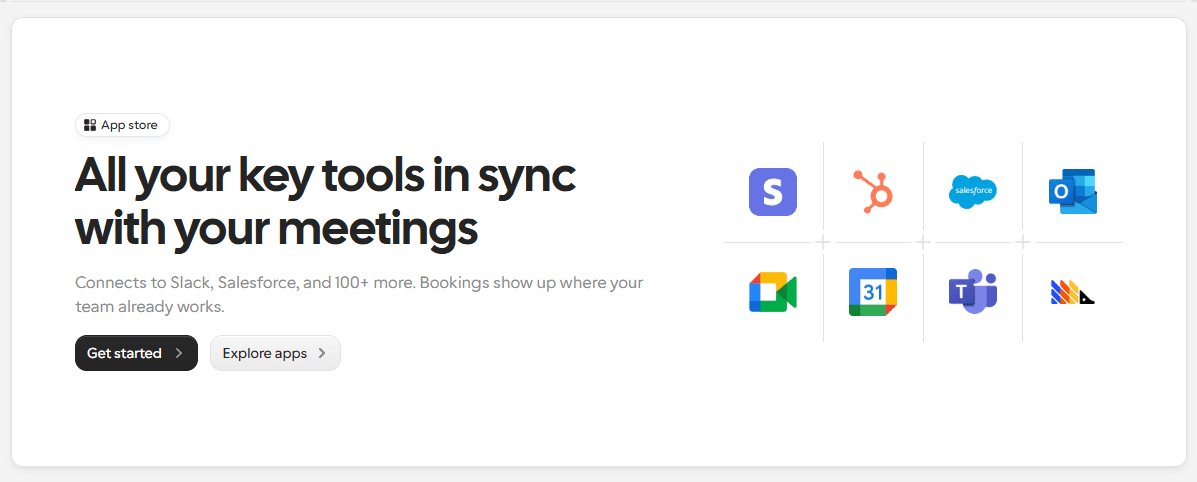
Your scheduling platform can not and does not work independently. It needs to be a part of your overall workflow, and as such, tools that can seamlessly integrate with other workflow software are highly regarded. Cal.com and Calendly both fall in the category of apps that have solid integration capabilities. Calendly’s position as a market leader made it popular among workflow app companies to promote cross-functionality. Cal.com, on the other hand, enjoys the same benefits while also being designed to work with virtually any existing workflow thanks to its multiple connectivity options.
Integration category | Calendly | Cal.com |
Calendar apps | Google Calendar, iCloud, Microsoft 365, Outlook. | Google Calendar, Microsoft Outlook, Apple Calendar, CalDAV, and more. |
Video conferencing | Google Meet, Zoom, Microsoft Teams, Webex, and GoTo Meeting | Zoom, Microsoft Teams, Google Meet, Around, Jitsi, Whereby, and Cal Video (Cal’s own video conferencing software) |
CRM platforms | Zoho CRM, HubSpot, and Salesforce. | Cal.com supports two-way integration with Salesforce, HubSpot, Pipedrive, and many other CRMs with custom API integrations. |
Payment providers | Stripe and PayPal integrations are supported on paid plans. | Stripe integration for paid appointments. |
Automation tools | Zapier and workflow integrations with platform limitations. | Cal.com supports webhooks, APIs, custom workflows, and third-party automation platforms. With Zapier, Cal.com can integrate with over 3,000 workplace applications. |
Developer tools | REST API and webhook support only on eligible higher-paid plans. | Custom APIs, SDKs, and webhook accessibility. |
Embedding options | Website embed options are only available with some scheduling widgets. | Cal.com is fully embeddable with extensive customization options and white-label support. |
Winner: Cal.com
Coming to integrations, it works a lot like customization and branding; what you feel like you may not need today may become essential tomorrow. This is why you need a platform that can scale and grow with you. Being a top scheduling app, Calendly has good integration options that are suitable for individuals and professionals starting their online services.
However, it has limited integrations for teams and enterprises. The REST API functionality is not as robust as Cal.com’s custom APIs and webhooks. In fact, Calendly would require Zapier far more to offer integration options for workplaces, which not only convolutes the workflow but also increases overall pipeline expenses.
This is why Cal.com’s API-first infrastructure and custom APIs that are available on every paid plan make for way better integration capabilities.
Automation and workflows
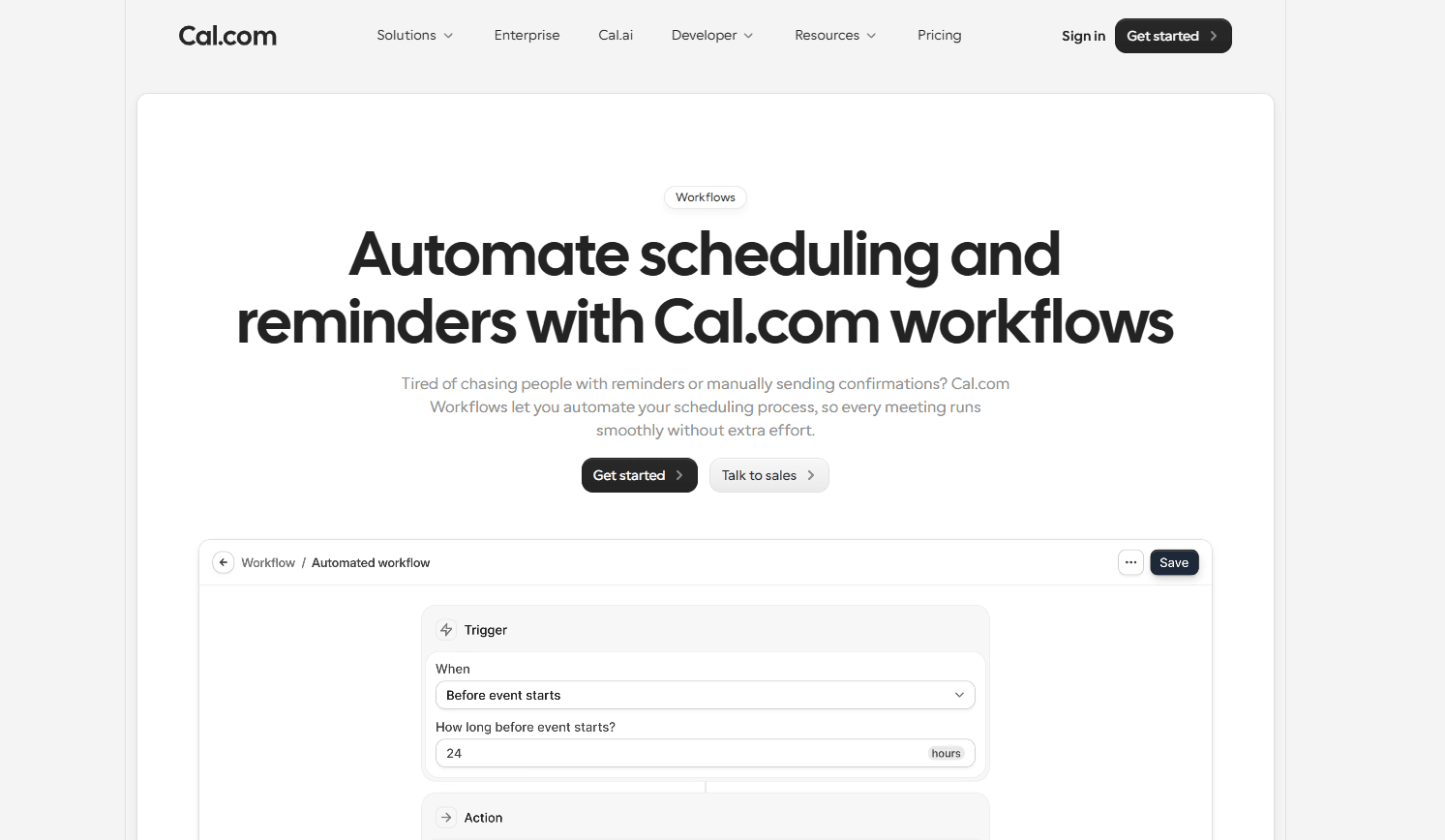
Automation features are what make scheduling software popular and useful for businesses. It helps reduce the manual workload associated with emailing, following up, reminding, and manual data entry. Not only is this process not the best use of time for professionals, it also actively hampers their workplace productivity and takes up way too much of their working hours. The automation and workflow features are some of the most popular options for both platforms. Here’s a detailed head-to-head review of how their automation and workflow features fare against each other.
Workflow feature | Calendly | Cal.com |
Automated notifications | ✅ Supports automated email confirmations and reminders. | ✅ Supports email and workflow notifications. Even supports SMS and call reminders and followups with Cal.ai. Workflow notifications can be triggered by customizable events or checkpoints. |
Meeting reminders | ✅ Email reminders and follow-up notifications | ✅ Multiple reminder options as mentioned from email, SMS, and call along with integrated workflow reminder options as well. |
Routing forms | ❌ Basic routing forms available only on higher tier plans. | ✅ Advanced routing form options based on responses, availability, team, or business logic. |
Approval workflows | ❌ Limited approval functionality | ✅ Supports approval-based scheduling with custom workflow support. |
Custom workflows | ❌ Standard workflow automation. Only supports predefined actions. (template-based) | ✅ Cal.com supports webhooks, SDKs, middleware, as well as API-driven workflows for its automation features. The rule-based automation engine of Cal.com is highly reliable. |
Webhooks | ❌ Limited webhook support only on higher paid plans | ✅ Comprehensive webhook support for custom automations and even action-based, conditional, or time-based automations. |
API automation | ❌ API access is limited to higher-tier plans with platform limitations and fewer customization options. | ✅ API-first infrastructure provides extensive API support for building custom scheduling experiences. |
Winner: Cal.com
Straightforward scheduling and basic automation features can be managed by Calendly; for that matter, it can even be managed by the native scheduling features of Google Calendar. However, if you’re a professional who intends to use scheduling as a part of their business operations, then Calendly’s features quickly become bottlenecks rather than workflow helpers.
The advanced features of Cal.com, again, work as a form of security and future-proofing that can help businesses optimize workflows and prevent bottlenecks both in the present and the future. The greater control you have over your scheduling lifecycle ensures you’re able to track and monitor your team’s performance that much more. This helps you improve productivity and meet operational goals better.
Security and compliance

Data security is a matter of great concern for businesses using cloud-based workflows in the era of AI. Several industries completely depend on the secrecy and the security of data, such as healthcare, where data involves Personal Health Information (PHI) of patients, the leaking of which is considered a grave violation of HIPAA guidelines and can lead to serious legal consequences for practices.
So, compliance support and security are a basic necessity today. In fact, as scheduling deals with client information directly, the scheduling platform you choose must be able to provide adequate enterprise-grade security and compliance support to ensure your business is not at risk of compliance violations. Here’s a breakdown of how Cal.com and Calendly approach security and compliance.
Security feature | Calendly | Cal.com |
GDPR compliance | ✅ Supported | ✅ Supported |
SOC 2 compliance | ✅ Available | ✅ Available |
HIPAA compliance | ❌ Only available on eligible paid plans | ✅ Available on all plans with the purchase of a signed Business Associate Agreement (BAA) |
Single Sign-On (SSO) | ❌ Supported only on enterprise plans | ✅ Supported for organizations and anyone subscribed to the Organizations plan and above |
SCIM provisioning | ❌ Available only on enterprise plans | ✅ Available for organizations and anyone subscribed to the Organizations plan and above |
Audit logs | ❌ Available only on enterprise plans | ✅ Comprehensive audit logging available for ISO 27001 compliance |
Self hosting | ❌ Not available | ✅ Full self-hosting available for enterprise team users, set up by Cal.com engineers for complete data security. |
Data ownership | ❌ Data management is only available within Calendly’s cloud infrastructure | ✅ Cal.com provides separate, dedicated managed databases for enterprise clients, with the option to completely self-host the platform. Additionally, Cal.com offers full control over data to users of all paid plans. |
Winner: Cal.com
The security features offered by Calendly work for small businesses and professionals to a certain extent. However, the lack of HIPAA compliance features and audit logs makes it impossible for healthcare practices and other related industries to use Calendly for scheduling purposes.
Any industry where data security is of great importance instinctively chooses Cal.com over Calendly. This is because the enterprise authentication options and comprehensive compliance support options of Cal.com ensure that it is a robust scheduling solution for both small businesses and enterprises. In fact, the features Cal.com specifically offers to enterprises are some of the best in the industry, and it leads to unmatched data control and privacy for businesses.
Pricing comparison
In the end, all the shiny features and incredible facilities only make you happy when they can fit within your budget. To be very honest, both Calendly and Cal.com are incredibly well priced. The plans are not too expensive, and the overall cost of ownership for both these platforms is not incredibly high. In short, they don’t have hidden charges behind the plan subscriptions. Many other platforms in the same industry charge way more for way fewer features than both Calendly and Cal.com. So, it is safe to say there are many valid reasons why Cal.com and Calendly are considered industry leaders. Here’s an overview of the pricing plans of both Calendly and Cal.com.
Calendly | Cal.com |
A free plan that’s always free for individuals. Supports only 1 event type and 1 calendar. | Free forever plan for individuals and even small businesses. Supports unlimited event types and calendars. |
Standard plan: pricing starts at $10/user per month Unlimited event types and multiple calendar support. | Teams plan: pricing starts at $12/user per month Round-robin scheduling, complete branding removal options, and custom API access. |
Teams plan: pricing starts at $16/user per month Round robin scheduling, lead routing, and advanced admin features. | Organizations plan: pricing starts at $28/user per month Custom subdomain support, ISO 27001, SSO, SCIM, SAML, SOC 2, and HIPAA compliance support. |
Enterprise plan: pricing starts at $15,000 per year SSO and SAML compliance with audit logs. | Enterprise plan: custom quote-based pricing Dedicated database and self-hosting option. |
Calendly advantages
Simplicity and accessibility, these are the two most standout advantages of Calendly. Anyone who has never used scheduling software before can also sign up on Calendly and create their own booking page in a matter of minutes. This level of accessibility is what has catapulted Calendly to the height of success as one of the most popular scheduling software options. But there’s more than just simplicity and accessibility. Here’s a breakdown of all the good things Calendly has going for itself that make it popular.
Reliable scheduling experience: The booking engine of Calendly is very reliable. It does not double-book meetings; the integrations it has with calendar apps like Google Calendar and Microsoft Outlook are very strong and do not fail. This helps users and businesses ensure that they’re never double-booked. It also ensures their availability is never inaccurately shown on the booking page.
Healthy ecosystem: Given the popularity that Calendly enjoys, it has built a healthy ecosystem of apps and integration options that make it a safe and easy scheduling solution for businesses and individuals.
Minimal maintenance: Calendly is a software that works out of the box. It doesn’t require a detailed setup. As a result, you also don’t have much to maintain. So, when your system is up and running, it more or less works autonomously within the bounds of its capabilities.
Ideal for individuals: Despite having different tiers for businesses and even enterprises, the true value and MVP of Calendly is its plan for individuals. The free and standard plans are the most advantageous for individuals who want a simple, no-frills scheduling experience.
Cal.com advantages
Cal.com is designed to help businesses with end-to-end scheduling solutions. Not only that, as a powerful scheduling platform, Cal.com also doubles as a lead routing, lead management, sales analytics, and white-label scheduling software. The multiple roles it plays do not dilute the feature depth of Cal.com; instead, it builds from the core features of Cal.com and ensures world-class solutions for businesses that are hardly matched by any other competitor in the market. Here is a look at all the advantages that Cal.com provides to its users.
Extensive customizability: Cal.com was built for customization, and it delivers some of the most powerful customization and personalization options that are available with scheduling platforms online. The extensive customizability of Cal.com is powered by its API-first infrastructure and developer-friendly features.
White-label scheduling: Unlike most other scheduling software out there, Cal.com actually allows users to remove all of its branding and mentions from the software. This allows teams to customize and utilize Cal.com as the backbone for scheduling into the programs and projects they’re developing themselves. It helps developers immensely who don’t have to build scheduling functionality from scratch when using Cal.com.
Self-hosting capability: Again, in a rare move, Cal.com actually allows enterprise teams to self-host Cal.com for complete data security and greater compliance with international, national, and internal policies. The hosting process is guided by Cal.com engineers to ensure the integrations are safe and functional without any failures.
Rule-based booking engine: In the era of AI, Cal.com does something that’s more reliable and predictable than AI. It uses predefined rules and conditions to create routing logic and workflow automations. This ensures the systems are reliable and do not fail. Compared to single-layer AI-logic that’s unpredictable, this system is much more resilient and able to handle any scenario with predictable outputs. It is one of the more overlooked features of Cal.com.
Which platform should you choose?
After this thorough deep-dive into both Calendly and Cal.com, the decision comes down to your preferences and goals. So, without going into the same detail again, here’s a very simple and brief overview of the framework you can consider using when deciding whether you should choose Cal.com or Calendly.
Choose Calendly if you…
Want a scheduling app that sets up quickly
Need scheduling just for your personal purposes
Don’t care that much about customization options and features
Have simple scheduling requirements
Choose Cal.com if you…
Have custom scheduling requirements
Have a team of developers
Care about compliance support
Need API access
Want to be able to self-host your scheduling platform
Want to optimize your speed-to-meeting metrics
That’s it, that simple framework will help you understand the key differences and similarities between the two platforms. So, make sure you choose the one that suits your needs best.
Conclusion
As mentioned previously, Calendly and Cal.com are both excellent scheduling software, but one is better than the other. Cal.com, with its robust customizability, scalability, and use case flexibility, still doesn’t fall behind on the simple UI, ease of use, and quick setup capabilities of Calendly.
This is why, among the two, Cal.com comes out as the better scheduling software in every possible way. Yes, maybe the fact that Cal.com was built to be the better Calendly has a role to play in Cal.com winning the head-to-head competition. However, it is not an easy job to take on an industry leader and build a software solution that’s better than theirs.
Ultimately, Cal.com wins over Calendly not only because it has better features and offers more value. Cal.com is able to create a booking experience that fits the business workflow of businesses regardless of their size and industry. This flexibility and ability to make scheduling easier is what helps Cal.com rank over Calendly.
So, if you’re intrigued, feel free to try out Cal.com today. You can get started for free with no credit cards required.
Frequently asked questions
Is Cal.com better than Calendly?
Yes, Cal.com is better than Calendly in every possible way. This is specifically because Cal.com was built to become a better Calendly. Cal.com has a better free plan than Calendly; it has more features on every plan compared to Calendly, and lastly, it has more customization, integration, security, and compliance features than Cal.com.
What’s the biggest difference between Cal.com and Calendly?
The biggest difference between Cal.com and Calendly is that Cal.com is more geared toward businesses with incredible feature-depth and customization capabilities. These are two areas where Calendly lacks. Cal.com also supports custom APIs and offers dedicated databases to enterprise clients, with the option to self-host Cal.com.
Which platform is better for enterprises?
Given its feature-depth, compliance options, and data security features, Cal.com is the better platform among the two for enterprises. Not to mention, Cal.com actually offers a dedicated database for enterprise clients to ensure data security for hosted plans. It also offers self-hosting exclusively for enterprise clients that’s guided and set up by Cal.com engineers.
Which platform is better for developers?
Cal.com is built on an API-first architecture, which ensures that it is built for developers and people with a thorough understanding of how to use APIs, SDKs, webhooks, and middleware software. To use Cal.com to its fullest extent, developers are the best target audience. So, yes, Cal.com is the better platform among the two for developers.
Does Cal.com support white-label scheduling?
Yes, Cal.com supports proper white-label scheduling. This means Cal.com allows users to remove all Cal.com mentions and branding. It even supports custom subdomains to ensure you can use Cal.com’s scheduling engine for your own project without any problems. Additionally, users can also use their own email SMTP server to send emails from their new subdomain itself.
Which platform is more affordable?
On a dollar-to-dollar comparison, Calendly is more affordable for annual plans as its monthly pricing for its standard plan starts at $10/user per month, whereas Cal.com’s Teams plan, which is the first paid plan from Cal.com, has pricing starting from $12/user per month. However, despite being more affordable, Cal.com offers the same features as Calendly’s standard plan on its free tier.
Does Cal.com integrate with Salesforce?
Yes, Cal.com integrates deeply with Salesforce both as a CRM and sales software. Cal.com can automatically draw lead information from Salesforce and other CRM platforms. It can also update every meeting and client position in a sales pipeline back to the CRM without manual intervention. This helps teams always remain up-to-date on the lead health, status, and position in the funnel.
Can I migrate from Calendly to Cal.com?
Yes, you can very easily migrate from Calendly to Cal.com. In fact, you can migrate all your existing Calendly events into Cal.com with just a click. This feature was specifically built to help people migrate from Calendly to Cal.com, and the best part? This feature is available as part of the free plan from Cal.com. So, regardless if you’re a paid Calendly user or not, you can migrate to Cal.com for free in just a few clicks.

Get started with Cal.com for free today!
Experience seamless scheduling and productivity with no hidden fees. Sign up in seconds and start simplifying your scheduling today, no credit card required!