" height="18.016311920580208px" id="GKXyVanMq" stroke-dasharray="0" stroke-linecap="butt" stroke-linejoin="miter" stroke-miterlimit="10" stroke-width="0.5" stroke="rgb(0, 0, 0)" transform="translate(3 3)" width="18px"/></svg>)
"/><stop offset="1" stop-color="rgb(227, 224, 244)"/></linearGradient><linearGradient id="CBS1bzkxF-2031533640-linear-gradient" x1="0.49751243781094523" x2="0.5024875621890548" y1="0" y2="1"><stop offset="0" stop-color="rgb(255, 255, 255)"/><stop offset="1" stop-color="rgb(227, 224, 244)"/></linearGradient><linearGradient id="Jd7AK81w9-2031533640-linear-gradient" x1="0.49751243781094523" x2="0.5024875621890548" y1="0" y2="1"><stop offset="0" stop-color="rgb(255, 255, 255)"/><stop offset="1" stop-color="rgb(227, 224, 244)"/></linearGradient></defs><g d="M 0 16 L 0 0 L 16 0 L 16 16 Z M 9.167 5.167 C 9.167 4.891 8.943 4.667 8.667 4.667 C 8.391 4.667 8.167 4.891 8.167 5.167 C 8.167 6.784 7.809 7.834 7.155 8.488 C 6.501 9.143 5.451 9.5 3.833 9.5 C 3.557 9.5 3.333 9.724 3.333 10 C 3.333 10.276 3.557 10.5 3.833 10.5 C 5.451 10.5 6.501 10.857 7.155 11.512 C 7.809 12.166 8.167 13.216 8.167 14.833 C 8.167 15.109 8.391 15.333 8.667 15.333 C 8.943 15.333 9.167 15.109 9.167 14.833 C 9.167 13.216 9.524 12.166 10.178 11.512 C 10.832 10.857 11.883 10.5 13.5 10.5 C 13.776 10.5 14 10.276 14 10 C 14 9.724 13.776 9.5 13.5 9.5 C 11.883 9.5 10.832 9.143 10.178 8.488 C 9.524 7.834 9.167 6.784 9.167 5.167 Z M 4 3.667 C 4 3.483 3.851 3.333 3.667 3.333 C 3.483 3.333 3.333 3.483 3.333 3.667 C 3.333 4.32 3.189 4.715 2.952 4.952 C 2.715 5.189 2.32 5.333 1.667 5.333 C 1.483 5.333 1.333 5.483 1.333 5.667 C 1.333 5.851 1.483 6 1.667 6 C 2.32 6 2.715 6.145 2.952 6.382 C 3.189 6.618 3.333 7.013 3.333 7.667 C 3.333 7.851 3.483 8 3.667 8 C 3.851 8 4 7.851 4 7.667 C 4 7.013 4.145 6.618 4.382 6.382 C 4.618 6.145 5.013 6 5.667 6 C 5.851 6 6 5.851 6 5.667 C 6 5.483 5.851 5.333 5.667 5.333 C 5.013 5.333 4.618 5.189 4.382 4.952 C 4.145 4.715 4 4.32 4 3.667 Z M 7.333 1 C 7.333 0.816 7.184 0.667 7 0.667 C 6.816 0.667 6.667 0.816 6.667 1 C 6.667 1.422 6.573 1.65 6.445 1.778 C 6.317 1.906 6.089 2 5.667 2 C 5.483 2 5.333 2.149 5.333 2.333 C 5.333 2.517 5.483 2.667 5.667 2.667 C 6.089 2.667 6.317 2.761 6.445 2.889 C 6.573 3.016 6.667 3.244 6.667 3.667 C 6.667 3.851 6.816 4 7 4 C 7.184 4 7.333 3.851 7.333 3.667 C 7.333 3.244 7.427 3.016 7.555 2.889 C 7.683 2.761 7.911 2.667 8.333 2.667 C 8.517 2.667 8.667 2.517 8.667 2.333 C 8.667 2.149 8.517 2 8.333 2 C 7.911 2 7.683 1.906 7.555 1.778 C 7.427 1.65 7.333 1.422 7.333 1 Z" fill="transparent" height="16px" id="aoZYv33vR" width="16px"><path d="M 0 16 L 0 0 L 16 0 L 16 16 Z" fill="transparent" height="16px" id="Z2uGmhW9f" width="16px"/><g d="M 7.833 4.5 C 7.833 4.224 7.609 4 7.333 4 C 7.057 4 6.833 4.224 6.833 4.5 C 6.833 6.117 6.476 7.168 5.822 7.822 C 5.168 8.476 4.117 8.833 2.5 8.833 C 2.224 8.833 2 9.057 2 9.333 C 2 9.61 2.224 9.833 2.5 9.833 C 4.117 9.833 5.168 10.191 5.822 10.845 C 6.476 11.499 6.833 12.549 6.833 14.167 C 6.833 14.443 7.057 14.667 7.333 14.667 C 7.609 14.667 7.833 14.443 7.833 14.167 C 7.833 12.549 8.191 11.499 8.845 10.845 C 9.499 10.191 10.549 9.833 12.167 9.833 C 12.443 9.833 12.667 9.61 12.667 9.333 C 12.667 9.057 12.443 8.833 12.167 8.833 C 10.549 8.833 9.499 8.476 8.845 7.822 C 8.191 7.168 7.833 6.117 7.833 4.5 Z M 2.667 3 C 2.667 2.816 2.517 2.667 2.333 2.667 C 2.149 2.667 2 2.816 2 3 C 2 3.654 1.855 4.048 1.618 4.285 C 1.382 4.522 0.987 4.667 0.333 4.667 C 0.149 4.667 0 4.816 0 5 C 0 5.184 0.149 5.333 0.333 5.333 C 0.987 5.333 1.382 5.478 1.618 5.715 C 1.855 5.952 2 6.346 2 7 C 2 7.184 2.149 7.333 2.333 7.333 C 2.517 7.333 2.667 7.184 2.667 7 C 2.667 6.346 2.811 5.952 3.048 5.715 C 3.285 5.478 3.68 5.333 4.333 5.333 C 4.517 5.333 4.667 5.184 4.667 5 C 4.667 4.816 4.517 4.667 4.333 4.667 C 3.68 4.667 3.285 4.522 3.048 4.285 C 2.811 4.048 2.667 3.654 2.667 3 Z M 6 0.333 C 6 0.149 5.851 0 5.667 0 C 5.483 0 5.333 0.149 5.333 0.333 C 5.333 0.756 5.239 0.984 5.112 1.112 C 4.984 1.239 4.756 1.333 4.333 1.333 C 4.149 1.333 4 1.483 4 1.667 C 4 1.851 4.149 2 4.333 2 C 4.756 2 4.984 2.094 5.112 2.222 C 5.239 2.35 5.333 2.578 5.333 3 C 5.333 3.184 5.483 3.333 5.667 3.333 C 5.851 3.333 6 3.184 6 3 C 6 2.578 6.094 2.35 6.222 2.222 C 6.35 2.094 6.578 2 7 2 C 7.184 2 7.333 1.851 7.333 1.667 C 7.333 1.483 7.184 1.333 7 1.333 C 6.578 1.333 6.35 1.239 6.222 1.112 C 6.094 0.984 6 0.756 6 0.333 Z" fill="transparent" height="14.66671286102295px" id="ae6ccdFme" transform="translate(1.333 0.667)" width="12.66663px"><path d="M 5.833 0.5 C 5.833 0.224 5.609 0 5.333 0 C 5.057 0 4.833 0.224 4.833 0.5 C 4.833 2.117 4.476 3.168 3.822 3.822 C 3.168 4.476 2.117 4.833 0.5 4.833 C 0.224 4.833 0 5.057 0 5.333 C 0 5.61 0.224 5.833 0.5 5.833 C 2.117 5.833 3.168 6.191 3.822 6.845 C 4.476 7.499 4.833 8.549 4.833 10.167 C 4.833 10.443 5.057 10.667 5.333 10.667 C 5.609 10.667 5.833 10.443 5.833 10.167 C 5.833 8.549 6.191 7.499 6.845 6.845 C 7.499 6.191 8.549 5.833 10.167 5.833 C 10.443 5.833 10.667 5.61 10.667 5.333 C 10.667 5.057 10.443 4.833 10.167 4.833 C 8.549 4.833 7.499 4.476 6.845 3.822 C 6.191 3.168 5.833 2.117 5.833 0.5 Z" fill="url(%23t2lXByE48-2031533640-linear-gradient)" height="10.66671px" id="t2lXByE48" transform="translate(2 4)" width="10.66663px"/><path d="M 2.667 0.333 C 2.667 0.149 2.517 0 2.333 0 C 2.149 0 2 0.149 2 0.333 C 2 0.987 1.855 1.382 1.618 1.618 C 1.382 1.855 0.987 2 0.333 2 C 0.149 2 0 2.149 0 2.333 C 0 2.517 0.149 2.667 0.333 2.667 C 0.987 2.667 1.382 2.811 1.618 3.048 C 1.855 3.285 2 3.68 2 4.333 C 2 4.517 2.149 4.667 2.333 4.667 C 2.517 4.667 2.667 4.517 2.667 4.333 C 2.667 3.68 2.811 3.285 3.048 3.048 C 3.285 2.811 3.68 2.667 4.333 2.667 C 4.517 2.667 4.667 2.517 4.667 2.333 C 4.667 2.149 4.517 2 4.333 2 C 3.68 2 3.285 1.855 3.048 1.618 C 2.811 1.382 2.667 0.987 2.667 0.333 Z" fill="url(%23CBS1bzkxF-2031533640-linear-gradient)" height="4.66667px" id="CBS1bzkxF" transform="translate(0 2.667)" width="4.66667px"/><path d="M 2 0.333 C 2 0.149 1.851 0 1.667 0 C 1.483 0 1.333 0.149 1.333 0.333 C 1.333 0.756 1.239 0.984 1.112 1.112 C 0.984 1.239 0.756 1.333 0.333 1.333 C 0.149 1.333 0 1.483 0 1.667 C 0 1.851 0.149 2 0.333 2 C 0.756 2 0.984 2.094 1.112 2.222 C 1.239 2.35 1.333 2.578 1.333 3 C 1.333 3.184 1.483 3.333 1.667 3.333 C 1.851 3.333 2 3.184 2 3 C 2 2.578 2.094 2.35 2.222 2.222 C 2.35 2.094 2.578 2 3 2 C 3.184 2 3.333 1.851 3.333 1.667 C 3.333 1.483 3.184 1.333 3 1.333 C 2.578 1.333 2.35 1.239 2.222 1.112 C 2.094 0.984 2 0.756 2 0.333 Z" fill="url(%23Jd7AK81w9-2031533640-linear-gradient)" height="3.333333px" id="Jd7AK81w9" transform="translate(4 0)" width="3.3333399999999997px"/></g></g></svg>)
" height="24px" id="WCm44spAV" width="24px"/><path d="M 3.892 7.742 C 1.674 7.742 0 6.014 0 3.882 C 0 1.738 1.589 0 3.892 0 C 5.107 0 5.951 0.374 6.623 1.173 L 5.566 2.09 C 5.118 1.621 4.564 1.386 3.892 1.386 C 2.452 1.386 1.547 2.517 1.547 3.882 C 1.547 5.246 2.452 6.356 3.924 6.356 C 4.649 6.356 5.193 6.111 5.63 5.63 L 6.718 6.558 C 6.153 7.24 5.193 7.742 3.892 7.742 Z" fill="rgb(255, 255, 255)" height="7.741500000000002px" id="XEPpGD7l5" transform="translate(4 8.25)" width="6.717999999999989px"/><path d="M 2.74 7.922 C 1.215 7.922 0 6.632 0 5.032 C 0 3.433 1.215 2.122 2.74 2.122 C 3.7 2.122 4.201 2.516 4.5 3.113 L 4.5 2.239 L 5.928 2.239 L 5.928 7.784 L 4.531 7.784 L 4.531 6.877 C 4.233 7.507 3.731 7.922 2.74 7.922 Z M 1.439 5.023 C 1.439 5.865 2.057 6.622 2.975 6.622 C 3.924 6.622 4.531 5.897 4.531 5.033 C 4.531 4.169 3.924 3.423 2.975 3.423 C 2.057 3.423 1.439 4.159 1.439 5.022 Z M 6.784 7.784 L 6.784 0 L 8.224 0 L 8.224 7.784 L 6.784 7.784 Z" fill="rgb(255, 255, 255)" height="7.9224997406005855px" id="lGDJupIUR" transform="translate(10.5 8)" width="8.223500194549558px"/></g></svg>)
" width="18px"><path d="M 2 8 C 0.895 8 0 7.105 0 6 L 0 2 C 0 0.895 0.895 0 2 0 L 6 0 C 7.105 0 8 0.895 8 2 L 8 6 C 8 7.105 7.105 8 6 8 Z" fill="transparent" height="8px" id="ZrCrI93dV" stroke-dasharray="" stroke-linecap="round" stroke-linejoin="round" stroke-width="2" stroke="rgb(0, 0, 0)" width="8px"/><path d="M 0 0 L 0 4 C 0 5.105 0.895 6 2 6 L 6 6" fill="transparent" height="6px" id="emltWYAiE" stroke-dasharray="" stroke-linecap="round" stroke-linejoin="round" stroke-width="2" stroke="rgb(0, 0, 0)" transform="translate(4 8)" width="6px"/><path d="M 2 8 C 0.895 8 0 7.105 0 6 L 0 2 C 0 0.895 0.895 0 2 0 L 6 0 C 7.105 0 8 0.895 8 2 L 8 6 C 8 7.105 7.105 8 6 8 Z" fill="transparent" height="8px" id="WpBecYDfi" stroke-dasharray="" stroke-linecap="round" stroke-linejoin="round" stroke-width="2" stroke="rgb(0, 0, 0)" transform="translate(10 10)" width="8px"/></g></svg>)





How to use calendar scheduling in emails
Calendar scheduling is simple in 2026, one link, and everyone can connect with you, whenever you’re available. However, it wasn’t so easy just a few years back. Constant back and forth over email, managing time zones, and following up for availability confirmations used to slow operations and even lead to lost clients. What is just two clicks today used to be an email chain of six messages asking, “Does Tuesday work?” and “How about Thursday afternoon?”
This is exactly why scheduling links in email has become a standard part of modern business communication. Its flexibility makes it useful for everyone, regardless of whether you’re setting up a sales call, a client meeting, a team check-in, an interview, or a consultation. It saves a lot of time for receptionists and helps your admin team feel at ease when it comes to managing calendars and keeping your schedule up-to-date.
However, modern solutions also bring up modern problems; more people are now searching online, “Is it rude to send a scheduling link?” than ever before. It doesn’t just stop there; the most common queries include:
What’s the best way to include a scheduling link in an email?
Should you place a booking link in your email signature or send it directly in the message?
At what point is it okay to send a calendar link email to a prospect?
These queries are not a result of overthinking. There are many people who feel anxious or just unsure how to use this new technology effectively. So, to help you out, we’ve created this detailed guide to help you learn when to share a scheduling link in an email and how to do it professionally. We’ll also go over the common mistakes you should avoid and the best practices to follow to make your meeting scheduling email feel helpful rather than pushy.
What is a scheduling link?
Before we get into the details of how to use calendar link emails, let’s get our basics revised. A scheduling link is a personalized booking page that allows others to view your availability and reserve a meeting time with you. The reason scheduling links are very popular is that they save time and the hassle of exchanging multiple emails to set up a meeting.
Modern scheduling links created with scheduling apps like Cal.com, are connected to your calendar apps (Google Calendar, Microsoft Calendar, iCalendar). This means whenever someone reserves a meeting time with you, it is automatically updated on your calendar as an event. This helps you be aware of your upcoming events and schedule on any device, since most calendar apps sync across devices. This process helps prevent scheduling conflicts and reduces administrative work.
How do scheduling links work?
The functionality of a scheduling link is defined and created by the user. It generally follows this simple structure:
Step 1: You create a scheduling link (booking page) on any scheduling software
Step 2: You define your availability preferences (days and the time of day you’re available)
Step 3: You connect your booking page with your calendar apps
Step 4: You can now share your scheduling link via email, chat, or embed it on your website
Step 5: Users open your scheduling link and book a slot from any of your available times
Step 6: The meeting is automatically set up thanks to the calendar integrations, and it is added to the calendars of all meeting participants.
The process of setting up your availability on an online scheduling system takes merely five minutes, but it helps you save hours over time. It also helps you get booked faster and reduce the risk of losing clients if you’re using it to talk to prospects.
Why do businesses use scheduling links?
Businesses use scheduling links to automate their appointment booking process. This is especially for professionals and service-based businesses. Having a dedicated online scheduling link allows businesses to streamline appointment booking and keep their business operational at all hours of the day.
Apart from operational efficiency, here are some of the biggest benefits of scheduling links for businesses.
Automated calendar sync: When you use scheduling software, you don’t have to manually create events on all your calendars. This makes admin work easier and reduces the risk of human error leading to double bookings.
Self booking capability: Without a scheduling software in between, the only way to book an appointment is to either call, message, or walk in directly. All of these are only possible when your business is physically operational. However, with a booking link, a client can book a meeting with you at midnight at their convenience without getting on a call or visiting you directly. This convenience is one of the most underrated benefits of using business scheduling software.
Improved productivity: Teams can work on preparing for meetings and getting up-to-date on their client information and appointment notes when they don’t have to do the manual labor of creating new meeting events on every calendar they use manually. The improved productivity directly helps businesses serve their customers better.
No back-and-forth: Email chains for scheduling meetings are a chore for all parties involved. This is why it is important to eliminate them from the workflow, as they are often missed and lead to missed meetings. Scheduling links in an email allow participants to get their meetings automatically added to their calendars. This helps reduce the risk of missed meetings and no-shows.
Time zone detection: When you use a booking link in an email, you don’t have to sit with a world clock calculating what your availability translates to on the other party’s time. The software does all this automatically and helps you set up meetings within your available time slots in the other party’s local time zone.
Is it rude to send a scheduling link in an email?
No, it is not rude to send a scheduling link via email. However, there’s some etiquette to be followed here. In 2026, it is a standard practice to share your booking link via email with prospects. However, impressions matter, and if you don’t want to seem pushy, there are some things you should understand to make the experience professional and smooth.
The key here is setting up the calendar link email as an option and not a demand. The reason being, for service-based businesses and sales teams, this is a step to qualify a lead. If you push them and an uninterested lead books a meeting, it won’t lead to conversions, and you will have wasted your time. However, giving your prospect the option and letting them decide whether they want to set up a meeting or not is a great practice. It helps them feel at ease and set up a meeting only if they are interested enough on their own.
To put what we are talking about into perspective, read the following lines one after the other:
Feel free to set up a meeting whenever it works best for you. I’ve shared my scheduling link.
Book time here.
The first line reads a lot better and personable comparatively, doesn’t it? This is because the first line gives the reader an option to move forward at their own pace and time. The second line feels impersonal and distant, which may not be the approach to create a lasting relationship with your client.
When do scheduling links feel helpful?
Here’s a simple framework to determine for yourself whether you’re sending the scheduling link in email at the right time or not.
These are the scenarios where it is most commonly well-received
When you’re coordinating across multiple time zones
When you’re scheduling follow-up conversations
When you’re trying to set up a meeting that isn’t time sensitive
When you’re comfortable with the prospect and have previously booked meetings with them
These are some common situations where a scheduling link helps reduce back-and-forth and gives the recipient control over when to set up a meeting.
When do scheduling links feel impersonal?
Very simply, as laid out before, when you send a meeting scheduling email to someone you barely know, or you just share it as a link without any context, that’s when they feel impersonal.
Here is a demonstration of situations where calendar link emails may seem impersonal.
When you’re communicating with someone senior to you or someone who’s a VIP stakeholder
When you’re having personable communication with the prospect during sensitive conversations
When there’s an urgent need for a meeting
These are scenarios where you should tread lightly while sharing the scheduling link in emails.
When should you include a scheduling link in an email?
As with most things, context is crucial when sharing a scheduling link in an email. To make it feel personable and not just a run-of-the-mill automated message. Here are the different scenarios where you should include a scheduling link in an email.
Sales outreach: When you’re reaching out to a prospect for sales requirements, it helps to share a scheduling link in a personable manner. It saves time and can help you convert leads while their interest is still high. The best scenario for booking links in an email during sales outreach is for:
Discovery call invitations
Post-event or webinar outreach
Product demos
Follow up after the prospect requests information
Customer meetings: Customer meetings are a common scenario where sharing your booking link in an email is not rude, if you can put it in the right context. So, when you’re checking in with a customer or trying to acquire a new one, here are the common use cases for sharing calendar link emails.
Client onboarding sessions
Strategy calls
Customer success meetings
Business review meetings
Recruitment interviews: Recruiters and hiring managers frequently coordinate with many candidates across different schedules and time zones. A scheduling link allows candidates to select an interview slot that fits their availability. It improves the overall candidate experience and also allows you to seamlessly set up communication with all prospective candidates.
Consulting calls: When you’re the one providing a service, sharing your meeting scheduling email is one of the best ways to set up a consultation call. It allows your prospect to select a time that’s suitable for them from your availability and reduces back-and-forth while streamlining the client acquisition process. This is commonly used by coaches, advisors, freelancers, and consultants.
Internal team meetings: Getting your team members on a call for internal discussions is also streamlined and made easier with calendar link emails. They can help you coordinate one-on-one meetings as well as project discussions and cross-department collaborations. Scheduling links in email is especially useful for remote and hybrid work environments.
Best ways to share a scheduling link
Simply having a scheduling link isn’t enough. The way you present it can influence whether recipients view it as helpful, professional, or transactional. Here’s a brief outlook on the most effective ways to share a scheduling link in email.
Include it naturally in the email body
This is one of the easiest ways to include a scheduling link in an email. However, don’t share it as a bare link. Instead, share it with some context about why you’re sharing it and how it can help them. So, for example, write something like, “I’d love to continue the conversation. You can use my scheduling link to choose a time slot that works for you whenever you’re free.”
This approach is non-invasive and doesn’t push the recipient into taking an action. It is rather inviting and allows the recipient to be more interested in continuing the conversation. The approach should be collaborative and put the recipient in control of the scheduling process. That way, it becomes less about assigning work to a recipient and more about creating a collaborative environment that’s professional and productive.
Add it to your email signature
This is a very common method used by professionals and service-based businesses to subtly plug their services directly into the first message itself. This also cuts down on a lot of email back and forth and gets to the point quite easily. For these reasons, it is widely used by service professionals. There are numerous benefits of adding your calendar link to your email signature, which include:
Makes scheduling available in every single email
Encourages recipients to schedule when they’re ready
Creates a consistent booking experience
Reduces the need to repeatedly share links
Use a call-to-action button
This is a little bit more tech-savvy approach than the other options shared before. Basically, it works well if you’re sharing email blasts, outreach campaigns, and customer communications. A clear call-to-action button helps create a solution that’s visually striking and also guides the recipient on how to move forward.
Some of the most common call-to-action button texts include:
Let’s talk
Reserve your time
Book a demo
Schedule a meeting
The buttons are good only for impersonal mass emails, and they also require special tools to set up. So, create and use them accordingly.
Avoid these common mistakes when sharing a calendar link email
When you’re sharing a booking link in email, make sure you are not doing the following:
Sending only the link with no context or explanation
Pushing a scheduling request in every email
Using demanding language that pressurizes the recipient
Making recipients search for the correct meeting type
Including multiple booking links in the same email
Though these mistakes may seem small, they can negatively impact your chances of securing a prospect or closing a deal. So, a bit of carefulness helps and goes a long way into developing personable relationships with your customers.
Final thoughts
Scheduling links in 2026 is a standard professional practice. However, there’s an etiquette to be followed, which you now know clearly. The thing you should always remember is that the context matters more than the link itself. So, you should focus on being human and sharing a personable context with your scheduling link in an email to stand out more to your prospects.
Additionally, do not make scheduling a chore for your recipient, and make the process as frictionless as possible for everyone involved. Modern scheduling platforms like Cal.com can help you achieve this easily with their customizability and embeddable booking pages. You can also automate your meeting booking confirmations and reminders with Cal.com to help your recipients be up-to-date with their meeting commitments with you.
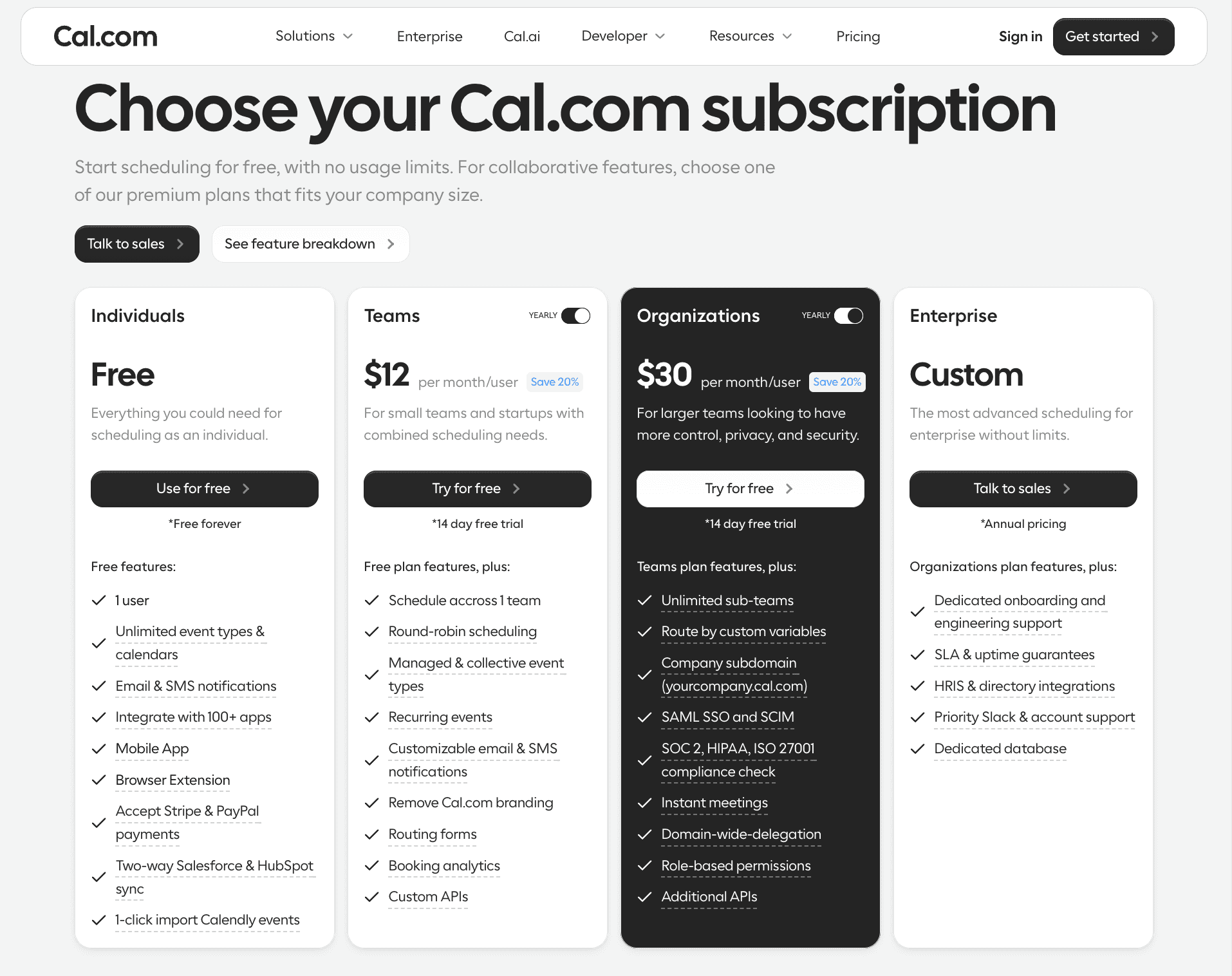
Cal.com has a free plan that is suited for individuals, so if you’re new to scheduling, feel free to try it out!
Frequently asked questions
1. Should I put a scheduling link in every email?
No, you shouldn’t put a scheduling link in every email, especially in the email’s body. It feels forced and pushes your recipient into booking time with you. If you want to include a scheduling link with every email, you should do it in the email signature. However, even in such cases, it only suits very specific use cases, so the broader advice is to avoid putting your scheduling link in every email.
2. Are scheduling links professional?
Yes, scheduling links are professional, and they are very useful for professionals and service-based businesses. It helps them get appointments with their clients, even when the business is not operational, without any walk-ins or phone calls. Additionally, for internal meetings or interviews, scheduling links show that you’re serious about your time and productivity and are generally considered a good practice in 2026.
3. How do I politely ask someone to book time with me?
The easiest way to politely ask someone to book time with you is to show them the value that they’re currently missing and how you can offer them more on a call. Think of it like moving a prospect one step further in a sales funnel. For example, you can write, “I would love to continue our conversation. You can schedule a time that works best for you from my scheduling link.”
4. What’s the best place to add a booking link?
The best place to add a booking link changes as per context. If you are sharing a booking link with your team members for an internal meeting, it works best as a part of your email body. If you’re sharing an email blast and you want recipients to be able to book one-on-one time with you, it works great as a CTA button. And lastly, if you’re approaching clients for professional work, the booking link works great in the email signature. So, make sure you understand your context and place the booking link in the appropriate spot.
5. Can scheduling links help reduce no-shows?
No, scheduling links dedicatedly does not help reduce no-shows. However, the scheduling software that you use to make your scheduling links does help with no-shows. This is made possible by automated reminders that are sent to remind the recipient of the meeting time they’ve set with you. It helps reduce no-shows and even lowers the admin and receptionist workload for your business.
6. Do scheduling links work across time zones?
Yes, scheduling links work across time zones and always show your availability to your prospect in their local time. So, if you’re based out of the US and your prospect is based out of the UK, the scheduling link will show your availability that you’ve set as per US local time to your prospect in UK local time. This would mean there will be no further back and forth to set up a meeting and decide on whose local time will be used.
7. Are scheduling links suitable for cold outreach?
Yes and no, to be very honest. If you’re reaching out to someone who’s interested and in the market for the product or service you’re selling, then adding a scheduling link can be a way of validating interest and gauging the warmth of a lead. However, if they’re not interested or just were not expecting to hear from you, seeing a scheduling link in the first message itself may come off wrong for you and your business. This is why it is best to stick to email signature scheduling links for cold outreach. That way, the risk of offending your clients is generally lower.

Get started with Cal.com for free today!
Experience seamless scheduling and productivity with no hidden fees. Sign up in seconds and start simplifying your scheduling today, no credit card required!







