7 Best Free Appointment Scheduling Apps | Cal.com
If you're looking for a free appointment scheduling app, you've probably already tried one and hit a wall. That usually happens when you discover a feature you need isn't actually free. Reminders, two-way calendar sync, or accepting payments often require an upgrade.
Aug 10, 2026
On this page
- The 7 best free appointment scheduling apps at a glance
- What to look for in a free appointment scheduling app
- The 7 best free appointment scheduling apps
- 1. Cal.com: best free appointment scheduling app overall
- 2. Setmore: best free plan for small teams
- 3. Square Appointments: best free plan for in-person payments
- 4. Picktime: best free plan for resource booking
- 5. SimplyBook.me: best free plan for service-based businesses
- 6. YouCanBookMe: best free plan for custom booking pages
- 7. Calendly: best free plan for a familiar booking experience
- Free appointment scheduling apps: quick comparison
- Final verdict
- Frequently asked questions
- Start taking bookings with Cal.com
If you're looking for a free appointment scheduling app, you've probably already tried one and hit a wall. That usually happens when you discover a feature you need isn't actually free. Reminders, two-way calendar sync, or accepting payments often require an upgrade.
Cal.com stands out because its free plan includes features that many others reserve for paid plans. You get unlimited event types, unlimited bookings, unlimited calendar connections, plus Stripe and PayPal payments at no cost.
We reviewed each vendor's pricing and help documentation, then checked G2 and Capterra reviews to see what users say after using the product.
We evaluated every app based on:
-
What the free plan includes: Users, bookings, event types, calendars, locations, payments, and reminders.
-
Where the free plan stops: The feature most likely to force you onto a paid plan, such as two-way calendar sync, SMS reminders, or no-show fees.
-
What upgrading costs: The price of the first paid plan and whether pricing is per user, staff calendar, or location.
The comparison table near the end scores all seven apps across these criteria, so you can quickly see what you're getting with each free plan and when you might need to upgrade.
The 7 best free appointment scheduling apps at a glance
-
Cal.com: best for unlimited event types and bookings
-
Setmore: best for small teams
-
Square Appointments: best for taking payments in person
-
Picktime: best for booking rooms, chairs, and equipment
-
SimplyBook.me: best for a businesses with multiple services
-
YouCanBookMe: best for customizable booking pages
-
Calendly: best for a familiar booking experience
What to look for in a free appointment scheduling app
Free appointment scheduling apps aren't all created equal. The biggest differences come down to the features included in the free plan and the limitations you'll run into as your business grows.
Here are the key things to check before you choose one:
-
Calendar sync: Some free plans only sync one calendar or don't fully update your availability across every calendar you use. If you manage work and personal schedules separately, look for support for multiple calendars and reliable two-way sync.
-
Booking limits: Free plans often limit the number of bookings, event types, or connected calendars. If you offer different services or expect your bookings to grow, check these limits before committing.
-
Payment support: Not every free plan lets you accept payments or deposits at the time of booking. If you charge for appointments, make sure your preferred payment provider is supported.
-
Team support: Many apps are designed for solo users first. If you plan to add staff, check how many team members the free plan supports and how pricing changes as your business grows.
-
Flexible scheduling: Some tools offer only basic availability on their free plans. If you need different appointment lengths, buffer times, recurring availability, or booking rules, make sure those features are included.
-
Branding and customization: Most free plans include the vendor's branding and limit how much you can customize your booking page. If your booking page is customer-facing, check what you can personalize before you publish it.
The 7 best free appointment scheduling apps
1. Cal.com: best free appointment scheduling app overall
| Free plan? | Starting price | Standout feature | Best use case |
|---|---|---|---|
| Yes, free forever | $16/user/month | Unlimited event types, bookings, and calendar connections at no cost | Any small business that wants a free plan it won't outgrow in a month |

What it is: Cal.com is an online appointment scheduling platform for small and growing businesses. It lets customers book appointments, meetings, and services through a customizable booking page while automatically checking your availability across connected calendars. Unlike many free scheduling apps, the free plan includes unlimited bookings, event types, calendar connections, and payment support.
Why its free plan stands out: Most free appointment scheduling apps limit bookings, event types, calendar connections, or payment features. Cal.com takes a different approach by including those core scheduling features in its free plan. You can create unlimited event types, accept unlimited bookings, connect multiple calendars, and accept payments without upgrading. As your business grows, paid plans let you add more users, team scheduling, collaboration, and advanced admin features.
Key features:
-
Unlimited event types and bookings: Offer as many services as you need without monthly booking caps.
-
Unlimited calendar connections: Connect Google, Outlook, and Apple calendars so availability stays up to date across all of them.
-
Stripe and PayPal payments: Accept full payments or deposits when customers book.
-
Email and SMS notifications: Send booking confirmations and reminders automatically.
-
Automated workflows**:** Create reminders and follow-up messages without a separate automation tool.
-
Scheduling controls: Set buffer times, minimum notice periods, and booking limits to protect your availability.
-
100+ integrations: Connect Zoom, Google Meet, Microsoft Teams, Salesforce, HubSpot, and many other tools.
-
Calendly import: Move your existing event types with a single import instead of rebuilding them.
-
White-label booking pages and embeddable widgets: Customize your booking experience and embed it on your website with paid plans.
-
API-first platform: Build custom scheduling experiences with Cal.com's APIs and Cal Atoms React components.
-
Enterprise-ready security: Includes SOC 2 Type II and ISO 27001, with HIPAA support available on Organizations plans.
Pricing: Cal.com’s free plan supports one user with unlimited bookings, event types, calendar connections, payments, and reminders. Paid plans start at $16/user/month (or $12/user/month billed annually) for team features such as round-robin scheduling, routing forms, and custom branding.

Best for: Freelancers, consultants, and small businesses that want a feature-rich free scheduling app.
Verdict: Cal.com is the best free appointment scheduling app for most small businesses because it includes the core scheduling features that many other free plans reserve for paid tiers. When you do upgrade, you're paying for team collaboration and advanced administration rather than unlocking basic scheduling functionality.
Get started with Cal.com’s free plan.
2. Setmore: best free plan for small teams
| Free plan? | Starting price | Standout feature | Best use case |
|---|---|---|---|
| Yes, up to four users | $12/user/month | Four staff calendars on the free plan | Barbershops, salons, studios, and clinics with a small team |
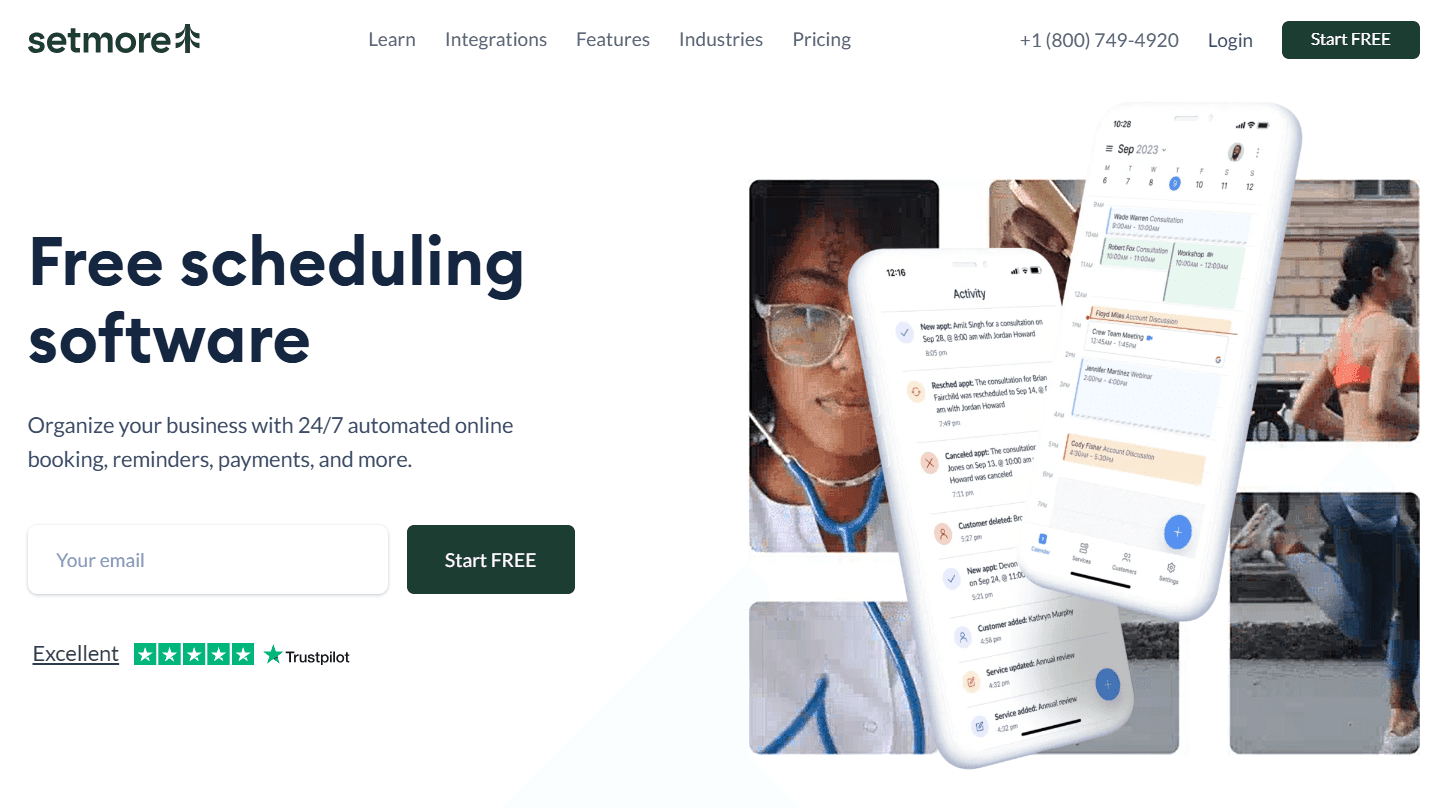
What it is: Setmore is an appointment scheduling app built for service businesses with multiple staff members. Unlike most free plans, it includes up to four bookable staff profiles, each with its own calendar, availability, and login. It also includes a branded booking page and up to 200 appointments per month, making it a practical option for small teams.
Key features:
-
Four free staff profiles: Give each team member their own calendar, availability, permissions, and vacation settings.
-
Payments on the free plan: Accept payments and deposits with Square, Stripe, PayPal, and LawPay.
-
Online booking: Let customers book through your website, Google Search, Facebook, and Instagram.
-
Group bookings: Offer classes and group sessions without upgrading.
-
Branded booking page: Share a customizable booking page that customers can save to their home screen.
Pricing: Setmore’s free plan includes up to four users and 200 appointments per month. Pro costs $12 per user/month, adding unlimited appointments, SMS reminders, recurring appointments, two-way calendar sync, and branding removal. Pricing scales with how many staff members need bookable schedules. Each of those staff members counts as a paid user, even if someone else manages bookings for them.
Pros:
-
Supports up to four staff members on the free plan
-
Accepts payments and deposits without upgrading
-
Group bookings are included on the free plan
-
Free support by chat, email, and phone
Cons:
-
Two-way calendar sync requires a paid plan, increasing the risk of double bookings if you add events directly to your calendar.
-
Google Calendar sync’s reliability is one of the most common complaints in G2 and Capterra reviews.
-
SMS reminders require a paid plan.
-
Setting up services with different appointment lengths can be cumbersome.
Best for: Barbershops, salons, tutors, studios, and small clinics with up to four providers that want everyone to have their own booking page without paying for additional users.
Comparison verdict: Setmore stands out for its generous free plan for small teams. If your priority is getting multiple staff members online quickly, it's one of the strongest free options. If reliable two-way calendar sync is more important, Cal.com's free plan includes it without requiring an upgrade.
3. Square Appointments: best free plan for in-person payments
| Free plan? | Starting price | Standout feature | Best use case |
|---|---|---|---|
| Yes, single location | $49/location/month | Booking and card payments in one system | A shop where the appointment ends at a counter |
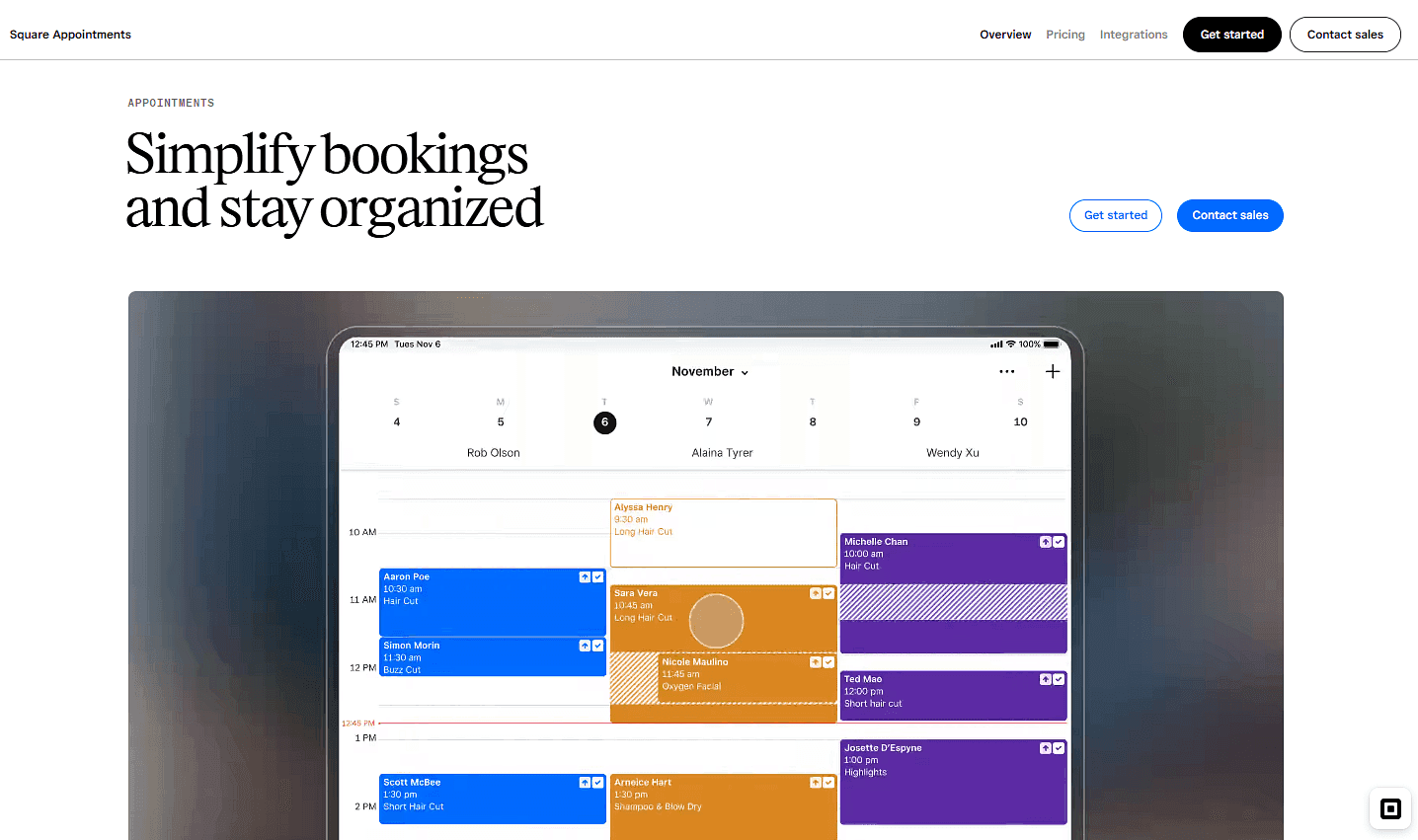
What it is: Square Appointments is an appointment scheduling app built for businesses that take payments in person. It combines online booking, payment processing, and point-of-sale (POS) tools in one platform. That means you can manage appointments, accept card payments, and issue receipts from the same system. The free plan covers one business location, while paid plans add features for businesses with multiple locations and more advanced scheduling needs.
Key features:
-
Automatic contracts: Require customers to accept your booking terms before confirming an appointment.
-
Square Assistant: Customers can confirm, cancel, or reschedule appointments by replying to reminder texts.
-
Unlimited staff calendars: Add as many staff calendars as you need on the free plan for a single location.
-
Booking from popular channels: Let customers book through your website, Instagram, Facebook, and Google.
-
Tap to Pay: Accept contactless card payments on a compatible iPhone or Android device without extra hardware.
Pricing: The Free plan has no monthly fee for one location. You only pay payment processing fees: 2.6% + 15¢ for in-person payments or 3.3% + 30¢ for online payments. Square Plus costs $49 per location/month, with lower processing rates and additional business features. If you operate multiple locations, the monthly fee applies to each one.
Pros:
-
No monthly subscription for a single location
-
Built-in payments, deposits, and contracts on the free plan
-
Unlimited staff calendars for one location
-
Booking, checkout, and receipts in one system
Cons:
-
Google Calendar sync requires a paid plan.
-
Cancellation policies and no-show fees require a paid plan.
-
Multi-staff appointments require a paid plan.
-
Payments must be processed through Square.
Best for: Salons, barbers, spas, tattoo studios, and any single location business where the appointment ends with a card payment on the premises.
Comparison verdict: Square Appointments is hard to beat if most of your customers pay in person and you already use Square to run your business. But if you need more flexible scheduling, multiple calendar connections, and reliable two-way calendar sync on the free plan, Cal.com is the stronger option.
4. Picktime: best free plan for resource booking
| Free plan? | Starting price | Standout feature | Best use case |
|---|---|---|---|
| Yes, three users | $4/user/month | Resource and multi location booking on the free tier | Businesses that book rooms, equipment, or shared spaces |
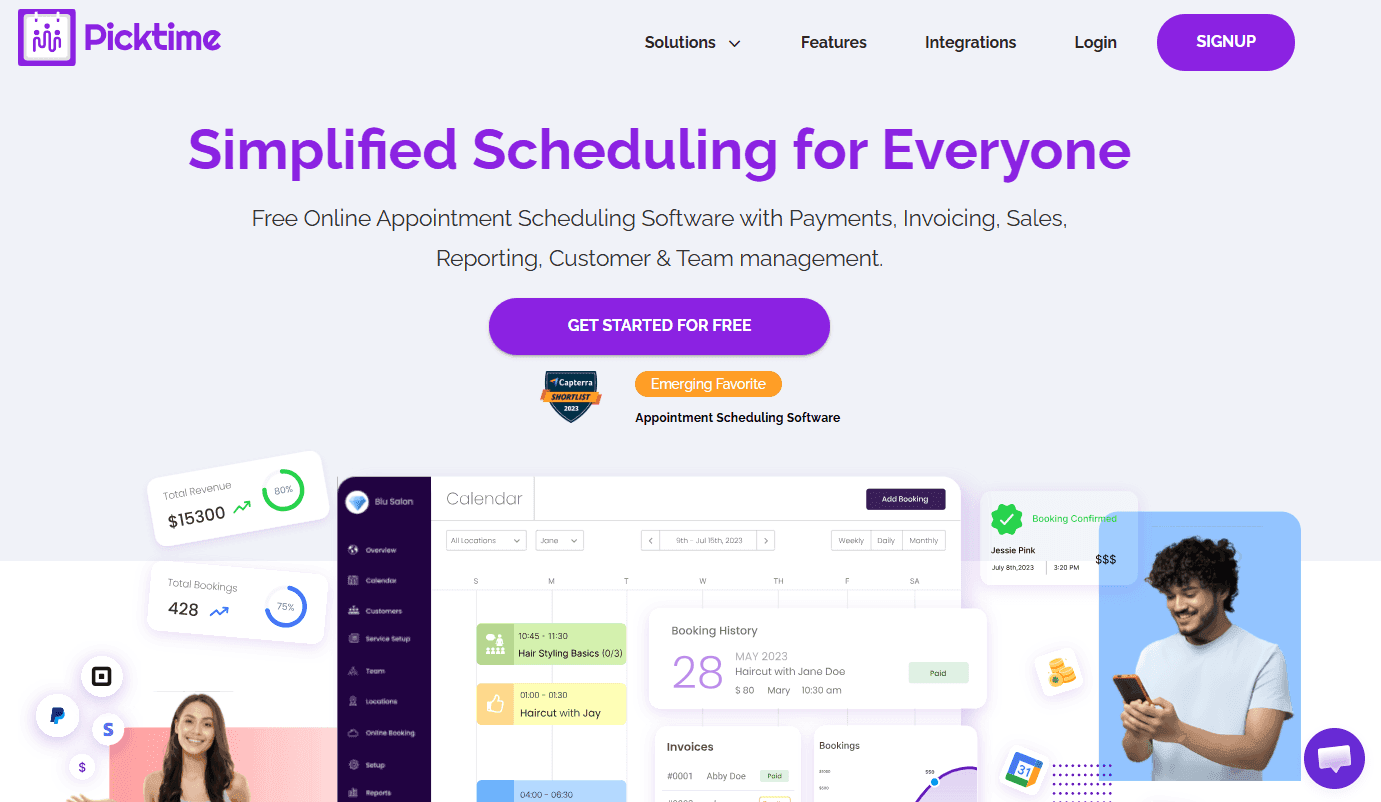
What it is: Picktime is an appointment scheduling app for businesses that book shared resources, not just people. It lets you manage the availability of rooms, chairs, equipment, and other resources alongside staff schedules.
Key features:
-
chairs, equipment, and other shared resources.
-
Two locations: Accept bookings across two business locations on the free plan.
-
Unlimited appointments: Book as many appointments as you need without monthly limits.
-
Class bookings: Offer group classes, with support for two classes on the free plan.
-
PayPal payments and website widgets: Accept PayPal payments and embed your booking page on WordPress, Wix, Squarespace, Joomla, Drupal, and other website builders.
Pricing: Picktime’s free plan includes three team members, three bookable resources, two locations, unlimited appointments, and PayPal payments. The starter plan costs $4/user/month (annual billing only) and adds email reminders, two-way calendar sync, recurring bookings, plus Stripe and Square payments.
Pros:
-
Resource booking is included on the free plan.
-
Unlimited appointments with no monthly booking cap.
-
Affordable paid plans.
-
Easy website embeds for major website builders.
Cons:
-
Email reminders require a paid plan.
-
The free plan only supports PayPal payments.
-
Zoom, Google Meet, and Microsoft Teams integrations require a paid plan.
-
The interface feels less modern than many alternatives.
Best for: Photography studios, rehearsal spaces, equipment rental businesses, driving schools, coworking spaces, and small clinics where customers book rooms, equipment, or other shared resources.
Comparison verdict: Picktime stands out for businesses that need resource booking on the free plan. If your priority is a more complete scheduling experience with reminders, multiple calendar connections, and payment support on the free plan, Cal.com is the better fit.
5. SimplyBook.me: best free plan for service-based businesses
| Free plan? | Starting price | Standout feature | Best use case |
|---|---|---|---|
| Yes, 50 bookings/month | $13.90/month | A customizable booking website with a detailed service menu | Businesses with multiple services |

What it is: SimplyBook.me is an appointment scheduling app built for businesses that offer multiple services. Instead of a simple booking page, it gives you a customizable booking website where customers can browse services, prices, durations, and staff before booking. As your business grows, you can enable custom features like memberships, coupons, intake forms, loyalty programs, and POS features.
Key features:
-
Customizable booking website: Create a branded booking website with themes, an embeddable widget, and automatic time zone detection.
-
Detailed service management: Configure different service durations, prices, buffer times, staff assignments, and booking limits.
-
Email notifications: Send confirmation emails, reminders, cancellations, and post-appointment feedback requests.
-
70+ custom features: Add memberships, coupons, intake forms, loyalty programs, POS, and other features as your business grows.
-
Mobile admin app: Manage bookings and staff schedules from your phone.
Pricing: SimplyBook.me’s free plan includes 50 bookings per month, one provider, and one custom feature. Paid plans start at $13.90/month, adding payments, deposits, tips, POS features, three custom features, and support for up to five providers. Additional bookings and SMS credits are available as paid add-ons.
Pros:
-
One of the most polished booking websites in this comparison.
-
Email reminders are included on the free plan.
-
Excellent support for businesses with varied services.
-
Supports up to five providers on the Basic plan without charging per user.
Cons:
-
The free plan is limited to 50 bookings per month.
-
Payments, deposits, and tips require a paid plan.
-
Only one custom feature is included on the free plan.
-
The free plan must be renewed manually each month.
Best for: Salons, wellness practices, consultancies, and other service-based businesses that want a branded booking website with a detailed service menu.
Comparison verdict: SimplyBook.me is a great fit for businesses that want a polished booking website with a detailed service menu. However, its free plan is limited to 50 bookings per month, while Cal.com includes unlimited bookings and payment support at no cost.
6. YouCanBookMe: best free plan for custom booking pages
| Free plan? | Starting price | Standout feature | Best use case |
|---|---|---|---|
| Yes, one booking page | $9/month for one user | A highly customizable booking page on the free plan | Solo professionals who want more control over their booking experience |

What it is: YouCanBookMe turns your calendar into a customizable booking page that you can embed on your website, personalize with your own booking questions, and use to accept Stripe payments. The free plan lets you tailor the booking experience with custom booking forms, website embedding, and Stripe payments.
Key features:
-
Custom booking page: Personalize your booking page with custom branding, layouts, and booking options.
-
Website embedding: Embed your booking page on your own website instead of sending customers to a separate link.
-
Custom booking forms: Collect up to seven questions before someone books an appointment.
-
Stripe payments: Accept card payments, Apple Pay, and Google Pay on the free plan.
-
Meeting polls and single-use links: Let groups vote on meeting times or share booking links that expire after one booking.
Pricing: The free plan includes one calendar connection and one booking page, with a "Powered for free" badge on your booking page and emails. Paid plans start at $9/month for one user, adding an extra calendar connection, a second booking page, custom branding, reminder emails and SMS, and more scheduling options. Team plans start at $18/member/month.
Pros:
-
Accept Stripe payments without upgrading.
-
Embed your booking page on your own website.
-
Highly customizable booking pages and forms.
-
Confirmation emails include built-in reschedule and cancellation links.
Cons:
-
Email and SMS reminders require a paid plan.
-
The free plan supports only one calendar connection.
-
A second booking page requires a paid plan.
-
Buffer times and minimum notice require a paid plan.
Best for: Coaches, consultants, photographers, and other solo professionals who want a highly customizable booking page for a single service.
Comparison verdict: YouCanBookMe stands out for its customizable booking page and flexible booking forms. Cal.com offers more scheduling functionality on the free plan, including unlimited event types, multiple calendar connections, reminders, and payment support.
7. Calendly: best free plan for a familiar booking experience
| Free plan? | Starting price | Standout feature | Best use case |
|---|---|---|---|
| Yes, one event type | $12/seat/month | A booking experience many customers already know | Individuals with one recurring meeting type |

What it is: Calendly is one of the most widely used appointment scheduling apps, so many customers already know how its booking process works. The free plan includes one event type and one calendar connection, while paid plans unlock additional event types, calendar connections, reminders, payments, and other scheduling features.
Key features:
-
Familiar booking flow: Many customers have booked through Calendly before, so they already know what to expect.
-
Meeting polls: Let groups vote on meeting times without creating a permanent booking page.
-
Broad integrations: Connect Google Calendar, Outlook, Office 365, and iCloud, plus Zoom, Google Meet, Microsoft Teams, and Webex.
-
Mobile app and browser extensions: Share booking links from Gmail or your browser.
-
Scalable paid plans: Add round-robin scheduling, routing forms, Salesforce integration, and other team features as your business grows.
Pricing: Calendly’s free plan includes one event type and one calendar connection. Paid plans start at $12 per seat/month, adding unlimited event types, multiple calendar connections, payments, and automated reminders.
Pros:
-
A booking experience many customers already recognize.
-
Clean, easy-to-use interface.
-
Wide range of calendar, video, CRM, and productivity integrations.
-
Paid plans include round-robin scheduling, routing forms, and Salesforce integration.
Cons:
-
The free plan supports only one event type.
-
Automated reminders require a paid plan.
-
Only one calendar connection is included on the free plan.
-
In-person appointment workflows are less flexible than some alternatives.
Best for: Individuals who offer one recurring appointment type and want a booking experience that many customers already recognize.
Comparison verdict: Calendly's biggest advantage is familiarity. Many customers have used it before, so they already know what to expect. Cal.com offers a similarly simple booking experience while including unlimited event types, multiple calendar connections, reminders, and payment support on the free plan.
Free appointment scheduling apps: quick comparison
After comparing each tool in detail, here's a side-by-side summary of what each free plan includes, where it falls short, and the cost of the first paid upgrade.
| Tool | Free plan | What the free plan includes | Where the free plan stops | First paid step |
|---|---|---|---|---|
| Cal.com | ✅ Free forever, no booking cap | ✅ Unlimited event types, calendars, payments, and reminders | ✅ One user, so scheduling itself is never capped | ✅ $16 per user/month, buys team features |
| Setmore | ✅ Free for up to 4 users | ✅ 4 staff calendars, payments, deposits, group classes | ⚠️ One way sync, no SMS, capped at 200 bookings | ✅ $5 per user/month annually, per staff calendar |
| Square Appointments | ✅ Free for one location | ✅ Unlimited staff calendars, deposits, in person payment | ⚠️ No calendar sync, no show fees, or multi staff booking | ⚠️ $49 per location/month, doubles per site |
| Picktime | ✅ Free for 3 users | ⚠️ Unlimited bookings and 3 resources, PayPal only | ❌ No reminders and no video links | ✅ $3 per user/month annually, cheapest here |
| SimplyBook.me | ⚠️ Free up to 50 bookings | ⚠️ Full booking website and reminder emails, 1 provider | ❌ No payments, and bookings stop at the cap | ⚠️ $13.90/month, plus metered add-ons |
| YouCanBookMe | ⚠️ Free for 1 booking page | ⚠️ Stripe payments, embedding, custom form | ❌ No reminders, buffers, or second calendar | ⚠️ Individual tier, rate varies by currency |
| Calendly | ⚠️ Free for 1 event type | ❌ One booking page and one calendar, no payments | ❌ No reminders and no second event type | ⚠️ $10 per seat/month, scales per seat |
Final verdict
Every app on this list helps you share your availability, let customers book online, and prevent double bookings. The biggest difference is how much you can do before you need to upgrade.
Cal.com stands out because its free plan includes unlimited event types, bookings, and calendar connections, plus Stripe and PayPal payments and email and SMS notifications. When you upgrade, you're paying for features like round-robin scheduling and team management instead of unlocking essentials.
The other tools are better suited to specific use cases. Setmore works well for teams that need multiple staff calendars. Square Appointments is a strong choice for businesses that take payments in person. Picktime is a good fit for renting out rooms and equipment, while SimplyBook.me is ideal if you want a highly customizable booking page.
If you want a free scheduling app that works well now and can grow with your business, Cal.com is the best place to start.
Frequently asked questions
-
What is the best free appointment scheduling app for a small business? Cal.com is a solid option for small businesses because its free plan includes unlimited event types, bookings, calendar connections, Stripe and PayPal payments, plus email and SMS notifications. If you need multiple staff calendars, Setmore offers up to four on its free plan.
-
How much do appointment scheduling apps cost once you outgrow the free plan? Most paid plans start between $4 and $49 per month, depending on the pricing model. Picktime starts at $4/user/month, Setmore and Calendly at $12/user/month, SimplyBook.me at $13.90/month, Cal.com at $16/user/month, and Square Appointments at $49/location/month. Check whether pricing is per user, location, or staff member before choosing a plan.
-
Can you take card payments on a free appointment scheduling app? Yes. Cal.com includes Stripe and PayPal on its free plan. Square Appointments, YouCanBookMe, and Setmore also support online payments, while Picktime only supports PayPal.
-
Which free appointment scheduling app is best for a salon or barbershop? Square Appointments is a good fit for salons and barbershops because it combines booking, checkout, payments, and receipts in one system. If you want more control over the booking experience or need to embed scheduling into your own website or product, Cal.com is a flexible alternative with unlimited bookings, calendar connections, and online payments on its free plan.
-
Is Cal.com free forever, and what does upgrading cost? Yes. Cal.com's free plan has no time limit and includes one user, unlimited event types, bookings, calendar connections, payments, and notifications.
Start taking bookings with Cal.com
A free appointment scheduling app is only useful if it includes the features you need. Cal.com's free plan includes unlimited bookings, unlimited event types, unlimited calendar connections, and support for Stripe and PayPal payments.
Get started with Cal.com for free and go live with your first booking page in less than five minutes.