Beste Software für die Terminplanung im Außendienst | Cal.com
Wenn Kunden anrufen müssen, um einen Auftrag zu buchen, muss jemand in deinem Team seine Arbeit unterbrechen, um einen verfügbaren Techniker zu finden und den Termin in den Zeitplan einzupassen. Das wird schwieriger, je mehr Techniker, Einsatzgebiete und Aufträge für den Tag dazukommen.
Jun 29, 2026
On this page
- TL;DR: die 7 besten Softwarelösungen für die Terminplanung im Außendienst
- Was ist Software für die Terminplanung im Außendienst?
- Worauf du bei Software für die Terminplanung im Außendienst achten solltest
- Die 7 besten Softwarelösungen für die Terminplanung im Außendienst
- 1. Cal.com: am besten für flexible, automatisierte Kundenbuchung
- 2. Jobber: am besten für kleine und mittelgroße Hausdienstleistungsunternehmen
- 3. ServiceTitan: am besten für große Hausservice-Unternehmen
- 4. Housecall Pro: am besten für einfache Disposition und Zahlungen im Hausservice
- 5. Workiz: am besten für serviceorientierte Unternehmen mit vielen Anrufen und Leads
- 6. FieldEdge: am besten für Außendienstteams, die auf QuickBooks setzen
- 7. Salesforce Field Service: am besten für Enterprise-Teams, die Salesforce nutzen
- Field-Service-Planungssoftware im Vergleich
- Abschließendes Fazit
- Häufig gestellte Fragen
Deshalb ist Cal.com die beste Software für die Terminplanung im Außendienst, wenn dein Schwerpunkt darauf liegt, diesen Planungsprozess zu automatisieren.
Sie bündelt die Verfügbarkeit von Technikern, leitet Buchungen an die nächste verfügbare Person weiter, lässt Kunden eigene Servicefenster buchen und verschickt Erinnerungen automatisch. Außerdem verbindet sie sich über die API mit den Systemen, die du schon nutzt, statt dich zu zwingen, deine Dispositions- oder Auftragssoftware zu ersetzen.
Wir haben Cal.com mit sechs anderen Tools verglichen, darunter breitere Außendienst-Plattformen, die Terminplanung mit Disposition, Routing, Zahlungen, Aufträgen und anderen Außendienstarbeiten kombinieren.
Damit du die passende Software für die Terminplanung im Außendienst findest, haben wir jedes Tool nach folgenden Kriterien bewertet:
-
Vertragsbedingungen: Kannst du monatlich zahlen, oder bist du an einen Jahresvertrag gebunden?
-
Preistransparenz: Veröffentlicht das Unternehmen seine Preise, oder musst du den Vertrieb für ein Angebot kontaktieren?
-
Tiefe der Disposition: Enthält die Software integrierte Disposition und Routenoptimierung?
Die Vergleichstabelle am Ende zeigt, wie sich jede Option bei diesen Kriterien schlägt.
TL;DR: die 7 besten Softwarelösungen für die Terminplanung im Außendienst
-
Cal.com: am besten für flexible, automatisierte Kundenbuchung
-
Jobber: am besten für kleine und mittelgroße Hausdienstleistungsunternehmen
-
ServiceTitan: am besten für große Auftragnehmer im Hausdienstleistungsbereich
-
Housecall Pro: am besten für einfache Disposition und Zahlungen im Hausdienst
-
Workiz: am besten für serviceorientierte Unternehmen mit hohem Anrufaufkommen
-
FieldEdge: am besten für Außendienstteams, die auf QuickBooks setzen
-
Salesforce Field Service: am besten für Enterprise-Teams, die Salesforce nutzen
Was ist Software für die Terminplanung im Außendienst?
Software für die Terminplanung im Außendienst hilft dir, Aufträge an einem Kundenstandort zu buchen und zu koordinieren. Sie weist Aufträge Technikern zu, verfolgt die Verfügbarkeit, lässt Kunden Servicefenster auswählen und verschickt Erinnerungen automatisch.
Sie muss mehrere Techniker, mehrere Aufträge pro Tag, Fahrtzeit und kurzfristige Änderungen abdecken. Kunden sollten außerdem ein verfügbares Servicefenster wählen können, ohne im Büro anrufen zu müssen.
Es gibt zwei Hauptkategorien von Software für die Terminplanung im Außendienst:
-
Komplette FSM-Suiten für das Außendienstmanagement: Kombinieren Terminplanung mit Disposition, Routenoptimierung, Aufträgen und anderen Außendienstabläufen.
-
Spezialisierte Planungsplattformen: Konzentrieren sich auf Kundenbuchung, Verfügbarkeit der Techniker und Automatisierung und verbinden sich dann über eine API mit deinen restlichen Tools.
Die richtige Wahl hängt davon ab, ob du ein komplettes Außendienstsystem brauchst oder vor allem die Terminplanung schneller und einfacher machen willst.
Worauf du bei Software für die Terminplanung im Außendienst achten solltest
Das beste Tool hängt davon ab, wie viel deines Außendienstes es verwalten soll.
Mindestens solltest du nach Funktionen suchen, die manuelle Buchung und Koordination reduzieren.
-
Online-Buchung. Können Kunden auf deiner Website ein Servicefenster auswählen, ohne anzurufen? Achte auf gebrandete Buchungsseiten, Verfügbarkeit in Echtzeit und Optionen, um die Verfügbarkeit nach Service oder Standort zu steuern.
-
Bündelung der Verfügbarkeit. Kann das Tool den nächsten verfügbaren Techniker über die Kalender deines Teams hinweg finden? Round-Robin- und Next-Available-Routing können manuelle Kalenderprüfungen und Doppelbuchungen reduzieren.
-
Automatisierte Erinnerungen. Verschickt es Bestätigungen und Erinnerungen automatisch? Das reduziert den Aufwand für Nachfassaktionen bei Kunden und kann verpasste Termine verhindern.
-
Integrationen. Können Buchungen in die Tools fließen, die du bereits nutzt? Kalendersynchronisierung, Webhooks und APIs können die Terminplanung mit deinem CRM, deiner Abrechnungssoftware, deinem Dispositionssystem oder deiner Auftragsplattform verbinden.
-
Kosten beim Wachstum. Prüfe, wie viel du zahlst, wenn du mehr Techniker hinzufügst, welche Funktionen extra kosten und ob du ein ganzes Jahr im Voraus zahlen musst.
Die 7 besten Softwarelösungen für die Terminplanung im Außendienst
1. Cal.com: am besten für flexible, automatisierte Kundenbuchung
| Kostenloser Plan? | Einstiegspreis | Herausragende Funktion | Beste Einsatzmöglichkeit |
|---|---|---|---|
| Ja, für immer kostenlos | $16/user/month | API-first-Terminplanung | Automatisierte Buchung neben deinem bestehenden Außendienst-Stack |
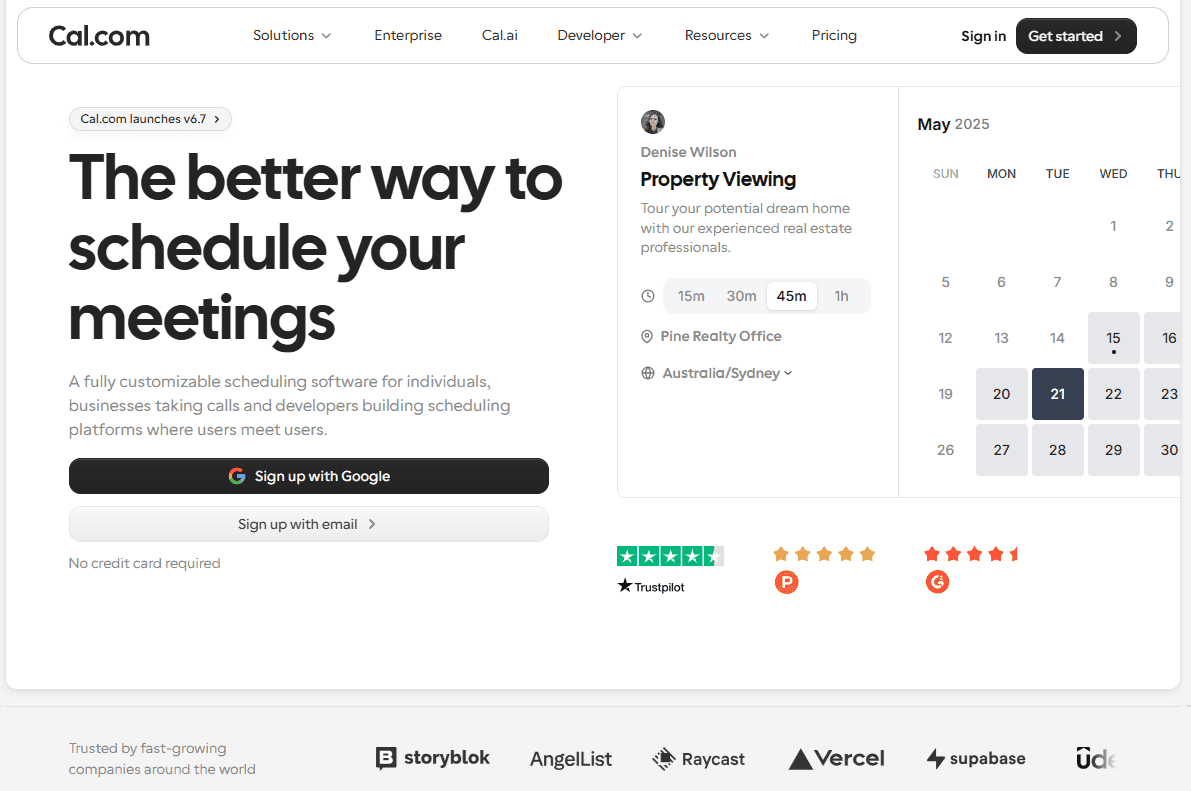
Was es ist: Cal.com ist eine Planungsplattform, die Außendienstteams dabei hilft, Kundenbuchungen, die Verfügbarkeit von Technikern und Planungsautomatisierung zu verwalten. Kunden können verfügbare Servicefenster auswählen, Buchungen können dem richtigen Techniker zugewiesen werden und Erinnerungen können automatisch verschickt werden.
Sie verbindet sich außerdem über die API mit deinem bestehenden Dispositions- oder Auftragsystem, sodass du automatisierte Terminplanung hinzufügen kannst, ohne die Tools zu ersetzen, die du bereits nutzt.
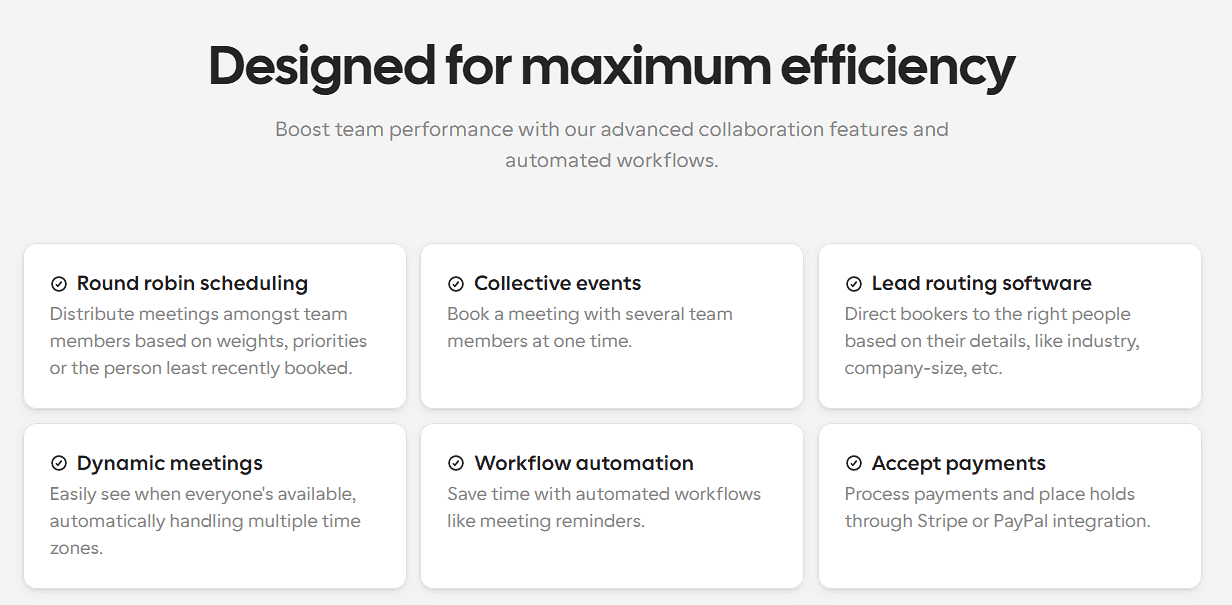
Warum es für Außendienstteams passt: Cal.com ist nützlich, wenn das Hauptproblem darin besteht, Kunden zu buchen und diese Buchungen mit der Verfügbarkeit der Techniker abzugleichen. Kunden können online ein Servicefenster wählen, dein Team kann Buchungen nach Verfügbarkeit weiterleiten, und automatisierte Erinnerungen reduzieren manuelle Nachfassarbeit.
Wichtige Funktionen:
-
Selbstbuchungsseiten: Lass Kunden online verfügbare Servicefenster auswählen.
-
Round-Robin- und Next-Available-Routing: Verteile Buchungen anhand von Verfügbarkeit und Routing-Regeln auf Techniker.
-
Bidirektionale Kalendersynchronisierung: Verbinde Google, Outlook und andere Kalender, damit die Verfügbarkeit aktuell bleibt.
-
Puffer und Fahrtzeit: Füge Zeit zwischen Terminen ein, um Fahrt und Vorbereitung zu berücksichtigen.
-
Automatisierte Workflows: Verschicke Bestätigungen, Erinnerungen und Follow-ups per E-Mail oder Textnachricht.
-
Routing-Formulare: Leite Kunden vor der Buchung zum richtigen Service oder Team.
-
Webhooks und API: Sende Buchungsdaten an dein Dispositions-, CRM-, Abrechnungs- oder Auftragsystem.
-
Einbettbares Buchungs-Widget: Füge die Terminplanung in deine eigene Website ein und halte das Erlebnis markenkonform.
-
Zahlungen: Ziehe Anzahlungen oder die vollständige Zahlung über Stripe oder PayPal ein.
-
White-Label-Optionen: Entferne das Cal.com-Branding und nutze deinen eigenen Auftritt in kostenpflichtigen Plänen.
-
Cal AI Telefonagent: Lass einen KI-Telefonagenten Anrufe annehmen und Termine für Kunden buchen, die lieber anrufen.
Preisgestaltung: Cal.com hat einen dauerhaft kostenlosen Plan für Einzelpersonen, der unbegrenzte Terminlinks, Kalendersynchronisierung, Automatisierung und Zahlungen enthält. Kostenpflichtige Pläne beginnen bei $16/user/month und fügen Funktionen für die Team-Terminplanung hinzu, etwa gemeinsame Verfügbarkeit, Round-Robin-Planung und Routing-Formulare.

Am besten für: Außendienstteams, die flexible Kundenbuchung und Technikerplanung brauchen, ohne ihr bestehendes Dispositions- oder Auftragsystem zu ersetzen.
Fazit: Cal.com passt gut, wenn Terminplanung das Hauptproblem ist, das du lösen willst. Es deckt Kundenbuchung, Verfügbarkeit, Erinnerungen und Integrationen ab, ohne dich in eine vollständige Außendienstsuite zu zwingen. Wenn du bereits Dispositions- und Auftrags-Tools hast, kannst du Cal.com damit verbinden, statt sie zu ersetzen.
Leg mit dem kostenlosen Plan von Cal.com los oder buche eine Demo, um zu sehen, wie es zu deinem Team-Workflow passen könnte.
2. Jobber: am besten für kleine und mittelgroße Hausdienstleistungsunternehmen
| Kostenloser Plan? | Einstiegspreis | Herausragende Funktion | Beste Einsatzmöglichkeit |
|---|---|---|---|
| Nein, 14-tägige Testphase | $199/month | All-in-one-Management für Hausdienstleistungen | Kleine Teams für private Dienstleistungen |

Was es ist: Jobber ist eine All-in-one-Plattform für Unternehmen im privaten Hausdienstleistungsbereich. Sie kombiniert Terminplanung und Disposition mit Angeboten, Rechnungsstellung, Zahlungen, Kundenverwaltung und Online-Buchung.
Wichtige Funktionen:
-
Drag-and-drop-Terminplanung ermöglicht dir, Aufträge und die Verfügbarkeit von Technikern in einem Kalender zu sehen und Termine zu verschieben, wenn sich der Plan ändert.
-
Online-Buchung lässt Kunden über deine Website, das Client Hub oder einen direkten Link Termine anfragen oder buchen.
-
Automatisierte Erinnerungen halten Kunden per E-Mail oder Textnachricht über bevorstehende Termine auf dem Laufenden.
-
Client Hub ermöglicht Kunden, Angebote zu genehmigen, Termindetails anzusehen, Rechnungen zu bezahlen und weitere Arbeit anzufordern.
-
QuickBooks Online-Sync hält deine Außendienst- und Buchhaltungs-Workflows verbunden.
Preisgestaltung: Jobber hat keinen kostenlosen Plan, bietet aber eine 14-tägige kostenlose Testphase. Bezahlte Pläne beginnen bei $49/month für einen Nutzer oder $199/month für bis zu fünf Nutzer. Dieser Einstiegsplan enthält Terminplanung, automatisierte Erinnerungen, Online-Buchung und Zahlungen, während Routing und andere erweiterte Funktionen in höheren Plänen verfügbar sind.
Vorteile:
-
Einfach einzurichten und zu nutzen
-
Für Unternehmen im privaten Hausdienst entwickelt
-
Terminplanung, Zahlungen und Rechnungsstellung in einem System
Nachteile:
-
Einige Funktionen sind höheren Tarifen und kostenpflichtigen Add-ons vorbehalten
-
Weniger flexibel für individuelle Workflows als ein API-first-Scheduler
Bestens für: Kleine und mittelgroße Teams für Hausservices, die Terminplanung, Rechnungsstellung, Zahlungen und Kundenverwaltung in einem System wollen.
Fazit (vs. Cal.com): Jobber ist eine gute Wahl, wenn du ein All-in-one-System für den Betrieb eines Wohnservice-Unternehmens suchst. Wenn du bereits deine Disposition und Backoffice-Tools hast und vor allem flexible Kundenbuchung und Terminplanung brauchst, gibt dir Cal.com mehr Kontrolle darüber, wie Terminplanung in deinen bestehenden Stack passt.
3. ServiceTitan: am besten für große Hausservice-Unternehmen
| Free plan? | Starting price | Standout feature | Best use case |
|---|---|---|---|
| Nein, und keine Testphase | Nicht öffentlich verfügbar | Enterprise-Dispo und Reporting | Große Hausservice-Flotten |
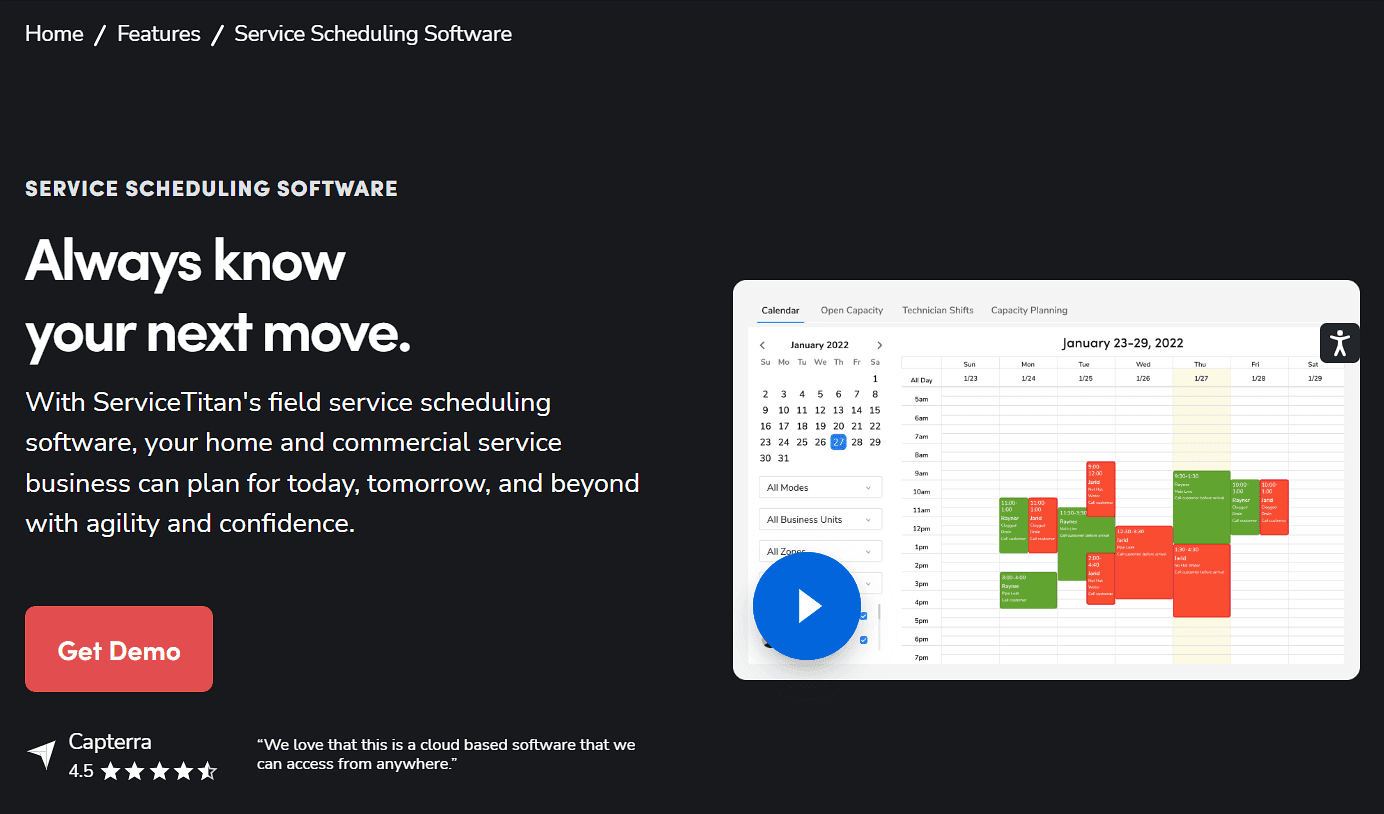
Was es ist: ServiceTitan ist eine vollständige Field-Service-Management-Plattform für größere HVAC-, Sanitär- und Elektro-Unternehmen. Sie verbindet Disposition und Terminplanung mit Techniker-Tracking, Routenoptimierung, Kundenverwaltung, Reporting und anderen Geschäftsabläufen.
Wichtige Funktionen:
-
Das Dispo-Board ermöglicht es Disponenten, Aufträge per Drag-and-drop zuzuweisen, neu zu terminieren und zu verwalten, mit einem Zeitplan in Echtzeit und Live-Updates der Techniker.
-
Routenoptimierung und Techniker-Tracking helfen Disponenten, effiziente Routen zu planen und den Standort der Techniker sowie den Auftragsstatus in Echtzeit zu sehen.
-
Preisbuch und Kostenvoranschläge geben Technikern Zugriff auf Preise für Leistungen, Materialien und Ausrüstung, damit sie unterwegs Kostenvoranschläge erstellen können.
-
Kunden- und Auftragsverlauf hält frühere Kostenvoranschläge, Rechnungen, Ausrüstungsdetails, Fotos und Serviceaufzeichnungen für das Team verfügbar.
-
Die mobile Techniker-App ermöglicht es Außendienstmitarbeitern, Auftragsdetails anzuzeigen, Formulare auszufüllen, Kostenvoranschläge zu erstellen und Zahlungen von ihren Smartphones oder Tablets entgegenzunehmen.
Preise: ServiceTitan bietet keinen kostenlosen Plan und keine Testphase, aber du kannst mit dem Team eine Demo buchen und ein individuelles Angebot erhalten. Es soll mindestens 200 bis 300 $ pro Techniker und Monat kosten.
Vorteile:
-
Tiefe Disposition und Routenoptimierung
-
Für komplexe Außendiensteinsätze entwickelt
-
Unterstützt große Teams an mehreren Standorten
Nachteile:
-
Komplexer als ein reines Terminplanungstool
-
Preise sind nicht öffentlich aufgeführt
-
Für kleine Teams ist es überdimensioniert
Bestens für: Große Hausservice-Unternehmen, die eher ein vollständiges Field-Service-Management-System als nur Kundenbuchung brauchen.
Fazit (vs. Cal.com): ServiceTitan passt besser, wenn Disposition, Routing, Technikerverwaltung und umfassendere Außendienstabläufe alle in einem System leben sollen. Wenn du vor allem Kundenbuchung und Verfügbarkeit automatisieren willst, ist Cal.com eine einfachere Möglichkeit, diese Terminplanungsfunktion hinzuzufügen, ohne deine bestehenden Tools zu ersetzen.
4. Housecall Pro: am besten für einfache Disposition und Zahlungen im Hausservice
| Free plan? | Starting price | Standout feature | Best use case |
|---|---|---|---|
| Nein, 14-tägige Testphase | Nicht öffentlich verfügbar | Einfache Disposition und Zahlungen | Kleine Hausservice-Teams |

Was es ist: Housecall Pro ist eine Field-Service-Management-Plattform für Hausservice-Unternehmen. Sie kombiniert Terminplanung und Disposition mit Online-Buchung, Zahlungen, Rechnungsstellung, Kundenkommunikation und Werkzeugen für Techniker.
Wichtige Funktionen:
-
Drag-and-drop-Terminplanung ermöglicht es dir, Aufträge zuzuweisen und neu zu terminieren, während du die Verfügbarkeit der Techniker prüfst.
-
Online-Buchung ermöglicht es Kunden, über deine Website oder Google zu buchen und zu zahlen.
-
Routenplanung und GPS-Tracking helfen dabei, Techniker-Routen zu planen und Kunden Ankunfts-Updates zu schicken.
-
Automatisierte Erinnerungen informieren Kunden über bevorstehende Termine und die Ankunft der Techniker.
-
Rechnungsstellung und Zahlungen ermöglichen es dir, Rechnungen zu senden und Karten- oder Bankzahlungen online oder vor Ort anzunehmen.
-
Die Mobile-App gibt Technikern vor Ort Zugriff auf Zeitpläne, Auftragsdetails, Kundenverlauf, Kostenvoranschläge und Zahlungen.
Preise: Housecall Pro hat keinen kostenlosen Plan, bietet aber eine 14-tägige kostenlose Testphase an. Die Preise werden auf der Website nicht mehr veröffentlicht, also musst du dich für eine Testphase anmelden, um zu sehen, wie viel die Pläne kosten.
Vorteile:
-
Schnell einzurichten
-
Einfache Oberfläche
-
Integrierte Zahlungen und Kundenkommunikation
Nachteile:
-
Erweiterte Funktionen sind an höhere Stufen gebunden
-
Weniger flexibel für stark angepasste Workflows
Bestens für: Kleine Hausservice-Teams, die Terminplanung, Disposition, Zahlungen und Kundenkommunikation in einer Anwendung wollen.
Fazit (vs. Cal.com): Housecall Pro funktioniert gut, wenn du ein einfaches All-in-one-System für einen kleinen Hausservice-Betrieb suchst. Cal.com passt besser, wenn du deine bestehenden Field-Service-Tools behalten und darüber hinaus flexible, gebrandete Kundenbuchung und Terminplanung hinzufügen willst.
5. Workiz: am besten für serviceorientierte Unternehmen mit vielen Anrufen und Leads
| Free plan? | Starting price | Standout feature | Best use case |
|---|---|---|---|
| Nein, 7-tägige Testphase | Nicht öffentlich verfügbar | Terminplanung und integrierte Telefon-Tools | Serviceunternehmen mit vielen Anrufen |
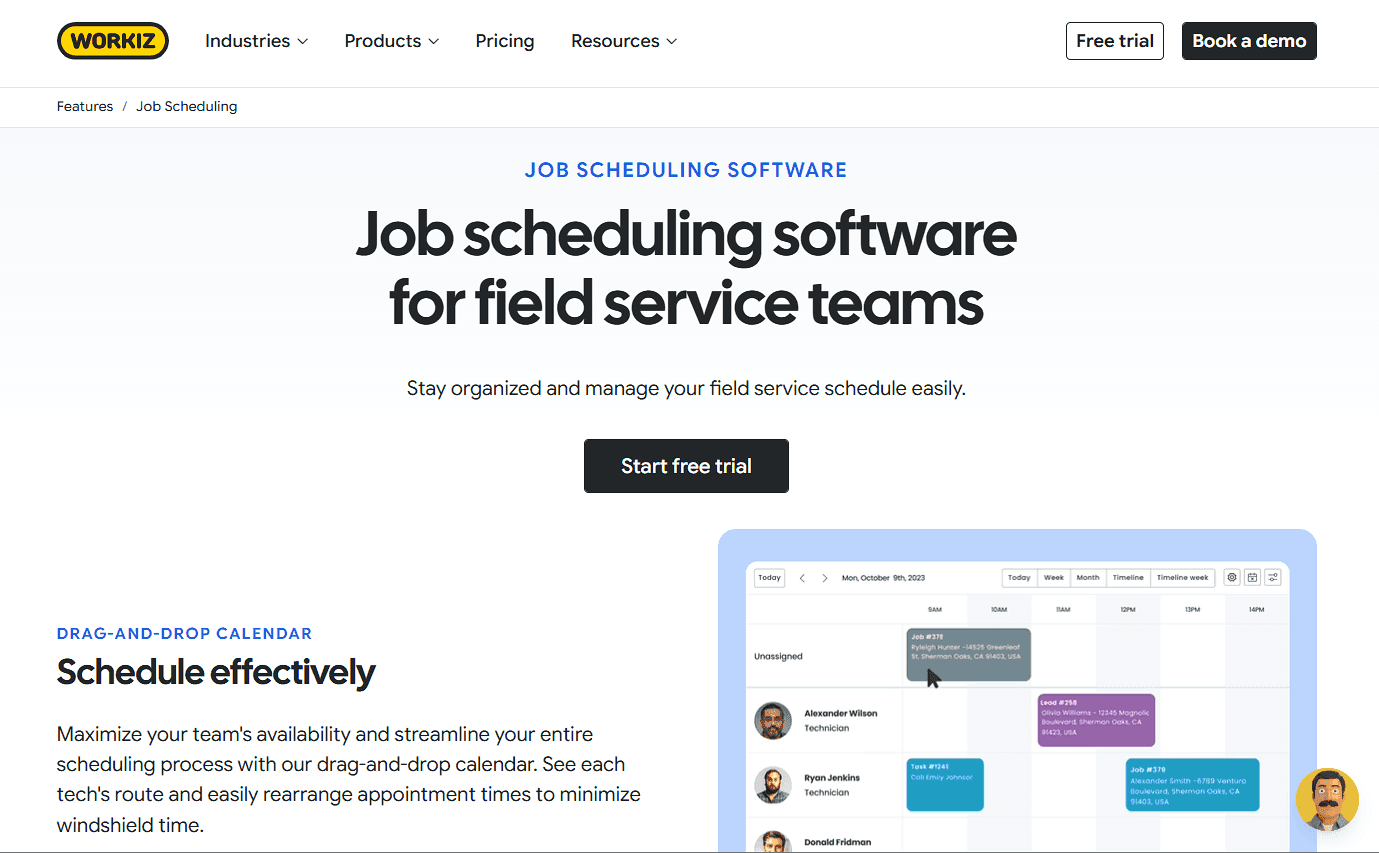
Was es ist: Workiz ist eine Field-Service-Management-Plattform für Terminplanung, Kundenkommunikation und den täglichen Servicebetrieb. Das integrierte Telefonsystem, Call-Tracking und SMS machen sie zu einer guten Wahl für Unternehmen mit hohem eingehenden Anrufvolumen, etwa Schlüsseldienste, Reparaturbetriebe für Haushaltsgeräte und andere lokale Dienstleister.
Wichtige Funktionen:
-
Terminplanung und Disposition ermöglichen es dir, Aufträge auf Basis von Verfügbarkeit, Fähigkeiten und Servicegebiet der Techniker zuzuweisen.
-
Call-Tracking und Maskierung zeichnet Anrufe auf und hält persönliche Kunden- und Techniker-Nummern privat.
-
Lead-Management verfolgt Lead-Quellen, Kundendetails und Follow-ups an einem Ort.
-
Online-Buchung und Kostenvoranschläge ermöglichen es Kunden, Termine zu buchen und Angebote zu erhalten, ohne im Büro anrufen zu müssen.
-
Standort-Tracking und Mobile-App zeigen den Standort der Techniker in Echtzeit und halten Aufträge, Zeitpläne und Team-Updates unterwegs zugänglich.
Preise: Workiz hat keinen kostenlosen Plan, bietet aber eine 7-tägige kostenlose Testphase an. Es gibt drei kostenpflichtige Stufen mit Terminplanung und Zahlungen, aber du musst das Team für Preise kontaktieren.
Vorteile:
-
Gute Wahl für Unternehmen mit vielen Anrufen
-
Integrierte Telefon- und Messaging-Tools
-
Terminplanung und Außendienstverwaltung in einem System
Nachteile:
-
Kostenpflichtige Pläne sind teurer als einfache Terminplanungstools
-
Weniger geeignet, wenn du nur Kundenbuchung und Kalenderverwaltung brauchst
Bestens für: Serviceunternehmen mit vielen Anrufen, die Terminplanung und Kundenkommunikation im selben System wollen.
Fazit (vs. Cal.com): Workiz ist eine gute Wahl, wenn Anrufe und Lead-Management zentral für deinen Betrieb sind. Wenn dein Hauptziel ist, Buchungen zu automatisieren und mit den Tools zu verbinden, die du bereits nutzt, lässt dich Cal.com das tun, ohne ein vollständiges Field-Service-Management-System hinzuzufügen.
6. FieldEdge: am besten für Außendienstteams, die auf QuickBooks setzen
| Free plan? | Starting price | Standout feature | Best use case |
|---|---|---|---|
| Nein, und keine Testphase | Nicht öffentlich verfügbar | Tiefe QuickBooks-Integration | HVAC-, Sanitär- und Elektro-Unternehmen |
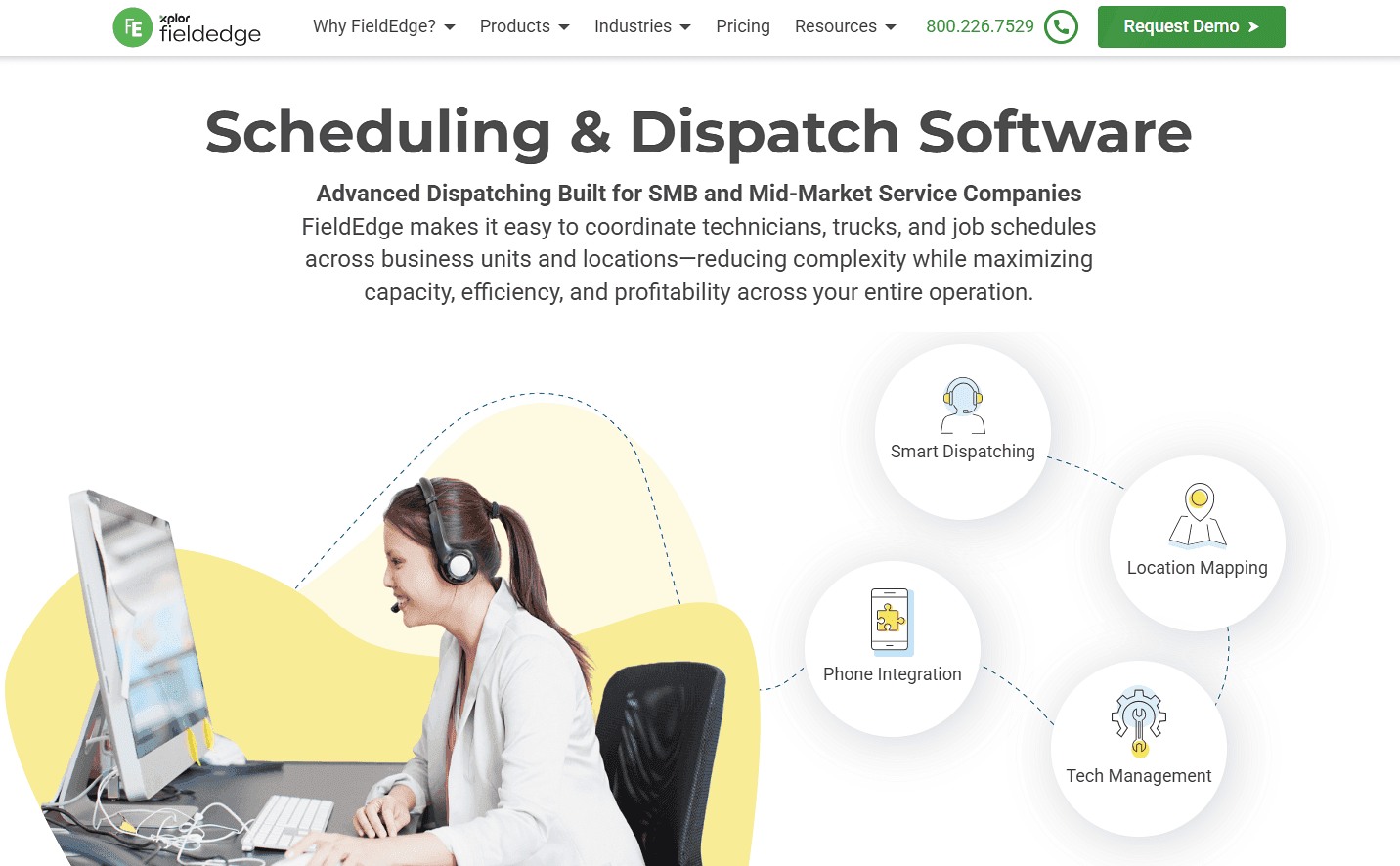
Was es ist: FieldEdge ist Field-Service-Management-Software für HVAC-, Sanitär- und Elektro-Unternehmen. Sie kombiniert Terminplanung und Disposition mit Arbeitsaufträgen, Kundenverwaltung, Angeboten, Rechnungsstellung und Preisbuch-Tools. Außerdem integriert sie sich mit QuickBooks, was sie zu einer guten Wahl für Unternehmen macht, die das bereits für die Buchhaltung nutzen.
Wichtige Funktionen:
-
Das Dispo-Board hilft dabei, Aufträge auf Basis von Verfügbarkeit, Fähigkeiten und Standort der Techniker zuzuweisen, mit Status-Updates in Echtzeit.
-
Die QuickBooks-Integration synchronisiert Finanzdaten zwischen FieldEdge und QuickBooks, um doppelte Dateneingaben zu reduzieren.
-
Das Festpreis-Preisbuch gibt Technikern konsistente Preise für Leistungen, Ausrüstung und Reparaturen, wenn sie Angebote erstellen.
-
Angebote und Rechnungsstellung ermöglichen es Technikern, Angebote zu erstellen, Rechnungen zu senden und Zahlungen vor Ort einzuziehen.
-
Die Mobile-App ermöglicht es Technikern, den Kundenverlauf einzusehen, Arbeitsaufträge zu aktualisieren, Rechnungen zu erstellen und Zahlungen vor Ort einzuziehen.
Preise: FieldEdge hat keinen kostenlosen Plan und keine Testphase, bietet aber eine kostenlose Demo und drei kostenpflichtige Pläne mit individuellen Preisen an.
Vorteile:
-
Tiefe QuickBooks-Integration
-
Terminplanung und Disposition in einem System
-
Enthält Angebote, Rechnungsstellung und Preisbuch-Tools
Nachteile:
-
Keine öffentlichen Preise
-
Mehr als du brauchst, wenn du nur Terminplanung möchtest
Am besten für: HVAC-, Sanitär- und Elektro-Dienstleister, die ein Field-Service-Management wollen, das mit ihrem Buchhaltungssystem verbunden ist.
Fazit (im Vergleich zu Cal.com): FieldEdge ist eine gute Wahl, wenn du Buchhaltung und Außendienst in einem System vereinen willst. Wenn du diese Tools schon hast und vor allem bessere Kundenbuchung und Terminplanung brauchst, ergänzt Cal.com diese Funktionalität, ohne deinen bestehenden Stack zu ersetzen.
7. Salesforce Field Service: am besten für Enterprise-Teams, die Salesforce nutzen
| Kostenloser Plan? | Einstiegspreis | Herausragendes Feature | Bester Anwendungsfall |
|---|---|---|---|
| Nein, 30-tägige Testversion | $125/Benutzer/Monat | Native Salesforce-Außendienstprozesse | Unternehmen, die bereits Salesforce nutzen |
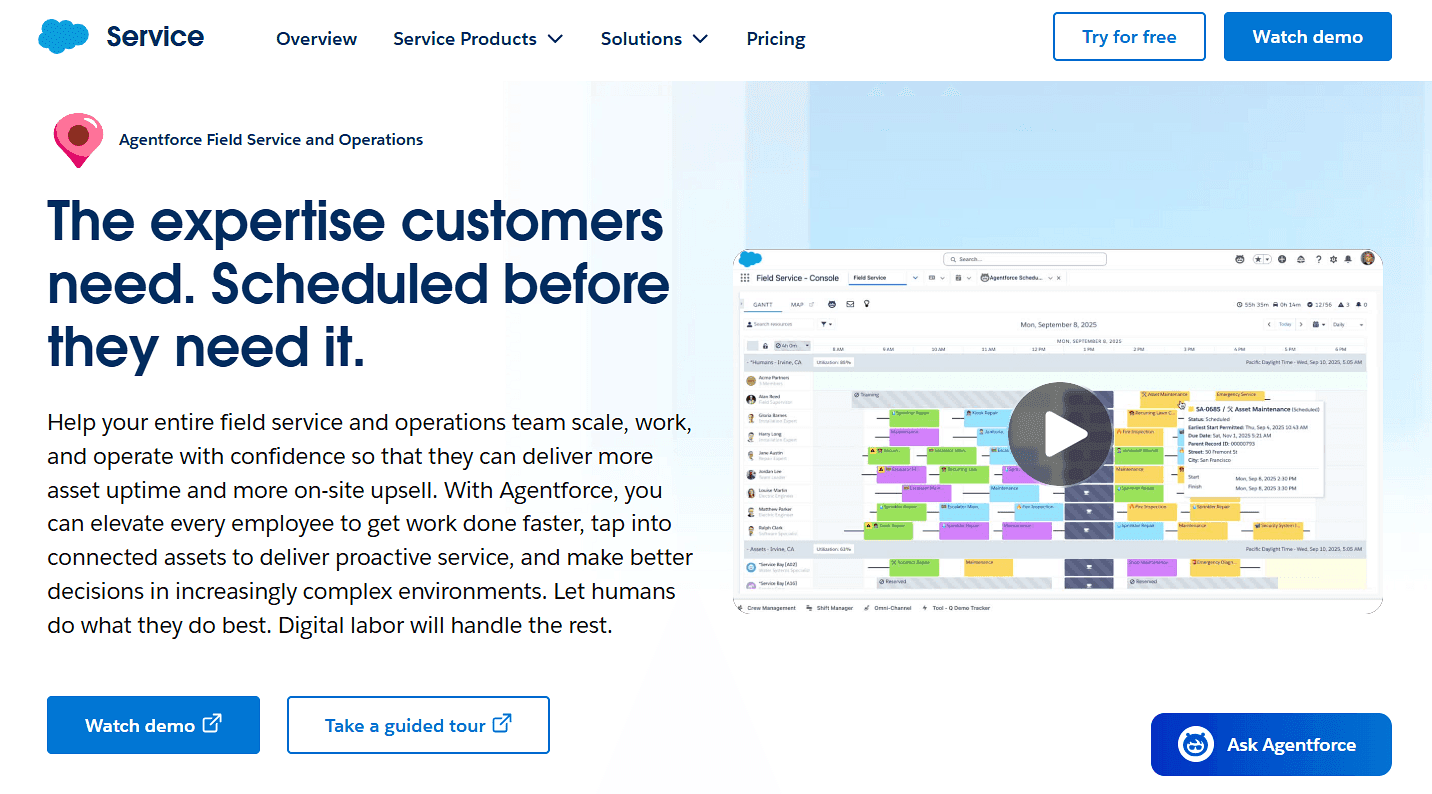
Was es ist: Salesforce Field Service erweitert die Salesforce-Plattform um Außendienstprozesse. Es umfasst Disposition, Optimierung der Terminplanung, mobile Tools für Techniker, Arbeitsaufträge und Integrationen mit Salesforce-Kundendaten.
Wichtige Funktionen:
-
Terminoptimierung weist Aufträge automatisch zu und passt sie an, basierend auf deinen Planungsregeln und Prioritäten.
-
Dispatcher-Konsole gibt Disponenten einen zentralen Ort, um Termine anzuzeigen, zu planen, neu zu terminieren und zu optimieren.
-
Offline-Mobile-App ermöglicht es Technikern, Arbeitsaufträge auch ohne Internetverbindung anzuzeigen und zu aktualisieren.
-
KI-gestützte Terminplanung hilft dabei, Aufträge zuzuweisen und Zeitpläne anzupassen, wenn sich Pläne ändern.
-
Analysen und Berichte geben Teams Einblick in Außendienstprozesse, Terminplanung und Leistung.
Preise: Salesforce hat keinen kostenlosen Plan, bietet aber eine 30-tägige kostenlose Testversion von Service Cloud an. Die Pläne beginnen bei $125/Benutzer/Monat, aber für ein individuelles Angebot musst du das Team kontaktieren.
Vorteile:
-
Fügt sich nahtlos in das Salesforce-Ökosystem ein
-
Erweiterte Terminplanung und Disposition
-
Berichte und Integrationen für Unternehmen
Nachteile:
-
Teuer für kleinere Teams
-
Erfordert Salesforce-Infrastruktur
-
Komplexer einzurichten und zu verwalten als ein eigenständiger Scheduler
Am besten für: Enterprise-Teams, die bereits Salesforce nutzen und Außendienstprozesse mit ihrem CRM verbinden wollen.
Fazit (im Vergleich zu Cal.com): Salesforce Field Service ist eine gute Wahl, wenn Salesforce bereits zentral für dein Unternehmen ist. Wenn du vor allem Kundenbuchungen und die Verfügbarkeit von Technikern automatisieren willst, ist Cal.com eine einfachere Möglichkeit, Terminplanung hinzuzufügen und sie über Integrationen mit Salesforce zu verbinden.
Field-Service-Planungssoftware im Vergleich
So schneiden die sieben Field-Service-Planungssoftwares bei den wichtigsten Funktionen und kostenlosen Plänen ab:
| Tool | Kostenloser Plan | Vertragsbedingungen | Preistransparenz | Tiefe der Disposition |
|---|---|---|---|---|
| Cal.com | ✅ Für immer kostenlos | ✅ Monatlich verfügbar | ✅ Preise veröffentlicht | ⚠️ Fokus auf Terminplanung; verbindet sich per API mit Dispositions-Tools |
| Jobber | ❌ Nein, 14-tägige Testversion | ✅ Monatlich, ohne Verpflichtung | ✅ Preise veröffentlicht | ✅ Disposition und Routenplanung |
| ServiceTitan | ❌ Nein, und keine Testversion | ⚠️ Vertrieb kontaktieren | ❌ Angebotsbasiert | ✅ Erweiterte Disposition und Routenplanung |
| Housecall Pro | ❌ Nein, 14-tägige Testversion | ⚠️ Vertrieb kontaktieren | ✅ Preise veröffentlicht | ✅ Disposition und Routenplanung |
| Workiz | ❌ Nein, 7-tägige Testversion | ⚠️ Vertrieb kontaktieren | ❌ Angebotsbasiert | ✅ Disposition und Terminplanung |
| FieldEdge | ❌ Nein, und keine Testversion | ⚠️ Vertrieb kontaktieren | ❌ Angebotsbasiert | ✅ Disposition und Terminplanung |
| Salesforce Field Service | ❌ Nein, 30-tägige Testversion | ⚠️ Vertrieb kontaktieren | ❌ Angebotsbasiert | ✅ Erweiterte Disposition und Routenplanung |
Abschließendes Fazit
Die Tools in dieser Liste fallen in zwei Gruppen. ServiceTitan, Jobber, Housecall Pro, Workiz, FieldEdge und Salesforce Field Service verbinden Terminplanung mit Funktionen wie Disposition, Arbeitsaufträgen, Zahlungen und Kundenverwaltung.
Cal.com konzentriert sich auf die Terminplanung selbst. Kund:innen buchen Termine, die Verfügbarkeit von Technikern wird gebündelt, Erinnerungen laufen automatisch, und Buchungen verbinden sich über Integrationen und eine API mit deinen bestehenden Tools.
Wenn du Disposition, Routenoptimierung und Arbeitsaufträge im selben System brauchst, wähle eine vollständige Field-Service-Plattform, basierend auf Teamgröße, Budget und vorhandenen Tools. Wenn du vor allem Kundenbuchung und die Terminplanung für Techniker vereinfachen willst, gibt dir Cal.com diese Funktionen, ohne ein komplettes Field-Service-System hinzuzufügen.
Du kannst mit dem kostenlosen Plan von Cal.com starten oder eine Demo buchen, um zu sehen, wie es zu den Planungsanforderungen deines Teams passt.
Häufig gestellte Fragen
-
Was ist Field-Service-Planungssoftware? Es ist Software, die dir hilft, Aufträge bei Kund:innen zu buchen, zuzuweisen und zu koordinieren. Sie kann Aufträge mit verfügbaren Technikern zusammenbringen, Kund:innen Terminzeiten auswählen lassen und Erinnerungen automatisieren.
-
Was ist die beste Field-Service-Planungssoftware? Das hängt davon ab, was du brauchst. Cal.com passt gut, wenn du vor allem Kundenbuchung, Verfügbarkeit von Technikern und Erinnerungen automatisieren willst. Wenn du integrierte Disposition, Routenoptimierung und Arbeitsaufträge brauchst, kann eine vollständige Field-Service-Plattform wie ServiceTitan, Jobber oder Salesforce Field Service besser passen.
-
Wie viel kostet Cal.com? Cal.com hat einen dauerhaft kostenlosen Plan für Einzelpersonen. Teams startet bei $16/Benutzer/Monat und bietet gemeinsam genutzte Verfügbarkeit, Round-Robin-Terminplanung, Routing-Formulare und benutzerdefinierte APIs.
-
Welche Field-Service-Planungssoftware ist am besten für kleine Teams mit begrenztem Budget? Der kostenlose Plan von Cal.com ist nützlich für einzelne Nutzer:innen, die Kundenbuchung und Kalenderverwaltung brauchen. Für Teams beginnen die kostenpflichtigen Pläne bei $16/Benutzer/Monat und $37/Benutzer/Monat und bieten gemeinsam genutzte Verfügbarkeit und Round-Robin-Terminplanung. Jobber ist eine weitere Option mit einer 14-tägigen kostenlosen Testversion und Plänen ab $199/Monat.
-
Verbindet sich Field-Service-Planungssoftware mit meinem Dispositions- oder Arbeitsauftragssystem? Das kann sie, je nach Tool. Cal.com ist darauf ausgelegt, sich über APIs und Webhooks mit anderen Systemen zu verbinden, sodass du Buchungsdaten an deine Disposition, dein CRM, deine Rechnungsstellung oder deine Arbeitsauftrag-Software senden kannst.