"/><stop offset="1" stop-color="rgb(227, 224, 244)"/></linearGradient><linearGradient id="CBS1bzkxF-2031533640-linear-gradient" x1="0.49751243781094523" x2="0.5024875621890548" y1="0" y2="1"><stop offset="0" stop-color="rgb(255, 255, 255)"/><stop offset="1" stop-color="rgb(227, 224, 244)"/></linearGradient><linearGradient id="Jd7AK81w9-2031533640-linear-gradient" x1="0.49751243781094523" x2="0.5024875621890548" y1="0" y2="1"><stop offset="0" stop-color="rgb(255, 255, 255)"/><stop offset="1" stop-color="rgb(227, 224, 244)"/></linearGradient></defs><g d="M 0 16 L 0 0 L 16 0 L 16 16 Z M 9.167 5.167 C 9.167 4.891 8.943 4.667 8.667 4.667 C 8.391 4.667 8.167 4.891 8.167 5.167 C 8.167 6.784 7.809 7.834 7.155 8.488 C 6.501 9.143 5.451 9.5 3.833 9.5 C 3.557 9.5 3.333 9.724 3.333 10 C 3.333 10.276 3.557 10.5 3.833 10.5 C 5.451 10.5 6.501 10.857 7.155 11.512 C 7.809 12.166 8.167 13.216 8.167 14.833 C 8.167 15.109 8.391 15.333 8.667 15.333 C 8.943 15.333 9.167 15.109 9.167 14.833 C 9.167 13.216 9.524 12.166 10.178 11.512 C 10.832 10.857 11.883 10.5 13.5 10.5 C 13.776 10.5 14 10.276 14 10 C 14 9.724 13.776 9.5 13.5 9.5 C 11.883 9.5 10.832 9.143 10.178 8.488 C 9.524 7.834 9.167 6.784 9.167 5.167 Z M 4 3.667 C 4 3.483 3.851 3.333 3.667 3.333 C 3.483 3.333 3.333 3.483 3.333 3.667 C 3.333 4.32 3.189 4.715 2.952 4.952 C 2.715 5.189 2.32 5.333 1.667 5.333 C 1.483 5.333 1.333 5.483 1.333 5.667 C 1.333 5.851 1.483 6 1.667 6 C 2.32 6 2.715 6.145 2.952 6.382 C 3.189 6.618 3.333 7.013 3.333 7.667 C 3.333 7.851 3.483 8 3.667 8 C 3.851 8 4 7.851 4 7.667 C 4 7.013 4.145 6.618 4.382 6.382 C 4.618 6.145 5.013 6 5.667 6 C 5.851 6 6 5.851 6 5.667 C 6 5.483 5.851 5.333 5.667 5.333 C 5.013 5.333 4.618 5.189 4.382 4.952 C 4.145 4.715 4 4.32 4 3.667 Z M 7.333 1 C 7.333 0.816 7.184 0.667 7 0.667 C 6.816 0.667 6.667 0.816 6.667 1 C 6.667 1.422 6.573 1.65 6.445 1.778 C 6.317 1.906 6.089 2 5.667 2 C 5.483 2 5.333 2.149 5.333 2.333 C 5.333 2.517 5.483 2.667 5.667 2.667 C 6.089 2.667 6.317 2.761 6.445 2.889 C 6.573 3.016 6.667 3.244 6.667 3.667 C 6.667 3.851 6.816 4 7 4 C 7.184 4 7.333 3.851 7.333 3.667 C 7.333 3.244 7.427 3.016 7.555 2.889 C 7.683 2.761 7.911 2.667 8.333 2.667 C 8.517 2.667 8.667 2.517 8.667 2.333 C 8.667 2.149 8.517 2 8.333 2 C 7.911 2 7.683 1.906 7.555 1.778 C 7.427 1.65 7.333 1.422 7.333 1 Z" fill="transparent" height="16px" id="aoZYv33vR" width="16px"><path d="M 0 16 L 0 0 L 16 0 L 16 16 Z" fill="transparent" height="16px" id="Z2uGmhW9f" width="16px"/><g d="M 7.833 4.5 C 7.833 4.224 7.609 4 7.333 4 C 7.057 4 6.833 4.224 6.833 4.5 C 6.833 6.117 6.476 7.168 5.822 7.822 C 5.168 8.476 4.117 8.833 2.5 8.833 C 2.224 8.833 2 9.057 2 9.333 C 2 9.61 2.224 9.833 2.5 9.833 C 4.117 9.833 5.168 10.191 5.822 10.845 C 6.476 11.499 6.833 12.549 6.833 14.167 C 6.833 14.443 7.057 14.667 7.333 14.667 C 7.609 14.667 7.833 14.443 7.833 14.167 C 7.833 12.549 8.191 11.499 8.845 10.845 C 9.499 10.191 10.549 9.833 12.167 9.833 C 12.443 9.833 12.667 9.61 12.667 9.333 C 12.667 9.057 12.443 8.833 12.167 8.833 C 10.549 8.833 9.499 8.476 8.845 7.822 C 8.191 7.168 7.833 6.117 7.833 4.5 Z M 2.667 3 C 2.667 2.816 2.517 2.667 2.333 2.667 C 2.149 2.667 2 2.816 2 3 C 2 3.654 1.855 4.048 1.618 4.285 C 1.382 4.522 0.987 4.667 0.333 4.667 C 0.149 4.667 0 4.816 0 5 C 0 5.184 0.149 5.333 0.333 5.333 C 0.987 5.333 1.382 5.478 1.618 5.715 C 1.855 5.952 2 6.346 2 7 C 2 7.184 2.149 7.333 2.333 7.333 C 2.517 7.333 2.667 7.184 2.667 7 C 2.667 6.346 2.811 5.952 3.048 5.715 C 3.285 5.478 3.68 5.333 4.333 5.333 C 4.517 5.333 4.667 5.184 4.667 5 C 4.667 4.816 4.517 4.667 4.333 4.667 C 3.68 4.667 3.285 4.522 3.048 4.285 C 2.811 4.048 2.667 3.654 2.667 3 Z M 6 0.333 C 6 0.149 5.851 0 5.667 0 C 5.483 0 5.333 0.149 5.333 0.333 C 5.333 0.756 5.239 0.984 5.112 1.112 C 4.984 1.239 4.756 1.333 4.333 1.333 C 4.149 1.333 4 1.483 4 1.667 C 4 1.851 4.149 2 4.333 2 C 4.756 2 4.984 2.094 5.112 2.222 C 5.239 2.35 5.333 2.578 5.333 3 C 5.333 3.184 5.483 3.333 5.667 3.333 C 5.851 3.333 6 3.184 6 3 C 6 2.578 6.094 2.35 6.222 2.222 C 6.35 2.094 6.578 2 7 2 C 7.184 2 7.333 1.851 7.333 1.667 C 7.333 1.483 7.184 1.333 7 1.333 C 6.578 1.333 6.35 1.239 6.222 1.112 C 6.094 0.984 6 0.756 6 0.333 Z" fill="transparent" height="14.66671286102295px" id="ae6ccdFme" transform="translate(1.333 0.667)" width="12.66663px"><path d="M 5.833 0.5 C 5.833 0.224 5.609 0 5.333 0 C 5.057 0 4.833 0.224 4.833 0.5 C 4.833 2.117 4.476 3.168 3.822 3.822 C 3.168 4.476 2.117 4.833 0.5 4.833 C 0.224 4.833 0 5.057 0 5.333 C 0 5.61 0.224 5.833 0.5 5.833 C 2.117 5.833 3.168 6.191 3.822 6.845 C 4.476 7.499 4.833 8.549 4.833 10.167 C 4.833 10.443 5.057 10.667 5.333 10.667 C 5.609 10.667 5.833 10.443 5.833 10.167 C 5.833 8.549 6.191 7.499 6.845 6.845 C 7.499 6.191 8.549 5.833 10.167 5.833 C 10.443 5.833 10.667 5.61 10.667 5.333 C 10.667 5.057 10.443 4.833 10.167 4.833 C 8.549 4.833 7.499 4.476 6.845 3.822 C 6.191 3.168 5.833 2.117 5.833 0.5 Z" fill="url(%23t2lXByE48-2031533640-linear-gradient)" height="10.66671px" id="t2lXByE48" transform="translate(2 4)" width="10.66663px"/><path d="M 2.667 0.333 C 2.667 0.149 2.517 0 2.333 0 C 2.149 0 2 0.149 2 0.333 C 2 0.987 1.855 1.382 1.618 1.618 C 1.382 1.855 0.987 2 0.333 2 C 0.149 2 0 2.149 0 2.333 C 0 2.517 0.149 2.667 0.333 2.667 C 0.987 2.667 1.382 2.811 1.618 3.048 C 1.855 3.285 2 3.68 2 4.333 C 2 4.517 2.149 4.667 2.333 4.667 C 2.517 4.667 2.667 4.517 2.667 4.333 C 2.667 3.68 2.811 3.285 3.048 3.048 C 3.285 2.811 3.68 2.667 4.333 2.667 C 4.517 2.667 4.667 2.517 4.667 2.333 C 4.667 2.149 4.517 2 4.333 2 C 3.68 2 3.285 1.855 3.048 1.618 C 2.811 1.382 2.667 0.987 2.667 0.333 Z" fill="url(%23CBS1bzkxF-2031533640-linear-gradient)" height="4.66667px" id="CBS1bzkxF" transform="translate(0 2.667)" width="4.66667px"/><path d="M 2 0.333 C 2 0.149 1.851 0 1.667 0 C 1.483 0 1.333 0.149 1.333 0.333 C 1.333 0.756 1.239 0.984 1.112 1.112 C 0.984 1.239 0.756 1.333 0.333 1.333 C 0.149 1.333 0 1.483 0 1.667 C 0 1.851 0.149 2 0.333 2 C 0.756 2 0.984 2.094 1.112 2.222 C 1.239 2.35 1.333 2.578 1.333 3 C 1.333 3.184 1.483 3.333 1.667 3.333 C 1.851 3.333 2 3.184 2 3 C 2 2.578 2.094 2.35 2.222 2.222 C 2.35 2.094 2.578 2 3 2 C 3.184 2 3.333 1.851 3.333 1.667 C 3.333 1.483 3.184 1.333 3 1.333 C 2.578 1.333 2.35 1.239 2.222 1.112 C 2.094 0.984 2 0.756 2 0.333 Z" fill="url(%23Jd7AK81w9-2031533640-linear-gradient)" height="3.333333px" id="Jd7AK81w9" transform="translate(4 0)" width="3.3333399999999997px"/></g></g></svg>)
" width="18px"><path d="M 2 8 C 0.895 8 0 7.105 0 6 L 0 2 C 0 0.895 0.895 0 2 0 L 6 0 C 7.105 0 8 0.895 8 2 L 8 6 C 8 7.105 7.105 8 6 8 Z" fill="transparent" height="8px" id="ZrCrI93dV" stroke-dasharray="" stroke-linecap="round" stroke-linejoin="round" stroke-width="2" stroke="rgb(0, 0, 0)" width="8px"/><path d="M 0 0 L 0 4 C 0 5.105 0.895 6 2 6 L 6 6" fill="transparent" height="6px" id="emltWYAiE" stroke-dasharray="" stroke-linecap="round" stroke-linejoin="round" stroke-width="2" stroke="rgb(0, 0, 0)" transform="translate(4 8)" width="6px"/><path d="M 2 8 C 0.895 8 0 7.105 0 6 L 0 2 C 0 0.895 0.895 0 2 0 L 6 0 C 7.105 0 8 0.895 8 2 L 8 6 C 8 7.105 7.105 8 6 8 Z" fill="transparent" height="8px" id="WpBecYDfi" stroke-dasharray="" stroke-linecap="round" stroke-linejoin="round" stroke-width="2" stroke="rgb(0, 0, 0)" transform="translate(10 10)" width="8px"/></g></svg>)

Most scheduling software works until it has to manage a growing team. Then, suddenly, some calendars start becoming overloaded while others sit idle, and “fair rotation” of work turns into another manual task to be managed by the operations team. If your meeting management software is not distributing meetings across your team automatically, the problem lies with your scheduling app. And that’s exactly the problem Cal.com was built to solve.

Modern meeting management requires far more than just scheduling links. Teams today handle sales calls, demos, interviews, support sessions, and internal syncs, sometimes even all in the same day. This is why businesses don’t just need software to book time; they need a scalable system that automates routines, supports multiple teams, balances workload, and integrates deeply into existing workflows.
This is why Acuity Scheduling and Cal.com are often compared. Both shine as reliable appointment scheduling software for businesses. However, Cal.com goes beyond being an appointment scheduler. It is a full-scale meeting management software complete with features like multi-team routing, complex round-robin logic, and multi-location support, all required to manage enterprise-level scheduling needs.
So, comparing apples to apples, Cal.com stands out as the best meeting management software overall; you can just know that upfront. It is not the best because it replaces Acuity scheduling, but rather it solves bigger problems that go beyond the scope of Acuity.
How We Evaluated Meeting Management Software
To compare the two booking systems fairly, we compared the tools using six core areas of importance that matter to modern teams. Cal.com flourishes in all these aspects and showcases why it stands out as the best meeting management software in 2026.
Scheduling and booking flexibility: Does your production scheduling software allow teams to easily create, manage, and optimize bookings? This is an important distinction that determines whether the software is able to determine different meeting types and participant needs or not.
Customization and workflows: This category begs the question, does your software fit into your workflow, or does it demand you to change your ways to accommodate it? A software that fits seamlessly into your workflow is an asset for your business. That’s why we’ve tested both Cal.com and Acuity scheduling across automation depth, form customization, workflow control, and routing logic.
Team and meeting management features: Team and meeting management stand out as the most important features to test, considering we’re ranking the best meeting management software. So, both tools have been tested for their multi-team support, round robin distribution, availability balancing, and internal coordination.
Scalability for businesses and enterprises: Businesses grow, and even large teams grow larger, so can the scheduling framework support scalability? Can it handle multiple departments and complex scheduling requirements on the move? That’s what we answered in our comparison of both Cal.com and Acuity scheduling.
Pricing and long-term value: Pricing goes beyond just monthly obligations. Does the pricing of the online booking software for small businesses feel justified compared to the features offered?
Use case coverage beyond appointments: Beyond appointment bookings, can the meeting management software handle support demos, interviews, onboarding, group sessions, and webinars? This determines how useful the tool can be for teams.
Overview of Acuity Scheduling
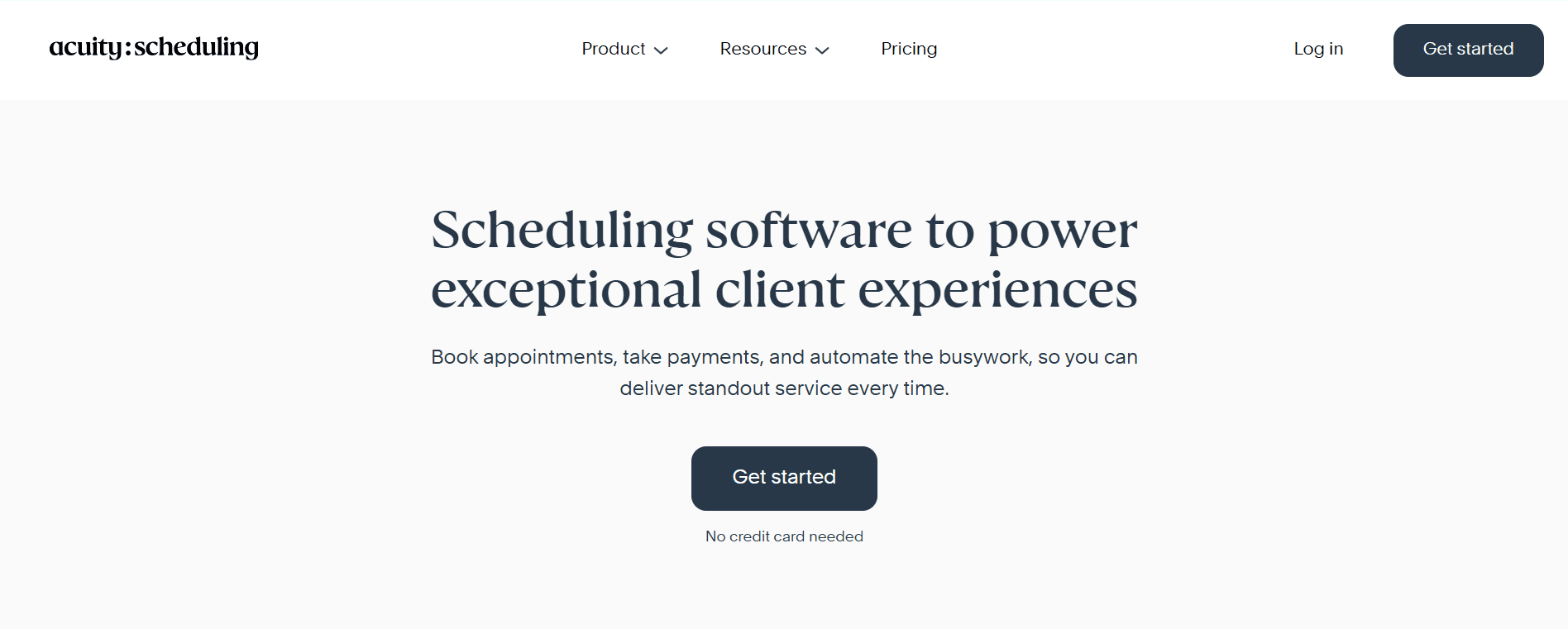
Acuity scheduling is a popular scheduling app with features focused on solopreneurs and small teams. The tool doesn’t have a free plan, and it offers limited customizability and feature depth to manage the requirements of an enterprise-level team.
What is Acuity Scheduling?
Acuity Scheduling is an online appointment booking software. It is designed for online-focused service-oriented small businesses that require one-on-one client appointments. To summarize, Acuity allows professionals like freelancers, consultants, and coaches to have a dedicated booking page where clients can book an appointment with them and receive automated reminders. At its core, it is built around the model of one provider, one appointment, one client at a time. Acuity offers some useful features for individual service providers, like accepting payments and customizing intake forms.
Acuity Scheduling's core features
The core features of Acuity Scheduling are as follows:
Online booking system and booking calendar
Client self-service appointment scheduling
Payment collection and basic automation
Works as an appointment scheduling software and a booking app
Where Acuity works well
Service-based small businesses
Coaches, consultants, and solopreneurs
Simple appointment booking use cases
Limitations of Acuity scheduling
Limited meeting management software capabilities
Weak in team scheduling and internal meetings
Not designed for complex scheduling applications
Minimal customization compared to modern scheduling software
Overview of Cal.com
Cal.com is positioned as the number one meeting management software for modern teams. It functions beyond a client booking system and works as an infrastructure to centralize, automate, and optimize scheduling at any scale.
What is Cal.com
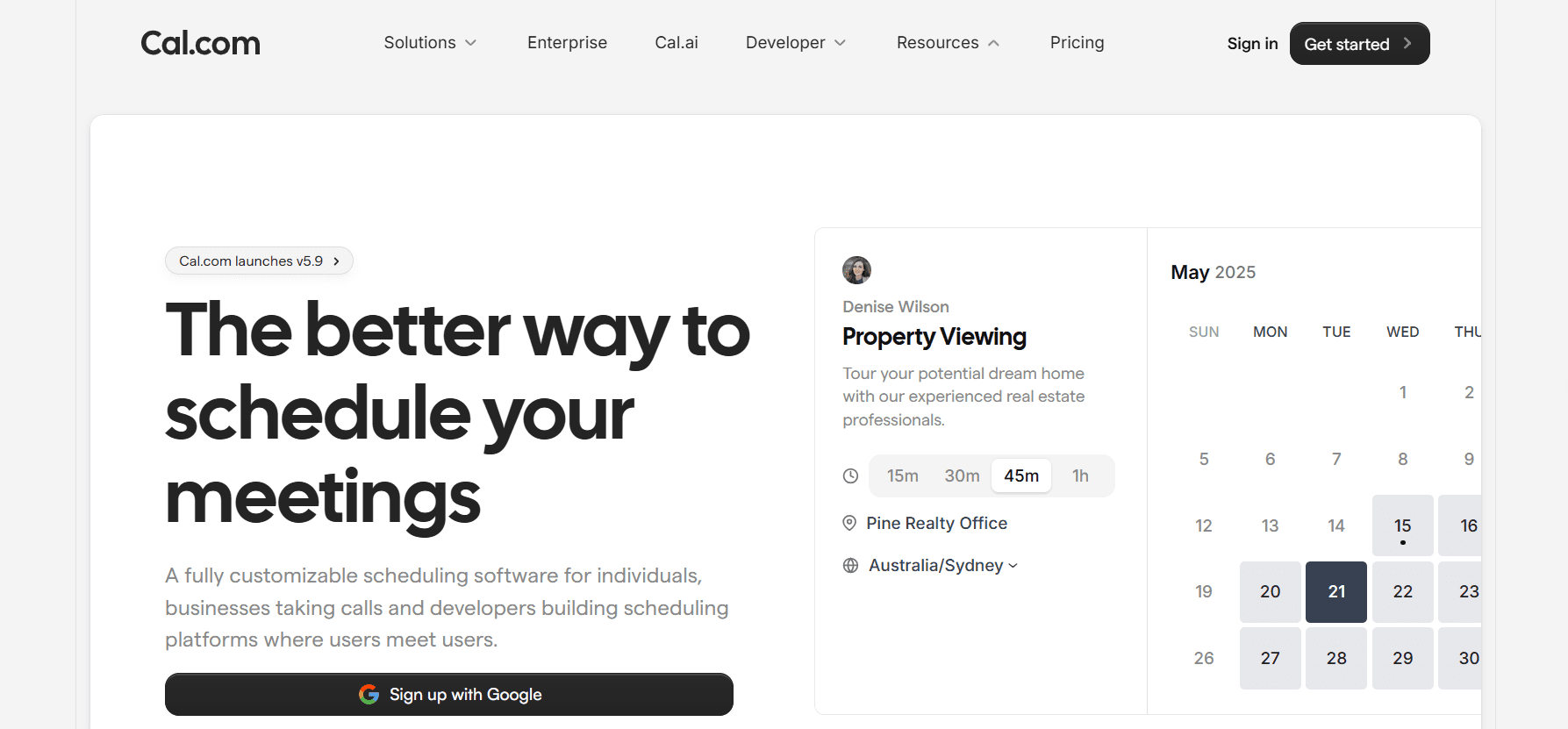
Cal.com is a modern meeting management platform. It works as an all-purpose scheduling system that supports every need of teams and enterprises. From sales calls and demos to interviews, onboarding workflows, and internal syncs, Cal.com can manage it all, even while handling multi-location team operations.
The crucial differentiating factor of Cal.com, compared to Acuity Scheduling, is its flexibility and customizability. Cal.com offers unprecedented customization options ranging from custom routing logic for teams to automation for complex workflows and managing multi-person availability.
All of this is achieved by Cal.com without losing coordination or visibility among team members. So, regardless of whether your team is running round robin distribution, handling high-volume meetings, or managing multiple calendars, Cal.com adapts to the structure of your organization.
Cal.com core features
Cal.com has a robust core feature list that’s curated to meet the needs of teams and businesses of every size. It offers:
Advanced scheduling software and scheduler app functionality
Online booking system with deep customizations
Team and employee scheduling software
Meeting management tools for internal and external meetings
API first architecture
Supports job scheduling software needs, office scheduling software requirements, and production scheduling software use cases
Beyond its features, Cal.com is beloved by professionals and founders, as Tanya V, the founder of RankingonAI, eloquently puts it, Cal.com allows effortless scheduling that saves time.
Why Cal.com Is the Best Meeting Management Software
✅Covers more use cases than Acuity Scheduling
✅Works as a booking software and meeting management software in one platform
✅Scales from small teams to enterprise meeting management
✅Built for modern workflows, not just appointments
Acuity vs Cal.com: feature comparison
In a direct feature comparison, you’ll be able to see why and how Cal.com stands out as the best meeting management software in the market. The views shared below are expressed after extensive hands-on experience with both software.
Scheduling and booking
Acuity as mentioned previously is built on a one provider, one client, one appointment at a time logic. However, Cal.com far exceeds that with support for varying meeting scenarios ranging from internal meetings, cross-team collaborations, and multi-location routing. The flexibility of Cal.com stands out, making it stand out as the best scheduling software for modern teams.
Appointment management
For appointment management, Acuity handles payments, service selection, and client reminders for solopreneurs and freelancers. Cal.com offers features beyond the basics by combining appointment booking with advanced team management. It covers workload distribution, availability sync, and multi-person meetings.
Team and internal meetings
Acuity, by its very design, offers only client-facing bookings and appointments. It doesn’t have team and internal meeting handling capabilities. Cal.com widens the gap as the standout meeting management software here with features like round robin scheduling, team rotations, and shared meeting workflows.
Customization and integrations
When it comes to customization and integration capabilities, Cal.com is second to none with deep customization options, API-first architecture, and embeddable components. It allows extensive integrations into any existing workflow seamlessly. Acuity in this regard only functions as a starting point for freelancers and solopreneurs. It is not suited to manage the custom workflows of extensible systems.
Pricing and value comparison
Money matters matter, and that’s why we’ve put Cal.com and Acuity Scheduling head-to-head comparing their respective pocket pinch and value-for-money aspects.
Acuity Scheduling pricing
When you talk about Acuity Scheduling pricing, it is crucial to acknowledge that Acuity does not offer any free plans. You can get a free trial, but beyond the trial period, you must buy a plan to continue. Acuity Scheduling does offer affordable plans starting at $20 per month; however, the plans have tiered feature sets, which would quickly force you to go for the highest tiered plans to access all features. In terms of value, if you’re a solo business that needs a client booking system, Acuity can offer a solution, but it doesn’t offer much value as a meeting management software for teams.
Cal.com pricing
What stands out the most about Cal.com’s pricing is that it's always transparent. You don’t have to submit a quote for customized pricing. Cal.com ensures that no matter your team size or members, you are paying fairly and are not punished for having a large team or enterprise-level requirements. Apart from that, Cal.com also has a robust free plan, which is an industry best.
For paid plans, Cal.com’s paid plans start at $15 per month and offer all the features that make team management and meeting management convenient. Cal.com offers excellent value-for-money by practically giving free access to the paid features of Acuity Scheduling for solopreneurs and freelancers. For teams looking for complex office scheduling requirements, Cal.com offers best-in-class features at a much lower price point.
Use case breakdown
Here’s an overview of Acuity Scheduling vs Cal.com and the various use cases it supports.
Best for small businesses: Cal.com provides incredible value for small businesses, as it offers room to grow with features that go beyond ones offered by basic appointment software like Acuity Scheduling.
Best for teams: For teams, Cal.com offers useful features like complex round-robin scheduling logic, workload balancing, and internal meeting workflows, which are not offered by Acuity Scheduling.
Best for enterprises: Enterprises require scalability and flexibility from their meeting management software, which is offered by Cal.com. Acuity Scheduling specifically is not suited for enterprise requirements, as it doesn’t support complex booking systems and multi-department structures that Cal.com does.
Best for simple appointments: If your requirements are one-on-one client appointments as a solo provider, Acuity can offer a simple solution to your needs. However, even in this category, Cal.com’s free plan offers comparable features and facilities to Acuity’s paid plans.
Market position and alternatives
Cal.com is uniquely positioned as the top online scheduling software that bridges the gap between client bookings, internal meetings, and enterprise workflow coordination. This positioning makes Cal.com a very valuable option for teams and enterprises as a meeting management software. Cal.com replaces multiple single-purpose tools and consolidates functions that businesses require into one app that also seamlessly integrates into a business’s existing workflow.
The versatility of Cal.com positions it as a viable alternative to advanced boardroom meeting platforms while still being lightweight enough to meet the needs of small businesses looking for simple booking tools. The flexibility and customizability offered by Cal.com offer a level of convenience to businesses that hardly other competitors can match.
Final verdict: Cal.com is the best meeting management software
The best meeting management software must have flexibility, feature depth, and scalability, and that’s exactly what Cal.com offers. Acuity Scheduling offers decent features for basic scheduling requirements, but Cal.com stands tall as a robust scheduling infrastructure that can power full-scale booking systems and coordinate multi-team operations to meet the requirements of both growing teams and enterprise operations.
FAQs
Which is better, Acuity Scheduling or Cal.com?
Cal.com ranks as the better meeting management software compared to Acuity Scheduling because of its robust feature set of managing complex routings and easy integration into existing workflows.
Is Acuity Scheduling good for meeting management?
No, Acuity Scheduling is best suited for one-on-one client meetings required by service-based businesses. It doesn’t support internal and team meetings specifically.
Can Cal.com replace multiple scheduling tools?
Yes, Cal.com can replace scheduling apps, booking software, and meeting management tools as an all-in-one online booking system powered by an API-first infrastructure.
Is Cal.com good for small businesses?
Yes, Cal.com is great for small businesses as it offers scalability that businesses need to meet their growing requirements over time.
Does Cal.com support team scheduling?
Yes, Cal.com excels in team scheduling and works as an excellent employee scheduling software and internal meeting management tool.
Is Cal.com suitable for enterprise meeting management?
Yes, Cal.com is built to support enterprise meeting management requirements with advanced customizations and useful and easy integrations with major CRM, sales, marketing, and business management software.

Get started with Cal.com for free today!
Experience seamless scheduling and productivity with no hidden fees. Sign up in seconds and start simplifying your scheduling today, no credit card required!