" height="24px" id="WCm44spAV" width="24px"/><path d="M 3.892 7.742 C 1.674 7.742 0 6.014 0 3.882 C 0 1.738 1.589 0 3.892 0 C 5.107 0 5.951 0.374 6.623 1.173 L 5.566 2.09 C 5.118 1.621 4.564 1.386 3.892 1.386 C 2.452 1.386 1.547 2.517 1.547 3.882 C 1.547 5.246 2.452 6.356 3.924 6.356 C 4.649 6.356 5.193 6.111 5.63 5.63 L 6.718 6.558 C 6.153 7.24 5.193 7.742 3.892 7.742 Z" fill="rgb(255, 255, 255)" height="7.741500000000002px" id="XEPpGD7l5" transform="translate(4 8.25)" width="6.717999999999989px"/><path d="M 2.74 7.922 C 1.215 7.922 0 6.632 0 5.032 C 0 3.433 1.215 2.122 2.74 2.122 C 3.7 2.122 4.201 2.516 4.5 3.113 L 4.5 2.239 L 5.928 2.239 L 5.928 7.784 L 4.531 7.784 L 4.531 6.877 C 4.233 7.507 3.731 7.922 2.74 7.922 Z M 1.439 5.023 C 1.439 5.865 2.057 6.622 2.975 6.622 C 3.924 6.622 4.531 5.897 4.531 5.033 C 4.531 4.169 3.924 3.423 2.975 3.423 C 2.057 3.423 1.439 4.159 1.439 5.022 Z M 6.784 7.784 L 6.784 0 L 8.224 0 L 8.224 7.784 L 6.784 7.784 Z" fill="rgb(255, 255, 255)" height="7.9224997406005855px" id="lGDJupIUR" transform="translate(10.5 8)" width="8.223500194549558px"/></g></svg>)
" width="18px"><path d="M 2 8 C 0.895 8 0 7.105 0 6 L 0 2 C 0 0.895 0.895 0 2 0 L 6 0 C 7.105 0 8 0.895 8 2 L 8 6 C 8 7.105 7.105 8 6 8 Z" fill="transparent" height="8px" id="ZrCrI93dV" stroke-dasharray="" stroke-linecap="round" stroke-linejoin="round" stroke-width="2" stroke="rgb(0, 0, 0)" width="8px"/><path d="M 0 0 L 0 4 C 0 5.105 0.895 6 2 6 L 6 6" fill="transparent" height="6px" id="emltWYAiE" stroke-dasharray="" stroke-linecap="round" stroke-linejoin="round" stroke-width="2" stroke="rgb(0, 0, 0)" transform="translate(4 8)" width="6px"/><path d="M 2 8 C 0.895 8 0 7.105 0 6 L 0 2 C 0 0.895 0.895 0 2 0 L 6 0 C 7.105 0 8 0.895 8 2 L 8 6 C 8 7.105 7.105 8 6 8 Z" fill="transparent" height="8px" id="WpBecYDfi" stroke-dasharray="" stroke-linecap="round" stroke-linejoin="round" stroke-width="2" stroke="rgb(0, 0, 0)" transform="translate(10 10)" width="8px"/></g></svg>)


01
Collect the brief and set the plan
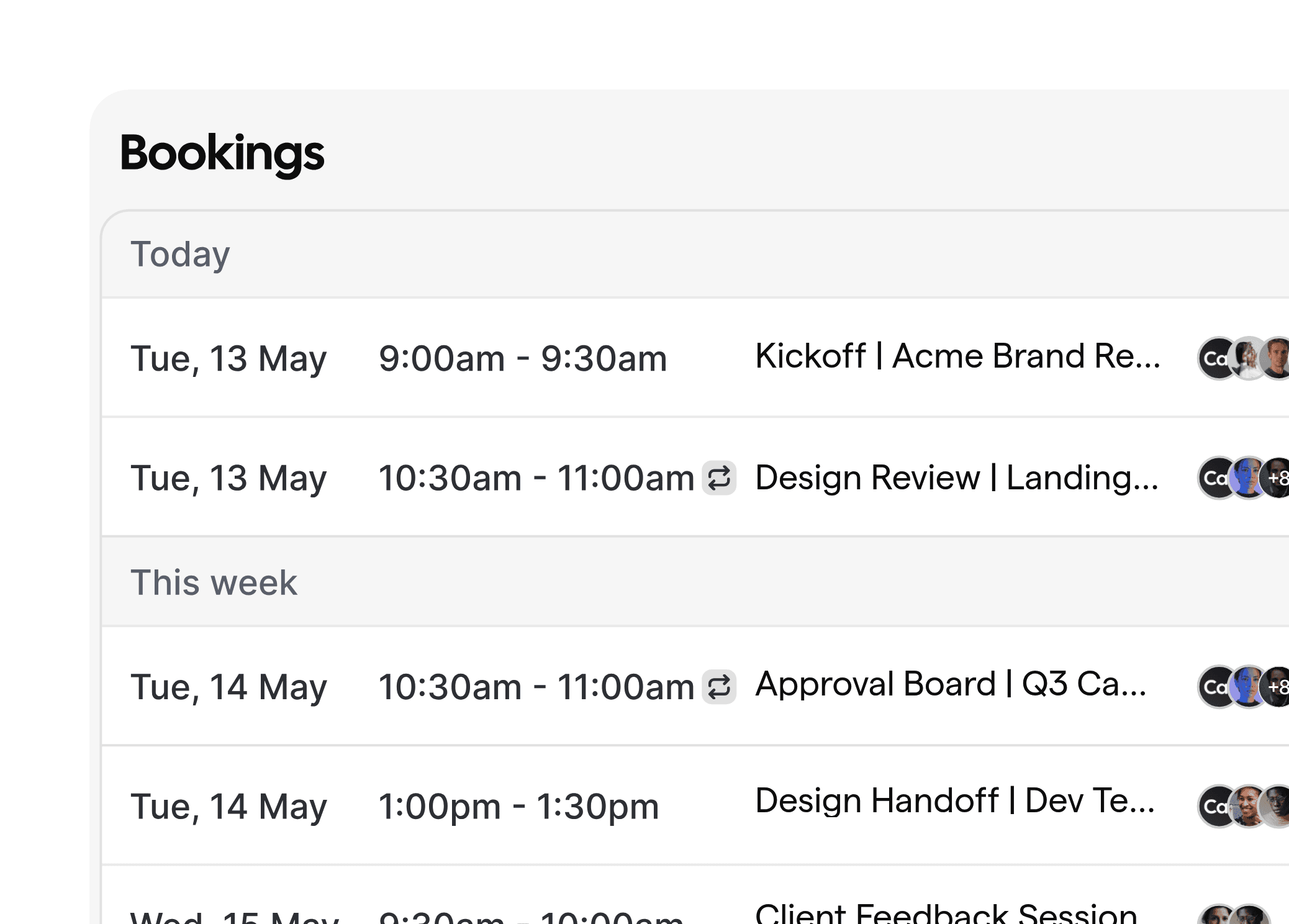
Start with a structured intake using your creative brief template. Trigger a kickoff call as soon as the brief is submitted, attach your brand guideline checklist, and invite the right stakeholders automatically. Sync all events to Google, Outlook, or iCloud with Cal.com, then store links in your project tool.

02
Route reviews and approvals
Define routing logic for the creative approval process. Cal.com Round Robin and Routing Forms send clients to the appropriate art director, brand manager, or legal reviewer. Automate reminders and escalation if feedback is late, while logging decisions to your system via webhooks.

03
Handoff, QA, and delivery
When approved, trigger design handoff best practices. Schedule internal QA, client walkthroughs, and delivery sessions. Send branded confirmations and files, and follow up post-launch for client feedback management and NPS. All steps can be replicated across accounts and projects.


01
Cut review cycle time
Automated reminders and routing keep work moving. Clients get timely nudges via email, SMS, or WhatsApp, and approvers receive consolidated review slots. No more chasing feedback or rescheduling marathons across time zones.
02
Protect brand quality at scale
Attach your brand guideline checklist and reference materials to confirmations and reminders. Ensure every reviewer sees the correct assets and context, improving decisions and reducing rework before production.

03
Give clients a polished experience
Offer a clean booking flow, branded notifications, and timezone-aware scheduling. Share links that reflect the project name and team. Add post-meeting surveys for client feedback management without extra tools.
04
Build on open, secure infrastructure
Use our open-source platform and API-first architecture to integrate with your stack. Self-host if needed, map data to your DAM or project tools, and meet enterprise security needs. See cal.com/open-source and cal.com/security for details.
Routing Forms for approvals
Qualify requests, capture scope, and send clients to the right approver or pod automatically. Perfect for brand, legal, and stakeholder review flows.
Workflows for reminders and follow-ups
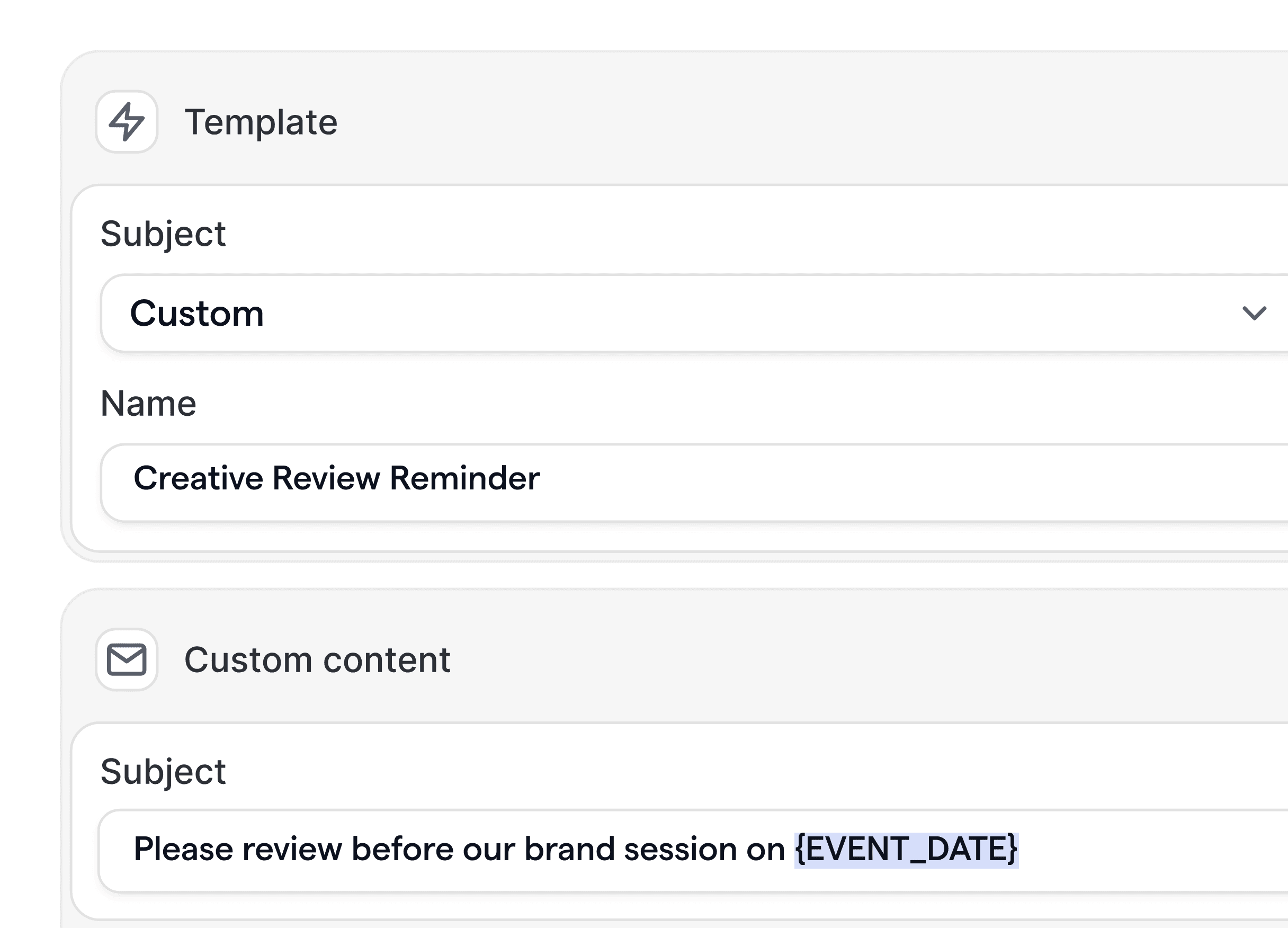
Automate confirmations, review reminders, and post-delivery check-ins across email, SMS, and WhatsApp. Reduce no-shows and late feedback.
Round Robin and pooled availability
Balance meetings across creative leads or pods. Keep utilization healthy without manual reschedules.
Custom branding and templates
Use branded email templates, embed assets, and attach your creative brief template and brand guideline checklist to messages.
Webhooks and API integration
Connect Cal.com to Asana, Jira, Monday, Notion, or your DAM. Create or update tasks when meetings are booked, rescheduled, or approved. See docs at cal.com/docs and apps at cal.com/apps.
Self-hosting and SSO
Deploy on your infrastructure with SSO, SCIM, and audit logs for enterprise clients. Learn more at cal.com/enterprise.









How do we enforce design handoff best practices?
Automate a sequence after approval: schedule internal QA, client handoff, and training. Include files and checklists in confirmations and follow-ups, then schedule a post-launch review.
Can clients book multi-person reviews across teams?
Yes. Use collective or multi-host events to align creative, strategy, and brand stakeholders. Cal.com finds overlapping availability and sends one confirmation to all parties.
Do you support self-hosting for enterprise agencies?
Yes. Cal.com supports self-hosting and advanced security. Review cal.com/open-source and cal.com/enterprise, and contact us for architecture guidance.
How do we manage client feedback management at scale?
Automate feedback sessions and follow-ups, add surveys, and sync notes to your PM or CRM via webhooks and the API. Use workflows to remind clients until feedback is received.
Can developers manage everything programmatically?
Yes. Cal.com is API-first. You can create events, workflows, webhooks, and templates via the API. See cal.com/docs and the GitHub repo for examples.







Start automating your approvals and handoffs
Try Cal.com free, or book a demo to see workflows for creative agencies in action. Explore cal.com/workflows, cal.com/apps, and cal.com/enterprise to find the best fit for your team.








