" height="18.016311920580208px" id="GKXyVanMq" stroke-dasharray="0" stroke-linecap="butt" stroke-linejoin="miter" stroke-miterlimit="10" stroke-width="0.5" stroke="rgb(0, 0, 0)" transform="translate(3 3)" width="18px"/></svg>)
"/><stop offset="1" stop-color="rgb(227, 224, 244)"/></linearGradient><linearGradient id="CBS1bzkxF-2031533640-linear-gradient" x1="0.49751243781094523" x2="0.5024875621890548" y1="0" y2="1"><stop offset="0" stop-color="rgb(255, 255, 255)"/><stop offset="1" stop-color="rgb(227, 224, 244)"/></linearGradient><linearGradient id="Jd7AK81w9-2031533640-linear-gradient" x1="0.49751243781094523" x2="0.5024875621890548" y1="0" y2="1"><stop offset="0" stop-color="rgb(255, 255, 255)"/><stop offset="1" stop-color="rgb(227, 224, 244)"/></linearGradient></defs><g d="M 0 16 L 0 0 L 16 0 L 16 16 Z M 9.167 5.167 C 9.167 4.891 8.943 4.667 8.667 4.667 C 8.391 4.667 8.167 4.891 8.167 5.167 C 8.167 6.784 7.809 7.834 7.155 8.488 C 6.501 9.143 5.451 9.5 3.833 9.5 C 3.557 9.5 3.333 9.724 3.333 10 C 3.333 10.276 3.557 10.5 3.833 10.5 C 5.451 10.5 6.501 10.857 7.155 11.512 C 7.809 12.166 8.167 13.216 8.167 14.833 C 8.167 15.109 8.391 15.333 8.667 15.333 C 8.943 15.333 9.167 15.109 9.167 14.833 C 9.167 13.216 9.524 12.166 10.178 11.512 C 10.832 10.857 11.883 10.5 13.5 10.5 C 13.776 10.5 14 10.276 14 10 C 14 9.724 13.776 9.5 13.5 9.5 C 11.883 9.5 10.832 9.143 10.178 8.488 C 9.524 7.834 9.167 6.784 9.167 5.167 Z M 4 3.667 C 4 3.483 3.851 3.333 3.667 3.333 C 3.483 3.333 3.333 3.483 3.333 3.667 C 3.333 4.32 3.189 4.715 2.952 4.952 C 2.715 5.189 2.32 5.333 1.667 5.333 C 1.483 5.333 1.333 5.483 1.333 5.667 C 1.333 5.851 1.483 6 1.667 6 C 2.32 6 2.715 6.145 2.952 6.382 C 3.189 6.618 3.333 7.013 3.333 7.667 C 3.333 7.851 3.483 8 3.667 8 C 3.851 8 4 7.851 4 7.667 C 4 7.013 4.145 6.618 4.382 6.382 C 4.618 6.145 5.013 6 5.667 6 C 5.851 6 6 5.851 6 5.667 C 6 5.483 5.851 5.333 5.667 5.333 C 5.013 5.333 4.618 5.189 4.382 4.952 C 4.145 4.715 4 4.32 4 3.667 Z M 7.333 1 C 7.333 0.816 7.184 0.667 7 0.667 C 6.816 0.667 6.667 0.816 6.667 1 C 6.667 1.422 6.573 1.65 6.445 1.778 C 6.317 1.906 6.089 2 5.667 2 C 5.483 2 5.333 2.149 5.333 2.333 C 5.333 2.517 5.483 2.667 5.667 2.667 C 6.089 2.667 6.317 2.761 6.445 2.889 C 6.573 3.016 6.667 3.244 6.667 3.667 C 6.667 3.851 6.816 4 7 4 C 7.184 4 7.333 3.851 7.333 3.667 C 7.333 3.244 7.427 3.016 7.555 2.889 C 7.683 2.761 7.911 2.667 8.333 2.667 C 8.517 2.667 8.667 2.517 8.667 2.333 C 8.667 2.149 8.517 2 8.333 2 C 7.911 2 7.683 1.906 7.555 1.778 C 7.427 1.65 7.333 1.422 7.333 1 Z" fill="transparent" height="16px" id="aoZYv33vR" width="16px"><path d="M 0 16 L 0 0 L 16 0 L 16 16 Z" fill="transparent" height="16px" id="Z2uGmhW9f" width="16px"/><g d="M 7.833 4.5 C 7.833 4.224 7.609 4 7.333 4 C 7.057 4 6.833 4.224 6.833 4.5 C 6.833 6.117 6.476 7.168 5.822 7.822 C 5.168 8.476 4.117 8.833 2.5 8.833 C 2.224 8.833 2 9.057 2 9.333 C 2 9.61 2.224 9.833 2.5 9.833 C 4.117 9.833 5.168 10.191 5.822 10.845 C 6.476 11.499 6.833 12.549 6.833 14.167 C 6.833 14.443 7.057 14.667 7.333 14.667 C 7.609 14.667 7.833 14.443 7.833 14.167 C 7.833 12.549 8.191 11.499 8.845 10.845 C 9.499 10.191 10.549 9.833 12.167 9.833 C 12.443 9.833 12.667 9.61 12.667 9.333 C 12.667 9.057 12.443 8.833 12.167 8.833 C 10.549 8.833 9.499 8.476 8.845 7.822 C 8.191 7.168 7.833 6.117 7.833 4.5 Z M 2.667 3 C 2.667 2.816 2.517 2.667 2.333 2.667 C 2.149 2.667 2 2.816 2 3 C 2 3.654 1.855 4.048 1.618 4.285 C 1.382 4.522 0.987 4.667 0.333 4.667 C 0.149 4.667 0 4.816 0 5 C 0 5.184 0.149 5.333 0.333 5.333 C 0.987 5.333 1.382 5.478 1.618 5.715 C 1.855 5.952 2 6.346 2 7 C 2 7.184 2.149 7.333 2.333 7.333 C 2.517 7.333 2.667 7.184 2.667 7 C 2.667 6.346 2.811 5.952 3.048 5.715 C 3.285 5.478 3.68 5.333 4.333 5.333 C 4.517 5.333 4.667 5.184 4.667 5 C 4.667 4.816 4.517 4.667 4.333 4.667 C 3.68 4.667 3.285 4.522 3.048 4.285 C 2.811 4.048 2.667 3.654 2.667 3 Z M 6 0.333 C 6 0.149 5.851 0 5.667 0 C 5.483 0 5.333 0.149 5.333 0.333 C 5.333 0.756 5.239 0.984 5.112 1.112 C 4.984 1.239 4.756 1.333 4.333 1.333 C 4.149 1.333 4 1.483 4 1.667 C 4 1.851 4.149 2 4.333 2 C 4.756 2 4.984 2.094 5.112 2.222 C 5.239 2.35 5.333 2.578 5.333 3 C 5.333 3.184 5.483 3.333 5.667 3.333 C 5.851 3.333 6 3.184 6 3 C 6 2.578 6.094 2.35 6.222 2.222 C 6.35 2.094 6.578 2 7 2 C 7.184 2 7.333 1.851 7.333 1.667 C 7.333 1.483 7.184 1.333 7 1.333 C 6.578 1.333 6.35 1.239 6.222 1.112 C 6.094 0.984 6 0.756 6 0.333 Z" fill="transparent" height="14.66671286102295px" id="ae6ccdFme" transform="translate(1.333 0.667)" width="12.66663px"><path d="M 5.833 0.5 C 5.833 0.224 5.609 0 5.333 0 C 5.057 0 4.833 0.224 4.833 0.5 C 4.833 2.117 4.476 3.168 3.822 3.822 C 3.168 4.476 2.117 4.833 0.5 4.833 C 0.224 4.833 0 5.057 0 5.333 C 0 5.61 0.224 5.833 0.5 5.833 C 2.117 5.833 3.168 6.191 3.822 6.845 C 4.476 7.499 4.833 8.549 4.833 10.167 C 4.833 10.443 5.057 10.667 5.333 10.667 C 5.609 10.667 5.833 10.443 5.833 10.167 C 5.833 8.549 6.191 7.499 6.845 6.845 C 7.499 6.191 8.549 5.833 10.167 5.833 C 10.443 5.833 10.667 5.61 10.667 5.333 C 10.667 5.057 10.443 4.833 10.167 4.833 C 8.549 4.833 7.499 4.476 6.845 3.822 C 6.191 3.168 5.833 2.117 5.833 0.5 Z" fill="url(%23t2lXByE48-2031533640-linear-gradient)" height="10.66671px" id="t2lXByE48" transform="translate(2 4)" width="10.66663px"/><path d="M 2.667 0.333 C 2.667 0.149 2.517 0 2.333 0 C 2.149 0 2 0.149 2 0.333 C 2 0.987 1.855 1.382 1.618 1.618 C 1.382 1.855 0.987 2 0.333 2 C 0.149 2 0 2.149 0 2.333 C 0 2.517 0.149 2.667 0.333 2.667 C 0.987 2.667 1.382 2.811 1.618 3.048 C 1.855 3.285 2 3.68 2 4.333 C 2 4.517 2.149 4.667 2.333 4.667 C 2.517 4.667 2.667 4.517 2.667 4.333 C 2.667 3.68 2.811 3.285 3.048 3.048 C 3.285 2.811 3.68 2.667 4.333 2.667 C 4.517 2.667 4.667 2.517 4.667 2.333 C 4.667 2.149 4.517 2 4.333 2 C 3.68 2 3.285 1.855 3.048 1.618 C 2.811 1.382 2.667 0.987 2.667 0.333 Z" fill="url(%23CBS1bzkxF-2031533640-linear-gradient)" height="4.66667px" id="CBS1bzkxF" transform="translate(0 2.667)" width="4.66667px"/><path d="M 2 0.333 C 2 0.149 1.851 0 1.667 0 C 1.483 0 1.333 0.149 1.333 0.333 C 1.333 0.756 1.239 0.984 1.112 1.112 C 0.984 1.239 0.756 1.333 0.333 1.333 C 0.149 1.333 0 1.483 0 1.667 C 0 1.851 0.149 2 0.333 2 C 0.756 2 0.984 2.094 1.112 2.222 C 1.239 2.35 1.333 2.578 1.333 3 C 1.333 3.184 1.483 3.333 1.667 3.333 C 1.851 3.333 2 3.184 2 3 C 2 2.578 2.094 2.35 2.222 2.222 C 2.35 2.094 2.578 2 3 2 C 3.184 2 3.333 1.851 3.333 1.667 C 3.333 1.483 3.184 1.333 3 1.333 C 2.578 1.333 2.35 1.239 2.222 1.112 C 2.094 0.984 2 0.756 2 0.333 Z" fill="url(%23Jd7AK81w9-2031533640-linear-gradient)" height="3.333333px" id="Jd7AK81w9" transform="translate(4 0)" width="3.3333399999999997px"/></g></g></svg>)
" height="24px" id="WCm44spAV" width="24px"/><path d="M 3.892 7.742 C 1.674 7.742 0 6.014 0 3.882 C 0 1.738 1.589 0 3.892 0 C 5.107 0 5.951 0.374 6.623 1.173 L 5.566 2.09 C 5.118 1.621 4.564 1.386 3.892 1.386 C 2.452 1.386 1.547 2.517 1.547 3.882 C 1.547 5.246 2.452 6.356 3.924 6.356 C 4.649 6.356 5.193 6.111 5.63 5.63 L 6.718 6.558 C 6.153 7.24 5.193 7.742 3.892 7.742 Z" fill="rgb(255, 255, 255)" height="7.741500000000002px" id="XEPpGD7l5" transform="translate(4 8.25)" width="6.717999999999989px"/><path d="M 2.74 7.922 C 1.215 7.922 0 6.632 0 5.032 C 0 3.433 1.215 2.122 2.74 2.122 C 3.7 2.122 4.201 2.516 4.5 3.113 L 4.5 2.239 L 5.928 2.239 L 5.928 7.784 L 4.531 7.784 L 4.531 6.877 C 4.233 7.507 3.731 7.922 2.74 7.922 Z M 1.439 5.023 C 1.439 5.865 2.057 6.622 2.975 6.622 C 3.924 6.622 4.531 5.897 4.531 5.033 C 4.531 4.169 3.924 3.423 2.975 3.423 C 2.057 3.423 1.439 4.159 1.439 5.022 Z M 6.784 7.784 L 6.784 0 L 8.224 0 L 8.224 7.784 L 6.784 7.784 Z" fill="rgb(255, 255, 255)" height="7.9224997406005855px" id="lGDJupIUR" transform="translate(10.5 8)" width="8.223500194549558px"/></g></svg>)
" width="18px"><path d="M 2 8 C 0.895 8 0 7.105 0 6 L 0 2 C 0 0.895 0.895 0 2 0 L 6 0 C 7.105 0 8 0.895 8 2 L 8 6 C 8 7.105 7.105 8 6 8 Z" fill="transparent" height="8px" id="ZrCrI93dV" stroke-dasharray="" stroke-linecap="round" stroke-linejoin="round" stroke-width="2" stroke="rgb(0, 0, 0)" width="8px"/><path d="M 0 0 L 0 4 C 0 5.105 0.895 6 2 6 L 6 6" fill="transparent" height="6px" id="emltWYAiE" stroke-dasharray="" stroke-linecap="round" stroke-linejoin="round" stroke-width="2" stroke="rgb(0, 0, 0)" transform="translate(4 8)" width="6px"/><path d="M 2 8 C 0.895 8 0 7.105 0 6 L 0 2 C 0 0.895 0.895 0 2 0 L 6 0 C 7.105 0 8 0.895 8 2 L 8 6 C 8 7.105 7.105 8 6 8 Z" fill="transparent" height="8px" id="WpBecYDfi" stroke-dasharray="" stroke-linecap="round" stroke-linejoin="round" stroke-width="2" stroke="rgb(0, 0, 0)" transform="translate(10 10)" width="8px"/></g></svg>)


7 Best Resource Scheduling Software | Cal.com
When someone needs to book a meeting with your team, they shouldn't have to figure out who is available or exchange several emails to find a time. The same applies to interviews, demos, client calls, and internal meetings where several people need to be available.
Cal.com helps growing teams match meetings with the people who have capacity, while distributing bookings across the team. Routing forms send requests to the right person or team, round-robin scheduling spreads bookings across available team members, and pooled availability checks their calendars before offering a time. Calendar and CRM integrations keep bookings synced with the rest of your workflow.
If you also need to plan who works on what, balance workloads, and forecast future capacity, we compare Cal.com with resource planning tools such as Float, Resource Guru, Runn, Ganttic, Hub Planner, and Saviom.
We graded every tool on three things:
Resource types: Can it schedule rooms, equipment, and vehicles, or only people?
Capacity forecasting: Can you plan upcoming work and check capacity before assigning it?
Pricing model: Do you pay per user, resource, or by custom quote, and how does the cost change as your team grows?
The comparison table near the end scores all seven tools on those three criteria, plus whether each one has a free plan.
TL;DR: the best resource scheduling software at a glance
Cal.com: best for booking the meetings a resource plan creates
Float: best resource scheduling software for agencies and delivery teams
Resource Guru: best for scheduling people, equipment, and rooms together
Runn: best for capacity forecasting and hiring plans
Ganttic: best for managing large pools of people and assets
Hub Planner: best for combining resource planning with budget tracking
Saviom: best for enterprise resource management and scenario planning
What is resource scheduling software?
Resource scheduling software helps teams plan and track how people, equipment, rooms, and time are allocated across projects. It gives managers a shared view of who's booked, who's available, and how much capacity remains.
You can use it to assign work, move assignments as plans change, balance workloads, and plan future projects. Depending on the tool, you can also forecast capacity, track hours and budgets, and schedule non-human resources such as equipment, rooms, and vehicles.
Growing teams often use resource scheduling software alongside a meeting scheduling tool. The resource scheduler helps decide who has capacity for the work, while the meeting scheduler distributes meetings, interviews, demos, and client calls among available team members before adding them to their calendars.
What to look for in resource scheduling software
As your team grows, keeping track of who's available, who's overloaded, and what work is coming up gets harder.
Look for tools that make those decisions easier, starting with these key features:
Real-time capacity and availability. You should be able to see who's available, who's overloaded, and when capacity changes. Heatmaps and capacity indicators make this easier to spot.
Drag-and-drop scheduling. Plans change often, so look for tools that make it easy to create, move, and split assignments. Overload warnings are also useful when plans change.
Forecasting and placeholders. Placeholders, tentative bookings, and capacity forecasts help you plan future demand, upcoming projects, and hiring needs.
Utilization and budget tracking. For billable teams, look for time tracking, planned-versus-actual hours, rates, and margin reporting to see whether projects are properly staffed and profitable.
Non-human resources. If your projects also require meeting rooms, equipment, or vehicles, look for a tool that lets you schedule those alongside your team. This helps you see whether both the people and resources you need are available.
Integrations and access control. Check that the tool works with your existing project management, calendar, and HR software. You should also be able to control who can access and manage schedules as your team grows.
The 7 best resource scheduling software for growing teams
1. Cal.com: best for booking the meetings a resource plan creates
Free plan? | Starting price | Standout feature | Best use case |
|---|---|---|---|
Yes, free forever for 1 user | $16/user/month | Routing forms and round-robin scheduling | Growing teams booking the meetings their resource plan generates |
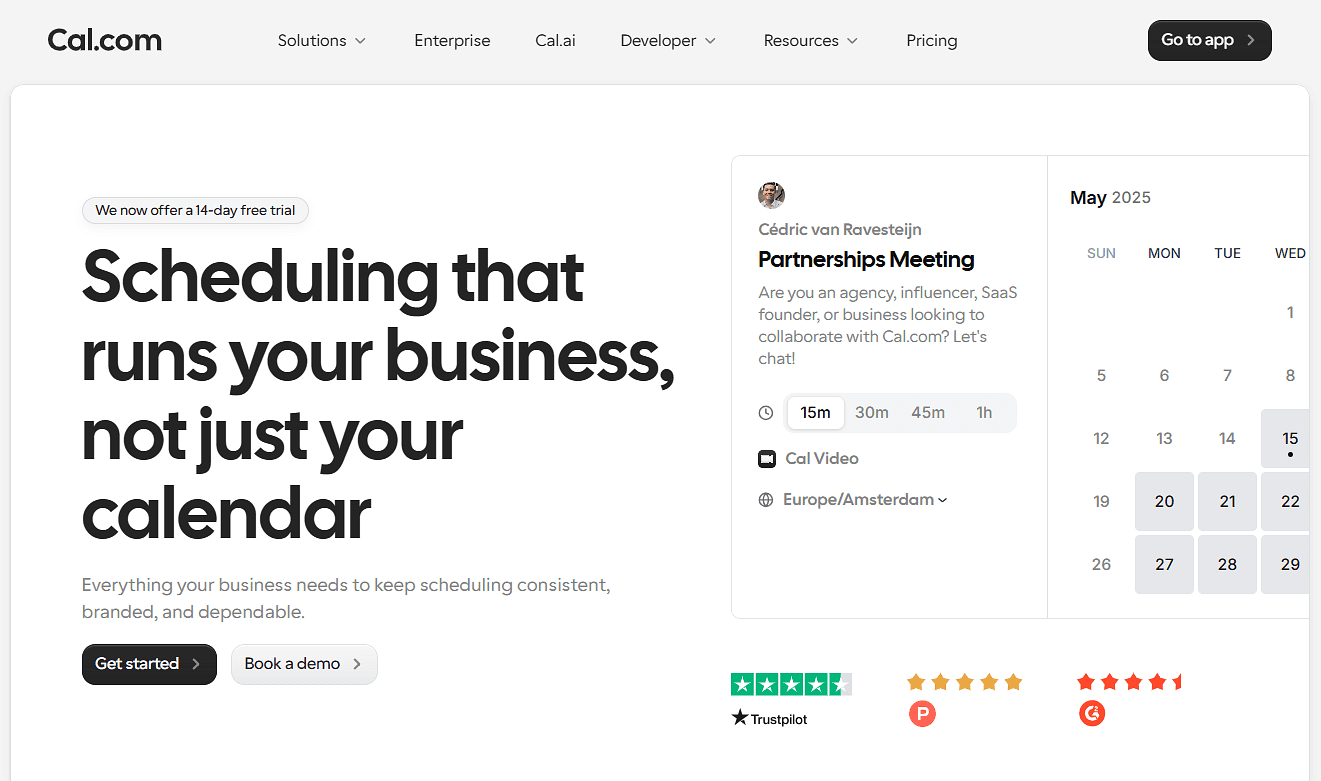
What it is: Cal.com helps growing teams turn their team's availability into scheduled meetings, interviews, demos, and client calls. Once you know who has capacity, Cal.com routes each request to the right person or team, checks their availability, and distributes bookings across available team members. It syncs bookings with Google, Outlook, and Apple calendars, and connects with CRM tools such as Salesforce and HubSpot to keep customer and meeting information updated.
Why it ranks first: Cal.com takes a lot of the coordination out of team scheduling. Once you've decided who should handle a meeting, it helps get that person booked without the usual back-and-forth. Round-robin scheduling spreads incoming meetings across available team members, while routing forms make sure requests reach the right person in the first place. Add automated reminders, flexible booking pages, and calendar and CRM integrations, and there's much less for your team to manage manually.
Key features:
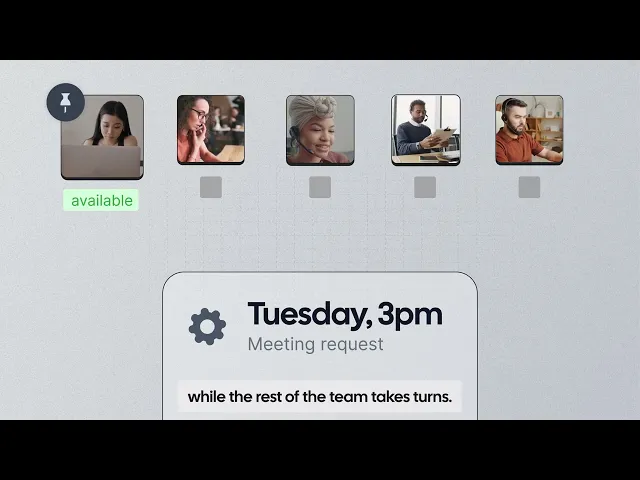
Round-robin scheduling: Automatically distribute bookings among team members based on availability, workload, priorities, or other rules.
Collective scheduling: Book a meeting with several team members at the same time, such as a panel interview or group client call.
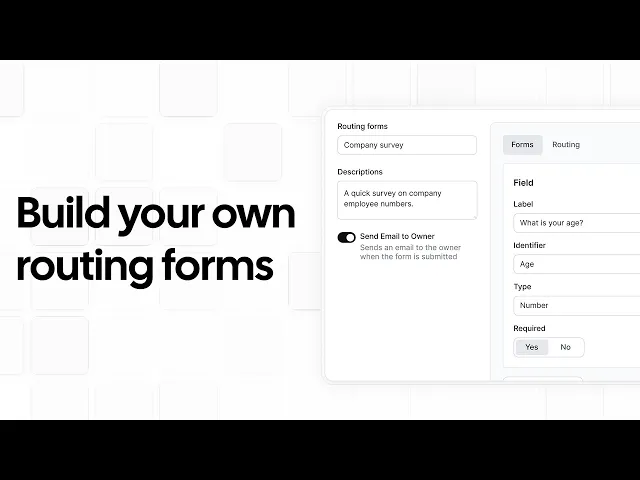
Routing forms: Ask a few questions and use the answers to send each request to the right person, team, or schedule.
Team availability: Create shared availability schedules for your team, including working hours, time zones, and date-specific changes.
Calendar and CRM integrations: Sync bookings with calendars such as Google, Outlook, and Apple, and connect with CRM tools such as Salesforce and HubSpot.
Automated workflows and reminders: Automatically send booking confirmations, reminders, follow-ups, and other messages.
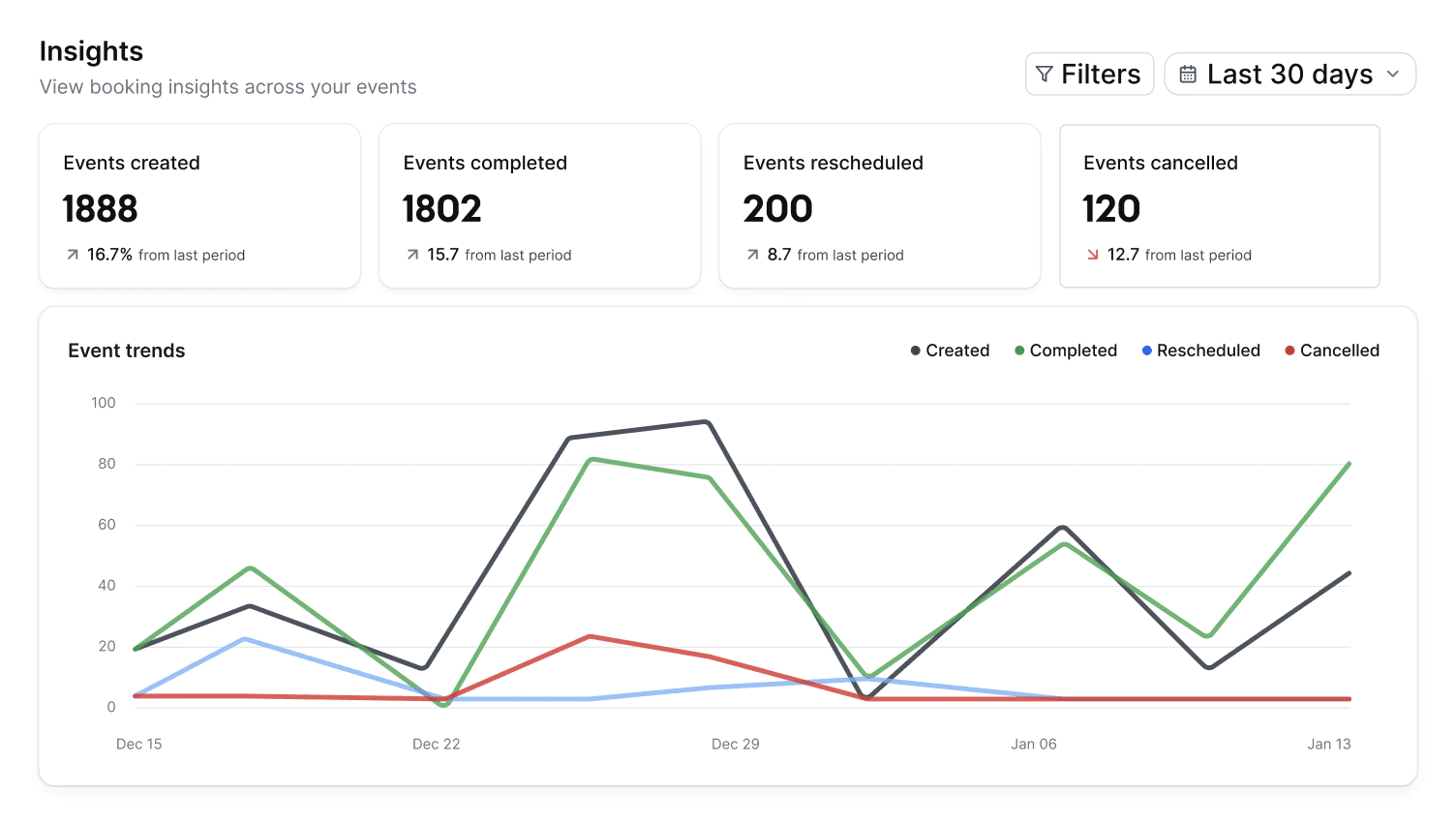
Booking analytics:Track booking activity to understand how meetings are being scheduled and where your team's booking volume is coming from.
API and React components: Add Cal.com scheduling to your own website, product, or internal tools.
Cal Video: Host video meetings directly through Cal.com without needing a separate video conferencing tool.
Payments: Collect payments or deposits when people book, with support for Stripe and PayPal.
Security and access control: Manage team access with features such as role-based permissions and SSO, with enterprise security and compliance options available.
White-label booking pages: Use your own domain and remove Cal.com branding from the booking experience.
MCP server: Connect Cal.com to AI assistants such as Claude, Cursor, or VS Code and manage bookings, schedules, availability, and other scheduling tasks using natural language.
Pricing: Cal.com has a free plan for one user with unlimited event types and calendars, unlimited bookings, notifications, payments, and 100+ integrations. Paid plans start at $16/user/month, or $12/user/month when billed annually, and add team features such as shared availability, round-robin scheduling, routing forms, booking analytics, and collective events.
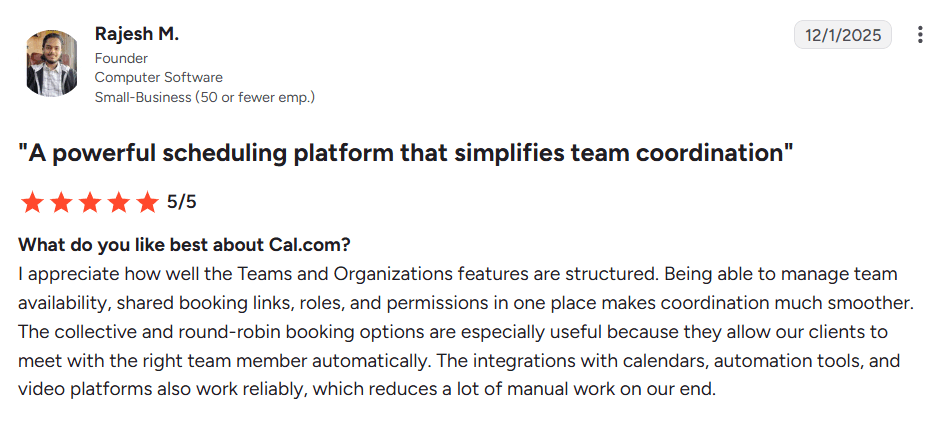
Best for: Growing sales, recruiting, support, and professional services teams that already plan capacity elsewhere and need a simple, developer-friendly way to distribute meetings across available team members.
Verdict: Cal.com is a good fit for teams that already plan capacity elsewhere and need a simple way to turn available team members into booked meetings. Use it alongside a resource planner to schedule the interviews, client calls, demos, and other meetings that come from your project plans.
Start with Cal.com's free plan, or book a demo to see how it could work for your team.
2. Float: best resource scheduling software for agencies and delivery teams
Free plan? | Starting price | Standout feature | Best use case |
|---|---|---|---|
No, 30-day trial | $8.50/scheduled person/month | Clean capacity view tied to budgets and margins | Teams that need to manage workloads and capacity across multiple projects |
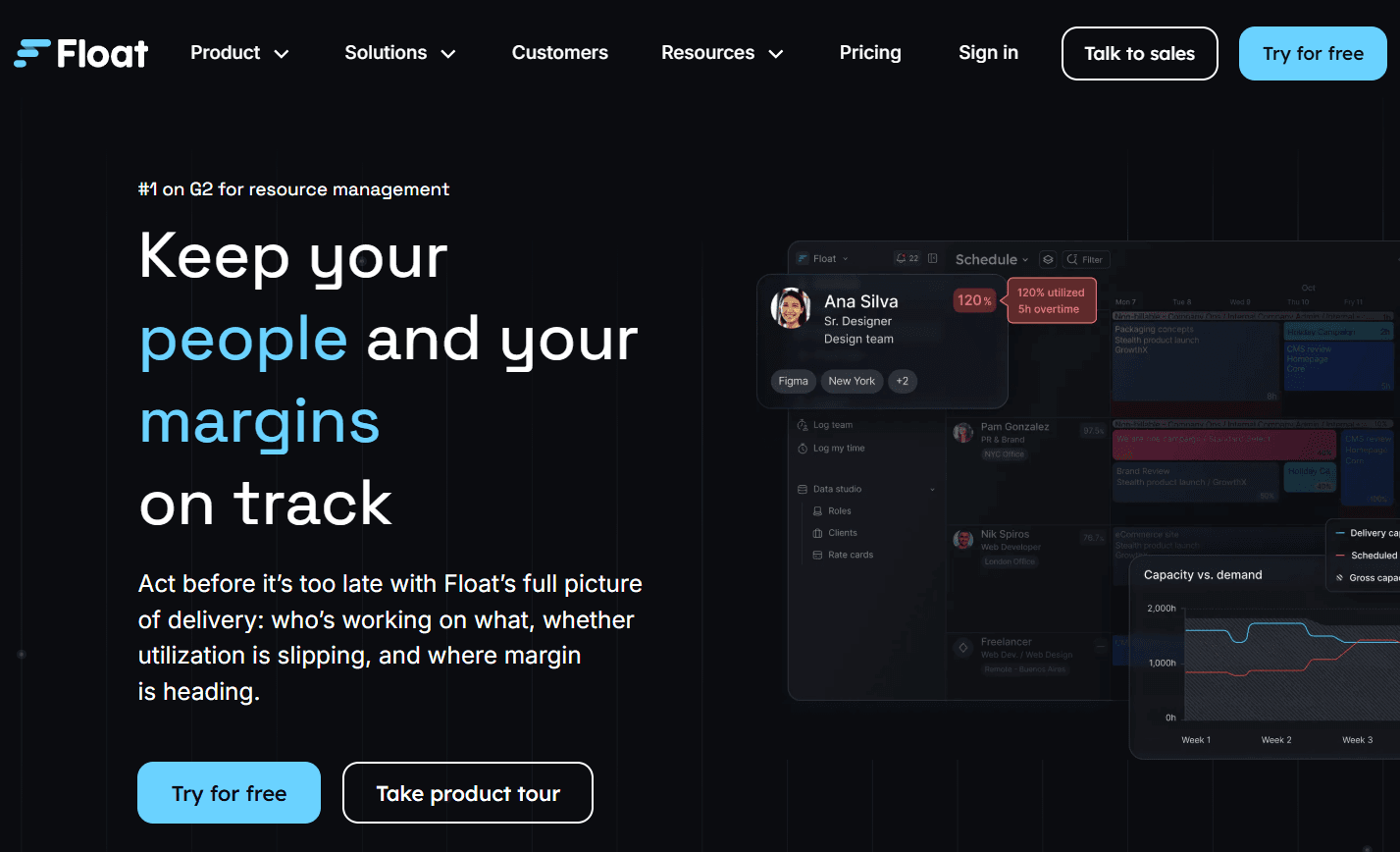
What it is: Float is a resource management platform that helps teams plan people and projects on a visual timeline. You can assign work, see who's available, account for time off and part-time hours, and adjust schedules as projects change. It also connects resource planning with budgets, rates, and project hours, making it a strong fit for agencies, consultancies, and professional services teams.
Key features:
Visual scheduling: Plan people and projects on one timeline, then drag and drop assignments as plans change.
Team availability: See who has room for more work while accounting for holidays, time off, and part-time schedules.
Staffing suggestions: Find people who match a project's role and skill requirements and have availability.
Budget tracking: Compare project estimates, billable and cost rates, and planned work against actual performance.
Time tracking: Record the time people spend on projects and compare it with the hours you originally planned.
Limitations:
Float focuses on resource planning, so you'll still need a separate tool for project management.
You pay per scheduled person, so costs increase as you add more people to the schedule.
Pricing: Float doesn’t have a free plan, but offers a 30-day free trial. Paid plans start at $8.50/scheduled person/month for resource scheduling, capacity and time management, project scoping, and integrations and API access. Higher plans include features like time tracking, project cost estimation, and advanced reporting.
Best for: Agencies and consultancies that want to plan team capacity while keeping track of project budgets and costs.
Comparison verdict (vs. Cal.com): Float helps you assign people to projects, balance workloads, and track project hours and costs. Cal.com helps you schedule the meetings those people need to attend, distributing bookings based on availability. The two work well together if you use Float for project planning and Cal.com for meeting scheduling.
3. Resource Guru: best for scheduling people, equipment, and rooms together
Free plan? | Starting price | Standout feature | Best use case |
|---|---|---|---|
No, 30-day trial | $6/person/month | People and non-human resources on one schedule | Small to mid-sized teams booking staff and physical resources |

What it is: Resource Guru helps teams plan when people, equipment, meeting rooms, and vehicles are needed. You can see when each resource is available, assign work, and avoid scheduling conflicts. It works well for teams that need to coordinate physical assets alongside staff, but it has fewer tools for long-term capacity forecasting.
Key features:
Flexible scheduling: Drag and drop bookings, move work between resources, and split or adjust assignments as plans change.
Availability and workload visibility: See remaining availability and spot overloaded or underused resources with visual schedule views.
People and physical resources: Schedule employees, equipment, vehicles, and meeting rooms and prevent double bookings.
Time off and tentative work: Account for leave and schedule unconfirmed work without treating it as confirmed.
Reporting: Compare planned and actual hours, review capacity and project budgets, and analyze scheduled work.
Limitations:
Non-human resources cost extra.
Forecasting and skills matching are more limited than in dedicated capacity planning tools.
Pricing: Resource Guru doesn’t have a free plan but offers a 30-day free trial. Paid plans start at $6/person/month and include unlimited projects, people, and resource bookings, plus personalized dashboards. Higher plans add time tracking, approval workflows, and reporting. Non-human resources such as rooms, vehicles, and equipment are billed separately, starting at $3/month each.
Best for: Small and mid-sized teams that need to schedule people and physical resources together without the complexity of a heavier planning platform.
Comparison verdict (vs. Cal.com): Resource Guru helps teams plan people, equipment, rooms, and vehicles, including when each resource is available and how it's allocated. Cal.com can also make people and resources bookable through dedicated booking pages, with routing, round-robin scheduling, and payments. Use Resource Guru for resource planning and Cal.com when you need people to book and, when needed, pay for those resources.attend.
4. Runn: best for capacity forecasting and hiring plans
Free plan? | Starting price | Standout feature | Best use case |
|---|---|---|---|
No, 30-day trial | $9/resource seat/month | Forward-looking capacity planning | Consulting and project teams planning future capacity |

What it is: Runn is a resource management and capacity planning platform for consulting firms, agencies, and other project-based teams. It connects current project allocations with future capacity, project margins, and hiring plans, so you can see where you'll need more people as your workload changes. Runn also lets you use placeholders for roles or resources that aren't assigned to a specific person yet, so you can plan potential hires and tentative work before making staffing decisions.
Key features:
Resource planning: Assign people to projects, adjust workloads as plans change, and account for time off, project phases, and milestones.
Future staffing: Plan work before you know who will handle it, then match unfilled roles with people based on skills and availability.
Capacity visibility: Compare workload with available capacity to spot overbooked teams, gaps, and upcoming resource needs.
Forecasting and financial planning: Model future demand, compare planned work with actuals, and see how staffing decisions affect revenue and project margins.
Time tracking and integrations: Compare planned hours with actual time and connect Runn with other tools through integrations or its API.
Limitations:
It’s not a project management tool, so you’ll need a separate one for managing tasks.
Some users report that the reporting tools offer limited customization.
Pricing: Runn doesn’t have a free plan, but it offers a 30-day free trial. Paid plans start at $9/resource seat/month and include scheduling, capacity and utilization charts, and project financial plans. However, you need to purchase at least 20 resource seats, so you’ll pay a minimum of $180/month. Higher plans include timesheets, integrations, and API access.
Best for: Consulting and project-based teams that need to forecast capacity, utilization, and hiring needs as they grow.
Comparison verdict (vs. Cal.com): Runn helps you plan team capacity and future staffing before work begins. Cal.com helps turn those plans into bookings by scheduling client calls, interviews, and other meetings with the right people or resources.
5. Ganttic: best for managing large pools of people and assets
Free plan? | Starting price | Standout feature | Best use case |
|---|---|---|---|
Yes, up to 10 resources | $25/month, 20 resources | Per-resource pricing with unlimited users | Teams scheduling many people and assets together |
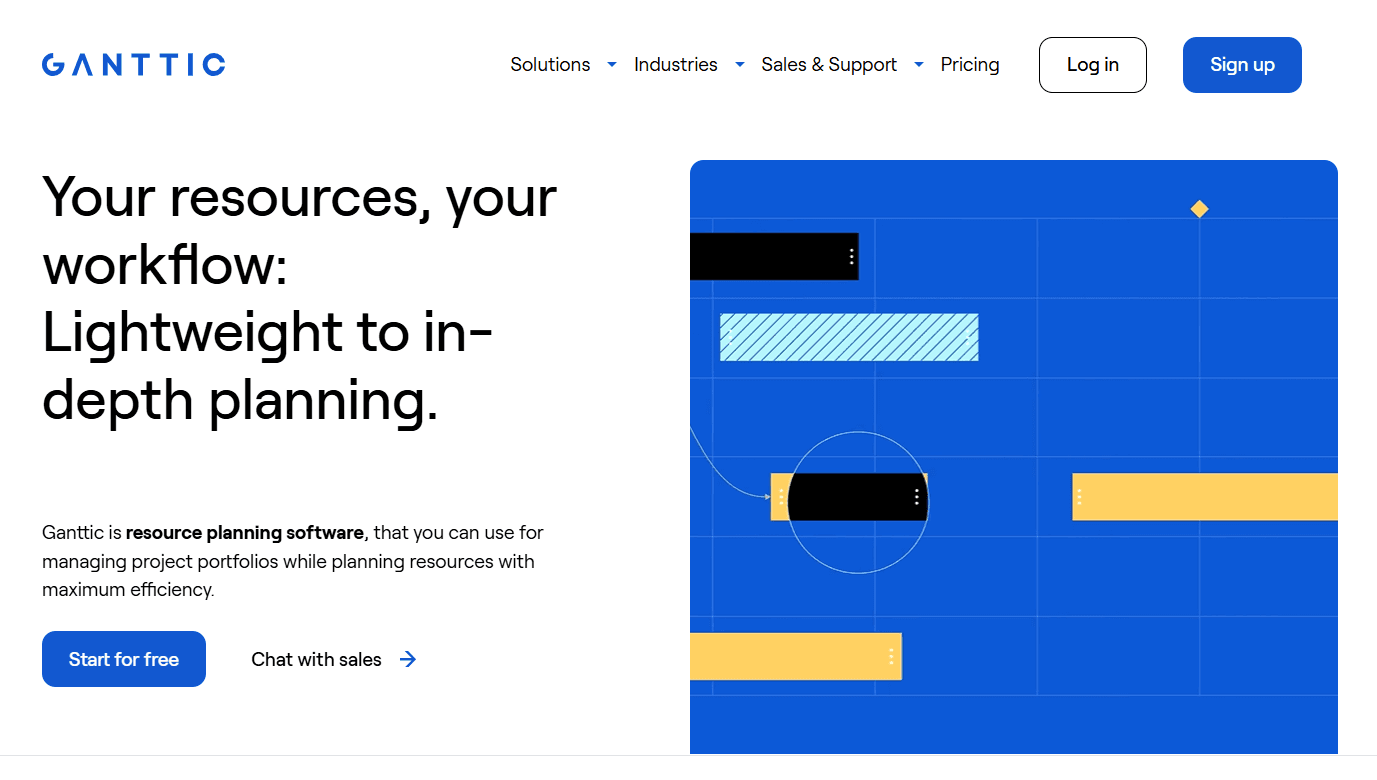
What it is: Ganttic is a resource planning tool for scheduling people, rooms, machinery, vehicles, and equipment. Its Gantt view lets you organize schedules by project or resource, making it easy to see what's booked and when. Unlike tools that charge per user, Ganttic charges based on the number of resources you manage. This can work well for teams where many people need access to the schedule but the number of resources stays relatively stable.
Key features:
Visual resource planning: View projects and tasks by resource or project, then drag and drop assignments as plans change.
Conflict and workload tracking: Spot double bookings, overworked resources, and unused capacity before they affect your plans.
People and physical resources: Schedule people, rooms, machinery, vehicles, and equipment in the same planner.
Custom resource information: Add details such as skills, locations, departments, and other data to filter and group resources when planning.
Reports and automated updates: Create reports from your scheduling data, export them, and automatically send custom reports to the people who need them.
Limitations:
The interface takes some time to learn, especially compared with simpler scheduling tools.
Financial and margin tracking is more limited than in Float or Runn.
Pricing: Ganttic has a free plan that unlocks all features but is capped at 10 resources. If you need more than 10 resources, you'll need to upgrade. Paid plans start at $25/month for 20 resources, with pricing increasing as you add more resources.
Best for: Operations, manufacturing, and other teams managing large pools of people, equipment, facilities, or other assets where per-user pricing would be expensive.
Comparison verdict (vs. Cal.com): Ganttic helps you plan and schedule people, equipment, rooms, and other resources, while Cal.com lets people book those resources. Use Ganttic to manage resource availability and Cal.com to handle bookings, including payments when needed.
6. Hub Planner: best for combining resource planning with budget tracking
Free plan? | Starting price | Standout feature | Best use case |
|---|---|---|---|
No, 14-day trial | $7/resource/month | Scheduling, timesheets, and budgets together | Consultancies unifying planning and utilization reporting |
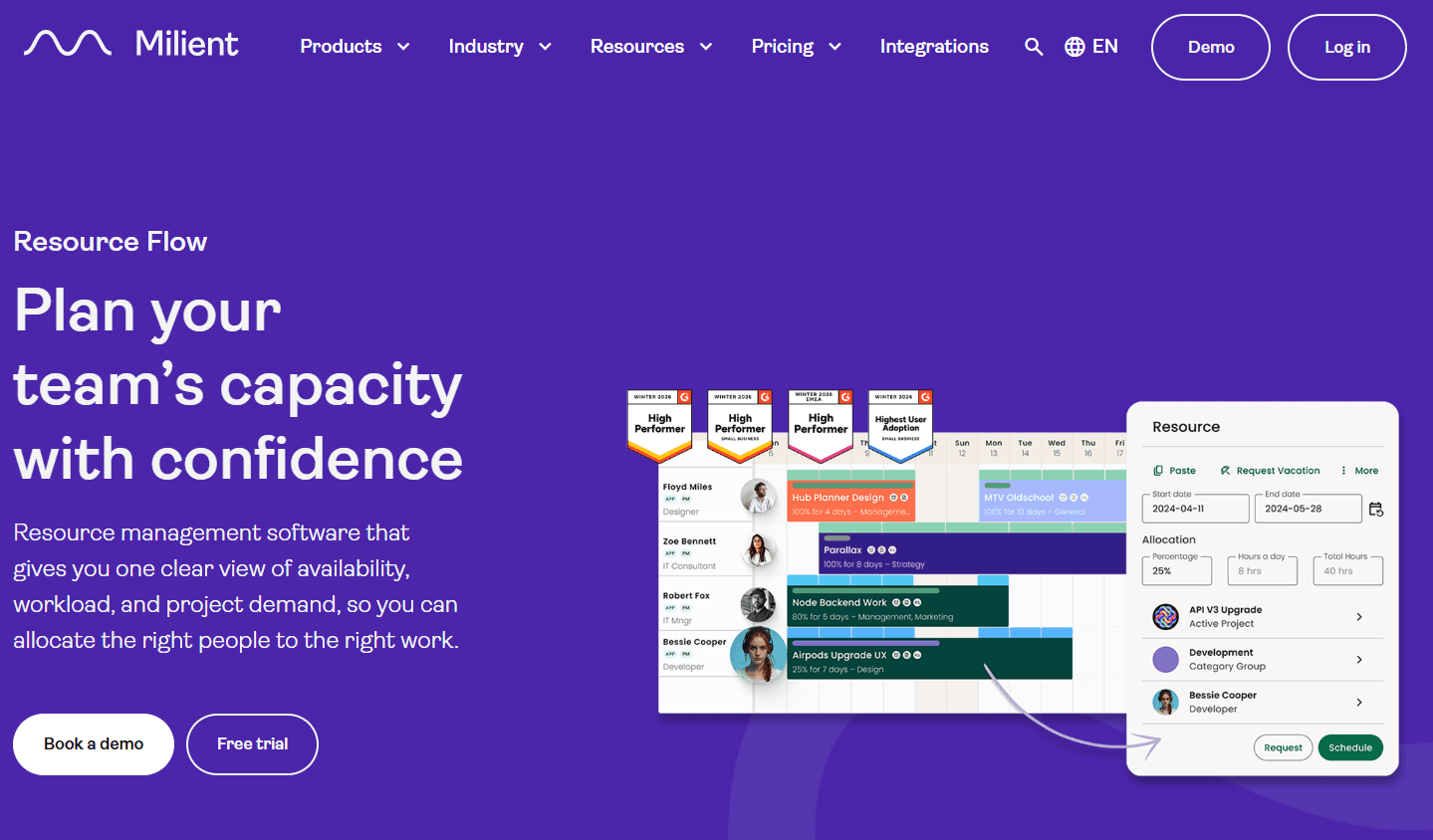
What it is: Hub Planner by Milient combines resource scheduling with timesheets, workload tracking, and budget management. You can plan who works on each project, track the hours they actually spend, and compare planned work with actual hours and project budgets. Its modular approach lets you choose the capabilities you need, so you can start with resource scheduling and add time tracking, reporting, or other tools as your needs grow.
Key features:
Team scheduling: Plan assignments, check availability, and spot overloaded or underused team members as schedules change.
Time tracking: Let team members record the time they spend on projects and compare it with the time originally scheduled, including approval workflows for submitted time.
Project costs and budgets: Track scheduled and actual hours alongside project costs, budgets, profitability, and billable work.
Resource requests: Let team members request resources and route those requests to the right approvers before they're added to the schedule.
Team access controls: Set different permissions so people can view or edit only the projects and schedules relevant to their role.
Limitations:
Reporting features are only available on higher-priced plans, which cost more than twice the entry plan.
Limited native integrations can make connecting other tools more difficult.
Pricing: Hub Planner doesn’t have a free plan, but offers a 14-day free trial. Paid plans start at $7/resource/month when billed annually, and include resource scheduling, availability tracking, and project planning. Higher plans add timesheets, reporting, and other planning tools.
Best for: Consultancies and delivery teams that want scheduling, timesheets, utilization, and budget tracking in one system.
Comparison verdict (vs. Cal.com): Hub Planner helps you plan who works on each project and track the time and money involved. Cal.com lets people book meetings with those team members or resources.
7. Saviom: best for enterprise resource management and scenario planning
Free plan? | Starting price | Standout feature | Best use case |
|---|---|---|---|
No, 60-day trial on request | Custom quote | Deep scenario planning for large portfolios | Large enterprises managing complex resource portfolios |
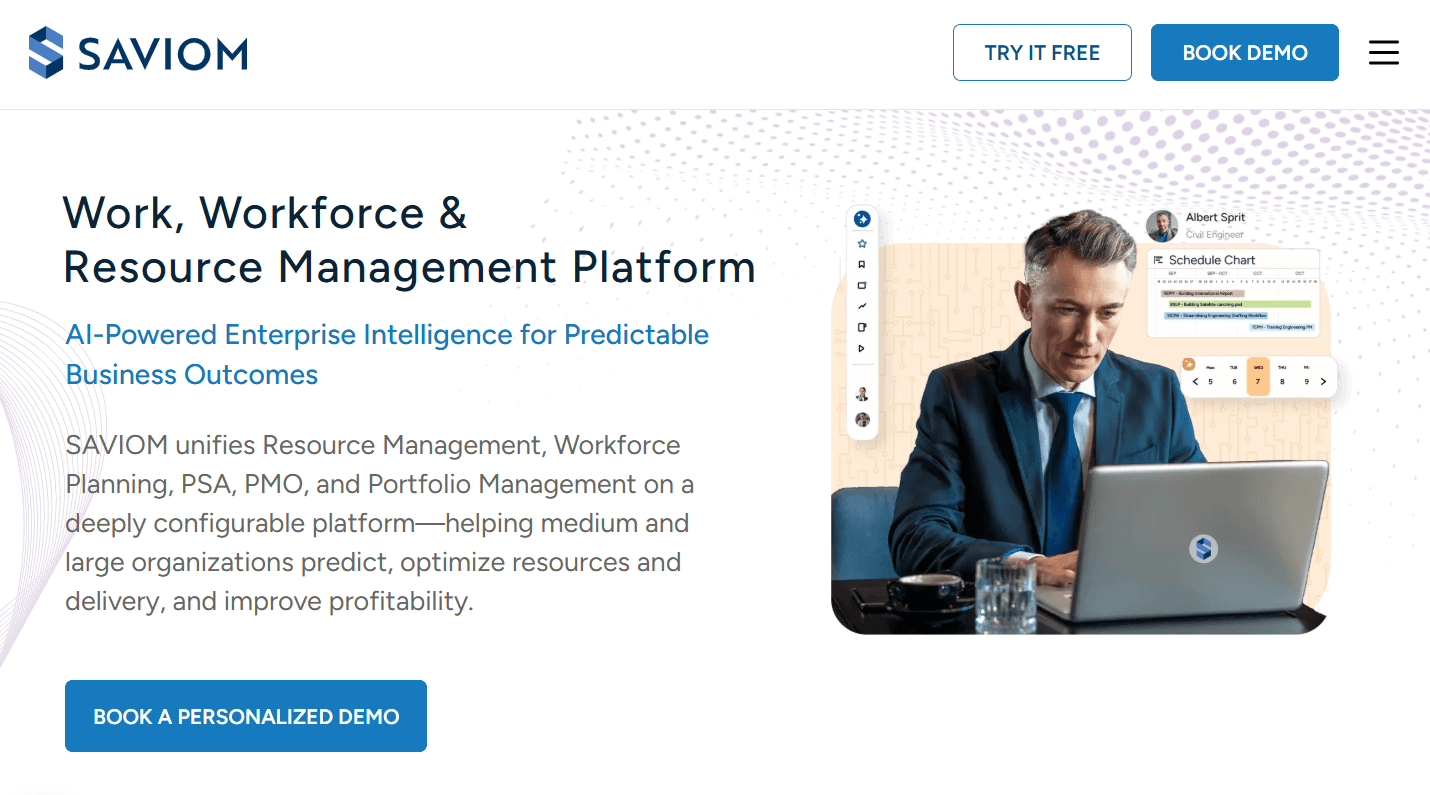
What it is: Saviom is an enterprise resource management and capacity planning platform for organizations managing large teams and complex project portfolios. It helps managers plan workloads, forecast future resource needs, and assign people based on their skills and availability. You can also model different staffing scenarios to see how changes in demand, hiring, or project schedules could affect capacity across the organization.
Key features:
Capacity planning: Compare current and future demand with available capacity across projects, teams, roles, and skills.
Scenario planning: Model changes such as hiring, outsourcing, redeployment, or project timing before committing resources.
Workload and capacity tracking: Spot overloaded teams, excess capacity, and upcoming resource gaps so you can adjust assignments earlier.
Skills-based matching: Find people based on skills, experience, availability, and role requirements.
Forecasting and dashboards: Forecast future demand and capacity, then monitor gaps, workloads, and financial data through configurable reports and dashboards.
Limitations:
Setup takes more time than with simpler resource scheduling tools.
Quote-based pricing makes costs harder to estimate upfront.
Pricing: Saviom doesn’t offer a free plan, but you can request a 60-day trial by filling out a form with your name, company name, and business email. You can also book a demo and request a custom quote.
Best for: Large enterprises and rapidly scaling organizations that need portfolio-level resource management, advanced forecasting, and scenario planning.
Comparison verdict (vs. Cal.com): Saviom is designed for planning large teams, project workloads, and future staffing needs. Cal.com makes available people and resources bookable through dedicated booking pages and can route bookings to the right team members. Use Saviom to plan resources and Cal.com to schedule meetings.
Resource scheduling software compared: quick comparison
Here’s how the seven scheduling software compare on key features, free plans, and pricing model:
Tool | Free plan | Resource types | Capacity forecasting | Pricing model |
|---|---|---|---|---|
Cal.com | ✅ Free forever, 1 user | ✅ People and resources like rooms and equipment | ⚠️ Integrates with capacity planners via integrations and API | Per user pricing, with annual discount |
Float | ❌ 30-day trial | ⚠️ People and projects | ✅ Capacity, resource usage, and future staffing | Per scheduled person in your projects |
Resource Guru | ❌ 30-day trial | ✅ People, equipment, rooms, and vehicles | ⚠️ Limited long-term forecasting | Per person plus per non-human resource |
Runn | ❌ 30-day trial | ⚠️ People and projects | ✅ Capacity, resource usage, and future staffing | Per managed resource in your projects |
Ganttic | ✅ Free forever, 10 resources | ✅ People, equipment, rooms, vehicles, and others | ⚠️ Workload and capacity visibility; lighter forecasting | Per resource, unlimited users across plans |
Hub Planner | ❌ 14-day trial | ✅ People and other resources | ✅ Workload and capacity planning, and budget tracking | Per resource used in your projects |
Saviom | ❌ 60-day trial on request | ✅ People and enterprise resources | ✅ Advanced capacity and scenario planning | Quote only, pricing not published |
Final verdict
Choose your resource scheduling software based on whether you need to book available people, plan team capacity, or coordinate people and physical resources.
Cal.com is the top choice if you need a simple way to distribute meetings among available team members. Routing forms direct requests to the right person or team, while round-robin scheduling distributes bookings based on availability. Calendar and CRM integrations keep those bookings connected to the tools your team already uses.
For resource planning and capacity forecasting, look at Float and Runn. If you need to schedule people, equipment, rooms, or vehicles, Resource Guru and Ganttic cover those resources. For scheduling alongside budgets and utilization tracking, consider Hub Planner, while Saviom is designed for large organizations that need scenario planning across complex resource portfolios.
If your team already has a handle on capacity, Cal.com can turn that availability into booked meetings. Start with the free plan or book a demo.
Frequently asked questions
What is resource scheduling software? Resource scheduling software helps teams plan and track how people, equipment, rooms, and other resources are allocated across projects. It gives managers a shared view of availability, workloads, and remaining capacity.
What is the best resource scheduling software? The best choice depends on whether you need to book available people, plan team capacity, or schedule people alongside physical resources. Cal.com is the best option for distributing meetings among available team members, while Float and Runn focus more on resource planning and capacity forecasting.
How much does resource scheduling software cost? Most tools charge per user or resource, with paid plans typically starting from about $6 to $25 per person or resource per month. Enterprise tools such as Saviom use custom pricing. Cal.com is free for one user, with paid plans starting at $16/user/month or $12/user/month when billed annually.
Is there free resource scheduling software? Yes. Ganttic offers a free plan for up to 10 resources, while Cal.com offers a free plan for one user who can create unlimited booking pages. Float, Resource Guru, Runn, Hub Planner, and Saviom don’t offer free plans.
Which resource scheduling software is best for booking equipment and rooms? Resource Guru and Ganttic let you schedule people alongside equipment, rooms, vehicles, and other physical resources. Cal.com can also make people and resources bookable through dedicated booking pages, while its integrations and API allow it to connect with other tools in your resource planning tech stack.

Get started with Cal.com for free today!
Experience seamless scheduling and productivity with no hidden fees. Sign up in seconds and start simplifying your scheduling today, no credit card required!