" height="24px" id="WCm44spAV" width="24px"/><path d="M 3.892 7.742 C 1.674 7.742 0 6.014 0 3.882 C 0 1.738 1.589 0 3.892 0 C 5.107 0 5.951 0.374 6.623 1.173 L 5.566 2.09 C 5.118 1.621 4.564 1.386 3.892 1.386 C 2.452 1.386 1.547 2.517 1.547 3.882 C 1.547 5.246 2.452 6.356 3.924 6.356 C 4.649 6.356 5.193 6.111 5.63 5.63 L 6.718 6.558 C 6.153 7.24 5.193 7.742 3.892 7.742 Z" fill="rgb(255, 255, 255)" height="7.741500000000002px" id="XEPpGD7l5" transform="translate(4 8.25)" width="6.717999999999989px"/><path d="M 2.74 7.922 C 1.215 7.922 0 6.632 0 5.032 C 0 3.433 1.215 2.122 2.74 2.122 C 3.7 2.122 4.201 2.516 4.5 3.113 L 4.5 2.239 L 5.928 2.239 L 5.928 7.784 L 4.531 7.784 L 4.531 6.877 C 4.233 7.507 3.731 7.922 2.74 7.922 Z M 1.439 5.023 C 1.439 5.865 2.057 6.622 2.975 6.622 C 3.924 6.622 4.531 5.897 4.531 5.033 C 4.531 4.169 3.924 3.423 2.975 3.423 C 2.057 3.423 1.439 4.159 1.439 5.022 Z M 6.784 7.784 L 6.784 0 L 8.224 0 L 8.224 7.784 L 6.784 7.784 Z" fill="rgb(255, 255, 255)" height="7.9224997406005855px" id="lGDJupIUR" transform="translate(10.5 8)" width="8.223500194549558px"/></g></svg>)
" width="18px"><path d="M 2 8 C 0.895 8 0 7.105 0 6 L 0 2 C 0 0.895 0.895 0 2 0 L 6 0 C 7.105 0 8 0.895 8 2 L 8 6 C 8 7.105 7.105 8 6 8 Z" fill="transparent" height="8px" id="ZrCrI93dV" stroke-dasharray="" stroke-linecap="round" stroke-linejoin="round" stroke-width="2" stroke="rgb(0, 0, 0)" width="8px"/><path d="M 0 0 L 0 4 C 0 5.105 0.895 6 2 6 L 6 6" fill="transparent" height="6px" id="emltWYAiE" stroke-dasharray="" stroke-linecap="round" stroke-linejoin="round" stroke-width="2" stroke="rgb(0, 0, 0)" transform="translate(4 8)" width="6px"/><path d="M 2 8 C 0.895 8 0 7.105 0 6 L 0 2 C 0 0.895 0.895 0 2 0 L 6 0 C 7.105 0 8 0.895 8 2 L 8 6 C 8 7.105 7.105 8 6 8 Z" fill="transparent" height="8px" id="WpBecYDfi" stroke-dasharray="" stroke-linecap="round" stroke-linejoin="round" stroke-width="2" stroke="rgb(0, 0, 0)" transform="translate(10 10)" width="8px"/></g></svg>)


01
Set up services and routing forms
Create bookable services like yard cleanup service or aeration and overseeding. Add routing forms to collect address, lawn size, photos, and preferred time windows so jobs are accurately scoped.

02
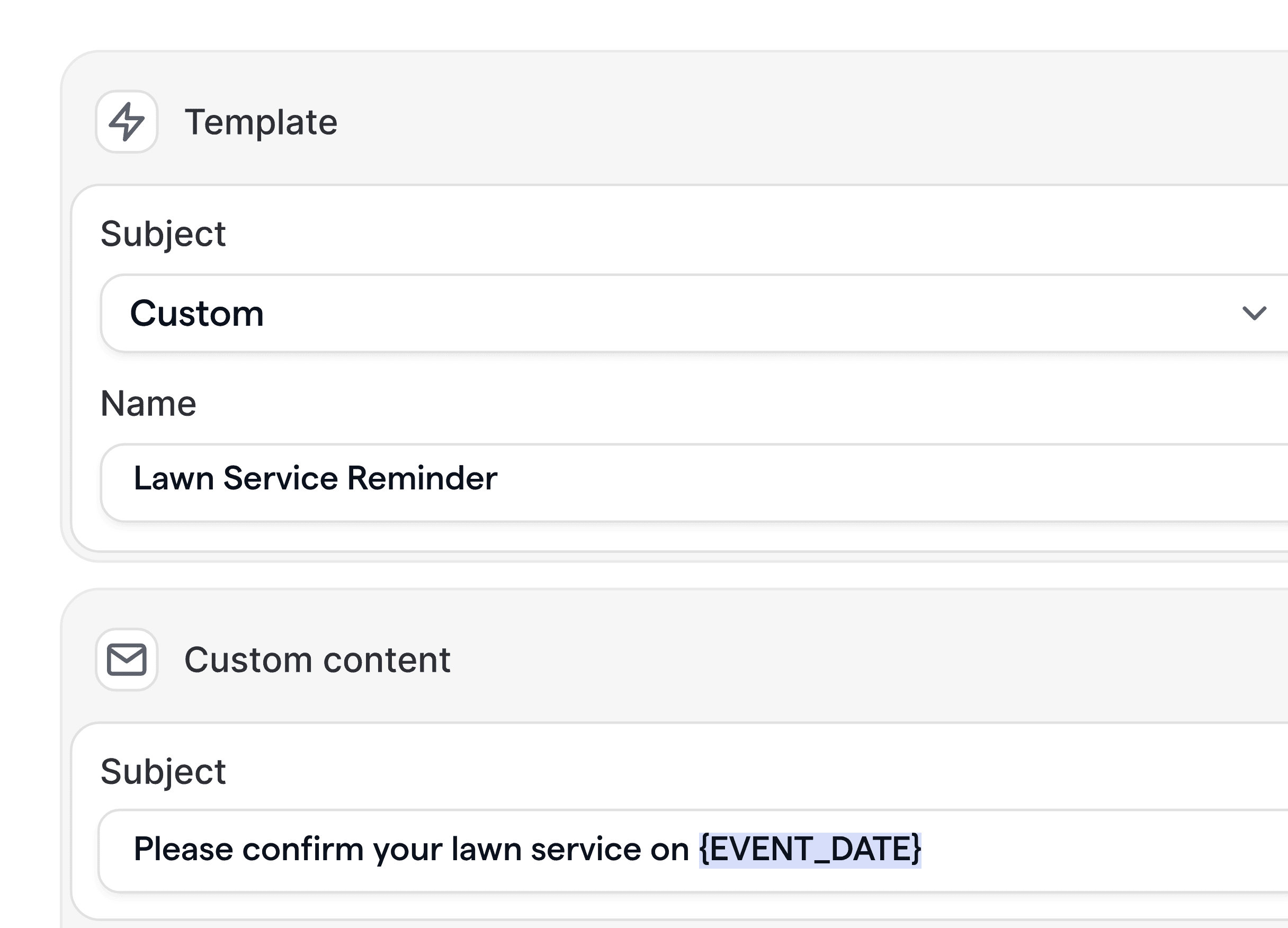
Automate reminders and status updates
Configure email, SMS, and WhatsApp reminders for quotes, service windows, and job completion. Reduce no shows, reschedules, and unnecessary callbacks with branded, timely communication.

03
Connect calendars, payments, and CRMs
Sync team calendars, assign crews, take deposits, and push jobs to your CRM and invoicing tools. Use webhooks and API to update route sheets and trigger post service follow ups.


01
Convert more local searches into booked jobs
Capture demand from searches like landscaping companies near me with fast, frictionless booking. Route visitors to the right service based on property size, zip code, or urgency. Offer instant quotes, deposits, and self serve rescheduling to remove bottlenecks and increase conversions without extra admin work.
02
Reduce no shows and costly idle time
No shows derail your day. Cal.com automates confirmation, multi channel reminders, and day of arrival notices, tailored for lawn care services. Customers receive clear time windows, prep instructions, and updates if weather or crew timing shifts, which keeps routes tight and crews productive.


03
Scale recurring maintenance with less overhead
Recurring mowing, fertilization, and seasonal cleanups require precision. Automate renewal reminders, service cadence, pre visit checklists, and post service follow ups. Trigger upsell workflows for aeration and overseeding at the right season, boosting revenue while keeping communication consistent and professional.
04
Unify scheduling across sales, office, and crews
Give sales reps, office staff, and field leads the same source of truth. Sync calendars, capacity, and service areas. Assign crews automatically based on skills, equipment, and territory. Integrate to your CRM and invoicing so bookings, notes, and payments stay in sync without manual entry.
Routing forms and service qualification
Ask address, lawn size, gate codes, photos, and service priority. Route bookings to the right calendar or team based on territory, availability, or equipment needs.
Multi channel reminders and updates
Reduce no shows with email, SMS, and WhatsApp reminders. Send day before prep tips and on the way texts. Brand every message and set precise timing.
Crew assignment and capacity rules
Auto assign jobs to crews based on region, service type, and capacity. Prevent overbooking, protect buffer times, and keep daily routes efficient.
Recurring events and seasonal workflows
Set recurring maintenance plans and seasonal campaigns. Trigger targeted upsells for aeration and overseeding when conditions are ideal in each region.
Self hosting and advanced security
Run Cal.com in your own environment to meet compliance needs. Control data residency, SSO, SCIM, and fine grained permissions across teams and locations.
Developer friendly API and webhooks
Create bookings, update statuses, and trigger webhooks to your CRM, routing, and billing systems. Extend with custom apps and integrate any tool your teams rely on.









How do we handle weather delays and reschedules?
Update the event or trigger an automation to notify customers, propose new time windows, and reassign crews. Rules prevent double booking and protect buffers while keeping customers informed.
Can we route bookings by service area and crew skills?
Yes. Use routing forms and logic to send bookings to the correct region and auto assign crews based on skills, equipment, or job duration. Capacity rules prevent overloads.
Does Cal.com support recurring maintenance plans?
Yes. Create recurring events for mowing, fertilization, and seasonal work. Automate reminders, confirmations, and post service follow ups to keep schedules tight and customers informed.
Can we self host for enterprise security?
Yes. Cal.com supports self hosting with SSO, SCIM, and role based access. You control data and deployments while keeping the same features available in hosted.
How does Cal.com integrate with our CRM and invoicing?
Use native integrations and webhooks to sync customer records, jobs, and payments. Push bookings to your CRM, update route sheets, and trigger invoices automatically when jobs are completed.







Get started with smarter scheduling for your lawn and landscape business
Try Cal.com free or book a demo to see workflows tailored to lawn care services. Build routing forms, automate reminders, and connect your CRM without heavy custom development. Scale with our API first, open source platform.








