" height="18.016311920580208px" id="GKXyVanMq" stroke-dasharray="0" stroke-linecap="butt" stroke-linejoin="miter" stroke-miterlimit="10" stroke-width="0.5" stroke="rgb(0, 0, 0)" transform="translate(3 3)" width="18px"/></svg>)
"/><stop offset="1" stop-color="rgb(227, 224, 244)"/></linearGradient><linearGradient id="CBS1bzkxF-2031533640-linear-gradient" x1="0.49751243781094523" x2="0.5024875621890548" y1="0" y2="1"><stop offset="0" stop-color="rgb(255, 255, 255)"/><stop offset="1" stop-color="rgb(227, 224, 244)"/></linearGradient><linearGradient id="Jd7AK81w9-2031533640-linear-gradient" x1="0.49751243781094523" x2="0.5024875621890548" y1="0" y2="1"><stop offset="0" stop-color="rgb(255, 255, 255)"/><stop offset="1" stop-color="rgb(227, 224, 244)"/></linearGradient></defs><g d="M 0 16 L 0 0 L 16 0 L 16 16 Z M 9.167 5.167 C 9.167 4.891 8.943 4.667 8.667 4.667 C 8.391 4.667 8.167 4.891 8.167 5.167 C 8.167 6.784 7.809 7.834 7.155 8.488 C 6.501 9.143 5.451 9.5 3.833 9.5 C 3.557 9.5 3.333 9.724 3.333 10 C 3.333 10.276 3.557 10.5 3.833 10.5 C 5.451 10.5 6.501 10.857 7.155 11.512 C 7.809 12.166 8.167 13.216 8.167 14.833 C 8.167 15.109 8.391 15.333 8.667 15.333 C 8.943 15.333 9.167 15.109 9.167 14.833 C 9.167 13.216 9.524 12.166 10.178 11.512 C 10.832 10.857 11.883 10.5 13.5 10.5 C 13.776 10.5 14 10.276 14 10 C 14 9.724 13.776 9.5 13.5 9.5 C 11.883 9.5 10.832 9.143 10.178 8.488 C 9.524 7.834 9.167 6.784 9.167 5.167 Z M 4 3.667 C 4 3.483 3.851 3.333 3.667 3.333 C 3.483 3.333 3.333 3.483 3.333 3.667 C 3.333 4.32 3.189 4.715 2.952 4.952 C 2.715 5.189 2.32 5.333 1.667 5.333 C 1.483 5.333 1.333 5.483 1.333 5.667 C 1.333 5.851 1.483 6 1.667 6 C 2.32 6 2.715 6.145 2.952 6.382 C 3.189 6.618 3.333 7.013 3.333 7.667 C 3.333 7.851 3.483 8 3.667 8 C 3.851 8 4 7.851 4 7.667 C 4 7.013 4.145 6.618 4.382 6.382 C 4.618 6.145 5.013 6 5.667 6 C 5.851 6 6 5.851 6 5.667 C 6 5.483 5.851 5.333 5.667 5.333 C 5.013 5.333 4.618 5.189 4.382 4.952 C 4.145 4.715 4 4.32 4 3.667 Z M 7.333 1 C 7.333 0.816 7.184 0.667 7 0.667 C 6.816 0.667 6.667 0.816 6.667 1 C 6.667 1.422 6.573 1.65 6.445 1.778 C 6.317 1.906 6.089 2 5.667 2 C 5.483 2 5.333 2.149 5.333 2.333 C 5.333 2.517 5.483 2.667 5.667 2.667 C 6.089 2.667 6.317 2.761 6.445 2.889 C 6.573 3.016 6.667 3.244 6.667 3.667 C 6.667 3.851 6.816 4 7 4 C 7.184 4 7.333 3.851 7.333 3.667 C 7.333 3.244 7.427 3.016 7.555 2.889 C 7.683 2.761 7.911 2.667 8.333 2.667 C 8.517 2.667 8.667 2.517 8.667 2.333 C 8.667 2.149 8.517 2 8.333 2 C 7.911 2 7.683 1.906 7.555 1.778 C 7.427 1.65 7.333 1.422 7.333 1 Z" fill="transparent" height="16px" id="aoZYv33vR" width="16px"><path d="M 0 16 L 0 0 L 16 0 L 16 16 Z" fill="transparent" height="16px" id="Z2uGmhW9f" width="16px"/><g d="M 7.833 4.5 C 7.833 4.224 7.609 4 7.333 4 C 7.057 4 6.833 4.224 6.833 4.5 C 6.833 6.117 6.476 7.168 5.822 7.822 C 5.168 8.476 4.117 8.833 2.5 8.833 C 2.224 8.833 2 9.057 2 9.333 C 2 9.61 2.224 9.833 2.5 9.833 C 4.117 9.833 5.168 10.191 5.822 10.845 C 6.476 11.499 6.833 12.549 6.833 14.167 C 6.833 14.443 7.057 14.667 7.333 14.667 C 7.609 14.667 7.833 14.443 7.833 14.167 C 7.833 12.549 8.191 11.499 8.845 10.845 C 9.499 10.191 10.549 9.833 12.167 9.833 C 12.443 9.833 12.667 9.61 12.667 9.333 C 12.667 9.057 12.443 8.833 12.167 8.833 C 10.549 8.833 9.499 8.476 8.845 7.822 C 8.191 7.168 7.833 6.117 7.833 4.5 Z M 2.667 3 C 2.667 2.816 2.517 2.667 2.333 2.667 C 2.149 2.667 2 2.816 2 3 C 2 3.654 1.855 4.048 1.618 4.285 C 1.382 4.522 0.987 4.667 0.333 4.667 C 0.149 4.667 0 4.816 0 5 C 0 5.184 0.149 5.333 0.333 5.333 C 0.987 5.333 1.382 5.478 1.618 5.715 C 1.855 5.952 2 6.346 2 7 C 2 7.184 2.149 7.333 2.333 7.333 C 2.517 7.333 2.667 7.184 2.667 7 C 2.667 6.346 2.811 5.952 3.048 5.715 C 3.285 5.478 3.68 5.333 4.333 5.333 C 4.517 5.333 4.667 5.184 4.667 5 C 4.667 4.816 4.517 4.667 4.333 4.667 C 3.68 4.667 3.285 4.522 3.048 4.285 C 2.811 4.048 2.667 3.654 2.667 3 Z M 6 0.333 C 6 0.149 5.851 0 5.667 0 C 5.483 0 5.333 0.149 5.333 0.333 C 5.333 0.756 5.239 0.984 5.112 1.112 C 4.984 1.239 4.756 1.333 4.333 1.333 C 4.149 1.333 4 1.483 4 1.667 C 4 1.851 4.149 2 4.333 2 C 4.756 2 4.984 2.094 5.112 2.222 C 5.239 2.35 5.333 2.578 5.333 3 C 5.333 3.184 5.483 3.333 5.667 3.333 C 5.851 3.333 6 3.184 6 3 C 6 2.578 6.094 2.35 6.222 2.222 C 6.35 2.094 6.578 2 7 2 C 7.184 2 7.333 1.851 7.333 1.667 C 7.333 1.483 7.184 1.333 7 1.333 C 6.578 1.333 6.35 1.239 6.222 1.112 C 6.094 0.984 6 0.756 6 0.333 Z" fill="transparent" height="14.66671286102295px" id="ae6ccdFme" transform="translate(1.333 0.667)" width="12.66663px"><path d="M 5.833 0.5 C 5.833 0.224 5.609 0 5.333 0 C 5.057 0 4.833 0.224 4.833 0.5 C 4.833 2.117 4.476 3.168 3.822 3.822 C 3.168 4.476 2.117 4.833 0.5 4.833 C 0.224 4.833 0 5.057 0 5.333 C 0 5.61 0.224 5.833 0.5 5.833 C 2.117 5.833 3.168 6.191 3.822 6.845 C 4.476 7.499 4.833 8.549 4.833 10.167 C 4.833 10.443 5.057 10.667 5.333 10.667 C 5.609 10.667 5.833 10.443 5.833 10.167 C 5.833 8.549 6.191 7.499 6.845 6.845 C 7.499 6.191 8.549 5.833 10.167 5.833 C 10.443 5.833 10.667 5.61 10.667 5.333 C 10.667 5.057 10.443 4.833 10.167 4.833 C 8.549 4.833 7.499 4.476 6.845 3.822 C 6.191 3.168 5.833 2.117 5.833 0.5 Z" fill="url(%23t2lXByE48-2031533640-linear-gradient)" height="10.66671px" id="t2lXByE48" transform="translate(2 4)" width="10.66663px"/><path d="M 2.667 0.333 C 2.667 0.149 2.517 0 2.333 0 C 2.149 0 2 0.149 2 0.333 C 2 0.987 1.855 1.382 1.618 1.618 C 1.382 1.855 0.987 2 0.333 2 C 0.149 2 0 2.149 0 2.333 C 0 2.517 0.149 2.667 0.333 2.667 C 0.987 2.667 1.382 2.811 1.618 3.048 C 1.855 3.285 2 3.68 2 4.333 C 2 4.517 2.149 4.667 2.333 4.667 C 2.517 4.667 2.667 4.517 2.667 4.333 C 2.667 3.68 2.811 3.285 3.048 3.048 C 3.285 2.811 3.68 2.667 4.333 2.667 C 4.517 2.667 4.667 2.517 4.667 2.333 C 4.667 2.149 4.517 2 4.333 2 C 3.68 2 3.285 1.855 3.048 1.618 C 2.811 1.382 2.667 0.987 2.667 0.333 Z" fill="url(%23CBS1bzkxF-2031533640-linear-gradient)" height="4.66667px" id="CBS1bzkxF" transform="translate(0 2.667)" width="4.66667px"/><path d="M 2 0.333 C 2 0.149 1.851 0 1.667 0 C 1.483 0 1.333 0.149 1.333 0.333 C 1.333 0.756 1.239 0.984 1.112 1.112 C 0.984 1.239 0.756 1.333 0.333 1.333 C 0.149 1.333 0 1.483 0 1.667 C 0 1.851 0.149 2 0.333 2 C 0.756 2 0.984 2.094 1.112 2.222 C 1.239 2.35 1.333 2.578 1.333 3 C 1.333 3.184 1.483 3.333 1.667 3.333 C 1.851 3.333 2 3.184 2 3 C 2 2.578 2.094 2.35 2.222 2.222 C 2.35 2.094 2.578 2 3 2 C 3.184 2 3.333 1.851 3.333 1.667 C 3.333 1.483 3.184 1.333 3 1.333 C 2.578 1.333 2.35 1.239 2.222 1.112 C 2.094 0.984 2 0.756 2 0.333 Z" fill="url(%23Jd7AK81w9-2031533640-linear-gradient)" height="3.333333px" id="Jd7AK81w9" transform="translate(4 0)" width="3.3333399999999997px"/></g></g></svg>)
" height="24px" id="WCm44spAV" width="24px"/><path d="M 3.892 7.742 C 1.674 7.742 0 6.014 0 3.882 C 0 1.738 1.589 0 3.892 0 C 5.107 0 5.951 0.374 6.623 1.173 L 5.566 2.09 C 5.118 1.621 4.564 1.386 3.892 1.386 C 2.452 1.386 1.547 2.517 1.547 3.882 C 1.547 5.246 2.452 6.356 3.924 6.356 C 4.649 6.356 5.193 6.111 5.63 5.63 L 6.718 6.558 C 6.153 7.24 5.193 7.742 3.892 7.742 Z" fill="rgb(255, 255, 255)" height="7.741500000000002px" id="XEPpGD7l5" transform="translate(4 8.25)" width="6.717999999999989px"/><path d="M 2.74 7.922 C 1.215 7.922 0 6.632 0 5.032 C 0 3.433 1.215 2.122 2.74 2.122 C 3.7 2.122 4.201 2.516 4.5 3.113 L 4.5 2.239 L 5.928 2.239 L 5.928 7.784 L 4.531 7.784 L 4.531 6.877 C 4.233 7.507 3.731 7.922 2.74 7.922 Z M 1.439 5.023 C 1.439 5.865 2.057 6.622 2.975 6.622 C 3.924 6.622 4.531 5.897 4.531 5.033 C 4.531 4.169 3.924 3.423 2.975 3.423 C 2.057 3.423 1.439 4.159 1.439 5.022 Z M 6.784 7.784 L 6.784 0 L 8.224 0 L 8.224 7.784 L 6.784 7.784 Z" fill="rgb(255, 255, 255)" height="7.9224997406005855px" id="lGDJupIUR" transform="translate(10.5 8)" width="8.223500194549558px"/></g></svg>)
" width="18px"><path d="M 2 8 C 0.895 8 0 7.105 0 6 L 0 2 C 0 0.895 0.895 0 2 0 L 6 0 C 7.105 0 8 0.895 8 2 L 8 6 C 8 7.105 7.105 8 6 8 Z" fill="transparent" height="8px" id="ZrCrI93dV" stroke-dasharray="" stroke-linecap="round" stroke-linejoin="round" stroke-width="2" stroke="rgb(0, 0, 0)" width="8px"/><path d="M 0 0 L 0 4 C 0 5.105 0.895 6 2 6 L 6 6" fill="transparent" height="6px" id="emltWYAiE" stroke-dasharray="" stroke-linecap="round" stroke-linejoin="round" stroke-width="2" stroke="rgb(0, 0, 0)" transform="translate(4 8)" width="6px"/><path d="M 2 8 C 0.895 8 0 7.105 0 6 L 0 2 C 0 0.895 0.895 0 2 0 L 6 0 C 7.105 0 8 0.895 8 2 L 8 6 C 8 7.105 7.105 8 6 8 Z" fill="transparent" height="8px" id="WpBecYDfi" stroke-dasharray="" stroke-linecap="round" stroke-linejoin="round" stroke-width="2" stroke="rgb(0, 0, 0)" transform="translate(10 10)" width="8px"/></g></svg>)


By

Cédric van Ravesteijn
10 Best Consultant Scheduling Software | Cal.com
When someone is ready to book a consultation, the next step should be simple: they choose a time, pay if needed, and get the details they need without another email from you. Consultant scheduling software handles that process while keeping your calendar and availability organized.
Cal.com does this particularly well for consultants who need to collect payments, automate scheduling, and manage bookings across a team. Its free plan includes payment collection, unlimited event types, and scheduling automation. It also supports collective booking and branded booking pages, so clients can book directly through a page that matches your brand.
We compared Cal.com with nine other consultant scheduling software using three criteria:
Paid bookings. Can clients pay when they book?
Team routing. Can bookings be distributed across consultants?
Page branding. Can you customize the booking experience to match your brand?
The comparison table near the end shows how each tool stacks up against these criteria.
TL;DR: the ranked list at a glance
Cal.com: best overall for consultant scheduling
Calendly: best for simple booking links
Acuity Scheduling: best for paid packages and deposits
SavvyCal: best for polished booking pages and flexible availability
HubSpot Meetings: best for HubSpot users
TidyCal: best for a one-time purchase
YouCanBookMe: best for highly customizable booking forms and pages
Microsoft Bookings: best for Microsoft 365 users
Doodle: best for coordinating group meetings
Google Appointments: best for Google Workspace users
What is consultant scheduling software?
Consultant scheduling software lets prospects and clients book time with you through a shareable page or embedded form, instead of going back and forth over email.
It checks your calendar, applies your availability rules, and confirms the appointment with reminders and a meeting link.
Depending on the software, you can also take payment when someone books, ask qualifying questions, offer different types of appointments, and manage bookings across a team. Some tools can route each booking to the right consultant based on availability or the type of inquiry.
What to look for in consultant scheduling software
Before choosing a scheduling tool, think about what you need it to handle before, during, and after a client books.
These are the areas that matter most when comparing your options:
Payment at booking. If you sell paid consultations, look for a tool that collects payment when the client books. Check which payment providers are supported and whether payments are included in the plan you need.
Qualifying questions. Booking forms can collect information such as the prospect's company, project type, budget, or reason for booking before the meeting. If you have multiple consultants, those answers may also help route the prospect to the right person.
Separate booking pages. You may need different pages for discovery calls, paid consultations, existing clients, or specific services. Look for separate event types with their own durations, buffers, and availability rules.
Round-robin scheduling. If you work with other consultants, round-robin scheduling can distribute incoming meetings across the team. Collective scheduling is also useful when two or more consultants need to attend the same call.
Your brand and domain. A branded booking page looks more professional and keeps the client experience consistent with your website. Check whether the plan you need removes the vendor's branding or lets you use a custom domain.
Calendar and CRM sync. The tool should keep your calendars up to date to prevent double bookings. If you use a CRM, native integrations can also send booking details into your client records without manual data entry.
The 10 best consultant scheduling software
1. Cal.com: best consultant scheduling software overall
Free plan? | Starting price | Standout feature | Best use case |
|---|---|---|---|
Yes, unlimited booking pages | $16/user/month | Paid bookings on the free plan | Consultants who want booking, payment, and routing in one place |

What it is: Cal.com is a scheduling and meeting platform that lets you embed and automate booking across your website, portal, or custom application. It connects with Google, Outlook, and Apple calendars, as well as tools such as Salesforce and HubSpot. It supports both individual consultants and teams that need shared scheduling and routing.
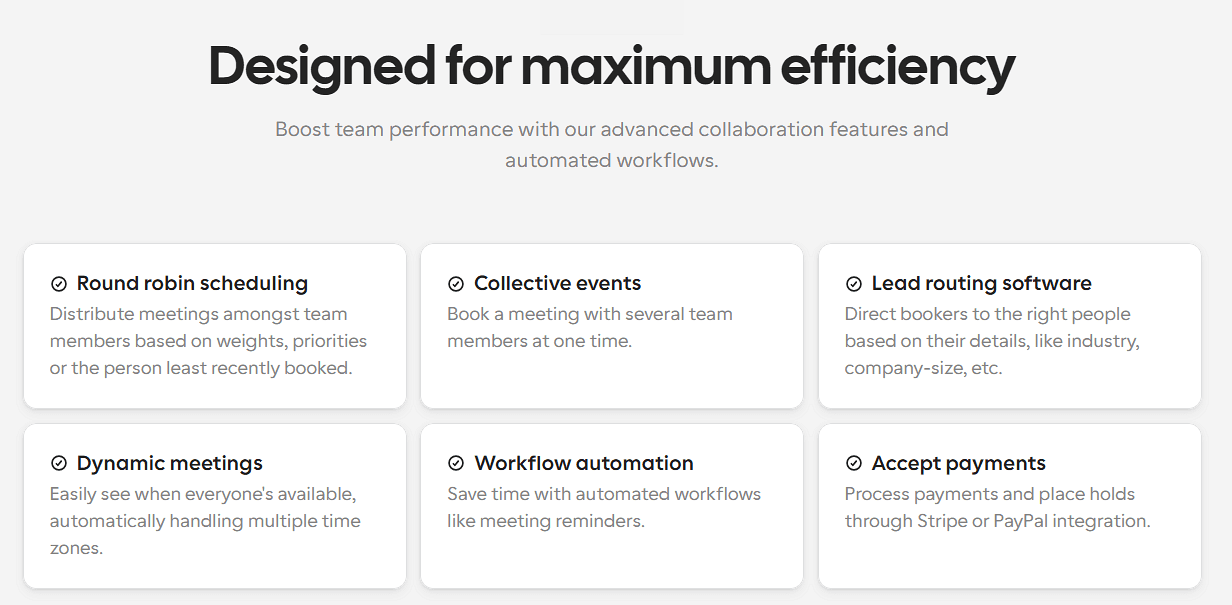
Why it ranks first: Cal.com covers the main features a consulting practice needs, including payment collection, unlimited event types, routing, team scheduling, and Salesforce and HubSpot sync. It also supports Cal Video, Zoom, Google Meet, and Microsoft Teams, so every booking can include a meeting link.
Key features:
Payment collection on the free plan through Stripe and PayPal.
Unlimited event types for discovery calls, paid sessions, and client meetings.
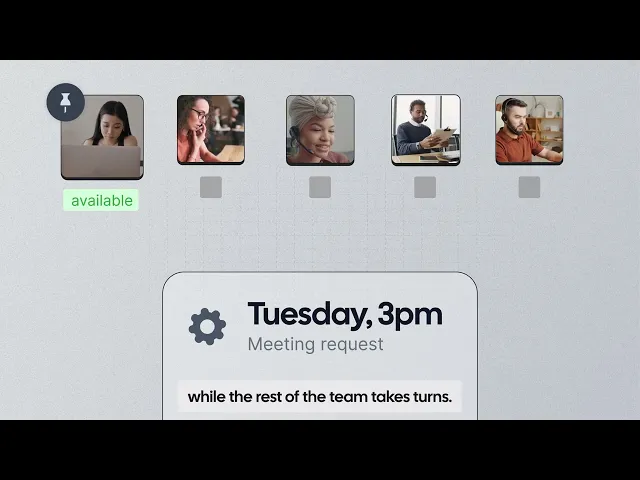
Round-robin and collective booking for teams and multi-consultant calls.
Routing forms to collect information and direct prospects to the right consultant.
Branding removal on the Teams plan.
Salesforce and HubSpot sync to connect bookings with your CRM.
Availability controls such as buffers, daily limits, and minimum notice.
Automatic time zone detection for clients booking from different locations.
Cal AI phone agent for answering calls and booking consultations.
Cal Video, Zoom, Google Meet, and Microsoft Teams integrations for online meetings.
API-first design gives teams more options for embedding scheduling into their own custom applications.
Pricing: Cal.com has a free plan that includes payment collection through Stripe and PayPal, unlimited event types, and calendar and CRM integrations. Paid plans start at $16/user/month and add features for team scheduling, routing, and custom branding.
Best for: Independent consultants and boutique firms that want booking, payments, screening, and team scheduling in one tool.
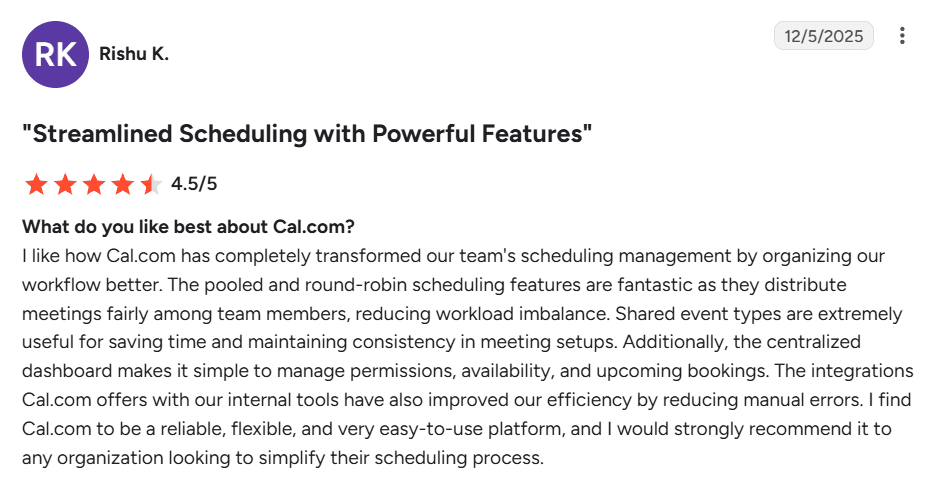
Verdict: Cal.com is the best overall option for consultants because it covers paid bookings, team scheduling, routing, and branding in one platform. You can start with paid bookings on the free plan and add the features you need as your practice grows.
Get started with Cal.com’s free plan, or book a demo to see how Cal.com could fit your consulting team’s scheduling workflow.
2. Calendly: best for simple booking links
Free plan? | Starting price | Standout feature | Best use case |
|---|---|---|---|
Yes, one booking page | $12/user/month | Familiar booking experience | Solo consultants who want a simple booking link |
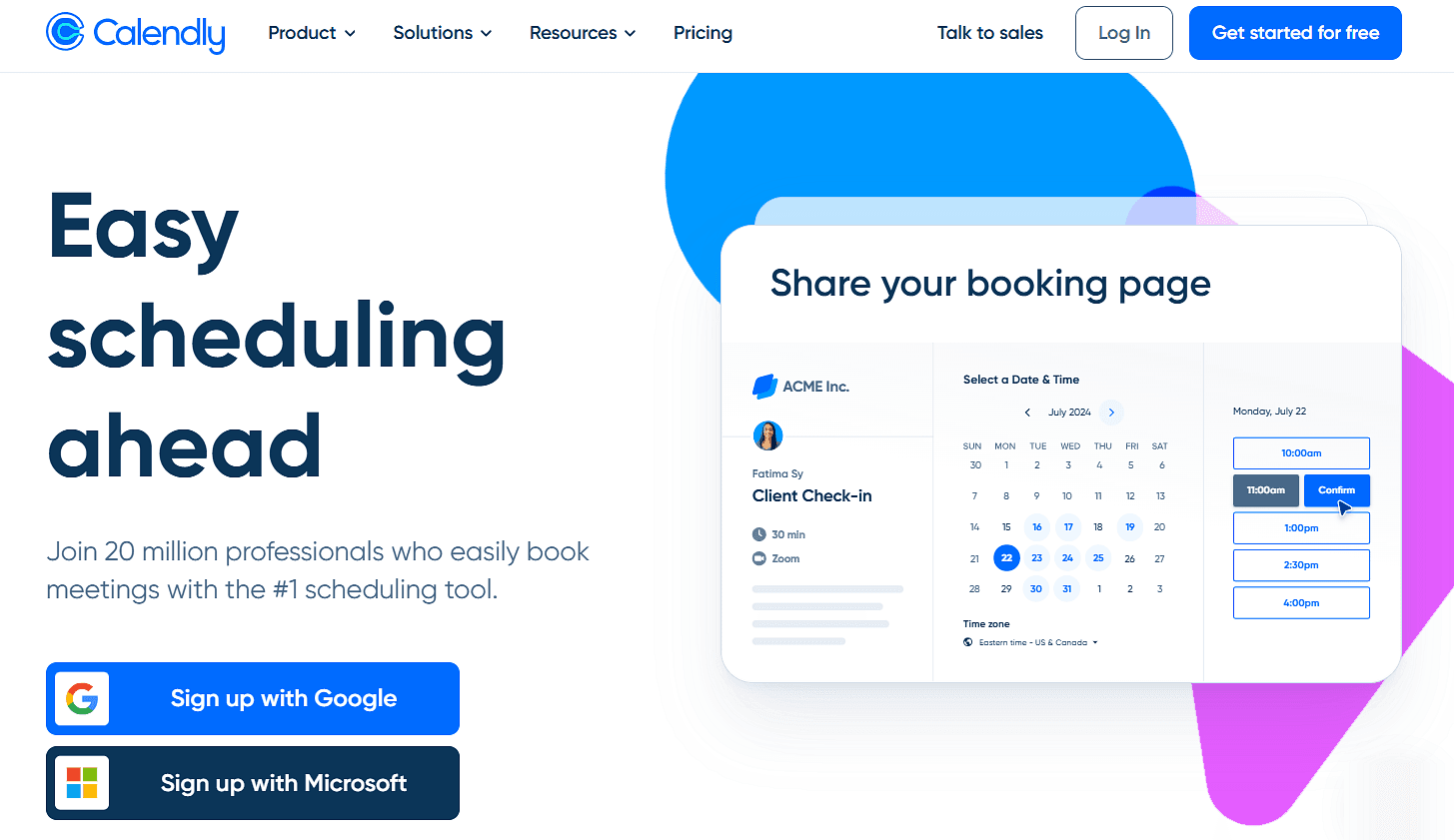
What it is: Calendly is a widely used scheduling tool that lets clients book time through a simple link based on your availability. It supports multiple event types, calendar integrations, team scheduling, and CRM connections.
Key features:
Custom booking pages with time zone detection, availability settings, and booking links you can share or embed on your website.
Multiple event types with different durations, availability, buffers, booking limits, and invitee questions.
Round-robin scheduling that distributes one-on-one meetings among team members based on availability or your distribution rules.
Collective scheduling that finds times when multiple consultants are available for the same client meeting.
Calendar and video integrations with Google, Outlook, Zoom, Google Meet, and Microsoft Teams to keep availability synced and add meeting links automatically.
Pricing: Calendly’s free plan lets you create just one booking page, such as a 30-minute consultation to collect bookings. Paid plans start at $12/user/month, and add unlimited booking pages, payment collection, and team scheduling.
Pros:
Easy to set up and use
Familiar booking experience for clients
Reliable calendar syncing and a large integration library
Cons:
Limited free plan
Paid bookings and additional event types require a paid plan
Best for: Solo consultants and small teams that want a familiar scheduling link and don't need advanced routing or customization.
Verdict (vs. Cal.com): Calendly is a good choice if you want a simple, familiar booking experience. As your team grows, Cal.com gives you more ways to manage bookings, including payment collection on the free plan, round-robin scheduling, client routing, and Cal AI for answering calls and booking consultations.
3. Acuity Scheduling: best for paid packages and deposits
Free plan? | Starting price | Standout feature | Best use case |
|---|---|---|---|
No, 7-day trial | $20/month | Packages and deposits | Consultants selling paid packages or productized services |

What it is: Acuity Scheduling is an appointment scheduling tool for businesses that sell services. Consultants can use it to let clients book and pay for consultations, collect deposits, sell multi-session packages, and complete intake forms before an appointment.
Key features:
Payments and deposits let you accept full or partial payment at booking through Stripe, Square, or PayPal.
Packages and subscriptions let you sell multiple sessions together or set up recurring payments for ongoing services.
Client intake forms collect information, consent, or project details before the appointment.
Multiple calendars let you manage availability across different staff members or locations and keep their schedules in sync.
Pricing: Acuity Scheduling has no free plan, just a 7-day trial. Paid plans start at $20/month, and include booking, payments, client forms, and calendar management.
Pros:
Flat pricing rather than per-user pricing
Payments and deposits are available on the entry plan
Packages and subscriptions work well for repeat services
Cons:
No free plan after the trial
More expensive than lightweight scheduling tools
Team scheduling and other advanced features require higher plans
Best for: Consultants who sell paid sessions, deposits, or multi-session packages.
Verdict (vs. Cal.com): Acuity Scheduling is a good fit for consultants who sell packages and collect deposits. Cal.com is a better choice if you want payment collection on the free plan, plus more flexibility for team routing and customization as your team grows.
4. SavvyCal: best for polished booking pages and flexible availability
Free plan? | Starting price | Standout feature | Best use case |
|---|---|---|---|
No, and no trial | $12/user/month | Calendar overlay for mutual availability | Senior consultants whose booking page reflects the brand |
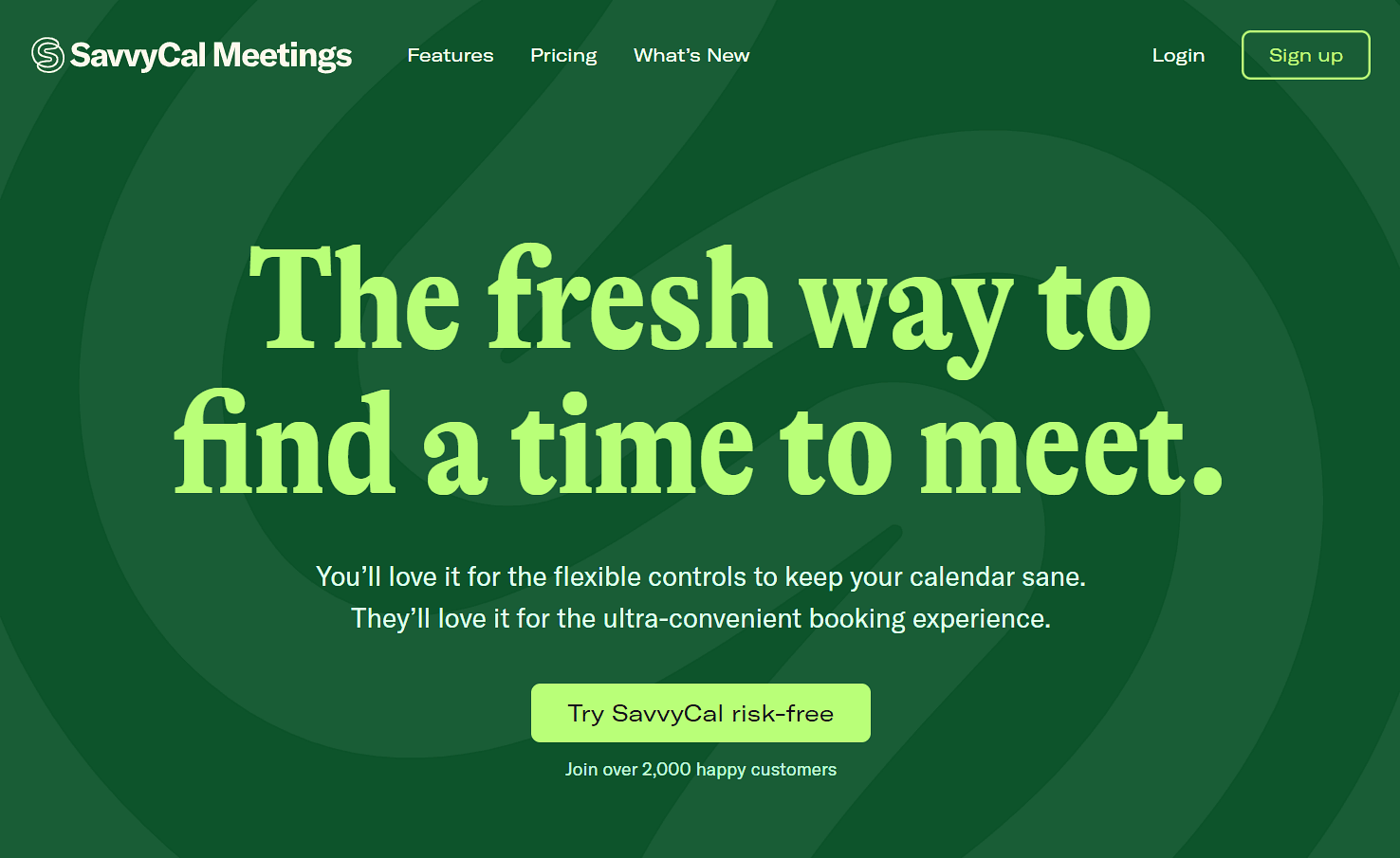
What it is: SavvyCal is a scheduling tool that makes it easier for clients to find a time that works for both of you. Its booking pages show availability clearly and let clients compare their calendar with yours through a calendar overlay, so they can quickly find a mutual time without switching between calendars. You can also rank available times to highlight the slots you prefer and set different availability rules for different types of meetings.
Key features:
Calendar overlay lets clients compare their availability with yours.
Ranked availability highlights your preferred meeting times while keeping other options available.
Round-robin scheduling distributes bookings across available team members.
Collective scheduling shows times when multiple team members are available.
Paid bookings let you require payment through Stripe before a client reserves a time.
Pricing: SavvyCal doesn’t offer a free plan for accepting bookings. You can create an account and test scheduling links for free, but you’ll need a paid plan to activate them. Paid plans start at $12/user/month, and you can request a full refund within the first 30 days.
Pros:
Flexible availability controls
Polished booking experience
Useful calendar overlay for client scheduling
Cons:
Paid bookings require a paid plan
Limited team routing functionality
Best for: Consultants who care about the booking experience and want clients to see availability in a more interactive way.
Verdict (vs. Cal.com): SavvyCal is a good choice if you want clients to compare calendars and choose a time from a polished booking page. Cal.com is better if you also need payments, routing, CRM connections, and more control over the booking workflow.
5. HubSpot Meetings: best for HubSpot users
Free plan? | Starting price | Standout feature | Best use case |
|---|---|---|---|
Yes, with HubSpot’s free Sales Hub plan | Included with HubSpot Sales Hub subscription | Bookings sync with CRM records | Firms already using HubSpot |
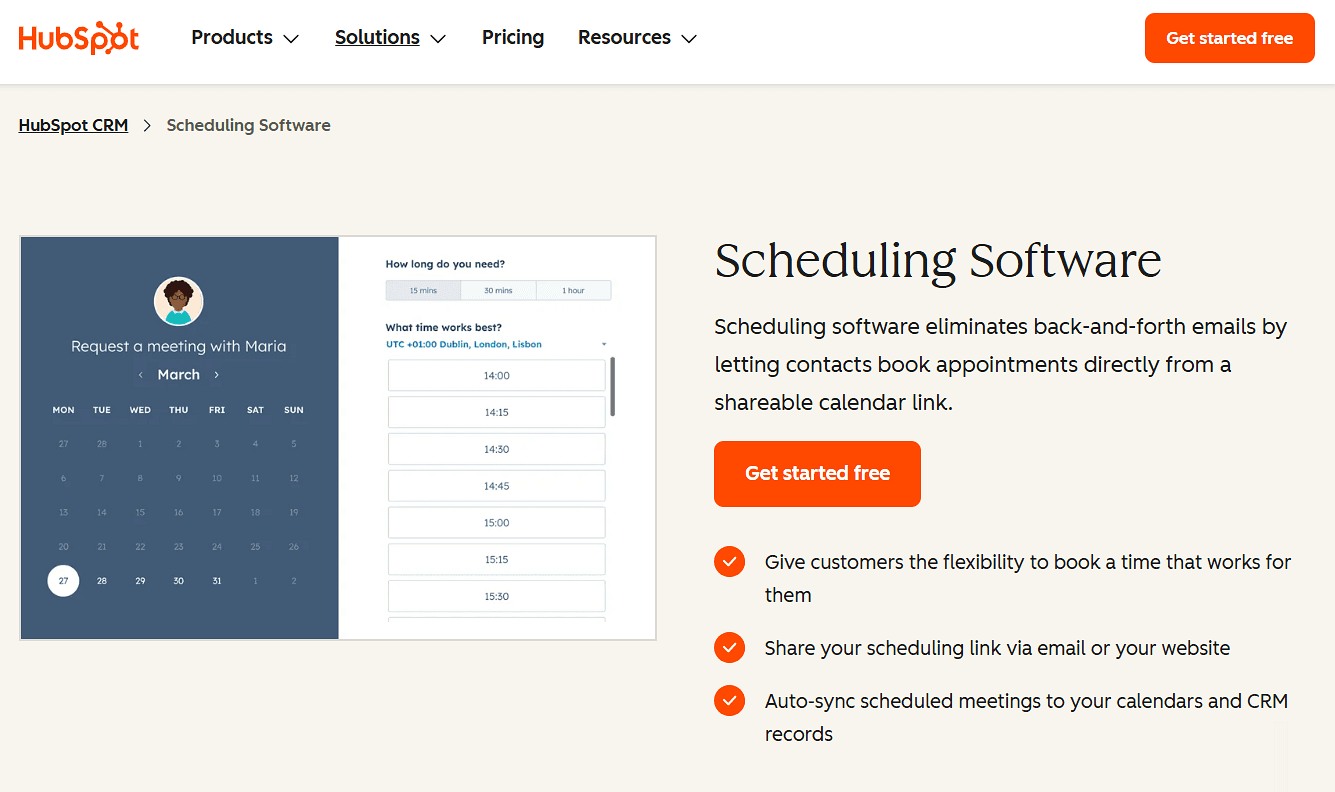
What it is: HubSpot Meetings is built into HubSpot's CRM, so your meetings can be connected directly to contact and deal records. Consultants already using HubSpot can create booking pages without adding another scheduling subscription.
Key features:
Scheduling pages let clients book from a shareable link, with calendar sync and customizable availability.
Booking forms collect contact details and custom questions before a meeting.
CRM sync automatically adds booked meetings and contact details to HubSpot records.
Round-robin scheduling distributes bookings among available team members.
Group scheduling finds times when multiple team members are available.
Pricing: HubSpot’s Sales Hub has a free plan that lets you create one personal booking link for clients to schedule time with you. Paid plans start at $20/seat/month and go up to $100/seat/month, with higher plans adding more advanced sales and scheduling features.
Pros:
Centralized sales and meeting data
Scheduling is connected directly to the CRM
Familiar experience if you’re already using HubSpot
Cons:
Limited free plan
Not worth the cost if you only need scheduling
Payments aren't built into booking as deeply as it is in dedicated scheduling tools
Best for: Consultants and firms that already use HubSpot as their CRM and want scheduling built into it.
Verdict (vs. Cal.com): HubSpot Meetings makes sense when your CRM is already HubSpot. If scheduling is the main requirement, Cal.com offers payment collection, routing, and branding without requiring you to buy a full sales platform.
6. TidyCal: best for a one-time purchase
Free plan? | Starting price | Standout feature | Best use case |
|---|---|---|---|
Yes, unlimited booking pages | $29 one-time, or Pro $12/month | Lifetime plans option | Solo consultants who want to avoid a monthly bill |
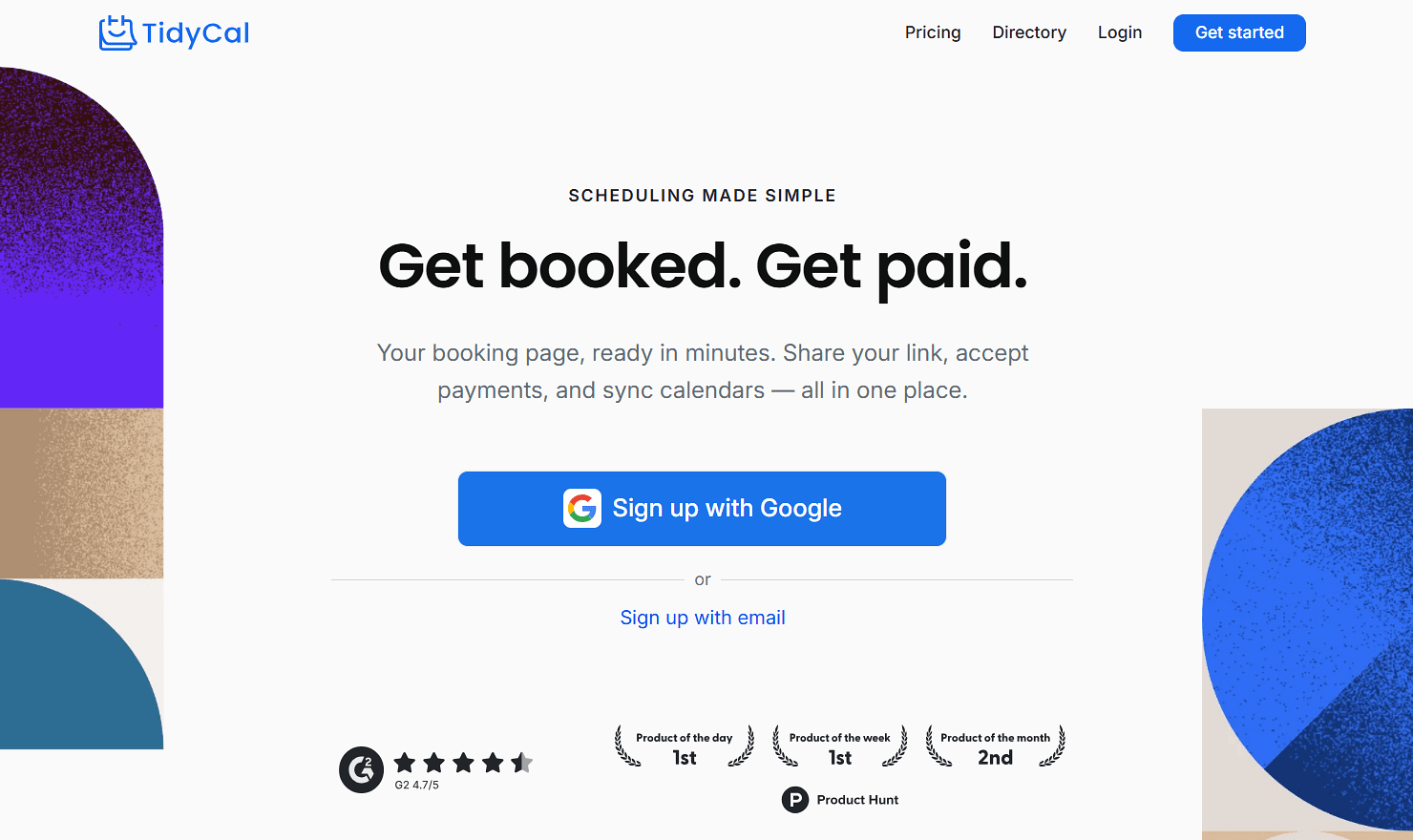
What it is: TidyCal is a simple scheduling tool for creating booking pages and letting clients choose a time based on your availability. It supports multiple booking types, paid consultations, group bookings, and calendar and video integrations, making it useful for solo consultants who need to manage different types of appointments.
Key features:
Unlimited booking types with separate durations, availability, pricing, and booking links.
Paid bookings through Stripe or PayPal, including payment for consultations and other services.
Recurring and package bookings for repeat sessions or multiple appointments booked together.
Calendar integrations with Google, Microsoft, and Apple to keep availability synced and prevent double bookings.
Round-robin and collective meetings to distribute bookings across team members or schedule meetings with multiple hosts.
Pricing: TidyCal has a free plan with paid bookings. Lifetime plans start at $29 and include unlimited booking types and payment collection. The alternative Pro subscription costs $12/month and adds team scheduling, branding removal, and a custom domain.
Pros:
Paid bookings are available for free
Lifetime licenses are available
Simple option for solo consultants.
Cons:
Limited team scheduling features
No SMS reminders
Fewer integrations
Best for: Solo consultants who want paid bookings without committing to a monthly subscription.
Verdict (vs. Cal.com): TidyCal is appealing if avoiding recurring costs is your priority. Cal.com gives you a similar free starting point for paid bookings while offering more room for team scheduling, routing, integrations, and automation.
7. YouCanBookMe: best for highly customizable booking forms and pages
Free plan? | Starting price | Standout feature | Best use case |
|---|---|---|---|
Yes, one booking page | $9/month | Customizable booking pages | Consultants who want more control over their booking page |
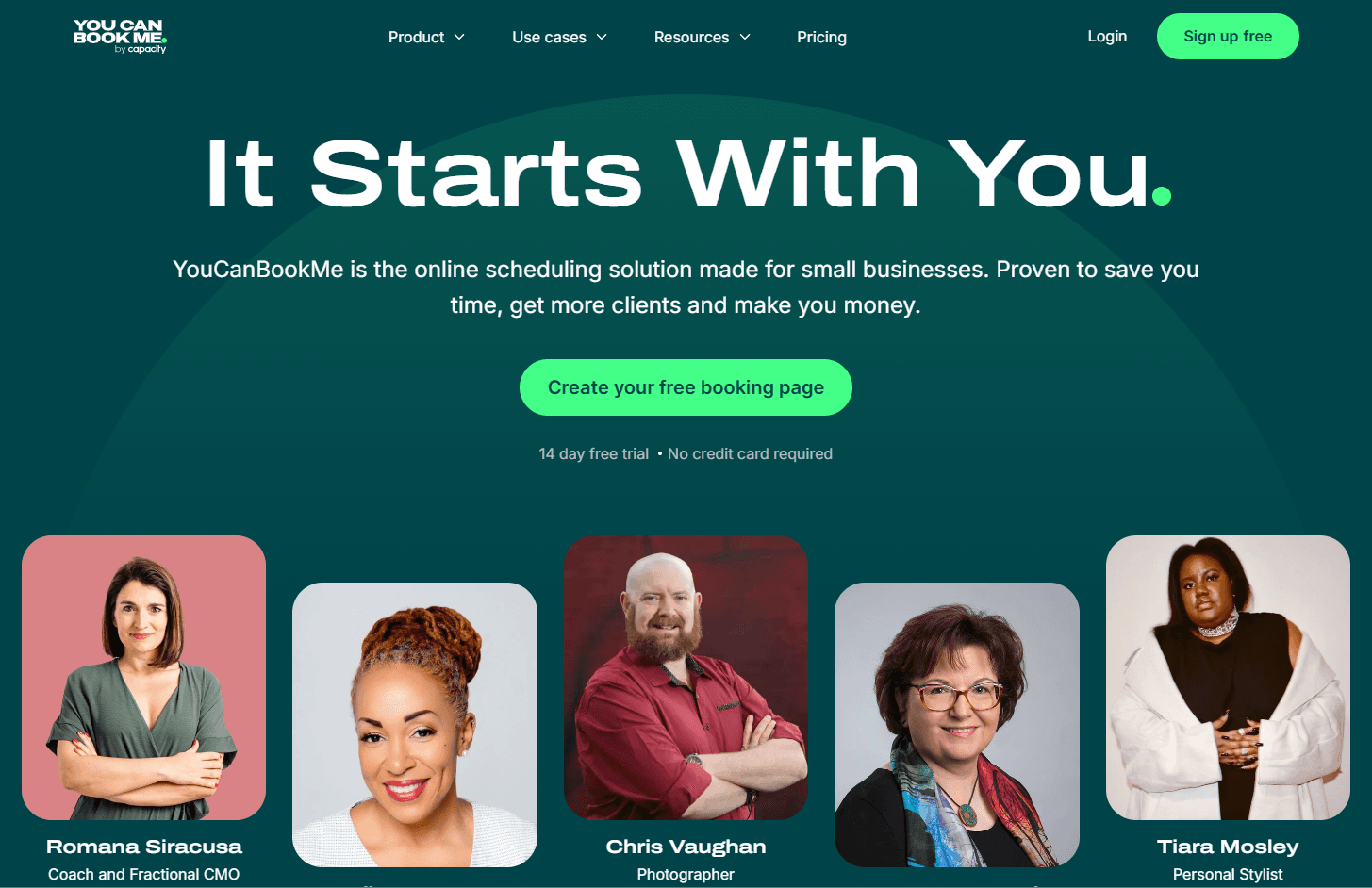
What it is: YouCanBookMe is a scheduling tool that gives you detailed control over your booking pages. You can customize the layout, content, branding, booking questions, and availability to create a page that fits your business. It also supports payments, calendar syncing, and team scheduling, so you can use it for both individual consultations and team bookings.
Key features:
Customizable booking pages let you add your logo, colors, images, text, and booking details.
Booking forms let you ask clients questions before confirming an appointment.
Upfront payments let you collect payment through Stripe when clients book.
Calendar and video integrations sync availability and add Zoom, Google Meet, or Microsoft Teams links.
Round-robin scheduling distributes bookings across team members based on availability and your chosen rules.
Pricing: YouCanBookMe has a free plan with one calendar connection and one booking page. Paid plans start at $9/month and add more calendars, booking pages, and scheduling features.
Pros:
Extensive control over booking-page design
Payments are available on the free plan
Team scheduling is available on higher plans
Cons:
The free plan carries YouCanBookMe branding
More calendar connections and booking pages require paid plans
Native CRM integrations are more limited than Cal.com or Calendly
Best for: Consultants who want their booking page to look and feel closely connected to their brand.
Verdict (vs. Cal.com): YouCanBookMe is a good pick when page customization is your priority. Cal.com is a better fit if you also need routing, CRM integrations, and a broader set of scheduling workflows.
8. Microsoft Bookings: best for Microsoft 365 users
Free plan? | Starting price | Standout feature | Best use case |
|---|---|---|---|
No, bundled with Microsoft 365 | Included with Microsoft 365 subscription | Outlook and Teams integration | Firms already paying for Microsoft 365 |
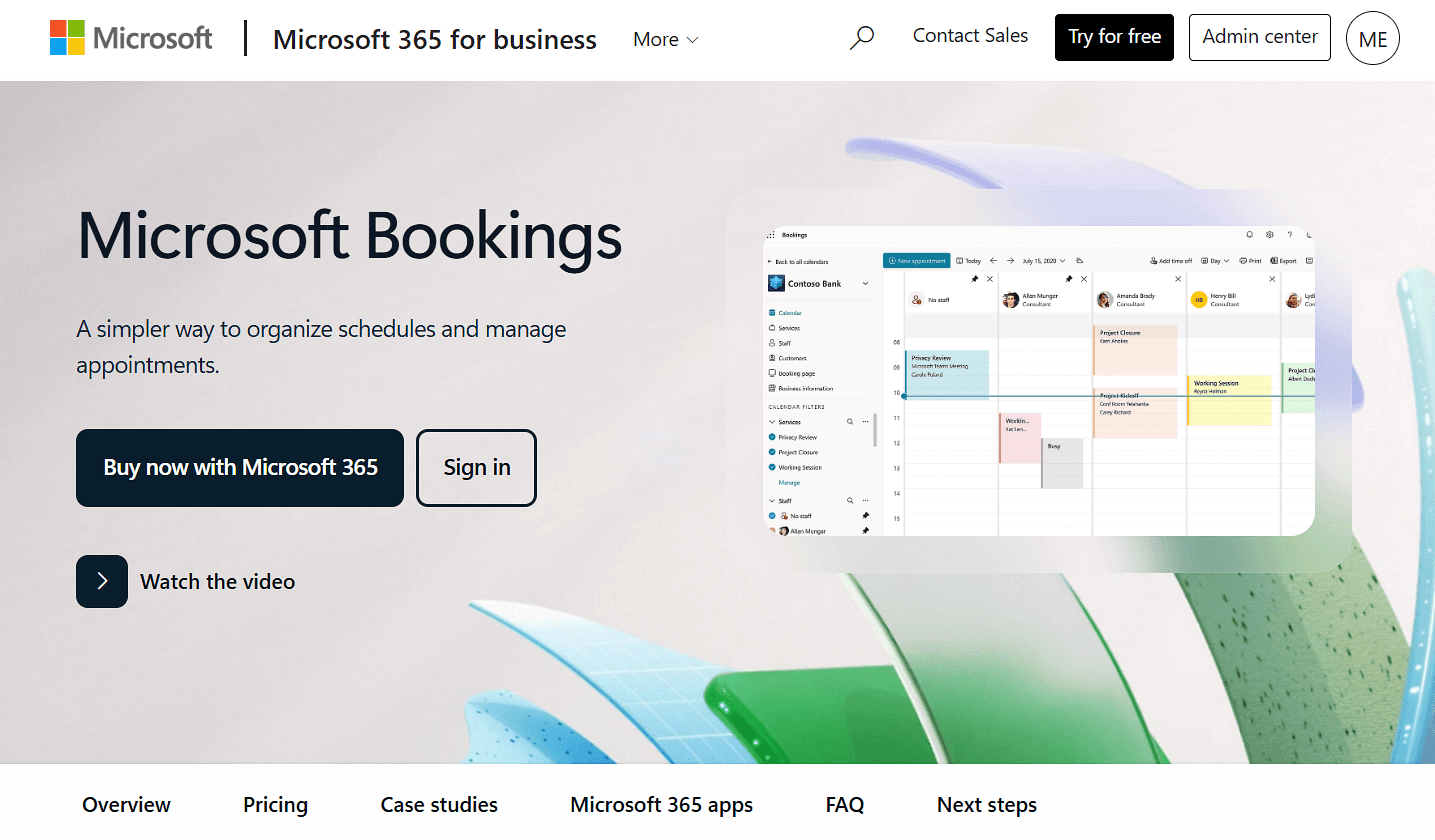
What it is: Microsoft Bookings is Microsoft's appointment scheduling tool for creating booking pages that clients can use to schedule time with you or your team. It connects with Outlook calendars and Microsoft Teams, automatically checking availability and adding meeting details to bookings. You can also manage multiple staff calendars, set booking rules, and collect information from clients before an appointment.
Key features:
Booking pages let clients choose from your available times and schedule appointments online.
Staff scheduling lets you manage availability and bookings across multiple team members.
Outlook integration checks staff calendars when showing available times.
Teams integration creates a unique meeting link for online appointments.
Booking forms and reminders let you collect client information and send appointment notifications automatically.
Pricing: Microsoft Bookings doesn't have a separate free plan or trial. It's included with Microsoft 365, so there’s no additional charge for Bookings if you already have a qualifying subscription.
Pros:
Already included if you use Microsoft 365
Works seamlessly with Outlook and Teams
No separate scheduling subscription
Cons:
No native payment collection
Booking pages offer less customization than dedicated scheduling tools
Less suited to consultants who need advanced routing or client workflows
Best for: Consultants and firms that already use Microsoft 365 and want basic scheduling without another tool.
Verdict (vs. Cal.com): Microsoft Bookings is convenient if Microsoft 365 is already part of your stack. Cal.com is a better fit if you need paid bookings, routing, and more control over the client booking experience.
9. Doodle: best for coordinating group meetings
Free plan? | Starting price | Standout feature | Best use case |
|---|---|---|---|
Yes, one booking page | $15/seat/month | Group availability polls | Consultants coordinating multi-stakeholder meetings |
What it is: Doodle is a scheduling tool that helps you find a time that works for several people. Consultants can use its polls to coordinate stakeholder interviews, workshops, board meetings, and other sessions with multiple participants. It also offers one-to-one booking pages for individual meetings.
Key features:
Group polls let you propose multiple times and find the option that works for everyone.
Booking pages let clients choose from your available times without back-and-forth emails.
Calendar sync checks your availability and helps prevent double bookings.
Video meeting integrations connect bookings with tools like Zoom, Google Meet, and Microsoft Teams.
Custom questions let you collect information from clients before a meeting.
Pricing: A free tier covers one poll and one booking page. The Pro plan is $15 per month on monthly billing. The gotcha for consultants: Doodle can't collect a payment at booking.
Pros:
Excellent for group availability polls
Simple for external participants to use
Free option for basic scheduling
Cons:
No native payment collection
Limited team routing compared with tools built for team scheduling
Best for: Consultants who regularly coordinate meetings with several stakeholders.
Verdict (vs. Cal.com): Doodle is useful when the main problem is finding a time for a group. For a consulting practice that needs paid bookings, routing, and client-facing scheduling, Cal.com is better suited as the primary scheduling tool.
10. Google Appointments: best for Google Workspace users
Free plan? | Starting price | Standout feature | Best use case |
|---|---|---|---|
Yes, one booking page | Included with eligible Google Workspace plans | Native Google Calendar integration and payments | Solo consultants already using Google Workspace |
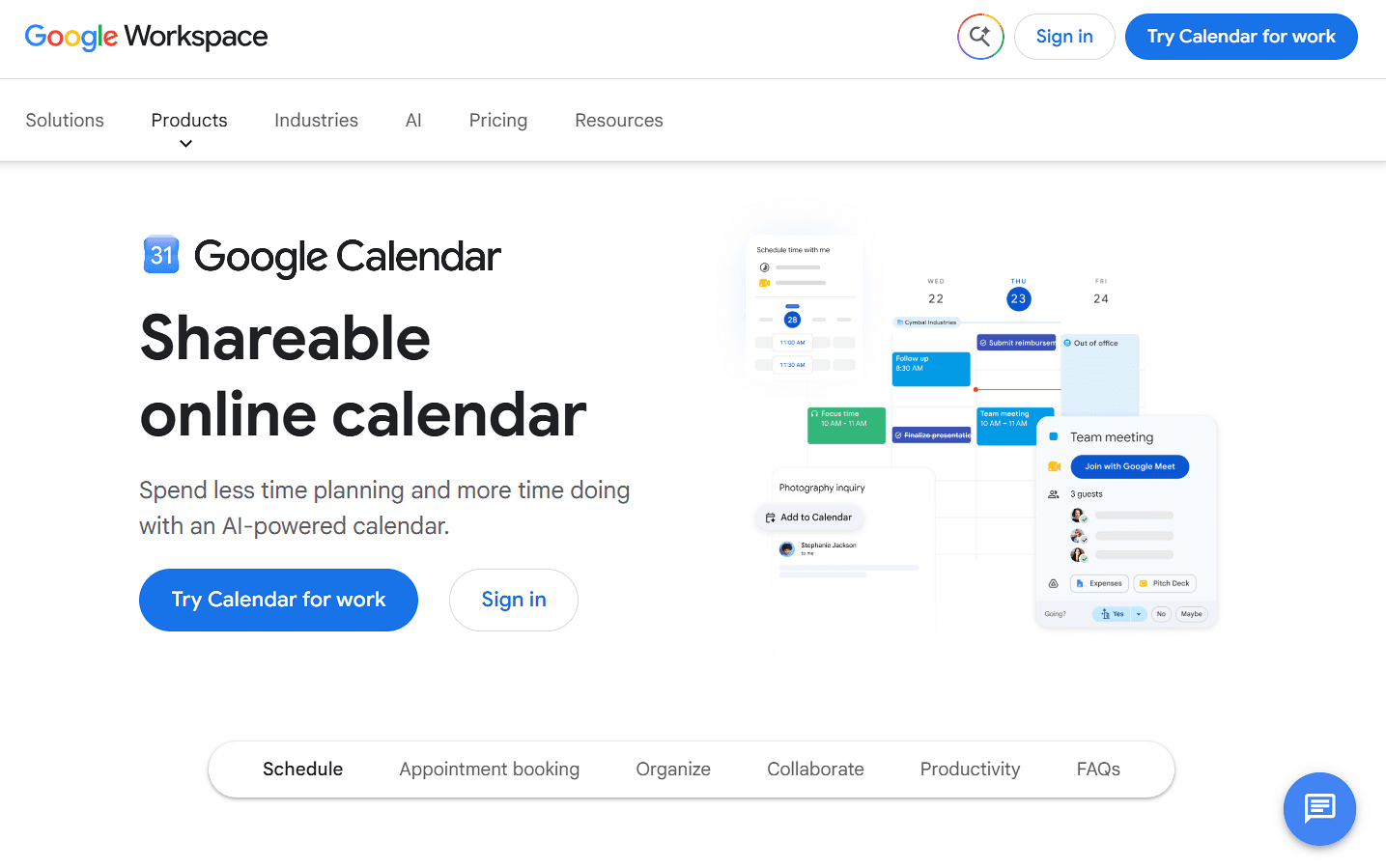
What it is: Google Appointments is built into Google Calendar. It lets clients book appointments based on your availability and automatically adds the meeting to your calendar. Eligible Google Workspace plans also support features such as multiple appointment schedules, multiple calendar availability, and payments.
Key features:
Booking pages let clients choose from your available times and book directly through Google Calendar.
Multiple appointment schedules let you create separate booking pages for different services or meeting types.
Google Meet integration adds a video meeting link to online appointments.
Automatic email reminders keep clients informed before their appointments.
Payment collection lets you require clients to pay through Stripe when they book.
Pricing: Google Calendar Appointment Schedule has a free option with one booking page. More advanced features, including multiple appointment schedules, automatic reminders, and payment collection, are included with eligible Google Workspace plans.
Pros:
Simple setup and native calendar integration
Payments are available on eligible Workspace plans
No separate scheduling tool if you already use Google Calendar
Cons:
Less flexible than dedicated scheduling platforms
Team routing is more limited than tools such as Cal.com and Calendly
Best for: Solo consultants who already use Google Workspace and need simple one-to-one appointment booking.
Verdict (vs. Cal.com): Google Appointment Schedule is a good fit if you already use Google Calendar and need simple scheduling. Cal.com is better if you need more control over routing, branding, integrations, and your booking workflow.
Consultant scheduling software compared
Here’s how the 10 consultant scheduling software options stack up across key features and free plans:
Tool | Free plan | Paid bookings | Team routing | Page branding |
|---|---|---|---|---|
Cal.com | ✅ Yes, unlimited booking pages | ✅ On the free plan | ✅ Yes | ✅ Advanced |
Calendly | ⚠️ Yes, one booking page | ⚠️ On paid plan | ✅ Yes | ✅ Moderate |
Acuity Scheduling | ❌ No, only 7-day trial | ⚠️ On paid plan | ❌ No | ✅ Advanced |
SavvyCal | ❌ No, and no trial | ⚠️ On paid plan | ❌ No | ✅ Moderate |
HubSpot Meetings | ⚠️ Yes, one booking page | ⚠️ On paid plan; limited | ✅ Yes | ✅ Moderate |
TidyCal | ✅ Yes, unlimited booking pages | ✅ On the free plan | ❌ No | ⚠️ Minimal |
YouCanBookMe | ⚠️ Yes, one booking page | ✅ On the free plan | ❌ No | ✅ Advanced customization |
Microsoft Bookings | ⚠️ Yes, only with Microsoft 365 subscription | ❌ No native payment | ❌ No | ✅ Moderate customization |
Doodle | ⚠️ Yes, one booking page | ❌ No native payment | ❌ No | ⚠️ Minimal |
Google Appointments | ⚠️ Yes, one booking page | ❌ No native payment | ❌ No | ⚠️ Minimal |
Final verdict
A consultant scheduling tool shouldn't force you to choose between collecting payments, managing team bookings, and giving clients a professional booking experience. Cal.com brings those pieces together, with payment collection and unlimited event types on the free plan, plus round-robin scheduling, routing forms, and branding removal as your team grows.
If you're ready to try it, get started with Cal.com's free plan or book a demo to see how it could fit your team's scheduling workflow.
Frequently asked questions
What is the best consultant scheduling software? Cal.com is the best overall choice for consultants who need paid bookings, team routing, and integrations. Calendly is best for a simple booking link, Acuity for packages and deposits, and SavvyCal for a polished booking experience.
How much does consultant scheduling software cost? Cal.com and TidyCal have the most generous free plans, with Cal.com offering unlimited booking pages, reminders, 100+ integrations, and paid bookings. Paid plans start at $9/month with YouCanBookMe, while Cal.com’s paid plans start at $12/user/month when billed annually.
Can consultants collect payment when a client books a call? Yes. Cal.com, TidyCal, and YouCanBookMe offer paid bookings on their free plans. Microsoft Bookings, Doodle, and Google Calendar Appointment Schedule don't support native payment collection.
Which consultant scheduling software is best for a small firm? Cal.com is a good fit for small firms that need round-robin, collective scheduling, routing forms, and branding. Calendly is another option, while Acuity works better for firms that sell recurring packages.
Can I put my own brand on the booking page? Most of the tools offer some branding controls, but the available options vary by plan. Cal.com removes its branding on Teams and adds a custom company subdomain on Organizations. SavvyCal offers custom domains and branding removal on Premium, while TidyCal and YouCanBookMe also reserve some branding controls for paid plans.

Get started with Cal.com for free today!
Experience seamless scheduling and productivity with no hidden fees. Sign up in seconds and start simplifying your scheduling today, no credit card required!