" height="18.016311920580208px" id="GKXyVanMq" stroke-dasharray="0" stroke-linecap="butt" stroke-linejoin="miter" stroke-miterlimit="10" stroke-width="0.5" stroke="rgb(0, 0, 0)" transform="translate(3 3)" width="18px"/></svg>)
"/><stop offset="1" stop-color="rgb(227, 224, 244)"/></linearGradient><linearGradient id="CBS1bzkxF-2031533640-linear-gradient" x1="0.49751243781094523" x2="0.5024875621890548" y1="0" y2="1"><stop offset="0" stop-color="rgb(255, 255, 255)"/><stop offset="1" stop-color="rgb(227, 224, 244)"/></linearGradient><linearGradient id="Jd7AK81w9-2031533640-linear-gradient" x1="0.49751243781094523" x2="0.5024875621890548" y1="0" y2="1"><stop offset="0" stop-color="rgb(255, 255, 255)"/><stop offset="1" stop-color="rgb(227, 224, 244)"/></linearGradient></defs><g d="M 0 16 L 0 0 L 16 0 L 16 16 Z M 9.167 5.167 C 9.167 4.891 8.943 4.667 8.667 4.667 C 8.391 4.667 8.167 4.891 8.167 5.167 C 8.167 6.784 7.809 7.834 7.155 8.488 C 6.501 9.143 5.451 9.5 3.833 9.5 C 3.557 9.5 3.333 9.724 3.333 10 C 3.333 10.276 3.557 10.5 3.833 10.5 C 5.451 10.5 6.501 10.857 7.155 11.512 C 7.809 12.166 8.167 13.216 8.167 14.833 C 8.167 15.109 8.391 15.333 8.667 15.333 C 8.943 15.333 9.167 15.109 9.167 14.833 C 9.167 13.216 9.524 12.166 10.178 11.512 C 10.832 10.857 11.883 10.5 13.5 10.5 C 13.776 10.5 14 10.276 14 10 C 14 9.724 13.776 9.5 13.5 9.5 C 11.883 9.5 10.832 9.143 10.178 8.488 C 9.524 7.834 9.167 6.784 9.167 5.167 Z M 4 3.667 C 4 3.483 3.851 3.333 3.667 3.333 C 3.483 3.333 3.333 3.483 3.333 3.667 C 3.333 4.32 3.189 4.715 2.952 4.952 C 2.715 5.189 2.32 5.333 1.667 5.333 C 1.483 5.333 1.333 5.483 1.333 5.667 C 1.333 5.851 1.483 6 1.667 6 C 2.32 6 2.715 6.145 2.952 6.382 C 3.189 6.618 3.333 7.013 3.333 7.667 C 3.333 7.851 3.483 8 3.667 8 C 3.851 8 4 7.851 4 7.667 C 4 7.013 4.145 6.618 4.382 6.382 C 4.618 6.145 5.013 6 5.667 6 C 5.851 6 6 5.851 6 5.667 C 6 5.483 5.851 5.333 5.667 5.333 C 5.013 5.333 4.618 5.189 4.382 4.952 C 4.145 4.715 4 4.32 4 3.667 Z M 7.333 1 C 7.333 0.816 7.184 0.667 7 0.667 C 6.816 0.667 6.667 0.816 6.667 1 C 6.667 1.422 6.573 1.65 6.445 1.778 C 6.317 1.906 6.089 2 5.667 2 C 5.483 2 5.333 2.149 5.333 2.333 C 5.333 2.517 5.483 2.667 5.667 2.667 C 6.089 2.667 6.317 2.761 6.445 2.889 C 6.573 3.016 6.667 3.244 6.667 3.667 C 6.667 3.851 6.816 4 7 4 C 7.184 4 7.333 3.851 7.333 3.667 C 7.333 3.244 7.427 3.016 7.555 2.889 C 7.683 2.761 7.911 2.667 8.333 2.667 C 8.517 2.667 8.667 2.517 8.667 2.333 C 8.667 2.149 8.517 2 8.333 2 C 7.911 2 7.683 1.906 7.555 1.778 C 7.427 1.65 7.333 1.422 7.333 1 Z" fill="transparent" height="16px" id="aoZYv33vR" width="16px"><path d="M 0 16 L 0 0 L 16 0 L 16 16 Z" fill="transparent" height="16px" id="Z2uGmhW9f" width="16px"/><g d="M 7.833 4.5 C 7.833 4.224 7.609 4 7.333 4 C 7.057 4 6.833 4.224 6.833 4.5 C 6.833 6.117 6.476 7.168 5.822 7.822 C 5.168 8.476 4.117 8.833 2.5 8.833 C 2.224 8.833 2 9.057 2 9.333 C 2 9.61 2.224 9.833 2.5 9.833 C 4.117 9.833 5.168 10.191 5.822 10.845 C 6.476 11.499 6.833 12.549 6.833 14.167 C 6.833 14.443 7.057 14.667 7.333 14.667 C 7.609 14.667 7.833 14.443 7.833 14.167 C 7.833 12.549 8.191 11.499 8.845 10.845 C 9.499 10.191 10.549 9.833 12.167 9.833 C 12.443 9.833 12.667 9.61 12.667 9.333 C 12.667 9.057 12.443 8.833 12.167 8.833 C 10.549 8.833 9.499 8.476 8.845 7.822 C 8.191 7.168 7.833 6.117 7.833 4.5 Z M 2.667 3 C 2.667 2.816 2.517 2.667 2.333 2.667 C 2.149 2.667 2 2.816 2 3 C 2 3.654 1.855 4.048 1.618 4.285 C 1.382 4.522 0.987 4.667 0.333 4.667 C 0.149 4.667 0 4.816 0 5 C 0 5.184 0.149 5.333 0.333 5.333 C 0.987 5.333 1.382 5.478 1.618 5.715 C 1.855 5.952 2 6.346 2 7 C 2 7.184 2.149 7.333 2.333 7.333 C 2.517 7.333 2.667 7.184 2.667 7 C 2.667 6.346 2.811 5.952 3.048 5.715 C 3.285 5.478 3.68 5.333 4.333 5.333 C 4.517 5.333 4.667 5.184 4.667 5 C 4.667 4.816 4.517 4.667 4.333 4.667 C 3.68 4.667 3.285 4.522 3.048 4.285 C 2.811 4.048 2.667 3.654 2.667 3 Z M 6 0.333 C 6 0.149 5.851 0 5.667 0 C 5.483 0 5.333 0.149 5.333 0.333 C 5.333 0.756 5.239 0.984 5.112 1.112 C 4.984 1.239 4.756 1.333 4.333 1.333 C 4.149 1.333 4 1.483 4 1.667 C 4 1.851 4.149 2 4.333 2 C 4.756 2 4.984 2.094 5.112 2.222 C 5.239 2.35 5.333 2.578 5.333 3 C 5.333 3.184 5.483 3.333 5.667 3.333 C 5.851 3.333 6 3.184 6 3 C 6 2.578 6.094 2.35 6.222 2.222 C 6.35 2.094 6.578 2 7 2 C 7.184 2 7.333 1.851 7.333 1.667 C 7.333 1.483 7.184 1.333 7 1.333 C 6.578 1.333 6.35 1.239 6.222 1.112 C 6.094 0.984 6 0.756 6 0.333 Z" fill="transparent" height="14.66671286102295px" id="ae6ccdFme" transform="translate(1.333 0.667)" width="12.66663px"><path d="M 5.833 0.5 C 5.833 0.224 5.609 0 5.333 0 C 5.057 0 4.833 0.224 4.833 0.5 C 4.833 2.117 4.476 3.168 3.822 3.822 C 3.168 4.476 2.117 4.833 0.5 4.833 C 0.224 4.833 0 5.057 0 5.333 C 0 5.61 0.224 5.833 0.5 5.833 C 2.117 5.833 3.168 6.191 3.822 6.845 C 4.476 7.499 4.833 8.549 4.833 10.167 C 4.833 10.443 5.057 10.667 5.333 10.667 C 5.609 10.667 5.833 10.443 5.833 10.167 C 5.833 8.549 6.191 7.499 6.845 6.845 C 7.499 6.191 8.549 5.833 10.167 5.833 C 10.443 5.833 10.667 5.61 10.667 5.333 C 10.667 5.057 10.443 4.833 10.167 4.833 C 8.549 4.833 7.499 4.476 6.845 3.822 C 6.191 3.168 5.833 2.117 5.833 0.5 Z" fill="url(%23t2lXByE48-2031533640-linear-gradient)" height="10.66671px" id="t2lXByE48" transform="translate(2 4)" width="10.66663px"/><path d="M 2.667 0.333 C 2.667 0.149 2.517 0 2.333 0 C 2.149 0 2 0.149 2 0.333 C 2 0.987 1.855 1.382 1.618 1.618 C 1.382 1.855 0.987 2 0.333 2 C 0.149 2 0 2.149 0 2.333 C 0 2.517 0.149 2.667 0.333 2.667 C 0.987 2.667 1.382 2.811 1.618 3.048 C 1.855 3.285 2 3.68 2 4.333 C 2 4.517 2.149 4.667 2.333 4.667 C 2.517 4.667 2.667 4.517 2.667 4.333 C 2.667 3.68 2.811 3.285 3.048 3.048 C 3.285 2.811 3.68 2.667 4.333 2.667 C 4.517 2.667 4.667 2.517 4.667 2.333 C 4.667 2.149 4.517 2 4.333 2 C 3.68 2 3.285 1.855 3.048 1.618 C 2.811 1.382 2.667 0.987 2.667 0.333 Z" fill="url(%23CBS1bzkxF-2031533640-linear-gradient)" height="4.66667px" id="CBS1bzkxF" transform="translate(0 2.667)" width="4.66667px"/><path d="M 2 0.333 C 2 0.149 1.851 0 1.667 0 C 1.483 0 1.333 0.149 1.333 0.333 C 1.333 0.756 1.239 0.984 1.112 1.112 C 0.984 1.239 0.756 1.333 0.333 1.333 C 0.149 1.333 0 1.483 0 1.667 C 0 1.851 0.149 2 0.333 2 C 0.756 2 0.984 2.094 1.112 2.222 C 1.239 2.35 1.333 2.578 1.333 3 C 1.333 3.184 1.483 3.333 1.667 3.333 C 1.851 3.333 2 3.184 2 3 C 2 2.578 2.094 2.35 2.222 2.222 C 2.35 2.094 2.578 2 3 2 C 3.184 2 3.333 1.851 3.333 1.667 C 3.333 1.483 3.184 1.333 3 1.333 C 2.578 1.333 2.35 1.239 2.222 1.112 C 2.094 0.984 2 0.756 2 0.333 Z" fill="url(%23Jd7AK81w9-2031533640-linear-gradient)" height="3.333333px" id="Jd7AK81w9" transform="translate(4 0)" width="3.3333399999999997px"/></g></g></svg>)
" height="24px" id="WCm44spAV" width="24px"/><path d="M 3.892 7.742 C 1.674 7.742 0 6.014 0 3.882 C 0 1.738 1.589 0 3.892 0 C 5.107 0 5.951 0.374 6.623 1.173 L 5.566 2.09 C 5.118 1.621 4.564 1.386 3.892 1.386 C 2.452 1.386 1.547 2.517 1.547 3.882 C 1.547 5.246 2.452 6.356 3.924 6.356 C 4.649 6.356 5.193 6.111 5.63 5.63 L 6.718 6.558 C 6.153 7.24 5.193 7.742 3.892 7.742 Z" fill="rgb(255, 255, 255)" height="7.741500000000002px" id="XEPpGD7l5" transform="translate(4 8.25)" width="6.717999999999989px"/><path d="M 2.74 7.922 C 1.215 7.922 0 6.632 0 5.032 C 0 3.433 1.215 2.122 2.74 2.122 C 3.7 2.122 4.201 2.516 4.5 3.113 L 4.5 2.239 L 5.928 2.239 L 5.928 7.784 L 4.531 7.784 L 4.531 6.877 C 4.233 7.507 3.731 7.922 2.74 7.922 Z M 1.439 5.023 C 1.439 5.865 2.057 6.622 2.975 6.622 C 3.924 6.622 4.531 5.897 4.531 5.033 C 4.531 4.169 3.924 3.423 2.975 3.423 C 2.057 3.423 1.439 4.159 1.439 5.022 Z M 6.784 7.784 L 6.784 0 L 8.224 0 L 8.224 7.784 L 6.784 7.784 Z" fill="rgb(255, 255, 255)" height="7.9224997406005855px" id="lGDJupIUR" transform="translate(10.5 8)" width="8.223500194549558px"/></g></svg>)
" width="18px"><path d="M 2 8 C 0.895 8 0 7.105 0 6 L 0 2 C 0 0.895 0.895 0 2 0 L 6 0 C 7.105 0 8 0.895 8 2 L 8 6 C 8 7.105 7.105 8 6 8 Z" fill="transparent" height="8px" id="ZrCrI93dV" stroke-dasharray="" stroke-linecap="round" stroke-linejoin="round" stroke-width="2" stroke="rgb(0, 0, 0)" width="8px"/><path d="M 0 0 L 0 4 C 0 5.105 0.895 6 2 6 L 6 6" fill="transparent" height="6px" id="emltWYAiE" stroke-dasharray="" stroke-linecap="round" stroke-linejoin="round" stroke-width="2" stroke="rgb(0, 0, 0)" transform="translate(4 8)" width="6px"/><path d="M 2 8 C 0.895 8 0 7.105 0 6 L 0 2 C 0 0.895 0.895 0 2 0 L 6 0 C 7.105 0 8 0.895 8 2 L 8 6 C 8 7.105 7.105 8 6 8 Z" fill="transparent" height="8px" id="WpBecYDfi" stroke-dasharray="" stroke-linecap="round" stroke-linejoin="round" stroke-width="2" stroke="rgb(0, 0, 0)" transform="translate(10 10)" width="8px"/></g></svg>)

By

Cédric van Ravesteijn
Best Field Service Scheduling Software | Cal.com
When customers have to call to book a job, someone on your team has to stop what they're doing to find an available technician and fit the visit into the schedule. That gets harder as you add technicians, service areas, and more jobs to the day.
That’s why Cal.com is the best field service scheduling software if your priority is automating that scheduling process.
It pools technician availability, routes bookings to the next available person, lets customers book their own service windows, and sends reminders automatically. It also connects with the systems you already use through its API rather than forcing you to replace your dispatch or work-order software.
We compared Cal.com with six other tools, including broader field service platforms that combine scheduling with dispatch, routing, payments, work orders, and other field operations.
To help you find the right field service scheduling software for you, we evaluated each tool on:
Contract terms: Can you pay monthly, or are you locked into an annual contract?
Pricing transparency: Does the company publish its pricing, or do you need to contact sales for a quote?
Dispatch depth: Does the software include built-in dispatch and route optimization?
The comparison table near the end shows how each option stacks up across these criteria.
TL;DR: the 7 best field service scheduling software
Cal.com: best for flexible, automated customer booking
Jobber: best for small and midsize home service businesses
ServiceTitan: best for large home services contractors
Housecall Pro: best for simple home service dispatch and payments
Workiz: best for call-heavy service businesses
FieldEdge: best for field teams that rely on QuickBooks
Salesforce Field Service: best for enterprise teams using Salesforce
What is field service scheduling software?
Field service scheduling software helps you book and coordinate jobs at a customer's location. It assigns jobs to technicians, tracks availability, lets customers choose service windows, and sends reminders automatically.
It needs to handle multiple technicians, several jobs a day, travel time, and last-minute changes. Customers should also be able to choose an available service window without calling the office.
There are two main categories of field service scheduling software:
Full field service management (FSM) suites: Combine scheduling with dispatch, route optimization, work orders, and other field operations.
Dedicated scheduling platforms: Focus on customer booking, technician availability, and automation, then connect to the rest of your tools through an API.
The right choice depends on whether you need a complete field service system or mainly want to make scheduling faster and easier.
What to look for in field service scheduling software
The best tool depends on how much of your field operation you want it to manage.
At minimum, look for features that reduce manual booking and coordination.
Online booking. Can customers choose a service window from your website without calling? Look for branded booking pages, real-time availability, and options to control availability by service or location.
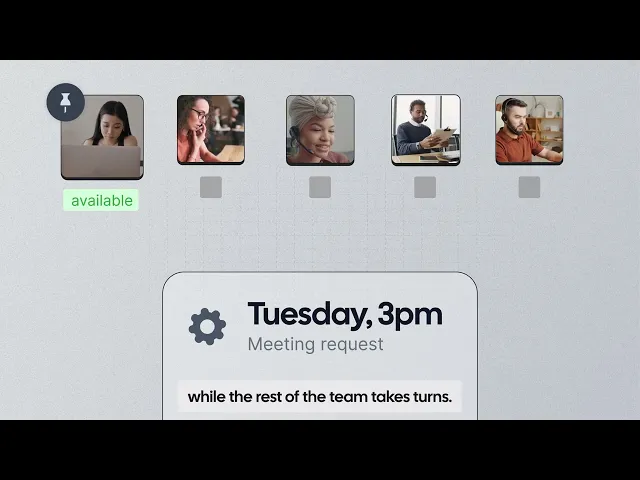
Availability pooling. Can the tool find the next available technician across your team's calendars? Round-robin and next-available routing can reduce manual calendar checks and double-bookings.
Automated reminders. Does it send confirmations and reminders automatically? This reduces the work involved in following up with customers and can help prevent missed appointments.
Integrations. Can bookings flow into the tools you already use? Calendar sync, webhooks, and APIs can connect scheduling with your CRM, invoicing software, dispatch system, or work-order platform.
Cost as you grow. Check how much you will pay as you add technicians, which features cost extra, and whether you have to pay for a full year upfront.
The 7 best field service scheduling software
1. Cal.com: best for flexible, automated customer booking
Free plan? | Starting price | Standout feature | Best use case |
|---|---|---|---|
Yes, free forever | $16/user/month | API-first scheduling | Automating booking alongside your existing field service stack |

What it is: Cal.com is a scheduling platform that helps field service teams manage customer bookings, technician availability, and scheduling automation. Customers can choose available service windows, bookings can be routed to the right technician, and reminders can be sent automatically.
It also connects with your existing dispatch or work-order system through its API, so you can add automated scheduling without replacing the tools you already use.
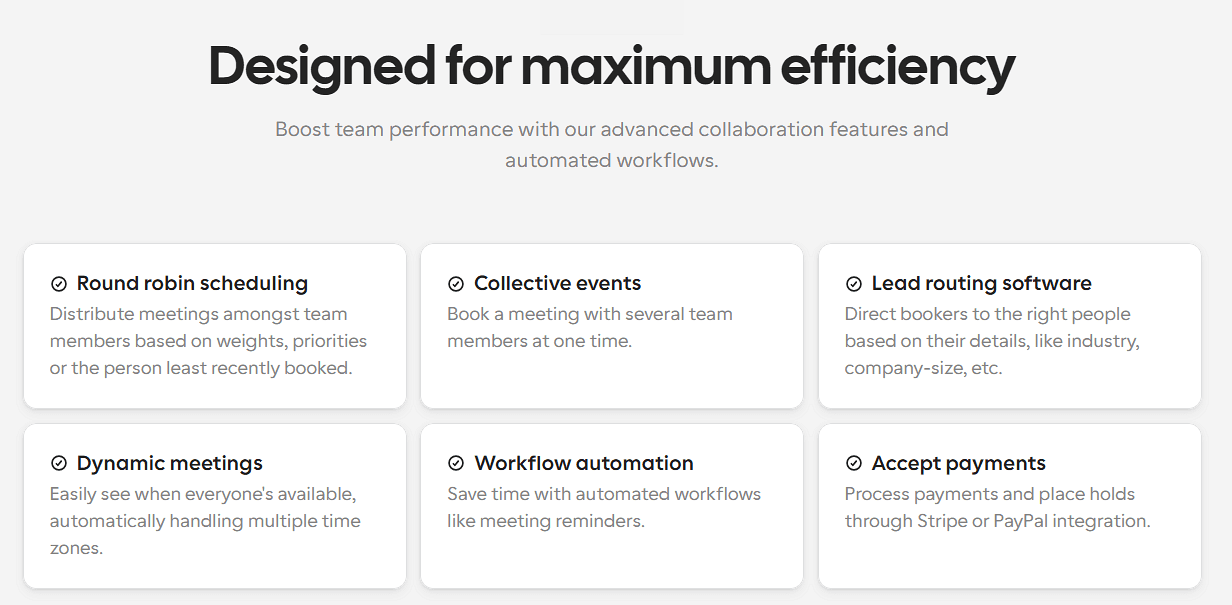
Why it fits field teams: Cal.com is useful when the main problem is getting customers booked and matching those bookings with technician availability. Customers can choose a service window online, your team can route bookings based on availability, and automated reminders reduce manual follow-up.
Key features:
Self-booking pages: Let customers choose available service windows online.
Round-robin and next-available routing: Distribute bookings across technicians based on availability and routing rules.
Two-way calendar sync: Connect Google, Outlook, and other calendars to keep availability up to date.
Buffers and travel time: Add time between appointments to account for travel and preparation.
Automated workflows: Send confirmations, reminders, and follow-ups by email or text.
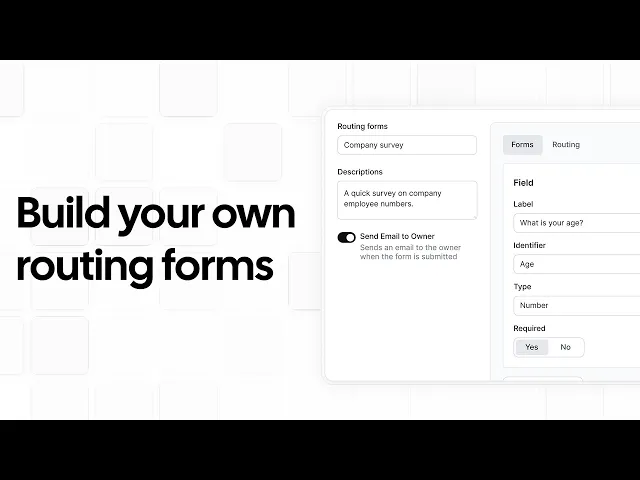
Routing forms: Direct customers to the right service or team before they book.
Webhooks and API: Send booking data to your dispatch, CRM, invoicing, or work-order system.
Embeddable booking widget: Add scheduling to your own website and keep the experience on-brand.
Payments: Collect deposits or full payment through Stripe or PayPal.
White-label options: Remove Cal.com branding and use your own branding on paid plans.
Cal AI phone agent: Let an AI phone agent answer calls and book appointments for customers who prefer to call.
Pricing: Cal.com has a free-forever plan for individuals that includes unlimited event types, calendar sync, automation, and payments. Paid plans start at $16/user/month, and add team scheduling features such as shared availability, round-robin scheduling, and routing forms.
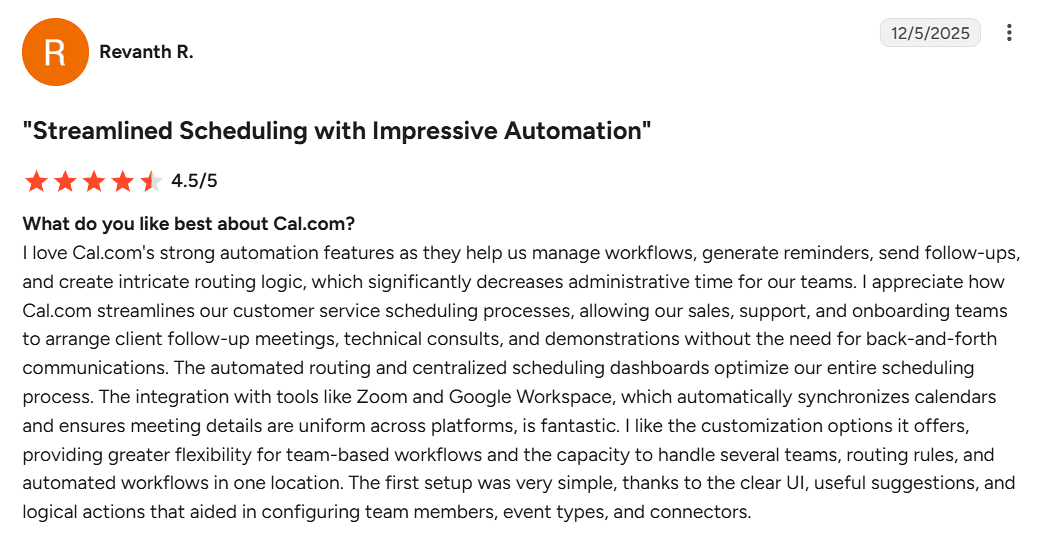
Best for: Field teams that need flexible customer booking and technician scheduling without replacing their existing dispatch or work-order system.
Verdict: Cal.com is a good fit when scheduling is the main problem you want to solve. It handles customer booking, availability, reminders, and integrations without forcing you into a full field service suite. If you already have dispatch and work-order tools, you can connect Cal.com to them instead of replacing them.
Get started with Cal.com's free plan or book a demo to see how it could fit your team's workflow.
2. Jobber: best for small and midsize home service businesses
Free plan? | Starting price | Standout feature | Best use case |
|---|---|---|---|
No, 14-day trial | $199/month | All-in-one home service management | Small residential service teams |
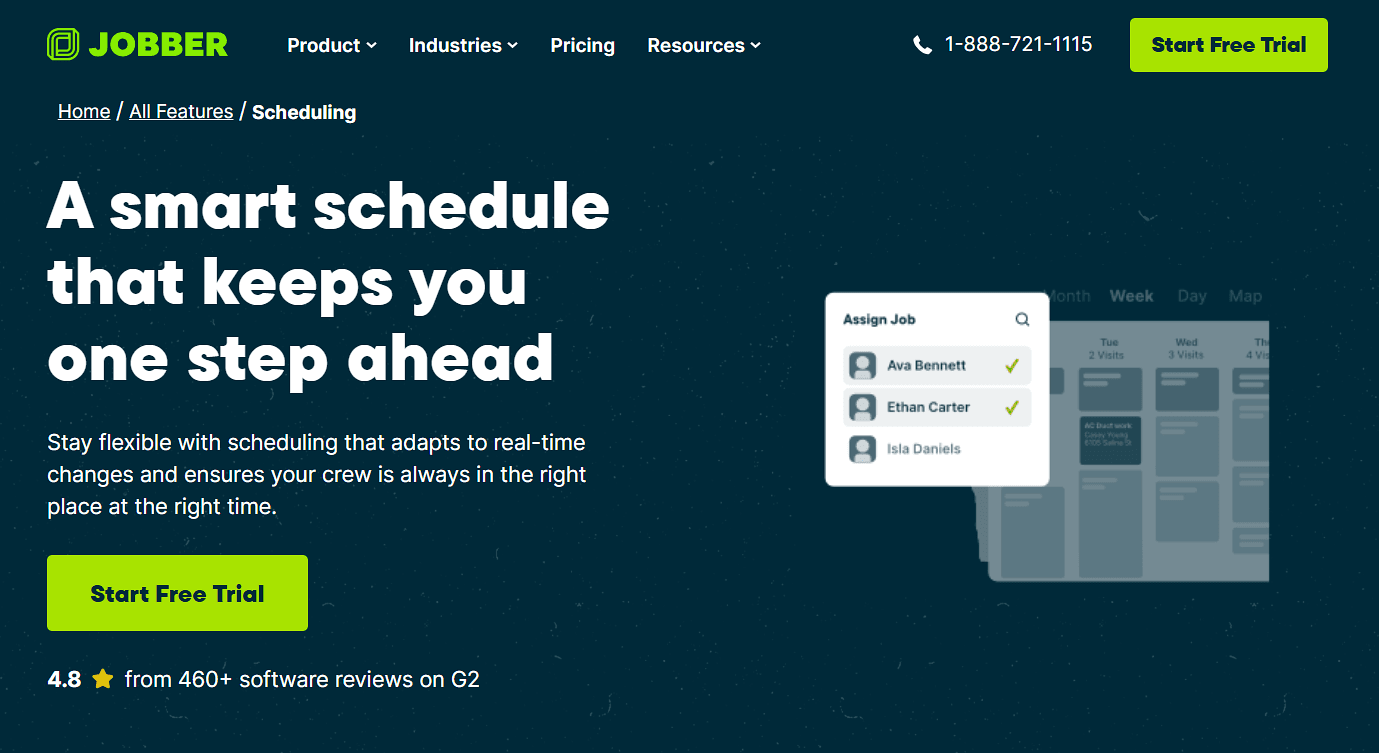
What it is: Jobber is an all-in-one platform for residential home service businesses. It combines scheduling and dispatch with quoting, invoicing, payments, customer management, and online booking.
Key features:
Drag-and-drop scheduling lets you view jobs and technician availability on a calendar and move appointments as schedules change.
Online booking lets customers request or book appointments through your website, Client Hub, or a direct link.
Automated reminders keep customers updated about upcoming appointments by email or text.
Client Hub lets customers approve quotes, view appointment details, pay invoices, and request more work.
QuickBooks Online sync keeps your field service and accounting workflows connected.
Pricing: Jobber has no free plan, but offers a 14-day free trial. Paid plans start at $49/month for one user or $199/month for up to five users. This entry plan includes scheduling, automated reminders, online booking, and payments, while routing and other advanced features are available on higher plans.
Pros:
Easy to set up and use
Built for residential service businesses
Scheduling, payments, and invoicing in one system
Cons:
Some features are limited to higher tiers and paid add-ons
Less flexible for custom workflows than an API-first scheduler
Best for: Small and midsize home service teams that want scheduling, invoicing, payments, and customer management in one system.
Verdict (vs. Cal.com): Jobber is a good choice if you want an all-in-one system for running a residential service business. If you already have your dispatch and back-office tools and mainly need flexible customer booking and scheduling, Cal.com gives you more control over how scheduling fits into your existing stack.
3. ServiceTitan: best for large home services contractors
Free plan? | Starting price | Standout feature | Best use case |
|---|---|---|---|
No, and no trial | Not publicly available | Enterprise dispatch and reporting | Large home services fleets |

What it is: ServiceTitan is a full field service management platform for larger HVAC, plumbing, and electrical businesses. It combines dispatching and scheduling with technician tracking, route optimization, customer management, reporting, and other business operations.
Key features:
Dispatch board lets dispatchers assign, reschedule, and manage jobs with a drag-and-drop schedule and real-time technician updates.
Route optimization and technician tracking helps dispatchers plan efficient routes and see technician locations and job status in real time.
Pricebook and estimates gives technicians access to services, materials, and equipment pricing so they can build estimates while on the job.
Customer and job history keeps previous estimates, invoices, equipment details, photos, and service records available to the team.
Mobile technician app lets field staff view job details, complete forms, create estimates, and take payments from their phones or tablets.
Pricing: ServiceTitan offers no free plan or trial, but you can book a demo with the team and get a custom quote. It's reported to cost at least $200 to $300 per technician per month.
Pros:
Deep dispatch and route optimization
Designed for complex field operations
Supports large, multi-location teams
Cons:
More complex than a scheduling-only tool
Pricing is not publicly listed
It’s overkill for small teams
Best for: Large home service contractors that need a full field service management system rather than just customer scheduling.
Verdict (vs. Cal.com): ServiceTitan is a better fit when dispatch, routing, technician management, and broader field operations all need to live in one system. If you mainly want to automate customer booking and availability, Cal.com is a simpler way to add that scheduling capability without replacing your existing tools.
4. Housecall Pro: best for simple home service dispatch and payments
Free plan? | Starting price | Standout feature | Best use case |
|---|---|---|---|
No, 14-day trial | Not publicly available | Simple dispatch and payments | Small home service teams |
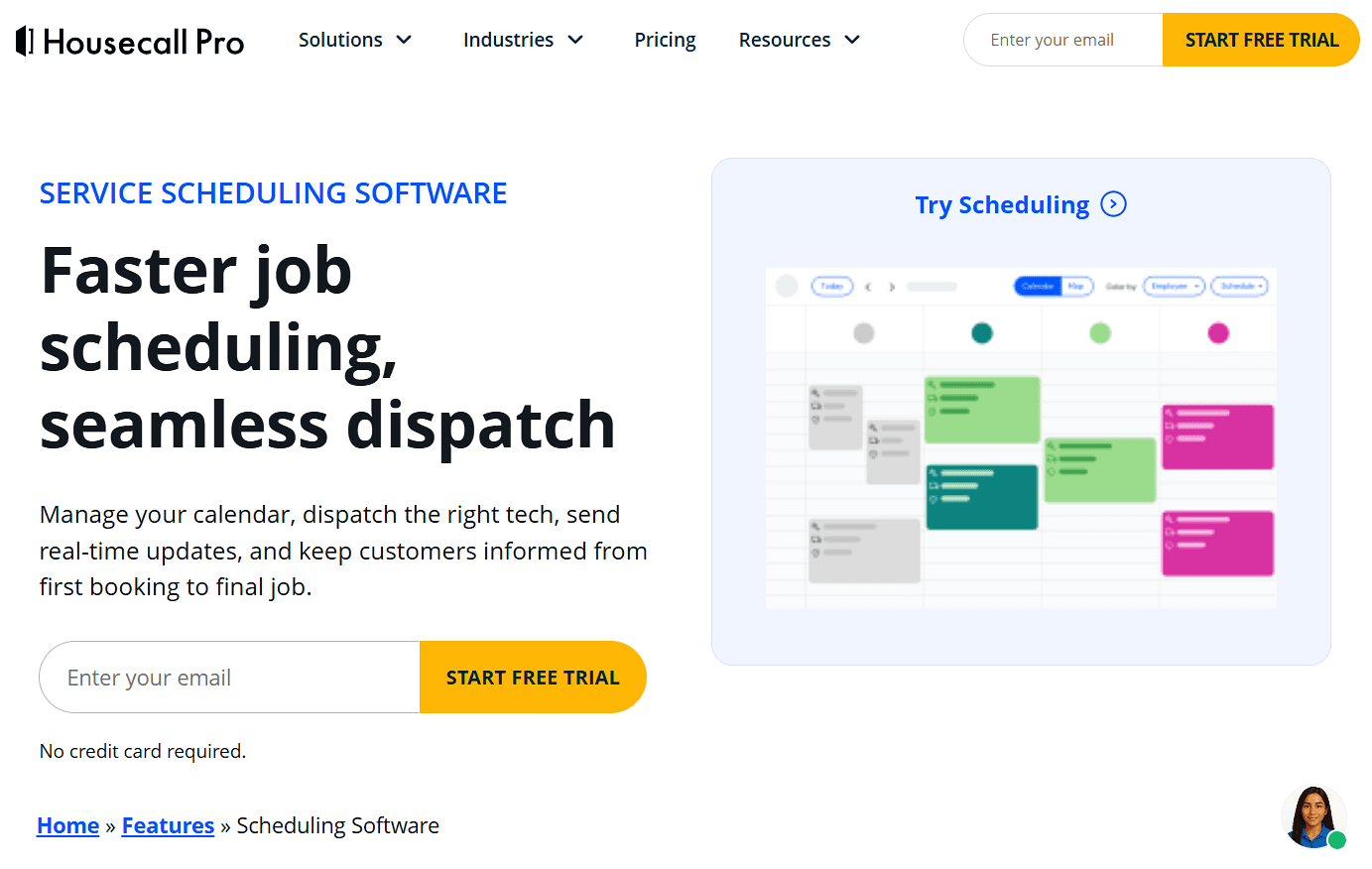
What it is: Housecall Pro is a field service management platform for home service businesses. It combines scheduling and dispatch with online booking, payments, invoicing, customer communication, and technician tools.
Key features:
Drag-and-drop scheduling lets you assign and reschedule jobs while checking technician availability.
Online booking lets customers book and pay through your website or Google.
Route mapping and GPS tracking helps plan technician routes and share arrival updates with customers.
Automated reminders notify customers about upcoming appointments and technician arrivals.
Invoicing and payments lets you send invoices and accept card or bank payments online or in the field.
Mobile app gives technicians access to schedules, job details, customer history, estimates, and payments in the field.
Pricing: Housecall Pro has no free plan but offers a 14-day free trial. It no longer publishes pricing on its website, so you need to sign up for a trial to see how much the plans cost.
Pros:
Quick to set up
Simple interface
Built-in payments and customer communication
Cons:
Advanced features are tied to higher tiers
Less flexible for highly customized workflows
Best for: Small home service teams that want scheduling, dispatch, payments, and customer communication in one application.
Verdict (vs. Cal.com): Housecall Pro works well if you want an easy all-in-one system for a small home service operation. Cal.com is a better fit if you want to keep your existing field service tools and add flexible, branded customer booking and scheduling on top.
5. Workiz: best for call and lead heavy service businesses
Free plan? | Starting price | Standout feature | Best use case |
|---|---|---|---|
No, 7-day trial | Not publicly available | Scheduling and integrated phone tools | Call-heavy service businesses |
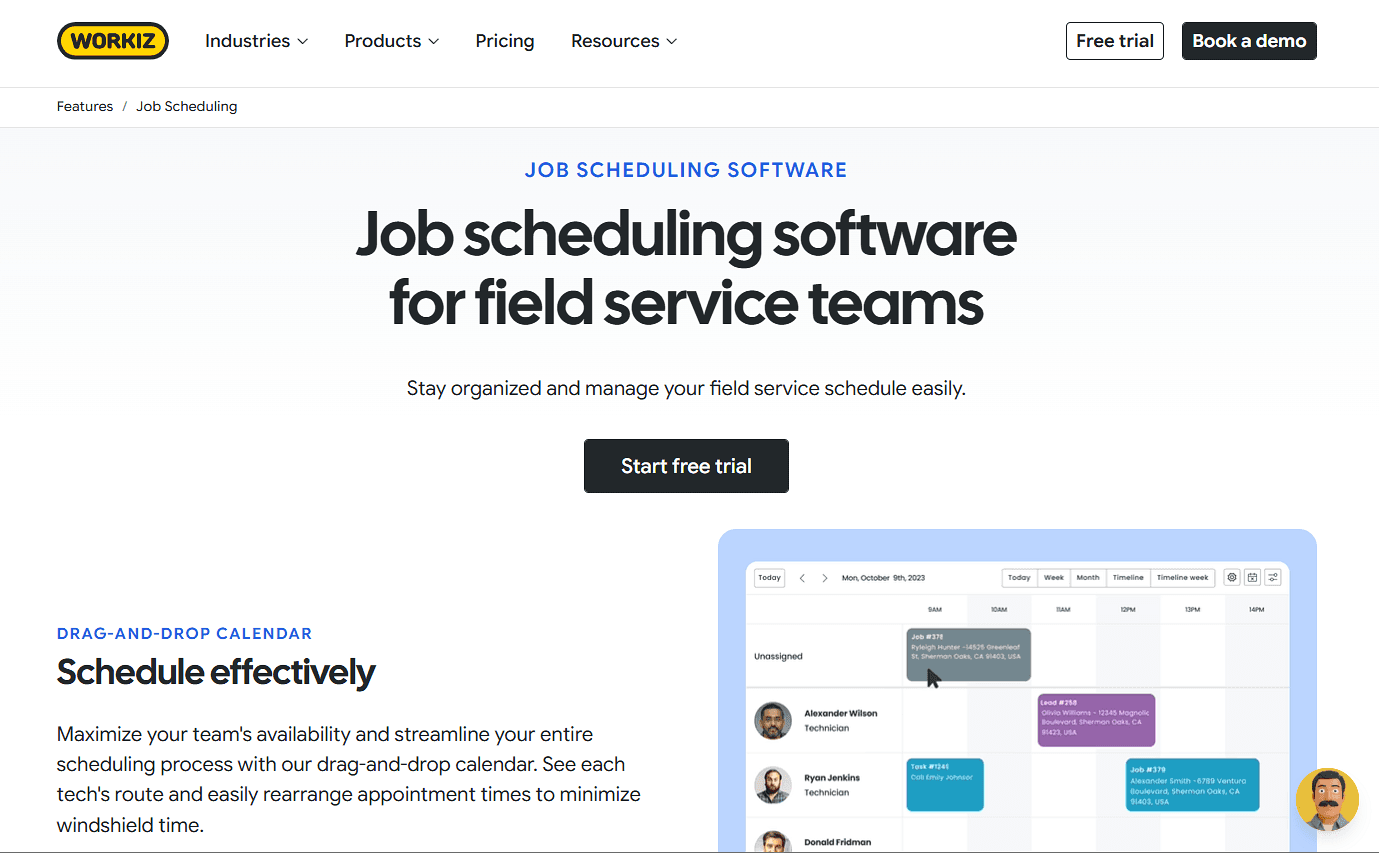
What it is: Workiz is a field service management platform for scheduling, customer communication, and day-to-day service operations. Its built-in phone system, call tracking, and texting make it a good fit for businesses that handle a high volume of inbound calls, such as locksmiths, appliance repair companies, and other local service businesses.
Key features:
Scheduling and dispatch lets you assign jobs based on technician availability, skills, and service area.
Call tracking and masking records calls and keeps personal customer and technician numbers private.
Lead management tracks lead sources, customer details, and follow-ups in one place.
Online booking and estimates lets customers book appointments and receive estimates without calling the office.
Location tracking and mobile app shows technician locations in real time and keeps jobs, schedules, and team updates accessible in the field.
Pricing: Workiz has no free plan but offers a 7-day free trial. It has three paid tiers that include scheduling and payments, but you’ll need to contact the team for pricing.
Pros:
Good fit for call-heavy businesses
Integrated phone and messaging tools
Scheduling and field management in one system
Cons:
Paid plans are more expensive than basic scheduling tools
Less suitable if you only need customer booking and calendar management
Best for: Call-heavy service businesses that want scheduling and customer communication in the same system.
Verdict (vs. Cal.com): Workiz is a good choice if phone calls and lead management are central to your operation. If your main goal is to automate booking and connect it to tools you already use, Cal.com lets you do that without adding a full field service management system.
6. FieldEdge: best for field teams that rely on QuickBooks
Free plan? | Starting price | Standout feature | Best use case |
|---|---|---|---|
No, and no trial | Not publicly available | Deep QuickBooks integration | HVAC, plumbing, and electrical contractors |
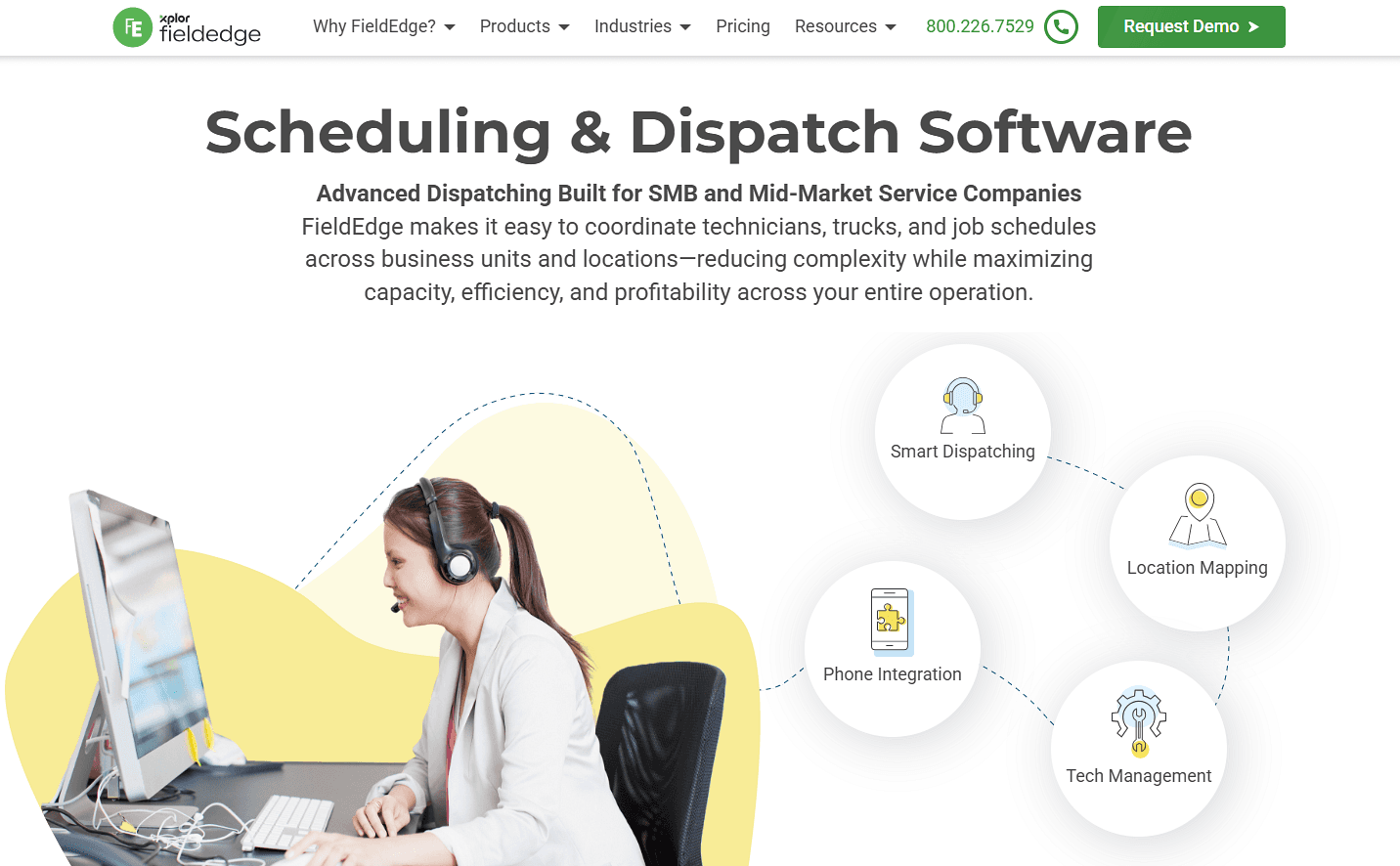
What it is: FieldEdge is field service management software for HVAC, plumbing, and electrical businesses. It combines scheduling and dispatch with work orders, customer management, quoting, invoicing, and pricebook tools. It also integrates with QuickBooks, making it a good fit for businesses that already use it for accounting.
Key features:
Dispatch board helps assign jobs based on technician availability, skills, and location, with real-time job status updates.
QuickBooks integration syncs financial data between FieldEdge and QuickBooks to reduce duplicate data entry.
Flat-rate pricebook gives technicians consistent pricing for services, equipment, and repairs when creating quotes.
Quotes and invoicing lets technicians create quotes, send invoices, and collect payments from the field.
Mobile app lets technicians view customer history, update work orders, create invoices, and collect payments from the field.
Pricing: FieldEdge has no free plan or trial, but offers a free demo and three paid plans with custom pricing.
Pros:
Deep QuickBooks integration
Scheduling and dispatch in one system
Includes quoting, invoicing, and pricebook tools
Cons:
No public pricing
More than you need if you only want scheduling
Best for: HVAC, plumbing, and electrical contractors that want field service management connected to their accounting system.
Verdict (vs. Cal.com): FieldEdge is a good fit when you want your accounting and field operations in one system. If you already have those tools and mainly need better customer booking and scheduling, Cal.com adds that functionality without replacing your existing stack.
7. Salesforce Field Service: best for enterprise teams using Salesforce
Free plan? | Starting price | Standout feature | Best use case |
|---|---|---|---|
No, 30-day trial | $125/user/month | Native Salesforce field operations | Enterprises already using Salesforce |
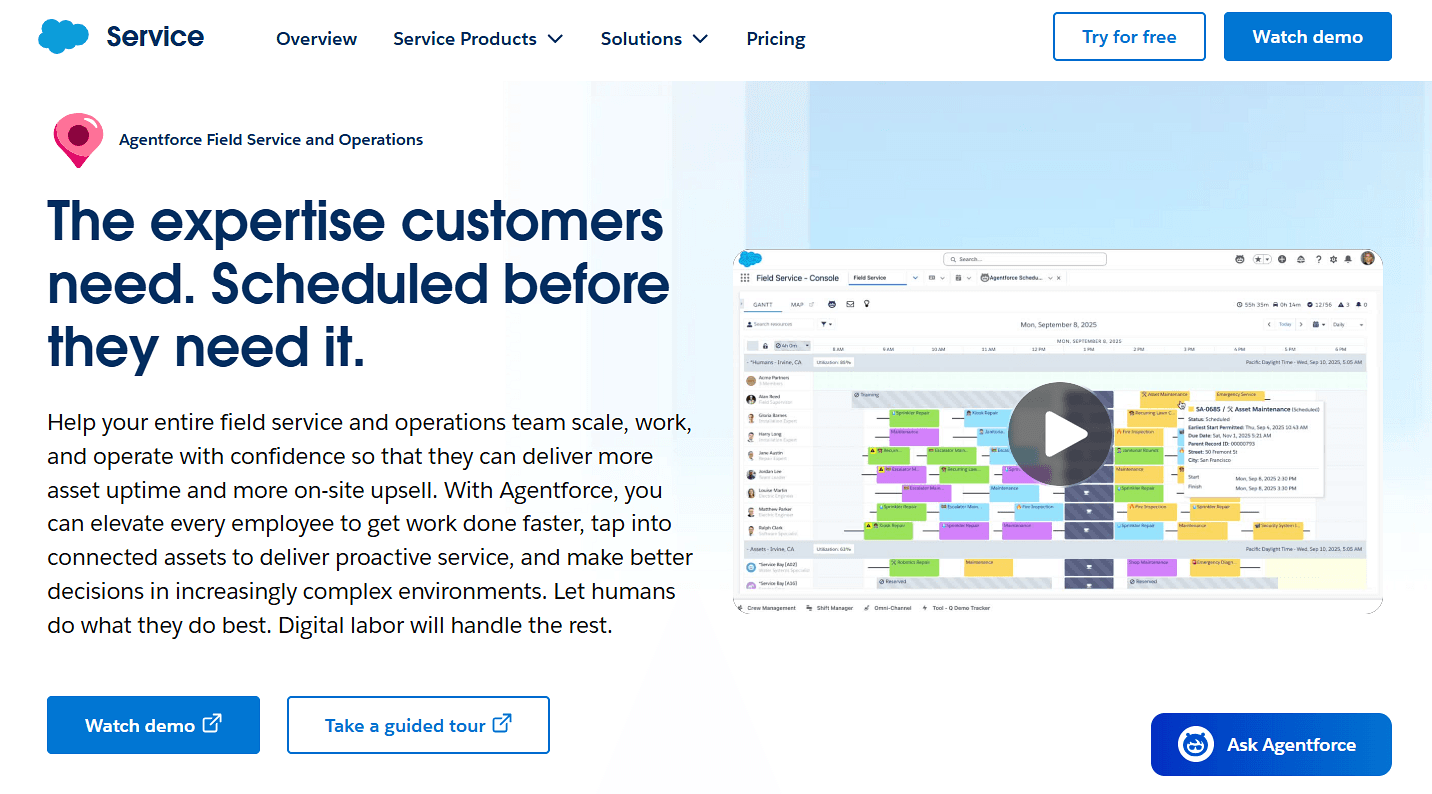
What it is: Salesforce Field Service adds field operations to the Salesforce platform. It includes dispatching, scheduling optimization, technician mobile tools, work orders, and integrations with Salesforce customer data.
Key features:
Schedule optimization automatically assigns and adjusts jobs based on your scheduling rules and priorities.
Dispatcher console gives dispatchers one place to view, schedule, reschedule, and optimize appointments.
Offline mobile app lets technicians view and update work orders even without an internet connection.
AI-powered scheduling helps assign jobs and adjust schedules when plans change.
Analytics and reporting gives teams visibility into field operations, scheduling, and performance.
Pricing: Salesforce has no free plan, but offers a 30-day free trial of Service Cloud. Plans start at $125/user/month, but you’ll need to contact the team for a custom quote.
Pros:
Fits seamlessly into Salesforce ecosystem
Advanced scheduling and dispatch
Enterprise reporting and integrations
Cons:
Expensive for smaller teams
Requires Salesforce infrastructure
More complex to set up and manage than a standalone scheduler
Best for: Enterprise teams already using Salesforce that want field service operations connected to their CRM.
Verdict (vs. Cal.com): Salesforce Field Service is a good fit when Salesforce is already central to your business. If you mainly want to automate customer booking and technician availability, Cal.com is a simpler way to add scheduling and connect it to Salesforce through integrations.
Field service scheduling software compared
Here’s how the seven field service scheduling software stack up across key features and free plans:
Tool | Free plan | Contract terms | Pricing transparency | Dispatch depth |
|---|---|---|---|---|
Cal.com | ✅ Free forever | ✅ Monthly available | ✅ Published pricing | ⚠️ Scheduling-focused; connects to dispatch tools via API |
Jobber | ❌ No, 14-day trial | ✅ Monthly, no commitment | ✅ Published pricing | ✅ Dispatch and routing |
ServiceTitan | ❌ No, and no trial | ⚠️ Contact sales | ❌ Quote-based | ✅ Advanced dispatch and routing |
Housecall Pro | ❌ No, 14-day trial | ⚠️ Contact sales | ✅ Published pricing | ✅ Dispatch and route planning |
Workiz | ❌ No, 7-day trial | ⚠️ Contact sales | ❌ Quote-based | ✅ Dispatch and scheduling |
FieldEdge | ❌ No, and no trial | ⚠️ Contact sales | ❌ Quote-based | ✅ Dispatch and scheduling |
Salesforce Field Service | ❌ No, 30-day trial | ⚠️ Contact sales | ❌ Quote-based | ✅ Advanced dispatch and routing |
Final verdict
The tools in this list fall into two groups. ServiceTitan, Jobber, Housecall Pro, Workiz, FieldEdge, and Salesforce Field Service combine scheduling with features such as dispatch, work orders, payments, and customer management.
Cal.com focuses on the scheduling itself. Customers book appointments, technician availability is pooled, reminders run automatically, and bookings connect to your existing tools through integrations and an API.
If you need dispatch, route optimization, and work orders in the same system, choose a full field service platform based on your team size, budget, and existing tools. If you mainly need to make customer booking and technician scheduling easier, Cal.com gives you those features without adding a full field service system.
You can start with Cal.com's free plan or book a demo to see how it fits your team's scheduling needs.
Frequently asked questions
What is field service scheduling software? It is software that helps you book, assign, and coordinate jobs at customer locations. It can match jobs with available technicians, let customers choose appointment times, and automate reminders.
What is the best field service scheduling software? It depends on what you need. Cal.com is a good fit if you mainly want to automate customer booking, technician availability, and reminders. If you need built-in dispatch, route optimization, and work orders, a full field service platform such as ServiceTitan, Jobber, or Salesforce Field Service may be a better fit.
How much does Cal.com cost? Cal.com has a free-forever plan for individuals. Teams starts at $16/user/month, and adds shared availability, round-robin scheduling, routing forms, and custom APIs.
Which field service scheduling software is best for small teams on a budget? Cal.com's free plan is useful for individual users who need customer booking and calendar management. For teams, paid plans start at $16/user/month and $37/user/month, and add shared availability and round-robin scheduling. Jobber is another option, with a 14-day free trial and plans starting at $199/month.
Does field service scheduling software connect to my dispatch or work-order system? It can, depending on the tool. Cal.com is designed to connect with other systems through APIs and webhooks, so you can send booking data to your dispatch, CRM, invoicing, or work-order software.

Get started with Cal.com for free today!
Experience seamless scheduling and productivity with no hidden fees. Sign up in seconds and start simplifying your scheduling today, no credit card required!