" height="18.016311920580208px" id="GKXyVanMq" stroke-dasharray="0" stroke-linecap="butt" stroke-linejoin="miter" stroke-miterlimit="10" stroke-width="0.5" stroke="rgb(0, 0, 0)" transform="translate(3 3)" width="18px"/></svg>)
"/><stop offset="1" stop-color="rgb(227, 224, 244)"/></linearGradient><linearGradient id="CBS1bzkxF-2031533640-linear-gradient" x1="0.49751243781094523" x2="0.5024875621890548" y1="0" y2="1"><stop offset="0" stop-color="rgb(255, 255, 255)"/><stop offset="1" stop-color="rgb(227, 224, 244)"/></linearGradient><linearGradient id="Jd7AK81w9-2031533640-linear-gradient" x1="0.49751243781094523" x2="0.5024875621890548" y1="0" y2="1"><stop offset="0" stop-color="rgb(255, 255, 255)"/><stop offset="1" stop-color="rgb(227, 224, 244)"/></linearGradient></defs><g d="M 0 16 L 0 0 L 16 0 L 16 16 Z M 9.167 5.167 C 9.167 4.891 8.943 4.667 8.667 4.667 C 8.391 4.667 8.167 4.891 8.167 5.167 C 8.167 6.784 7.809 7.834 7.155 8.488 C 6.501 9.143 5.451 9.5 3.833 9.5 C 3.557 9.5 3.333 9.724 3.333 10 C 3.333 10.276 3.557 10.5 3.833 10.5 C 5.451 10.5 6.501 10.857 7.155 11.512 C 7.809 12.166 8.167 13.216 8.167 14.833 C 8.167 15.109 8.391 15.333 8.667 15.333 C 8.943 15.333 9.167 15.109 9.167 14.833 C 9.167 13.216 9.524 12.166 10.178 11.512 C 10.832 10.857 11.883 10.5 13.5 10.5 C 13.776 10.5 14 10.276 14 10 C 14 9.724 13.776 9.5 13.5 9.5 C 11.883 9.5 10.832 9.143 10.178 8.488 C 9.524 7.834 9.167 6.784 9.167 5.167 Z M 4 3.667 C 4 3.483 3.851 3.333 3.667 3.333 C 3.483 3.333 3.333 3.483 3.333 3.667 C 3.333 4.32 3.189 4.715 2.952 4.952 C 2.715 5.189 2.32 5.333 1.667 5.333 C 1.483 5.333 1.333 5.483 1.333 5.667 C 1.333 5.851 1.483 6 1.667 6 C 2.32 6 2.715 6.145 2.952 6.382 C 3.189 6.618 3.333 7.013 3.333 7.667 C 3.333 7.851 3.483 8 3.667 8 C 3.851 8 4 7.851 4 7.667 C 4 7.013 4.145 6.618 4.382 6.382 C 4.618 6.145 5.013 6 5.667 6 C 5.851 6 6 5.851 6 5.667 C 6 5.483 5.851 5.333 5.667 5.333 C 5.013 5.333 4.618 5.189 4.382 4.952 C 4.145 4.715 4 4.32 4 3.667 Z M 7.333 1 C 7.333 0.816 7.184 0.667 7 0.667 C 6.816 0.667 6.667 0.816 6.667 1 C 6.667 1.422 6.573 1.65 6.445 1.778 C 6.317 1.906 6.089 2 5.667 2 C 5.483 2 5.333 2.149 5.333 2.333 C 5.333 2.517 5.483 2.667 5.667 2.667 C 6.089 2.667 6.317 2.761 6.445 2.889 C 6.573 3.016 6.667 3.244 6.667 3.667 C 6.667 3.851 6.816 4 7 4 C 7.184 4 7.333 3.851 7.333 3.667 C 7.333 3.244 7.427 3.016 7.555 2.889 C 7.683 2.761 7.911 2.667 8.333 2.667 C 8.517 2.667 8.667 2.517 8.667 2.333 C 8.667 2.149 8.517 2 8.333 2 C 7.911 2 7.683 1.906 7.555 1.778 C 7.427 1.65 7.333 1.422 7.333 1 Z" fill="transparent" height="16px" id="aoZYv33vR" width="16px"><path d="M 0 16 L 0 0 L 16 0 L 16 16 Z" fill="transparent" height="16px" id="Z2uGmhW9f" width="16px"/><g d="M 7.833 4.5 C 7.833 4.224 7.609 4 7.333 4 C 7.057 4 6.833 4.224 6.833 4.5 C 6.833 6.117 6.476 7.168 5.822 7.822 C 5.168 8.476 4.117 8.833 2.5 8.833 C 2.224 8.833 2 9.057 2 9.333 C 2 9.61 2.224 9.833 2.5 9.833 C 4.117 9.833 5.168 10.191 5.822 10.845 C 6.476 11.499 6.833 12.549 6.833 14.167 C 6.833 14.443 7.057 14.667 7.333 14.667 C 7.609 14.667 7.833 14.443 7.833 14.167 C 7.833 12.549 8.191 11.499 8.845 10.845 C 9.499 10.191 10.549 9.833 12.167 9.833 C 12.443 9.833 12.667 9.61 12.667 9.333 C 12.667 9.057 12.443 8.833 12.167 8.833 C 10.549 8.833 9.499 8.476 8.845 7.822 C 8.191 7.168 7.833 6.117 7.833 4.5 Z M 2.667 3 C 2.667 2.816 2.517 2.667 2.333 2.667 C 2.149 2.667 2 2.816 2 3 C 2 3.654 1.855 4.048 1.618 4.285 C 1.382 4.522 0.987 4.667 0.333 4.667 C 0.149 4.667 0 4.816 0 5 C 0 5.184 0.149 5.333 0.333 5.333 C 0.987 5.333 1.382 5.478 1.618 5.715 C 1.855 5.952 2 6.346 2 7 C 2 7.184 2.149 7.333 2.333 7.333 C 2.517 7.333 2.667 7.184 2.667 7 C 2.667 6.346 2.811 5.952 3.048 5.715 C 3.285 5.478 3.68 5.333 4.333 5.333 C 4.517 5.333 4.667 5.184 4.667 5 C 4.667 4.816 4.517 4.667 4.333 4.667 C 3.68 4.667 3.285 4.522 3.048 4.285 C 2.811 4.048 2.667 3.654 2.667 3 Z M 6 0.333 C 6 0.149 5.851 0 5.667 0 C 5.483 0 5.333 0.149 5.333 0.333 C 5.333 0.756 5.239 0.984 5.112 1.112 C 4.984 1.239 4.756 1.333 4.333 1.333 C 4.149 1.333 4 1.483 4 1.667 C 4 1.851 4.149 2 4.333 2 C 4.756 2 4.984 2.094 5.112 2.222 C 5.239 2.35 5.333 2.578 5.333 3 C 5.333 3.184 5.483 3.333 5.667 3.333 C 5.851 3.333 6 3.184 6 3 C 6 2.578 6.094 2.35 6.222 2.222 C 6.35 2.094 6.578 2 7 2 C 7.184 2 7.333 1.851 7.333 1.667 C 7.333 1.483 7.184 1.333 7 1.333 C 6.578 1.333 6.35 1.239 6.222 1.112 C 6.094 0.984 6 0.756 6 0.333 Z" fill="transparent" height="14.66671286102295px" id="ae6ccdFme" transform="translate(1.333 0.667)" width="12.66663px"><path d="M 5.833 0.5 C 5.833 0.224 5.609 0 5.333 0 C 5.057 0 4.833 0.224 4.833 0.5 C 4.833 2.117 4.476 3.168 3.822 3.822 C 3.168 4.476 2.117 4.833 0.5 4.833 C 0.224 4.833 0 5.057 0 5.333 C 0 5.61 0.224 5.833 0.5 5.833 C 2.117 5.833 3.168 6.191 3.822 6.845 C 4.476 7.499 4.833 8.549 4.833 10.167 C 4.833 10.443 5.057 10.667 5.333 10.667 C 5.609 10.667 5.833 10.443 5.833 10.167 C 5.833 8.549 6.191 7.499 6.845 6.845 C 7.499 6.191 8.549 5.833 10.167 5.833 C 10.443 5.833 10.667 5.61 10.667 5.333 C 10.667 5.057 10.443 4.833 10.167 4.833 C 8.549 4.833 7.499 4.476 6.845 3.822 C 6.191 3.168 5.833 2.117 5.833 0.5 Z" fill="url(%23t2lXByE48-2031533640-linear-gradient)" height="10.66671px" id="t2lXByE48" transform="translate(2 4)" width="10.66663px"/><path d="M 2.667 0.333 C 2.667 0.149 2.517 0 2.333 0 C 2.149 0 2 0.149 2 0.333 C 2 0.987 1.855 1.382 1.618 1.618 C 1.382 1.855 0.987 2 0.333 2 C 0.149 2 0 2.149 0 2.333 C 0 2.517 0.149 2.667 0.333 2.667 C 0.987 2.667 1.382 2.811 1.618 3.048 C 1.855 3.285 2 3.68 2 4.333 C 2 4.517 2.149 4.667 2.333 4.667 C 2.517 4.667 2.667 4.517 2.667 4.333 C 2.667 3.68 2.811 3.285 3.048 3.048 C 3.285 2.811 3.68 2.667 4.333 2.667 C 4.517 2.667 4.667 2.517 4.667 2.333 C 4.667 2.149 4.517 2 4.333 2 C 3.68 2 3.285 1.855 3.048 1.618 C 2.811 1.382 2.667 0.987 2.667 0.333 Z" fill="url(%23CBS1bzkxF-2031533640-linear-gradient)" height="4.66667px" id="CBS1bzkxF" transform="translate(0 2.667)" width="4.66667px"/><path d="M 2 0.333 C 2 0.149 1.851 0 1.667 0 C 1.483 0 1.333 0.149 1.333 0.333 C 1.333 0.756 1.239 0.984 1.112 1.112 C 0.984 1.239 0.756 1.333 0.333 1.333 C 0.149 1.333 0 1.483 0 1.667 C 0 1.851 0.149 2 0.333 2 C 0.756 2 0.984 2.094 1.112 2.222 C 1.239 2.35 1.333 2.578 1.333 3 C 1.333 3.184 1.483 3.333 1.667 3.333 C 1.851 3.333 2 3.184 2 3 C 2 2.578 2.094 2.35 2.222 2.222 C 2.35 2.094 2.578 2 3 2 C 3.184 2 3.333 1.851 3.333 1.667 C 3.333 1.483 3.184 1.333 3 1.333 C 2.578 1.333 2.35 1.239 2.222 1.112 C 2.094 0.984 2 0.756 2 0.333 Z" fill="url(%23Jd7AK81w9-2031533640-linear-gradient)" height="3.333333px" id="Jd7AK81w9" transform="translate(4 0)" width="3.3333399999999997px"/></g></g></svg>)
" height="24px" id="WCm44spAV" width="24px"/><path d="M 3.892 7.742 C 1.674 7.742 0 6.014 0 3.882 C 0 1.738 1.589 0 3.892 0 C 5.107 0 5.951 0.374 6.623 1.173 L 5.566 2.09 C 5.118 1.621 4.564 1.386 3.892 1.386 C 2.452 1.386 1.547 2.517 1.547 3.882 C 1.547 5.246 2.452 6.356 3.924 6.356 C 4.649 6.356 5.193 6.111 5.63 5.63 L 6.718 6.558 C 6.153 7.24 5.193 7.742 3.892 7.742 Z" fill="rgb(255, 255, 255)" height="7.741500000000002px" id="XEPpGD7l5" transform="translate(4 8.25)" width="6.717999999999989px"/><path d="M 2.74 7.922 C 1.215 7.922 0 6.632 0 5.032 C 0 3.433 1.215 2.122 2.74 2.122 C 3.7 2.122 4.201 2.516 4.5 3.113 L 4.5 2.239 L 5.928 2.239 L 5.928 7.784 L 4.531 7.784 L 4.531 6.877 C 4.233 7.507 3.731 7.922 2.74 7.922 Z M 1.439 5.023 C 1.439 5.865 2.057 6.622 2.975 6.622 C 3.924 6.622 4.531 5.897 4.531 5.033 C 4.531 4.169 3.924 3.423 2.975 3.423 C 2.057 3.423 1.439 4.159 1.439 5.022 Z M 6.784 7.784 L 6.784 0 L 8.224 0 L 8.224 7.784 L 6.784 7.784 Z" fill="rgb(255, 255, 255)" height="7.9224997406005855px" id="lGDJupIUR" transform="translate(10.5 8)" width="8.223500194549558px"/></g></svg>)
" width="18px"><path d="M 2 8 C 0.895 8 0 7.105 0 6 L 0 2 C 0 0.895 0.895 0 2 0 L 6 0 C 7.105 0 8 0.895 8 2 L 8 6 C 8 7.105 7.105 8 6 8 Z" fill="transparent" height="8px" id="ZrCrI93dV" stroke-dasharray="" stroke-linecap="round" stroke-linejoin="round" stroke-width="2" stroke="rgb(0, 0, 0)" width="8px"/><path d="M 0 0 L 0 4 C 0 5.105 0.895 6 2 6 L 6 6" fill="transparent" height="6px" id="emltWYAiE" stroke-dasharray="" stroke-linecap="round" stroke-linejoin="round" stroke-width="2" stroke="rgb(0, 0, 0)" transform="translate(4 8)" width="6px"/><path d="M 2 8 C 0.895 8 0 7.105 0 6 L 0 2 C 0 0.895 0.895 0 2 0 L 6 0 C 7.105 0 8 0.895 8 2 L 8 6 C 8 7.105 7.105 8 6 8 Z" fill="transparent" height="8px" id="WpBecYDfi" stroke-dasharray="" stroke-linecap="round" stroke-linejoin="round" stroke-width="2" stroke="rgb(0, 0, 0)" transform="translate(10 10)" width="8px"/></g></svg>)


5 Best Financial Services Scheduling Software | Cal.com
If you're the person coordinating an advisory firm's meetings, you'll find that a lot of your time goes into small scheduling decisions: Which clients are due for a meeting? Which advisor should see a new prospect? Which team member is away next week? Which appointments need to move?
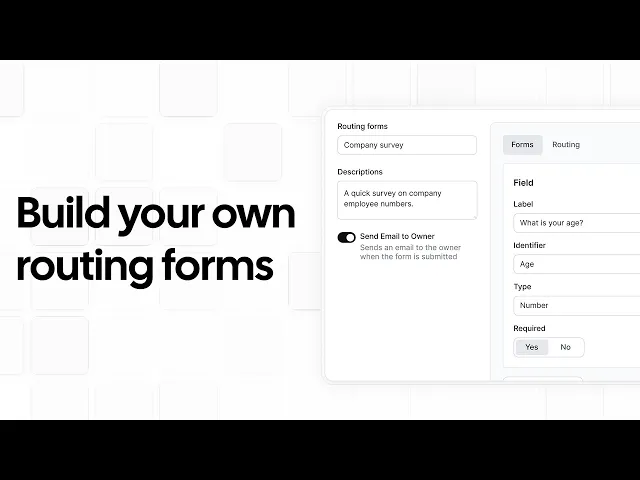
Cal.com reduces that administrative work for your firm while giving prospects a simple way to book available time slots. Its routing forms qualify prospects using details such as service type and location, then direct them to the appropriate advisor. Booking and intake information also syncs with Salesforce, HubSpot, or any CRM of your choice. The free plan supports one user with two-way CRM sync and unlimited bookings, while paid tiers add advanced routing, booking analytics, and compliance capabilities.
We also compared Cal.com with other financial services scheduling software on three key areas:
Lead routing: Does it qualify and route prospects?
CRM sync: Does it remove manual data entry?
Compliance cost: What security and compliance capabilities are included?
The comparison table near the end scores all five tools on these three areas, plus whether each one has a free plan.
TL;DR: top financial services scheduling software at a glance
Cal.com: best for firms that want full control over their scheduling stack
OnceHub: best for multi-advisor firms with complex lead routing
Calendly: best for solo advisors who want a simple setup
Acuity Scheduling: best for scheduling paid appointments
Microsoft Bookings: best for Microsoft 365 users
What is financial services scheduling software?
Financial services scheduling software helps advisors coordinate appointments with prospects and existing clients. It collects information before an appointment, applies rules to determine the appropriate advisor, checks availability across calendars, sends reminders, and records appointment details in a CRM.
For example, a prospect might answer questions about their location or the service they need before selecting a time with the appropriate advisor. The appointment and intake information can then be sent to a CRM such as Wealthbox, Redtail, Salesforce, or HubSpot.
Some platforms also provide APIs and embeddable booking components, so firms can add scheduling to their website, client portal, or onboarding process.
What to look for in financial services scheduling software
The right platform should make it easier to qualify prospects, manage advisor availability, keep client information updated, and reduce scheduling admin.
Prioritize these features when comparing options:
Routing and qualification. Look for forms that collect information such as service needs, assets, location, or preferred meeting type before showing available times. The platform should then route the prospect to the appropriate advisor or team.
Native CRM sync. If your firm uses Salesforce, HubSpot, Wealthbox, Redtail, or another CRM, look for an integration that keeps booking information and CRM records in sync. This saves your team from entering the same information twice.
Security and compliance. Check how the platform handles encryption, access controls, data storage, and other security requirements. Look for certifications such as SOC 2 or ISO 27001 where relevant. If your workflow involves protected health information (PHI), also check for HIPAA support and a signed Business Associate Agreement (BAA).
Automated reminders. Email and text reminders help reduce no-shows and save staff from following up before every meeting.
Payments at booking. If you charge for consultations or planning sessions, look for payment options such as Stripe or PayPal. Clients can pay during booking instead of going through a separate invoicing process.
Phone and voice booking. If some clients prefer to call rather than use an online booking page, phone or AI scheduling gives them another way to book available time slots.
The 5 best financial services scheduling software
1. Cal.com: best for firms that want full control over their scheduling stack
Free plan? | Starting price | Standout feature | Best use case |
|---|---|---|---|
Yes, free forever | $16/user/month | Attribute-based routing, 100+ native integrations, and API access | Advisory teams that want full control over their scheduling stack |
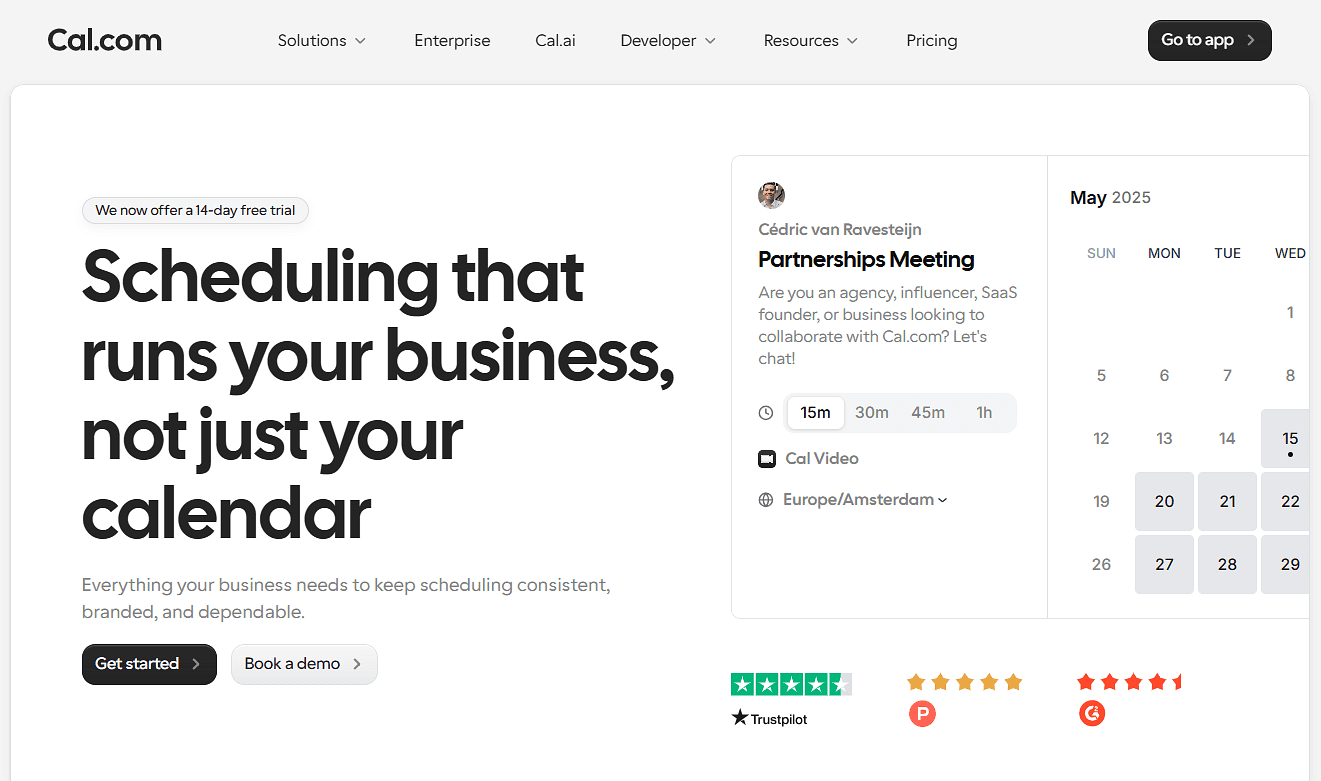
What it is: Cal.com gives financial advisory teams more control over how clients and prospects book meetings. For instance, a firm could ask a prospect about the service they need, then route them to the right advisor based on their answers. Once the meeting is booked, Cal.com syncs the appointment with the firm’s CRM, sends reminders, and collects payment when needed. Firms can also embed and customize the booking experience on their own website.
Why it ranks first: Cal.com is particularly useful for firms with multiple advisors, services, or booking rules. Routing helps direct each prospect to the appropriate advisor, while round-robin scheduling helps distribute meetings across the team. Firms also get more control over the client-facing experience through custom branding, domains, and embedded booking.

Key features:
Routing forms with attribute-based logic: Ask prospects about things like their service needs, location, or other relevant details, then use their answers to send them to the right advisor or meeting type.
Round-robin and collective scheduling: Distribute meetings across advisors based on availability, or find a time when multiple team members need to attend.
Two-way Salesforce and HubSpot sync: Keep booking and contact information in sync with Salesforce or HubSpot, reducing the need to enter the same information in both systems.
Calendar sync: Connect Google, Outlook, Apple, and other supported calendars to check availability and avoid scheduling conflicts.
Automated workflows: Send booking confirmations, reminders, and follow-ups by email or SMS based on when an appointment is scheduled.
Payments at booking: Collect consultation fees or deposits through supported payment integrations such as Stripe and PayPal.
Cal AI phone agent: Let an AI voice assistant handle phone-based scheduling, confirmations, reminders, and follow-ups. It supports calls triggered by events such as form submissions, no-shows, and upcoming meetings.
Security and compliance: Cal.com has SOC 2 Type II and ISO 27001 certifications and supports GDPR and other privacy requirements. It also supports HIPAA workflows with a signed Business Associate Agreement (BAA) for organizations that handle PHI.
Custom branding: Customize the booking experience and remove Cal.com branding so the scheduling page fits your firm's website and brand.
Embedded scheduling and API access: Add scheduling to your firm's website, client portal, onboarding flow, or custom application instead of sending clients to a separate booking page.

Pricing: Cal.com has a free plan for one user that includes unlimited booking links, connected calendars, and meetings. It also lets you integrate with over 100 apps, accept payments, and send email and SMS reminders. Paid plans start at $16/user/month, or $12 per user per month when billed annually, and add team scheduling, round-robin scheduling, routing forms, analytics, custom APIs, and additional security controls.
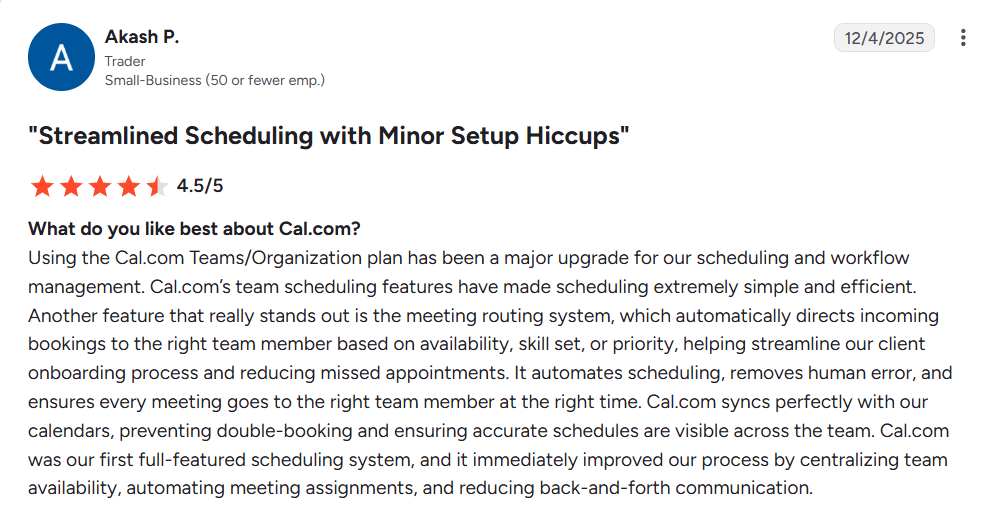
Best for: Registered investment advisers, wealth management firms, broker-dealers, and advisory teams that need to qualify and route prospects, connect scheduling with their customer relationship management (CRM) system, and customize the booking experience.
Verdict: Cal.com brings together prospect qualification, advisor routing, CRM integrations, payments, and automated reminders into one platform. Firms can also connect scheduling to their website, client portal, or onboarding flow and customize the experience to fit their needs.
Start with Cal.com’s free plan or book a demo if you’d like to talk through how it could fit your firm’s scheduling process.
2. OnceHub: best for multi-advisor firms with complex lead routing
Free plan? | Starting price | Standout feature | Best use case |
|---|---|---|---|
Yes, limited | $12/seat/month | Deep asset-based routing with phone agents | Multi-advisor firms with complex lead routing |

What it is: OnceHub helps firms match prospects with the right advisor or specialist before they book. You can ask what a prospect needs, use their answers and CRM data to determine the right person, and then show the appropriate availability. The same scheduling logic works across the web and phone, so someone who prefers to call can speak with OnceHub’s Phone Agent, answer the same screening questions, and book with the right advisor without staff having to coordinate it manually.
Key features:
Advanced routing logic: Route prospects based on form answers, contact properties, user attributes, or CRM ownership.
Phone booking: Let prospects book through a dedicated phone number and route calls based on the same scheduling logic.
Conversational forms: Collect information progressively and use it to qualify and route prospects.
CRM integrations: Connect Salesforce and HubSpot and use CRM ownership when distributing bookings.
Round-robin distribution: Distribute meetings based on availability, priority, or other routing rules.
Pricing: OnceHub offers a free plan for one user with one connected calendar and one booking link. Paid plans start at $12/seat/month for unlimited booking links, connected calendars, and meetings. Higher plans include round robin scheduling and routing forms.
Pros:
Detailed routing and qualification based on prospect and CRM information
Phone-based booking for prospects who prefer to call
Routing across multiple advisors and specialist
Cons:
Restrictive free plan
Routing forms and round robin scheduling aren’t on the starter plan
Best for: Multi-advisor firms that need to qualify and route prospects to the right advisor.
Comparison verdict: OnceHub works well for firms that need detailed lead qualification and routing. However, many of its features sit at higher pricing levels, while Cal.com offers comparable scheduling and routing features at lower pricing levels. Features available on OnceHub’s starter plan are available on Cal.com’s free plan, while features that require higher OnceHub plans are available on Cal.com’s starter plan.
3. Calendly: best for solo advisors who want a simple setup
Free plan? | Starting price | Standout feature | Best use case |
|---|---|---|---|
Yes, limited | $12/seat/month | Simple, familiar booking experience | Solo advisors who want a simple setup |
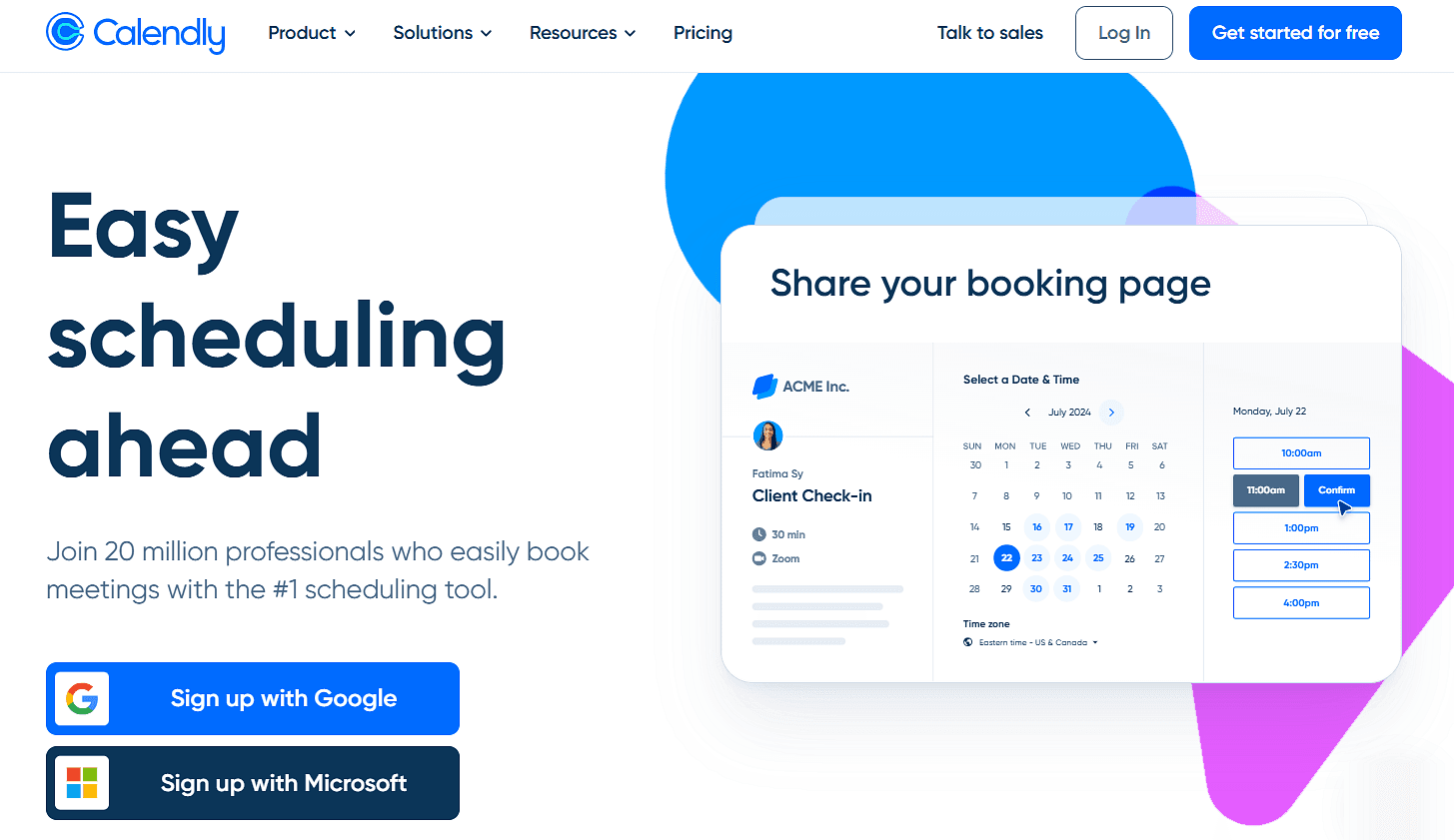
What it is: Calendly gives advisors a simple way to let clients and prospects book time based on their availability. You can create different meeting types, share a booking link, and let someone choose a suitable time without going back and forth over email. Calendly then adds the meeting to your calendar and sends confirmations and reminders. For advisory teams, you can also use team scheduling to let prospects book with the right available team member.
Key features:
Booking links: Share a link so prospects or clients can choose a meeting type and available time.
Automated reminders: Send confirmations, reminders, and follow-ups without manual follow-up.
Calendar sync: Connect Google Calendar, Outlook, or Microsoft Office calendars to check availability and prevent double bookings.
Team scheduling: Use round-robin to distribute meetings across advisors or collective scheduling when multiple advisors need to attend.
Lead qualification and routing: Ask qualifying questions before booking, then route prospects based on their answers, availability, or CRM data.
Pricing: Calendly offers a free plan with one event type and one calendar connection. Paid plans start at $12/seat/month and add features such as unlimited event types, multiple calendar connections, team scheduling, Stripe and PayPal payments, and automated reminders.
Pros:
Very easy to set up and use
Familiar booking experience for clients
Has over 100 integrations for connecting with third-party platforms
Cons:
Heavily limited free plan
Limited booking page customization
Best for: solo advisors and small referral-based practices that want a dependable booking link without routing or compliance overhead.
Comparison verdict: Calendly is a good fit if you mainly need to share availability and let clients book. Cal.com offers many of the same scheduling features, but its free plan includes unlimited event types and calendars, payments, workflows, and two-way Salesforce and HubSpot sync. You also get advanced features like routing, round-robin scheduling, custom branding, and other team features right on its starter plan.
4. Acuity Scheduling: best for scheduling and paid appointments
Free plan? | Starting price | Standout feature | Best use case |
|---|---|---|---|
No, 7-day trial | $20/month | Payment and intake collection at booking | Fee-only planners who charge per session |

What it is: Acuity Scheduling works well for advisors who want clients to book and pay for consultations online. You can create different appointment types, collect information through an intake form, and take payment as the client books. For example, a fee-only advisor could offer an initial consultation, ask a few questions about the client’s needs, collect the consultation fee, and then have Acuity handle the appointment confirmation and reminders.
Key features:
Payment at booking: Collect fees or deposits through Stripe, Square, PayPal, or Venmo when clients book.
Custom intake forms: Ask for contact details, service needs, and other information before the appointment.
Packages and subscriptions: Sell appointment bundles or recurring services with bundled or recurring payments.
Automated reminders: Send confirmation emails and appointment reminders automatically, with text reminders also available.
Branded booking pages: Add your logo, colors, appointment types, and other details to your booking page.
Pricing: Acuity doesn’t have a free plan, but it offers a 7-day free trial. Paid plans start at $20/month and include one connected calendar, payment collection, client intake forms, and email reminders. Higher plans add features such as more calendars, text reminders, appointment waitlists, and memberships and packages.
Pros:
Payment collection is built into the booking flow
Intake forms work well for paid consultations
Packages and subscriptions support recurring services
Cons:
No free plan
Lacks routing and round robin scheduling features
Best for: Fee-only planners, financial coaches, and solo advisors who mainly need to collect payment and client information when a session is booked.
Comparison verdict: Acuity works well for advisors who need to collect payment and client information when someone books a consultation. Cal.com also handles intake forms and payments, while adding prospect routing, team scheduling, CRM integrations, and website and client portal integrations. These features help multi-advisor firms direct prospects to the right advisor and manage different types of appointments.
5. Microsoft Bookings: best for Microsoft 365 users
Free plan? | Starting price | Standout feature | Best use case |
|---|---|---|---|
No, bundled with Microsoft 365 | Included with Microsoft 365 subscription | Native Outlook and Teams scheduling | Firms standardized on Microsoft 365 |
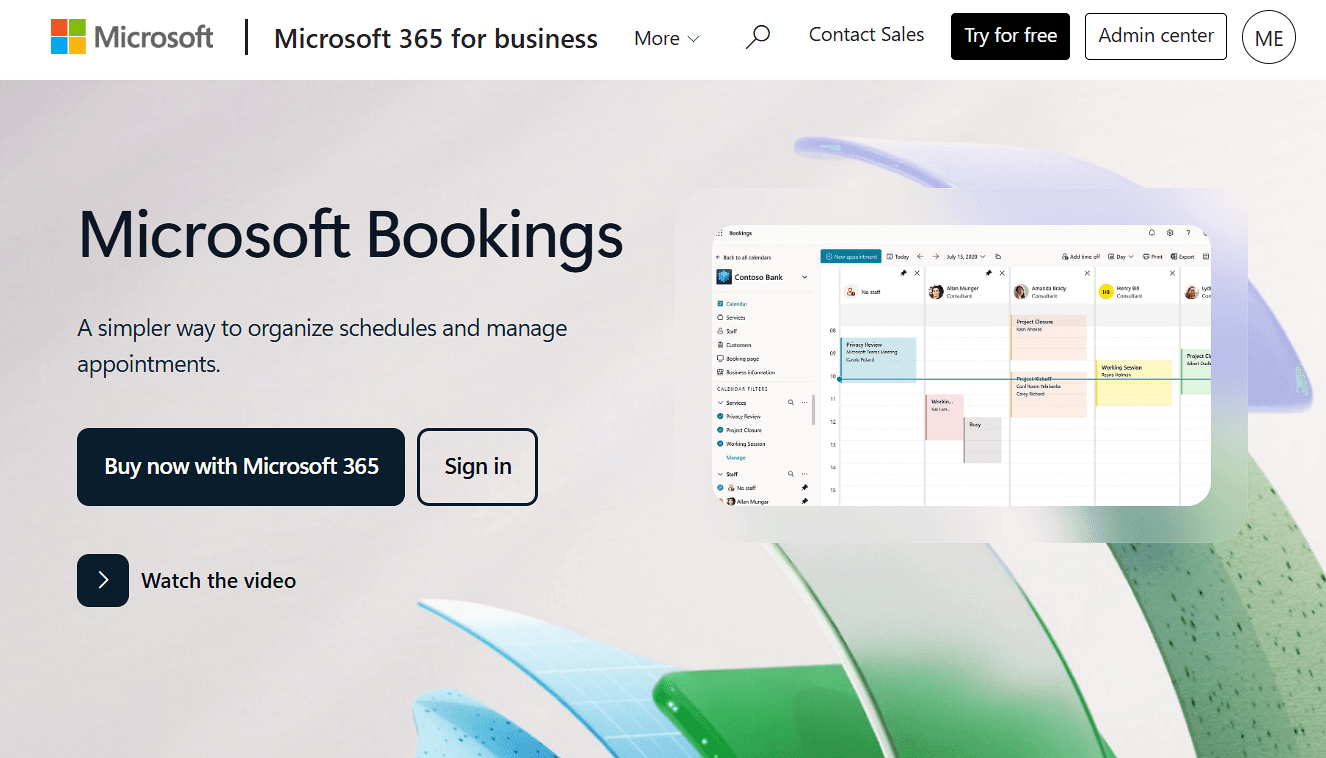
What it is: Microsoft Bookings is included with eligible Microsoft 365 subscriptions, so advisory firms already using Outlook and Teams can add client scheduling without bringing in another platform. Clients can book available times while Bookings keeps appointments connected to Outlook and adds Teams meeting links when needed. It works particularly well for firms that already manage their calendars and meetings in Microsoft 365.
Key features:
Outlook calendar integration: Sync staff availability with Outlook so clients only see times that are open for booking.
Microsoft Teams meetings: Add a Teams meeting link automatically when a client books a virtual appointment.
Staff scheduling: Add multiple advisors, set their working hours, and manage availability, time off, and holidays from Bookings.
Email reminders: Send automatic booking confirmations and reminders before appointments.
Microsoft 365 data and security: Bookings stores customer, staff, service, and appointment data in Microsoft 365 and Exchange Online, where Microsoft 365 data policies apply.
Pricing: Microsoft Bookings doesn’t have a standalone free plan. Instead, it’s already included in eligible Microsoft 365 Business plans.
Pros:
No extra cost if you already pay for Microsoft 365
Deep integration with Outlook and Teams
Built-in Microsoft security and compliance
Cons:
No lead qualification or attribute-based routing
Less suitable for firms using non-Microsoft systems
Best for: Advisory firms that want client scheduling connected to their Microsoft 365 calendars and meetings.
Comparison verdict: Microsoft Bookings works well for firms that already use Microsoft 365 and only need basic client scheduling. If you need to route prospects, connect bookings with your CRM system, customize the booking experience, or add scheduling to your own application, Cal.com supports those workflows while still connecting with Outlook.
Financial services scheduling software: quick comparison
Here’s an overview of how the five financial services scheduling software stack up:
Tool | Free plan | Lead routing | CRM sync | Compliance cost |
|---|---|---|---|---|
Cal.com | ✅ 1 user, unlimited booking pages and calendars | ✅ Routing forms and round robin scheduling | ✅ Two-way sync via native integrations, API, and webhooks | ✅ HIPAA and BAA included, with SOC 2 and ISO 27001 |
OnceHub | ✅ 1 user, 1 booking page, 1 calendar | ⚠️ Routing forms only | ⚠️ Two-way sync via native integrations | ✅ SOC 2 on all tiers; HIPAA BAA is a paid add-on |
Calendly | ✅ 1 user, 1 booking page, 1 calendar | ✅ Routing forms and round robin scheduling | ⚠️ Two-way sync via native integrations | ⚠️ SOC 2; no HIPAA BAA |
Acuity Scheduling | ❌ No, 7-day trial | ❌ No lead routing | ❌ No native CRM sync | ⚠️ HIPAA and BAA on highest plan; no SOC 2 |
Microsoft Bookings | ❌ Bundled with Microsoft 365 plans | ❌ No lead routing | ❌ No native CRM sync | ⚠️ Microsoft 365 security |
Final verdict
The right financial services scheduling software depends on whether you need simple appointment booking, paid consultations, or more control over prospect qualification and advisor routing. Think about how your firm handles bookings today and which parts you need the software to take off your team's plate.
For firms that need qualification, routing, CRM integrations, and a customizable booking experience, Cal.com is the best option for you. Its free plan supports one user with unlimited bookings, calendars, and two-way Salesforce and HubSpot sync. Paid plans add routing, team scheduling, analytics, and additional security controls.
OnceHub suits firms with more complex routing needs, while Calendly and Microsoft Bookings cover simpler scheduling setups. Acuity Scheduling is a better match when collecting payment and client information during booking is the priority.
If Cal.com covers what you need, start with the free plan or book a demo to discuss your firm's scheduling needs.
Frequently asked questions
What is financial services scheduling software? Financial services scheduling software helps advisors and advisory teams manage client and prospect appointments. Depending on the platform, it can collect information before booking, route prospects to the right advisor, sync appointments with calendars and CRM systems, send reminders, and collect payments.
What is the best financial advisor scheduling software? Cal.com is the best financial advisor scheduling software for advisory teams that need prospect qualification, routing, CRM integrations and API access, payments, and a customizable booking experience. It also has a generous free plan to get started, with unlimited booking pages, calendars, and meetings.
How much does financial services scheduling software cost? Pricing ranges from free plans to paid subscriptions. Cal.com has a free plan for one user, with paid plans starting at $16/user/month, or $12/user/month when billed annually. OnceHub and Calendly start at $12/seat/month, and Acuity Scheduling at $20/month. Microsoft Bookings is included with eligible Microsoft 365 subscriptions.
Which scheduling software integrates with advisor CRMs like Wealthbox, Redtail, or Salesforce? Cal.com offers two-way sync with Salesforce and HubSpot and supports other CRM connections through integrations and its API. OnceHub and Calendly also integrate with Salesforce and HubSpot. If your firm uses Wealthbox, Redtail, or another CRM, make sure your financial services scheduling software either offers a native integration or provides API access for the connection.
Which financial services scheduling tool is best for a firm standardized on Microsoft 365? Microsoft Bookings is a practical choice if your firm already uses Microsoft 365 and needs basic client scheduling. If you also need prospect routing, CRM integrations, custom branding, or API access, Cal.com supports those workflows while connecting with Outlook.

Get started with Cal.com for free today!
Experience seamless scheduling and productivity with no hidden fees. Sign up in seconds and start simplifying your scheduling today, no credit card required!