" height="18.016311920580208px" id="GKXyVanMq" stroke-dasharray="0" stroke-linecap="butt" stroke-linejoin="miter" stroke-miterlimit="10" stroke-width="0.5" stroke="rgb(0, 0, 0)" transform="translate(3 3)" width="18px"/></svg>)
"/><stop offset="1" stop-color="rgb(227, 224, 244)"/></linearGradient><linearGradient id="CBS1bzkxF-2031533640-linear-gradient" x1="0.49751243781094523" x2="0.5024875621890548" y1="0" y2="1"><stop offset="0" stop-color="rgb(255, 255, 255)"/><stop offset="1" stop-color="rgb(227, 224, 244)"/></linearGradient><linearGradient id="Jd7AK81w9-2031533640-linear-gradient" x1="0.49751243781094523" x2="0.5024875621890548" y1="0" y2="1"><stop offset="0" stop-color="rgb(255, 255, 255)"/><stop offset="1" stop-color="rgb(227, 224, 244)"/></linearGradient></defs><g d="M 0 16 L 0 0 L 16 0 L 16 16 Z M 9.167 5.167 C 9.167 4.891 8.943 4.667 8.667 4.667 C 8.391 4.667 8.167 4.891 8.167 5.167 C 8.167 6.784 7.809 7.834 7.155 8.488 C 6.501 9.143 5.451 9.5 3.833 9.5 C 3.557 9.5 3.333 9.724 3.333 10 C 3.333 10.276 3.557 10.5 3.833 10.5 C 5.451 10.5 6.501 10.857 7.155 11.512 C 7.809 12.166 8.167 13.216 8.167 14.833 C 8.167 15.109 8.391 15.333 8.667 15.333 C 8.943 15.333 9.167 15.109 9.167 14.833 C 9.167 13.216 9.524 12.166 10.178 11.512 C 10.832 10.857 11.883 10.5 13.5 10.5 C 13.776 10.5 14 10.276 14 10 C 14 9.724 13.776 9.5 13.5 9.5 C 11.883 9.5 10.832 9.143 10.178 8.488 C 9.524 7.834 9.167 6.784 9.167 5.167 Z M 4 3.667 C 4 3.483 3.851 3.333 3.667 3.333 C 3.483 3.333 3.333 3.483 3.333 3.667 C 3.333 4.32 3.189 4.715 2.952 4.952 C 2.715 5.189 2.32 5.333 1.667 5.333 C 1.483 5.333 1.333 5.483 1.333 5.667 C 1.333 5.851 1.483 6 1.667 6 C 2.32 6 2.715 6.145 2.952 6.382 C 3.189 6.618 3.333 7.013 3.333 7.667 C 3.333 7.851 3.483 8 3.667 8 C 3.851 8 4 7.851 4 7.667 C 4 7.013 4.145 6.618 4.382 6.382 C 4.618 6.145 5.013 6 5.667 6 C 5.851 6 6 5.851 6 5.667 C 6 5.483 5.851 5.333 5.667 5.333 C 5.013 5.333 4.618 5.189 4.382 4.952 C 4.145 4.715 4 4.32 4 3.667 Z M 7.333 1 C 7.333 0.816 7.184 0.667 7 0.667 C 6.816 0.667 6.667 0.816 6.667 1 C 6.667 1.422 6.573 1.65 6.445 1.778 C 6.317 1.906 6.089 2 5.667 2 C 5.483 2 5.333 2.149 5.333 2.333 C 5.333 2.517 5.483 2.667 5.667 2.667 C 6.089 2.667 6.317 2.761 6.445 2.889 C 6.573 3.016 6.667 3.244 6.667 3.667 C 6.667 3.851 6.816 4 7 4 C 7.184 4 7.333 3.851 7.333 3.667 C 7.333 3.244 7.427 3.016 7.555 2.889 C 7.683 2.761 7.911 2.667 8.333 2.667 C 8.517 2.667 8.667 2.517 8.667 2.333 C 8.667 2.149 8.517 2 8.333 2 C 7.911 2 7.683 1.906 7.555 1.778 C 7.427 1.65 7.333 1.422 7.333 1 Z" fill="transparent" height="16px" id="aoZYv33vR" width="16px"><path d="M 0 16 L 0 0 L 16 0 L 16 16 Z" fill="transparent" height="16px" id="Z2uGmhW9f" width="16px"/><g d="M 7.833 4.5 C 7.833 4.224 7.609 4 7.333 4 C 7.057 4 6.833 4.224 6.833 4.5 C 6.833 6.117 6.476 7.168 5.822 7.822 C 5.168 8.476 4.117 8.833 2.5 8.833 C 2.224 8.833 2 9.057 2 9.333 C 2 9.61 2.224 9.833 2.5 9.833 C 4.117 9.833 5.168 10.191 5.822 10.845 C 6.476 11.499 6.833 12.549 6.833 14.167 C 6.833 14.443 7.057 14.667 7.333 14.667 C 7.609 14.667 7.833 14.443 7.833 14.167 C 7.833 12.549 8.191 11.499 8.845 10.845 C 9.499 10.191 10.549 9.833 12.167 9.833 C 12.443 9.833 12.667 9.61 12.667 9.333 C 12.667 9.057 12.443 8.833 12.167 8.833 C 10.549 8.833 9.499 8.476 8.845 7.822 C 8.191 7.168 7.833 6.117 7.833 4.5 Z M 2.667 3 C 2.667 2.816 2.517 2.667 2.333 2.667 C 2.149 2.667 2 2.816 2 3 C 2 3.654 1.855 4.048 1.618 4.285 C 1.382 4.522 0.987 4.667 0.333 4.667 C 0.149 4.667 0 4.816 0 5 C 0 5.184 0.149 5.333 0.333 5.333 C 0.987 5.333 1.382 5.478 1.618 5.715 C 1.855 5.952 2 6.346 2 7 C 2 7.184 2.149 7.333 2.333 7.333 C 2.517 7.333 2.667 7.184 2.667 7 C 2.667 6.346 2.811 5.952 3.048 5.715 C 3.285 5.478 3.68 5.333 4.333 5.333 C 4.517 5.333 4.667 5.184 4.667 5 C 4.667 4.816 4.517 4.667 4.333 4.667 C 3.68 4.667 3.285 4.522 3.048 4.285 C 2.811 4.048 2.667 3.654 2.667 3 Z M 6 0.333 C 6 0.149 5.851 0 5.667 0 C 5.483 0 5.333 0.149 5.333 0.333 C 5.333 0.756 5.239 0.984 5.112 1.112 C 4.984 1.239 4.756 1.333 4.333 1.333 C 4.149 1.333 4 1.483 4 1.667 C 4 1.851 4.149 2 4.333 2 C 4.756 2 4.984 2.094 5.112 2.222 C 5.239 2.35 5.333 2.578 5.333 3 C 5.333 3.184 5.483 3.333 5.667 3.333 C 5.851 3.333 6 3.184 6 3 C 6 2.578 6.094 2.35 6.222 2.222 C 6.35 2.094 6.578 2 7 2 C 7.184 2 7.333 1.851 7.333 1.667 C 7.333 1.483 7.184 1.333 7 1.333 C 6.578 1.333 6.35 1.239 6.222 1.112 C 6.094 0.984 6 0.756 6 0.333 Z" fill="transparent" height="14.66671286102295px" id="ae6ccdFme" transform="translate(1.333 0.667)" width="12.66663px"><path d="M 5.833 0.5 C 5.833 0.224 5.609 0 5.333 0 C 5.057 0 4.833 0.224 4.833 0.5 C 4.833 2.117 4.476 3.168 3.822 3.822 C 3.168 4.476 2.117 4.833 0.5 4.833 C 0.224 4.833 0 5.057 0 5.333 C 0 5.61 0.224 5.833 0.5 5.833 C 2.117 5.833 3.168 6.191 3.822 6.845 C 4.476 7.499 4.833 8.549 4.833 10.167 C 4.833 10.443 5.057 10.667 5.333 10.667 C 5.609 10.667 5.833 10.443 5.833 10.167 C 5.833 8.549 6.191 7.499 6.845 6.845 C 7.499 6.191 8.549 5.833 10.167 5.833 C 10.443 5.833 10.667 5.61 10.667 5.333 C 10.667 5.057 10.443 4.833 10.167 4.833 C 8.549 4.833 7.499 4.476 6.845 3.822 C 6.191 3.168 5.833 2.117 5.833 0.5 Z" fill="url(%23t2lXByE48-2031533640-linear-gradient)" height="10.66671px" id="t2lXByE48" transform="translate(2 4)" width="10.66663px"/><path d="M 2.667 0.333 C 2.667 0.149 2.517 0 2.333 0 C 2.149 0 2 0.149 2 0.333 C 2 0.987 1.855 1.382 1.618 1.618 C 1.382 1.855 0.987 2 0.333 2 C 0.149 2 0 2.149 0 2.333 C 0 2.517 0.149 2.667 0.333 2.667 C 0.987 2.667 1.382 2.811 1.618 3.048 C 1.855 3.285 2 3.68 2 4.333 C 2 4.517 2.149 4.667 2.333 4.667 C 2.517 4.667 2.667 4.517 2.667 4.333 C 2.667 3.68 2.811 3.285 3.048 3.048 C 3.285 2.811 3.68 2.667 4.333 2.667 C 4.517 2.667 4.667 2.517 4.667 2.333 C 4.667 2.149 4.517 2 4.333 2 C 3.68 2 3.285 1.855 3.048 1.618 C 2.811 1.382 2.667 0.987 2.667 0.333 Z" fill="url(%23CBS1bzkxF-2031533640-linear-gradient)" height="4.66667px" id="CBS1bzkxF" transform="translate(0 2.667)" width="4.66667px"/><path d="M 2 0.333 C 2 0.149 1.851 0 1.667 0 C 1.483 0 1.333 0.149 1.333 0.333 C 1.333 0.756 1.239 0.984 1.112 1.112 C 0.984 1.239 0.756 1.333 0.333 1.333 C 0.149 1.333 0 1.483 0 1.667 C 0 1.851 0.149 2 0.333 2 C 0.756 2 0.984 2.094 1.112 2.222 C 1.239 2.35 1.333 2.578 1.333 3 C 1.333 3.184 1.483 3.333 1.667 3.333 C 1.851 3.333 2 3.184 2 3 C 2 2.578 2.094 2.35 2.222 2.222 C 2.35 2.094 2.578 2 3 2 C 3.184 2 3.333 1.851 3.333 1.667 C 3.333 1.483 3.184 1.333 3 1.333 C 2.578 1.333 2.35 1.239 2.222 1.112 C 2.094 0.984 2 0.756 2 0.333 Z" fill="url(%23Jd7AK81w9-2031533640-linear-gradient)" height="3.333333px" id="Jd7AK81w9" transform="translate(4 0)" width="3.3333399999999997px"/></g></g></svg>)
" height="24px" id="WCm44spAV" width="24px"/><path d="M 3.892 7.742 C 1.674 7.742 0 6.014 0 3.882 C 0 1.738 1.589 0 3.892 0 C 5.107 0 5.951 0.374 6.623 1.173 L 5.566 2.09 C 5.118 1.621 4.564 1.386 3.892 1.386 C 2.452 1.386 1.547 2.517 1.547 3.882 C 1.547 5.246 2.452 6.356 3.924 6.356 C 4.649 6.356 5.193 6.111 5.63 5.63 L 6.718 6.558 C 6.153 7.24 5.193 7.742 3.892 7.742 Z" fill="rgb(255, 255, 255)" height="7.741500000000002px" id="XEPpGD7l5" transform="translate(4 8.25)" width="6.717999999999989px"/><path d="M 2.74 7.922 C 1.215 7.922 0 6.632 0 5.032 C 0 3.433 1.215 2.122 2.74 2.122 C 3.7 2.122 4.201 2.516 4.5 3.113 L 4.5 2.239 L 5.928 2.239 L 5.928 7.784 L 4.531 7.784 L 4.531 6.877 C 4.233 7.507 3.731 7.922 2.74 7.922 Z M 1.439 5.023 C 1.439 5.865 2.057 6.622 2.975 6.622 C 3.924 6.622 4.531 5.897 4.531 5.033 C 4.531 4.169 3.924 3.423 2.975 3.423 C 2.057 3.423 1.439 4.159 1.439 5.022 Z M 6.784 7.784 L 6.784 0 L 8.224 0 L 8.224 7.784 L 6.784 7.784 Z" fill="rgb(255, 255, 255)" height="7.9224997406005855px" id="lGDJupIUR" transform="translate(10.5 8)" width="8.223500194549558px"/></g></svg>)
" width="18px"><path d="M 2 8 C 0.895 8 0 7.105 0 6 L 0 2 C 0 0.895 0.895 0 2 0 L 6 0 C 7.105 0 8 0.895 8 2 L 8 6 C 8 7.105 7.105 8 6 8 Z" fill="transparent" height="8px" id="ZrCrI93dV" stroke-dasharray="" stroke-linecap="round" stroke-linejoin="round" stroke-width="2" stroke="rgb(0, 0, 0)" width="8px"/><path d="M 0 0 L 0 4 C 0 5.105 0.895 6 2 6 L 6 6" fill="transparent" height="6px" id="emltWYAiE" stroke-dasharray="" stroke-linecap="round" stroke-linejoin="round" stroke-width="2" stroke="rgb(0, 0, 0)" transform="translate(4 8)" width="6px"/><path d="M 2 8 C 0.895 8 0 7.105 0 6 L 0 2 C 0 0.895 0.895 0 2 0 L 6 0 C 7.105 0 8 0.895 8 2 L 8 6 C 8 7.105 7.105 8 6 8 Z" fill="transparent" height="8px" id="WpBecYDfi" stroke-dasharray="" stroke-linecap="round" stroke-linejoin="round" stroke-width="2" stroke="rgb(0, 0, 0)" transform="translate(10 10)" width="8px"/></g></svg>)

This is the Best Construction Scheduling Software in 2026
Construction projects rarely fall behind because teams lack skilled workers. More often, delays begin with poor scheduling. A crew is assigned to two job sites at the same time. A subcontractor arrives before the materials do.
An inspection gets pushed back, forcing every trade to reshuffle its schedules. Customers call to reschedule appointments, but the update never reaches the field team. Before long, what started as a minor scheduling conflict turns into missed deadlines, overtime costs, frustrated clients, and shrinking profit margins.
These challenges have become even more common as construction companies juggle labor shortages, multiple job sites, tighter project timelines, and higher client expectations. Whether you're coordinating a handful of residential remodels or managing dozens of commercial projects simultaneously, keeping crews, subcontractors, vendors, and customers aligned is no small task.
Many businesses still rely on spreadsheets, whiteboards, phone calls, or disconnected calendars to manage their schedules. While these methods may work for a small team, they quickly become unreliable as projects grow. Manual scheduling increases the risk of double bookings, forgotten appointments, communication gaps, and costly delays, all of which directly impact revenue and customer satisfaction.
Modern construction scheduling software solves these problems by centralizing schedules, automating repetitive tasks, syncing calendars in real time, and giving every stakeholder access to the latest information. The right platform doesn't just help you organize appointments; it improves resource utilization, reduces downtime, streamlines communication, and helps projects stay on schedule and within budget.
In this guide, we'll compare the best construction scheduling software available today for:
General contractors
Commercial builders
Residential construction companies
HVAC contractors
Electrical contractors
Plumbing businesses
Roofing companies
Remodeling and renovation firms
We'll evaluate each platform based on the features that matter most in the field, including scheduling flexibility, automation, mobile accessibility, integrations, ease of use, pricing, and scalability. Whether you're looking for a lightweight scheduling solution or a platform that fits into your existing construction technology stack, this guide will help you find the right option.
We tested the leading construction scheduling platforms to determine which delivers the best balance of scheduling flexibility, automation, integrations, mobile usability, and scalability.
Best construction scheduling software: quick comparison
Software | Best for | Starting price | Mobile experience | Scheduling and automation | G2 rating |
Cal.com | Contractors of all sizes, field teams, and service businesses | Free plan available, paid plans start from $12/user/month | Advanced | Advanced | |
Outbuild | Residential home builders | No free plan. Pricing starts at $999/month billed annually | Good | Good | |
Touchplan | Large commercial construction projects | Custom quote-based pricing | Good | Good | |
Connecteam | Large field service and construction crews | No free plan, pricing starts at $29/month for 30 users | Advanced | Good | |
SmartPM | Critical path analysis and schedule performance | No free plan, pricing starts at $12,000 annually | Average | Good | |
Planera | Visual planning and resource coordination | No free plan. Custom quote-based pricing | Good | Good | |
Microsoft Project | Enterprise project scheduling and CPM planning | No free plan. One-time purchase price: $1,409.99 | Average | Good | |
Houzz Pro | Residential remodelers and design-build firms | No free plan. Custom quote-based pricing | Good | Good | |
Buildertrend | End-to-end residential construction management | No free plan. Custom quote-based pricing | Good | Good | |
Procore | Enterprise construction management | No free plan. Custom quote-based pricing | Good | Good |
Why construction scheduling matters more than ever
Construction projects have always been complex, but today's job sites are more demanding than ever. Contractors aren't just managing timelines; they're coordinating people, equipment, materials, inspections, and customer expectations across multiple locations, often with little room for error.
A single scheduling mistake can create a ripple effect that delays an entire project. That's why construction scheduling software has evolved from a simple calendar into a critical operational system that keeps projects moving and teams aligned. Here's why effective scheduling has become essential for modern construction businesses:
Labor shortages make every hour count: With skilled labor in short supply, construction companies need to maximize the productivity of every crew. Efficient scheduling ensures workers spend more time on the job site and less time waiting for assignments, materials, or access to a project.
Multiple crews require centralized coordination: Most projects involve electricians, plumbers, HVAC technicians, roofers, framers, and other specialists working in sequence. Without a centralized scheduling system, overlapping work or missed handoffs can quickly disrupt project timelines.
Subcontractor management is more complex: Subcontractors often work across several projects simultaneously. Construction scheduling software helps coordinate their availability, prevents scheduling conflicts, and ensures every trade arrives when the site is ready for them.
Inspections and permit approvals can delay entire projects: Building inspections and permit approvals rarely happen on perfectly predictable schedules. When an inspection is delayed or rescheduled, contractors need to update crews, subcontractors, and clients immediately to minimize downtime.
Customers expect real-time communication: Today's homeowners and commercial clients expect appointment confirmations, reminders, and instant updates whenever schedules change. Automated notifications help reduce confusion while improving the overall customer experience.
Dispatching field teams is no longer manual: Many contractors operate across multiple job sites every day. Scheduling software helps dispatch crews based on availability, location, and workload instead of relying on phone calls, spreadsheets, or whiteboards.
Travel time directly impacts profitability: Scheduling jobs too close together without accounting for traffic, setup, or cleanup leads to delays throughout the day. Modern scheduling platforms allow contractors to add buffer times and optimize daily routes so crews can stay productive without rushing between sites.
Emergency jobs require flexible scheduling: Unexpected service calls, equipment failures, weather-related repairs, and urgent maintenance requests are part of running a construction business. Flexible scheduling software makes it easier to rearrange appointments, notify affected customers, and assign available crews without disrupting the entire schedule.
Scheduling is now part of your operational infrastructure: Construction scheduling is no longer just about choosing dates on a calendar. It connects field operations, customer communication, workforce management, and business automation into a single workflow. The right scheduling software helps contractors reduce delays, improve crew utilization, keep customers informed, and deliver projects more efficiently.
The bottom line: The best construction scheduling software doesn't just organize appointments; it helps construction businesses operate more efficiently, adapt to changing project demands, and complete more jobs with fewer scheduling headaches.
How we tested the best construction scheduling software
Construction companies don't all operate the same way. A residential remodeling business has different scheduling needs than a commercial contractor managing dozens of subcontractors across multiple job sites. That's why we didn't simply compare feature lists or marketing claims.
Instead, we evaluated each platform based on the capabilities that have the biggest impact on day-to-day construction operations, from assigning crews and preventing scheduling conflicts to improving communication with clients and scaling as the business grows.
Here's what we looked for during our evaluation.
Scheduling Flexibility
Construction schedules change constantly. Weather delays, permit approvals, material shortages, and emergency service requests can force contractors to adjust plans at a moment's notice.
We prioritized software that makes it easy to:
Schedule one-time and recurring jobs
Reschedule appointments without creating conflicts
Add buffer times for travel, setup, and cleanup
Manage different job durations
Handle multiple calendars simultaneously
Flexible scheduling is essential for keeping projects moving when plans inevitably change.
Automation
Manual scheduling creates unnecessary administrative work and increases the likelihood of human error.
We favored platforms that automate repetitive tasks such as:
Appointment confirmations
Reminder emails and SMS messages
Follow-ups
Schedule updates
Team notifications
Workflow triggers after a booking is made
The more routine work software can automate, the more time contractors can spend managing projects instead of calendars.
Mobile Experience
Construction work happens on job sites, not behind a desk. We assessed how well each platform performs on mobile devices, including whether field teams can:
View daily schedules
Receive real-time updates
Update availability
Access booking information
Manage appointments from anywhere
Reliable mobile access is critical for contractors who spend most of their day in the field.
Team Scheduling
Coordinating multiple crews, subcontractors, and office staff is one of the biggest scheduling challenges in construction. We looked for software that supports:
Shared team calendars
Crew availability management
Group appointments
Team-wide visibility
Conflict prevention
Strong team scheduling capabilities help reduce downtime while improving resource utilization.
Multi-Location Support
Many contractors manage projects across several cities, offices, or job sites simultaneously. We evaluated whether each platform could:
Manage multiple locations from one dashboard
Create location-specific schedules
Assign crews by service area
Separate availability between offices or regions
This becomes increasingly important as businesses expand.
Routing and Job Assignment
Not every job should go to the same technician or crew. We gave additional credit to software that includes intelligent routing features, allowing businesses to assign appointments based on factors like:
Job type
Crew expertise
Geographic location
Customer responses
These capabilities reduce manual coordination while helping businesses respond more efficiently.
Integrations
Scheduling software shouldn't operate in isolation. We assessed how well each platform integrates with commonly used business tools, including:
CRM software
Project management systems
Payment processors
Communication tools
Automation platforms
Accounting software
Strong integrations reduce duplicate work and create smoother operational workflows.
Ease of Setup
Powerful software shouldn't require weeks of onboarding. We evaluated how quickly new users could:
Create booking pages
Configure schedules
Invite team members
Connect calendars
Launch the platform with minimal technical expertise
A shorter learning curve helps businesses realize value faster.
Pricing and Overall Value
Price alone doesn't determine value. Instead, we compared pricing against the features included, considering:
Free plans
Entry-level pricing
Team scalability
Enterprise capabilities
Overall return on investment
Solutions that delivered enterprise-grade functionality at a reasonable cost scored higher than expensive platforms with limited flexibility.
Scalability
The right scheduling software should continue supporting a business as it grows. We considered whether each platform could scale from a single contractor to larger organizations by offering:
Team management
Multiple users
Organizational controls
Advanced permissions
Enterprise-grade administration
Businesses shouldn't have to replace their scheduling software every time they add new employees or locations.
Customer Support
Even the best software occasionally requires assistance. We reviewed the availability of:
Documentation
Knowledge bases
Live support options
Community resources
Onboarding materials
Accessible support helps teams resolve issues quickly and minimizes operational disruption.
APIs and Developer Capabilities
Many growing construction businesses rely on custom workflows and specialized software. We rewarded platforms that offer robust APIs, webhooks, and developer tools, making it easier to build custom integrations, automate internal processes, and connect scheduling with existing business systems.
Customization
No two construction businesses follow identical workflows. Finally, we evaluated how easily each platform could be customized through configurable booking rules, scheduling logic, event types, workflows, permissions, branding, and integrations. The most versatile platforms adapt to the business rather than forcing the business to adapt to the software.
Best construction scheduling software in 2026
1. Cal.com: best overall construction scheduling software in 2026
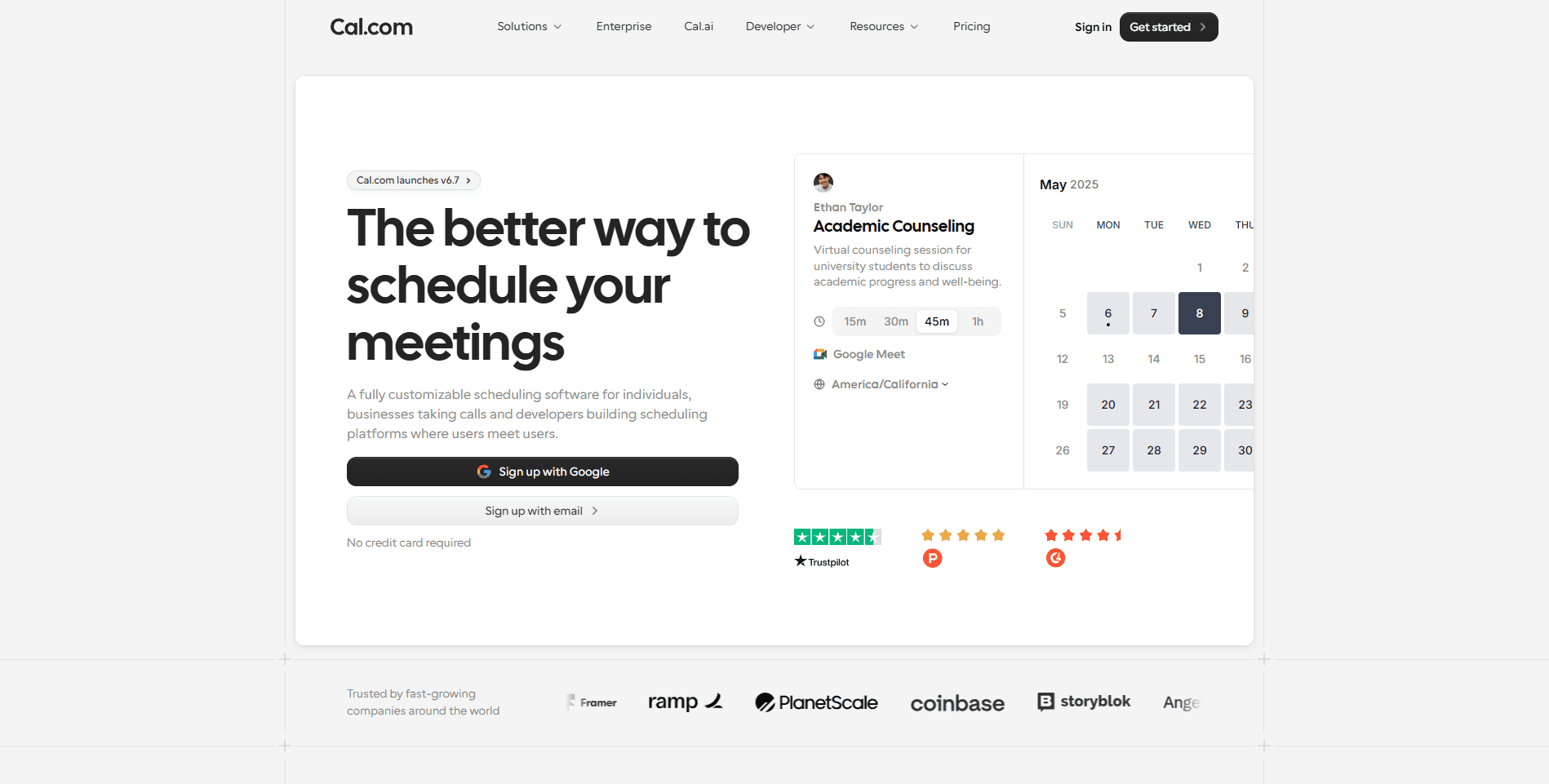
Cal.com is more than an appointment scheduling platform; it serves as a flexible scheduling infrastructure that construction businesses can adapt to virtually any workflow. Whether you're booking project estimates, dispatching service technicians, coordinating subcontractors, or managing multiple field crews across different job sites, Cal.com provides the automation and customization needed to keep schedules organized without adding administrative overhead.
Unlike traditional construction scheduling software that often bundles scheduling with estimating, accounting, and project management (whether you need them or not), Cal.com focuses on what contractors struggle with most: getting the right people to the right place at the right time.
Because it's API-first and highly customizable, Cal.com fits naturally into existing construction technology stacks instead of forcing businesses to replace their current project management software. Contractors can continue using tools like Procore, Buildertrend, Microsoft Project, ClickUp, or Monday.com while letting Cal.com handle scheduling, booking, reminders, and team availability.
For businesses that don't require an enterprise construction management suite, Cal.com can even become the central scheduling hub for the entire organization.
Why Cal.com ranks #1
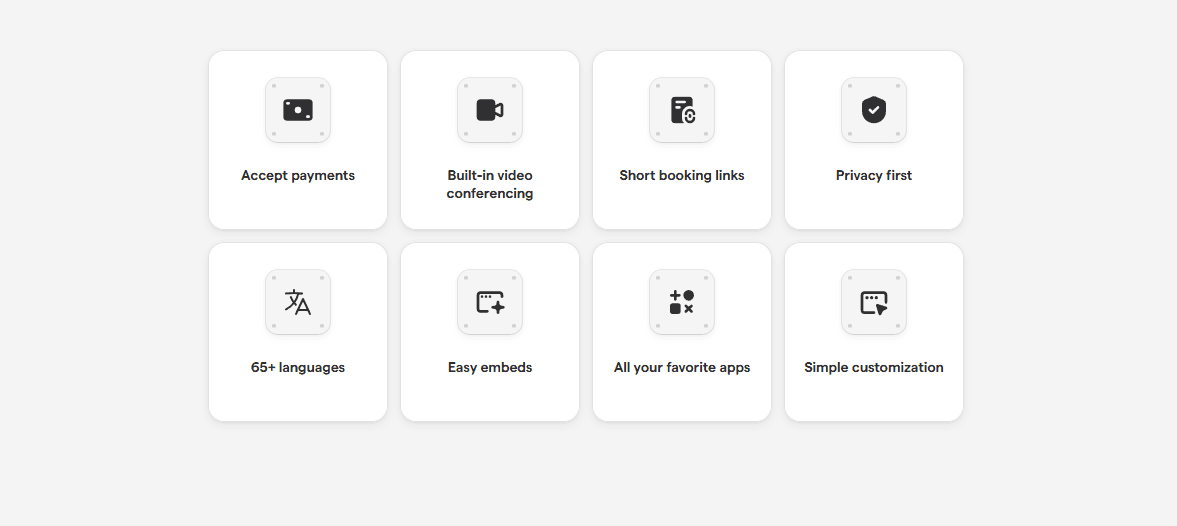
Construction scheduling isn't just about assigning dates to projects anymore. Contractors have to coordinate office staff, estimators, customers, subcontractors, inspectors, suppliers, and field crews, often across multiple locations with constantly changing schedules. Cal.com stood out because it handles these challenges with a level of flexibility that few competitors can match. Instead of forcing construction companies into rigid workflows, it lets teams build scheduling processes that match how their business already operates.
Key features
Flexible Crew Scheduling: Assign appointments based on technician or crew availability while preventing scheduling conflicts through real-time calendar synchronization. Whether you're coordinating one installation team or dozens of field crews, everyone works from the same up-to-date schedule.
Routing Forms for Better Job Assignment: Not every project belongs with the same crew. Cal.com's Routing Forms collect information before a booking is confirmed, including:
Project type
Property size
Job location
Service requested
Budget
Preferred appointment times
Based on these responses, appointments can automatically be routed to the right estimator, project manager, or specialized crew, eliminating manual triage.
Team Scheduling: Construction projects rarely depend on one person. Cal.com supports several scheduling models that work well for construction businesses:
Round Robin for distributing estimate requests evenly across sales representatives or estimators.
Collective Scheduling is used when multiple stakeholders need to attend the same meeting, such as project consultations involving a contractor, architect, and client.
Managed Team Availability so office administrators can oversee scheduling across multiple employees and departments.
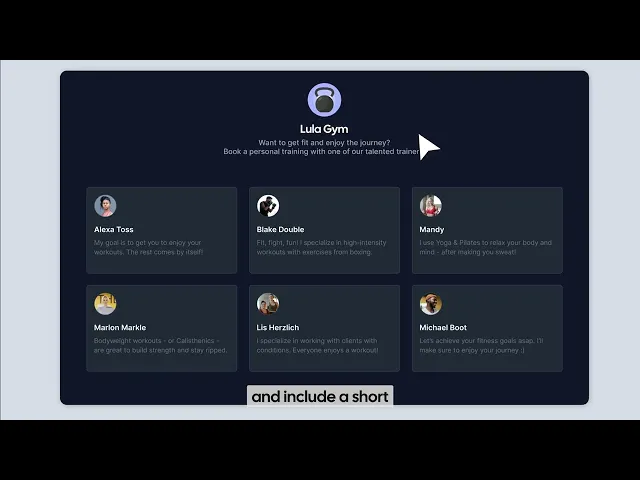
Multi-Location Scheduling: Companies operating across several offices or service areas can manage every location from a single platform. Each branch can maintain:
Independent schedules
Separate availability
Custom booking rules
Dedicated team members
While still giving managers centralized visibility into company-wide operations.
Automated Workflows: Construction businesses spend countless hours confirming appointments, sending reminders, and following up with customers. Cal.com automates many of these repetitive tasks through customizable workflows, including:
Booking confirmations
Email reminders
SMS reminders
Follow-up messages
Internal notifications
Rescheduling notifications
Cancellation workflows
Automation reduces no-shows while freeing office staff from routine administrative work.
Buffer Times Between Jobs: Travel is often one of the biggest scheduling challenges in construction. Cal.com allows businesses to build buffer times directly into schedules for:
Driving between job sites
Equipment loading
Site preparation
Cleanup
Unexpected delays
This helps prevent crews from being overbooked and keeps daily schedules realistic.
Customer Self-Booking: Instead of playing phone tag with customers, contractors can share booking pages that display real-time availability. Customers can:
Book estimates
Schedule consultations
Request inspections
Reserve installation appointments
Reschedule when needed
This shortens response times while improving the customer experience.
Calendar Synchronization: Cal.com integrates with popular calendar platforms so schedules stay updated across the business. Whenever an appointment is booked, rescheduled, or cancelled, calendars sync automatically, helping eliminate double bookings and scheduling conflicts.
Integrations: Construction companies often rely on multiple software platforms. Cal.com's extensive App Store and integrations allow businesses to connect scheduling with their existing workflow, including:
Google Calendar
Microsoft Outlook
Stripe
Zoom
Google Meet
Slack
Zapier
Make
For organizations with unique workflows, developers can also build custom integrations using Cal.com's APIs and webhooks.

API-First Architecture: Unlike many scheduling tools that limit customization, Cal.com was designed with developers in mind. Construction companies can use APIs to:
Create custom booking experiences
Sync schedules with internal systems
Automate dispatch workflows
Connect CRM platforms
Integrate ERP or project management software
This makes Cal.com particularly attractive for growing businesses with specialized operational requirements.
White-Label Booking: Contractors can offer clients a branded scheduling experience by embedding booking pages directly into their website or customer portal. This creates a more professional experience while keeping customers within the company's own ecosystem.
Real-world construction use cases
Workflow | How Cal.com helps |
Project estimates | Customers self-book consultations based on estimator availability. |
Site inspections | Coordinate inspectors, clients, and project managers without scheduling conflicts. |
Service dispatch | Automatically assign repair requests to available technicians. |
Crew scheduling | Balance workloads across multiple crews and job sites. |
Subcontractor coordination | Schedule meetings and inspections involving multiple trades. |
Equipment demonstrations | Book consultations for machinery or specialized installations. |
Customer consultations | Share booking links instead of coordinating schedules over email or phone. |
Multi-office operations | Manage scheduling across different branches from one dashboard. |
Pros
Extremely flexible scheduling workflows
Easy to set up and use
Excellent mobile experience
Powerful automation and reminders
Round-robin and collective scheduling
Routing Forms for intelligent job assignment
Extensive integrations
API-first platform for custom workflows
Supports multiple locations and teams
Customer self-booking pages
White-label capabilities
Free plan available
Affordable compared to enterprise construction software
Cons
Doesn't include estimating or budgeting tools
No native blueprint or document management
Lacks built-in Gantt charts and critical path scheduling for large commercial projects
Best used alongside dedicated construction management software for highly complex builds
Pricing
Free plan for individuals
Team plans start at $12 per user/month
Organizations plans start at $28 per user/month
Enterprise plans come with custom quote-based pricing

Vaishnav A review of Cal.com
Why choose Cal.com?
Choose Cal.com if your business needs a modern scheduling platform that can adapt to the way construction teams actually work, not the other way around.
It's particularly well-suited for:
General contractors
Residential builders
Remodeling companies
HVAC businesses
Plumbing contractors
Electrical contractors
Roofing companies
Solar installers
Home service businesses
Construction consultants
Inspection companies
Multi-location contractors
If your primary challenge is coordinating crews, managing appointments, reducing scheduling conflicts, and automating customer communication, Cal.com delivers one of the most flexible scheduling solutions available today. And because it integrates easily with existing project management software, you can improve your scheduling operations without disrupting the rest of your construction technology stack.
2. Outbuild: Best construction scheduling software for integrated construction planning
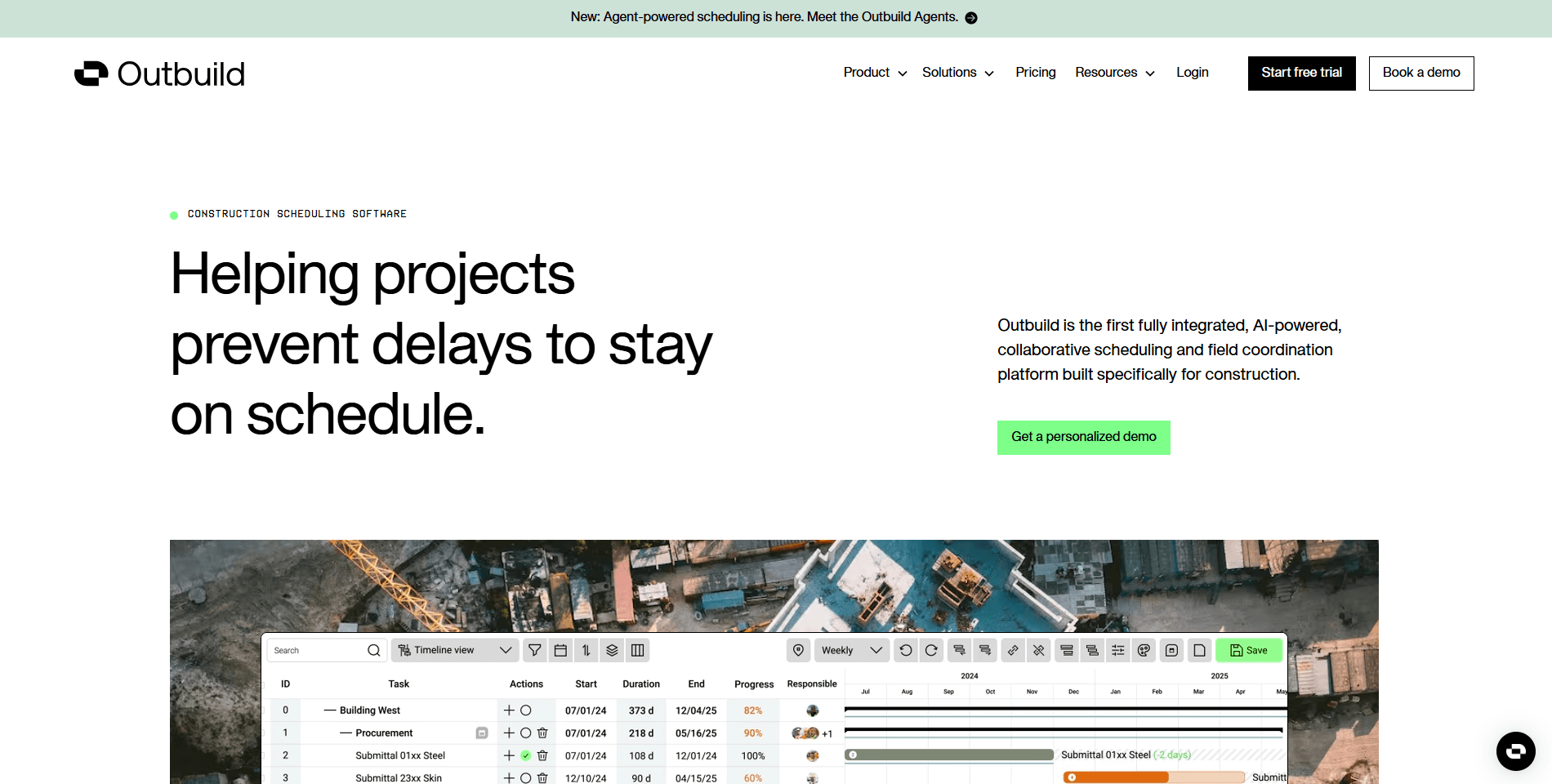
Outbuild is a construction planning platform built specifically for the construction industry. Unlike general scheduling tools, it focuses on production planning by combining master schedules, pull planning, look-ahead planning, and task coordination into a single collaborative workspace.
Its biggest strength is helping project managers and site supervisors coordinate multiple trades while identifying potential bottlenecks before they impact project timelines. If your business follows Lean Construction principles or manages complex residential developments, Outbuild provides far more project planning capabilities than a traditional scheduling calendar.
That said, because it was designed as a construction planning platform rather than a dedicated scheduling solution, smaller contractors may find it more complex than necessary for everyday crew scheduling and appointment management.
Best for: Residential home builders and production builders that need integrated construction planning, look-ahead scheduling, and collaboration tools.
Why Outbuild ranks
Residential construction projects often involve dozens of subcontractors working on tightly coordinated timelines. A delay in one trade can quickly impact every team scheduled after it. Outbuild helps reduce these disruptions by providing collaborative planning tools that allow contractors, site managers, and subcontractors to visualize project timelines, adjust schedules together, and identify risks before they become costly delays. For builders managing multiple homes or large residential developments simultaneously, this level of planning can significantly improve coordination across projects.
Key features
Master Scheduling: Build detailed construction schedules that map every phase of a project, from pre-construction through final handover.
Look-Ahead Planning: Plan work several weeks in advance to identify resource conflicts, material shortages, and scheduling bottlenecks before they affect the project.
Pull Planning: Collaborate with subcontractors to create realistic schedules that account for task dependencies and trade coordination.
Lean Construction Support: Designed around Lean Construction principles to improve workflow efficiency and reduce project waste.
Real-Time Collaboration: Allow project managers, field supervisors, and subcontractors to update schedules and share progress from a centralized platform.
Mobile Access: Site teams can review schedules, update task progress, and communicate changes directly from the job site.
Progress Tracking: Monitor project milestones and compare planned versus actual progress throughout construction.
Reporting and Analytics: Generate reports that help managers identify delays, improve forecasting, and optimize project performance.
Pros
Purpose-built for residential construction
Excellent collaborative planning capabilities
Strong support for Lean Construction workflows
Effective look-ahead planning tools
Helps improve subcontractor coordination
User-friendly interface compared to many enterprise construction platforms
Good visualization of project timelines
Cons
Primarily focused on project planning rather than appointment scheduling
Limited customer-facing booking functionality
Fewer third-party integrations than Cal.com
Custom pricing may not suit smaller contractors
More advanced than necessary for simple crew scheduling
Pricing
Outbuild offers no free plans for its users. The paid plans start at $999/year.
Why choose Outbuild?
Choose Outbuild if your primary challenge is coordinating construction projects rather than scheduling customer appointments.
It's particularly well-suited for:
Residential home builders
Production builders
General contractors
Design-build firms
Construction managers
Project supervisors
Companies following Lean Construction methodologies
If your business manages complex construction timelines involving multiple subcontractors and long project durations, Outbuild offers planning capabilities that go far beyond a traditional scheduling calendar. However, if your priority is flexible crew scheduling, appointment booking, customer communication, and workflow automation, Cal.com remains the more versatile solution, especially for contractors that need scheduling software rather than a full construction planning platform.
3. Touchplan: Best construction scheduling software for commercial contractors
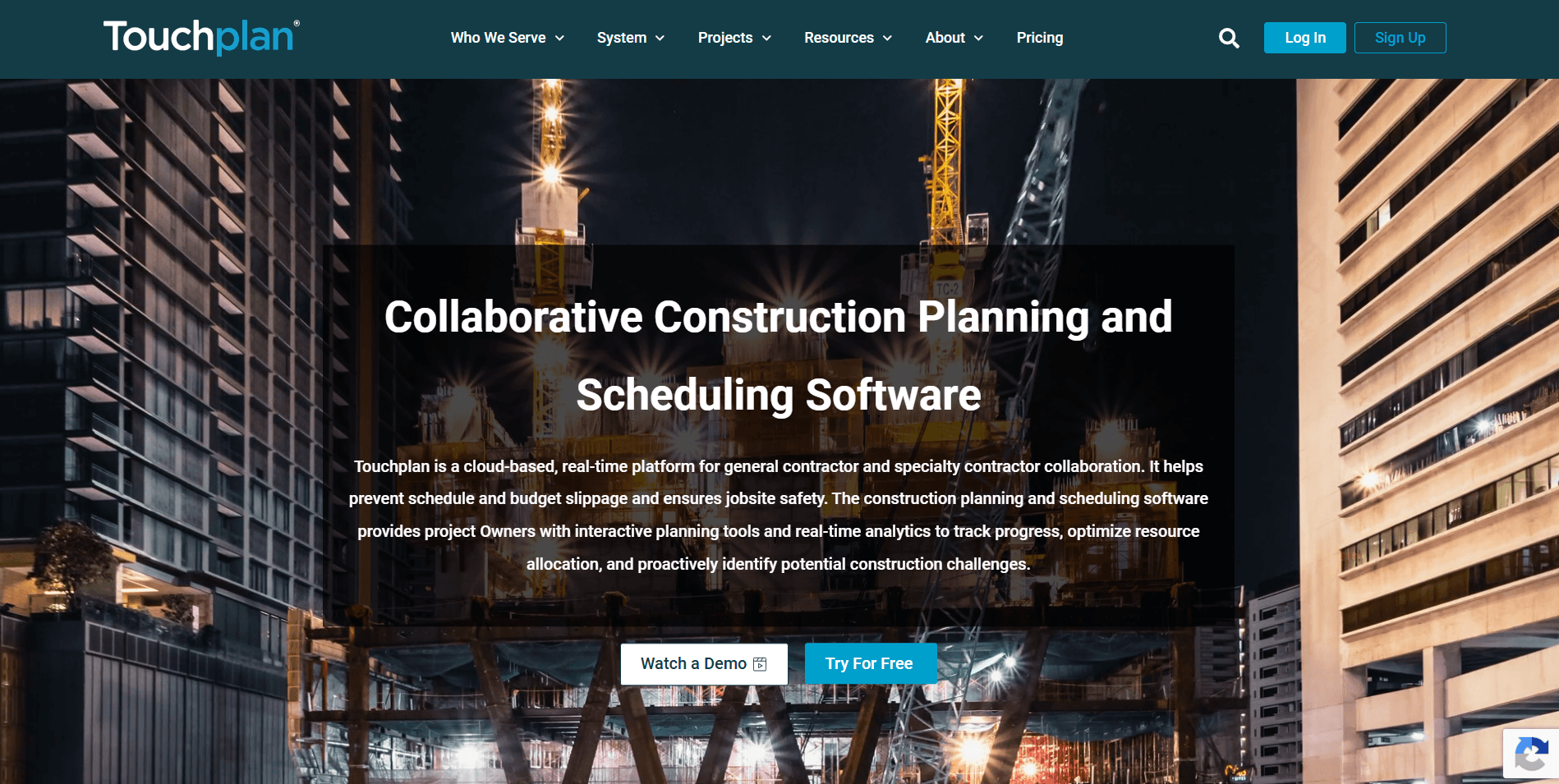
Touchplan is a construction planning platform designed around the Last Planner System, a Lean Construction methodology that helps project teams coordinate work more effectively. Rather than focusing on appointment scheduling or dispatch, Touchplan emphasizes collaborative planning, production management, and keeping large commercial projects on schedule. It's particularly popular among general contractors managing hospitals, office buildings, industrial facilities, and other complex builds involving multiple subcontractors and long project timelines.
Best for: Large commercial contractors that use Lean Construction methodologies and need collaborative planning for complex projects.
Why Touchplan ranks?
Large construction projects involve hundreds of interconnected tasks where delays in one trade can affect every team that follows. Touchplan helps reduce these bottlenecks by giving project managers and subcontractors a shared planning environment where schedules can be updated collaboratively, and progress can be tracked in real time. For companies practicing Lean Construction, it's one of the strongest planning solutions available.
Key features
Last planner system support: Enables collaborative planning between general contractors, project managers, and subcontractors.
Pull planning: Build realistic schedules by working backward from project milestones and identifying task dependencies.
Look-ahead planning: Identify upcoming risks and coordinate trades weeks before work begins.
Real-time progress tracking: Monitor project execution and quickly adjust schedules when delays occur.
Team collaboration: Keep field teams, project managers, and subcontractors aligned through shared planning boards.
Reporting and analytics: Measure schedule reliability, production performance, and project health with built-in reporting tools.
Pros
Excellent for large commercial projects
Strong collaborative planning capabilities
Purpose-built for Lean Construction
Helps reduce scheduling bottlenecks
Good reporting and project visibility
Cons
Steep learning curve
Better suited for enterprise contractors than small businesses
Doesn't provide customer appointment scheduling
Expensive compared to general scheduling platforms
Pricing
Touchplan doesn’t disclose its pricing publicly. They offer custom quote-based pricing.
Why choose Touchplan?
Touchplan is a strong choice for enterprise contractors managing large, multi-phase construction projects where collaboration between multiple trades is essential. It's best suited for:
Commercial general contractors
Industrial construction firms
Infrastructure projects
Large design-build companies
Lean Construction teams
If your focus is production planning and trade coordination, Touchplan is an excellent option. However, contractors looking for customer booking, crew scheduling, automation, and flexible appointment management will generally find Cal.com to be the more practical day-to-day scheduling solution.
4. Connecteam: Best construction scheduling software for companies with large field teams
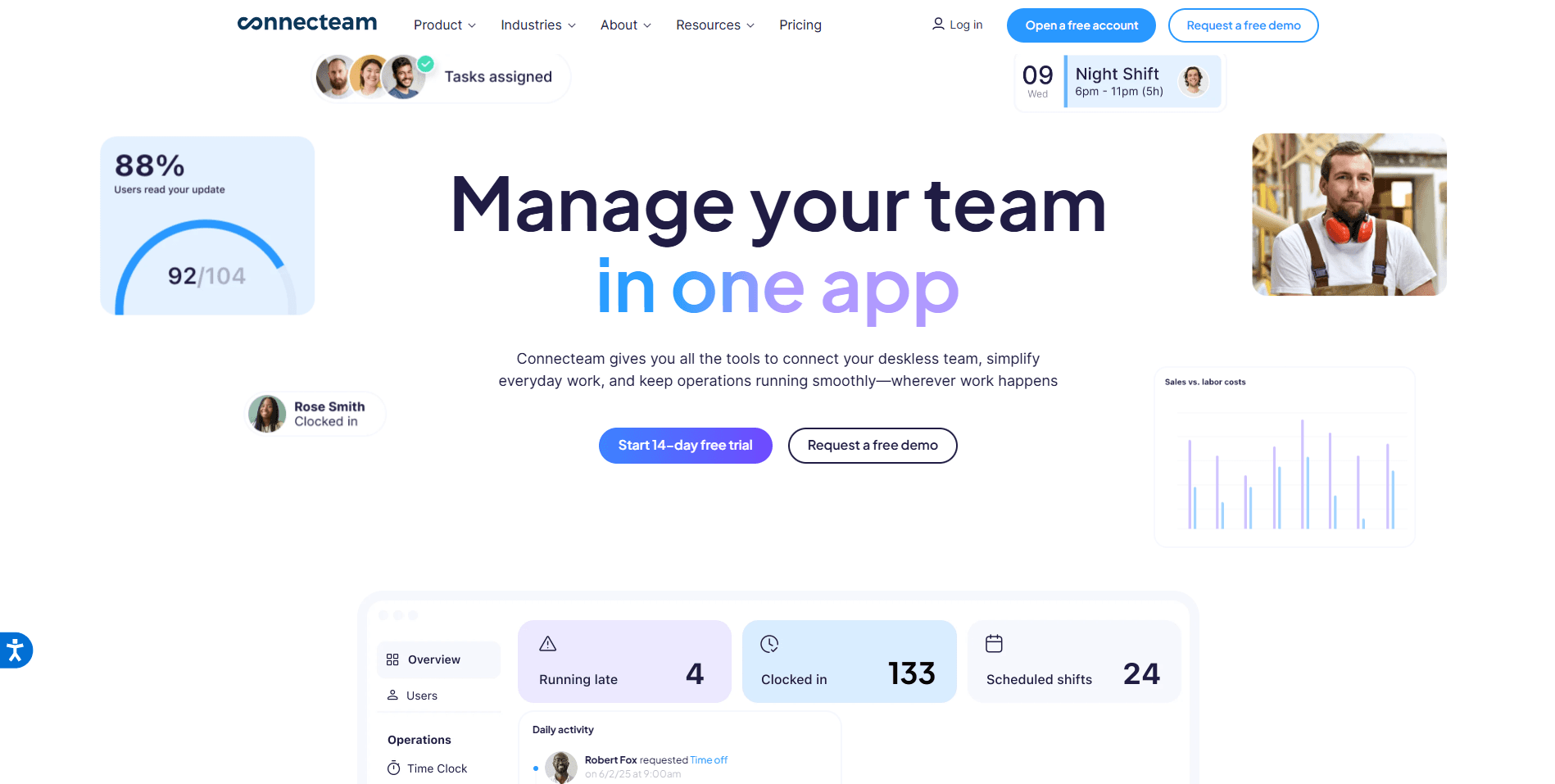
Connecteam is a workforce management platform designed for businesses with mobile employees. While it isn't construction-specific, its scheduling, employee management, GPS time tracking, and communication features make it a popular choice for contractors managing multiple field crews. Unlike traditional construction scheduling software that focuses on project timelines, Connecteam emphasizes workforce coordination.
Managers can create shifts, assign jobs, communicate with crews, track attendance, and monitor field activities from a single mobile-first platform. For construction businesses with dozens, or even hundreds, of employees working across different job sites, Connecteam offers a practical way to organize daily operations without relying on spreadsheets or manual phone calls.
Best for: Construction companies with large field teams that need workforce scheduling, time tracking, and employee communication in one platform.
Why Connecteam ranks
Managing a construction workforce involves much more than assigning jobs. Supervisors also need to know who's available, who's on-site, who has clocked in, and whether schedule changes have been communicated to every crew member. Connecteam simplifies these operational challenges through an easy-to-use mobile platform that combines scheduling, communication, and workforce management.
Its employee-first design makes it particularly valuable for contractors whose teams spend most of their time in the field rather than the office. While it doesn't offer the customer booking and scheduling flexibility of Cal.com, it excels at keeping internal teams organized and connected.
Key Features
Employee Scheduling: Create, edit, and distribute work schedules for multiple crews while preventing overlapping shifts and scheduling conflicts.
GPS Time Tracking: Employees can clock in and out directly from the mobile app, allowing managers to monitor attendance and verify job site activity.
Team Communication: Built-in chat, announcements, and updates help supervisors communicate schedule changes instantly without relying on phone calls or text chains.
Job Assignment: Assign specific tasks, shifts, or responsibilities to individual employees or entire crews from a centralized dashboard.
Mobile Workforce Management: Field workers can access schedules, receive notifications, update task statuses, and communicate with managers from anywhere.
Digital Forms and Checklists: Create inspection forms, safety checklists, equipment reports, and job completion records that employees can submit directly from the field.
Task Management: Break projects into individual tasks, assign owners, monitor completion status, and keep projects moving without constant manual follow-up.
Payroll Integrations: Export employee timesheets and attendance records to payroll systems, reducing administrative work and minimizing payroll errors.
Pros
Excellent mobile experience for field workers
Easy-to-use employee scheduling tools
Built-in GPS time tracking
Strong internal communication features
Digital forms and safety checklists
Helpful task management capabilities
Free plan available for small teams
Suitable for businesses managing large workforces
Cons
Focuses on workforce management rather than customer scheduling
Limited client-facing appointment booking capabilities
Doesn't provide advanced construction project scheduling features like CPM or Gantt planning
Fewer automation options than Cal.com for customer workflows
Limited customization compared to API-first scheduling platforms
Pricing
No free plan available for users. Paid plan pricing starts at $29/month for up to 30 users.
Why choose Connecteam?
Choose Connecteam if your biggest operational challenge is managing employees rather than managing customer appointments. It's particularly well-suited for:
General contractors
Commercial construction companies
Field service businesses
Facility maintenance teams
Landscaping companies
Utility contractors
Large subcontractor teams
Construction companies with distributed field workers
If you need a platform to schedule employees, track time, improve communication, and streamline workforce management, Connecteam is one of the strongest options available. However, if your priority is customer self-booking, appointment automation, routing, integrations, and flexible scheduling workflows, Cal.com remains the more versatile scheduling solution, especially for businesses looking to improve both operational efficiency and the customer booking experience.
5. SmartPM: Best construction scheduling software for critical path monitoring
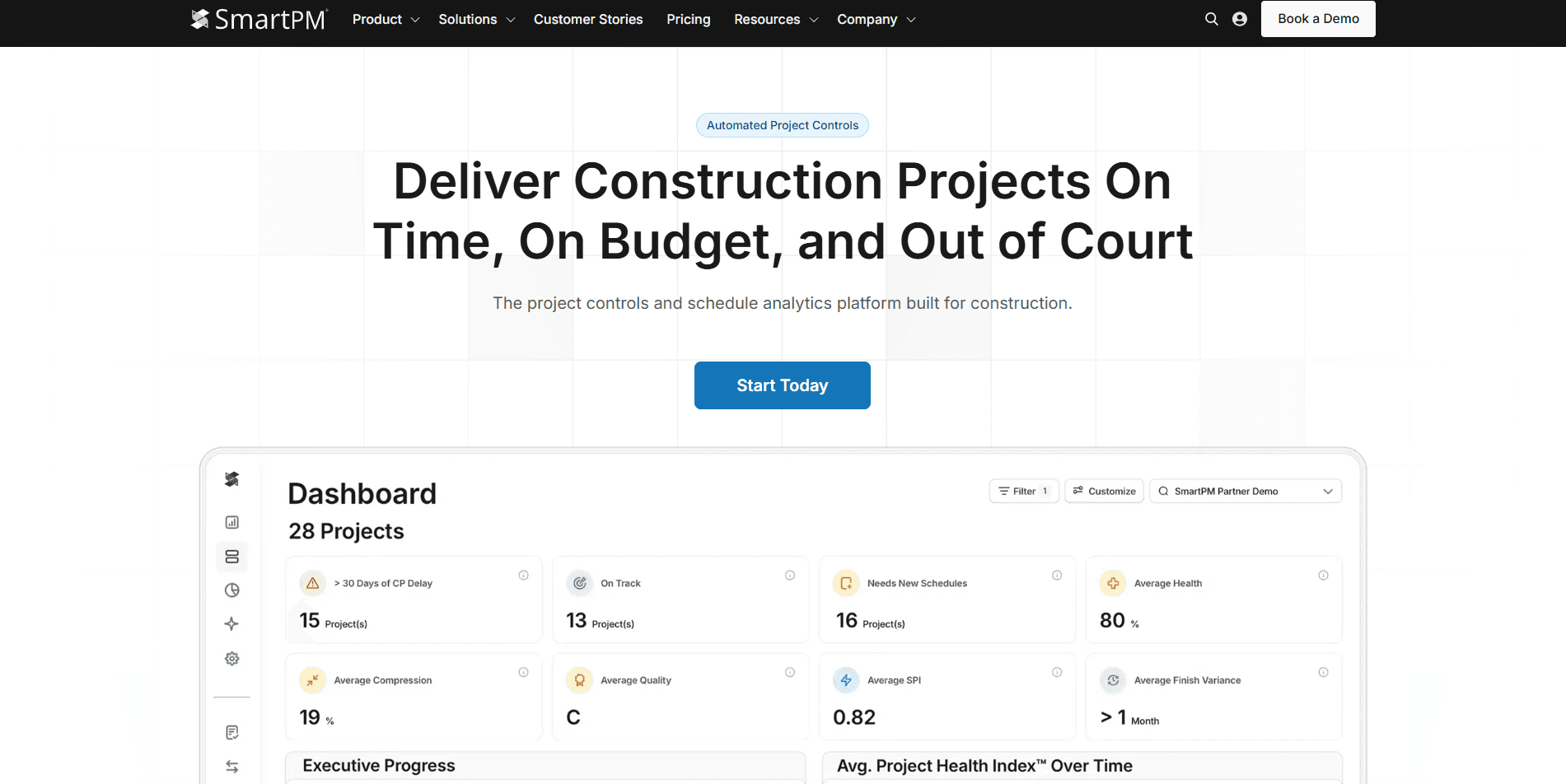
SmartPM takes a different approach from most construction scheduling software. Instead of helping teams create schedules, it analyzes existing project schedules to identify delays, risks, and performance issues before they impact project delivery. The platform integrates with scheduling tools like Primavera P6 and Microsoft Project to provide data-driven insights into schedule health, making it especially valuable for commercial contractors managing high-value, deadline-driven projects.
Best for: Large contractors that need schedule analytics, delay analysis, and critical path monitoring for complex construction projects.
Why SmartPM ranks?
Project delays can cost contractors thousands or even millions of dollars. SmartPM helps project managers understand why schedules are slipping by analyzing critical paths, schedule changes, and project performance over time. Rather than replacing existing scheduling software, it strengthens decision-making through advanced analytics.
Key features
Critical Path Analysis: Identify activities that directly impact project completion dates.
Schedule Health Monitoring: Evaluate schedule quality and detect potential risks before they become major issues.
Delay Analysis: Track project delays and understand their root causes with detailed reporting.
Primavera & Microsoft Project Integration: Analyze schedules created in industry-standard planning software.
Performance Dashboards: Visualize project progress, schedule reliability, and key performance indicators.
Forecasting & Reporting: Generate reports that help project teams make proactive scheduling decisions.
Pros
Powerful schedule analytics
Excellent delay reporting
Strong critical path analysis
Integrates with leading construction scheduling tools
Ideal for data-driven project management
Cons
Doesn't create or manage daily crew schedules
No customer appointment scheduling
Limited workforce management features
Better suited for large commercial projects
Requires existing scheduling software
Pricing
No free plan, pricing starts at $12,000 annually.
Why choose SmartPM?
SmartPM is ideal for contractors who already use Primavera P6 or Microsoft Project and want deeper visibility into schedule performance. It's particularly well-suited for:
Commercial general contractors
Infrastructure projects
Enterprise construction firms
Owners' representatives
Project controls teams
If your goal is to analyze schedules rather than create them, SmartPM is one of the strongest solutions available. However, businesses looking for flexible crew scheduling, appointment booking, workflow automation, and customer communication will find Cal.com to be the more comprehensive scheduling platform for day-to-day operations.
6. Planera: Best construction scheduling software for visual construction planning
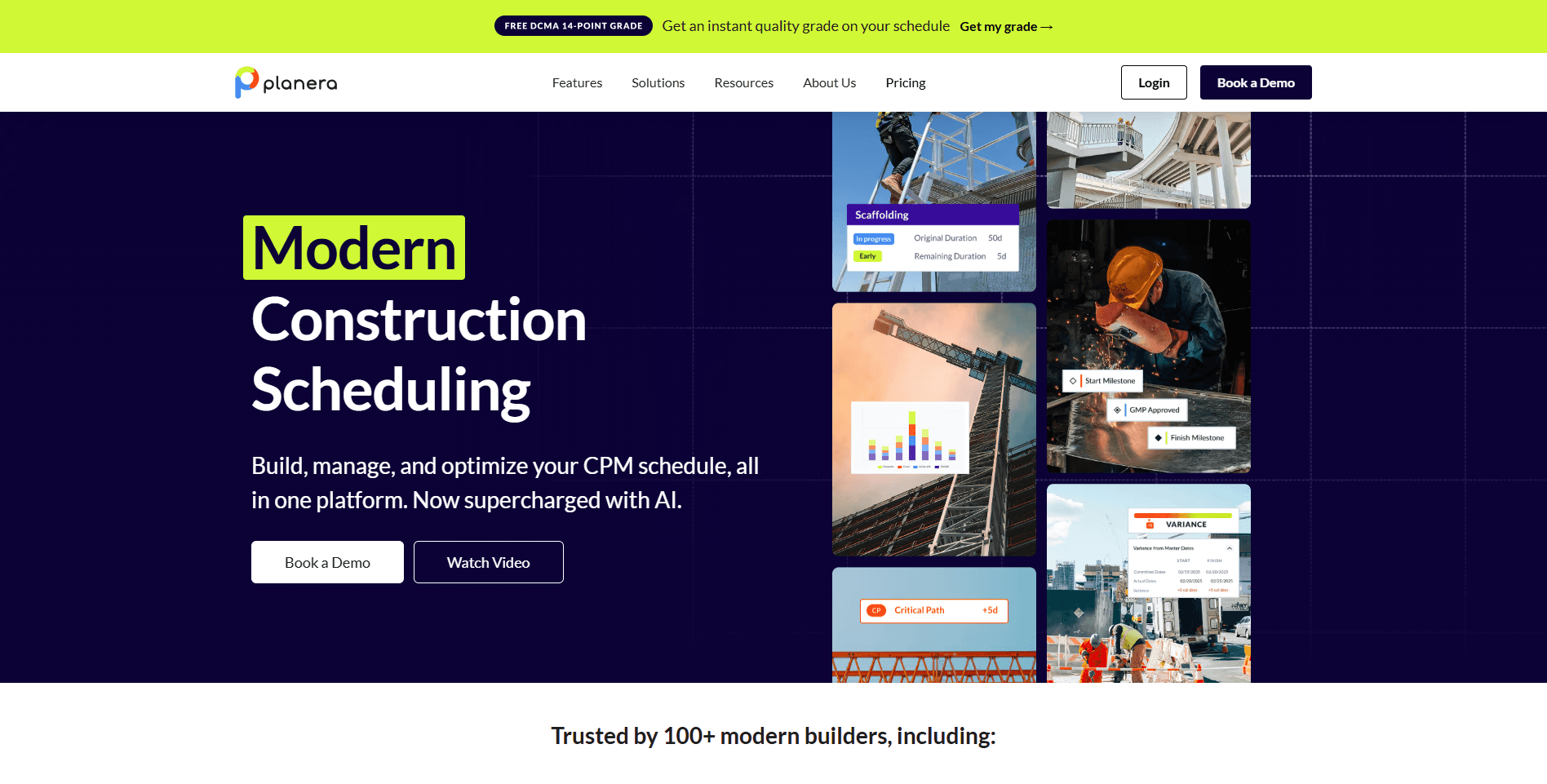
Planera is a cloud-based construction planning platform that helps project teams coordinate work through visual scheduling. Its drag-and-drop interface makes it easy to organize tasks, allocate resources, and adjust schedules as project priorities change. Instead of relying on complex Gantt charts, Planera focuses on collaborative planning that's easier for field teams and project managers to understand. It's particularly useful for contractors using takt planning or short-interval planning to keep projects moving efficiently.
Best for: Contractors looking for visual construction planning, resource management, and short-term scheduling.
Why Planera ranks?
Many construction scheduling tools are designed primarily for planners rather than the people working on-site. Planera simplifies project coordination with an intuitive visual interface that makes updating schedules and communicating changes much faster. For contractors that value collaboration and resource visibility, it's a strong alternative to more traditional scheduling platforms.
Key features
Visual Scheduling: Build and adjust project schedules using an intuitive drag-and-drop interface.
Resource Management: Allocate crews, equipment, and project resources while avoiding scheduling conflicts.
Collaborative Planning: Enable project teams to update schedules together in real time.
Short-Interval Planning: Support takt planning and weekly work planning for improved project execution.
Progress Tracking: Monitor completed work and identify tasks that require immediate attention.
Cloud-Based Access: Keep project teams connected from the office or the job site.
Pros
Easy-to-use visual interface
Strong collaboration features
Helpful resource planning tools
Faster schedule updates than traditional planning software
Well-suited for modern construction workflows
Cons
More focused on planning than appointment scheduling
Limited customer-facing scheduling capabilities
Smaller integration ecosystem than some competitors
Custom pricing may not suit every contractor
Pricing
No free plan available for users. Planera offers custom quote-based pricing.
Why choose Planera?
Planera is a great fit for contractors who want a modern, collaborative approach to construction planning without the complexity of traditional scheduling software.
It's best suited for:
General contractors
Commercial builders
Project managers
Design-build firms
Contractors using takt planning
If your priority is visual project coordination and resource planning, Planera is worth considering. However, for businesses that need customer self-booking, crew scheduling, workflow automation, and flexible scheduling across multiple teams, Cal.com remains the more versatile choice.
7. Microsoft Project: Best construction scheduling software for enterprise contractors
Microsoft Project has long been an industry standard for project scheduling. It offers advanced planning capabilities through Gantt charts, task dependencies, resource allocation, and Critical Path Method (CPM) scheduling, making it a popular choice for commercial construction and infrastructure projects. While it's one of the most powerful scheduling engines available, its complexity and steep learning curve make it less suitable for contractors looking for fast, day-to-day crew scheduling or customer appointment management.
Best for: Enterprise contractors managing large-scale construction projects with complex dependencies and critical path scheduling.
Why Microsoft Project ranks?
For projects involving hundreds of tasks and multiple dependencies, Microsoft Project provides the level of control that many enterprise contractors require. Its detailed planning tools help project managers forecast timelines, allocate resources, and monitor progress throughout the project lifecycle.
Key features
Gantt Charts: Build detailed project schedules with visual timelines and task dependencies.
Critical Path Scheduling: Identify activities that directly impact project completion dates.
Resource Management: Allocate labor, equipment, and materials across multiple projects.
Task Dependencies: Link activities to create accurate project schedules and automatically adjust timelines when changes occur.
Progress Tracking: Monitor project milestones, budgets, and completion percentages.
Microsoft 365 Integration: Connect with familiar Microsoft productivity tools for collaboration and reporting.
Pros
Powerful project scheduling engine
Excellent CPM and dependency management
Widely used across the construction industry
Strong reporting capabilities
Integrates well with Microsoft products
Cons
Steep learning curve
Limited mobile functionality
No customer booking or appointment scheduling
Collaboration isn't as seamless as newer cloud platforms
Can be excessive for small and mid-sized contractors
Pricing
Microsoft Project doesn’t have a free plan. The platform offers a one-time purchase license priced at $1,409.99
Why choose Microsoft Project?
Microsoft Project is best suited for:
Enterprise contractors
Commercial construction firms
Infrastructure projects
Government contractors
Experienced project managers
If your priority is managing highly detailed construction schedules with complex dependencies, Microsoft Project remains a trusted solution. However, contractors looking for easier crew scheduling, customer self-booking, automated reminders, and flexible scheduling workflows will likely find Cal.com to be a more practical solution for everyday operations.
8. Houzz Pro: Best construction scheduling software for residential remodelers
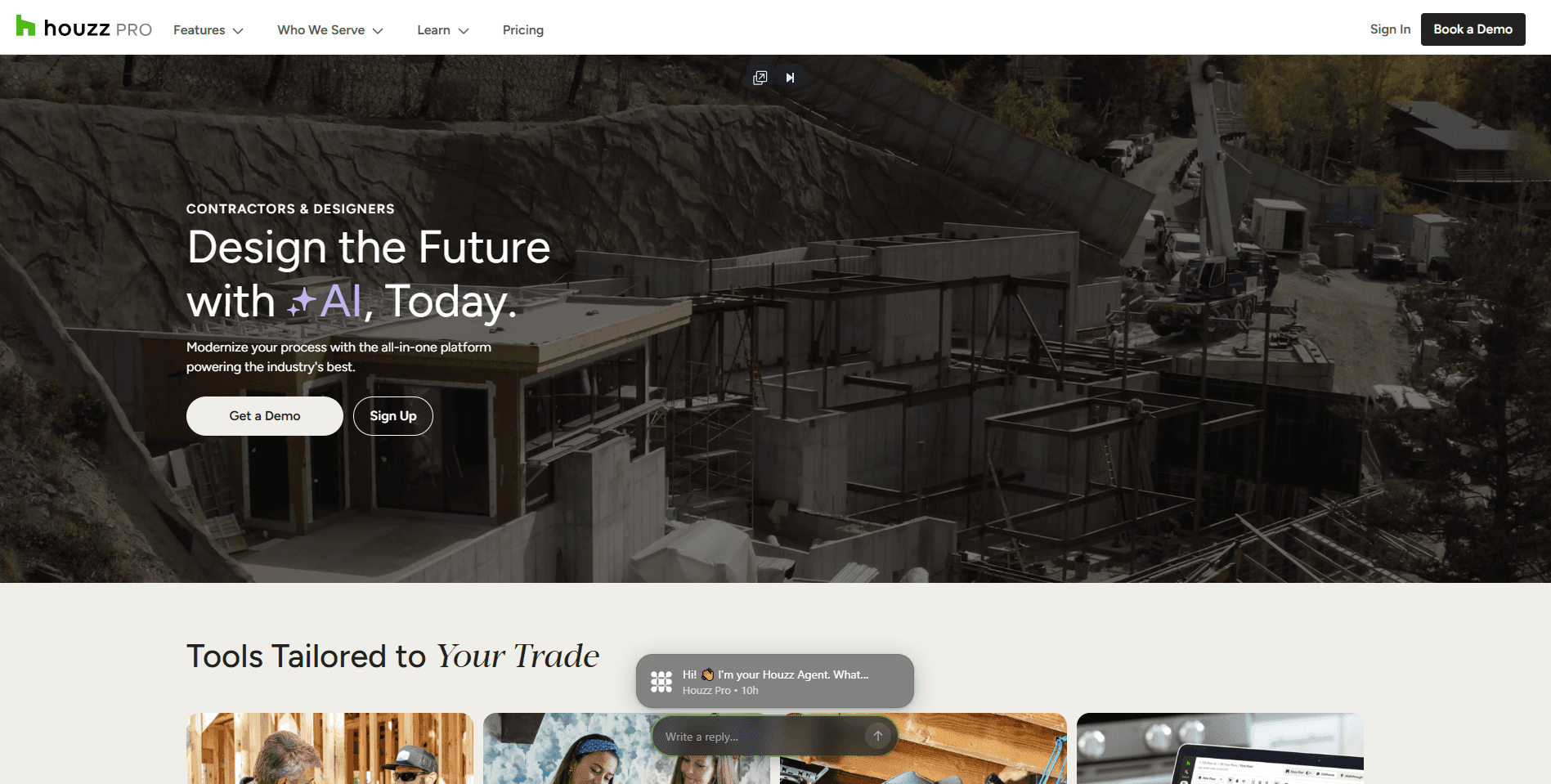
Houzz Pro is an all-in-one business management platform built specifically for residential construction and remodeling businesses. In addition to scheduling, it offers tools for proposals, invoicing, client communication, CRM, and project management, making it a good fit for companies that manage the entire customer journey from lead to project completion. Its biggest advantage is the seamless client experience, though businesses looking for highly customizable scheduling workflows may find it less flexible than dedicated scheduling platforms like Cal.com.
Best for: Residential remodelers, custom home builders, and design-build firms that want scheduling alongside client management and invoicing.
Why Houzz Pro ranks?
Residential contractors often spend as much time communicating with clients as they do coordinating projects. Houzz Pro combines scheduling with customer-facing tools, allowing builders and remodelers to manage appointments, proposals, payments, and project updates from one platform.
Key features
Client Scheduling: Organize consultations, project meetings, and site visits from a centralized calendar.
CRM & Lead Management: Track prospects, manage customer communications, and monitor project pipelines.
Estimates & Invoicing: Create professional proposals, send invoices, and accept online payments.
Project Management: Keep tasks, files, timelines, and client conversations organized throughout the project.
Client Portal: Give homeowners access to project updates, documents, schedules, and messages in one place.
Mobile App: Access schedules and project information while working in the field.
Pros
Built specifically for residential contractors
Excellent client communication tools
Combines scheduling with CRM and invoicing
Professional client portal
Easy-to-use interface
Cons
More expensive than many alternatives
Less customizable scheduling than Cal.com
Limited automation and routing capabilities
Better suited for residential projects than commercial construction
Pricing
No free plan. Houzz Pro offers custom quote-based pricing.
Why choose Houzz Pro?
Houzz Pro is a solid choice for:
Home builders
Remodeling contractors
Interior renovation companies
Design-build firms
Residential construction businesses
If your business needs an all-in-one platform for managing clients and projects, Houzz Pro delivers a polished experience. However, if your priority is flexible scheduling, advanced automation, intelligent routing, and seamless integrations, Cal.com remains the stronger choice for businesses looking to modernize their scheduling workflows.
9. Buildertrend: Best construction scheduling software for specialty contractors
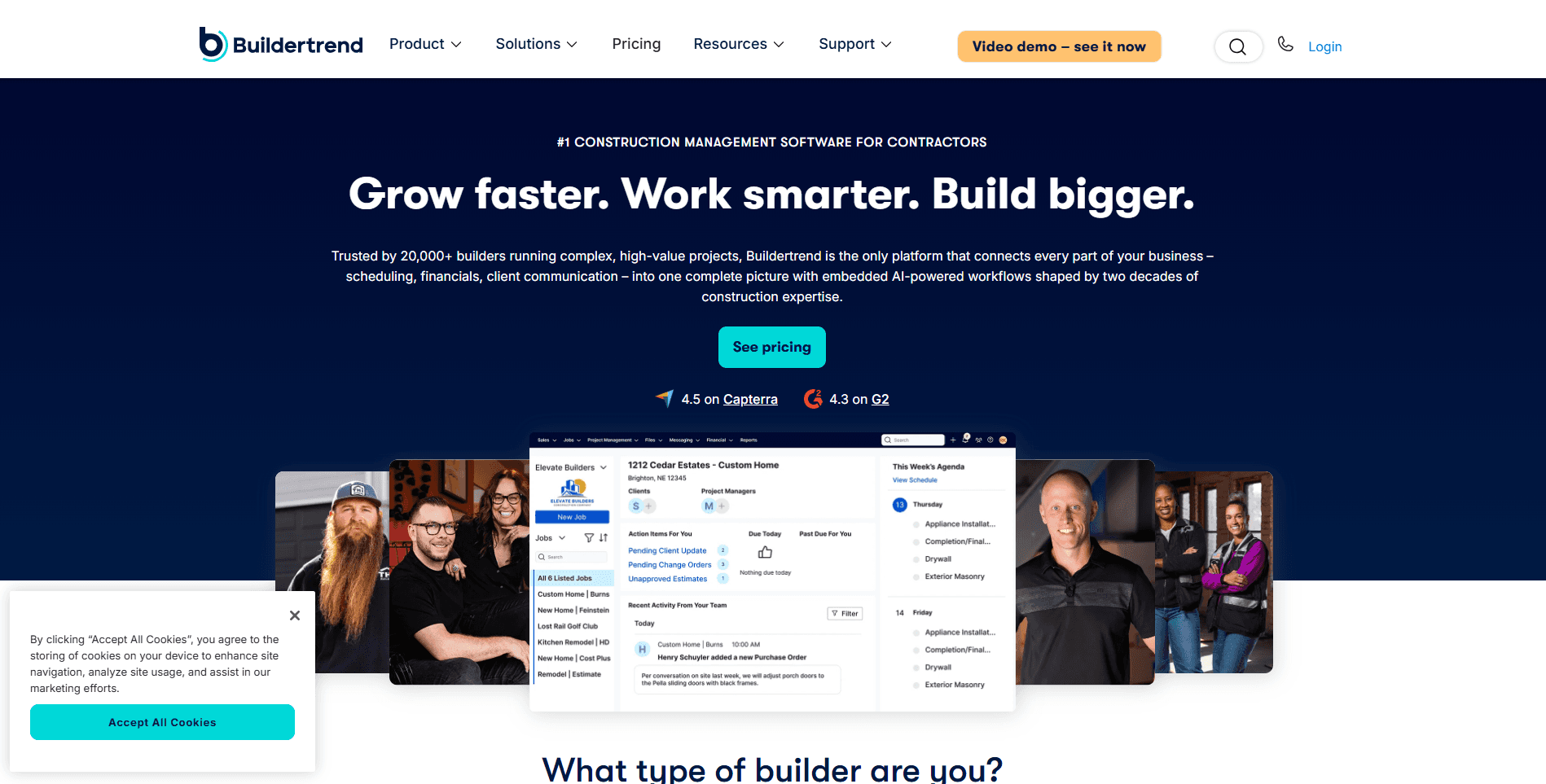
Buildertrend is one of the most recognized construction management platforms for residential construction. It combines scheduling with estimating, budgeting, document management, customer communication, and financial tracking, making it a comprehensive solution for builders managing projects from start to finish. Its scheduling tools are closely tied to project management, making it a strong choice for contractors who want an all-in-one system rather than a standalone scheduling platform.
Best for: Residential builders, remodelers, and specialty contractors that need project management, scheduling, and customer communication in one platform.
Why Buildertrend ranks?
Buildertrend stands out for its ability to manage the entire construction lifecycle. Contractors can oversee project timelines, communicate with clients, assign tasks, and track budgets without switching between multiple tools. For growing residential construction businesses, this centralized approach can significantly improve project visibility and operational efficiency.
Key features
Project Scheduling: Build and manage project timelines with task assignments and milestone tracking.
Customer Portal: Share schedules, project updates, documents, and messages with homeowners in one place.
Estimating & Budgeting: Create estimates, manage change orders, and monitor project costs.
Daily Logs: Record site activity, weather conditions, progress updates, and completed work.
Document Management: Store plans, contracts, photos, and project files in a centralized workspace.
Mobile App: Give field teams access to schedules, documents, and project updates from any job site.
Pros
Comprehensive construction management platform
Excellent client communication tools
Strong financial and estimating features
User-friendly mobile app
Designed specifically for residential construction
Cons
More expensive than dedicated scheduling tools
Learning curve for new users
Scheduling is less flexible than Cal.com's booking workflows
Best suited for residential rather than commercial construction
Pricing
Buildertrend doesn’t offer publicly priced plans. It offers custom quote-based pricing.
Why choose Buildertrend?
Buildertrend is a great fit for:
Home builders
Remodeling contractors
Renovation companies
Specialty contractors
Growing residential construction businesses
If you need a platform that manages projects, finances, and customer communication alongside scheduling, Buildertrend is a leading option. However, if your focus is flexible scheduling, customer self-booking, workflow automation, and integrations with your existing tech stack, Cal.com remains the more adaptable scheduling solution.
Procore: Best construction scheduling software for enterprise construction companies

Procore is one of the most widely adopted construction management platforms in the industry. Rather than focusing solely on scheduling, it brings together project management, financial management, document control, quality and safety, and field collaboration into a single cloud-based solution. Its scheduling capabilities integrate with tools like Microsoft Project and Primavera P6, making it a popular choice for large contractors managing complex commercial and infrastructure projects.
Best for: Enterprise construction companies that need a comprehensive platform for managing projects, teams, finances, and documentation.
Why Procore ranks?
For large construction firms, scheduling is only one part of a much bigger operational picture. Procore centralizes project information, helping office teams and field crews collaborate more effectively while keeping schedules, documents, budgets, and project updates connected.
Key features
Project Scheduling: Integrates with industry-standard scheduling tools to keep project timelines up to date.
Document Management: Store drawings, RFIs, submittals, contracts, and project files in one centralized location.
Financial Management: Track budgets, change orders, commitments, and project costs throughout the construction lifecycle.
Quality & Safety Tools: Manage inspections, punch lists, observations, and safety documentation from the field.
Field Collaboration: Enable real-time communication between project managers, subcontractors, and site teams.
Mobile Access: Access schedules, documents, and project updates from virtually any job site.
Pros
Comprehensive construction management platform
Strong document and financial management
Excellent collaboration features
Robust mobile application
Scales well for enterprise organizations
Cons
Expensive for small and mid-sized contractors
Scheduling relies on external planning tools for advanced functionality
Significant learning curve
More than most businesses need if scheduling is the primary requirement
Pricing
No free plan. Procore offers custom quote-based pricing.
Why choose Procore?
Procore is best suited for:
Enterprise contractors
Commercial construction companies
Infrastructure firms
Large general contractors
Multi-project construction organizations
If your organization needs an end-to-end construction management ecosystem, Procore is one of the strongest options available. However, if your primary goal is to streamline scheduling, automate bookings, coordinate crews, and simplify customer appointments, Cal.com offers a significantly more flexible and cost-effective scheduling solution without the complexity of a full enterprise construction platform.
Final verdict
The best construction scheduling software ultimately depends on the size of your business and the complexity of your projects. If you need enterprise-grade project management with budgeting, document control, and financial tracking, platforms like Procore, Buildertrend, and Microsoft Project are excellent choices.
If your focus is Lean Construction and production planning, Touchplan and Outbuild offer specialized workflows for coordinating large-scale builds. However, if your biggest challenge is keeping crews organized, booking jobs efficiently, reducing scheduling conflicts, and automating customer communication, Cal.com stands out as the best overall solution.
Its combination of flexible scheduling, team calendars, routing forms, workflow automation, customer self-booking, powerful integrations, and API-first architecture makes it adaptable to virtually any construction workflow, from residential remodelers and specialty contractors to growing multi-location businesses.
Rather than forcing you into a rigid construction management ecosystem, Cal.com works alongside your existing tools, giving you a modern scheduling platform that scales with your business. For contractors looking to streamline operations, save administrative time, and deliver a better customer experience, Cal.com is the best overall construction scheduling software in 2026.
Frequently asked questions
1. What is construction scheduling software?
Construction scheduling software helps contractors plan, organize, and coordinate construction activities from a single platform. Depending on the solution, it can manage crew schedules, subcontractor availability, customer appointments, project timelines, inspections, equipment allocation, and automated reminders. The goal is to reduce scheduling conflicts, improve communication, and keep projects on track.
2. What is the best construction scheduling software?
The best construction scheduling software depends on your needs. If you're looking for a flexible scheduling platform with automation, customer self-booking, team calendars, and powerful integrations, Cal.com is our top recommendation. Businesses that need a full construction management suite may prefer platforms like Buildertrend or Procore, while enterprise contractors managing complex project timelines often rely on Microsoft Project or Touchplan.
3. Can Cal.com be used for construction scheduling?
Yes. While Cal.com isn't exclusively built for the construction industry, its flexible scheduling workflows make it an excellent choice for contractors, home builders, remodelers, HVAC companies, electricians, plumbers, and other field service businesses. It can be used to schedule project estimates, site inspections, customer consultations, service calls, subcontractor meetings, and field crews while automating reminders, routing requests, and calendar synchronization.
4. What's the difference between construction scheduling software and construction project management software?
Construction scheduling software focuses on assigning crews, booking appointments, managing calendars, and coordinating schedules. Construction project management software is broader, often including budgeting, estimating, document management, RFIs, change orders, financial reporting, and project collaboration. Many contractors use both together, for example, Cal.com for scheduling and customer booking, alongside a platform like Procore or Buildertrend for overall project management.
5. What features should I look for in construction scheduling software?
The best construction scheduling software should include:
Crew and subcontractor scheduling
Real-time calendar synchronization
Customer self-booking
Automated email and SMS reminders
Multi-location scheduling
Mobile access for field teams
Workflow automation
Integrations with calendars, CRMs, and project management tools
Reporting and scheduling analytics
Scalability as your construction business grows
These features help reduce administrative work, improve communication, and keep projects running efficiently while minimizing scheduling conflicts.

Get started with Cal.com for free today!
Experience seamless scheduling and productivity with no hidden fees. Sign up in seconds and start simplifying your scheduling today, no credit card required!