Software di pianificazione degli appuntamenti per commercialisti | Cal.com
Quando i clienti devono incontrare il tuo studio, non dovrebbero dover andare avanti e indietro via email per trovare un orario adatto. Dovrebbero poter scegliere il servizio di cui hanno bisogno, vedere la tua disponibilità e prenotare un appuntamento da soli.
Aug 24, 2026
On this page
- I 5 migliori software di pianificazione degli appuntamenti per commercialisti
- Che cos'è un software di pianificazione degli appuntamenti per commercialisti?
- Cosa cercare in un software di pianificazione degli appuntamenti per commercialisti
- Come si confrontano nel dettaglio i 5 strumenti
- 1. Cal.com: il migliore per gestire il volume delle prenotazioni e la capacità del team
- 2. Calendly: il migliore per avviare rapidamente un piccolo team
- 3. Acuity Scheduling: il migliore per le consulenze a pagamento
- 4. TaxDome: ideale per gli studi che vogliono la prenotazione dentro il proprio portale clienti
- 5. Microsoft Bookings: ideale per gli studi che usano già Microsoft 365
- Software di scheduling degli appuntamenti per contabili: confronto rapido
- Verdetto finale
- Domande frequenti
- Quanto costa il software di scheduling degli appuntamenti per contabili?
- Cal.com è gratis per un contabile singolo?
- Quale software di scheduling per studi contabili è adatto a uno studio con diversi preparatori?
- Il software di pianificazione può raccogliere documenti fiscali prima dell'appuntamento?
- Uno strumento di prenotazione deve essere incluso nel piano scritto di sicurezza delle informazioni di uno studio?
Cal.com è l'opzione migliore per gli studi contabili che vogliono semplificare questo processo senza rinunciare al controllo dei propri calendari.
Puoi impostare limiti di prenotazione per giorno, settimana e mese, limitare i minuti totali prenotati e usare la pianificazione round robin per distribuire gli appuntamenti tra il tuo team. Il piano gratuito supporta un utente con tipi di appuntamento illimitati e limiti di prenotazione, mentre i piani a pagamento si adattano alla crescita del tuo team.
Abbiamo confrontato Cal.com con Calendly, Acuity, TaxDome e Microsoft Bookings in base a tre domande:
-
Limiti di prenotazione. Puoi controllare quanti appuntamenti vengono prenotati prima che tu o il tuo team raggiungiate la capacità massima?
-
Prenotazione per team. Lo strumento può distribuire gli appuntamenti al membro del team giusto e disponibile invece di far scegliere i clienti da soli?
-
Sicurezza dei dati. Il fornitore spiega chiaramente le proprie certificazioni e i propri accordi di sicurezza, così sai come protegge i dati dei tuoi clienti?
La tabella di confronto verso la fine dell'articolo riunisce tutti e cinque gli strumenti e queste differenze chiave.
I 5 migliori software di pianificazione degli appuntamenti per commercialisti
-
Cal.com: il migliore per gestire il volume delle prenotazioni e la capacità del team
-
Calendly: il migliore per avviare rapidamente un piccolo team
-
Acuity Scheduling: il migliore per le consulenze a pagamento
-
TaxDome: il migliore per gli studi che vogliono la prenotazione dentro il proprio portale clienti
-
Microsoft Bookings: il migliore per gli studi che usano già Microsoft 365
Che cos'è un software di pianificazione degli appuntamenti per commercialisti?
Il software di pianificazione degli appuntamenti offre al tuo studio una pagina di prenotazione collegata alla disponibilità del personale. I clienti scelgono una fascia oraria e l'incontro viene aggiunto a entrambi i calendari con conferme e promemoria.
A differenza di un semplice link o di una pagina di prenotazione, ti permette di impostare diversi tipi di appuntamento, ciascuno con durata, preavviso e disponibilità propri. Ad esempio, puoi configurare in un unico posto un ritiro documenti di cinque minuti, un colloquio di un'ora per una dichiarazione dei redditi o una revisione di un fascicolo. Puoi anche richiedere il pagamento anticipato per le sessioni di pianificazione fatturabili.
Poiché i clienti possono inserire informazioni personali al momento della prenotazione, devi anche considerare come il tuo strumento di pianificazione gestisce quei dati. I preparatori fiscali sono considerati istituzioni finanziarie ai sensi del Gramm-Leach-Bliley Act, e la Publication 4557 dell'IRS richiede che i loro piani di sicurezza coprano i fornitori di servizi che gestiscono le informazioni dei clienti. Quindi, controlla le pratiche di sicurezza di un fornitore prima di scegliere uno strumento di pianificazione.
Cosa cercare in un software di pianificazione degli appuntamenti per commercialisti
Il miglior software di pianificazione per contabilità non è necessariamente quello con più funzionalità. Concentrati sugli strumenti che ti aiutano a gestire la disponibilità del personale, assegnare gli appuntamenti, prepararti agli incontri e proteggere le informazioni dei clienti.
Ecco sei funzionalità chiave da cercare:
-
Limiti di prenotazione per giorno, settimana o mese. La capacità del tuo studio è limitata, anche quando la domanda non lo è. Cerca strumenti che ti permettano di limitare quanti appuntamenti possono essere prenotati in un determinato periodo.
-
Pianificazione per team. Alcuni clienti hanno bisogno di un commercialista specifico, mentre altri possono incontrare chiunque del tuo team. Cerca strumenti che supportino entrambe le cose, così puoi indirizzare ogni appuntamento alla persona giusta.
-
Imposta regole per ogni tipo di appuntamento. Ritiro documenti, colloqui, revisioni e chiamate per estensioni potrebbero richiedere durate, preavvisi, personale e limiti di prenotazione diversi. Il tuo strumento dovrebbe permetterti di configurare ogni tipo separatamente.
-
Domande personalizzate di prenotazione. Raccogli informazioni importanti prima dell'appuntamento invece di scoprirle durante la chiamata. Per esempio, potresti chiedere se un cliente ha venduto un immobile in affitto o ha cambiato forma societaria prima di assegnare l'incontro.
-
Promemoria con istruzioni utili. I promemoria possono ridurre i no-show, ma sono più utili quando dicono anche ai clienti cosa portare o completare in anticipo.
-
Sicurezza e conformità. Se il software memorizza informazioni dei clienti, dovresti poter esaminare i controlli di sicurezza, le certificazioni, le opzioni di hosting e i termini contrattuali. Questo ti aiuta a capire se il fornitore soddisfa i requisiti di sicurezza del tuo studio.
Come si confrontano nel dettaglio i 5 strumenti
1. Cal.com: il migliore per gestire il volume delle prenotazioni e la capacità del team
| Piano gratuito? | Prezzo iniziale | Funzionalità distintiva | Caso d'uso migliore |
|---|---|---|---|
| Sì, gratuito per sempre | $16/user/month | Funzionalità complete di pianificazione per team | Bilanciare la capacità del team con il volume delle prenotazioni |
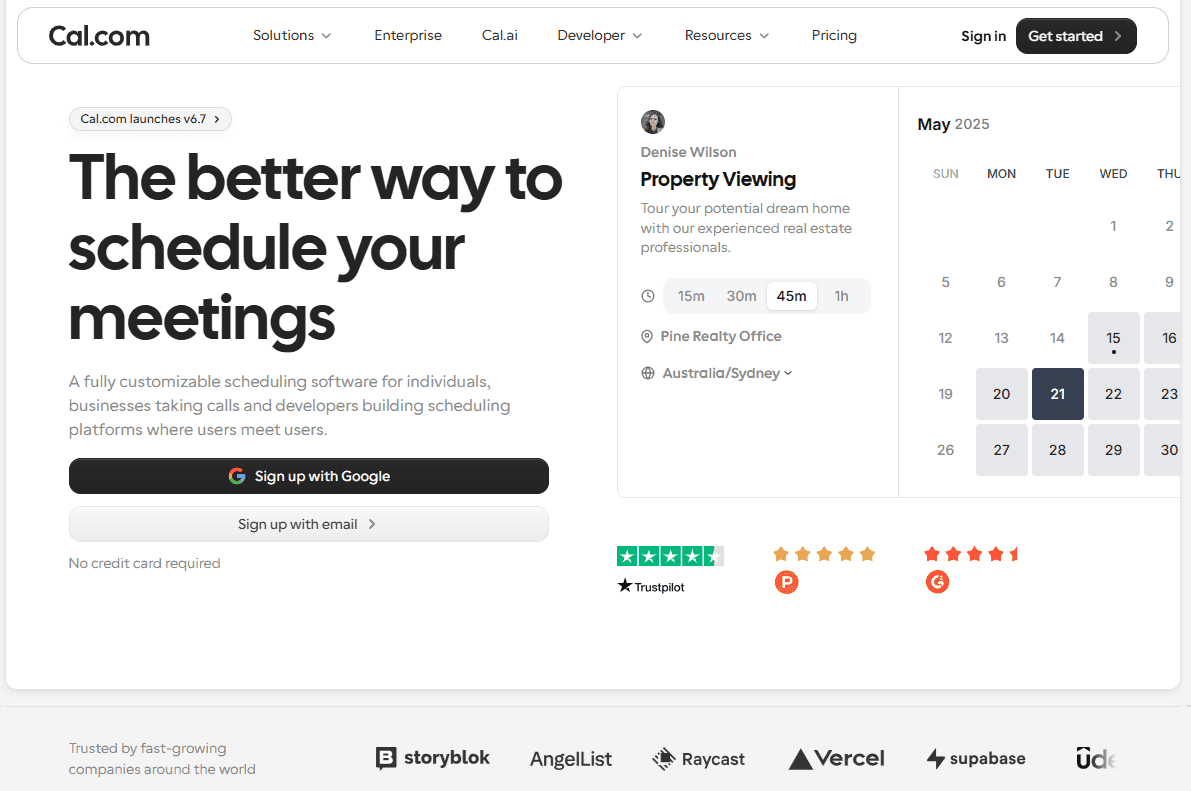
Cos'è: Cal.com è una piattaforma di pianificazione degli appuntamenti per gestire le prenotazioni dei clienti tra i membri del tuo team. Puoi creare pagine di prenotazione separate per servizi come colloqui fiscali, revisioni delle dichiarazioni e sessioni di pianificazione, impostare regole su quando e con quale frequenza i clienti possono prenotare e indirizzare gli appuntamenti al preparatore giusto. Supporta anche domande di prenotazione, promemoria, pagamenti e integrazioni con i calendari.
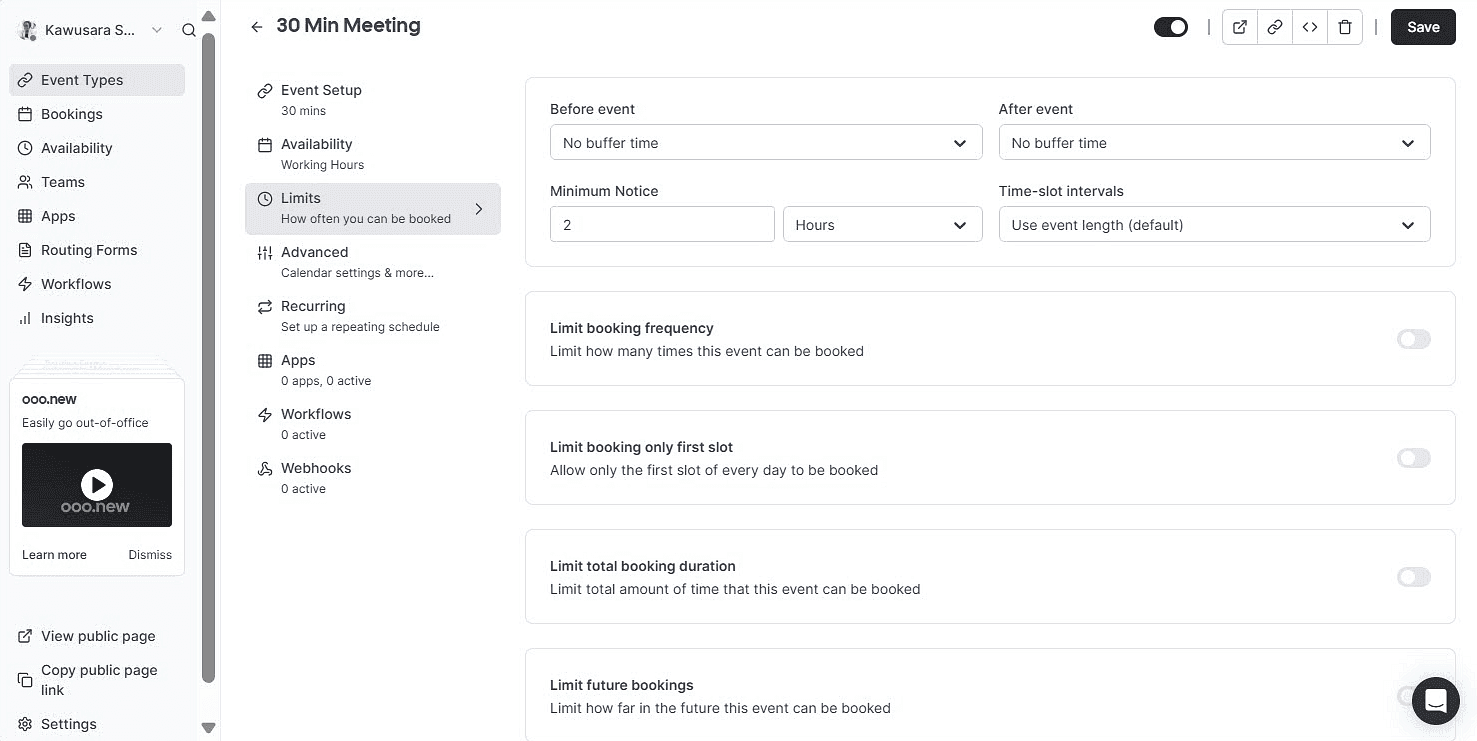
Perché è al primo posto: Cal.com ti offre il pieno controllo su quanti appuntamenti i clienti possono prenotare in un dato periodo e su chi li gestisce. Puoi impostare limiti di prenotazione giornalieri, settimanali e mensili, poi usare la pianificazione round robin e i routing form per inviare gli appuntamenti al preparatore o al team giusto.
Funzionalità chiave:
-
Limiti di prenotazione per giorno, settimana o mese per controllare il volume degli appuntamenti.
-
Pianificazione round robin per distribuire gli appuntamenti tra i preparatori disponibili.
-
Routing form per indirizzare i clienti al preparatore o al team giusto in base alle loro risposte.
-
Tipi di appuntamento e connessioni ai calendari illimitati così ritiro documenti, colloqui, revisioni e proroghe possono avere regole separate.
-
Domande personalizzate di prenotazione per raccogliere informazioni prima dell'incontro.
-
Workflow di email e SMS workflows per inviare conferme, promemoria e follow-up automatici.
-
Oltre 100 integrazioni con calendari, strumenti di video conferenza, CRM e altre app aziendali, più Zapier e Make per collegare strumenti aggiuntivi.
-
Pagamenti con Stripe e PayPal per le consulenze che richiedono il pagamento al momento della prenotazione.
-
SOC 2 e ISO 27001, oltre al supporto HIPAA, SSO, SCIM, autorizzazioni basate sui ruoli e hosting negli USA o nell'UE su Organizations.
-
Un'API pubblica e componenti React per la pianificazione per gli studi che vogliono integrare la pianificazione nel proprio sito web o nella propria applicazione.
Prezzi: Il piano gratuito di Cal.com include un utente, tipi di appuntamento e connessioni ai calendari illimitati, oltre a limiti di prenotazione giornalieri, settimanali e mensili. La pianificazione per team con round robin parte da $16/user/month nel piano Teams. Il piano Organizations costa $37/user/month e aggiunge funzionalità avanzate di sicurezza e amministrazione, tra cui sottoteam illimitati, supporto SOC 2 e SSO e controlli di accesso basati sui ruoli. La fatturazione annuale ti fa risparmiare fino al 25% sui piani a pagamento.

Recensione di Cal.com di Rajesh
Ideale per: studi fiscali, di contabilità e full-service che devono gestire la domanda stagionale e distribuire gli appuntamenti tra più preparatori.
Verdetto: Cal.com è la scelta migliore quando la capacità è il problema principale. I suoi limiti di prenotazione aiutano a controllare la velocità con cui gli appuntamenti si riempiono, mentre round robin e routing distribuiscono quelle prenotazioni tra il team. Anche il piano gratuito offre ai commercialisti singoli molto da usare prima di aver bisogno delle funzionalità per team.
Inizia con il piano gratuito di Cal.com oppure prenota una demo per vedere come funzionerà per il tuo team.
2. Calendly: il migliore per avviare rapidamente un piccolo team
| Piano gratuito? | Prezzo iniziale | Funzionalità distintiva | Caso d'uso migliore |
|---|---|---|---|
| Sì, un tipo di appuntamento | $12/posto/mese | Esperienza di prenotazione familiare | Lancio rapido in un piccolo studio |
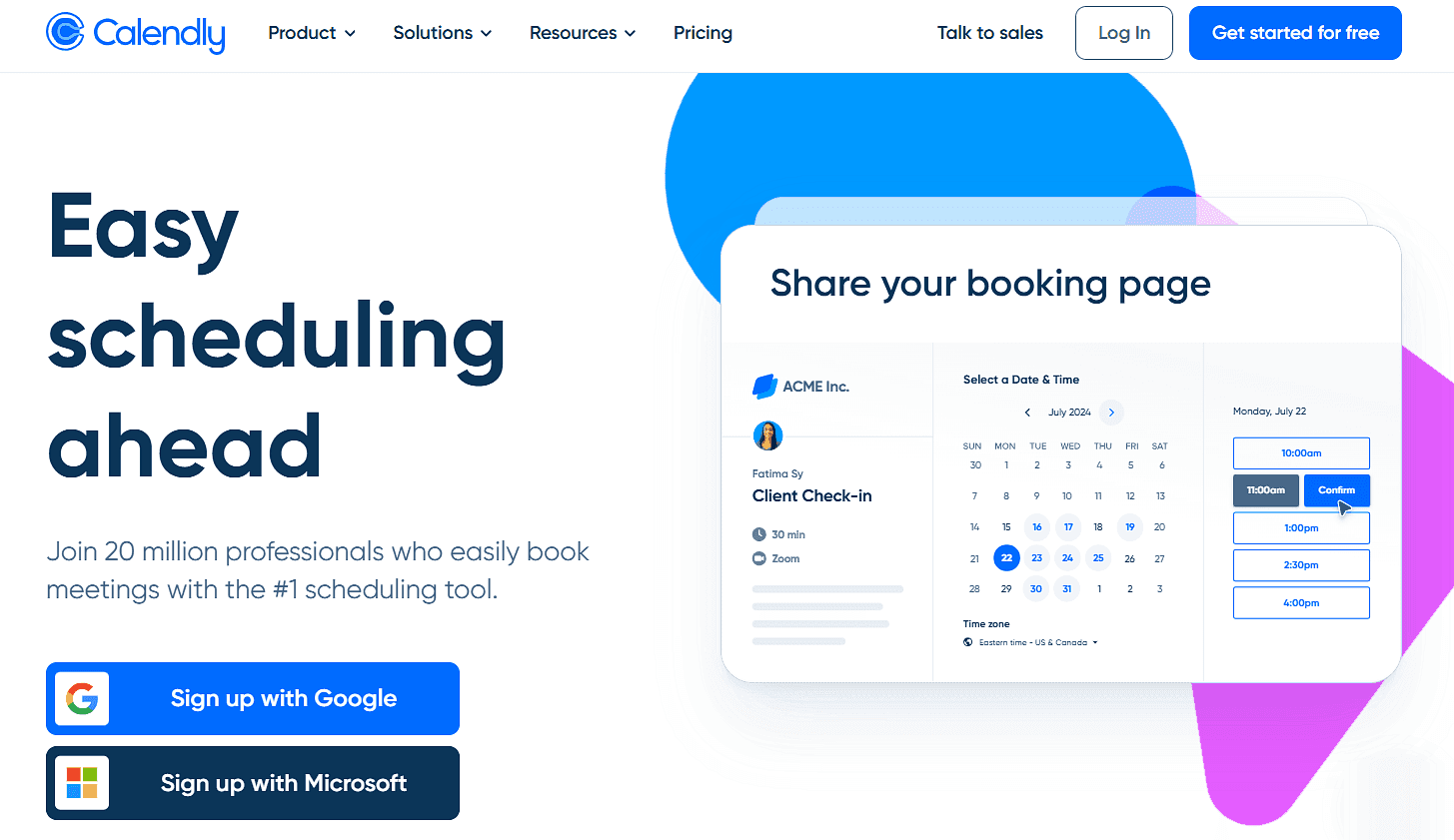
Cos'è: Calendly è uno strumento di pianificazione semplice che ti permette di collegare un calendario, impostare la tua disponibilità e iniziare ad accettare prenotazioni rapidamente. La sua semplicità è il suo principale vantaggio. Puoi configurare un preparatore senza cambiare il resto del flusso di lavoro di gestione dello studio.
Funzionalità chiave:
-
Limiti di riunione per tipo di appuntamento per controllare quante volte un appuntamento può essere prenotato.
-
Distribuzione round robin e routing dei lead nel piano Teams per distribuire gli appuntamenti tra i preparatori.
-
Sei connessioni ai calendari per posto sui piani a pagamento.
-
Promemoria e follow-up automatici sui piani a pagamento.
-
Pagamenti con Stripe e PayPal per le consulenze a pagamento, oltre a integrazioni con strumenti come HubSpot, Zapier e webhook.
Prezzi: Prezzi: Il piano gratuito di Calendly include un scheduling link e una connessione al calendario. Il piano Standard costa $12/seat/month e aggiunge più connessioni ai calendari, scheduling link illimitati e raccolta dei pagamenti. Il piano Teams costa $20/seat/month e aggiunge round robin e pianificazione per team. SSO è disponibile come componente aggiuntivo a pagamento.
Pro:
-
I clienti probabilmente riconosceranno l'esperienza di prenotazione, riducendo la curva di apprendimento.
-
I limiti delle riunioni sono facili da configurare per gli studi che hanno bisogno di controlli di prenotazione di base.
-
Le integrazioni estese rendono facile inserire Calendly nel tuo stack tecnologico esistente.
-
Gli studi piccoli possono iniziare rapidamente.
Contro:
-
SSO è un componente aggiuntivo a pagamento.
-
Round robin richiede il piano Teams.
-
I piani di livello inferiore ti danno meno controllo sull'esperienza di prenotazione.
Ideale per: studi piccoli che vogliono uno strumento di pianificazione familiare da implementare rapidamente e non hanno bisogno di un controllo esteso su come viene distribuita la domanda stagionale.
Verdetto del confronto: Calendly è una buona scelta quando semplicità e velocità contano di più. Cal.com è più adatto quando conta la gestione della capacità perché combina limiti di prenotazione e distribuzione del team.
3. Acuity Scheduling: il migliore per le consulenze a pagamento
| Piano gratuito? | Prezzo iniziale | Funzionalità distintiva | Caso d'uso migliore |
|---|---|---|---|
| No, prova di 7 giorni | $20/mese | Moduli di raccolta dati e pagamenti | Sessioni di pianificazione e consulenza a pagamento |
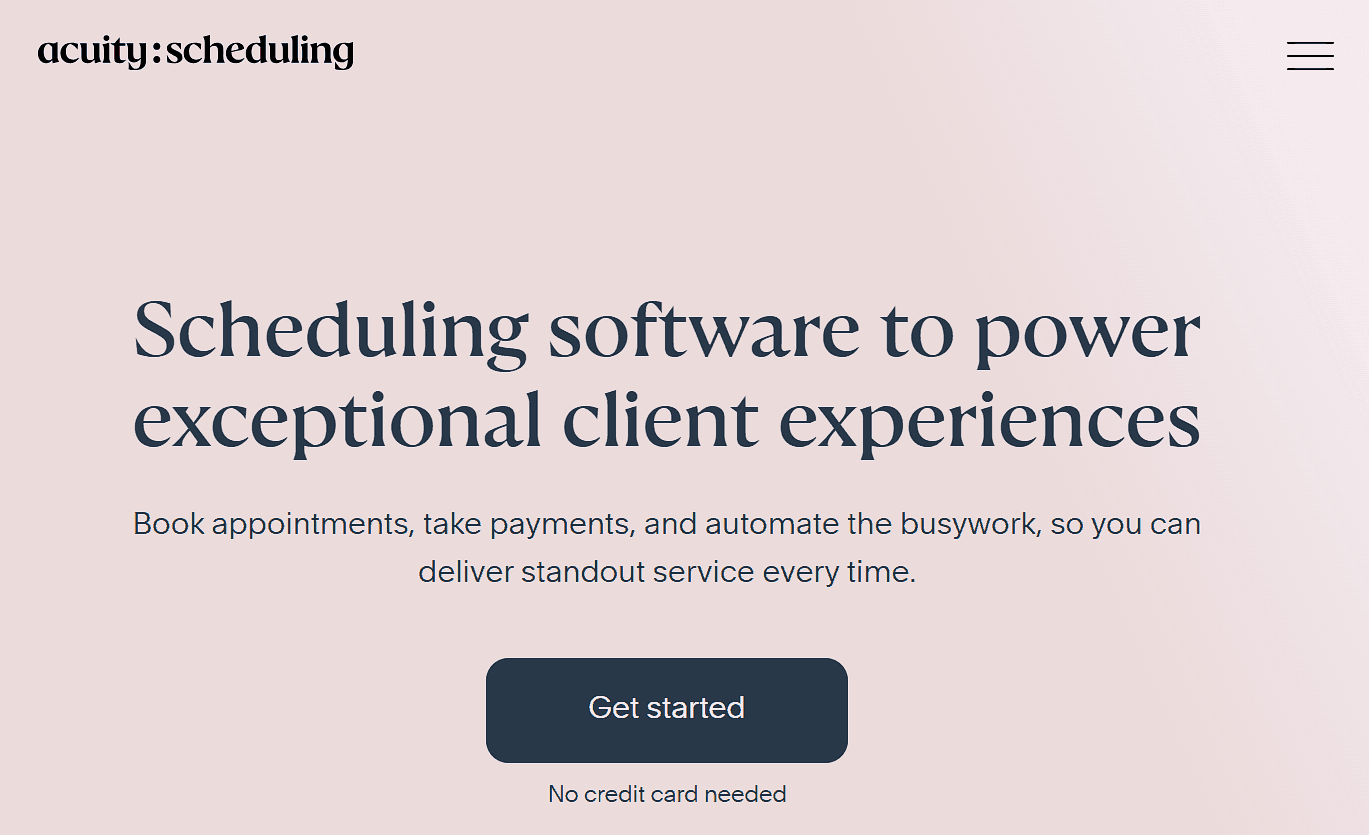
Che cos’è: Acuity Scheduling è pensato per le attività di servizi che hanno bisogno che i clienti prenotino appuntamenti, compilino moduli di raccolta dati e paghino nello stesso momento. Questo lo rende utile per gli studi contabili che offrono pianificazione fiscale, consulenza o altre consulenze a pagamento.
Funzionalità principali:
-
Moduli cliente personalizzati per raccogliere informazioni prima di un appuntamento.
-
Pagamenti tramite Stripe, Square e PayPal, inclusi i depositi.
-
Calendari separati per dipendenti o sedi, a seconda del piano.
-
Pacchetti di appuntamenti e promemoria via SMS nei piani superiori.
-
Limiti giornalieri di prenotazione e controlli sulla disponibilità per aiutare a gestire la capacità.
Prezzi: Acuity Scheduling non ha un piano gratuito ma offre una prova di sette giorni. I piani a pagamento partono da $20/mese per un calendario connesso, promemoria via email, moduli cliente e pagamenti tramite Stripe, Square e PayPal.
Vantaggi:
-
I moduli di pagamento e raccolta dati sono disponibili nel piano base.
-
Il prezzo mensile fisso rende i costi prevedibili mentre il tuo team cresce.
-
I moduli personalizzati ti permettono di raccogliere informazioni diverse per ogni servizio.
-
I limiti di prenotazione aiutano gli studi a gestire il volume degli appuntamenti.
Svantaggi:
-
Non c’è un piano gratuito, solo una prova di sette giorni.
-
Ogni piano supporta un numero limitato di calendari.
-
Ti serve il piano più alto per rimuovere il branding di Acuity.
-
Funzionalità limitate per distribuire gli appuntamenti nel tuo team.
Ideale per: Studi che vendono sessioni di pianificazione o consulenza a pagamento e vogliono raccogliere pagamento e informazioni dettagliate sui clienti durante la prenotazione.
Verdetto del confronto: Acuity Scheduling è una buona scelta quando pagamento e raccolta dati sono le priorità principali. Cal.com è più adatto per gli studi che hanno bisogno di maggiore flessibilità nell’assegnare e distribuire gli appuntamenti all’interno del team.
4. TaxDome: ideale per gli studi che vogliono la prenotazione dentro il proprio portale clienti
| Piano gratuito? | Prezzo di partenza | Funzionalità distintiva | Caso d’uso ideale |
|---|---|---|---|
| No, e nessuna prova | $800/postazione/anno | Prenotazione insieme a documenti e lavoro con i clienti | Studi che concentrano la relazione con il cliente in un unico portale |

Che cos’è: TaxDome è un software di gestione dello studio per studi fiscali, di contabilità e di bookkeeping. Gli studi possono collegare uno strumento di scheduling e aggiungere un’opzione di prenotazione al portale clienti di TaxDome, insieme a documenti, organizer, fatture e altro lavoro con i clienti. È utile per gli studi che già usano TaxDome o che vogliono un portale clienti centrale. TaxDome non ha lo scheduling integrato, quindi dovrai collegarlo a uno strumento di scheduling separato per gestire le prenotazioni.
Funzionalità principali:
-
Integrazioni con scheduler come Calendly, Schedulista, Squarespace e YouCanBookMe per aggiungere la prenotazione al portale clienti.
-
Organizer fiscali e richieste di documenti per raccogliere informazioni e file oltre i moduli di prenotazione.
-
Firme elettroniche e archiviazione documenti illimitate nei piani idonei.
-
Automazione dei workflow per far avanzare il lavoro fiscale e contabile attraverso processi predefiniti.
-
SOC 2 Type II, controlli di accesso e autenticazione a due fattori per aiutare a proteggere le informazioni dei clienti.
Prezzi: TaxDome non ha un piano gratuito né una prova. I prezzi partono da $800/postazione/anno per CRM, onboarding dei clienti e un portale clienti. Tieni presente che stai pagando una piattaforma completa di gestione dello studio, mentre lo scheduling richiede comunque uno strumento separato.
Vantaggi:
-
Un unico portale clienti per tutto, dalle prenotazioni e i documenti alle fatture e ai messaggi.
-
Raccolta dati più dettagliata, con organizer e richieste di documenti oltre i moduli di prenotazione di base.
-
Postazioni flessibili nei periodi di punta, che rendono più facile aggiungere personale temporaneo quando serve.
-
Sicurezza e controlli di accesso sono integrati nella piattaforma di gestione dello studio.
Svantaggi:
-
È lo scheduler a controllare le funzioni di prenotazione, non TaxDome.
-
Paghi una piattaforma completa di gestione dello studio quando potresti aver bisogno solo dello scheduling.
-
Il prezzo annuale per postazione significa un costo iniziale più alto rispetto agli strumenti di scheduling dedicati.
-
Passare a TaxDome è una decisione più grande se non lo usi già.
Ideale per: Studi che usano già TaxDome, o studi che vogliono unificare documenti, fatturazione, comunicazione con i clienti, workflow e scheduling in un unico portale clienti.
Verdetto del confronto: TaxDome e Cal.com risolvono problemi diversi. TaxDome gestisce la relazione più ampia con il cliente, mentre Cal.com è lo strumento di scheduling che puoi collegare a TaxDome per le prenotazioni. Se la tua priorità è inserire la prenotazione dentro un portale clienti esistente, ti servirà TaxDome più uno strumento di scheduling separato come Cal.com.
5. Microsoft Bookings: ideale per gli studi che usano già Microsoft 365
| Piano gratuito? | Prezzo di partenza | Funzionalità distintiva | Caso d’uso ideale |
|---|---|---|---|
| No, incluso in Microsoft 365 | Incluso con l’abbonamento a Microsoft 365 | Funziona nell’ecosistema Microsoft 365 | Studi che usano già Microsoft 365 |
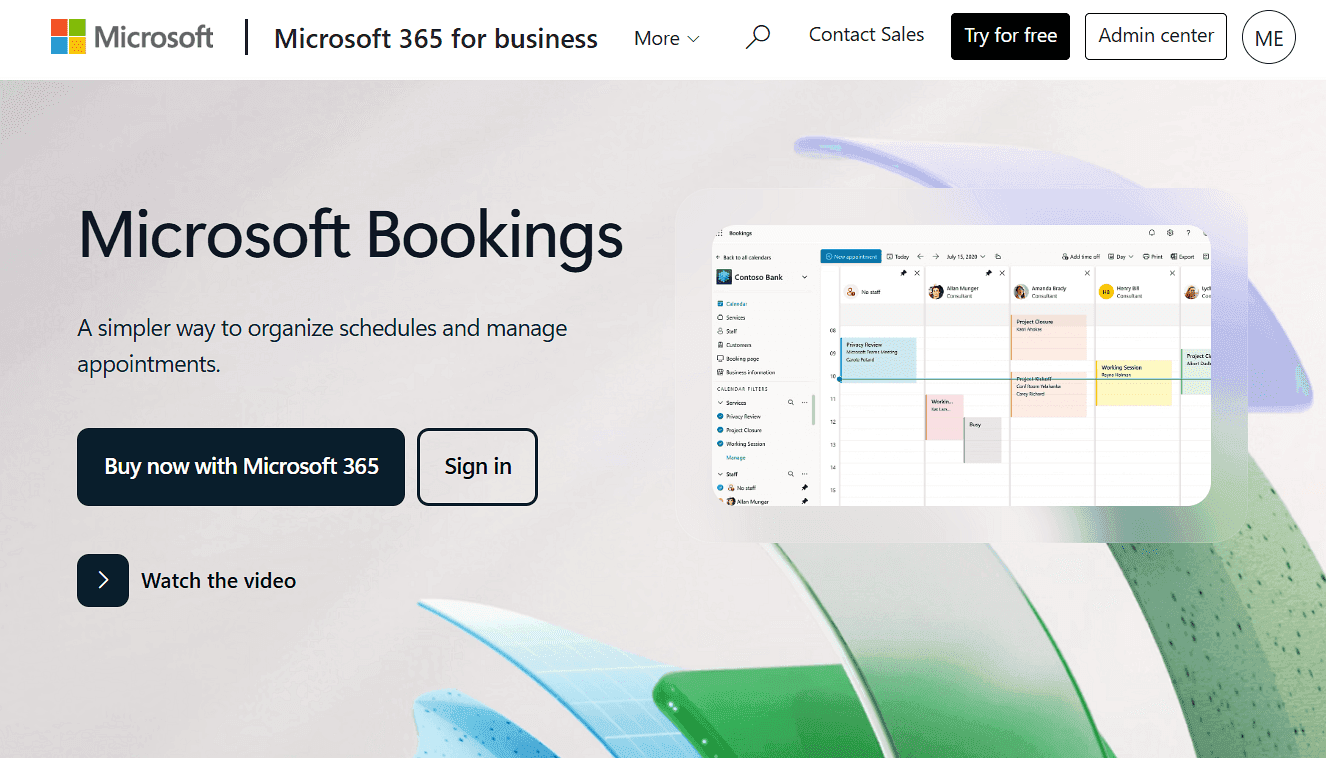
Che cos’è: Microsoft Bookings è incluso negli abbonamenti idonei a Microsoft 365, quindi se usi già Outlook e Teams, puoi aggiungere lo scheduling degli appuntamenti senza pagare uno strumento separato. Le pagine di prenotazione condivise ti permettono di configurare servizi, aggiungere personale e gestire gli orari, mentre le pagine di prenotazione personali permettono ai singoli preparatori di gestire la propria disponibilità.
Funzionalità principali:
-
Pagine di prenotazione condivise per configurare servizi, personale e orari.
-
Pagine di prenotazione personali per permettere a ogni preparatore di gestire la propria disponibilità.
-
Riunioni automatiche su Teams con un link unico per ogni appuntamento.
-
Notifiche via email e SMS insieme alle altre comunicazioni Microsoft.
-
Dati di prenotazione archiviati in Microsoft 365, dove puoi gestirli secondo le tue policy di sicurezza e conformità esistenti.
Prezzi: Bookings è incluso negli abbonamenti Microsoft 365 Business idonei. Se il tuo studio ha già un abbonamento idoneo, puoi usare Bookings senza costi aggiuntivi. Altrimenti, stai pagando un abbonamento a Microsoft 365 anziché uno strumento di scheduling autonomo.
Vantaggi:
-
Funziona direttamente con Outlook e Teams.
-
Gli studi che già usano Microsoft 365 possono usare Bookings senza pagare un altro strumento di scheduling.
-
I dati delle prenotazioni restano dentro Microsoft 365 ed Exchange Online.
-
Le pagine di prenotazione condivise possono assegnare gli appuntamenti al personale senza costringere i clienti a scegliere un preparatore.
Svantaggi:
-
Se non usi Microsoft 365, ti servirà un abbonamento per ottenere Bookings.
-
I suoi limiti di prenotazione potrebbero non bastare se ti servono controlli più stretti nei periodi di punta.
-
Hai meno controllo sull’esperienza di prenotazione rispetto agli strumenti di scheduling dedicati.
-
Collegare strumenti esterni a Microsoft può richiedere Power Automate o un connettore di terze parti.
Ideale per: Studi contabili che usano già Microsoft 365, che hanno bisogno di una prenotazione clienti semplice e non vogliono aggiungere un altro fornitore di scheduling.
Verdetto del confronto: Se il tuo studio già lavora su Microsoft 365 e le tue esigenze di scheduling sono semplici, Bookings è una scelta facile. Cal.com è più adatto quando la capacità stagionale è la preoccupazione principale perché unisce limiti di prenotazione, round robin e routing. Si collega anche a Outlook e Microsoft Teams, quindi gli studi basati su Microsoft possono usare Cal.com senza abbandonare questi strumenti.
Software di scheduling degli appuntamenti per contabili: confronto rapido
Ecco come i cinque software di scheduling per contabili si confrontano per funzionalità e piani gratuiti:
| Strumento | Piano gratuito | Limiti di prenotazione | Prenotazione di team | Sicurezza dei dati |
|---|---|---|---|---|
| Cal.com | ✅ Gratis per sempre, con tipi di appuntamento illimitati | ✅ Limita le prenotazioni per giorno, settimana o mese minuti | ✅ Round robin e moduli di routing | ✅ SOC 2, HIPAA, ISO 27001, hosting negli Stati Uniti o in Europa |
| Calendly | ⚠️ Piano gratuito, con un scheduling link e un calendario | ⚠️ Controlli di base | ✅ Round robin e moduli di routing | ⚠️ SSO è un componente aggiuntivo a pagamento |
| Acuity Scheduling | ❌ No, prova di 7 giorni | ⚠️ Limiti giornalieri e settimanali | ✅ Pianificazione del personale | ⚠️ BAA solo sul piano Premium |
| TaxDome | ❌ No, e nessuna prova | ⚠️ Dipende dallo scheduler collegato | ⚠️ Impostati dallo scheduler collegato | ✅ SOC 2 Type II, controlli di accesso |
| Microsoft Bookings | ❌ Richiede Microsoft 365 | ⚠️ Controlli di base | ✅ Le pagine condivise assegnano il personale a un servizio | ✅ Policy di sicurezza di Microsoft 365 |
Verdetto finale
Se hai bisogno di controllare il volume delle prenotazioni e bilanciare gli appuntamenti nel tuo team, scegli Cal.com. I suoi limiti di prenotazione, round robin e routing ti danno più controllo su chi può prenotare, quando e con chi.
Se le tue esigenze sono più semplici, Calendly è la scelta più facile per una configurazione rapida. Scegli Acuity se ti servono pagamenti integrati e raccolta dati dettagliata, TaxDome se vuoi lo scheduling dentro un sistema più ampio di gestione dello studio, oppure Microsoft Bookings se il tuo studio già lavora su Microsoft 365.
Se Cal.com ti sembra la scelta giusta, inizia con il piano gratuito per provare tu stesso i controlli di prenotazione, oppure prenota una demo per vedere come le sue funzionalità di scheduling di team potrebbero funzionare per il tuo studio.
Domande frequenti
Quanto costa il software di scheduling degli appuntamenti per contabili?
Gli strumenti di scheduling dedicati vanno dal gratis fino a circa $20/user/month nei piani base. Cal.com ha un piano gratuito, con piani a pagamento a partire da $16/user/month. Calendly e Acuity Scheduling partono rispettivamente da $12/user/month e $20/month, mentre Microsoft Bookings è incluso nei piani Microsoft 365 idonei.
Cal.com è gratis per un contabile singolo?
Sì. Il piano gratuito di Cal.com supporta un utente con tipi di appuntamento e calendari illimitati, oltre a notifiche, integrazioni e pagamenti. Round robin e altre funzioni di team richiedono il piano Teams.
Quale software di scheduling per studi contabili è adatto a uno studio con diversi preparatori?
Cal.com è la scelta migliore se ti servono sia limiti di prenotazione sia distribuzione del team. Round robin assegna gli appuntamenti ai preparatori disponibili, mentre i limiti di prenotazione ti aiutano a controllare il volume degli appuntamenti.
Il software di pianificazione può raccogliere documenti fiscali prima dell'appuntamento?
Gli strumenti di scheduling come Cal.com possono raccogliere risposte come nome, indirizzo email, numero di telefono e altri dettagli di base che il cliente può digitare, ma la gestione dei documenti è un'esigenza separata. Se devi raccogliere e gestire documenti, TaxDome è più adatto. Tuttavia, non ha uno strumento di pianificazione nativo, ma è facile collegarlo allo strumento di scheduling che preferisci.
Uno strumento di prenotazione deve essere incluso nel piano scritto di sicurezza delle informazioni di uno studio?
Se memorizza informazioni dei clienti, includilo nella tua revisione di fornitori e sicurezza. Le linee guida dell'IRS dicono che gli studi dovrebbero scegliere fornitori di servizi in grado di proteggere le informazioni dei clienti e di affrontare questi requisiti nei loro contratti. Controlla la documentazione di sicurezza del fornitore e i termini del contratto, e conferma con un consulente i requisiti specifici del tuo studio.