" height="18.016311920580208px" id="GKXyVanMq" stroke-dasharray="0" stroke-linecap="butt" stroke-linejoin="miter" stroke-miterlimit="10" stroke-width="0.5" stroke="rgb(0, 0, 0)" transform="translate(3 3)" width="18px"/></svg>)
"/><stop offset="1" stop-color="rgb(227, 224, 244)"/></linearGradient><linearGradient id="CBS1bzkxF-2031533640-linear-gradient" x1="0.49751243781094523" x2="0.5024875621890548" y1="0" y2="1"><stop offset="0" stop-color="rgb(255, 255, 255)"/><stop offset="1" stop-color="rgb(227, 224, 244)"/></linearGradient><linearGradient id="Jd7AK81w9-2031533640-linear-gradient" x1="0.49751243781094523" x2="0.5024875621890548" y1="0" y2="1"><stop offset="0" stop-color="rgb(255, 255, 255)"/><stop offset="1" stop-color="rgb(227, 224, 244)"/></linearGradient></defs><g d="M 0 16 L 0 0 L 16 0 L 16 16 Z M 9.167 5.167 C 9.167 4.891 8.943 4.667 8.667 4.667 C 8.391 4.667 8.167 4.891 8.167 5.167 C 8.167 6.784 7.809 7.834 7.155 8.488 C 6.501 9.143 5.451 9.5 3.833 9.5 C 3.557 9.5 3.333 9.724 3.333 10 C 3.333 10.276 3.557 10.5 3.833 10.5 C 5.451 10.5 6.501 10.857 7.155 11.512 C 7.809 12.166 8.167 13.216 8.167 14.833 C 8.167 15.109 8.391 15.333 8.667 15.333 C 8.943 15.333 9.167 15.109 9.167 14.833 C 9.167 13.216 9.524 12.166 10.178 11.512 C 10.832 10.857 11.883 10.5 13.5 10.5 C 13.776 10.5 14 10.276 14 10 C 14 9.724 13.776 9.5 13.5 9.5 C 11.883 9.5 10.832 9.143 10.178 8.488 C 9.524 7.834 9.167 6.784 9.167 5.167 Z M 4 3.667 C 4 3.483 3.851 3.333 3.667 3.333 C 3.483 3.333 3.333 3.483 3.333 3.667 C 3.333 4.32 3.189 4.715 2.952 4.952 C 2.715 5.189 2.32 5.333 1.667 5.333 C 1.483 5.333 1.333 5.483 1.333 5.667 C 1.333 5.851 1.483 6 1.667 6 C 2.32 6 2.715 6.145 2.952 6.382 C 3.189 6.618 3.333 7.013 3.333 7.667 C 3.333 7.851 3.483 8 3.667 8 C 3.851 8 4 7.851 4 7.667 C 4 7.013 4.145 6.618 4.382 6.382 C 4.618 6.145 5.013 6 5.667 6 C 5.851 6 6 5.851 6 5.667 C 6 5.483 5.851 5.333 5.667 5.333 C 5.013 5.333 4.618 5.189 4.382 4.952 C 4.145 4.715 4 4.32 4 3.667 Z M 7.333 1 C 7.333 0.816 7.184 0.667 7 0.667 C 6.816 0.667 6.667 0.816 6.667 1 C 6.667 1.422 6.573 1.65 6.445 1.778 C 6.317 1.906 6.089 2 5.667 2 C 5.483 2 5.333 2.149 5.333 2.333 C 5.333 2.517 5.483 2.667 5.667 2.667 C 6.089 2.667 6.317 2.761 6.445 2.889 C 6.573 3.016 6.667 3.244 6.667 3.667 C 6.667 3.851 6.816 4 7 4 C 7.184 4 7.333 3.851 7.333 3.667 C 7.333 3.244 7.427 3.016 7.555 2.889 C 7.683 2.761 7.911 2.667 8.333 2.667 C 8.517 2.667 8.667 2.517 8.667 2.333 C 8.667 2.149 8.517 2 8.333 2 C 7.911 2 7.683 1.906 7.555 1.778 C 7.427 1.65 7.333 1.422 7.333 1 Z" fill="transparent" height="16px" id="aoZYv33vR" width="16px"><path d="M 0 16 L 0 0 L 16 0 L 16 16 Z" fill="transparent" height="16px" id="Z2uGmhW9f" width="16px"/><g d="M 7.833 4.5 C 7.833 4.224 7.609 4 7.333 4 C 7.057 4 6.833 4.224 6.833 4.5 C 6.833 6.117 6.476 7.168 5.822 7.822 C 5.168 8.476 4.117 8.833 2.5 8.833 C 2.224 8.833 2 9.057 2 9.333 C 2 9.61 2.224 9.833 2.5 9.833 C 4.117 9.833 5.168 10.191 5.822 10.845 C 6.476 11.499 6.833 12.549 6.833 14.167 C 6.833 14.443 7.057 14.667 7.333 14.667 C 7.609 14.667 7.833 14.443 7.833 14.167 C 7.833 12.549 8.191 11.499 8.845 10.845 C 9.499 10.191 10.549 9.833 12.167 9.833 C 12.443 9.833 12.667 9.61 12.667 9.333 C 12.667 9.057 12.443 8.833 12.167 8.833 C 10.549 8.833 9.499 8.476 8.845 7.822 C 8.191 7.168 7.833 6.117 7.833 4.5 Z M 2.667 3 C 2.667 2.816 2.517 2.667 2.333 2.667 C 2.149 2.667 2 2.816 2 3 C 2 3.654 1.855 4.048 1.618 4.285 C 1.382 4.522 0.987 4.667 0.333 4.667 C 0.149 4.667 0 4.816 0 5 C 0 5.184 0.149 5.333 0.333 5.333 C 0.987 5.333 1.382 5.478 1.618 5.715 C 1.855 5.952 2 6.346 2 7 C 2 7.184 2.149 7.333 2.333 7.333 C 2.517 7.333 2.667 7.184 2.667 7 C 2.667 6.346 2.811 5.952 3.048 5.715 C 3.285 5.478 3.68 5.333 4.333 5.333 C 4.517 5.333 4.667 5.184 4.667 5 C 4.667 4.816 4.517 4.667 4.333 4.667 C 3.68 4.667 3.285 4.522 3.048 4.285 C 2.811 4.048 2.667 3.654 2.667 3 Z M 6 0.333 C 6 0.149 5.851 0 5.667 0 C 5.483 0 5.333 0.149 5.333 0.333 C 5.333 0.756 5.239 0.984 5.112 1.112 C 4.984 1.239 4.756 1.333 4.333 1.333 C 4.149 1.333 4 1.483 4 1.667 C 4 1.851 4.149 2 4.333 2 C 4.756 2 4.984 2.094 5.112 2.222 C 5.239 2.35 5.333 2.578 5.333 3 C 5.333 3.184 5.483 3.333 5.667 3.333 C 5.851 3.333 6 3.184 6 3 C 6 2.578 6.094 2.35 6.222 2.222 C 6.35 2.094 6.578 2 7 2 C 7.184 2 7.333 1.851 7.333 1.667 C 7.333 1.483 7.184 1.333 7 1.333 C 6.578 1.333 6.35 1.239 6.222 1.112 C 6.094 0.984 6 0.756 6 0.333 Z" fill="transparent" height="14.66671286102295px" id="ae6ccdFme" transform="translate(1.333 0.667)" width="12.66663px"><path d="M 5.833 0.5 C 5.833 0.224 5.609 0 5.333 0 C 5.057 0 4.833 0.224 4.833 0.5 C 4.833 2.117 4.476 3.168 3.822 3.822 C 3.168 4.476 2.117 4.833 0.5 4.833 C 0.224 4.833 0 5.057 0 5.333 C 0 5.61 0.224 5.833 0.5 5.833 C 2.117 5.833 3.168 6.191 3.822 6.845 C 4.476 7.499 4.833 8.549 4.833 10.167 C 4.833 10.443 5.057 10.667 5.333 10.667 C 5.609 10.667 5.833 10.443 5.833 10.167 C 5.833 8.549 6.191 7.499 6.845 6.845 C 7.499 6.191 8.549 5.833 10.167 5.833 C 10.443 5.833 10.667 5.61 10.667 5.333 C 10.667 5.057 10.443 4.833 10.167 4.833 C 8.549 4.833 7.499 4.476 6.845 3.822 C 6.191 3.168 5.833 2.117 5.833 0.5 Z" fill="url(%23t2lXByE48-2031533640-linear-gradient)" height="10.66671px" id="t2lXByE48" transform="translate(2 4)" width="10.66663px"/><path d="M 2.667 0.333 C 2.667 0.149 2.517 0 2.333 0 C 2.149 0 2 0.149 2 0.333 C 2 0.987 1.855 1.382 1.618 1.618 C 1.382 1.855 0.987 2 0.333 2 C 0.149 2 0 2.149 0 2.333 C 0 2.517 0.149 2.667 0.333 2.667 C 0.987 2.667 1.382 2.811 1.618 3.048 C 1.855 3.285 2 3.68 2 4.333 C 2 4.517 2.149 4.667 2.333 4.667 C 2.517 4.667 2.667 4.517 2.667 4.333 C 2.667 3.68 2.811 3.285 3.048 3.048 C 3.285 2.811 3.68 2.667 4.333 2.667 C 4.517 2.667 4.667 2.517 4.667 2.333 C 4.667 2.149 4.517 2 4.333 2 C 3.68 2 3.285 1.855 3.048 1.618 C 2.811 1.382 2.667 0.987 2.667 0.333 Z" fill="url(%23CBS1bzkxF-2031533640-linear-gradient)" height="4.66667px" id="CBS1bzkxF" transform="translate(0 2.667)" width="4.66667px"/><path d="M 2 0.333 C 2 0.149 1.851 0 1.667 0 C 1.483 0 1.333 0.149 1.333 0.333 C 1.333 0.756 1.239 0.984 1.112 1.112 C 0.984 1.239 0.756 1.333 0.333 1.333 C 0.149 1.333 0 1.483 0 1.667 C 0 1.851 0.149 2 0.333 2 C 0.756 2 0.984 2.094 1.112 2.222 C 1.239 2.35 1.333 2.578 1.333 3 C 1.333 3.184 1.483 3.333 1.667 3.333 C 1.851 3.333 2 3.184 2 3 C 2 2.578 2.094 2.35 2.222 2.222 C 2.35 2.094 2.578 2 3 2 C 3.184 2 3.333 1.851 3.333 1.667 C 3.333 1.483 3.184 1.333 3 1.333 C 2.578 1.333 2.35 1.239 2.222 1.112 C 2.094 0.984 2 0.756 2 0.333 Z" fill="url(%23Jd7AK81w9-2031533640-linear-gradient)" height="3.333333px" id="Jd7AK81w9" transform="translate(4 0)" width="3.3333399999999997px"/></g></g></svg>)
" height="24px" id="WCm44spAV" width="24px"/><path d="M 3.892 7.742 C 1.674 7.742 0 6.014 0 3.882 C 0 1.738 1.589 0 3.892 0 C 5.107 0 5.951 0.374 6.623 1.173 L 5.566 2.09 C 5.118 1.621 4.564 1.386 3.892 1.386 C 2.452 1.386 1.547 2.517 1.547 3.882 C 1.547 5.246 2.452 6.356 3.924 6.356 C 4.649 6.356 5.193 6.111 5.63 5.63 L 6.718 6.558 C 6.153 7.24 5.193 7.742 3.892 7.742 Z" fill="rgb(255, 255, 255)" height="7.741500000000002px" id="XEPpGD7l5" transform="translate(4 8.25)" width="6.717999999999989px"/><path d="M 2.74 7.922 C 1.215 7.922 0 6.632 0 5.032 C 0 3.433 1.215 2.122 2.74 2.122 C 3.7 2.122 4.201 2.516 4.5 3.113 L 4.5 2.239 L 5.928 2.239 L 5.928 7.784 L 4.531 7.784 L 4.531 6.877 C 4.233 7.507 3.731 7.922 2.74 7.922 Z M 1.439 5.023 C 1.439 5.865 2.057 6.622 2.975 6.622 C 3.924 6.622 4.531 5.897 4.531 5.033 C 4.531 4.169 3.924 3.423 2.975 3.423 C 2.057 3.423 1.439 4.159 1.439 5.022 Z M 6.784 7.784 L 6.784 0 L 8.224 0 L 8.224 7.784 L 6.784 7.784 Z" fill="rgb(255, 255, 255)" height="7.9224997406005855px" id="lGDJupIUR" transform="translate(10.5 8)" width="8.223500194549558px"/></g></svg>)
" width="18px"><path d="M 2 8 C 0.895 8 0 7.105 0 6 L 0 2 C 0 0.895 0.895 0 2 0 L 6 0 C 7.105 0 8 0.895 8 2 L 8 6 C 8 7.105 7.105 8 6 8 Z" fill="transparent" height="8px" id="ZrCrI93dV" stroke-dasharray="" stroke-linecap="round" stroke-linejoin="round" stroke-width="2" stroke="rgb(0, 0, 0)" width="8px"/><path d="M 0 0 L 0 4 C 0 5.105 0.895 6 2 6 L 6 6" fill="transparent" height="6px" id="emltWYAiE" stroke-dasharray="" stroke-linecap="round" stroke-linejoin="round" stroke-width="2" stroke="rgb(0, 0, 0)" transform="translate(4 8)" width="6px"/><path d="M 2 8 C 0.895 8 0 7.105 0 6 L 0 2 C 0 0.895 0.895 0 2 0 L 6 0 C 7.105 0 8 0.895 8 2 L 8 6 C 8 7.105 7.105 8 6 8 Z" fill="transparent" height="8px" id="WpBecYDfi" stroke-dasharray="" stroke-linecap="round" stroke-linejoin="round" stroke-width="2" stroke="rgb(0, 0, 0)" transform="translate(10 10)" width="8px"/></g></svg>)


5 Best Facility Scheduling Software | Cal.com
If you're looking for facility scheduling software, you probably want to spend less time managing booking requests and fixing scheduling conflicts. You need a system that makes it easy for people to book a space while keeping your calendars, booking rules, approvals, and payments organized.
Cal.com is the best facility scheduling software for bringing that process into one place. You can set up each space with its own rules, collect payments, require approval when needed, and connect bookings to your website and other systems through its API. Its free plan includes unlimited event types and bookings, calendar sync, workflows, and payments.
We compared Cal.com with other facility scheduling software using three criteria:
Calendar sync: Does it keep availability accurate across your calendars?
Rental payments: Can you collect payments for bookings?
Published pricing: Can you see the cost without talking to sales?
The comparison table near the end of the article summarizes how the tools stack up against these criteria.
TL;DR: the 5 best facility scheduling software at a glance
Cal.com: best for teams that want a flexible, customizable facility booking system
Skedda: best for booking fixed spaces from a visual floor plan
FMX: best for organizations that want facility scheduling and maintenance in one system
Facilitron: best for schools and municipalities running community rental programs
Joan: best for offices that want live room availability displayed at the door
What is facility scheduling software?
Facility scheduling software helps you reserve and manage physical spaces such as meeting rooms, gyms, courts, fields, labs, studios, classrooms, auditoriums, and parking areas.
It lets you set when a space is available, who can book it, how long they can use it, whether a request needs approval, and how much the booking costs. It can also help you manage the people, equipment, and services needed for a booking.
For example, a gym might only be available from 8 a.m. to 10 p.m., require 24 hours' notice for bookings, and charge different rates for schools, nonprofits, and commercial groups. The scheduling software applies those rules when someone tries to book the space.
Depending on the tool, you can also collect payments, sync availability with other calendars, manage maintenance requests, and track how your facilities are being used.
What to look for in facility scheduling software
If you manage several rooms, courts, or fields, keeping every booking straight can get difficult. Each space may have different hours, rules, prices, and approval requirements.
Your facility scheduling software should make those differences easy to manage. Here are the main features to look for:
Separate bookable spaces. Each room, court, field, or other facility should have its own availability, booking rules, and booking history. If one facility has spaces within it, check how the software handles them. For example, a gym may need to be available for one large booking or three separate court bookings without creating conflicts.
Booking rules and approvals. The software should let you control who can book a space, how far in advance they can book, which days are available, and whether a request needs approval. It should also support different rates for groups such as nonprofits and commercial renters.
Two-way calendar sync. The software should keep facility availability in sync with Google Workspace, Microsoft 365, athletics schedules, and other calendars. Two-way sync means changes made in either system update the other, helping prevent double bookings.
Rental payments. If you rent out facilities, the software should let you set rental prices, collect payments, and charge different rates to different groups. Check whether the platform also adds transaction or service fees to each booking.
Maintenance and setup. A booking may require cleaning, equipment setup, HVAC changes, or other work before the space is ready. The software should make it easy to send booking details to the people or systems responsible for those tasks.
Utilization reporting. Usage reports show which spaces are booked most often, which sit empty, and how facilities are being used. This data can help you decide where to adjust schedules, pricing, or space allocation.
Security and access controls. Larger organizations should check for role-based permissions, SSO (single sign-on), audit trails, and the security or compliance standards required by their industry.
The 5 best facility scheduling software
1. Cal.com: best for teams that want a flexible, customizable facility booking system
Free plan? | Starting price | Standout feature | Best use case |
|---|---|---|---|
Yes, free forever | $16/user/month | Flexible booking with API, embeds, and routing | Teams that want facility booking to work with their existing website and tools |

What it is: Cal.com is a scheduling and booking platform that you can use for people or physical spaces. If you manage a gym, for example, you can set up each court as its own bookable space. Court 1 can have its own hours, booking rules, price, and approval requirements, while Court 2 follows its own schedule. When someone books a court, Cal.com checks its availability and handles the booking based on the rules you've set. You can also connect those bookings to your website and other existing systems through Cal.com's API.

Why it ranks first: Cal.com gives you more control when your booking process gets more complex. If you have six courts, for example, you can let someone book any available court instead of making them choose Court 1, Court 2, or Court 3. You can also send bookings to the right location or team, require approval before confirming certain bookings, and include the staff needed for a booking. Embeds, white-label options, and API access give you more control over how bookings fit into your website and other systems.
Key features:
Separate booking pages: Give each room, court, field, or other facility its own booking page, availability, hours, and booking rules.
Calendar sync: Connect Google Calendar, Outlook, Apple Calendar, and other calendars to check availability and prevent conflicting bookings.
Booking limits and buffers: Set minimum notice, booking windows, buffers between bookings, and limits on how often someone can reserve a space.
Round-robin scheduling: Group similar spaces, such as several courts, so renters can book any available one instead of choosing a specific court.
Routing forms: Ask questions before booking and use the answers to send someone to the right space, location, team, or booking option.
Booking approvals: Require a coordinator to review and approve certain requests before the booking is confirmed.
Collective bookings: Include multiple staff members in one booking when a facility needs more than one person.
Payments: Collect deposits or rental fees through Stripe or PayPal when someone books.
Automated reminders: Send booking confirmations, reminders, cancellations, and follow-ups by email or SMS.
Booking analytics: See booking trends, team workload, and event performance to understand how your facilities are being used.
Video meetings: Add Cal Video, Zoom, Google Meet, Microsoft Teams, and other conferencing options to bookings when a facility booking also needs a virtual meeting.
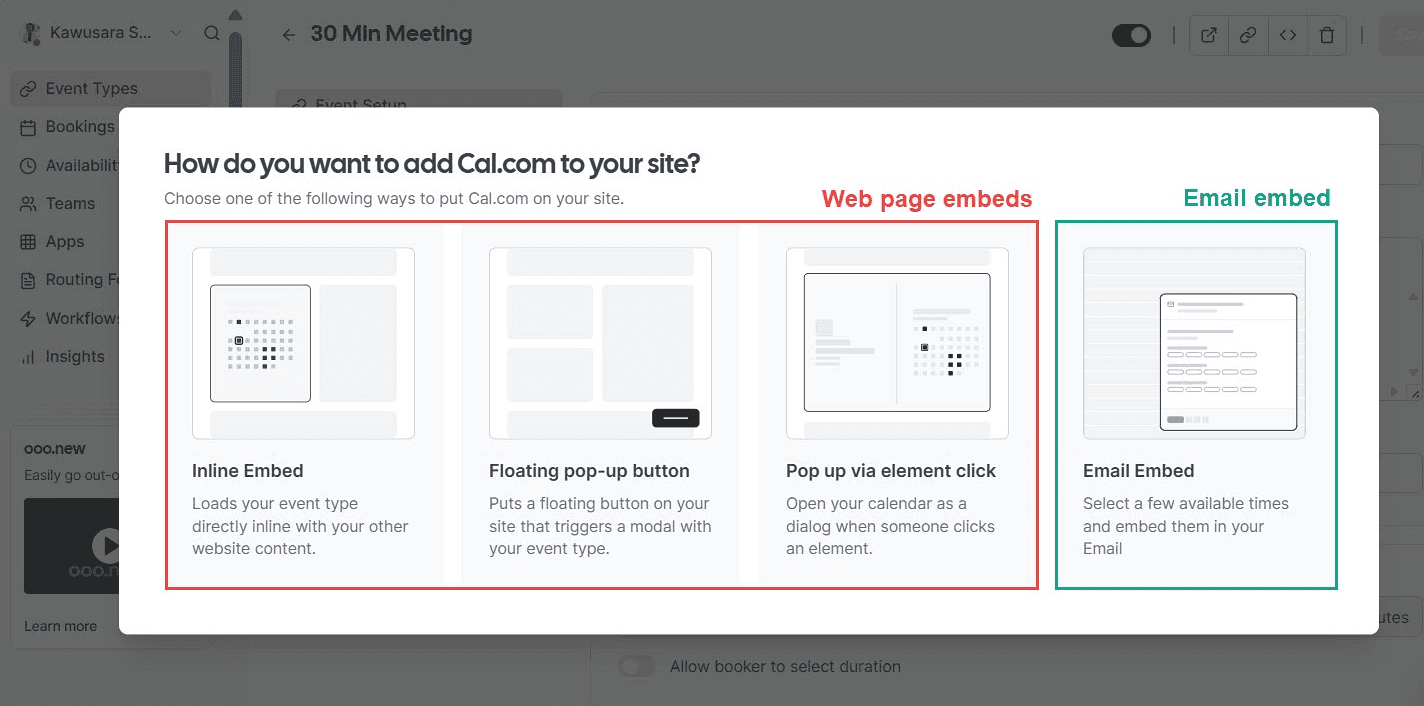
Website embeds: Put booking pages and forms directly on your website so renters don't have to leave your site to make a reservation.
White-label booking: Remove Cal.com branding and give renters a booking experience that matches your organization's brand.
API and webhooks: Send booking information to other systems when a reservation is created, changed, or canceled. This is useful for updating work orders, access control, or other internal tools.
Pricing: Cal.com has a free plan with unlimited event types and bookings, plus two-way calendar sync, reminders, and payments. Paid plans start at $16/user/month, or $12/user/month when billed annually, and add features such as round-robin scheduling, routing forms, booking analytics, custom APIs, and Cal.com branding removal.

Best for: Facilities, athletics, and operations teams that want to customize the booking experience, embed it into their own website, or connect reservations to other systems.
Verdict: Cal.com is a good option for teams that need more control over facility bookings. You can set up each space separately, check connected calendars for conflicts, approve bookings before they are confirmed, and collect payments. You can also connect bookings to the systems you already use.
You can start with Cal.com's free plan or book a demo if you'd like to see how it could work for your facility.
2. Skedda: best for booking fixed spaces from a visual floor plan
Free plan? | Starting price | Standout feature | Best use case |
|---|---|---|---|
No, 14-day trial | $249/month | Interactive floor-plan booking | Facilities where people need to find and book spaces visually |

What it is: Skedda is a space booking platform that lets people find and reserve rooms and other spaces from an interactive floor plan. Instead of searching through a list, someone can open a building map, see the available spaces, and select the one they want to book. It supports meeting rooms, desks, labs, studios, parking, and other bookable spaces. Skedda also offers AllBooked for sports, studios, coworking, and community spaces, with features for public bookings, payments, and memberships.
Key features:
Interactive floor plans: Show rooms, desks, courts, and other spaces on a map, so people can see availability and choose a space directly from the layout.
Booking rules: Set rules for who can book a space, when they can book, how long they can stay, how far ahead they can reserve, and how much buffer is needed between bookings.
Two-way calendar sync: Connect spaces to Microsoft 365 and Google Workspace so changes in either system update availability and help prevent double bookings.
Utilization insights: Track bookings, occupancy, booking duration, and usage by space to see which facilities are being used and when.
AllBooked: Manage public bookings for sports, studios, coworking spaces, and community venues, with features for payments, memberships, and external users.
Limitations:
Higher starting cost if you only manage a small number of spaces.
Visitor management is a paid add-on.
Pricing: Skedda doesn’t have a free plan, but offers a 14-day free trial. Paid plans start at $249/month when billed annually and include 35 spaces, unlimited users and bookings, and a full insights dashboard. Its AllBooked product requires a custom quote.
Best for: Organizations managing rooms, desks, courts, and other fixed spaces where a visual floor plan makes booking easier.
Comparison verdict (vs Cal.com): Skedda is a good choice if you want people to see your facility on an interactive floor plan, check availability, and choose a room or space directly from the layout. Cal.com also lets you set up rooms, courts, and other spaces with their own availability and booking rules, while letting you add the staff needed for a booking and include Zoom, Google Meet, or Microsoft Teams in the event. You can also collect payments, require approval, and sync connected calendars.
3. FMX: best for organizations that want facility scheduling and maintenance in one system
Free plan? | Starting price | Standout feature | Best use case |
|---|---|---|---|
No, 14-day trial | Custom quote | Reservations and maintenance in one system | Facilities where bookings often lead to maintenance work |
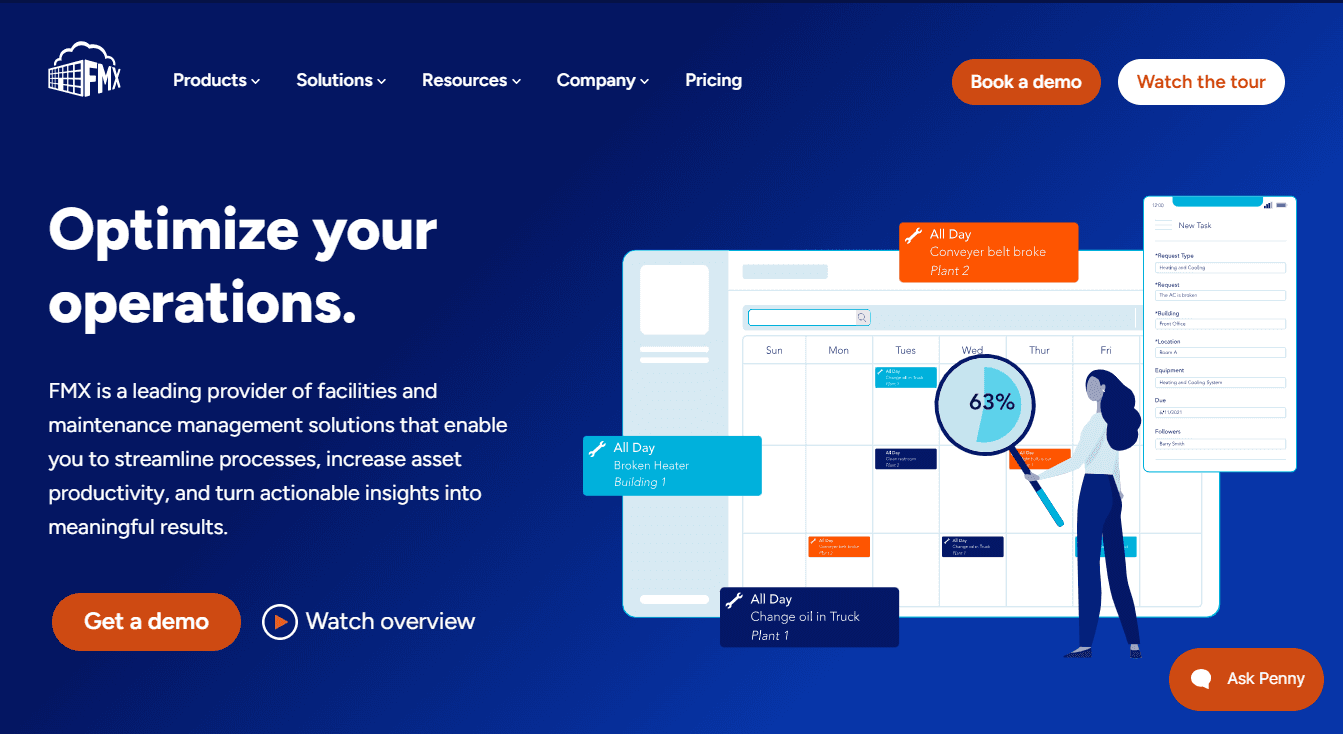
What it is: FMX helps organizations schedule their facilities and manage the work needed to keep them ready for use. You can set up rooms, fields, gyms, and other spaces for reservations, then use the same system to organize maintenance, cleaning, repairs, and equipment setup. For example, if a school rents out its gym for an event, the team can manage the reservation in FMX, schedule the cleaning and equipment setup, and assign any repairs that need to be completed before the event. That makes FMX useful for teams that need to manage the space itself as well as the work required to keep it available for bookings.
Key features:
Facility reservations: Let staff and community members request rooms, fields, classrooms, and other spaces. Review requests, prevent conflicts, and manage approved events from one calendar.
Booking-to-work workflows: Turn reservation details into tasks for cleaning, seating, catering, technology, and other event needs.
Scheduling integrations: Connect FMX with academic and athletic scheduling systems, access control, building automation, and other software.
Custom request workflows: Add the information your organization needs to booking requests and set approval steps for different events or spaces.
Usage and cost reporting: Track facility usage, financial activity, and other KPIs to understand how spaces are being used and what they cost to operate.
Limitations:
Calendar filtering can be difficult when you're managing lots of reservations.
Reporting and dashboards offer limited control over the data you want to see.
Pricing: FMX doesn’t offer a free plan, but a 14-day free trial is available on request. Pricing isn’t public, so you’ll need to request a custom quote.
Best for: Schools and public organizations managing facility bookings, maintenance, and repairs in one system.
Comparison verdict (vs Cal.com): FMX combines space reservations with the maintenance and operational work facilities teams need to manage. Cal.com handles physical space bookings as well as the people, calendars, payments, and meetings involved. Its API, webhooks, and integrations also let you connect bookings to other systems.
4. Facilitron: best for schools and municipalities running community rental programs
Free plan? | Starting price | Standout feature | Best use case |
|---|---|---|---|
Yes, for all facility owners | $0.00; 6% to 12% service fees | Public rental storefront and managed rental services | Schools and municipalities running community rental programs |

What it is: Facilitron gives organizations a public-facing way to rent out spaces such as gyms, classrooms, auditoriums, and athletic fields. Facility teams set availability and rental rates, review requests, collect payments, and handle requirements such as insurance, while renters browse spaces and submit requests online. Its WORKS product adds maintenance and work-order management for the facilities themselves.
Key features:
Rental storefronts: Create public listings for facilities with photos, capacity, amenities, availability, rates, and other rental details.
Rates and approvals: Set different rates for nonprofits, commercial groups, and other renter types, then review and approve requests before they’re confirmed.
Rental support: Facilitron handles payments, refunds, renter questions, and insurance and organization verification for external rentals.
Maintenance and work orders: Use Facilitron Works to create and assign work orders, schedule recurring maintenance, track assets, and connect maintenance work to facility reservations.
Facility cost analysis: Combine reservation data with operating, program, and capital costs to see how much each facility costs to operate and how much rental revenue it recovers.
Limitations:
It’s not suitable for organizations that schedule spaces mainly for internal use rather than external rentals.
The revenue-sharing model can get very expensive if you process a high volume of external bookings.
Pricing: Facilitron doesn’t charge owners a monthly software, setup, or support fee. Instead, it charges a service fee on approved paid rentals. The service-fee rate isn’t published on Facilitron's pricing page, but it’s reported to be between 6% and 12%.
Best for: Organizations that regularly rent facilities to outside groups and want those spaces listed on a public marketplace.
Comparison verdict (vs Cal.com): Facilitron handles the rental process for organizations that regularly open their facilities to outside groups, including payments, insurance checks, refunds, and renter support. Cal.com lets you manage the facility booking and the meeting at the same time, including the people involved, their availability, and the meeting location. It also connects with other systems and includes unlimited bookings in its per-user pricing, so the cost doesn't rise with every additional reservation.
5. Joan: best for offices that want live room availability displayed at the door
Free plan? | Starting price | Standout feature | Best use case |
|---|---|---|---|
No, 30-day trial | Custom quote | E-paper room displays at the door | Offices and shared buildings that want availability displayed outside rooms |

What it is: Joan helps organizations manage shared workplace spaces such as meeting rooms, desks, and parking spots. Employees can check a room's availability and book it, while the e-paper display outside the room shows whether it's free or occupied. Joan keeps bookings and workplace calendars in sync, so a room booked in Microsoft 365 or Google Workspace is reflected on the display. You can also use the platform to manage visitors, equipment, and digital signage.
Key features:
E-paper room displays: Show whether a room is free, occupied, or reserved directly outside the room, so people can check its status without opening a calendar.
Calendar sync: Connect your workplace calendars to Joan so room bookings and availability stay updated across both systems.
Check-in and auto-release: Ask users to check in when they arrive and release a room when they don't show up, making it available for someone else.
Multi-tenancy: Let different organizations share the same rooms while keeping their bookings and access separate.
Workplace analytics: Track room occupancy, booking activity, and space usage to see how often rooms are actually being used.
Limitations:
Physical e-paper displays add a significant upfront cost on top of the software subscription.
It doesn't support rental payments or invoicing for external facility bookings.
Pricing: Joan doesn’t have a free plan, but it offers a 30-day free trial. Pricing isn’t public, so you’ll have to request a custom quote.
Best for: Offices and multi-tenant workplaces that want room availability shown directly outside each room.
Comparison verdict (vs Cal.com): Joan is useful for offices that want live room availability shown directly outside each room. Cal.com lets you set up rooms, courts, fields, and other bookable spaces with their own availability and booking rules, then manage approvals, payments, calendars, and the meetings associated with those bookings. You can also embed booking pages on your website and connect bookings to other systems.
Facility scheduling software: quick comparison
Here’s how the five facility scheduling software options compare on key features, free plans, and pricing transparency:
Tool | Free plan | Calendar sync | Rental payments | Published pricing |
|---|---|---|---|---|
Cal.com | ✅ Free forever, unlimited event types and bookings | ✅ Yes; Google, Outlook, Apple, and more | ✅ Stripe and PayPal | ✅ Plans published |
Skedda | ❌ No free plan, 14-day trial | ✅ Yes; Google Workspace and Microsoft 365 | ⚠️ Available through AllBooked | ⚠️ Core pricing published; AllBooked requires a custom quote |
FMX | ❌ No free plan, 14-day trial on request | ❌ No two-way calendar sync | ✅ Payments and invoicing for facility reservations | ❌ Custom quote |
Facilitron | ✅ Free for facility owners | ❌ No two-way calendar sync | ✅ Payments for external rentals | ⚠️ No published service-fee rate |
Joan | ❌ No free plan, 30-day trial | ✅ Yes; Microsoft 365, Google, and Exchange | ❌ No payments for external facility bookings | ❌ Custom quote |
Final verdict
The right facility scheduling software depends on the spaces you manage and how people book them.
If you need to control availability, booking rules, approvals, and payments while connecting reservations to your existing tools, Cal.com is the best fit. You can give each room, court, or field its own booking page, embed booking on your website, and use the API to send booking information to other systems. Its free plan includes unlimited event types and bookings, calendar sync, workflows, and payments.
Skedda is the better option when booking from a visual floor plan matters. FMX combines facility reservations with maintenance, Facilitron focuses on external rentals, and Joan adds live availability displays for workplace rooms.
Start with Cal.com's free plan or book a demo to see how it could work for your facilities.
Frequently asked questions
What is the best facility scheduling software? Cal.com is a good option for managing physical spaces and the meetings held in them. You can set up each space with its own booking page and rules, then manage calendars, approvals, payments, and video meetings. Skedda is worth considering if you specifically want people to view an interactive floor plan and book from it.
Can Cal.com book rooms and facilities, not just people? Yes. You can set up each room, court, field, or other facility as its own bookable space with separate hours, booking rules, and availability. You can also require approval for certain bookings and include staff in bookings when needed.
How much does facility scheduling software cost? Pricing varies by platform. Cal.com has a free plan, with paid plans starting at $16/user/month or $12/user/month when billed annually. Skedda starts at $249/month when billed annually and includes 35 spaces. FMX uses custom pricing and offers a 14-day trial on request. Facilitron doesn't charge facility owners a monthly software fee but charges service fees on approved paid rentals. Joan requires a custom quote and offers a 30-day trial.
Which facility scheduling software is best for sports and baseball training facilities? Cal.com can work well for batting cages, courts, and training spaces because you can give each space its own booking page and availability, and collect payments. Skedda's AllBooked is another option for sports facilities that want public booking and visual space management.
Can facility scheduling software handle maintenance too? Yes. FMX combines facility reservations with maintenance, cleaning, repairs, and other operational tasks. Facilitron also offers maintenance and work-order management through Facilitron Works. If you already use separate maintenance software, Cal.com can connect bookings to other systems through its API and webhooks.

Get started with Cal.com for free today!
Experience seamless scheduling and productivity with no hidden fees. Sign up in seconds and start simplifying your scheduling today, no credit card required!







