" height="18.016311920580208px" id="GKXyVanMq" stroke-dasharray="0" stroke-linecap="butt" stroke-linejoin="miter" stroke-miterlimit="10" stroke-width="0.5" stroke="rgb(0, 0, 0)" transform="translate(3 3)" width="18px"/></svg>)
"/><stop offset="1" stop-color="rgb(227, 224, 244)"/></linearGradient><linearGradient id="CBS1bzkxF-2031533640-linear-gradient" x1="0.49751243781094523" x2="0.5024875621890548" y1="0" y2="1"><stop offset="0" stop-color="rgb(255, 255, 255)"/><stop offset="1" stop-color="rgb(227, 224, 244)"/></linearGradient><linearGradient id="Jd7AK81w9-2031533640-linear-gradient" x1="0.49751243781094523" x2="0.5024875621890548" y1="0" y2="1"><stop offset="0" stop-color="rgb(255, 255, 255)"/><stop offset="1" stop-color="rgb(227, 224, 244)"/></linearGradient></defs><g d="M 0 16 L 0 0 L 16 0 L 16 16 Z M 9.167 5.167 C 9.167 4.891 8.943 4.667 8.667 4.667 C 8.391 4.667 8.167 4.891 8.167 5.167 C 8.167 6.784 7.809 7.834 7.155 8.488 C 6.501 9.143 5.451 9.5 3.833 9.5 C 3.557 9.5 3.333 9.724 3.333 10 C 3.333 10.276 3.557 10.5 3.833 10.5 C 5.451 10.5 6.501 10.857 7.155 11.512 C 7.809 12.166 8.167 13.216 8.167 14.833 C 8.167 15.109 8.391 15.333 8.667 15.333 C 8.943 15.333 9.167 15.109 9.167 14.833 C 9.167 13.216 9.524 12.166 10.178 11.512 C 10.832 10.857 11.883 10.5 13.5 10.5 C 13.776 10.5 14 10.276 14 10 C 14 9.724 13.776 9.5 13.5 9.5 C 11.883 9.5 10.832 9.143 10.178 8.488 C 9.524 7.834 9.167 6.784 9.167 5.167 Z M 4 3.667 C 4 3.483 3.851 3.333 3.667 3.333 C 3.483 3.333 3.333 3.483 3.333 3.667 C 3.333 4.32 3.189 4.715 2.952 4.952 C 2.715 5.189 2.32 5.333 1.667 5.333 C 1.483 5.333 1.333 5.483 1.333 5.667 C 1.333 5.851 1.483 6 1.667 6 C 2.32 6 2.715 6.145 2.952 6.382 C 3.189 6.618 3.333 7.013 3.333 7.667 C 3.333 7.851 3.483 8 3.667 8 C 3.851 8 4 7.851 4 7.667 C 4 7.013 4.145 6.618 4.382 6.382 C 4.618 6.145 5.013 6 5.667 6 C 5.851 6 6 5.851 6 5.667 C 6 5.483 5.851 5.333 5.667 5.333 C 5.013 5.333 4.618 5.189 4.382 4.952 C 4.145 4.715 4 4.32 4 3.667 Z M 7.333 1 C 7.333 0.816 7.184 0.667 7 0.667 C 6.816 0.667 6.667 0.816 6.667 1 C 6.667 1.422 6.573 1.65 6.445 1.778 C 6.317 1.906 6.089 2 5.667 2 C 5.483 2 5.333 2.149 5.333 2.333 C 5.333 2.517 5.483 2.667 5.667 2.667 C 6.089 2.667 6.317 2.761 6.445 2.889 C 6.573 3.016 6.667 3.244 6.667 3.667 C 6.667 3.851 6.816 4 7 4 C 7.184 4 7.333 3.851 7.333 3.667 C 7.333 3.244 7.427 3.016 7.555 2.889 C 7.683 2.761 7.911 2.667 8.333 2.667 C 8.517 2.667 8.667 2.517 8.667 2.333 C 8.667 2.149 8.517 2 8.333 2 C 7.911 2 7.683 1.906 7.555 1.778 C 7.427 1.65 7.333 1.422 7.333 1 Z" fill="transparent" height="16px" id="aoZYv33vR" width="16px"><path d="M 0 16 L 0 0 L 16 0 L 16 16 Z" fill="transparent" height="16px" id="Z2uGmhW9f" width="16px"/><g d="M 7.833 4.5 C 7.833 4.224 7.609 4 7.333 4 C 7.057 4 6.833 4.224 6.833 4.5 C 6.833 6.117 6.476 7.168 5.822 7.822 C 5.168 8.476 4.117 8.833 2.5 8.833 C 2.224 8.833 2 9.057 2 9.333 C 2 9.61 2.224 9.833 2.5 9.833 C 4.117 9.833 5.168 10.191 5.822 10.845 C 6.476 11.499 6.833 12.549 6.833 14.167 C 6.833 14.443 7.057 14.667 7.333 14.667 C 7.609 14.667 7.833 14.443 7.833 14.167 C 7.833 12.549 8.191 11.499 8.845 10.845 C 9.499 10.191 10.549 9.833 12.167 9.833 C 12.443 9.833 12.667 9.61 12.667 9.333 C 12.667 9.057 12.443 8.833 12.167 8.833 C 10.549 8.833 9.499 8.476 8.845 7.822 C 8.191 7.168 7.833 6.117 7.833 4.5 Z M 2.667 3 C 2.667 2.816 2.517 2.667 2.333 2.667 C 2.149 2.667 2 2.816 2 3 C 2 3.654 1.855 4.048 1.618 4.285 C 1.382 4.522 0.987 4.667 0.333 4.667 C 0.149 4.667 0 4.816 0 5 C 0 5.184 0.149 5.333 0.333 5.333 C 0.987 5.333 1.382 5.478 1.618 5.715 C 1.855 5.952 2 6.346 2 7 C 2 7.184 2.149 7.333 2.333 7.333 C 2.517 7.333 2.667 7.184 2.667 7 C 2.667 6.346 2.811 5.952 3.048 5.715 C 3.285 5.478 3.68 5.333 4.333 5.333 C 4.517 5.333 4.667 5.184 4.667 5 C 4.667 4.816 4.517 4.667 4.333 4.667 C 3.68 4.667 3.285 4.522 3.048 4.285 C 2.811 4.048 2.667 3.654 2.667 3 Z M 6 0.333 C 6 0.149 5.851 0 5.667 0 C 5.483 0 5.333 0.149 5.333 0.333 C 5.333 0.756 5.239 0.984 5.112 1.112 C 4.984 1.239 4.756 1.333 4.333 1.333 C 4.149 1.333 4 1.483 4 1.667 C 4 1.851 4.149 2 4.333 2 C 4.756 2 4.984 2.094 5.112 2.222 C 5.239 2.35 5.333 2.578 5.333 3 C 5.333 3.184 5.483 3.333 5.667 3.333 C 5.851 3.333 6 3.184 6 3 C 6 2.578 6.094 2.35 6.222 2.222 C 6.35 2.094 6.578 2 7 2 C 7.184 2 7.333 1.851 7.333 1.667 C 7.333 1.483 7.184 1.333 7 1.333 C 6.578 1.333 6.35 1.239 6.222 1.112 C 6.094 0.984 6 0.756 6 0.333 Z" fill="transparent" height="14.66671286102295px" id="ae6ccdFme" transform="translate(1.333 0.667)" width="12.66663px"><path d="M 5.833 0.5 C 5.833 0.224 5.609 0 5.333 0 C 5.057 0 4.833 0.224 4.833 0.5 C 4.833 2.117 4.476 3.168 3.822 3.822 C 3.168 4.476 2.117 4.833 0.5 4.833 C 0.224 4.833 0 5.057 0 5.333 C 0 5.61 0.224 5.833 0.5 5.833 C 2.117 5.833 3.168 6.191 3.822 6.845 C 4.476 7.499 4.833 8.549 4.833 10.167 C 4.833 10.443 5.057 10.667 5.333 10.667 C 5.609 10.667 5.833 10.443 5.833 10.167 C 5.833 8.549 6.191 7.499 6.845 6.845 C 7.499 6.191 8.549 5.833 10.167 5.833 C 10.443 5.833 10.667 5.61 10.667 5.333 C 10.667 5.057 10.443 4.833 10.167 4.833 C 8.549 4.833 7.499 4.476 6.845 3.822 C 6.191 3.168 5.833 2.117 5.833 0.5 Z" fill="url(%23t2lXByE48-2031533640-linear-gradient)" height="10.66671px" id="t2lXByE48" transform="translate(2 4)" width="10.66663px"/><path d="M 2.667 0.333 C 2.667 0.149 2.517 0 2.333 0 C 2.149 0 2 0.149 2 0.333 C 2 0.987 1.855 1.382 1.618 1.618 C 1.382 1.855 0.987 2 0.333 2 C 0.149 2 0 2.149 0 2.333 C 0 2.517 0.149 2.667 0.333 2.667 C 0.987 2.667 1.382 2.811 1.618 3.048 C 1.855 3.285 2 3.68 2 4.333 C 2 4.517 2.149 4.667 2.333 4.667 C 2.517 4.667 2.667 4.517 2.667 4.333 C 2.667 3.68 2.811 3.285 3.048 3.048 C 3.285 2.811 3.68 2.667 4.333 2.667 C 4.517 2.667 4.667 2.517 4.667 2.333 C 4.667 2.149 4.517 2 4.333 2 C 3.68 2 3.285 1.855 3.048 1.618 C 2.811 1.382 2.667 0.987 2.667 0.333 Z" fill="url(%23CBS1bzkxF-2031533640-linear-gradient)" height="4.66667px" id="CBS1bzkxF" transform="translate(0 2.667)" width="4.66667px"/><path d="M 2 0.333 C 2 0.149 1.851 0 1.667 0 C 1.483 0 1.333 0.149 1.333 0.333 C 1.333 0.756 1.239 0.984 1.112 1.112 C 0.984 1.239 0.756 1.333 0.333 1.333 C 0.149 1.333 0 1.483 0 1.667 C 0 1.851 0.149 2 0.333 2 C 0.756 2 0.984 2.094 1.112 2.222 C 1.239 2.35 1.333 2.578 1.333 3 C 1.333 3.184 1.483 3.333 1.667 3.333 C 1.851 3.333 2 3.184 2 3 C 2 2.578 2.094 2.35 2.222 2.222 C 2.35 2.094 2.578 2 3 2 C 3.184 2 3.333 1.851 3.333 1.667 C 3.333 1.483 3.184 1.333 3 1.333 C 2.578 1.333 2.35 1.239 2.222 1.112 C 2.094 0.984 2 0.756 2 0.333 Z" fill="url(%23Jd7AK81w9-2031533640-linear-gradient)" height="3.333333px" id="Jd7AK81w9" transform="translate(4 0)" width="3.3333399999999997px"/></g></g></svg>)
" height="24px" id="WCm44spAV" width="24px"/><path d="M 3.892 7.742 C 1.674 7.742 0 6.014 0 3.882 C 0 1.738 1.589 0 3.892 0 C 5.107 0 5.951 0.374 6.623 1.173 L 5.566 2.09 C 5.118 1.621 4.564 1.386 3.892 1.386 C 2.452 1.386 1.547 2.517 1.547 3.882 C 1.547 5.246 2.452 6.356 3.924 6.356 C 4.649 6.356 5.193 6.111 5.63 5.63 L 6.718 6.558 C 6.153 7.24 5.193 7.742 3.892 7.742 Z" fill="rgb(255, 255, 255)" height="7.741500000000002px" id="XEPpGD7l5" transform="translate(4 8.25)" width="6.717999999999989px"/><path d="M 2.74 7.922 C 1.215 7.922 0 6.632 0 5.032 C 0 3.433 1.215 2.122 2.74 2.122 C 3.7 2.122 4.201 2.516 4.5 3.113 L 4.5 2.239 L 5.928 2.239 L 5.928 7.784 L 4.531 7.784 L 4.531 6.877 C 4.233 7.507 3.731 7.922 2.74 7.922 Z M 1.439 5.023 C 1.439 5.865 2.057 6.622 2.975 6.622 C 3.924 6.622 4.531 5.897 4.531 5.033 C 4.531 4.169 3.924 3.423 2.975 3.423 C 2.057 3.423 1.439 4.159 1.439 5.022 Z M 6.784 7.784 L 6.784 0 L 8.224 0 L 8.224 7.784 L 6.784 7.784 Z" fill="rgb(255, 255, 255)" height="7.9224997406005855px" id="lGDJupIUR" transform="translate(10.5 8)" width="8.223500194549558px"/></g></svg>)
" width="18px"><path d="M 2 8 C 0.895 8 0 7.105 0 6 L 0 2 C 0 0.895 0.895 0 2 0 L 6 0 C 7.105 0 8 0.895 8 2 L 8 6 C 8 7.105 7.105 8 6 8 Z" fill="transparent" height="8px" id="ZrCrI93dV" stroke-dasharray="" stroke-linecap="round" stroke-linejoin="round" stroke-width="2" stroke="rgb(0, 0, 0)" width="8px"/><path d="M 0 0 L 0 4 C 0 5.105 0.895 6 2 6 L 6 6" fill="transparent" height="6px" id="emltWYAiE" stroke-dasharray="" stroke-linecap="round" stroke-linejoin="round" stroke-width="2" stroke="rgb(0, 0, 0)" transform="translate(4 8)" width="6px"/><path d="M 2 8 C 0.895 8 0 7.105 0 6 L 0 2 C 0 0.895 0.895 0 2 0 L 6 0 C 7.105 0 8 0.895 8 2 L 8 6 C 8 7.105 7.105 8 6 8 Z" fill="transparent" height="8px" id="WpBecYDfi" stroke-dasharray="" stroke-linecap="round" stroke-linejoin="round" stroke-width="2" stroke="rgb(0, 0, 0)" transform="translate(10 10)" width="8px"/></g></svg>)
Calendly vs. Acuity Scheduling: Pricing, Features, Use Cases [2026]
Choosing the right scheduling platform is hard when you have choices like Calendly, Acuity Scheduling, and Cal.com in the market. While there’s an easy right answer, here (Cal.com), we’ll indulge you in a thorough look at the other two competitors as well.
At first glance, Calendly and Acuity Scheduling seem to offer many of the same capabilities. Both eliminate back-and-forth emails, sync with your calendar, automate reminders, and make it easier for clients or prospects to book time with you. However, once you look beyond the basics, the differences become much more apparent.
Calendly has built its reputation around simplicity and speed, making it a popular choice for freelancers, consultants, and small teams that want a straightforward scheduling experience.
Acuity Scheduling, on the other hand, is designed with service-based businesses in mind, offering more advanced booking workflows, intake forms, and payment collection for appointments.
The right choice ultimately depends on your priorities. Do you need a lightweight scheduler that's quick to set up? A platform with deeper client management? Or a scheduling solution that can scale with growing teams, automate complex workflows, and integrate seamlessly into your existing tech stack?
In this guide, we'll compare Calendly vs. Acuity Scheduling across the features that matter most, including pricing, ease of use, automation, integrations, customization, team scheduling, and overall value. We'll also introduce Cal.com as a modern alternative for businesses that need greater flexibility without sacrificing usability.
TL;DR: Calendly vs Acuity Scheduling at a glance
If you need… | Best choice | Why |
A simple scheduling tool that’s quick to set up | Calendly | Clean interface, minimal setup, and ideal for individuals or small teams. |
Advanced booking workflows for a service business | Acuity Scheduling | Offers intake forms, appointment packages, payment collection, and detailed client management. |
Quick verdict
Choose Calendly if your priority is getting a professional booking page online in minutes with minimal configuration.
Choose Acuity Scheduling if you run a service-based business that depends on appointment payments, client intake forms, and detailed customer records.
Choose Cal.com if you want a scheduling platform that can grow with your business through advanced automation, routing, customization, and developer-friendly flexibility.
How we evaluated Calendly and Acuity Scheduling
Short answer: We evaluated each platform based on the features that have the biggest impact on day-to-day scheduling, team collaboration, and business growth, not just the length of their feature lists.
The best appointment scheduler isn't necessarily the one with the most features. It's the one that fits your workflow today while continuing to support your business as it grows. To make this comparison as practical as possible, we focused on the areas that matter most when choosing scheduling software.
Our evaluation includes:
Ease of setup: How quickly can a new user create a booking page and start accepting appointments?
Booking experience: Is the scheduling process intuitive and friction-free for both hosts and invitees?
Calendar integrations: How well does the platform sync with popular calendars while preventing double bookings?
Automation: Does it automate confirmations, reminders, follow-ups, and repetitive scheduling tasks?
Team scheduling: How effectively does it support round-robin meetings, collective scheduling, and shared availability?
Customization: Can businesses tailor booking pages, workflows, and branding to match their needs?
Client management: Does the platform help businesses collect information, manage customer records, and streamline appointment workflows?
Integrations and extensibility: How well does it connect with CRMs, video conferencing platforms, payment gateways, and other business tools?
Pricing and overall value: Do the available plans provide good value for individuals, teams, and growing businesses?
Scalability: Can the platform continue supporting more complex scheduling requirements as a business expands?
Rather than declaring a single winner based on one feature, we'll examine where each platform performs best, where it falls short, and which types of users are likely to benefit the most. We'll also compare both solutions with Cal.com, giving you a broader perspective if you're looking for a scheduling platform that balances simplicity, flexibility, and long-term scalability.
Calendly vs Acuity Scheduling vs Cal.com: feature comparison
Feature | Calendly | Acuity Scheduling | Cal.com |
Best for | Freelancers, consultants, and small teams | Service-based businesses, healthcare providers, and businesses that accept appointment payments | Individuals, teams, startups, enterprises, and businesses that need scalable scheduling |
Free plan | ✅ Yes (limited features) | ❌ No | ✅ Yes |
Starting price | $10/user/month | $16/month | $12/user/month |
Ease of setup | Easy to set up | Moderately easy | Easy to set up |
Calendar sync | Google, Outlook, Office 365, iCloud | Google, Outlook, Office 365, iCloud | Google Calendar, Outlook, Apple Calendar, and Microsoft 365 |
Unlimited bookings | ✅ Yes | ✅ Yes | ✅ Yes |
Routing forms | ⚠️ Limited | ⚠️ Limited | ✅ Advanced routing forms |
Round-robin scheduling | ✅ Yes | ✅ Yes | ✅ Yes |
Collective team scheduling | ✅ Yes | ✅ Yes | ✅ Yes |
Workflow automation | Basic reminders and workflows | Advanced reminders and appointment workflows | Advanced automations, reminders, routing, and workflows |
Payment collection | Stripe (paid plans) | Stripe, PayPal, Square, and Authorize.net | Stripe, PayPal, and flexible payment workflows, even on the free plan |
Client intake forms | Basic | ✅ Advanced | ✅ Custom forms |
Booking page customization | Basic branding | Extensive branding and custom forms | Fully customizable and white-label supported booking pages and branded experiences |
Integrations | 100+ integrations with own ecosystem | Wide range of business and payment integrations | Extensive App Store, APIs, and integrations with over 3,000 workplace apps |
Developer API | ✅ Yes | ⚠️ Limited | ✅ Comprehensive APIs |
Self hosting | ❌ No | ❌ No | ✅ Yes |
Custom domain support | ⚠️ Limited | ⚠️ Limited | ✅ Yes |
HIPAA support | Available on qualifying plans | Available on qualifying plans | ✅ Available with signed BAA |
Multi-location support | Limited | ✅ Yes | ✅ Yes |
Enterprise-ready | Available | Limited | ✅ Yes |
Standout strength | Fast, simple scheduling | Powerful booking workflows and client management | Flexible scheduling infrastructure that scales with your business |
Key takeaways
Calendly is an excellent choice if you want a simple scheduling tool that’s easy to learn and deploy.
Acuity Scheduling shines for appointment-based businesses that need payment collection, intake forms, and detailed client management.
Cal.com offers the broadest feature set, combining ease of use with advanced automation, routing, customization, and developer flexibility for businesses that expect their scheduling needs to grow.
What makes a great appointment scheduling platform?
Short answer: The best appointment scheduling software doesn't just help people book meetings; it saves time, reduces administrative work, and creates a seamless booking experience for both you and your customers.
When comparing Calendly and Acuity Scheduling, it's important to look beyond feature lists and focus on the capabilities that have the biggest impact on your day-to-day workflow.
Easy setup and intuitive scheduling: You should be able to connect your calendar, set your availability, and start sharing booking links within minutes, not hours. A clean interface also means less training for your team.
Reliable calendar syncing: Two-way syncing with Google Calendar, Outlook, Apple Calendar, and other providers helps prevent double bookings and ensures your availability is always up to date.
Flexible booking options: Whether you're offering 15-minute discovery calls, paid consultations, group sessions, or recurring appointments, your scheduling platform should adapt to different meeting types without adding unnecessary complexity.
Automation that reduces manual work: Automatic confirmations, reminders, follow-ups, buffer times, and time zone detection eliminate repetitive administrative tasks while helping reduce no-shows.
Customization and branding: Your booking page is often the first interaction a client has with your business. Custom branding, personalized booking flows, and tailored messaging create a more professional experience.
Team scheduling capabilities: As businesses grow, features like round-robin scheduling, shared availability, routing forms, and team calendars become essential for distributing meetings efficiently.
Integrations with your existing tools: A scheduling platform should work seamlessly with your CRM, video conferencing software, payment gateways, marketing tools, and productivity apps to minimize manual work.
Room to grow: Your scheduling needs today may look very different a year from now. Choosing software that can scale with your business helps you avoid costly migrations later.
These are the criteria we'll use throughout the rest of this comparison to evaluate where Calendly and Acuity Scheduling excel, where they fall short, and how they compare with Cal.com.
Calendly: best for simple and hassle-free scheduling
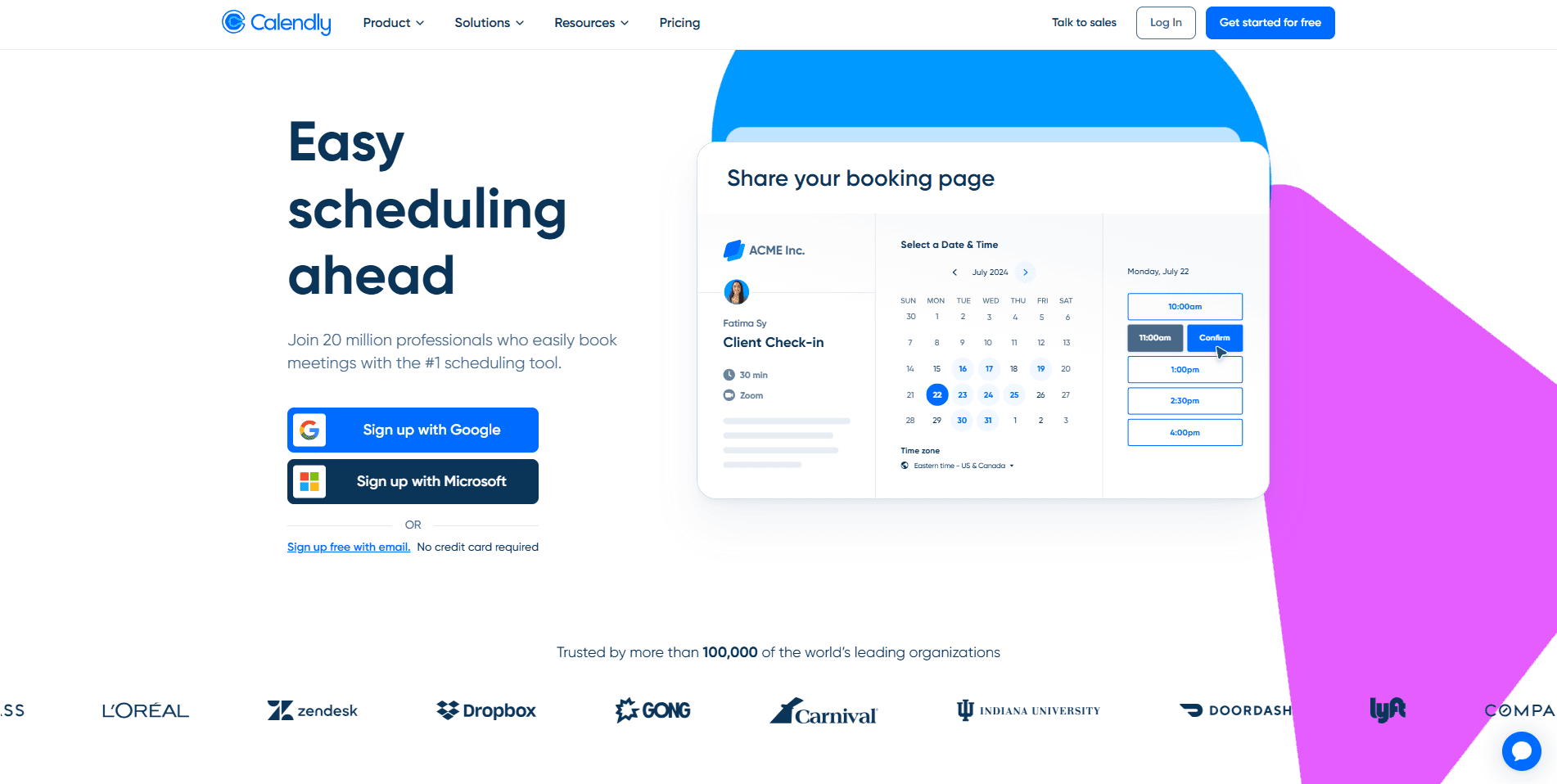
Short answer: Calendly is one of the easiest appointment scheduling tools to set up and use. It's ideal for freelancers, consultants, and small teams that want a straightforward booking experience without spending time configuring complex workflows.
Calendly became one of the most recognizable scheduling platforms by focusing on simplicity. You connect your calendar, define your availability, create an event type, and start sharing your booking link, all within a few minutes. Its clean interface and reliable scheduling experience make it a popular choice for businesses that don't need extensive customization.
At a glance
Category | Details |
Best for | Freelancers, consultants, coaches, startups, and small teams |
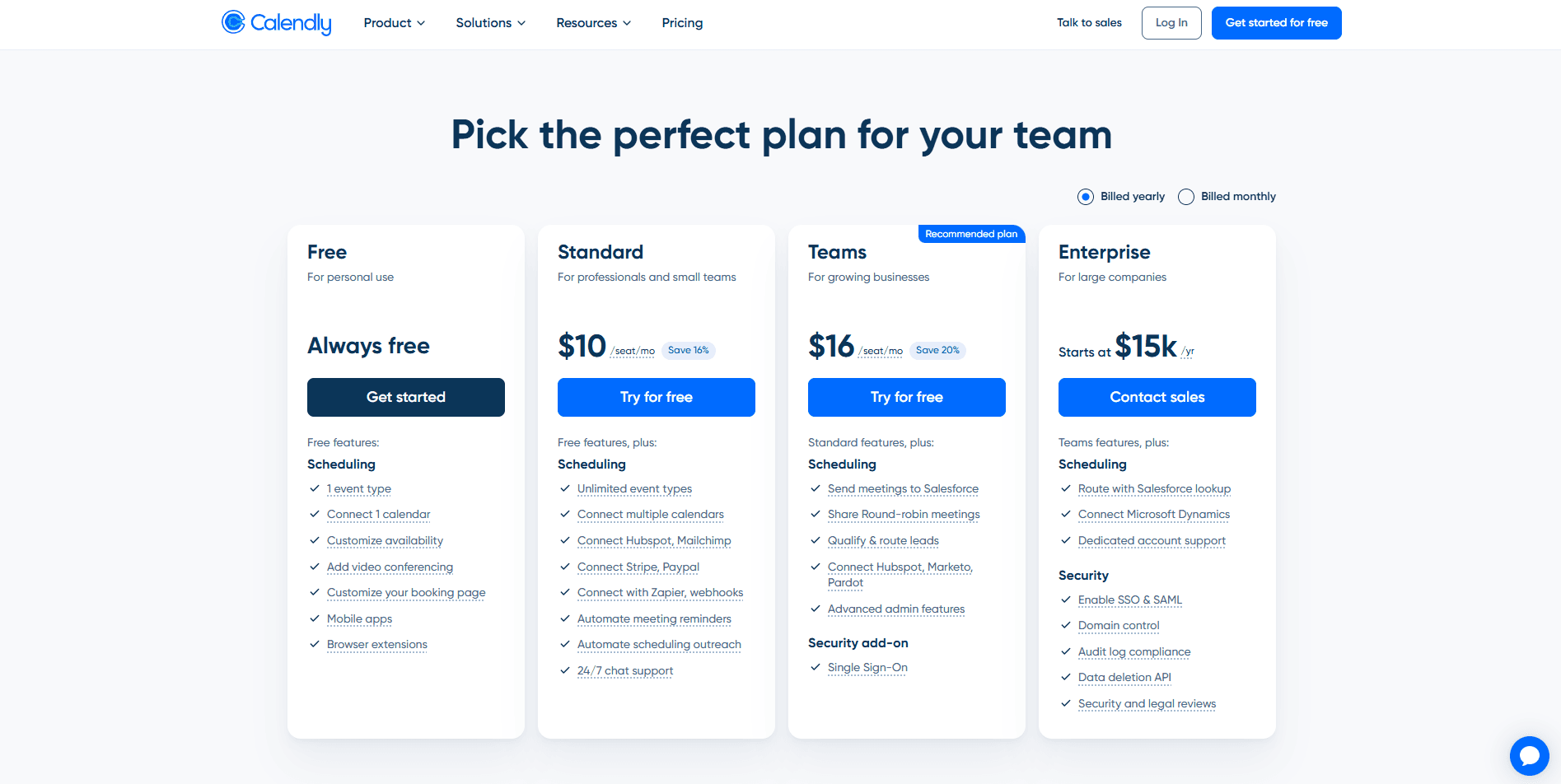
Starting price | Free plan available, paid plans start from $10/user per month, billed annually |
Ease of setup | Very easy to set up |
G2 rating |
Key features
Simple setup and intuitive interface: Getting started takes just a few minutes. Even first-time users can create a professional booking page with minimal effort.
Calendar synchronization: Calendly connects with Google Calendar, Outlook, Office 365, and iCloud to automatically check availability and prevent double bookings.
Multiple scheduling options: Create one-on-one meetings, group events, round-robin assignments, and collective team meetings depending on your plan.
Workflow automation: Automatically send confirmation emails, reminders, follow-ups, and calendar invites to reduce manual work and improve attendance.
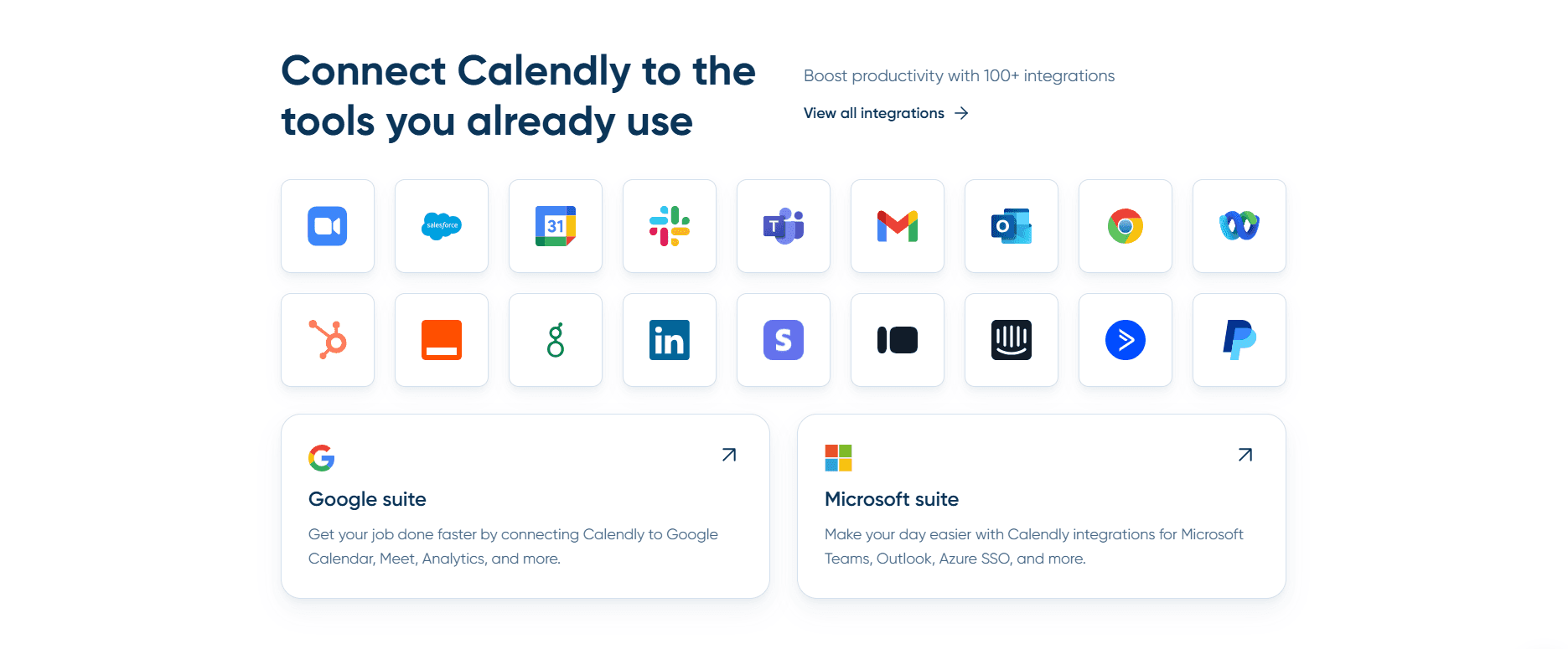
Extensive integrations: Connect with popular tools such as Zoom, Microsoft Teams, Google Meet, Salesforce, HubSpot, Slack, Stripe, and many others.
Professional booking pages: Customize your booking page with your logo, colors, event descriptions, and availability to create a polished booking experience.
Pros
Extremely easy to learn and set up.
Clean and user-friendly interface.
Reliable calendar syncing and time zone detection.
Strong ecosystem of third-party integrations.
Generous free plan for individuals with basic scheduling needs.
Cons
Advanced customization options are limited compared to competitors.
Many business-focused features require upgrading to a paid plan.
Less suitable for organizations with complex routing or scheduling workflows.
Client management capabilities are relatively basic.
Who should choose Calendly?
Calendly is a great fit if your priority is speed and simplicity. Individuals and small teams that primarily need an easy way to share booking links and automate meeting scheduling will find it more than capable. However, businesses that require advanced routing, deeper customization, or highly configurable scheduling workflows may eventually outgrow the platform.
Acuity Scheduling: Best for service-based businesses
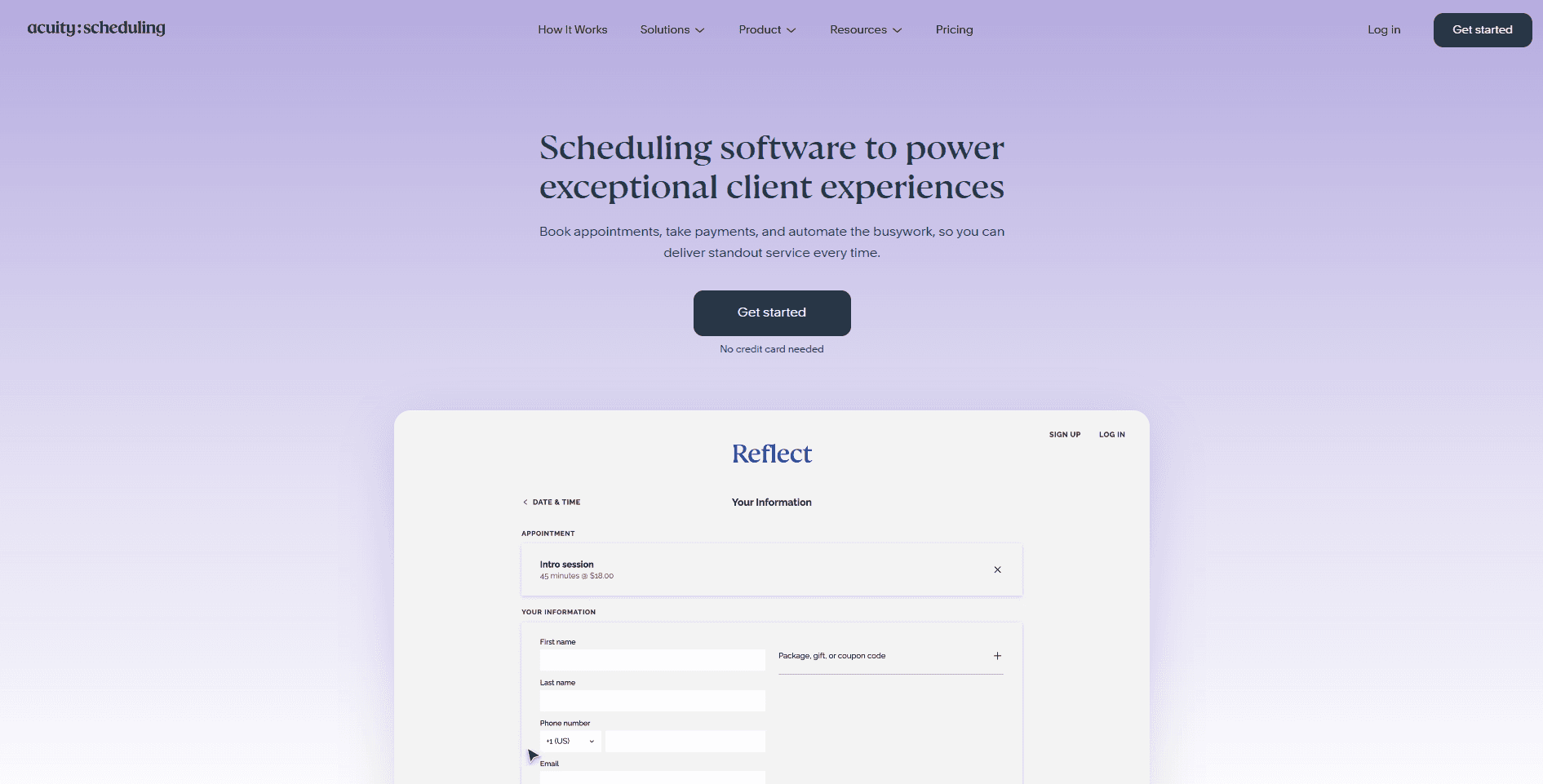
Short answer: Acuity Scheduling is designed for businesses that need more than basic appointment booking. It excels at managing paid appointments, collecting client information, and creating highly customized booking experiences.
Now part of Squarespace, Acuity Scheduling is built for businesses where appointments are a core part of operations. Instead of focusing solely on scheduling meetings, it provides tools for managing the entire booking journey, from collecting intake forms and accepting payments to sending personalized reminders and maintaining client records.
At a glance
Category | Details |
Best for | Healthcare providers, salons, consultants, coaches, fitness professionals, and other service-based businesses |
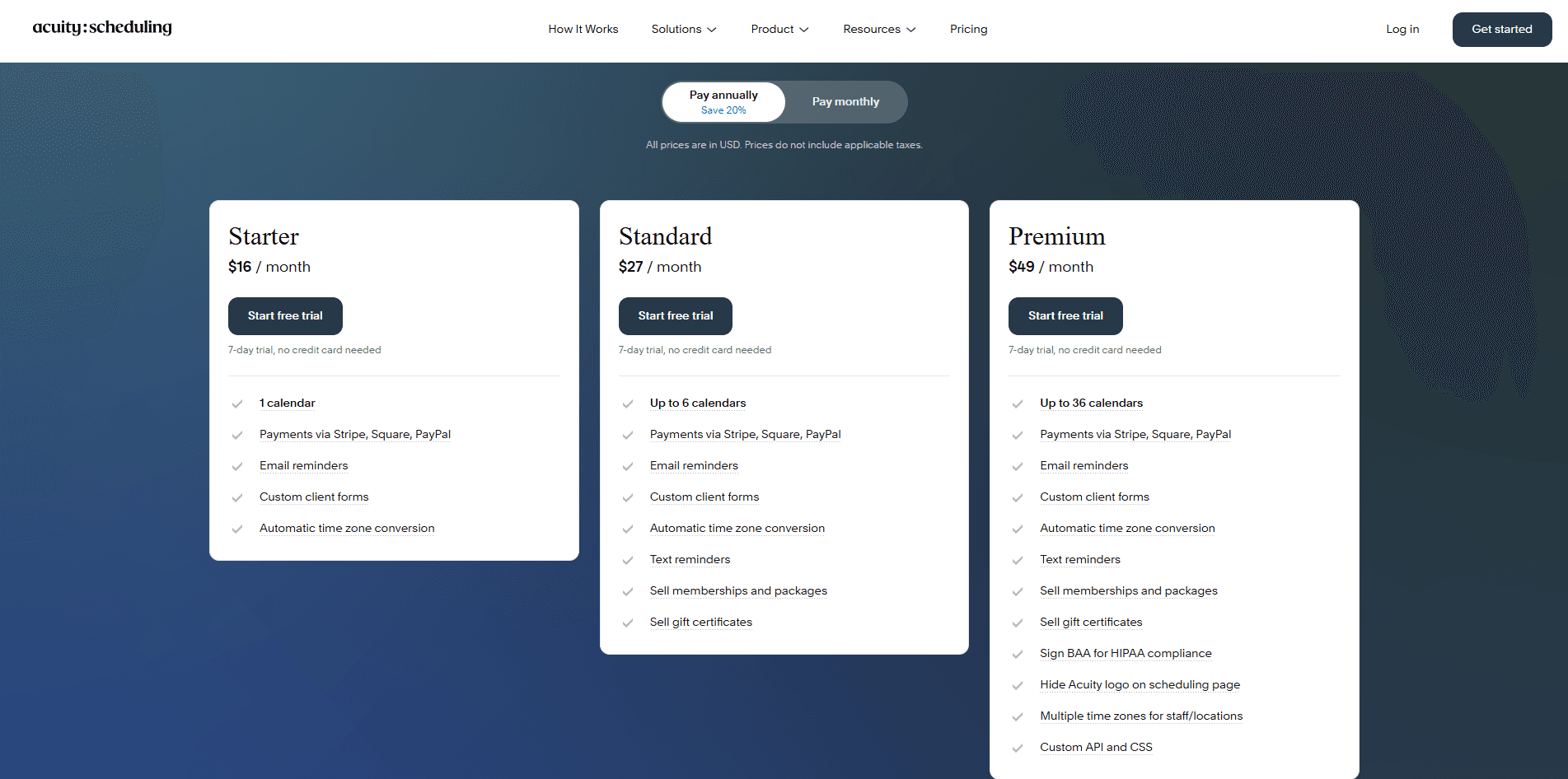
Starting price | $16/month |
Ease of setup | Moderately easy to set up |
G2 rating |
Key features
Advanced appointment management: Create multiple appointment types with custom durations, pricing, availability, and booking rules to match different services.
Custom intake forms: Collect important client information before appointments using customizable forms, helping businesses prepare before every meeting.
Integrated payment processing: Accept payments, deposits, memberships, packages, and gift certificates through popular payment gateways, making it well-suited for appointment-based businesses.
Automated reminders and follow-ups: Send personalized email and SMS reminders to reduce no-shows while automating post-appointment communication.
Client management tools: Store appointment history, customer notes, and booking details in one place to simplify ongoing client relationships.
Flexible customization: Tailor booking pages, availability rules, branding, and scheduling workflows to fit your business rather than adapting your business to the software.
Pros
Excellent for businesses that sell appointments or consultations.
Powerful intake forms and client management capabilities.
Supports multiple payment gateways and appointment packages.
Highly customizable booking workflows.
HIPAA-compliant scheduling available on qualifying plans.
Cons
No free plan for individuals or small businesses.
Setup takes longer than simpler scheduling tools.
The interface can feel overwhelming for first-time users.
May include more features than necessary for businesses with basic scheduling needs.
Who Should Choose Acuity Scheduling?
Acuity Scheduling is best suited for businesses where appointments involve more than simply choosing a time slot. If you need to collect customer information, process payments, manage repeat clients, or customize every stage of the booking process, Acuity offers the flexibility to support those workflows. However, businesses looking for a simpler experience or a platform that combines advanced scheduling with greater developer flexibility and scalability may want to explore alternatives like Cal.com.
Calendly vs Acuity Scheduling: Head-to-head comparison
On paper, Calendly and Acuity Scheduling solve the same problem: they let people book appointments without the back-and-forth emails. In practice, they're built for different audiences. Calendly focuses on speed and simplicity, while Acuity emphasizes customization and business-specific workflows.
Ease of Setup
Winner: Calendly
If you want to start accepting bookings as quickly as possible, Calendly has the advantage. Its onboarding process is straightforward: connect your calendar, set your availability, create an event type, and you're ready to share your booking link in just a few minutes. Acuity Scheduling requires more initial configuration because it offers significantly more customization. You'll spend additional time setting up appointment types, intake forms, pricing, availability rules, and client settings. While the extra effort pays off for businesses with complex workflows, it may feel excessive if you simply need basic appointment scheduling.
Bottom line: Choose Calendly for speed. Choose Acuity if you're willing to invest more time upfront for greater flexibility.
User Experience
Winner: Calendly
Calendly's clean interface is one of its biggest strengths. Both hosts and invitees can navigate the booking process with minimal friction, making it an excellent choice for businesses that prioritize a simple customer experience. Acuity's dashboard offers more control but also presents a steeper learning curve. The additional menus and configuration options can initially feel overwhelming, particularly for first-time users.
Bottom line: Calendly offers a smoother user experience, while Acuity prioritizes functionality over simplicity.
Appointment Scheduling Flexibility
Winner: Acuity Scheduling
Both platforms support one-on-one meetings, recurring appointments, and group sessions, but Acuity gives businesses much more control over how appointments are configured. You can create appointment-specific pricing, custom durations, intake forms, availability rules, and booking conditions that reflect different services. This level of flexibility is especially valuable for healthcare providers, consultants, fitness professionals, and salons. Calendly keeps scheduling intentionally simple, which works well for standard meetings but offers fewer customization options for businesses with specialized booking requirements.
Bottom line: Calendly is ideal for straightforward scheduling, while Acuity is better equipped for businesses with complex appointment workflows.
Calendar Integrations
Winner: Tie
Both Calendly and Acuity integrate with popular calendar providers, including Google Calendar, Outlook, Office 365, and iCloud. They automatically check availability, synchronize changes, and help prevent double bookings. For most users, there is little practical difference in day-to-day calendar syncing. Both platforms handle time zones reliably and keep appointments updated across connected calendars.
Bottom line: Both platforms deliver dependable calendar synchronization, making this category effectively even.
Automation and Reminders
Winner: Acuity Scheduling
Calendly automates confirmations, reminders, cancellations, and follow-up emails, helping users eliminate repetitive administrative work. Acuity builds on these fundamentals with more advanced automation options. Businesses can customize communication based on appointment type, trigger different reminder sequences, and create more personalized client journeys. For organizations that depend heavily on automated customer communication, Acuity provides greater flexibility.
Bottom line: Calendly covers the essentials, while Acuity offers more sophisticated automation for appointment-based businesses.
Team Scheduling
Winner: Calendly
Calendly has earned a strong reputation for team scheduling. Features like round-robin scheduling, collective meetings, and shared availability make it easy for sales, customer success, and recruiting teams to distribute meetings efficiently. Acuity also supports multiple staff members and resource management, but is primarily designed around service providers rather than collaborative team scheduling.
Bottom line: Businesses that regularly coordinate meetings across multiple employees will generally find Calendly easier to manage.
Client Management
Winner: Acuity Scheduling
This is where Acuity clearly differentiates itself. Instead of simply storing booking details, it allows businesses to maintain client records, collect intake forms, save appointment history, manage notes, and personalize future interactions. These capabilities make it much more suitable for organizations where client relationships extend beyond a single appointment. Calendly intentionally keeps client management lightweight, assuming many businesses already use a dedicated CRM.
Bottom line: If managing ongoing client relationships is important, Acuity offers a significantly more comprehensive solution.
Payments and Monetization
Winner: Acuity Scheduling
For businesses that charge for appointments, Acuity provides a more complete payment experience. It supports online payments, deposits, memberships, packages, gift certificates, and multiple payment gateways, allowing businesses to manage transactions directly within the booking workflow. Calendly supports payments on paid plans but offers fewer payment-focused capabilities overall.
Bottom line: Service-based businesses that rely on paid appointments will likely find Acuity better suited to their needs.
Pricing and Overall Value
Winner: Calendly on pricing, Acuity Scheduling on overall value
Calendly's free plan makes it one of the most accessible scheduling tools available, making it an excellent choice for individuals and small teams with straightforward scheduling needs. Acuity has a higher starting cost because it's designed for businesses that need advanced booking workflows, client management, and payment collection from day one. If you're evaluating value rather than price alone, the better option depends on whether you prioritize simplicity or specialized functionality.
Bottom line: Calendly delivers better value for basic scheduling, while Acuity justifies its higher cost with deeper business-focused features.
Why should you also consider Cal.com?
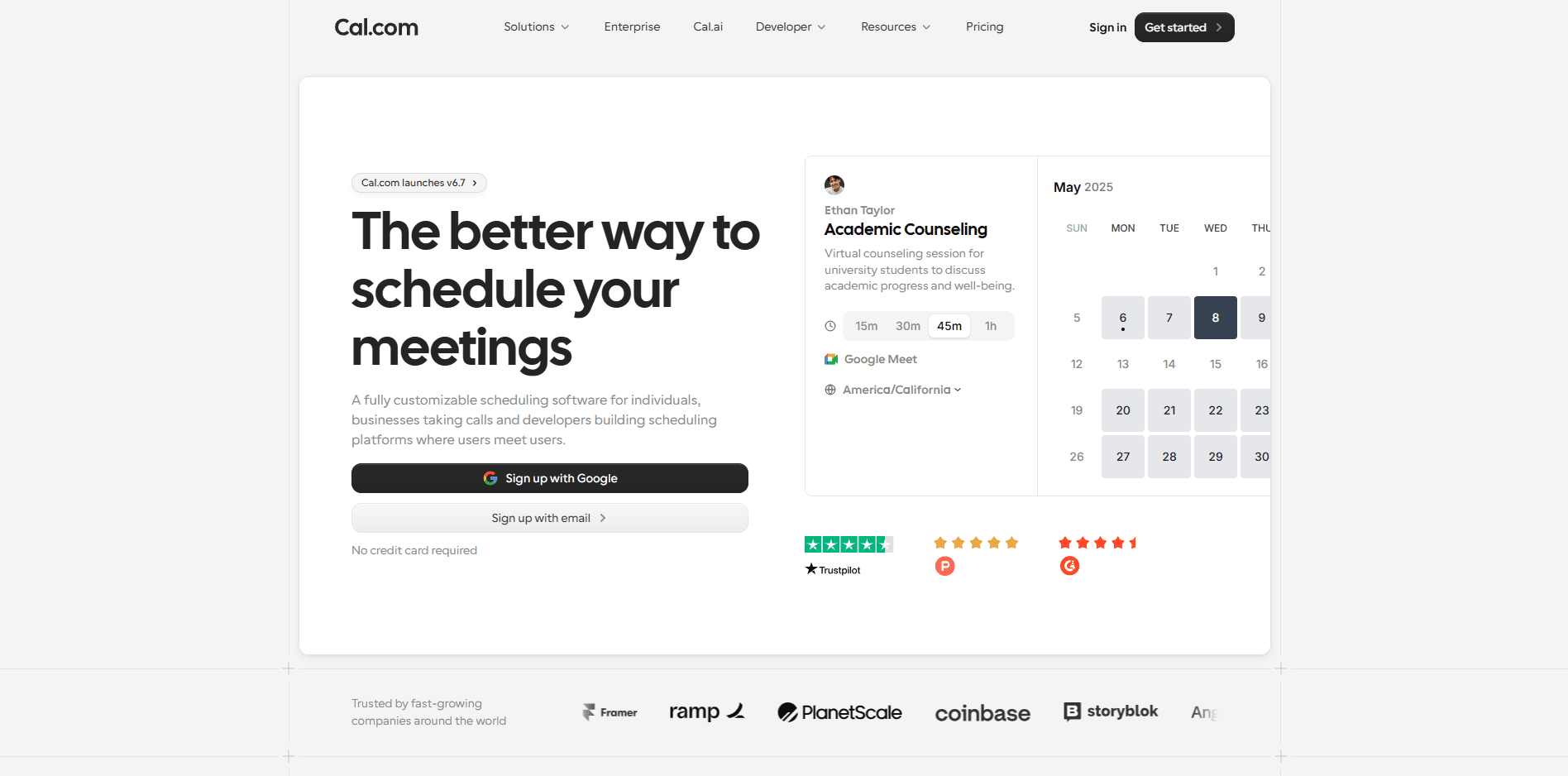
Short answer: Calendly and Acuity Scheduling are both excellent appointment schedulers, but they prioritize different strengths. Cal.com bridges that gap by combining an intuitive booking experience with advanced customization, automation, and scalability for businesses that expect their scheduling needs to evolve.
If your requirements stop at sharing a booking link, Calendly may be all you need. If your business revolves around appointments, payments, and client intake, Acuity Scheduling is a strong option. However, many growing businesses eventually need a platform that offers both simplicity and flexibility without forcing them to compromise.
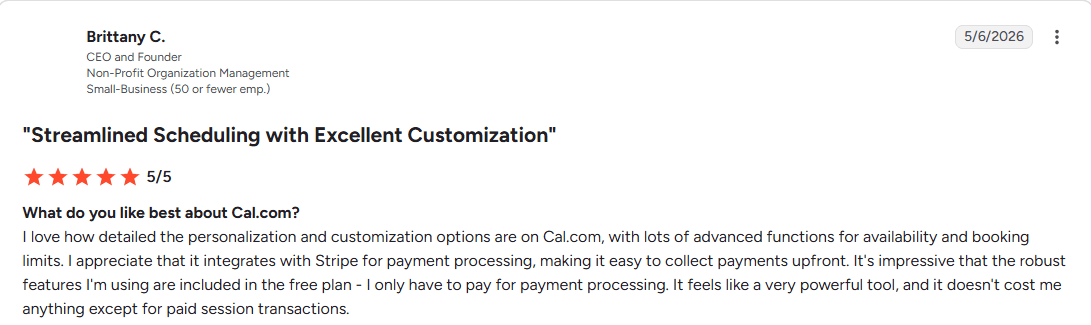
Brittany C review of Cal.com
Here's where Cal.com stands out:
Built to scale with your business: Whether you're an individual consultant or an enterprise managing thousands of appointments, Cal.com offers features that grow alongside your business instead of requiring you to switch platforms later.
Smarter routing for teams: Advanced routing forms automatically qualify and direct prospects to the right salesperson, recruiter, support specialist, or consultant, helping teams respond faster while reducing manual scheduling.
Greater customization: From branded booking pages and custom domains to configurable scheduling workflows, Cal.com gives businesses more control over the booking experience than many traditional scheduling platforms.
Powerful automation: Beyond confirmations and reminders, Cal.com supports automated workflows that reduce administrative work and create a smoother experience for both teams and customers.
Developer-friendly architecture: Unlike many closed scheduling platforms, Cal.com offers robust APIs, webhooks, and open-source flexibility, making it easier to build custom scheduling experiences or integrate deeply with existing systems.
Designed for modern teams: Features such as round-robin scheduling, collective availability, multi-location scheduling, multilingual booking pages, and extensive integrations make it well-suited for distributed teams and global organizations.
AI-powered scheduling: With Cal AI, businesses can automate scheduling conversations, send reminders, follow up with attendees, and help reduce no-shows using natural voice interactions, bringing conversational AI directly into the scheduling workflow.
Rather than focusing on one type of user, Cal.com is designed as a flexible scheduling platform that adapts to different industries, team sizes, and workflows. For businesses looking beyond basic appointment booking, it provides the infrastructure to support growth without sacrificing ease of use.
Which platform should you choose?
Short answer: There's no one-size-fits-all answer. The best scheduling platform depends on your business model, workflow complexity, and long-term goals. Here's a quick guide to help you decide.
Choose Calendly if...
You want to get started quickly: Calendly is one of the easiest scheduling tools to set up, making it ideal for individuals and small teams that need a booking page in minutes.
Your scheduling needs are straightforward: If you mainly book one-on-one meetings, discovery calls, or internal meetings, Calendly offers all the essentials without unnecessary complexity.
You value simplicity over customization: Businesses that don't require advanced booking rules, custom workflows, or extensive branding will appreciate Calendly's clean and intuitive interface.
Choose Acuity Scheduling if...
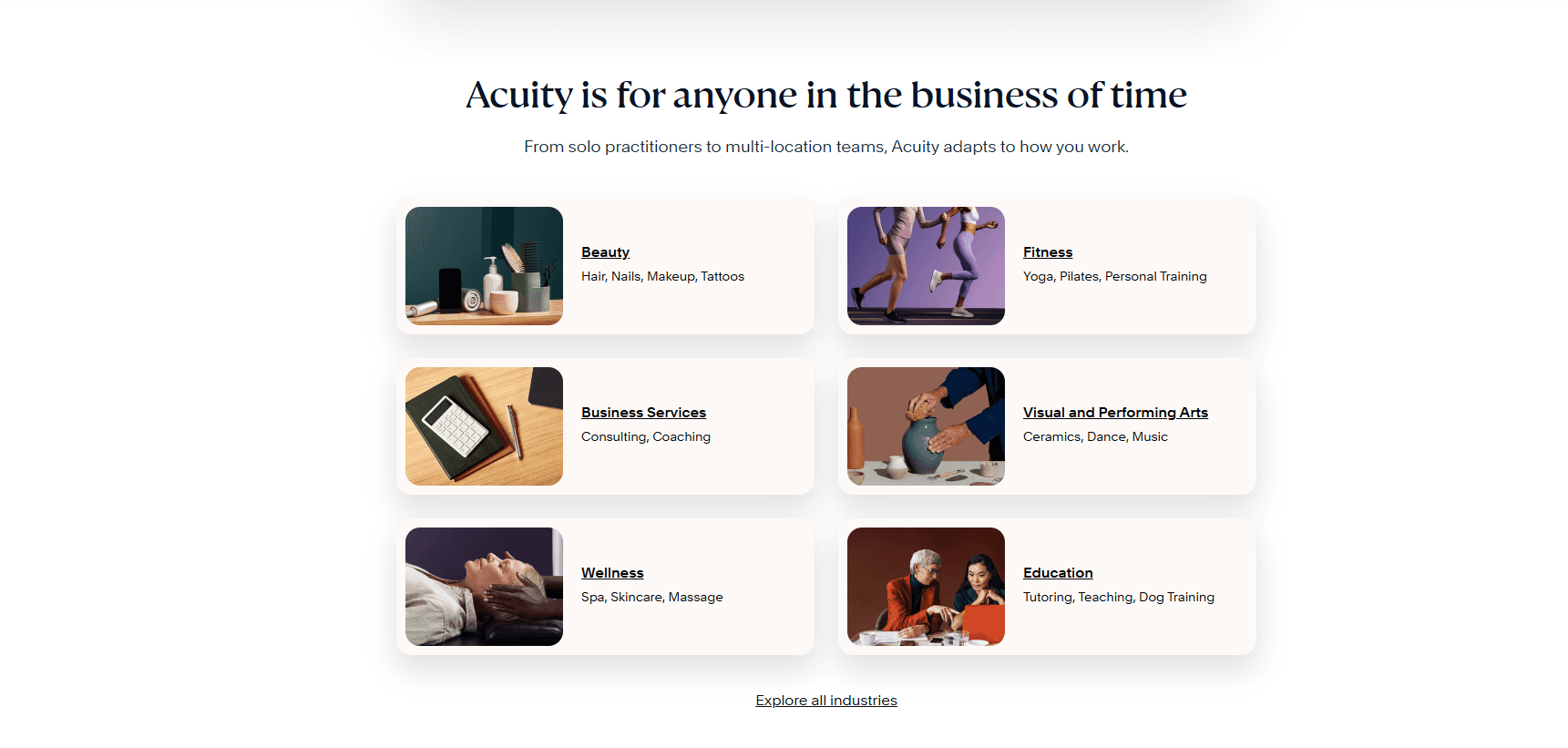
You run an appointment-based business: Healthcare providers, coaches, consultants, salons, fitness professionals, and similar businesses can benefit from Acuity's service-focused features.
You need to collect client information before appointments: Custom intake forms, questionnaires, and appointment-specific details help businesses prepare before every session.
You accept payments during booking: Acuity makes it easy to collect deposits, full payments, memberships, packages, and gift certificates as part of the booking process.
Choose Cal.com if...
You need a platform that grows with your business: Whether you're a solo professional today or managing multiple teams tomorrow, Cal.com is built to support changing scheduling requirements without requiring a platform switch.
You want advanced scheduling without sacrificing usability: Features like routing forms, workflow automation, team scheduling, branded booking pages, and multi-location support provide flexibility while keeping scheduling intuitive.
Customization matters to your business: From APIs and webhooks to custom domains, integrations, and open-source deployment options, Cal.com gives businesses far greater control over how scheduling fits into their operations.
You're building for the long term: Organizations that want enterprise-ready scheduling, developer flexibility, AI-powered scheduling, and a platform that adapts to future business needs will likely find Cal.com to be the strongest long-term investment.
Our Recommendation
If your needs are relatively simple, Calendly remains an excellent choice thanks to its ease of use and low learning curve. If your business revolves around appointments, payments, and client management, Acuity Scheduling offers the specialized tools to support those workflows.
However, if you're looking for a solution that combines the simplicity of Calendly with the flexibility of Acuity, while adding advanced automation, routing, customization, and developer capabilities, Cal.com delivers the most well-rounded solution for growing businesses. It offers the versatility to support individuals, startups, agencies, and enterprises without forcing you to compromise as your scheduling needs evolve.
Final verdict: Calendly vs Acuity Scheduling vs Cal.com
Both Calendly and Acuity Scheduling have earned their place among the leading appointment scheduling platforms, but they're designed for different types of users. The choice between these two options directly lies with understanding your requirements and accordingly choosing the option that suits your needs.
As mentioned in our comparison, Calendly works great for personal scheduling and simple setup. Acuity Scheduling works well if you’re running a physical service-based business. So, truly there’s little overlap between their optimal use cases and you should know that they’re both good in their own worlds. Cal.com is the one that stands out though for being the one platform that has the flexibility and scalability to meet the scheduling needs of both Calendly and Acuity Scheduling users.
So, if you’re interested and intrigued, you can get started with Cal.com for free or book a demo today to see how it can improve your scheduling workflow.
Frequently asked questions
1. Which is better: Calendly or Acuity Scheduling?
It depends on your priorities. Calendly is better for users who want a simple scheduling experience with minimal setup, while Acuity Scheduling is better suited for service-based businesses that require client intake forms, appointment payments, and more customizable booking workflows.
2. Does Calendly have a free plan?
Yes. Calendly offers a free plan that supports basic scheduling features, making it a good option for individuals and small businesses. Advanced capabilities such as additional event types, integrations, and team scheduling require a paid subscription.
3. Does Acuity Scheduling offer a free plan?
No. Acuity Scheduling is a paid scheduling platform, although new users can typically explore the service through a free trial before choosing a subscription.
4. Which platform is easier to set up?
Calendly is generally the quickest to set up. Most users can connect their calendar, configure availability, and start sharing booking links within minutes. Acuity Scheduling requires more initial configuration because of its broader customization options.
5. Which scheduling platform is best for service-based businesses?
Acuity Scheduling is a strong choice for businesses such as healthcare practices, salons, fitness studios, coaches, and consultants because it supports intake forms, appointment payments, memberships, and detailed client management.
6. Which platform offers better customization?
Acuity Scheduling provides more customization than Calendly for booking workflows and client experiences. However, businesses looking for extensive customization, branded booking experiences, APIs, and developer flexibility may find Cal.com to be the more versatile option.
7. Can I migrate from Calendly or Acuity Scheduling to Cal.com?
Yes. Cal.com provides migration resources to help businesses move from other scheduling platforms while preserving their existing scheduling workflows and minimizing disruption. In fact, you can migrate from Calendly to Cal.com in just one-click, with a free account.
8. Does Cal.com integrate with Google Calendar and Outlook?
Yes. Cal.com integrates with popular calendar providers, including Google Calendar, Outlook, Apple Calendar, and others, helping keep availability synchronized and reducing the risk of double bookings.
9. Which appointment scheduler is best for growing teams?
For teams expecting their scheduling requirements to become more sophisticated, Cal.com offers advanced routing, workflow automation, team scheduling, and customization that can support business growth over time.
10. What is the best alternative to Calendly and Acuity Scheduling?
The best alternative depends on your requirements. If you're looking for a platform that combines intuitive scheduling with advanced automation, routing, customization, developer tools, and enterprise scalability, Cal.com is one of the strongest alternatives available today.

Get started with Cal.com for free today!
Experience seamless scheduling and productivity with no hidden fees. Sign up in seconds and start simplifying your scheduling today, no credit card required!