5 beste planningssoftware voor schoonmaakdiensten | Cal.com
Zodra je meer dan één schoonmaker hebt, moet je weten wiens agenda vrij is, dubbele boekingen vermijden, rekening houden met terugkerende schoonmaakbeurten en elke nieuwe boeking bij de juiste persoon krijgen zonder zelf ieders schema te controleren.
Jul 22, 2026
On this page
- TL;DR: beste planningssoftware voor schoonmaakdiensten in één oogopslag
- Wat is planningssoftware voor schoonmaakdiensten?
- Waar je op moet letten in planningssoftware voor schoonmaakdiensten
- De 5 beste planningssoftware voor schoonmaakdiensten
- 1. Cal.com: het beste voor het online aannemen van schoonmaakboekingen en betalingen
- 2. ZenMaid: het beste voor schoonmaakbedrijven voor woningen met terugkerende klanten
- 3. Jobber: het beste voor schoonmaakbedrijven die offertes, facturen en planning in één app willen
- 4. Housecall Pro: beste alles-in-één platform voor schoonmaakteams aan huis
- 5. ServiceTitan: beste voor het beheren van grote crews, complexe dispatch en rapportage
- Planningsoftware voor schoonmaakdiensten: snelle vergelijking
- Eindoordeel
- Veelgestelde vragen
Daarom is Cal.com de beste planningssoftware voor schoonmaakdiensten die klanten online willen laten boeken terwijl de beschikbaarheid van schoonmakers overzichtelijk blijft. De kalendersync houdt de beschikbaarheid van elke schoonmaker up-to-date, terwijl round-robin planning nieuwe boekingen naar de eerstvolgende beschikbare schoonmaker stuurt. Routeringsformulieren verzamelen details zoals de grootte van het pand en het type dienst, en sturen de boeking daarna naar de juiste persoon.
We hebben Cal.com vergeleken met vier andere planningssoftware voor schoonmaakdiensten om te zien hoe elk deze drie belangrijke gebieden aanpakt:
-
Terugkerende schoonmaakbeurten: Kun je herhaalbezoeken instellen en afzonderlijke afspraken wijzigen?
-
Kosten per teamlid: Hoeveel komt er bij je maandelijkse factuur bij als je een extra schoonmaker toevoegt?
-
Betalingen innen: Kun je betaling innen wanneer de klant boekt?
De vergelijkingstabel aan het einde laat zien hoe alle vijf tools scoren op deze criteria.
TL;DR: beste planningssoftware voor schoonmaakdiensten in één oogopslag
-
Cal.com: het beste voor het online aannemen van schoonmaakboekingen en betalingen
-
ZenMaid: het beste voor schoonmaakbedrijven voor woningen met terugkerende klanten
-
Jobber: het beste voor schoonmaakbedrijven die offertes, facturen en planning in één app willen
-
Housecall Pro: het beste alles-in-één platform voor teams voor huishoudelijke schoonmaak
-
ServiceTitan: het beste voor het beheren van grote teams, complexe dispatch en rapportage
Wat is planningssoftware voor schoonmaakdiensten?
Planningssoftware voor schoonmaakdiensten helpt je schoonmaakafspraken te boeken, toe te wijzen en te beheren. Het geeft klanten een boekingspagina waarop ze een dienst en tijd kiezen, en voegt daarna de afspraak toe aan de agenda van de juiste schoonmaker met bevestigingen en herinneringen.
Er zijn twee soorten planningssoftware voor schoonmaakdiensten:
-
Field service management suites: Die combineren planning met tools voor offertes, facturatie, klantbeheer en teamwerkzaamheden.
-
Booking-first platforms: Die richten zich op de boekingservaring van de klant en koppelen met de betaal-, CRM- of field-service tools die je al gebruikt.
Sommige schoonmaakbedrijven gebruiken beide. Een boekingsplatform regelt hoe klanten hun schoonmaakbeurten plannen, terwijl een field-serviceplatform het operationele werk rond die afspraken afhandelt.
Waar je op moet letten in planningssoftware voor schoonmaakdiensten
De juiste functies hangen af van hoe jouw schoonmaakbedrijf werkt. Focus op de functies die planningswerk verminderen, boeken makkelijker maken voor klanten en de kosten voorspelbaar houden naarmate je team groeit.
Let bij het vergelijken van opties op deze functies:
-
Zelf boeken door klanten: Laat klanten zonder bellen een offerte, rondleiding of schoonmaak boeken. Kijk naar deelbare boekingslinks, website-embeds en intakevragen voor details zoals de grootte van het pand, het type dienst en toegangsinstructies.
-
Team- en ploegplanning: Zodra je meerdere schoonmakers hebt, heb je gedeelde beschikbaarheid, conflictcontroles en een makkelijke manier nodig om opdrachten toe te wijzen. Kalenderintegraties helpen je zien wanneer elke schoonmaker beschikbaar is en dubbele boekingen te vermijden.
-
Terugkerende afspraken en automatisering: Stel eenmalig wekelijkse, tweewekelijkse en maandelijkse schoonmaakbeurten in en stuur daarna automatisch bevestigingen en herinneringen. Controleer of je één afspraak kunt verplaatsen zonder de rest van de reeks te veranderen.
-
Betalingen en aanbetalingen: Door een betaling of aanbetaling te innen wanneer klanten boeken, beperk je no-shows en het najagen van facturen. Kijk naar ingebouwde kaartbetalingen of integraties met providers zoals Stripe.
-
Integraties en flexibiliteit: Je planner moet koppelen met de agenda's, CRM-, boekhoud- en field-service tools die je al gebruikt. Een API en in te sluiten boekingsopties zijn handig als je de boekingservaring op je eigen website wilt houden.
-
Instelsnelheid en prijs: Bedenk hoe snel je kunt starten en hoe de kosten veranderen naarmate je team groeit. Een lage instapprijs kan duur worden zodra extra schoonmakers betekenen dat je naar een hoger plan moet overstappen.
De 5 beste planningssoftware voor schoonmaakdiensten
1. Cal.com: het beste voor het online aannemen van schoonmaakboekingen en betalingen
| Gratis plan? | Startprijs | Opvallende functie | Beste gebruikssituatie |
|---|---|---|---|
| Ja, gratis voor altijd voor één gebruiker | $16/gebruiker/maand | Stripe- en PayPal-betalingen bij boeking op het gratis plan | Solo-schoonmakers en kleine teams die klanten online willen laten boeken en betalen |

Wat het is: Cal.com is een plannings- en boekingsplatform waarmee je de klantgerichte kant van je schoonmaakbedrijf beheert. Klanten kunnen een offerte, rondleiding of schoonmaak boeken, betalen wanneer ze boeken en automatisch herinneringen ontvangen. Je kunt je agenda's synchroniseren om de beschikbaarheid up-to-date te houden en boekingen naar de juiste schoonmaker routeren. Voor kleinere bedrijven werkt het als een zelfstandige planner, terwijl groeiende teams het kunnen gebruiken naast hun bestaande field-service tools.
Waarom het op nummer één staat: Cal.com geeft schoonmaakbedrijven meer controle over hoe boekingen in hun bestaande setup passen. De routeringsformulieren helpen klanten naar de juiste schoonmaker te sturen, terwijl round-robin planning boekingen verdeelt op basis van beschikbaarheid. Het heeft ook 100+ native integraties en een open API, waardoor het makkelijk is om boekingen te koppelen aan de CRM-, betaal-, agenda- of field-service tools die je al gebruikt.
Belangrijkste functies:
-
Zelfbedieningsboekingspagina's: Maak branded boekingspagina's waar klanten een dienst en beschikbare tijd kiezen, of sluit de boekingservaring in op je website in.
-
Kalendersync: Koppel Google, Outlook, Apple en andere agenda's om de beschikbaarheid up-to-date te houden en conflicterende boekingen te voorkomen.
-
Gedeelde beschikbaarheid: Coördineer de beschikbaarheid binnen een team, zodat klanten alleen tijden zien waarop de juiste schoonmaker of groep beschikbaar is.
-
Round-robin planning: Verdeel nieuwe boekingen onder beschikbare schoonmakers in plaats van elke afspraak handmatig toe te wijzen.
-
Collective planning: Boek afspraken die meerdere teamleden vereisen door hun beschikbaarheid samen te controleren.
-
Routeringsformulieren: Stel vragen zoals het type dienst of de grootte van het pand vóór het boeken, en gebruik de antwoorden om klanten naar de juiste schoonmaker of het juiste event te sturen.
-
Terugkerende boekingen: Stel herhaalafspraken in voor klanten die wekelijkse, tweewekelijkse of maandelijkse schoonmaakbeurten boeken.
-
Buffers en boekingslimieten: Voeg tijd tussen afspraken toe voor reizen of voorbereiding en bepaal wanneer en hoe ver vooruit klanten kunnen boeken.
-
Geautomatiseerde herinneringen: Stuur boekingsbevestigingen, herinneringen en opvolgberichten via e-mail of SMS zonder elke klant handmatig te benaderen.
-
Boekingsbetalingen: Neem aanbetalingen of volledige betaling aan via Stripe of PayPal voordat een klant een boeking afrondt.
-
Mobiele app: Beheer boekingen, bekijk je planning en ontvang boekingsmeldingen vanaf je telefoon.
-
100+ integraties: Koppel Cal.com met agenda's, CRM's, betaaltools, productiviteitsapps en andere software via de integratiebibliotheek.
-
API en webhooks: Koppel boekingsgegevens aan systemen op maat of trigger acties in andere tools wanneer boekingen worden aangemaakt, gewijzigd of geannuleerd.
-
Insluitbare boeking: Voeg boekingsformulieren direct toe aan je website, zodat klanten je site niet hoeven te verlaten om een schoonmaak te plannen.
-
White-labelopties: Verwijder de Cal.com-branding en pas de boekingservaring aan voor een consistenter klantgerichte ervaring.
-
Boekingsanalyse: Zie welke schoonmaakdiensten de meeste boekingen krijgen, volg annuleringen en no-shows, en vergelijk boekingsactiviteit tussen schoonmakers en tijdsperioden.
Prijzen: Cal.com biedt een gratis abonnement voor één gebruiker met onbeperkte planningslinks en agenda-verbindingen, e-mail- en SMS-meldingen, 100+ integraties en betalingen via Stripe en PayPal. Betaalde abonnementen beginnen bij $16/gebruiker/maand, of $12/gebruiker/maand bij jaarlijkse facturering, en voegen round-robin planning, collectieve planning, terugkerende evenementen, routing forms en aangepaste API's toe.
Het beste voor: Solo-schoonmakers en groeiende schoonmaakteams die klanten online willen laten boeken en betalen, met routing, round-robin en collective planning om boekingen onder schoonmakers te verdelen.
Oordeel: Cal.com werkt goed voor schoonmaakbedrijven die klanten online willen laten boeken en betalen terwijl de beschikbaarheid van schoonmakers, herinneringen en terugkerende afspraken overzichtelijk blijven. Je kunt die boekingen via de integraties en API koppelen aan je CRM, facturatiesysteem of field-servicesoftware naarmate je bedrijf groeit.
Ga aan de slag met het gratis plan van Cal.com, of boek een demo om te zien hoe het past bij jouw schoonmaakbedrijf.
2. ZenMaid: het beste voor schoonmaakbedrijven voor woningen met terugkerende klanten
| Gratis plan? | Startprijs | Opvallende functie | Beste gebruikssituatie |
|---|---|---|---|
| Nee, 14-daagse proefperiode | $19/maand (+$4 per schoonmaker) | Planningsworkflows specifiek voor schoonmaak | Schoonmaakbedrijven voor woningen met terugkerende klanten |
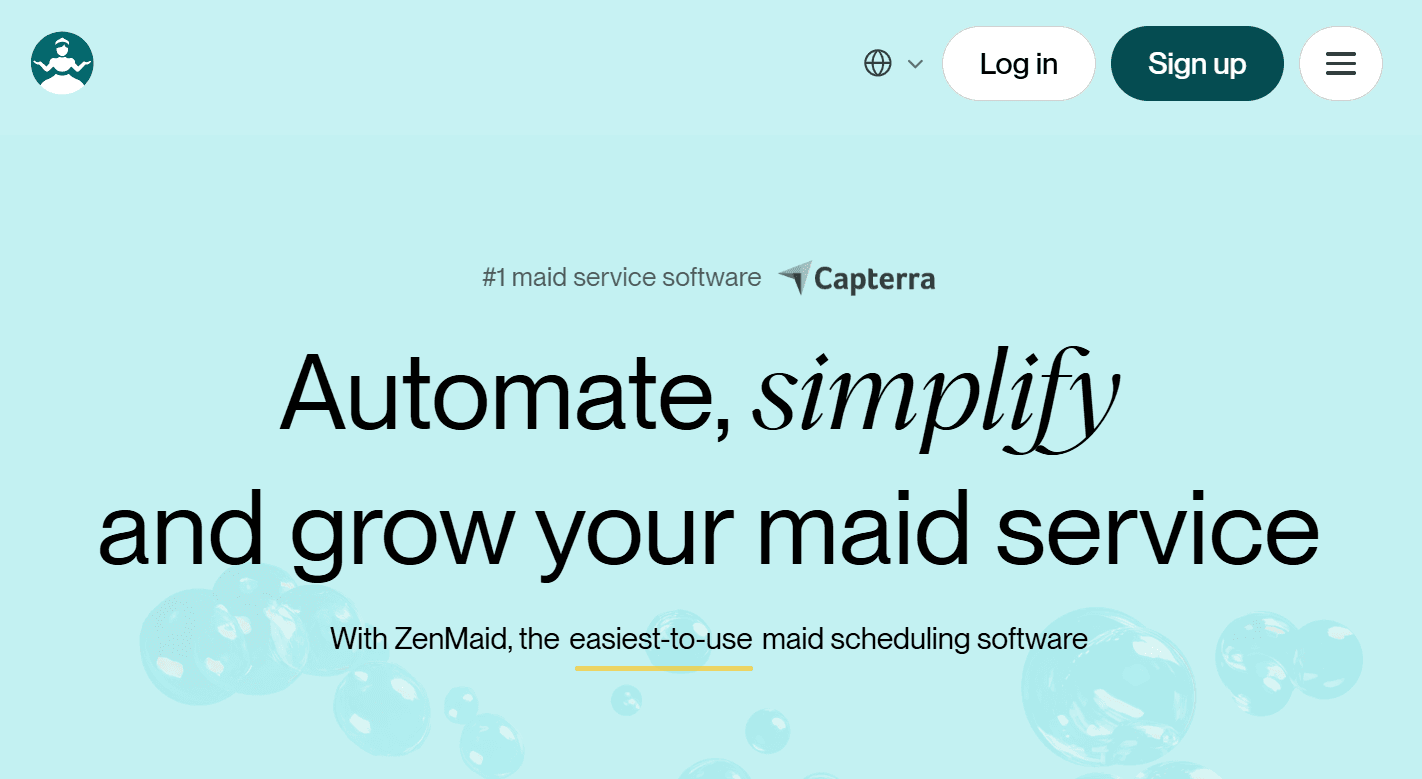
Wat het is: ZenMaid is planningssoftware die speciaal is gemaakt voor schoonmaak- en maid services voor woningen. Je kunt er eenmalige en terugkerende schoonmaakbeurten mee plannen, schoonmakers toewijzen en hun beschikbaarheid beheren. Klantgegevens bewaren ook details zoals servicegeschiedenis, toegangsinstructies en afspraaknotities op één plek. Klanten kunnen eenmalige of terugkerende diensten aanvragen via boekingsformulieren, terwijl schoonmakers hun schema's, klantgegevens, checklists en jobnotities kunnen bekijken via de mobiele app.
Belangrijkste functies:
-
Planningsfuncties specifiek voor schoonmaak: Beheer afspraken vanuit kalender-, dispatch- en kaartweergaven en wijs daarna schoonmakers toe en voeg klantnotities, adressen en toegangsinstructies toe.
-
Online boekingsformulieren: Laat klanten diensten aanvragen of boeken via je website, met aangepaste vragen, service-opties, prijzen en terugkerende boekingen.
-
Terugkerende planning: Stel herhaalbeurten in, pas de frequentie en timing aan, wijs schoonmakers toe en vind open plekken voor nieuwe terugkerende klanten.
-
Mobiele app voor schoonmakers: Geef schoonmakers via hun telefoon toegang tot schema's, klantgegevens, adressen, checklists en afspraaknotities.
-
Geautomatiseerde communicatie en betalingen: Stuur bevestigingen en herinneringen via SMS of e-mail, verzamel betalingen via Stripe of Square en beheer facturen.
Beperkingen:
-
Boekingsformulieren, rapporten en payroll-functies zitten niet in het starterplan
-
SMS-kosten staan los van het abonnement
-
Minder flexibel als je diepgaande aanpassingen of aangepaste integraties nodig hebt
Prijzen: ZenMaid heeft geen gratis plan, maar biedt wel een gratis proefperiode van 14 dagen. Betaalde plannen beginnen bij $19/maand voor nul schoonmakers en omvatten tot 40 afspraken, basisplanning en klantbeheer, met extra gebruikers vanaf $4/maand per stuk.
Het beste voor: Schoonmaakbedrijven voor woningen die planning, toewijzing van schoonmakers en terugkerende afspraken op één plek nodig hebben.
Oordeel (vs. Cal.com): Kies ZenMaid als je bedrijf vooral terugkerende schoonmaakbeurten voor woningen afhandelt en je kant-en-klare planningsfuncties specifiek voor schoonmaak wilt. Cal.com is beter passend als je meer controle wilt over online boeken en planning wilt koppelen aan je CRM, betalingen of software op maat.
3. Jobber: het beste voor schoonmaakbedrijven die offertes, facturen en planning in één app willen
| Gratis plan? | Startprijs | Opvallende functie | Beste gebruikssituatie |
|---|---|---|---|
| Nee, 14-daagse proefperiode | $49/maand (voor één gebruiker) | Dispatch, offertes, facturatie en planning in één app | Groeiend schoonmaakteam dat de operatie vanuit één plek wil runnen |

Wat het is: Jobber is field-service managementsoftware waarmee schoonmaakbedrijven het volledige proces kunnen beheren, van een klus offreren tot betaald krijgen. Je kunt schoonmaakbeurten plannen en toewijzen, offertes versturen, klanten factureren, betalingen innen en klantinformatie op één plek bewaren. Het ondersteunt ook terugkerende klussen, online boeken en team-dispatch, zodat je planning en dagelijkse operatie met elkaar verbonden blijven.
Belangrijkste functies:
-
Planning en dispatch: Plan eenmalige of terugkerende schoonmaakklussen, wijs ze toe aan schoonmakers en beheer opdrachten vanuit de teamagenda.
-
Online boekingen: Laat klanten werk aanvragen via je website of direct in je kalender boeken, en zet die aanvragen daarna om in opdrachten.
-
Terugkerende opdrachten: Stel wekelijkse, tweewekelijkse, maandelijkse of aangepaste schema’s in voor terugkerende klanten, met factureringsopties per bezoek of volgens een vast schema.
-
Offertes, facturen en betalingen: Maak offertes, verstuur facturen, accepteer online betalingen en breng opgeslagen betaalmethoden automatisch in rekening voor terugkerend werk.
-
Klant- en opdrachtbeheer: Bewaar klantgegevens, instructies voor opdrachten, checklists, facturen en afspraakinformatie op één plek.
Beperkingen:
-
AI-receptionist en marketingtools kosten extra
-
Online boekingen wijzen klanten toe op basis van beschikbaarheid in plaats van specifieke vaardigheden
-
Het is erg complex en duur als je alleen een boekingstool nodig hebt
Prijzen: Jobber heeft geen gratis plan, maar biedt wel een gratis proefperiode van 14 dagen. Betaalde plannen beginnen bij $49/month voor één gebruiker en bevatten planning, online boekingen, offertes, facturering en betalingen. Extra gebruikers kosten $29/month per stuk.
Het beste voor: Groeiende schoonmaakbedrijven die planning nodig hebben naast offertes, facturering, betalingen en andere fieldserviceprocessen.
Oordeel (vs. Cal.com): Jobber dekt planning naast offertes, facturering, betalingen, klantbeheer en crew-dispatch, dus het past bij schoonmaakbedrijven die deze taken in één systeem willen. Cal.com richt zich op het laten boeken van klanten, het georganiseerd houden van de beschikbaarheid van schoonmakers en het koppelen van die boekingen aan de andere tools die je al gebruikt.
4. Housecall Pro: beste alles-in-één platform voor schoonmaakteams aan huis
| Gratis plan? | Startprijs | Opvallende functie | Beste gebruikssituatie |
|---|---|---|---|
| Nee, 14 dagen proefperiode | Offerte op maat | Planning, dispatch en betalingen | Gevestigde home-service- en schoonmaakbedrijven |

Wat het is: Housecall Pro is fieldservicebeheersoftware voor home-servicebedrijven, waaronder schoonmaakbedrijven. Het begeleidt een klant van boeking via planning, dispatch, betaling en follow-up, terwijl klant- en opdrachtinformatie op één plek blijft. Je kunt ook offertes versturen, facturen maken, betalingen innen en terugkerende diensten beheren vanuit hetzelfde systeem. Daardoor past het goed bij schoonmaakbedrijven die planning willen koppelen aan de rest van hun dagelijkse werkzaamheden.
Belangrijkste functies:
-
Planning en dispatch: Plan eenmalige of terugkerende opdrachten, wijs ze toe aan medewerkers en beheer de teamagenda en routes.
-
Online boekingen: Laat klanten diensten boeken vanaf je website, Google of een directe link, met opties voor aanbetalingen en vooraf betalen.
-
Terugkerende diensten: Stel dagelijkse, wekelijkse, maandelijkse of aangepaste terugkerende opdrachten in en werk daarna losse bezoeken of de hele reeks bij.
-
Facturering en betalingen: Maak en verstuur facturen, ontvang kaart- of bankbetalingen en volg betalingen per opdracht.
-
Klantbeheer en integraties: Houd klantgegevens, afspraken, facturen en berichten bij elkaar en koppel tools zoals QuickBooks.
Beperkingen:
-
Add-ons maken de software duurder
-
API- en Zapier-integraties vereisen het hoogste plan
-
Online boekingen koppelen opdrachten niet aan technici op basis van vaardigheid
Prijzen: Housecall Pro heeft geen gratis plan, maar je krijgt wel een gratis proefperiode van 14 dagen. De Basic-, Essentials- en MAX-plannen hebben geen openbare prijzen meer, dus je moet contact opnemen met Housecall Pro voor een offerte.
Het beste voor: Gevestigde schoonmaak- en home-servicebedrijven die planning, dispatch, betalingen en klantbeheer in één platform willen.
Oordeel (vs. Cal.com): Housecall Pro past bij schoonmaakbedrijven die planning, dispatch, offertes, facturering, betalingen en terugkerende diensten op één plek willen. Cal.com is beter geschikt voor bedrijven die vooral online boekingen en planning nodig hebben, met routing en integraties om boekingen te koppelen aan hun bestaande tools
5. ServiceTitan: beste voor het beheren van grote crews, complexe dispatch en rapportage
| Gratis plan? | Startprijs | Opvallende functie | Beste gebruikssituatie |
|---|---|---|---|
| Nee, en geen proefperiode | Offerte op maat | Enterprise-dispatch, routing en rapportage | Grote schoonmaakoperaties met meerdere crews |

Wat het is: ServiceTitan is een fieldservicebeheerpplatform voor grotere schoonmaakbedrijven met meerdere crews, technici en kantoormedewerkers. Je kunt het gebruiken om schoonmaakopdrachten te plannen, crews te dispatchen, klanten te volgen, facturen te versturen, betalingen te innen en terugkerende diensten vanuit één systeem te beheren. Het brengt ook tools voor salarisadministratie, rapportage, lidmaatschappen en andere backofficetaken samen in hetzelfde platform, waardoor het geschikt is voor bedrijven die zowel hun schoonmaakopdrachten als de operatie erachter moeten beheren.
Belangrijkste functies:
-
Planning en dispatch: Plan opdrachten, wijs technici toe en houd rekening met vaardigheden, locatie en reistijd.
-
Routing en field operations: Plan routes voor technici, volg opdrachten in het veld en stuur klanten updates over aankomsttijden.
-
Klantbeheer en rapportage: Houd klant- en opdrachthistorie bij elkaar en volg omzet, boekingen en prestaties van technici.
-
Facturering en betalingen: Maak facturen, accepteer betalingen online of ter plaatse en automatiseer betalingsverwerking en lidmaatschapsfacturering.
-
Salarisadministratie en lidmaatschappen: Volg uren en loon van technici terwijl je terugkerende diensten, facturering en verlengingen beheert.
Beperkingen:
-
Geen openbare prijzen, dus je hebt een salesdemo en offerte op maat nodig
-
Prijzen per technicus maken het duur voor grotere teams
-
Implementatie kost tijd en vereist een jaarcontract
Prijzen: ServiceTitan heeft geen gratis plan of proefperiode. De drie betaalde pakketten gebruiken prijzen per technicus, maar tarieven zijn niet gepubliceerd. Je moet contact opnemen met ServiceTitan voor een offerte op maat.
Het beste voor: Grote commerciële schoonmaakoperaties met veel crews, een toegewijd kantoorteam en budget voor enterprise fieldservice-software.
Oordeel (vs. Cal.com): ServiceTitan is geschikt voor grote schoonmaakbedrijven die crews moeten coördineren terwijl ze dispatch, facturering, salarisadministratie, rapportage en terugkerende diensten in hetzelfde platform afhandelen. Cal.com richt zich op online boekingen en planning en koppelt die boekingen vervolgens aan je bestaande tools via integraties en de API.
Planningsoftware voor schoonmaakdiensten: snelle vergelijking
Zo vergelijken de vijf planningstools voor schoonmaakdiensten zich op de belangrijkste functies en gratis plannen:
| Tool | Gratis plan | Terugkerende schoonmaak | Kosten per crew | Betalingen innen |
|---|---|---|---|---|
| Cal.com | ✅ Voor altijd gratis voor één gebruiker | Ondersteunt wekelijkse, tweewekelijkse en maandelijkse terugkerende boekingen | Betaalde plannen beginnen bij $16/user/month | Stripe- en PayPal-betalingen |
| ZenMaid | ❌ Nee, 14 dagen proefperiode | Stel terugkerende schoonmaak in en pas de frequentie en timing aan | $19/month; Extra gebruikers vanaf $4/month | Stripe- en Square-betalingen |
| Jobber | ❌ Nee, 14 dagen proefperiode | Verplaats één bezoek en de hele reeks blijft staan | $49/month voor één gebruiker; Extra gebruikers vanaf $29/ month | Online betalingen en automatische kosten voor terugkerend werk |
| Housecall Pro | ❌ Nee, 14 dagen proefperiode | Bewerk één opdracht of de hele reeks | Prijs per gebruiker; offerte op maat | |
| Aanbetalingen, vooraf betalingen en online betalingen | ||||
| ServiceTitan | ❌ Nee, en geen proefperiode | Ondersteunt terugkerende diensten en lidmaatschappen | Prijs per gebruiker; offerte op maat | Online en betalingen ter plaatse |
Eindoordeel
De belangrijkste vraag is of je planning op zichzelf nodig hebt of dat je het wilt koppelen aan offertes, facturering, dispatch en andere bedrijfsprocessen.
Cal.com is het meest logisch wanneer online boeken je prioriteit is. Het gratis plan ondersteunt één gebruiker, onbeperkte scheduling links en kalenderverbindingen, en Stripe- en PayPal-betalingen. Betaalde plannen voegen tools toe voor het verdelen van boekingen over schoonmakers, waaronder routing forms, round-robin en collective planning.
Voor planning specifiek voor schoonmaak is ZenMaid gericht op terugkerende schoonmaak bij particulieren. Jobber en Housecall Pro zijn logischer als je ook offertes, facturering, dispatch en betalingen nodig hebt. Ondertussen is ServiceTitan ontworpen voor grotere teams met complexere operationele behoeften.
Als Cal.com dekt wat je nodig hebt, begin gratis of boek een demo.
Veelgestelde vragen
-
Wat is de beste planningsoftware voor schoonmaakdiensten? Dat hangt af van je prioriteiten. Cal.com is een sterke keuze als je vooral online boeken, beschikbaarheid van schoonmakers, terugkerende afspraken en het innen van betalingen nodig hebt. ZenMaid richt zich op schoonmaak bij particulieren, terwijl Jobber, Housecall Pro en ServiceTitan ook offertes, facturering, dispatch en andere dagelijkse werkzaamheden dekken.
-
Is er gratis planningsoftware voor schoonmaakdiensten? Ja. Cal.com heeft een gratis plan voor één gebruiker met onbeperkte scheduling links en kalenderverbindingen, e-mail- en SMS-meldingen, 100+ integraties en Stripe- en PayPal-betalingen. ZenMaid, Jobber en Housecall Pro bieden gratis proefperiodes in plaats van permanente gratis plannen.
-
Hoeveel kost Cal.com? Cal.com heeft een gratis plan voor één gebruiker. Betaalde plannen beginnen bij $16/user/month, of $12/user/month bij jaarlijkse facturering. Betaalde plannen voegen functies toe zoals round-robinplanning, collective planning, terugkerende events, routing forms en aangepaste API’s.
-
Welke planningsoftware is het beste voor een klein schoonmaakbedrijf of een zelfstandige schoonmaker? Als je vooral wilt dat klanten online boeken, je kalender georganiseerd blijft, schoonmakers automatisch worden toegewezen aan nieuwe klantaanvragen, herinneringen worden verstuurd en betalingen worden geïnd, dan is Cal.com een goede optie. Het gratis plan dekt één gebruiker, terwijl betaalde plannen teamplanningsfuncties toevoegen zodra je meer schoonmakers toevoegt.
-
Kan Cal.com worden gebruikt als planningsoftware voor een schoonmaakbedrijf? Ja. Cal.com ondersteunt online boekingen, tweerichtingssynchronisatie van agenda’s, gedeelde beschikbaarheid, round-robin- en collective planning, terugkerende boekingen, geautomatiseerde herinneringen en betalingen. Je kunt boekingen ook koppelen aan je CRM, facturering of fieldservice-software via de integraties, API en webhooks.