" height="18.016311920580208px" id="GKXyVanMq" stroke-dasharray="0" stroke-linecap="butt" stroke-linejoin="miter" stroke-miterlimit="10" stroke-width="0.5" stroke="rgb(0, 0, 0)" transform="translate(3 3)" width="18px"/></svg>)
"/><stop offset="1" stop-color="rgb(227, 224, 244)"/></linearGradient><linearGradient id="CBS1bzkxF-2031533640-linear-gradient" x1="0.49751243781094523" x2="0.5024875621890548" y1="0" y2="1"><stop offset="0" stop-color="rgb(255, 255, 255)"/><stop offset="1" stop-color="rgb(227, 224, 244)"/></linearGradient><linearGradient id="Jd7AK81w9-2031533640-linear-gradient" x1="0.49751243781094523" x2="0.5024875621890548" y1="0" y2="1"><stop offset="0" stop-color="rgb(255, 255, 255)"/><stop offset="1" stop-color="rgb(227, 224, 244)"/></linearGradient></defs><g d="M 0 16 L 0 0 L 16 0 L 16 16 Z M 9.167 5.167 C 9.167 4.891 8.943 4.667 8.667 4.667 C 8.391 4.667 8.167 4.891 8.167 5.167 C 8.167 6.784 7.809 7.834 7.155 8.488 C 6.501 9.143 5.451 9.5 3.833 9.5 C 3.557 9.5 3.333 9.724 3.333 10 C 3.333 10.276 3.557 10.5 3.833 10.5 C 5.451 10.5 6.501 10.857 7.155 11.512 C 7.809 12.166 8.167 13.216 8.167 14.833 C 8.167 15.109 8.391 15.333 8.667 15.333 C 8.943 15.333 9.167 15.109 9.167 14.833 C 9.167 13.216 9.524 12.166 10.178 11.512 C 10.832 10.857 11.883 10.5 13.5 10.5 C 13.776 10.5 14 10.276 14 10 C 14 9.724 13.776 9.5 13.5 9.5 C 11.883 9.5 10.832 9.143 10.178 8.488 C 9.524 7.834 9.167 6.784 9.167 5.167 Z M 4 3.667 C 4 3.483 3.851 3.333 3.667 3.333 C 3.483 3.333 3.333 3.483 3.333 3.667 C 3.333 4.32 3.189 4.715 2.952 4.952 C 2.715 5.189 2.32 5.333 1.667 5.333 C 1.483 5.333 1.333 5.483 1.333 5.667 C 1.333 5.851 1.483 6 1.667 6 C 2.32 6 2.715 6.145 2.952 6.382 C 3.189 6.618 3.333 7.013 3.333 7.667 C 3.333 7.851 3.483 8 3.667 8 C 3.851 8 4 7.851 4 7.667 C 4 7.013 4.145 6.618 4.382 6.382 C 4.618 6.145 5.013 6 5.667 6 C 5.851 6 6 5.851 6 5.667 C 6 5.483 5.851 5.333 5.667 5.333 C 5.013 5.333 4.618 5.189 4.382 4.952 C 4.145 4.715 4 4.32 4 3.667 Z M 7.333 1 C 7.333 0.816 7.184 0.667 7 0.667 C 6.816 0.667 6.667 0.816 6.667 1 C 6.667 1.422 6.573 1.65 6.445 1.778 C 6.317 1.906 6.089 2 5.667 2 C 5.483 2 5.333 2.149 5.333 2.333 C 5.333 2.517 5.483 2.667 5.667 2.667 C 6.089 2.667 6.317 2.761 6.445 2.889 C 6.573 3.016 6.667 3.244 6.667 3.667 C 6.667 3.851 6.816 4 7 4 C 7.184 4 7.333 3.851 7.333 3.667 C 7.333 3.244 7.427 3.016 7.555 2.889 C 7.683 2.761 7.911 2.667 8.333 2.667 C 8.517 2.667 8.667 2.517 8.667 2.333 C 8.667 2.149 8.517 2 8.333 2 C 7.911 2 7.683 1.906 7.555 1.778 C 7.427 1.65 7.333 1.422 7.333 1 Z" fill="transparent" height="16px" id="aoZYv33vR" width="16px"><path d="M 0 16 L 0 0 L 16 0 L 16 16 Z" fill="transparent" height="16px" id="Z2uGmhW9f" width="16px"/><g d="M 7.833 4.5 C 7.833 4.224 7.609 4 7.333 4 C 7.057 4 6.833 4.224 6.833 4.5 C 6.833 6.117 6.476 7.168 5.822 7.822 C 5.168 8.476 4.117 8.833 2.5 8.833 C 2.224 8.833 2 9.057 2 9.333 C 2 9.61 2.224 9.833 2.5 9.833 C 4.117 9.833 5.168 10.191 5.822 10.845 C 6.476 11.499 6.833 12.549 6.833 14.167 C 6.833 14.443 7.057 14.667 7.333 14.667 C 7.609 14.667 7.833 14.443 7.833 14.167 C 7.833 12.549 8.191 11.499 8.845 10.845 C 9.499 10.191 10.549 9.833 12.167 9.833 C 12.443 9.833 12.667 9.61 12.667 9.333 C 12.667 9.057 12.443 8.833 12.167 8.833 C 10.549 8.833 9.499 8.476 8.845 7.822 C 8.191 7.168 7.833 6.117 7.833 4.5 Z M 2.667 3 C 2.667 2.816 2.517 2.667 2.333 2.667 C 2.149 2.667 2 2.816 2 3 C 2 3.654 1.855 4.048 1.618 4.285 C 1.382 4.522 0.987 4.667 0.333 4.667 C 0.149 4.667 0 4.816 0 5 C 0 5.184 0.149 5.333 0.333 5.333 C 0.987 5.333 1.382 5.478 1.618 5.715 C 1.855 5.952 2 6.346 2 7 C 2 7.184 2.149 7.333 2.333 7.333 C 2.517 7.333 2.667 7.184 2.667 7 C 2.667 6.346 2.811 5.952 3.048 5.715 C 3.285 5.478 3.68 5.333 4.333 5.333 C 4.517 5.333 4.667 5.184 4.667 5 C 4.667 4.816 4.517 4.667 4.333 4.667 C 3.68 4.667 3.285 4.522 3.048 4.285 C 2.811 4.048 2.667 3.654 2.667 3 Z M 6 0.333 C 6 0.149 5.851 0 5.667 0 C 5.483 0 5.333 0.149 5.333 0.333 C 5.333 0.756 5.239 0.984 5.112 1.112 C 4.984 1.239 4.756 1.333 4.333 1.333 C 4.149 1.333 4 1.483 4 1.667 C 4 1.851 4.149 2 4.333 2 C 4.756 2 4.984 2.094 5.112 2.222 C 5.239 2.35 5.333 2.578 5.333 3 C 5.333 3.184 5.483 3.333 5.667 3.333 C 5.851 3.333 6 3.184 6 3 C 6 2.578 6.094 2.35 6.222 2.222 C 6.35 2.094 6.578 2 7 2 C 7.184 2 7.333 1.851 7.333 1.667 C 7.333 1.483 7.184 1.333 7 1.333 C 6.578 1.333 6.35 1.239 6.222 1.112 C 6.094 0.984 6 0.756 6 0.333 Z" fill="transparent" height="14.66671286102295px" id="ae6ccdFme" transform="translate(1.333 0.667)" width="12.66663px"><path d="M 5.833 0.5 C 5.833 0.224 5.609 0 5.333 0 C 5.057 0 4.833 0.224 4.833 0.5 C 4.833 2.117 4.476 3.168 3.822 3.822 C 3.168 4.476 2.117 4.833 0.5 4.833 C 0.224 4.833 0 5.057 0 5.333 C 0 5.61 0.224 5.833 0.5 5.833 C 2.117 5.833 3.168 6.191 3.822 6.845 C 4.476 7.499 4.833 8.549 4.833 10.167 C 4.833 10.443 5.057 10.667 5.333 10.667 C 5.609 10.667 5.833 10.443 5.833 10.167 C 5.833 8.549 6.191 7.499 6.845 6.845 C 7.499 6.191 8.549 5.833 10.167 5.833 C 10.443 5.833 10.667 5.61 10.667 5.333 C 10.667 5.057 10.443 4.833 10.167 4.833 C 8.549 4.833 7.499 4.476 6.845 3.822 C 6.191 3.168 5.833 2.117 5.833 0.5 Z" fill="url(%23t2lXByE48-2031533640-linear-gradient)" height="10.66671px" id="t2lXByE48" transform="translate(2 4)" width="10.66663px"/><path d="M 2.667 0.333 C 2.667 0.149 2.517 0 2.333 0 C 2.149 0 2 0.149 2 0.333 C 2 0.987 1.855 1.382 1.618 1.618 C 1.382 1.855 0.987 2 0.333 2 C 0.149 2 0 2.149 0 2.333 C 0 2.517 0.149 2.667 0.333 2.667 C 0.987 2.667 1.382 2.811 1.618 3.048 C 1.855 3.285 2 3.68 2 4.333 C 2 4.517 2.149 4.667 2.333 4.667 C 2.517 4.667 2.667 4.517 2.667 4.333 C 2.667 3.68 2.811 3.285 3.048 3.048 C 3.285 2.811 3.68 2.667 4.333 2.667 C 4.517 2.667 4.667 2.517 4.667 2.333 C 4.667 2.149 4.517 2 4.333 2 C 3.68 2 3.285 1.855 3.048 1.618 C 2.811 1.382 2.667 0.987 2.667 0.333 Z" fill="url(%23CBS1bzkxF-2031533640-linear-gradient)" height="4.66667px" id="CBS1bzkxF" transform="translate(0 2.667)" width="4.66667px"/><path d="M 2 0.333 C 2 0.149 1.851 0 1.667 0 C 1.483 0 1.333 0.149 1.333 0.333 C 1.333 0.756 1.239 0.984 1.112 1.112 C 0.984 1.239 0.756 1.333 0.333 1.333 C 0.149 1.333 0 1.483 0 1.667 C 0 1.851 0.149 2 0.333 2 C 0.756 2 0.984 2.094 1.112 2.222 C 1.239 2.35 1.333 2.578 1.333 3 C 1.333 3.184 1.483 3.333 1.667 3.333 C 1.851 3.333 2 3.184 2 3 C 2 2.578 2.094 2.35 2.222 2.222 C 2.35 2.094 2.578 2 3 2 C 3.184 2 3.333 1.851 3.333 1.667 C 3.333 1.483 3.184 1.333 3 1.333 C 2.578 1.333 2.35 1.239 2.222 1.112 C 2.094 0.984 2 0.756 2 0.333 Z" fill="url(%23Jd7AK81w9-2031533640-linear-gradient)" height="3.333333px" id="Jd7AK81w9" transform="translate(4 0)" width="3.3333399999999997px"/></g></g></svg>)
" height="24px" id="WCm44spAV" width="24px"/><path d="M 3.892 7.742 C 1.674 7.742 0 6.014 0 3.882 C 0 1.738 1.589 0 3.892 0 C 5.107 0 5.951 0.374 6.623 1.173 L 5.566 2.09 C 5.118 1.621 4.564 1.386 3.892 1.386 C 2.452 1.386 1.547 2.517 1.547 3.882 C 1.547 5.246 2.452 6.356 3.924 6.356 C 4.649 6.356 5.193 6.111 5.63 5.63 L 6.718 6.558 C 6.153 7.24 5.193 7.742 3.892 7.742 Z" fill="rgb(255, 255, 255)" height="7.741500000000002px" id="XEPpGD7l5" transform="translate(4 8.25)" width="6.717999999999989px"/><path d="M 2.74 7.922 C 1.215 7.922 0 6.632 0 5.032 C 0 3.433 1.215 2.122 2.74 2.122 C 3.7 2.122 4.201 2.516 4.5 3.113 L 4.5 2.239 L 5.928 2.239 L 5.928 7.784 L 4.531 7.784 L 4.531 6.877 C 4.233 7.507 3.731 7.922 2.74 7.922 Z M 1.439 5.023 C 1.439 5.865 2.057 6.622 2.975 6.622 C 3.924 6.622 4.531 5.897 4.531 5.033 C 4.531 4.169 3.924 3.423 2.975 3.423 C 2.057 3.423 1.439 4.159 1.439 5.022 Z M 6.784 7.784 L 6.784 0 L 8.224 0 L 8.224 7.784 L 6.784 7.784 Z" fill="rgb(255, 255, 255)" height="7.9224997406005855px" id="lGDJupIUR" transform="translate(10.5 8)" width="8.223500194549558px"/></g></svg>)
" width="18px"><path d="M 2 8 C 0.895 8 0 7.105 0 6 L 0 2 C 0 0.895 0.895 0 2 0 L 6 0 C 7.105 0 8 0.895 8 2 L 8 6 C 8 7.105 7.105 8 6 8 Z" fill="transparent" height="8px" id="ZrCrI93dV" stroke-dasharray="" stroke-linecap="round" stroke-linejoin="round" stroke-width="2" stroke="rgb(0, 0, 0)" width="8px"/><path d="M 0 0 L 0 4 C 0 5.105 0.895 6 2 6 L 6 6" fill="transparent" height="6px" id="emltWYAiE" stroke-dasharray="" stroke-linecap="round" stroke-linejoin="round" stroke-width="2" stroke="rgb(0, 0, 0)" transform="translate(4 8)" width="6px"/><path d="M 2 8 C 0.895 8 0 7.105 0 6 L 0 2 C 0 0.895 0.895 0 2 0 L 6 0 C 7.105 0 8 0.895 8 2 L 8 6 C 8 7.105 7.105 8 6 8 Z" fill="transparent" height="8px" id="WpBecYDfi" stroke-dasharray="" stroke-linecap="round" stroke-linejoin="round" stroke-width="2" stroke="rgb(0, 0, 0)" transform="translate(10 10)" width="8px"/></g></svg>)


Best 7 Online Doctor Appointment Scheduling Apps
Calling a clinic to book a doctor's appointment is how things have been since time immemorial. However, this system just isn’t working anymore. Healthcare practices in the country are replacing phone-based appointment booking systems across the board. Why? Because phone-based booking systems have genuine drawbacks that impede business in today’s time.
It is hard to manage a large volume of calls
Missed calls or long wait times lead to lost appointments
Patients' preferences have changed from calling to book an appointment
Phone-based scheduling causes long wait times for patients in your clinic visiting for their appointment
These drawbacks may seem small, but it leads to hundreds of missed appointments and patients who simply move on and choose other clinics over yours over time. The solution is simple: online doctor appointment scheduling apps. They are a dedicated speciality among scheduling software that’s specifically built to meet the HIPAA-compliant scheduling requirements of a medical practice.
From online self-service appointment booking to rescheduling and canceling appointments without making any phone calls. Plus, you also get a variety of features that are generally expected from medical practice management software. This includes features such as provider availability management, intake forms, automated reminders, and telehealth appointments, and Electronic Health Record (EHR) integration options.
With an online doctor appointment scheduling app, you not only ensure automated patient scheduling for your practice, but it also helps you manage administrative work and improve patient experience. So, to help you pick the right online doctor appointment scheduling software for your practice, we’ve tested and ranked the seven best apps based on healthcare-specific features. This includes features like HIPAA compliance, EHR integrations, workflow automation capabilities, and pricing transparency.
Cal.com leads our rankings as the best overall online doctor appointment scheduling app. Follow along to learn why and how other options compare.
The best online doctor appointment scheduling apps: Quick comparison
Scheduling app | Best for | HIPAA support | EHR integration | Starting price | Verdict |
Cal.com | All medical practices | Yes (on every plan) | Yes (extensive) | Free plab available. Paid plans start at $12/user/month | Best overall for flexibility, scalability, integrations, and custom workflows. |
NexHealth | Large, EHR-driven medical practices | Yes | Yes | Custom quote-based pricing | Best for deep native-level EHR integrations. |
Tebra | Mid-size clinics | Yes | Yes | Custom quote-based pricing | Best for all-in-one practice management. |
SimplePractice | Therapists and mental health practices | Yes | Yes | $24.50/month for the first three months | Best for mental health practitioners. |
Setmore | Solo practitioners | No dedicated healthcare compliance | Limited | $5/user/month | Best suited for medical professionals just getting started with online healthcare scheduling apps. |
Square Appointments | Clinics using Square payments | Limited | Limited | $49/month, per location | Best for practices using Square hardware for processing in-person payments. |
Google Workspace Appointment Scheduling | Solo practitioners | No | Limited | Free with eligible Google Workspace plans | Best lightweight scheduling solution that integrates natively with the Google Workspace. |
What is the best online doctor appointment scheduling app? Quick answer
The best online doctor appointment scheduling app is Cal.com. It stands out because of its flexibility, healthcare-ready features, team scheduling capabilities, mobile-support, transparent pricing, scalability, and HIPAA-compliance on every level. Cal.com adapts to a wide range of healthcare workflows and can even help multi-provider and multi-location practices manage their scheduling at scale. Additionally, the API-first infrastructure of Cal.com ensures you get deep customization options and workflow optimization features that make it possible to integrate Cal.com into any existing clinical workflow.
In short, Cal.com ranks ahead of its competition because it's a HIPAA-compliant doctor appointment scheduling app that stands as a long-term solution for practices that expect to grow.
Why healthcare scheduling requires specialized software
Healthcare scheduling is different from scheduling office meetings because healthcare scheduling requires support for clinical workflows. It must also protect patient data and reduce administrative overhead without adding complexity to the day-to-day operations. These are factors that matter less in non-patient-facing scenarios.
Healthcare scheduling requires specialized software because:
Healthcare demands HIPAA-compliant scheduling to safeguard Patient Health Information (PHI)
Healthcare scheduling requires a strong focus on online self-scheduling with automated appointment confirmations and reminders
Healthcare scheduling is dependent on EHR/EMR integrations to keep track of patient records and schedules
Specialized software is required to keep track of multi-provider and multi-location medical practices
Lastly, specialized software is required to automate workflows, such as intake forms, routing rules, buffer times, follow-ups, and telehealth compatibility.
How we evaluated the best doctor appointment scheduling apps
Doctor appointment scheduling apps are specialized software, and they need to be specifically catered to healthcare workflows. To help you find the best doctor appointment scheduling app, you need to learn about the specific feature support and flexibility options in every software you evaluate. Here’s a brief overview of the features and capabilities we evaluated in our ranking to crown the best doctor appointment scheduling apps.
Evaluation criteria | Why it matters |
Healthcare compliance | We prioritized platforms that support HIPAA-compliant workflows, secure patient data handling, and healthcare-ready scheduling capabilities. |
Patient booking experience | We assessed how easy it is for patients to book, reschedule, and manage appointments across desktop and mobile devices. |
Automation and workflow management | We looked for features like automated confirmations, reminders, and follow-ups, alongside intake forms, routing rules, and buffer times. |
Integrations and scalability | We evaluated compatibility with EHR/EMR systems, telehealth platforms, payment tools, calendars, APIs, and the ability to scale with growing practices. |
Pricing and overall value | We compared pricing transparency, available features, and long-term value to determine which solutions offer the best return on investment for different practice sizes. |
With these evaluation criteria, we could create a ranking methodology that’s consistent and helps you understand how each scheduling software is going to work in a clinical workflow.
7 best online doctor appointment scheduling apps: Our picks
1. Cal.com: Best overall online doctor appointment scheduling app
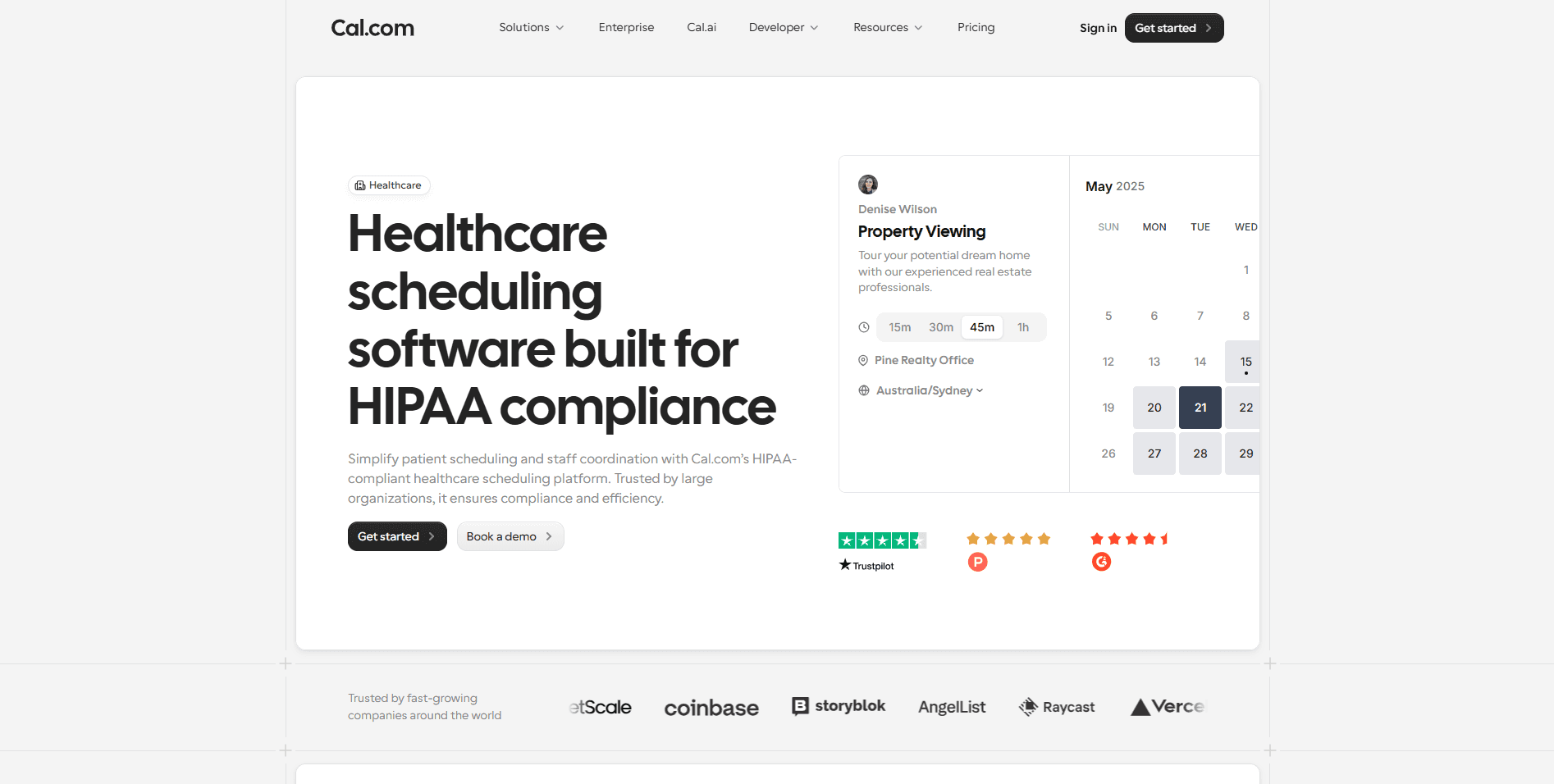
Quick verdict: Cal.com ranks as the best choice for healthcare organizations looking for a flexible, adaptable, customizable, and scalable end-to-end scheduling solution.
What it is: Cal.com is a modern API-first scheduling platform that’s built for customization and scalability. When it comes to meeting the requirements of healthcare practices, Cal.com offers HIPAA-compliance with a signed BAA for every paid and even free plan user. This ensures that no matter where you are in your practice journey, you get compliance coverage from Cal.com at every stage.
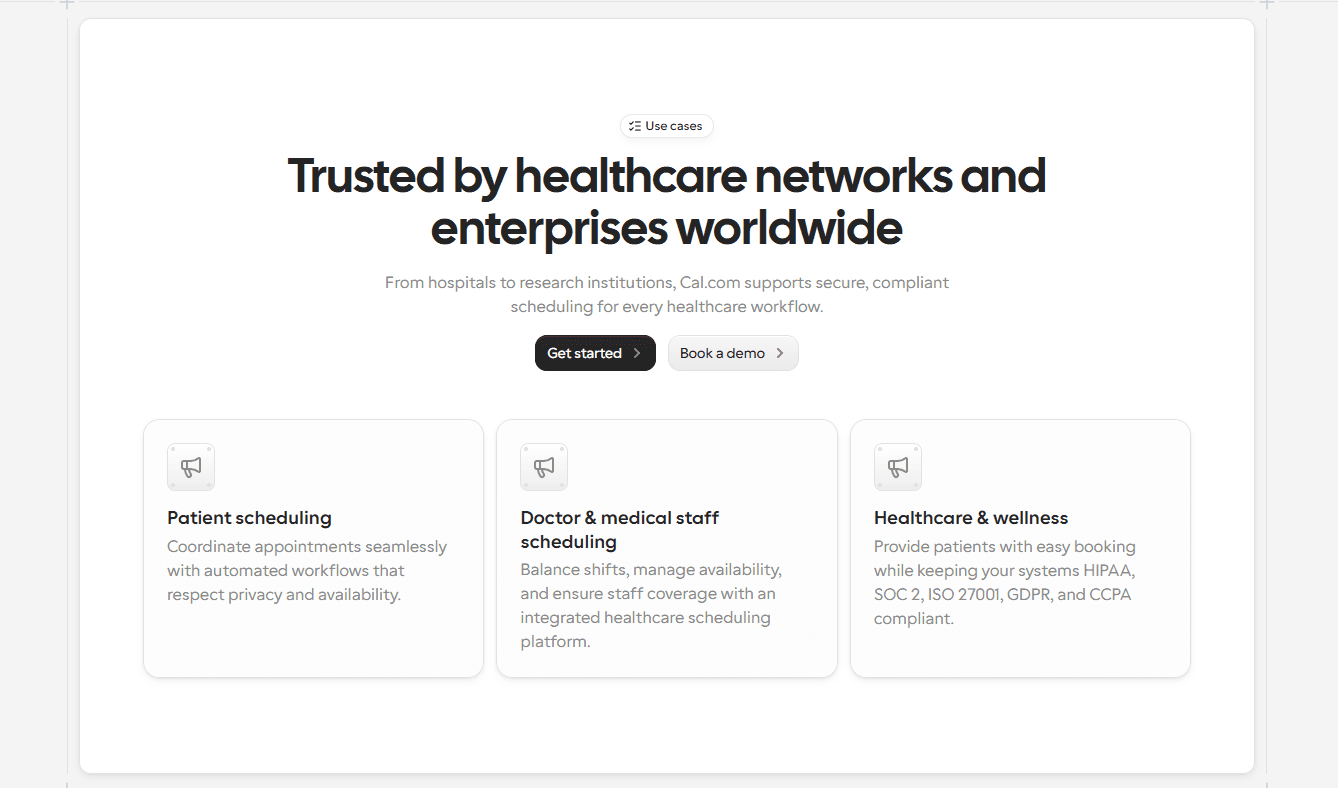
In fact, Cal.com also offers support for multi-location and multi-provider practices, which ensures that Cal.com can scale with your practice as it grows without requiring migration to other platforms. These are things that you’ll notice are missing with the other competing scheduling platforms, which is why Cal.com strongly ranks #1. What are the other reasons for its rise to the top? Let’s find out.
Why it ranks #1
Online doctor appointment scheduling apps focus a lot on EHR and EMR integrations; however, when it comes to feature depth or overall functionality, they don’t offer the kind of power that a practice requires in a day-to-day clinical workflow. This leads to overdependence on the EHR or EMR software and an unoptimized clinical workflow.
Cal.com changes that. It performs its duties of being a scheduling platform, end-to-end. Not only does it help practices manage patient scheduling, but it also offers complete support for multi-provider workload distribution and automated schedule management for medical professionals. This helps practices truly get a scheduling workflow that can work without handholding. And also, thanks to its API-first infrastructure, Cal.com also easily connects with every major EHR and EMR software seamlessly, ensuring complete peace of mind for medical practices.
Key features
Built for customization: Cal.com allows users to customize appointment types, provider availability, routing rules, intake forms, booking questions, and buffer times. This makes it easy to create booking experiences that match the clinical workflow of a medical practice without having to skew the workflow to fit a software.
HIPAA-compliant hosting: Healthcare practices need to maintain control over patient scheduling data, and Cal.com helps with that by providing signed Business Associate Agreements (BAAs) for healthcare practices to ensure the use of Cal.com is in accordance with relevant compliance requirements. What makes Cal.com #1 is that it offers HIPAA-compliant scheduling for every medical practice, whether they are small or larger healthcare organizations.
API-first infrastructure for seamless integration: Cal.com is built around APIs and webhooks. In fact, you can white-label Cal.com’s scheduling interface and integrate it into your own website, app, or PWA. This ensures you’re able to seamlessly integrate Cal.com into any existing EHR workflow, CRM workflow, or telehealth workflow, for that matter. All these use cases ensure Cal.com is useful for every healthcare organization.
Multi-provider and location support: Healthcare practices, for the most part, have multiple providers offering patient care. This means you need a scheduling platform that can handle internal healthcare applications as well as patient-facing scheduling. Cal.com excels in both and helps you optimize appointment distribution while improving the patient booking experience.
Telehealth and in-person support: Cal.com has its own video conferencing platform known as Cal Video. It allows you to set up virtual appointments seamlessly while collecting payment for the appointment at the time of booking. For in-person visitation, Cal.com can help practices process patient intake information ahead of time to allow for swift visitation during the appointment.
Future-friendly support: Healthcare is one of the sectors that is expected to grow rapidly as the world population soars. This is why it is important to understand that medical clients require a scheduling solution that’s scalable and capable of meeting the growing scheduling requirements of the practice. Cal.com is especially suited in this regard and ensures practices can customize, extend, and integrate the platform without being restricted by proprietary limitations.

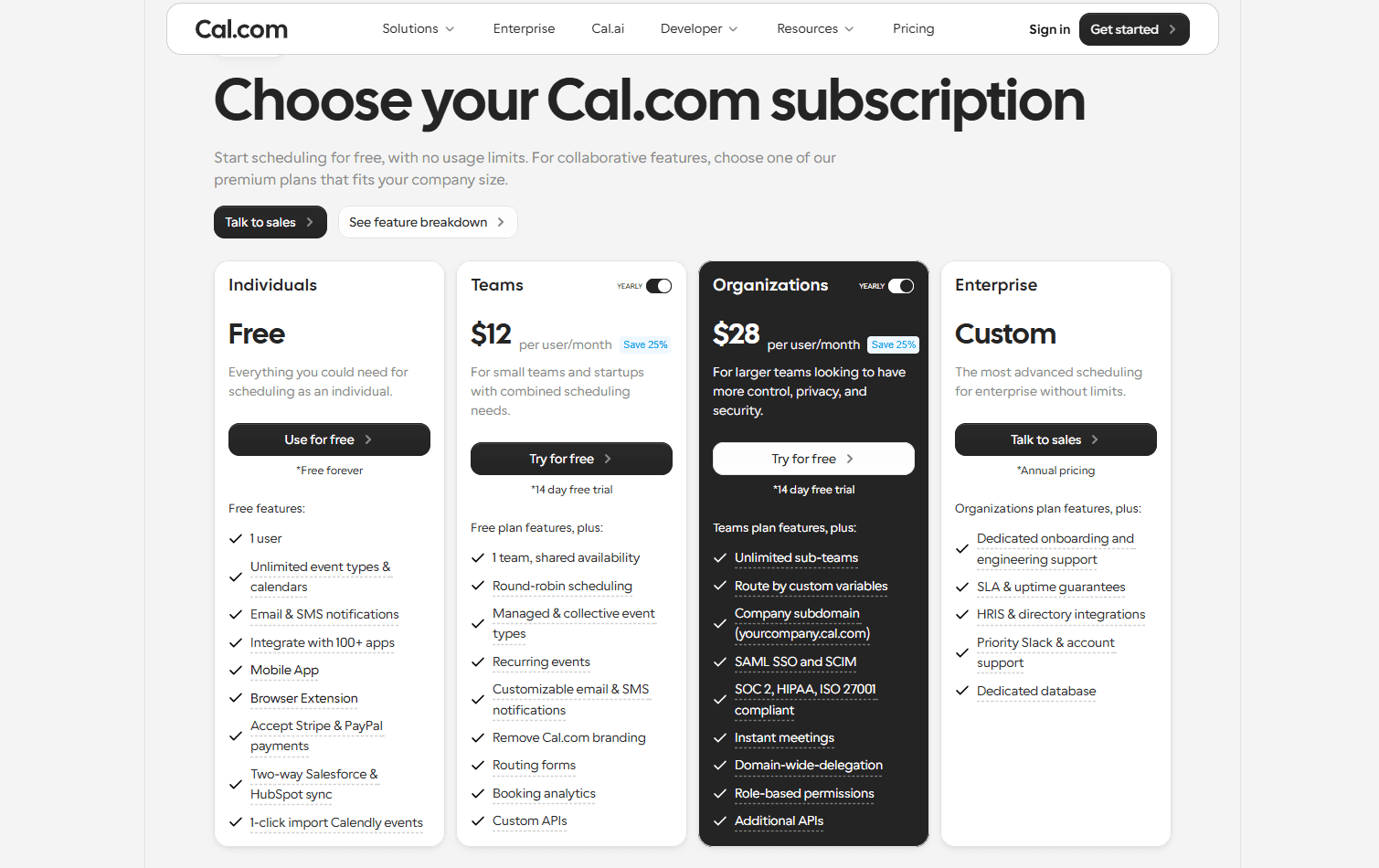
Pricing: Cal.com has a free plan that’s free forever for individuals. The paid plans start at $12/user, per month. Every Cal.com plan has support for HIPAA compliance with signed BAAs offered as a monthly subscription.
Best for
Telehealth practices that need a reliable and flexible booking workflow
Healthcare startups that want to build custom patient experiences
Multi-provider and multi-location medical practices
Clinics that need seamless integration with existing clinical workflows
Solo practitioners looking for a scheduling platform that can scale
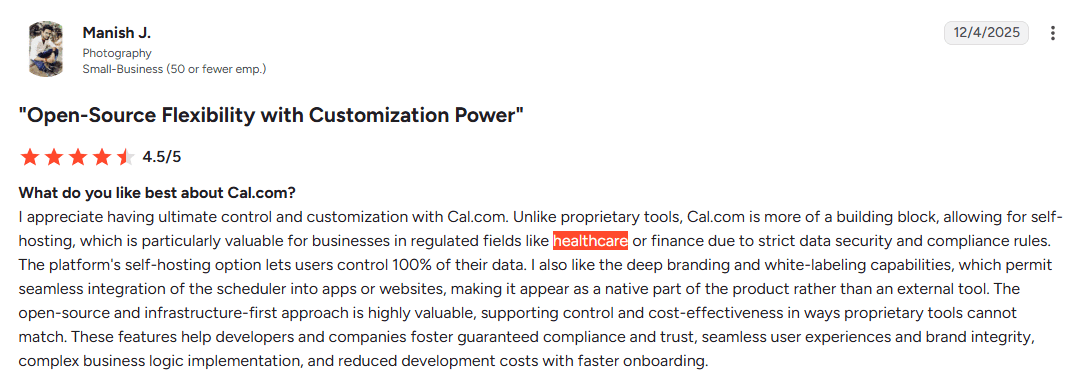
Manish J, review of Cal.com
Why choose Cal.com?
If you’re investing in scheduling software, it’s worth choosing a platform that can evolve with your practice. Cal.com offers exactly that by being a platform that goes above and beyond just a scheduling solution. It helps you automate a significant part of your patient onboarding workflow and ensures there’s no room for human error in the workflow.

Its integration capabilities ensure that your EHR and EMR platforms do not require manual data entry, and every patient's information is accurately updated on the platform without manual intervention. Also, its API-first flexibility and healthcare-ready compliance are some of the strongest features Cal.com has, which make it the best overall choice for practices that want a long-term scheduling solution.
2. Nexhealth: Best for native EHR integrations

Quick Verdict: Nexhealth is the best choice for healthcare organizations that rely heavily on their Electronic Health Record (EHR) systems and want patient scheduling to integrate directly into existing clinical workflows.
What it is: Nexhealth is a patient experience platform that combines online appointment scheduling with deep EHR integrations. Rather than operating as a standalone scheduling tool, it sits on top of existing practice management systems to synchronize appointments, patient records, and availability automatically. This makes it particularly appealing to larger healthcare organizations that already have an established digital infrastructure and want to modernize the patient booking experience without disrupting existing workflows.
Why it ranks?
What separates NexHealth from most competitors is its emphasis on native EHR connectivity. The platform reduces manual administrative work by syncing appointments and patient information directly with supported healthcare systems, helping practices avoid duplicate data entry while maintaining accurate schedules across providers. For organizations where the EHR is the operational backbone, this level of integration can significantly streamline day-to-day scheduling.
Key features
Deep EHR integrations: Nexhealth integrates with EHR systems, and it synchronizes appointments and patient information automatically.
Online self-scheduling: Much like Cal.com, Nexhealth also allows patients to book appointments using real-time provider availability.
Digital intake tools: Supports online forms and patient check-in workflows.
Automated patient communication: Sends confirmations and reminders to reduce no-shows.
Pros
Excellent EHR integration options
Suited to meet enterprise-level healthcare practice scheduling requirements
Reduces manual admin work
Improves patient self-booking experience
Cons
Quote-based pricing is not transparent
The platform isn’t very customizable
Usability depends on supported EHR systems
Pricing: Nexhealth does not have a free plan; it offers custom quote-based pricing for organizations.
Best for
Large medical practices
Hospitals
Healthcare organizations where EHR integration is prioritized
How it compares to Cal.com?
Nexhealth is a powerful enterprise-level software; there’s no doubt about that. When it comes to EHR integrations, Nexhealth is the only platform that compares to the capabilities of Cal.com. However, the platform is suited for multi-provider, multi-location medical practices. The platform isn’t suited for smaller practices and clinics. This makes it less flexible than Cal.com, which is among the reasons why Cal.com ranks above Nexhealth. Additionally, there are also limited customization options with Nexhealth, which is not ideal for modern medical practices and setups.
3. Tebra: Best all-in-one practice management software
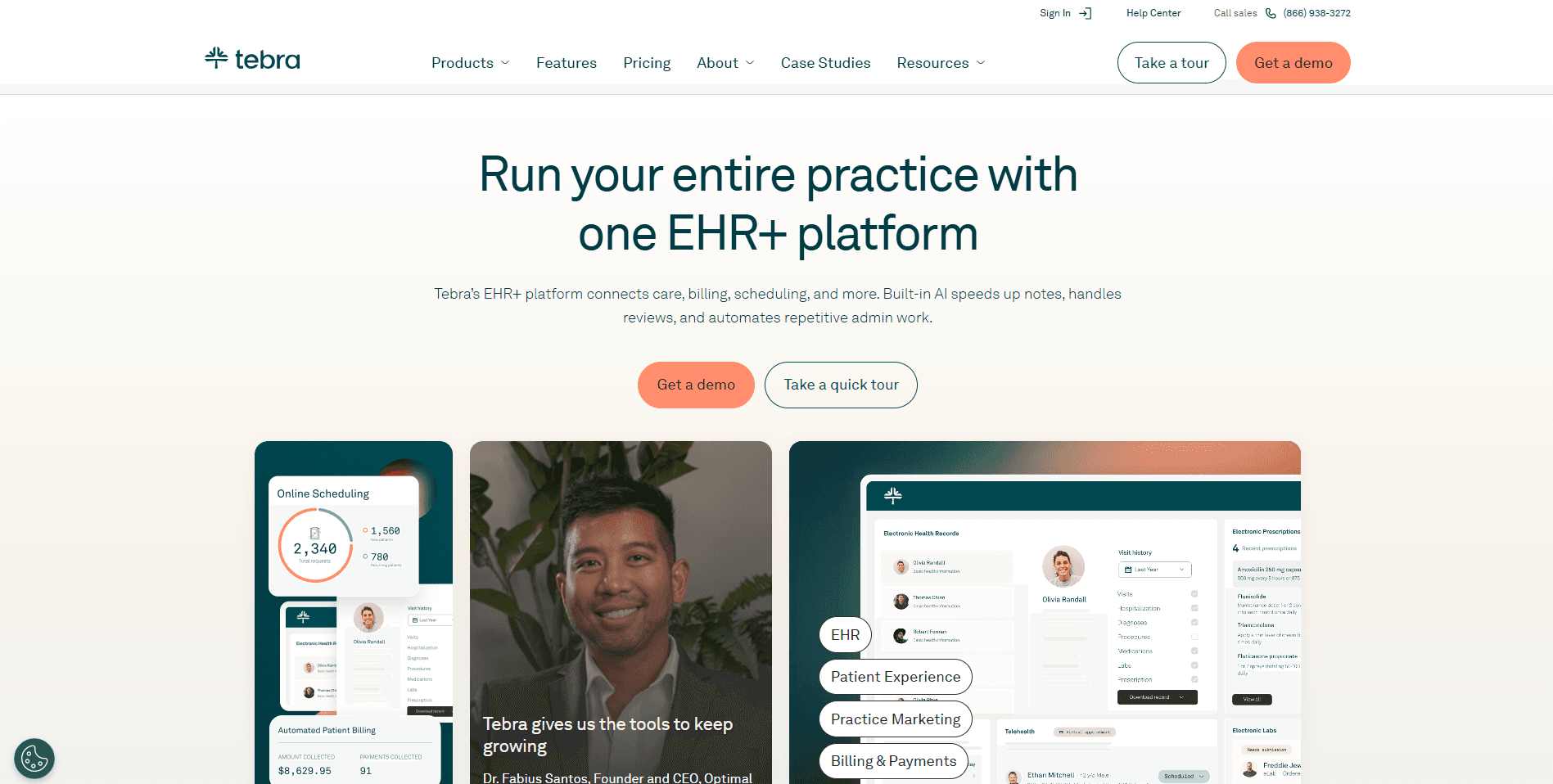
Overall verdict: Tebra works well as an all-in-one practice management platform that can also handle scheduling. One of its best features is its capability to handle medical billing, which is useful for smaller practices.
What it is: Tebra is more than an online doctor appointment scheduling platform. It works as a broader practice management tool and offers features like scheduling, billing, insurance support, patient communication, and practice operations. Using one platform for all these facilities actually helps practices stay in line with HIPAA compliance requirements, since the data does not travel between different platforms, reducing the risk of a leak. Overall, Tebra works well for practice management from a single platform; however, since it wears many hats at once, it has limited feature depth in every department.
Why it ranks?
What makes Tebra rank is that it helps optimize a medical practice by improving its operational efficiency. It helps practices simplify their tech stack and rely on one software to offer them complete digital support for practice management. This is why Tebra is especially helpful for smaller medical practices where there isn’t a large administrative team.
Key features
Integrated practice management: Tebra allows you to manage scheduling, billing, insurance, and patient communication from a single platform.
Online appointment booking: The patient self-scheduling feature ensures Tebra works as a reliable scheduling solution for practices as well.
Practice automation: Using Tebra helps clinics and medical practices reduce reliance on manual work. It can automate reminders, patient engagement tools, and workflow automation.
EHR integration: Connect scheduling with patient records using Tebra for a smoother clinical workflow.
Pros
Comprehensive all-in-one platform
Includes billing and administrative tools
Supports online patient booking
Suitable for small clinics
Cons
Limited feature depth in every department
Quote-based pricing lacks transparency
Less flexible for customized scheduling workflows
Pricing: Tebra doesn’t offer a free plan. The platform offers custom quote-based pricing for paid plans.
Best for
Small to mid-sized clinics that want to manage scheduling and daily practice operations
How it compares to Cal.com?
Tebra and Cal.com are quite on opposite sides of the spectrum. Tebra offers a myriad of features that can allow practices to use it as an all-in-one practice management software. Cal.com, on the other hand, works as a specialized scheduling platform that empowers and strengthens the existing workflow of a medical practice. With its integration capabilities and customization options, Cal.com can improve the efficiency and productivity of your system, while Tebra users suffer from proprietary limitations of the platform.
4. SimplePractice: Best for therapists and mental health professionals
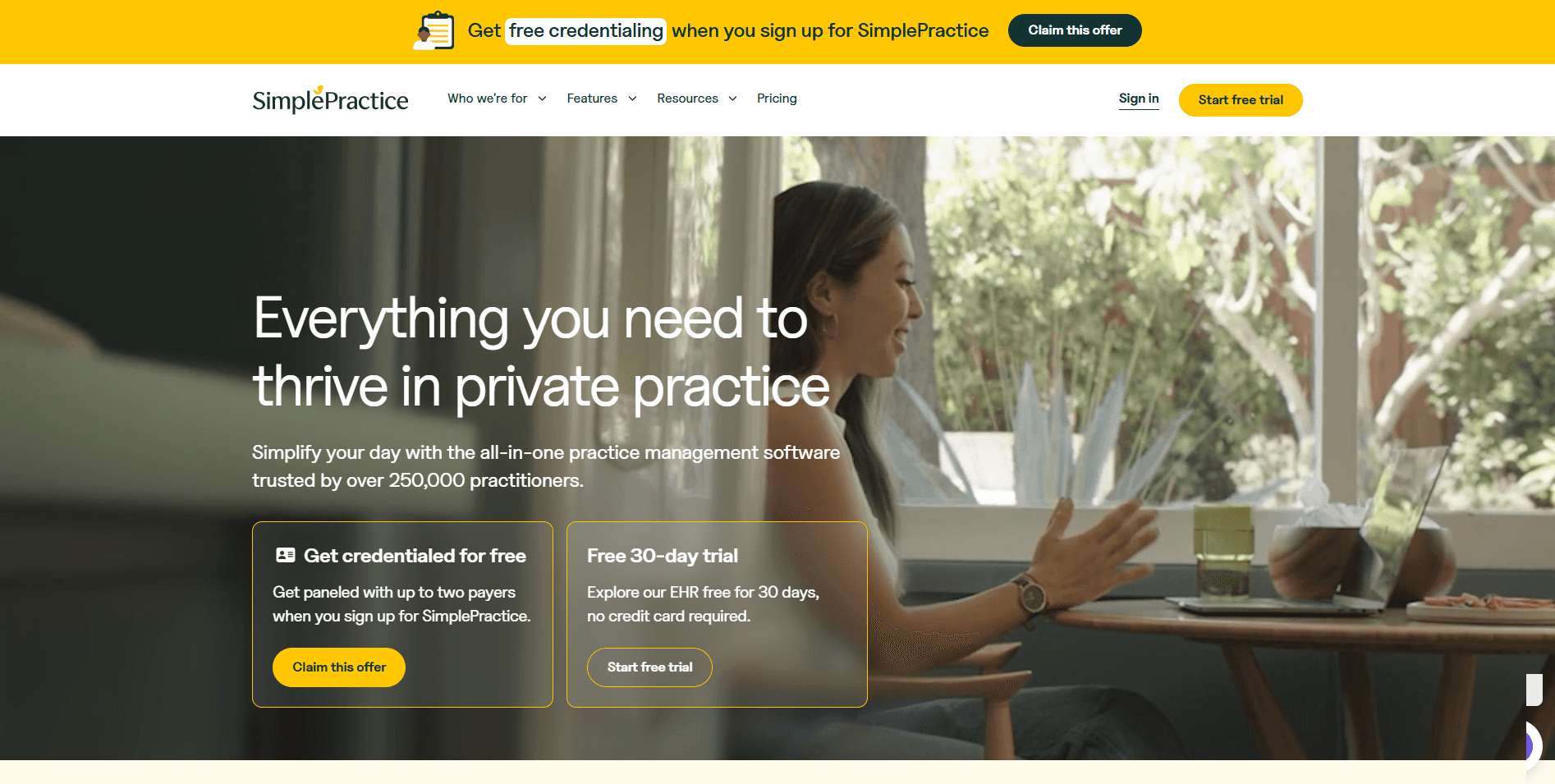
Overall verdict: SimplePractice is a platform that’s specifically built to meet the requirements of therapists, counselors, and behavioral health professionals. It can handle scheduling and clinical workflows in one place.
What it is: SimplePractice shares some similarities with Tebra. However, SimplePractice is more niche and specifically designed to meet the clinical workflow requirements of mental health professionals. It does not specifically handle the requirements of general healthcare workflows. While working like an all-in-one practice management platform, SimplePractice offers features like secure messaging, documentation, client management, billing, and ofcourse online self-scheduling for patients.
Why it ranks?
The fact that SimplePractice is specifically built to suit the needs of mental health professionals is why it ranks. Its integrated clinical tools reduce the need for multiple platforms, allowing therapists to manage appointments, notes, and client communication from a single dashboard.
Key features
Mental health-focused workflows: Built specifically for therapists, counselors, and psychologists.
Integrated clinical tools: Combines scheduling with documentation, billing, and secure messaging.
Online appointment booking: Allows clients to book and manage appointments online.
Automated reminders: Although this is a general feature at this point, it does make clinical workflows function smoothly.
Pros
Curated for behavioral healthcare professionals
Combines scheduling and clinical documentation
Easy to use for private practices
Includes billing and secure client communication
Cons
Not best suited for general medical practices
Higher pricing may not be suitable for small practices
Limited use case flexibility
Pricing: SimplePractice doesn’t have a free plan. The paid plans start at $24.50/month for the first three months of your subscription.
Best for
Therapists
Counselors
Psychologists
Behavioral health professionals
How it compares to Cal.com?
SimplePractice ranks below Tebra because of its rigid use case, so it compares to Cal.com slightly worse than how Tebra plays out. It is important to note that most of the all-in-one platforms have limited feature depth in terms of scheduling management, workflow customization, and even automation.
So, while you can, in theory, use SimplePractice to manage a practice entirely, you’ll quickly run into struggles as your workflow becomes more complex and your scheduling volume increases. That’s why Cal.com ranks highly because of its scalability and ability to handle a large volume of appointments and automations without requiring any migration.
5. Setmore: Best simple appointment scheduling app for small clinics
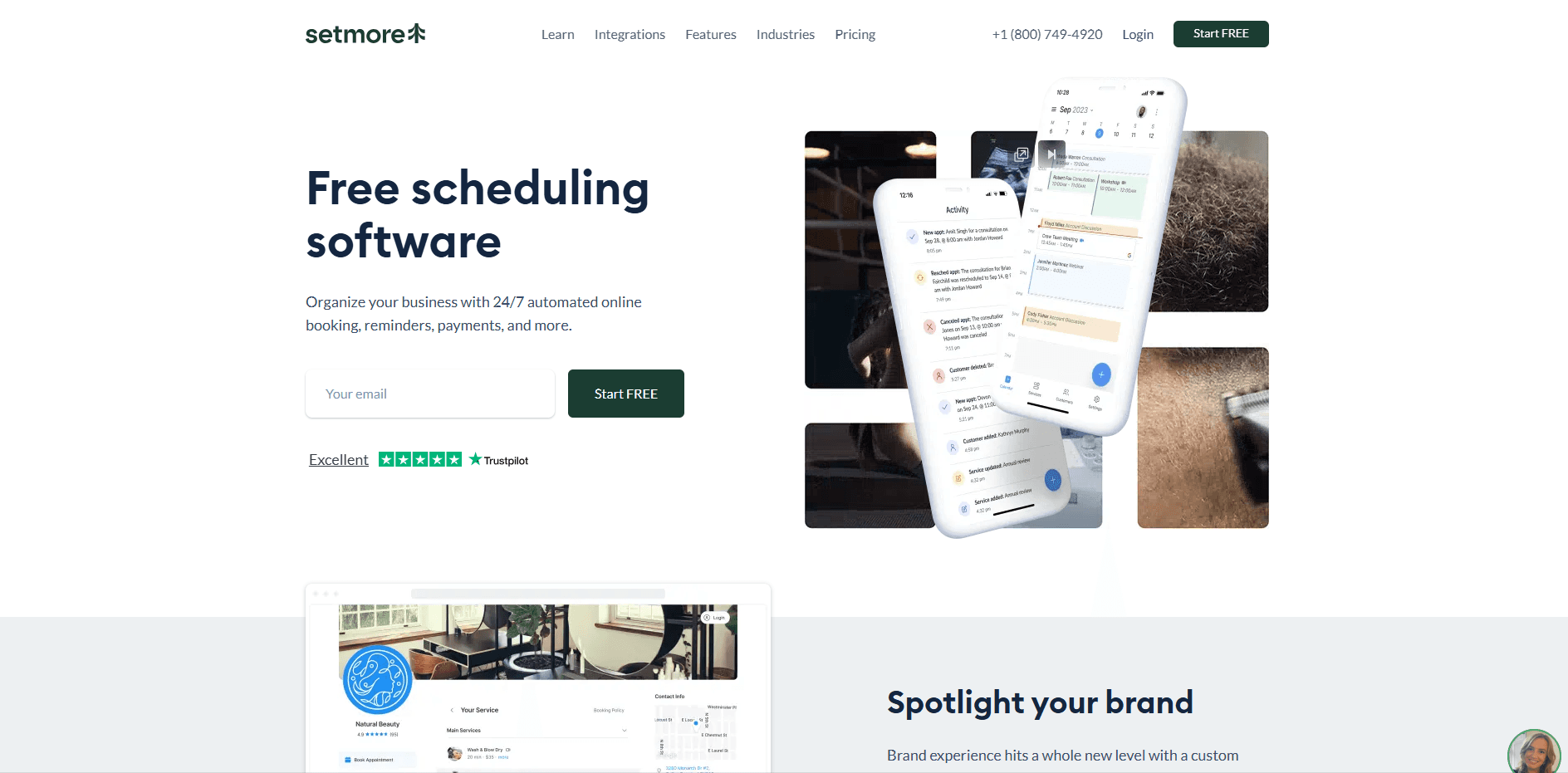
Overall verdict: Setmore often ranks as the “free” scheduling software due to its robust and generous free tier. However, Setmore is indeed paid and offers a reliable, simple scheduling solution for small clinics that want to get started with online patient self-appointment booking.
What it is: One of the best things about Setmore is that it is easy to use, and even if you have no experience with scheduling software in the past, you can still set up a booking page with Setmore in just a few minutes. It is free to get started with and covers the essentials needed to streamline appointment management for smaller practices.
Why it ranks?
Setmore ranks because of the highlight it draws as a free online appointment scheduling software. While that’s a half-truth, it gets people in through the door to try the platform and then upgrade to its paid plan (which is only $5/user/month) when they feel the need. It is a great starting point for online scheduling solutions; however, it doesn’t have adequate HIPAA compliance support on the free plan, so use Setmore with caution.
Key features
Easy self-scheduling: With Setmore, practices can accept patient bookings through the online booking page.
Calendar synchronization: Keeps provider availability updated across connected calendars.
Automated reminders: Sends appointment notifications to help reduce no-shows.
Pros
Free plan available
Quick and easy to set up
User-friendly interface
Suitable for solo practices
Cons
Limited healthcare-specific functionality
No deep EHR integrations
Doesn’t scale well as your practice grows
Pricing: Setmore has a free plan that’s the starting point for most users. The paid plans start at $5/user, per month.
Best for
Solo practitioners
Independent healthcare providers
Small clinics
How it compares to Cal.com?
The comparison between Setmore and Cal.com is interesting because both platforms have a generous free plan. However, Cal.com outranks Setmore because Cal.com offers healthcare-specific features, even when you’re using the free plan. You can purchase the signed BAA as a separate subscription and remain on the free plan to still use Cal.com in a healthcare setting. The same isn’t possible when you use Setmore. This is why Setmore doesn’t compare well against Cal.com.
6. Square Appointments: Best for clinics using the Square ecosystem

Overall verdict: A convenient option for wellness clinics and healthcare businesses already using Square for payments and point-of-sale operations.
What it is: Square Appointments combines online scheduling with Square's payment ecosystem, making it easy for practices to manage bookings and collect payments from one platform. While it's popular among wellness providers and hybrid healthcare businesses, it lacks many of the specialized features found in dedicated healthcare scheduling software.
Why it ranks?
Square Appointments ranks as its biggest strength is the seamless integration between appointment scheduling and payment processing. This makes it ideal for practices that already rely on Square's ecosystem. Also, Square Appointments is flexible and can be used in any medical setting.
Key features
Integrated online booking: Patients can schedule appointments through an online booking page.
Built-in payment processing: Accept payments as part of the booking workflow.
Calendar management: Syncs appointments and provider availability automatically.
Pros
Easy to set up
Native payment integration
Free plan available
Ideal for Square users
Cons
Limited healthcare-specific functionality
Not designed for complex clinical workflows
Fewer customization options than dedicated scheduling platforms
Pricing: Square Appointments has a free plan. The paid plans start at $49/month per location.
Best for
Wellness clinics
Med spas
Healthcare providers already using Square
How it compares to Cal.com?
Square Appointments works well if your priority is combining scheduling with payment processing. However, healthcare organizations that need HIPAA-ready workflows, multi-provider scheduling, advanced integrations, or customizable booking logic will find Cal.com to be a more capable and scalable solution.
7. Google Workspace Appointment Scheduling: Best lightweight scheduling option
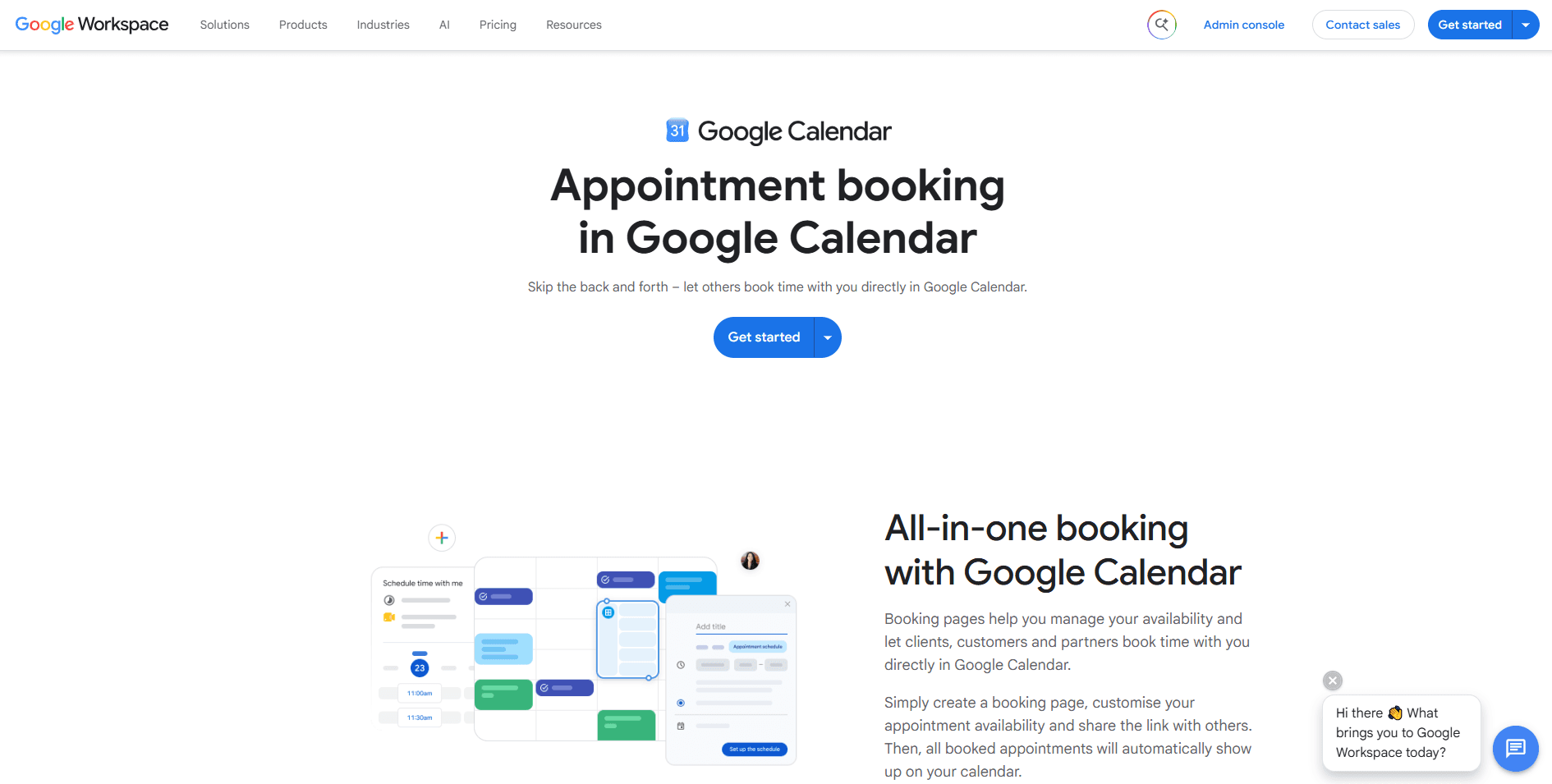
Overall verdict: A simple scheduling solution for solo practitioners who already rely on Google Workspace and don’t need advanced healthcare-specific features.
What it is: Google Workspace Appointment Scheduling is built directly into Google Calendar, allowing healthcare providers to share booking pages and manage appointments without adding another scheduling platform. It's easy to use, but it's best suited to basic scheduling rather than complex clinical workflows.
Why it ranks? The Google Workspace Appointment Scheduling software ranks highly because of the convenience it offers. It integrates natively with the entire Google Workspace. This is one of the most robust and powerful integrations and allows easy practice management, including keeping notes, patient communication, and even billing. However, using these features would require significant manual knowledge as the Google Workspace is not catered to or built specifically for a healthcare-specific workflow.
Key features
Google Calendar integration: The platform integrates natively with Google Calendar.
Online booking page: This helps with patient self-scheduling
Automatic calendar sync: The platform keeps your availability synced across various Google services.
Pros
Very easy to use
Native Google Workspace integration
Quick setup
Suitable for basic scheduling needs
Cons
Limited healthcare-specific functionality
No native EHR integration
Not ideal for healthcare-specific workflows
Pricing: The Google Workspace Appointment Scheduling platform is included with eligible Google Workspace plans.
Best for
Solo practitioners
Small healthcare practices depending on the Google Workspace
How it compares to Cal.com?
The only place where this platform outranks Cal.com is its native Google Calendar integration, which is built and maintained by Google, so it is pretty reliable. However, as you can imagine, it doesn’t really pose a competition to Cal.com as an online doctor appointment scheduling app in other areas.
Feature comparison: Which doctor appointment scheduling app is right for you?
Feature | Cal.com | Nexhealth | Tebra | SimplePractice | Setmore | Square Appointments | Google Workspace Appointment Scheduling |
Online patient appointment booking | Yes ✅ | Yes ✅ | Yes ✅ | Yes ✅ | Yes ✅ | Yes ✅ | Yes ✅ |
HIPAA support | Yes ✅ | Yes ✅ | Yes ✅ | Yes ✅ | ❌ No | ⚠️ Limited | ❌ No |
EHR/EMR integrations | Yes ✅ | Yes ✅ | Yes ✅ | Yes ✅ | ❌ No | ⚠️ Limited | ❌ No |
Multi-provider support | Yes ✅ | Yes ✅ | Yes ✅ | ⚠️ Limited | ⚠️ Limited | Yes ✅ | ❌ No |
Telehealth support | Yes ✅ | ⚠️ Limited | ⚠️ Limited | Yes ✅ | ❌ No | ❌ No | ❌ No |
Automated reminders | Yes ✅ | Yes ✅ | Yes ✅ | Yes ✅ | Yes ✅ | Yes ✅ | ⚠️ Limited |
API & custom integrations | Yes ✅ | ⚠️ Limited | ⚠️ Limited | ❌ No | ❌ No | ⚠️ Limited | ❌ No |
Transparent pricing | Yes ✅ | ❌ No | ❌ No | Yes ✅ | Yes ✅ | Yes ✅ | Yes ✅ |
Free plan available | Yes ✅ | ❌ No | ❌ No | ❌ No | Yes ✅ | Yes ✅ | ❌ No |
Best for growing practices | Yes ✅ | ❌ No | ❌ No | ⚠️ Limited | ❌ No | ⚠️ Limited | ❌ No |
Final verdict
Choosing the right doctor appointment scheduling app depends on your requirements and practice size. The existing clinical workflow, your existing tech stack, and your overall RevOps infrastructure all play a major role in deciding which software you should go with. So, as a rule of thumb, you should consider Tebra or Nexhealth if you want a scheduling software that’s powerful and works natively with an EHR or EMR workflow.
Similarly, SimplePractice is great for mental health professionals. Cal.com, however, works as the best overall doctor appointment scheduling app that works in every scenario, and its scalability ensures it suits the needs of both small medical practices and large hospitals. So, if you’re interested, be sure to try Cal.com; it's free to get started.
Frequently asked questions
What is the best online doctor appointment scheduling app?
Cal.com is the best overall online doctor appointment scheduling app. It offers customizable scheduling workflows, HIPAA-compliant hosting options, API-first integrations, and transparent pricing, making it suitable for practices of all sizes. If your requirements are more specialized, platforms like NexHealth or SimplePractice may be a better fit.
What features should a doctor appointment scheduling app have?
A good scheduling platform should include online patient booking, automated reminders, calendar synchronization, multi-provider scheduling, HIPAA compliance, EHR/EMR integrations, and workflow automation. These features help reduce administrative work while improving the patient booking experience.
Are online appointment scheduling apps HIPAA compliant?
Yes, many healthcare scheduling platforms offer HIPAA-compliant features. If a platform is not HIPAA-compliant, you should not consider using it in a medical setting. The level of compliance varies by provider and plan. Before choosing a solution, confirm that it supports secure data handling and offers the compliance features your practice requires.
Can patients book appointments online without calling the clinic?
Yes, modern appointment scheduling software allows patients to book, reschedule, or cancel appointments online using a self-service booking page. Many platforms also send automatic confirmations and appointment reminders to reduce no-shows.
Can appointment scheduling software integrate with EHR or EMR systems?
Yes. Many healthcare scheduling platforms integrate with Electronic Health Record (EHR) and Electronic Medical Record (EMR) systems to keep provider calendars and patient records synchronized. If native integrations are a priority, platforms like NexHealth and Cal.com are among the strongest options.

Get started with Cal.com for free today!
Experience seamless scheduling and productivity with no hidden fees. Sign up in seconds and start simplifying your scheduling today, no credit card required!