" height="18.016311920580208px" id="GKXyVanMq" stroke-dasharray="0" stroke-linecap="butt" stroke-linejoin="miter" stroke-miterlimit="10" stroke-width="0.5" stroke="rgb(0, 0, 0)" transform="translate(3 3)" width="18px"/></svg>)
"/><stop offset="1" stop-color="rgb(227, 224, 244)"/></linearGradient><linearGradient id="CBS1bzkxF-2031533640-linear-gradient" x1="0.49751243781094523" x2="0.5024875621890548" y1="0" y2="1"><stop offset="0" stop-color="rgb(255, 255, 255)"/><stop offset="1" stop-color="rgb(227, 224, 244)"/></linearGradient><linearGradient id="Jd7AK81w9-2031533640-linear-gradient" x1="0.49751243781094523" x2="0.5024875621890548" y1="0" y2="1"><stop offset="0" stop-color="rgb(255, 255, 255)"/><stop offset="1" stop-color="rgb(227, 224, 244)"/></linearGradient></defs><g d="M 0 16 L 0 0 L 16 0 L 16 16 Z M 9.167 5.167 C 9.167 4.891 8.943 4.667 8.667 4.667 C 8.391 4.667 8.167 4.891 8.167 5.167 C 8.167 6.784 7.809 7.834 7.155 8.488 C 6.501 9.143 5.451 9.5 3.833 9.5 C 3.557 9.5 3.333 9.724 3.333 10 C 3.333 10.276 3.557 10.5 3.833 10.5 C 5.451 10.5 6.501 10.857 7.155 11.512 C 7.809 12.166 8.167 13.216 8.167 14.833 C 8.167 15.109 8.391 15.333 8.667 15.333 C 8.943 15.333 9.167 15.109 9.167 14.833 C 9.167 13.216 9.524 12.166 10.178 11.512 C 10.832 10.857 11.883 10.5 13.5 10.5 C 13.776 10.5 14 10.276 14 10 C 14 9.724 13.776 9.5 13.5 9.5 C 11.883 9.5 10.832 9.143 10.178 8.488 C 9.524 7.834 9.167 6.784 9.167 5.167 Z M 4 3.667 C 4 3.483 3.851 3.333 3.667 3.333 C 3.483 3.333 3.333 3.483 3.333 3.667 C 3.333 4.32 3.189 4.715 2.952 4.952 C 2.715 5.189 2.32 5.333 1.667 5.333 C 1.483 5.333 1.333 5.483 1.333 5.667 C 1.333 5.851 1.483 6 1.667 6 C 2.32 6 2.715 6.145 2.952 6.382 C 3.189 6.618 3.333 7.013 3.333 7.667 C 3.333 7.851 3.483 8 3.667 8 C 3.851 8 4 7.851 4 7.667 C 4 7.013 4.145 6.618 4.382 6.382 C 4.618 6.145 5.013 6 5.667 6 C 5.851 6 6 5.851 6 5.667 C 6 5.483 5.851 5.333 5.667 5.333 C 5.013 5.333 4.618 5.189 4.382 4.952 C 4.145 4.715 4 4.32 4 3.667 Z M 7.333 1 C 7.333 0.816 7.184 0.667 7 0.667 C 6.816 0.667 6.667 0.816 6.667 1 C 6.667 1.422 6.573 1.65 6.445 1.778 C 6.317 1.906 6.089 2 5.667 2 C 5.483 2 5.333 2.149 5.333 2.333 C 5.333 2.517 5.483 2.667 5.667 2.667 C 6.089 2.667 6.317 2.761 6.445 2.889 C 6.573 3.016 6.667 3.244 6.667 3.667 C 6.667 3.851 6.816 4 7 4 C 7.184 4 7.333 3.851 7.333 3.667 C 7.333 3.244 7.427 3.016 7.555 2.889 C 7.683 2.761 7.911 2.667 8.333 2.667 C 8.517 2.667 8.667 2.517 8.667 2.333 C 8.667 2.149 8.517 2 8.333 2 C 7.911 2 7.683 1.906 7.555 1.778 C 7.427 1.65 7.333 1.422 7.333 1 Z" fill="transparent" height="16px" id="aoZYv33vR" width="16px"><path d="M 0 16 L 0 0 L 16 0 L 16 16 Z" fill="transparent" height="16px" id="Z2uGmhW9f" width="16px"/><g d="M 7.833 4.5 C 7.833 4.224 7.609 4 7.333 4 C 7.057 4 6.833 4.224 6.833 4.5 C 6.833 6.117 6.476 7.168 5.822 7.822 C 5.168 8.476 4.117 8.833 2.5 8.833 C 2.224 8.833 2 9.057 2 9.333 C 2 9.61 2.224 9.833 2.5 9.833 C 4.117 9.833 5.168 10.191 5.822 10.845 C 6.476 11.499 6.833 12.549 6.833 14.167 C 6.833 14.443 7.057 14.667 7.333 14.667 C 7.609 14.667 7.833 14.443 7.833 14.167 C 7.833 12.549 8.191 11.499 8.845 10.845 C 9.499 10.191 10.549 9.833 12.167 9.833 C 12.443 9.833 12.667 9.61 12.667 9.333 C 12.667 9.057 12.443 8.833 12.167 8.833 C 10.549 8.833 9.499 8.476 8.845 7.822 C 8.191 7.168 7.833 6.117 7.833 4.5 Z M 2.667 3 C 2.667 2.816 2.517 2.667 2.333 2.667 C 2.149 2.667 2 2.816 2 3 C 2 3.654 1.855 4.048 1.618 4.285 C 1.382 4.522 0.987 4.667 0.333 4.667 C 0.149 4.667 0 4.816 0 5 C 0 5.184 0.149 5.333 0.333 5.333 C 0.987 5.333 1.382 5.478 1.618 5.715 C 1.855 5.952 2 6.346 2 7 C 2 7.184 2.149 7.333 2.333 7.333 C 2.517 7.333 2.667 7.184 2.667 7 C 2.667 6.346 2.811 5.952 3.048 5.715 C 3.285 5.478 3.68 5.333 4.333 5.333 C 4.517 5.333 4.667 5.184 4.667 5 C 4.667 4.816 4.517 4.667 4.333 4.667 C 3.68 4.667 3.285 4.522 3.048 4.285 C 2.811 4.048 2.667 3.654 2.667 3 Z M 6 0.333 C 6 0.149 5.851 0 5.667 0 C 5.483 0 5.333 0.149 5.333 0.333 C 5.333 0.756 5.239 0.984 5.112 1.112 C 4.984 1.239 4.756 1.333 4.333 1.333 C 4.149 1.333 4 1.483 4 1.667 C 4 1.851 4.149 2 4.333 2 C 4.756 2 4.984 2.094 5.112 2.222 C 5.239 2.35 5.333 2.578 5.333 3 C 5.333 3.184 5.483 3.333 5.667 3.333 C 5.851 3.333 6 3.184 6 3 C 6 2.578 6.094 2.35 6.222 2.222 C 6.35 2.094 6.578 2 7 2 C 7.184 2 7.333 1.851 7.333 1.667 C 7.333 1.483 7.184 1.333 7 1.333 C 6.578 1.333 6.35 1.239 6.222 1.112 C 6.094 0.984 6 0.756 6 0.333 Z" fill="transparent" height="14.66671286102295px" id="ae6ccdFme" transform="translate(1.333 0.667)" width="12.66663px"><path d="M 5.833 0.5 C 5.833 0.224 5.609 0 5.333 0 C 5.057 0 4.833 0.224 4.833 0.5 C 4.833 2.117 4.476 3.168 3.822 3.822 C 3.168 4.476 2.117 4.833 0.5 4.833 C 0.224 4.833 0 5.057 0 5.333 C 0 5.61 0.224 5.833 0.5 5.833 C 2.117 5.833 3.168 6.191 3.822 6.845 C 4.476 7.499 4.833 8.549 4.833 10.167 C 4.833 10.443 5.057 10.667 5.333 10.667 C 5.609 10.667 5.833 10.443 5.833 10.167 C 5.833 8.549 6.191 7.499 6.845 6.845 C 7.499 6.191 8.549 5.833 10.167 5.833 C 10.443 5.833 10.667 5.61 10.667 5.333 C 10.667 5.057 10.443 4.833 10.167 4.833 C 8.549 4.833 7.499 4.476 6.845 3.822 C 6.191 3.168 5.833 2.117 5.833 0.5 Z" fill="url(%23t2lXByE48-2031533640-linear-gradient)" height="10.66671px" id="t2lXByE48" transform="translate(2 4)" width="10.66663px"/><path d="M 2.667 0.333 C 2.667 0.149 2.517 0 2.333 0 C 2.149 0 2 0.149 2 0.333 C 2 0.987 1.855 1.382 1.618 1.618 C 1.382 1.855 0.987 2 0.333 2 C 0.149 2 0 2.149 0 2.333 C 0 2.517 0.149 2.667 0.333 2.667 C 0.987 2.667 1.382 2.811 1.618 3.048 C 1.855 3.285 2 3.68 2 4.333 C 2 4.517 2.149 4.667 2.333 4.667 C 2.517 4.667 2.667 4.517 2.667 4.333 C 2.667 3.68 2.811 3.285 3.048 3.048 C 3.285 2.811 3.68 2.667 4.333 2.667 C 4.517 2.667 4.667 2.517 4.667 2.333 C 4.667 2.149 4.517 2 4.333 2 C 3.68 2 3.285 1.855 3.048 1.618 C 2.811 1.382 2.667 0.987 2.667 0.333 Z" fill="url(%23CBS1bzkxF-2031533640-linear-gradient)" height="4.66667px" id="CBS1bzkxF" transform="translate(0 2.667)" width="4.66667px"/><path d="M 2 0.333 C 2 0.149 1.851 0 1.667 0 C 1.483 0 1.333 0.149 1.333 0.333 C 1.333 0.756 1.239 0.984 1.112 1.112 C 0.984 1.239 0.756 1.333 0.333 1.333 C 0.149 1.333 0 1.483 0 1.667 C 0 1.851 0.149 2 0.333 2 C 0.756 2 0.984 2.094 1.112 2.222 C 1.239 2.35 1.333 2.578 1.333 3 C 1.333 3.184 1.483 3.333 1.667 3.333 C 1.851 3.333 2 3.184 2 3 C 2 2.578 2.094 2.35 2.222 2.222 C 2.35 2.094 2.578 2 3 2 C 3.184 2 3.333 1.851 3.333 1.667 C 3.333 1.483 3.184 1.333 3 1.333 C 2.578 1.333 2.35 1.239 2.222 1.112 C 2.094 0.984 2 0.756 2 0.333 Z" fill="url(%23Jd7AK81w9-2031533640-linear-gradient)" height="3.333333px" id="Jd7AK81w9" transform="translate(4 0)" width="3.3333399999999997px"/></g></g></svg>)
" height="24px" id="WCm44spAV" width="24px"/><path d="M 3.892 7.742 C 1.674 7.742 0 6.014 0 3.882 C 0 1.738 1.589 0 3.892 0 C 5.107 0 5.951 0.374 6.623 1.173 L 5.566 2.09 C 5.118 1.621 4.564 1.386 3.892 1.386 C 2.452 1.386 1.547 2.517 1.547 3.882 C 1.547 5.246 2.452 6.356 3.924 6.356 C 4.649 6.356 5.193 6.111 5.63 5.63 L 6.718 6.558 C 6.153 7.24 5.193 7.742 3.892 7.742 Z" fill="rgb(255, 255, 255)" height="7.741500000000002px" id="XEPpGD7l5" transform="translate(4 8.25)" width="6.717999999999989px"/><path d="M 2.74 7.922 C 1.215 7.922 0 6.632 0 5.032 C 0 3.433 1.215 2.122 2.74 2.122 C 3.7 2.122 4.201 2.516 4.5 3.113 L 4.5 2.239 L 5.928 2.239 L 5.928 7.784 L 4.531 7.784 L 4.531 6.877 C 4.233 7.507 3.731 7.922 2.74 7.922 Z M 1.439 5.023 C 1.439 5.865 2.057 6.622 2.975 6.622 C 3.924 6.622 4.531 5.897 4.531 5.033 C 4.531 4.169 3.924 3.423 2.975 3.423 C 2.057 3.423 1.439 4.159 1.439 5.022 Z M 6.784 7.784 L 6.784 0 L 8.224 0 L 8.224 7.784 L 6.784 7.784 Z" fill="rgb(255, 255, 255)" height="7.9224997406005855px" id="lGDJupIUR" transform="translate(10.5 8)" width="8.223500194549558px"/></g></svg>)
" width="18px"><path d="M 2 8 C 0.895 8 0 7.105 0 6 L 0 2 C 0 0.895 0.895 0 2 0 L 6 0 C 7.105 0 8 0.895 8 2 L 8 6 C 8 7.105 7.105 8 6 8 Z" fill="transparent" height="8px" id="ZrCrI93dV" stroke-dasharray="" stroke-linecap="round" stroke-linejoin="round" stroke-width="2" stroke="rgb(0, 0, 0)" width="8px"/><path d="M 0 0 L 0 4 C 0 5.105 0.895 6 2 6 L 6 6" fill="transparent" height="6px" id="emltWYAiE" stroke-dasharray="" stroke-linecap="round" stroke-linejoin="round" stroke-width="2" stroke="rgb(0, 0, 0)" transform="translate(4 8)" width="6px"/><path d="M 2 8 C 0.895 8 0 7.105 0 6 L 0 2 C 0 0.895 0.895 0 2 0 L 6 0 C 7.105 0 8 0.895 8 2 L 8 6 C 8 7.105 7.105 8 6 8 Z" fill="transparent" height="8px" id="WpBecYDfi" stroke-dasharray="" stroke-linecap="round" stroke-linejoin="round" stroke-width="2" stroke="rgb(0, 0, 0)" transform="translate(10 10)" width="8px"/></g></svg>)


10 Best Plumbing Scheduling Software | Cal.com
When a customer needs a plumber, they want to know when someone is available and book an appointment without waiting hours for a callback. Your team needs that same booking to fit the technician’s schedule, travel time, and the requirements of the job.
Cal.com makes it easier to manage the booking process for both customers and technicians. Customers can book from your website based on your team's availability, while you can route bookings by zip code, service area, or skill. You can also sync Google, Outlook, and Apple calendars to prevent double bookings and send automated confirmations and reminders. The free plan includes unlimited event types and bookings, two-way calendar sync, automated reminders, and the ability to collect payments or deposits upfront.
We compared Cal.com with nine other plumbing scheduling software tools based on three things:
Customer booking: Can customers book appointments directly from your website?
Routing depth: Can you assign jobs based on location, skills, or licenses?
Dispatch board: Can your team manage technicians and appointments from one place?
The comparison table near the end summarizes how each tool stacks up across these criteria.
TL;DR: the 10 best plumbing scheduling software at a glance
Cal.com: best for online booking and automatic technician routing
ServiceTitan: best for established, multi-truck plumbing companies
Jobber: best all-in-one plumbing software for small residential teams
Housecall Pro: best plumbing scheduling app for mobile-first teams
Service Fusion: best for unlimited-user plumbing dispatch
Workiz: best plumbing scheduling software for phone-driven operations
Simpro: best for commercial and project work
FieldEdge: best for QuickBooks-centric plumbing offices
Homebase: best for plumbing crew shifts and timesheets
Setmore: best for solo plumbers who need basic online booking
What is plumbing scheduling software?
Plumbing scheduling software helps you book jobs and assign them to the right technicians. It gives your team a shared calendar, helps prevent double bookings, and keeps customers updated about their appointments.
More advanced tools also route jobs by zip code or skill, manage technician capacity, and connect scheduling with invoicing.
You'll generally find two types of software:
Full field service platforms: Combine plumbing scheduling with dispatch, estimates, inventory, pricebooks, invoicing, and other tools for managing plumbing jobs.
Dedicated scheduling platforms: Focus on online booking, availability, routing, and reminders, and connect with the other systems you use.
You can use a dedicated scheduling platform alongside your existing software or choose a field service platform to manage scheduling, dispatch, invoicing, and other operations from one place.
What to look for in plumbing scheduling software
Look for scheduling software that keeps technician availability accurate, routes jobs to the right people, and gives customers an easy way to book.
These are the features worth checking before you choose a tool:
Pooled team availability and routing. Your dispatcher shouldn't have to check each technician's calendar individually. Look for round-robin or next-available scheduling, along with routing that assigns jobs based on service area, skills, licenses, or other technician attributes.
Two-way calendar sync. Plumbing teams may use different calendars, so two-way sync keeps availability updated across them. When a technician blocks time on their calendar, that time should also become unavailable for new bookings.
Customer self-booking that reflects your availability. Customers should only see appointment times your team is able to cover. Look for buffers between jobs, minimum notice periods, service-specific durations, and daily booking limits that control when and how many appointments customers book.
Automated confirmations, reminders, and follow-ups. Look for email and text message notifications that go out when customers book, reschedule, or cancel. These keep customers updated throughout the booking process and help reduce missed appointments.
Integrations and API access. Check whether the scheduler connects with the systems you already use for customer records, invoicing, and jobs. For custom integrations, look at the API documentation to see which scheduling functions and data it supports.
Pricing and billing structure. Look at what each plan includes and how you're charged for additional users, technicians, locations, implementation, and add-ons. Check how the price changes as your team grows or your booking volume increases.
The 10 best plumbing scheduling software
1. Cal.com: best for online booking and automatic technician routing
Free plan? | Starting price | Standout feature | Best use case |
|---|---|---|---|
Yes; one user, unlimited appointments | $16/user/month | Online booking and routing that works with your existing tools | Teams that want to improve scheduling without replacing their existing software |

What it is: Cal.com is a scheduling and booking platform that lets you add online booking to your plumbing company's website. You choose which services customers can book, set when appointments are available, and route bookings based on details such as zip code, service area, skill, or license. When a customer books, Cal.com checks connected calendars to make sure the appointment doesn't conflict with another commitment, then sends automated confirmations and reminders.
Why it ranks here: Cal.com works well when your priority is making it easier for customers to book while giving your team more control over who handles each appointment. You can put booking on your website, set availability around technician schedules, route jobs by location or technician attributes, and automate customer notifications. The same setup works whether you're coordinating a small team or managing scheduling across a larger plumbing operation.
Key features:
Automatic technician routing: Route bookings by zip code, service area, skill, license, or customer responses.
Shared team availability: Use round-robin scheduling to distribute bookings across available technicians and scheduling pools.
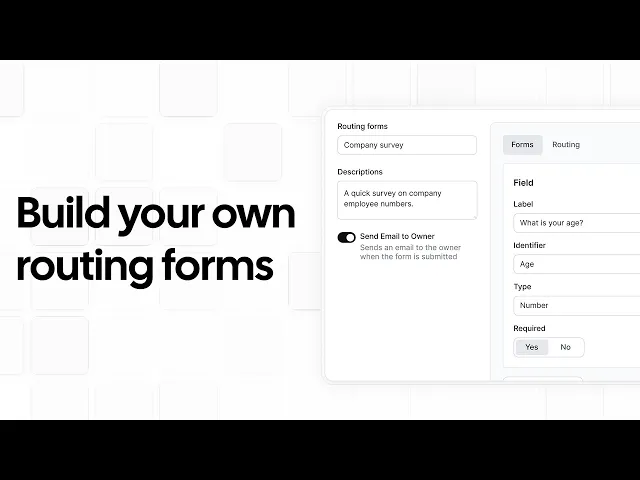
Service-specific routing forms: Collect job details before booking and use them to route customers to the right technician or pool.
Two-way calendar sync: Sync Google, Outlook, and Apple calendars so existing commitments block unavailable times.
Booking limits and buffers: Set minimum notice, travel buffers, slot intervals, and daily booking limits to control when customers can book.
Automated reminders: Send email and SMS confirmations and reminders when customers book, reschedule, or cancel.
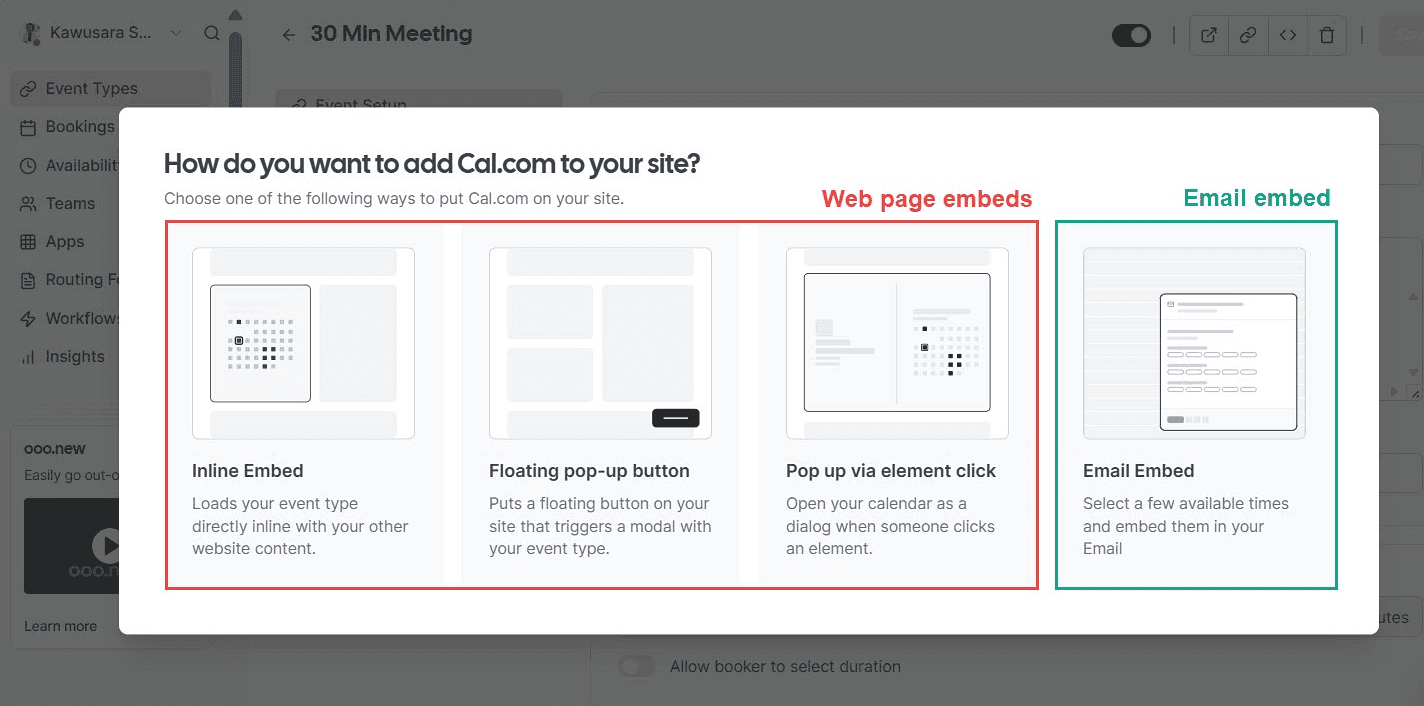
White-label booking: Add booking pages and routing forms to your website and keep the experience under your own brand and domain.
Payments at booking: Connect Stripe or PayPal to collect payments or deposits when customers book.
Booking analytics: Track bookings, cancellations, reschedules, no-shows, and booking trends to understand how your scheduling is performing.
Integrations and API access: Connect Cal.com with your CRM, invoicing, job management, or other systems, or use the API for custom workflows.
MCP support: Connect Cal.com to AI tools through its MCP server to check availability, create bookings, and automate scheduling tasks through natural-language requests.
Phone booking: Cal.ai lets customers book appointments by phone instead of using your website.

Pricing: Cal.com has a free forever plan with unlimited event types and bookings, unlimited calendar connections, email and SMS notifications, and Stripe and PayPal payments. Paid plans start at $16/user/month, or $12/user/month when billed annually, and add round-robin scheduling, routing forms, booking analytics, and custom APIs.

Best for: Plumbing companies of any size that want customers to book appointments online, route jobs to the right technicians, and automate scheduling tasks without replacing their existing field service software.
Verdict: Cal.com helps plumbing companies manage customer bookings, technician availability, and job routing in one scheduling system. Customers can book appointments online, while your team can route bookings by factors such as zip code, service area, skill, or license. It also syncs with calendars, sends automated reminders, collects payments, and supports custom integrations through its API.
Start with Cal.com's free plan or book a demo to see how it could work for your plumbing team.
2. ServiceTitan: best for established, multi-truck plumbing companies
Free plan? | Starting price | Standout feature | Best use case |
|---|---|---|---|
No, and no trial | Custom quote | Scheduling based on technician availability | Established plumbing companies managing 20+ trucks |

What it is: ServiceTitan is field service management software for plumbing companies that brings scheduling, dispatch, job management, and customer information together. When a job comes in, your team can schedule it based on the technician's skills, availability, location, and the time needed to complete the work. The system also accounts for available capacity when showing appointment times, helping your team avoid taking on more work than it can handle.
Key features:
Technician matching: Matches jobs to technicians based on skills, zones, availability, and workload.
Capacity-based booking: Shows available appointment slots based on current technician capacity, helping prevent overbooking.
Dispatch management: Gives dispatchers a live view of schedules and lets them reassign technicians or move jobs as plans change.
Customer information: Shows customer details and service history during booking so representatives have the right context.
Online appointment booking: Lets customers book through your website based on your available appointment times.
Limitations:
The per-technician pricing becomes expensive as you grow
Implementation can take anywhere from two to 12 months
Pricing: ServiceTitan doesn't offer a free plan or trial. You’ll need to book a demo for a custom quote. Users report pricing of around $245–$500 per technician/month, plus a $5,000–$50,000 implementation fee and paid add-ons.
Best for: Established plumbing businesses with larger technician teams, dedicated office staff, and the resources to invest in comprehensive field service software.
Verdict (vs. Cal.com): ServiceTitan combines scheduling with dispatch, capacity management, and other field service tools. Cal.com focuses on online booking and technician routing, making it simpler to learn, quicker to set up, and generally more affordable.
3. Jobber: best all-in-one plumbing software for small residential teams
Free plan? | Starting price | Standout feature | Best use case |
|---|---|---|---|
No, 14-day trial | $199/month | Client Hub for quotes, approvals, and payment | Residential shops of 1 to 15 technicians |

What it is: Jobber is field service software that helps residential plumbing companies manage customers, quotes, jobs, and schedules from one system. Your team can create jobs, assign them to technicians, schedule appointments, and update job details as work progresses. Customers can use the Client Hub to view quotes and job details, approve work, receive updates, and make payments.
Key features:
Drag-and-drop scheduling: Move jobs between technicians and dates, with route optimization to reduce travel.
Customer self-service: Let customers view quotes and appointments, approve work, pay invoices, and request additional work online.
Online booking: Let customers choose available appointment times through your website or a booking link.
Automated reminders and texting: Send booking confirmations and reminders, and text customers back and forth.
Location tracking: Use technician location data to help plan routes and manage jobs in the field.
Limitations:
Jobber doesn't automatically assign jobs based on technician attributes, so you'll have to do it manually
Less suited to larger teams with complex scheduling needs.
Pricing: Jobber doesn't have a free plan, but offers a 14-day free trial. Paid plans start at $49/month for one user or $199/month for up to five users, with scheduling, online booking, reminders, and payments included. More advanced routing and other features are available on higher-priced plans.
Best for: Small residential plumbing teams that need easy-to-use software for scheduling and managing jobs.
Verdict (vs. Cal.com): Jobber brings scheduling, quoting, payments, customer management, and job records into one platform. Cal.com focuses on online booking, technician routing, calendar sync, and automated reminders, with integrations that let you connect it to the other tools your business uses.
4. Housecall Pro: best plumbing scheduling app for mobile-first teams
Free plan? | Starting price | Standout feature | Best use case |
|---|---|---|---|
No, 14-day trial | Custom quote | Field-first mobile app for technicians | Mobile-first crews of 2 to 8 technicians |

What it is: Housecall Pro is field service software that helps plumbing companies manage scheduling, jobs, invoicing, and payments from one system. Technicians can update job details, communicate with customers, and collect payments from their phones, while office staff can schedule appointments through an online booking page or drag-and-drop calendar. Customers can book appointments online and receive updates as the job moves from scheduling to completion.
Key features:
Dispatch calendar: Move jobs between technicians and dates from the scheduling calendar as plans change.
Live technician tracking: See technician locations in real time to help coordinate jobs and adjust schedules.
Customer notifications: Automatically send confirmations, reminders, and updates when a technician is on the way.
QuickBooks integration: Sync invoices, payments, customers, and job information with QuickBooks Online.
On-site payments: Let technicians collect payments from customers after completing a job, including partial payments when needed.
Limitations:
Users report that some features are only available as paid add-ons
Route optimization is limited
Pricing: Housecall Pro doesn't offer a free plan, but you get a 14-day free trial. Pricing isn't publicly displayed, so you'll need to contact them for a custom quote.
Best for: Small residential plumbing teams that need one system for scheduling jobs, dispatching technicians, invoicing, and collecting payments.
Verdict (vs. Cal.com): Housecall Pro combines scheduling with the day-to-day tools plumbing companies use to manage jobs, technicians, invoices, and payments. Cal.com focuses on helping customers book appointments online and helping teams manage availability, routing, and automated reminders.
5. Service Fusion: best for unlimited-user plumbing dispatch
Free plan? | Starting price | Standout feature | Best use case |
|---|---|---|---|
No, and no trial | Custom quote | Unlimited users on every plan | Plumbing companies with 10 to 30 technicians that want to avoid per-user costs |

What it is: Service Fusion is field service software that brings scheduling, dispatch, customer management, invoicing, and payments into one system. Dispatchers can assign jobs and manage technician schedules from the dispatch board, while technicians use the mobile app to access job details and update work in the field. Because the software supports unlimited users, your office staff, technicians, and managers can all access the same system without paying for each user separately.
Key features:
Drag-and-drop scheduling: Move jobs between technicians and dates while viewing the team's schedule in one calendar.
Unlimited user access: Give technicians, dispatchers, office staff, and managers access without paying per user.
GPS fleet tracking: See vehicle locations, mileage, idle time, and driving activity from the same system.
Call tracking: Connect customer calls with existing records and job history, and route calls to the right team members.
QuickBooks integration: Sync customers, invoices, and payments with QuickBooks to reduce duplicate data entry.
LImitations:
Users reports that its mobile app crashes frequently
No free plan or trial
Pricing: Service Fusion doesn’t offer a free plan or trial. It has three pricing tiers, with its entry-level plan including basic scheduling, dispatch, and customer management features. However, you’ll need to request a demo and get a custom quote.
Best for: Growing plumbing companies looking to keep software costs from rising with team size.
Verdict (vs. Cal.com): Service Fusion gives plumbing companies one system for scheduling, dispatch, field service, invoicing, and payments. Cal.com focuses on online booking, availability, and routing with tools for controlling what customers can book and where those bookings go.
6. Workiz: best plumbing scheduling software for phone-driven operations
Free plan? | Starting price | Standout feature | Best use case |
|---|---|---|---|
No, 7-day trial | Custom quote | Integrated phone and after-hours answering | Call-heavy dispatch operations |

What it is: Workiz is field service software that puts phone calls at the center of how plumbing companies manage jobs. When a customer calls, the system links the call to their customer record so your team has their information and job history available. Its answering service can also handle calls outside business hours, answer basic questions, and book appointments when your team is unavailable.
Key features:
Phone and customer records: Link calls to customer profiles and job history, with call recording and number masking available.
AI call answering: Handle incoming calls, answer questions, and book or reschedule jobs when your team is unavailable.
Scheduling and dispatch: Assign jobs based on technician availability, service area, and skills, then manage schedules from a drag-and-drop calendar.
Location tracking: See technician and vehicle locations in real time and use service areas to control where technicians receive jobs.
Workflow automation: Set rules that automatically trigger actions based on job, customer, or payment conditions.
LImitations:
AI-powered phone and answering features are paid add-ons
Users report that hidden fees make the cost rise fast
Pricing: Workiz doesn’t offer a free plan or trial. It has three pricing tiers, but you’ll need to request a custom quote for each.
Best for: Plumbing companies that rely heavily on phone calls to book jobs and need coverage outside business hours.
Verdict (vs. Cal.com): Workiz combines phone calls, scheduling, dispatch, and job management in one system. Cal.com focuses on online booking, showing customers available appointment times, controlling booking limits and buffers, and routing bookings to the right technician.
7. Simpro: best for commercial and project work
Free plan? | Starting price | Standout feature | Best use case |
|---|---|---|---|
No, and no trial | Custom quote | Job costing and maintenance planning | Plumbing companies handling commercial and project-based work |

What it is: Simpro is a field service platform for plumbing companies that manage commercial projects, maintenance work, and service jobs. Teams can plan and schedule work, assign technicians, track the materials and costs tied to each job, and handle billing as work is completed. This makes it possible to manage a project from the initial estimate through scheduling, field work, and final billing in one system.
Key features:
Scheduling and dispatch: Schedule individuals or teams, check availability, and assign qualified technicians to jobs based on factors such as location and job requirements.
Recurring maintenance: Plan upcoming service work for customer assets, assign technicians, and keep maintenance dates, service history, and contract details together.
Job costing: Track labor, materials, contractors, and other costs against a job to compare actual costs with what you budgeted.
Offline field work: Let technicians access job details, record work, and update jobs from the mobile app even when they have limited connectivity.
Inventory and estimating: Build quotes using current labor and material costs, track stock, and sync supplier catalogs to keep material prices up to date.
LImitations:
Steep learning curve
Overbuilt for simple residential service work
Pricing: Simpro doesn’t offer a free plan or trial. You’ll need to request a custom quote, with an initial setup fee and additional costs for some add-ons.
Best for: Commercial plumbing contractors with 20 or more technicians handling projects, service agreements, or multi-site clients.
Verdict (vs. Cal.com): Simpro manages the financial and operational side of commercial plumbing work, from estimates and scheduling through job costs and billing. Cal.com focuses on customer booking, availability, and routing, so it works well alongside Simpro when a company wants to improve how customers book appointments.
8. FieldEdge: best for QuickBooks-centric plumbing offices
Free plan? | Starting price | Standout feature | Best use case |
|---|---|---|---|
No, and no free trial | Custom quote | Two-way QuickBooks sync | QuickBooks-centric offices, 5 to 50 technicians |

What it is: FieldEdge is field service software that connects scheduling, dispatch, customer records, service agreements, and billing in one system. Its accounting integration is especially useful for plumbing companies that use QuickBooks Online or Desktop because financial information syncs between the two systems. Teams can manage service calls, recurring work, pricing, and payments without moving between separate field service and accounting systems.
Key features:
Scheduling and dispatch: Manage multiple technicians from one schedule and assign jobs based on availability, location, and job requirements.
QuickBooks integration: Sync financial information with QuickBooks Online or Desktop to reduce duplicate data entry.
Recurring service work: Schedule maintenance visits, track agreement dates, and automate reminders for recurring customers.
Flat-rate pricing: Give technicians a database of repair prices they can use to create consistent quotes in the field.
Online booking and texting: Let customers request appointments online and communicate with them through text messages.
Limitations:
Integrations don't always connect cleanly or share information in one place.
Customer support may be slow to respond some times.
Pricing: FieldEdge doesn’t offer a free plan or trial. It also doesn’t publish its pricing, so you’ll need to request a custom quote.
Best for: Plumbing companies that want their field service and QuickBooks data connected while managing recurring maintenance work.
Verdict (vs. Cal.com): FieldEdge combines field service management with accounting, dispatch, and recurring service work, with direct integration with QuickBooks. Cal.com focuses on online booking, appointment availability, calendar syncing, and routing bookings to the right technician.
9. Homebase: best for plumbing crew shifts and timesheets
Free plan? | Starting price | Standout feature | Best use case |
|---|---|---|---|
Yes; one location, 10 staff members | $30/location/month | Per-location pricing, unlimited employees | Single-location teams managing hourly staff |

What it is: Homebase helps plumbing companies schedule employees, manage shifts, and track working hours. Managers can see who is scheduled to work, adjust shifts, record time worked, and monitor labor costs from one system. It doesn't manage customer appointments or assign jobs to technicians, so it's better suited to managing your workforce alongside a separate system for customer and job scheduling.
Key features:
Shift scheduling: Build crew schedules, assign shifts, and adjust them when availability changes.
Time tracking: Let technicians clock in and out from their phones and turn those hours into timesheets for payroll.
Time-off management: Set availability and time-off rules so managers know who is available when building schedules.
Team communication: Send schedule updates and messages to employees without relying on separate group chats.
Labor cost tracking: See how scheduled hours affect labor costs and compare staffing costs with the hours you have planned.
LImitations:
Costs increase when you use Homebase across multiple locations, even if each location has a small team.
Payroll is billed separately from the main subscription.
Pricing: Homebase has a free plan for one location with basic scheduling and time tracking. Paid plans start at $30/location/month, and add features for advanced scheduling, time tracking, team management, and labor costs. Payroll costs extra at $39/month plus $6 per active employee.
Best for: Single-location plumbing companies that mainly need shift scheduling, time tracking, and labor management.
Verdict (vs. Cal.com): Homebase helps you schedule employees, manage shifts, and track hours. Cal.com handles customer bookings, shows available appointment times, and routes bookings to the right technician. Use Homebase to manage your team's work schedules and Cal.com to manage customer appointments.
10. Setmore: best for solo plumbers who need basic online booking
Free plan? | Starting price | Standout feature | Best use case |
|---|---|---|---|
Yes; 4 users, 200 appointments per month | $12/user/month | Free branded booking page | Solo plumbers needing basic online booking |

What it is: Setmore is an online booking platform for solo plumbers and small teams. You can create a booking page, connect your calendar, set your availability, and let customers book appointments without calling. It also sends appointment reminders and keeps bookings organized in one calendar. Setmore doesn't include plumbing-specific tools for dispatch, technician routing, job records, or travel-time management, so it's best suited to businesses that mainly need online booking and basic scheduling.
Key features:
Online booking page: Create a branded page where customers can see availability and book from your website, a Book Now button, or QR code.
Email and SMS reminders: Send automatic confirmations and reminders to keep customers updated about appointments.
Calendar synchronization: Sync with Google, Outlook, or Office 365 to keep your availability aligned across calendars.
Recurring appointments: Schedule repeat visits in advance for regular maintenance customers.
Online payments: Accept payments or deposits through your booking page using Stripe, Square, or PayPal.
Limitations:
The free version only supports one-way calendar sync for exporting appointments to connected calendars.
It lacks advanced tools for technician routing, dispatch, and plumbing job management.
Booking page customization is limited, and you can't use a custom domain.
Pricing: Setmore has a free plan for up to four users and 200 appointments per month. Pro costs $12/user/month, and adds unlimited appointments, text reminders, two-way calendar sync, recurring appointments, and Setmore branding removal. Each staff calendar counts as a paid user.
Best for: Solo plumbers and very small teams that need a basic online booking page.
Verdict (vs. Cal.com): Setmore gives you free online booking, but its free plan limits you to 200 appointments and one-way calendar sync. Cal.com includes unlimited bookings, two-way calendar sync, and payments on its free plan. You also get round-robin scheduling, routing based on technician attributes, buffers, and an API for more complex scheduling needs. If you need to manage customer bookings across a growing plumbing team, Cal.com gives you more control over how appointments are scheduled and assigned.
Plumbing scheduling software: quick comparison table
Here’s how the 10 plumbing scheduling software stack up on key features and free plans:
Tool | Free plan | Customer booking | Routing depth | Dispatch board |
|---|---|---|---|---|
Cal.com | ✅ Free plan, one user with unlimited bookings | ✅ Branded online booking with buffers and booking limits | ✅ Yes,routing available | ⚠️ Calendar view of bookings, no truck tracking |
ServiceTitan | ❌ No free plan or trial | ✅ Online booking based on technician availability | ✅ Yes,routing available | ✅ Live board with truck tracking and route optimization |
Jobber | ❌ No free plan, 14-day trial | ✅ Online booking via a website or booking link | ⚠️ Route optimization; manual technician assignment | ✅ Drag-and-drop scheduling |
Housecall Pro | ❌ No free plan, 14-day trial | ✅ Online booking through a booking page | ⚠️ Service areas and assigned technicians | ✅ Dispatch calendar with technician tracking |
Service Fusion | ❌ No free plan or trial | ✅ Customer web booking portal | ⚠️ Zone-based dispatch; no routing | ✅ Technician dispatch board |
Workiz | ❌ No free plan, 7-day trial | ✅ Online, phone-based booking | ✅ Yes,routing available | ✅ Dispatch with technician tracking |
Simpro | ❌ No free plan or trial | ❌ Built for projects, not customer self-booking | ✅ Yes,routing available | ✅ Scheduling and dispatch board built for project work |
FieldEdge | ❌ No free plan or trial | ⚠️ Online appointment requests, not instant booking | ⚠️ Map-based dispatch; no routing | ✅ Map-based dispatch board for multi-truck operations |
Homebase | ✅ Free plan for one location, 10 staff members | ❌ Schedules employee shifts, not customer jobs | ❌ No job routing | ❌ No dispatch board; it's a shift schedule |
Setmore | ✅ Free for 4 users, 200 appointments a month | ✅ Branded online booking page | ❌ No job routing | ❌ No dispatch board or job tracking |
Final verdict
Choose your plumbing scheduling software based on whether you need to improve customer booking and technician routing, run scheduling alongside dispatch and job management, or manage employee shifts and hours.
Choose Cal.com if customers need to book online and those bookings need to reach the right technician. Its free plan includes unlimited bookings, two-way calendar sync, reminders, and payments. Paid plans add round-robin scheduling, routing forms, and booking analytics.
ServiceTitan, Jobber, Housecall Pro, Service Fusion, Simpro, and FieldEdge combine scheduling with other field service functions. Workiz is centered on phone-based bookings, Homebase handles employee shifts and timesheets, and Setmore covers basic online booking for small teams.
Start with Cal.com's free plan or book a demo if you want to see how its booking and routing could work for your team.
Frequently asked questions
What is the best plumbing scheduling software? Cal.com is the best scheduling software for plumbers who need online booking, calendar sync, and automatic technician routing. Meanwhile, ServiceTitan combines scheduling with dispatch, capacity planning, and other field service tools. Jobber, Housecall Pro, and Service Fusion also combine scheduling with job management and other plumbing business functions.
Is Cal.com free, and how much does it cost for a plumbing company? Yes. Cal.com has a free plan with unlimited event types and bookings, unlimited calendar connections, email and SMS notifications, and Stripe and PayPal payments. Paid plans start at $16/user/month, and add features such as round-robin scheduling, routing forms, booking analytics, and custom APIs.
What is the best plumbing scheduling software for a small business? Cal.com works if you mainly need online booking, calendar synchronization, and technician routing. If you want scheduling, customer management, quotes, payments, and job management in one system, Jobber is another option for small residential plumbing teams.
Can customers book plumbing service calls online themselves? Yes. Cal.com, Jobber, Housecall Pro, ServiceTitan, and Setmore offer online booking. With Cal.com, you can control which appointment times customers see using technician availability, buffers, minimum notice periods, service-specific durations, and daily booking limits.
What is the difference between scheduling software for plumbers and field service software? Scheduling software for plumbers, like Cal.com and Setmore, focuses on bookings, technician availability, routing, and customer notifications. Field service software, like ServiceTitan, Jobber, and Housecall Pro, combines scheduling with tools for dispatch, estimates, inventory, customer records, job management, invoicing, and payments.

Get started with Cal.com for free today!
Experience seamless scheduling and productivity with no hidden fees. Sign up in seconds and start simplifying your scheduling today, no credit card required!







