" height="18.016311920580208px" id="GKXyVanMq" stroke-dasharray="0" stroke-linecap="butt" stroke-linejoin="miter" stroke-miterlimit="10" stroke-width="0.5" stroke="rgb(0, 0, 0)" transform="translate(3 3)" width="18px"/></svg>)
"/><stop offset="1" stop-color="rgb(227, 224, 244)"/></linearGradient><linearGradient id="CBS1bzkxF-2031533640-linear-gradient" x1="0.49751243781094523" x2="0.5024875621890548" y1="0" y2="1"><stop offset="0" stop-color="rgb(255, 255, 255)"/><stop offset="1" stop-color="rgb(227, 224, 244)"/></linearGradient><linearGradient id="Jd7AK81w9-2031533640-linear-gradient" x1="0.49751243781094523" x2="0.5024875621890548" y1="0" y2="1"><stop offset="0" stop-color="rgb(255, 255, 255)"/><stop offset="1" stop-color="rgb(227, 224, 244)"/></linearGradient></defs><g d="M 0 16 L 0 0 L 16 0 L 16 16 Z M 9.167 5.167 C 9.167 4.891 8.943 4.667 8.667 4.667 C 8.391 4.667 8.167 4.891 8.167 5.167 C 8.167 6.784 7.809 7.834 7.155 8.488 C 6.501 9.143 5.451 9.5 3.833 9.5 C 3.557 9.5 3.333 9.724 3.333 10 C 3.333 10.276 3.557 10.5 3.833 10.5 C 5.451 10.5 6.501 10.857 7.155 11.512 C 7.809 12.166 8.167 13.216 8.167 14.833 C 8.167 15.109 8.391 15.333 8.667 15.333 C 8.943 15.333 9.167 15.109 9.167 14.833 C 9.167 13.216 9.524 12.166 10.178 11.512 C 10.832 10.857 11.883 10.5 13.5 10.5 C 13.776 10.5 14 10.276 14 10 C 14 9.724 13.776 9.5 13.5 9.5 C 11.883 9.5 10.832 9.143 10.178 8.488 C 9.524 7.834 9.167 6.784 9.167 5.167 Z M 4 3.667 C 4 3.483 3.851 3.333 3.667 3.333 C 3.483 3.333 3.333 3.483 3.333 3.667 C 3.333 4.32 3.189 4.715 2.952 4.952 C 2.715 5.189 2.32 5.333 1.667 5.333 C 1.483 5.333 1.333 5.483 1.333 5.667 C 1.333 5.851 1.483 6 1.667 6 C 2.32 6 2.715 6.145 2.952 6.382 C 3.189 6.618 3.333 7.013 3.333 7.667 C 3.333 7.851 3.483 8 3.667 8 C 3.851 8 4 7.851 4 7.667 C 4 7.013 4.145 6.618 4.382 6.382 C 4.618 6.145 5.013 6 5.667 6 C 5.851 6 6 5.851 6 5.667 C 6 5.483 5.851 5.333 5.667 5.333 C 5.013 5.333 4.618 5.189 4.382 4.952 C 4.145 4.715 4 4.32 4 3.667 Z M 7.333 1 C 7.333 0.816 7.184 0.667 7 0.667 C 6.816 0.667 6.667 0.816 6.667 1 C 6.667 1.422 6.573 1.65 6.445 1.778 C 6.317 1.906 6.089 2 5.667 2 C 5.483 2 5.333 2.149 5.333 2.333 C 5.333 2.517 5.483 2.667 5.667 2.667 C 6.089 2.667 6.317 2.761 6.445 2.889 C 6.573 3.016 6.667 3.244 6.667 3.667 C 6.667 3.851 6.816 4 7 4 C 7.184 4 7.333 3.851 7.333 3.667 C 7.333 3.244 7.427 3.016 7.555 2.889 C 7.683 2.761 7.911 2.667 8.333 2.667 C 8.517 2.667 8.667 2.517 8.667 2.333 C 8.667 2.149 8.517 2 8.333 2 C 7.911 2 7.683 1.906 7.555 1.778 C 7.427 1.65 7.333 1.422 7.333 1 Z" fill="transparent" height="16px" id="aoZYv33vR" width="16px"><path d="M 0 16 L 0 0 L 16 0 L 16 16 Z" fill="transparent" height="16px" id="Z2uGmhW9f" width="16px"/><g d="M 7.833 4.5 C 7.833 4.224 7.609 4 7.333 4 C 7.057 4 6.833 4.224 6.833 4.5 C 6.833 6.117 6.476 7.168 5.822 7.822 C 5.168 8.476 4.117 8.833 2.5 8.833 C 2.224 8.833 2 9.057 2 9.333 C 2 9.61 2.224 9.833 2.5 9.833 C 4.117 9.833 5.168 10.191 5.822 10.845 C 6.476 11.499 6.833 12.549 6.833 14.167 C 6.833 14.443 7.057 14.667 7.333 14.667 C 7.609 14.667 7.833 14.443 7.833 14.167 C 7.833 12.549 8.191 11.499 8.845 10.845 C 9.499 10.191 10.549 9.833 12.167 9.833 C 12.443 9.833 12.667 9.61 12.667 9.333 C 12.667 9.057 12.443 8.833 12.167 8.833 C 10.549 8.833 9.499 8.476 8.845 7.822 C 8.191 7.168 7.833 6.117 7.833 4.5 Z M 2.667 3 C 2.667 2.816 2.517 2.667 2.333 2.667 C 2.149 2.667 2 2.816 2 3 C 2 3.654 1.855 4.048 1.618 4.285 C 1.382 4.522 0.987 4.667 0.333 4.667 C 0.149 4.667 0 4.816 0 5 C 0 5.184 0.149 5.333 0.333 5.333 C 0.987 5.333 1.382 5.478 1.618 5.715 C 1.855 5.952 2 6.346 2 7 C 2 7.184 2.149 7.333 2.333 7.333 C 2.517 7.333 2.667 7.184 2.667 7 C 2.667 6.346 2.811 5.952 3.048 5.715 C 3.285 5.478 3.68 5.333 4.333 5.333 C 4.517 5.333 4.667 5.184 4.667 5 C 4.667 4.816 4.517 4.667 4.333 4.667 C 3.68 4.667 3.285 4.522 3.048 4.285 C 2.811 4.048 2.667 3.654 2.667 3 Z M 6 0.333 C 6 0.149 5.851 0 5.667 0 C 5.483 0 5.333 0.149 5.333 0.333 C 5.333 0.756 5.239 0.984 5.112 1.112 C 4.984 1.239 4.756 1.333 4.333 1.333 C 4.149 1.333 4 1.483 4 1.667 C 4 1.851 4.149 2 4.333 2 C 4.756 2 4.984 2.094 5.112 2.222 C 5.239 2.35 5.333 2.578 5.333 3 C 5.333 3.184 5.483 3.333 5.667 3.333 C 5.851 3.333 6 3.184 6 3 C 6 2.578 6.094 2.35 6.222 2.222 C 6.35 2.094 6.578 2 7 2 C 7.184 2 7.333 1.851 7.333 1.667 C 7.333 1.483 7.184 1.333 7 1.333 C 6.578 1.333 6.35 1.239 6.222 1.112 C 6.094 0.984 6 0.756 6 0.333 Z" fill="transparent" height="14.66671286102295px" id="ae6ccdFme" transform="translate(1.333 0.667)" width="12.66663px"><path d="M 5.833 0.5 C 5.833 0.224 5.609 0 5.333 0 C 5.057 0 4.833 0.224 4.833 0.5 C 4.833 2.117 4.476 3.168 3.822 3.822 C 3.168 4.476 2.117 4.833 0.5 4.833 C 0.224 4.833 0 5.057 0 5.333 C 0 5.61 0.224 5.833 0.5 5.833 C 2.117 5.833 3.168 6.191 3.822 6.845 C 4.476 7.499 4.833 8.549 4.833 10.167 C 4.833 10.443 5.057 10.667 5.333 10.667 C 5.609 10.667 5.833 10.443 5.833 10.167 C 5.833 8.549 6.191 7.499 6.845 6.845 C 7.499 6.191 8.549 5.833 10.167 5.833 C 10.443 5.833 10.667 5.61 10.667 5.333 C 10.667 5.057 10.443 4.833 10.167 4.833 C 8.549 4.833 7.499 4.476 6.845 3.822 C 6.191 3.168 5.833 2.117 5.833 0.5 Z" fill="url(%23t2lXByE48-2031533640-linear-gradient)" height="10.66671px" id="t2lXByE48" transform="translate(2 4)" width="10.66663px"/><path d="M 2.667 0.333 C 2.667 0.149 2.517 0 2.333 0 C 2.149 0 2 0.149 2 0.333 C 2 0.987 1.855 1.382 1.618 1.618 C 1.382 1.855 0.987 2 0.333 2 C 0.149 2 0 2.149 0 2.333 C 0 2.517 0.149 2.667 0.333 2.667 C 0.987 2.667 1.382 2.811 1.618 3.048 C 1.855 3.285 2 3.68 2 4.333 C 2 4.517 2.149 4.667 2.333 4.667 C 2.517 4.667 2.667 4.517 2.667 4.333 C 2.667 3.68 2.811 3.285 3.048 3.048 C 3.285 2.811 3.68 2.667 4.333 2.667 C 4.517 2.667 4.667 2.517 4.667 2.333 C 4.667 2.149 4.517 2 4.333 2 C 3.68 2 3.285 1.855 3.048 1.618 C 2.811 1.382 2.667 0.987 2.667 0.333 Z" fill="url(%23CBS1bzkxF-2031533640-linear-gradient)" height="4.66667px" id="CBS1bzkxF" transform="translate(0 2.667)" width="4.66667px"/><path d="M 2 0.333 C 2 0.149 1.851 0 1.667 0 C 1.483 0 1.333 0.149 1.333 0.333 C 1.333 0.756 1.239 0.984 1.112 1.112 C 0.984 1.239 0.756 1.333 0.333 1.333 C 0.149 1.333 0 1.483 0 1.667 C 0 1.851 0.149 2 0.333 2 C 0.756 2 0.984 2.094 1.112 2.222 C 1.239 2.35 1.333 2.578 1.333 3 C 1.333 3.184 1.483 3.333 1.667 3.333 C 1.851 3.333 2 3.184 2 3 C 2 2.578 2.094 2.35 2.222 2.222 C 2.35 2.094 2.578 2 3 2 C 3.184 2 3.333 1.851 3.333 1.667 C 3.333 1.483 3.184 1.333 3 1.333 C 2.578 1.333 2.35 1.239 2.222 1.112 C 2.094 0.984 2 0.756 2 0.333 Z" fill="url(%23Jd7AK81w9-2031533640-linear-gradient)" height="3.333333px" id="Jd7AK81w9" transform="translate(4 0)" width="3.3333399999999997px"/></g></g></svg>)
" height="24px" id="WCm44spAV" width="24px"/><path d="M 3.892 7.742 C 1.674 7.742 0 6.014 0 3.882 C 0 1.738 1.589 0 3.892 0 C 5.107 0 5.951 0.374 6.623 1.173 L 5.566 2.09 C 5.118 1.621 4.564 1.386 3.892 1.386 C 2.452 1.386 1.547 2.517 1.547 3.882 C 1.547 5.246 2.452 6.356 3.924 6.356 C 4.649 6.356 5.193 6.111 5.63 5.63 L 6.718 6.558 C 6.153 7.24 5.193 7.742 3.892 7.742 Z" fill="rgb(255, 255, 255)" height="7.741500000000002px" id="XEPpGD7l5" transform="translate(4 8.25)" width="6.717999999999989px"/><path d="M 2.74 7.922 C 1.215 7.922 0 6.632 0 5.032 C 0 3.433 1.215 2.122 2.74 2.122 C 3.7 2.122 4.201 2.516 4.5 3.113 L 4.5 2.239 L 5.928 2.239 L 5.928 7.784 L 4.531 7.784 L 4.531 6.877 C 4.233 7.507 3.731 7.922 2.74 7.922 Z M 1.439 5.023 C 1.439 5.865 2.057 6.622 2.975 6.622 C 3.924 6.622 4.531 5.897 4.531 5.033 C 4.531 4.169 3.924 3.423 2.975 3.423 C 2.057 3.423 1.439 4.159 1.439 5.022 Z M 6.784 7.784 L 6.784 0 L 8.224 0 L 8.224 7.784 L 6.784 7.784 Z" fill="rgb(255, 255, 255)" height="7.9224997406005855px" id="lGDJupIUR" transform="translate(10.5 8)" width="8.223500194549558px"/></g></svg>)
" width="18px"><path d="M 2 8 C 0.895 8 0 7.105 0 6 L 0 2 C 0 0.895 0.895 0 2 0 L 6 0 C 7.105 0 8 0.895 8 2 L 8 6 C 8 7.105 7.105 8 6 8 Z" fill="transparent" height="8px" id="ZrCrI93dV" stroke-dasharray="" stroke-linecap="round" stroke-linejoin="round" stroke-width="2" stroke="rgb(0, 0, 0)" width="8px"/><path d="M 0 0 L 0 4 C 0 5.105 0.895 6 2 6 L 6 6" fill="transparent" height="6px" id="emltWYAiE" stroke-dasharray="" stroke-linecap="round" stroke-linejoin="round" stroke-width="2" stroke="rgb(0, 0, 0)" transform="translate(4 8)" width="6px"/><path d="M 2 8 C 0.895 8 0 7.105 0 6 L 0 2 C 0 0.895 0.895 0 2 0 L 6 0 C 7.105 0 8 0.895 8 2 L 8 6 C 8 7.105 7.105 8 6 8 Z" fill="transparent" height="8px" id="WpBecYDfi" stroke-dasharray="" stroke-linecap="round" stroke-linejoin="round" stroke-width="2" stroke="rgb(0, 0, 0)" transform="translate(10 10)" width="8px"/></g></svg>)

Best HVAC Scheduling Software in 2026
The best HVAC scheduling software streamlines job scheduling, technician dispatching, and contract booking. Cal.com stands out among its competitors for these qualities and more.

Running a successful HVAC business depends on efficient job scheduling. Relying on manual tools to assign and track work slows your team down and cuts into profits. The most significant problems HVAC companies face in this regard include:
Missed appointments
Slow response times
Scheduling conflicts
Too much back-and-forth between dispatchers, techs, and customers
Unclear job details or expectations
To stay competitive, you need to streamline your appointment scheduling with purpose-built software.
In this guide, you’ll learn what to look for in HVAC scheduling software, the essential features that drive productivity, and some of today’s top options for different types of operations. You’ll also find answers to common questions about improving your scheduling process with the right technology.
Why Cal.com Is Becoming a Top Scheduling Tool for HVAC Teams
Unlike rigid HVAC-specific platforms, Cal.com is a general but highly customizable solution.
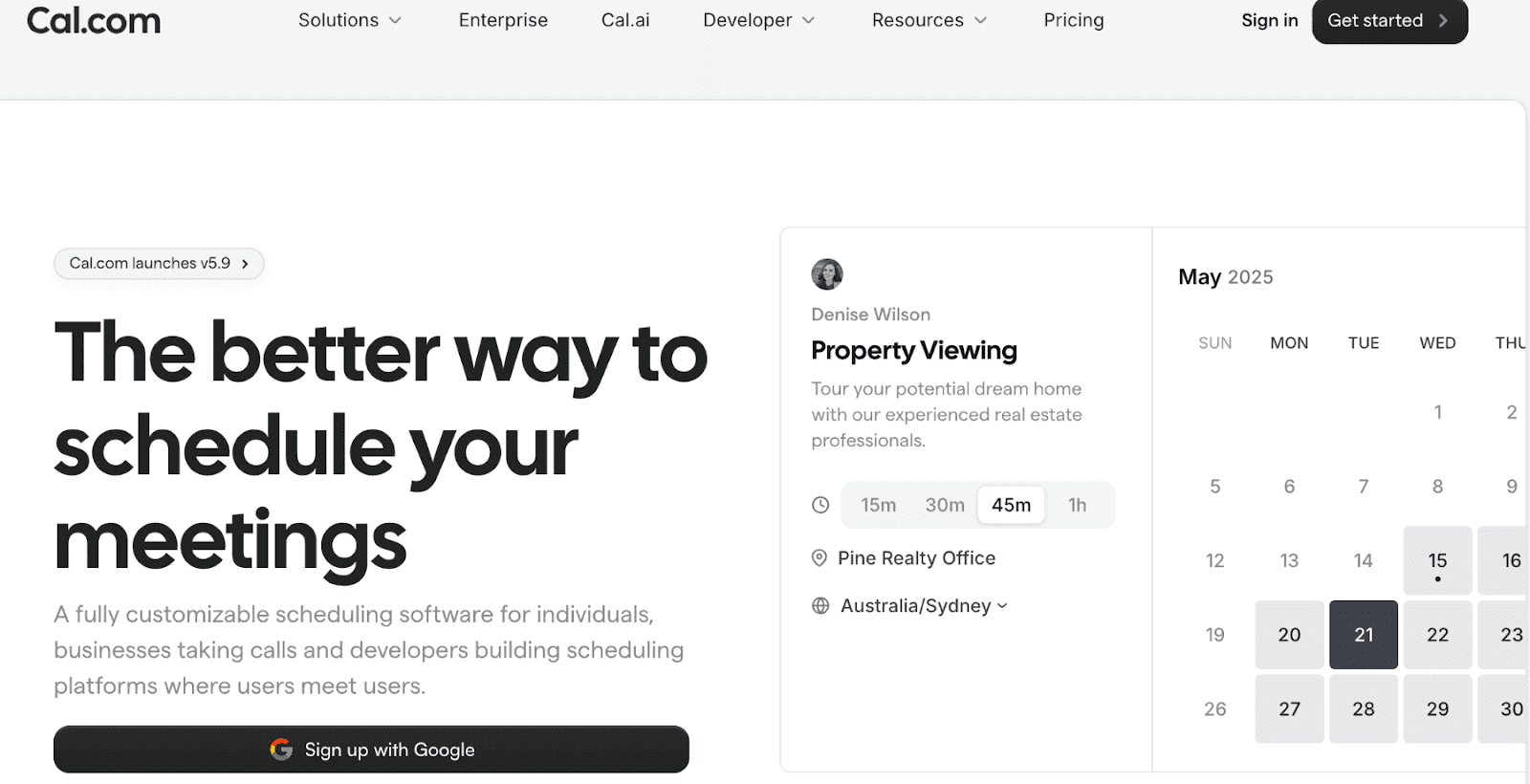
Sure, many HVAC businesses already use field service management software, HVAC invoicing software, or a CRM for HVAC companies. However, the built-in scheduling features in these often feel limited or complicated.
Cal.com fills that gap by offering:
A clean, modern interface
Advanced automation
Custom booking flows
Easy integration with existing HVAC business software
No clutter, no bloated features
Because HVAC companies have different job types, service windows, and technician availability, a flexible scheduler often works better than systems that force everyone into one workflow.
Core Scheduling Features Cal.com Provides for HVAC Businesses
Cal.com includes all the essential features HVAC teams need to run daily operations smoothly.
Accurate Availability Management
Track when each technician is available, even across multiple job sites. Set working hours, block off time for emergencies, and prevent double bookings.
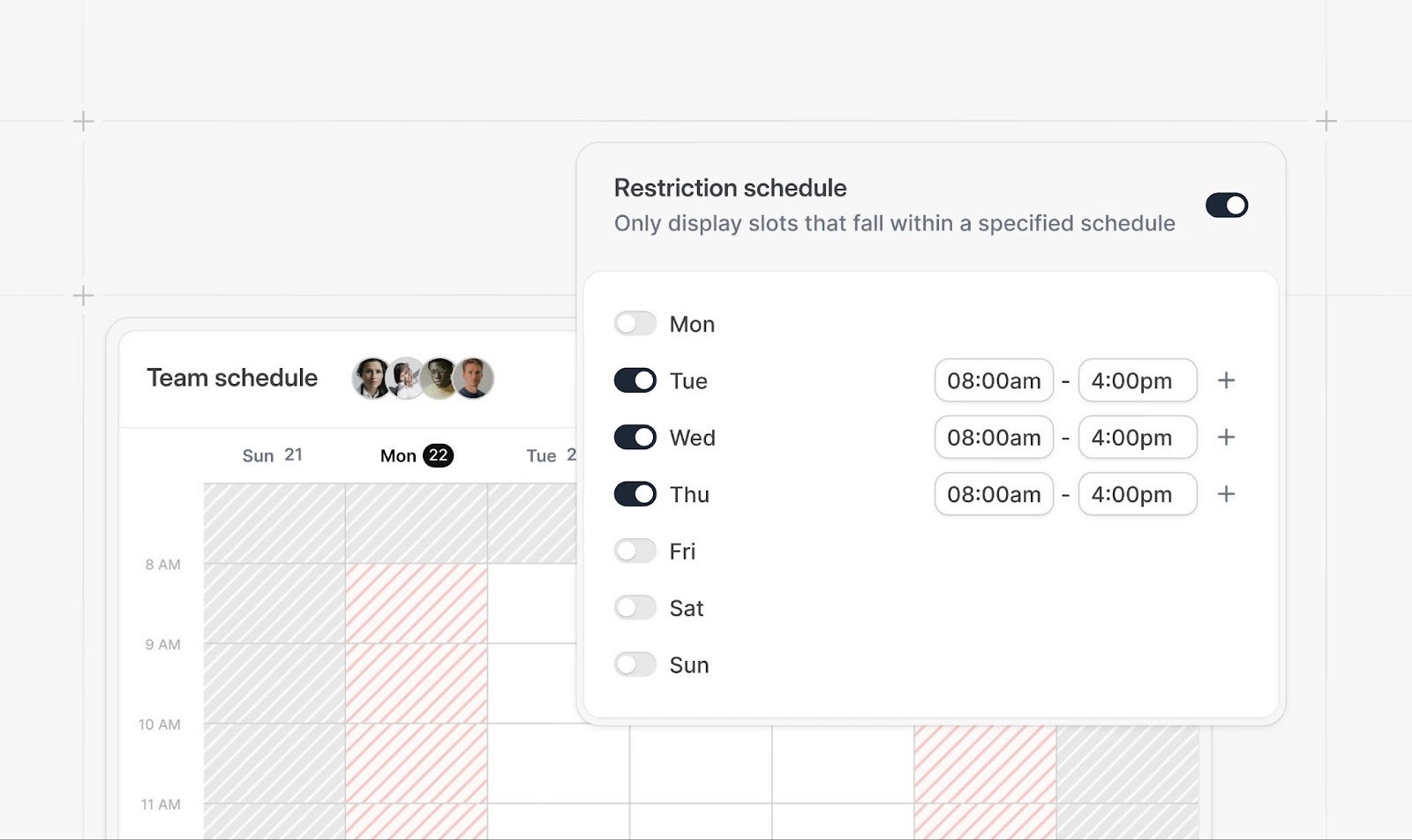
Multi-Calendar Support
Great for HVAC companies with several trucks, teams, or service areas. Each technician gets their own calendar that syncs with the main dispatch view.
For tips on mastering this, check out our guide to team scheduling.
Time-Based Rules
Add buffers, prep time, or cooldown periods after big installations. This ensures your team has enough time between jobs and isn't rushing from one site to another.
Self-Booking Pages
Customers can instantly choose a time slot, reducing inbound calls. Your booking page displays real-time availability, so they book when your team is free.
Customizable Booking Flows
Customizable booking flows make it easy to collect job details, home address, issue type, and priority before confirming the appointment. This means your technicians show up prepared with the right tools and parts.
Appointment Categorization
Tag calls as installation, repair, maintenance, inspection, or emergency service. Different job types can have different durations, pricing, and technician assignments.
Shared Team Scheduling Links
Use a round-robin assignment system to distribute work evenly, or let customers choose a technician based on availability and specialty.
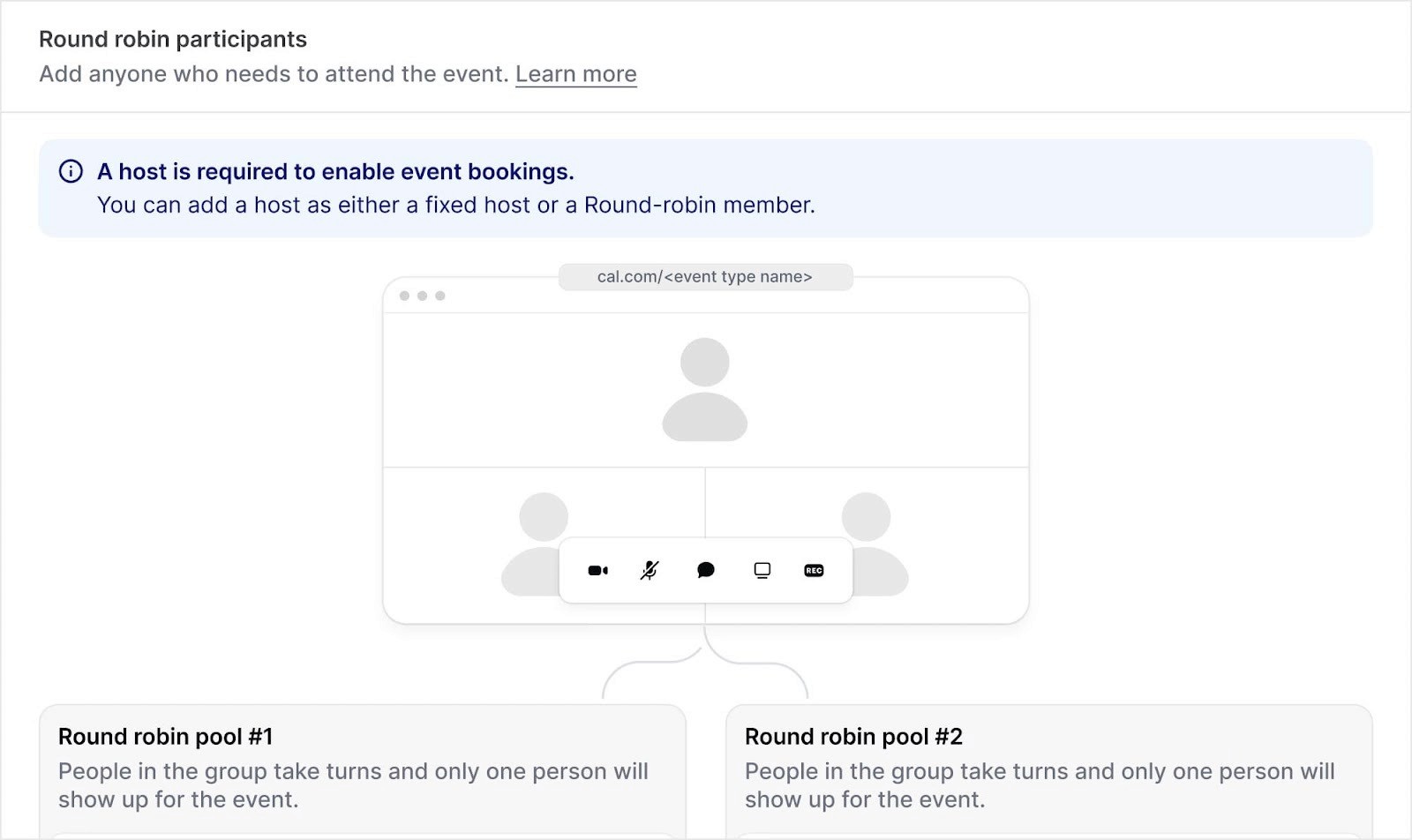
Together, these capabilities make Cal.com a powerful HVAC scheduling app without the complexity of bulky HVAC contractor software.
Workflow Automation for HVAC Operations
One way HVAC businesses can save time on operations and admin work is through automation. Cal.com makes it easy for you to set up workflows that run on their own. Here are a few examples:
Automatic confirmations as soon as an appointment is booked. Customers receive instant confirmation with job details, technician info, and service window.
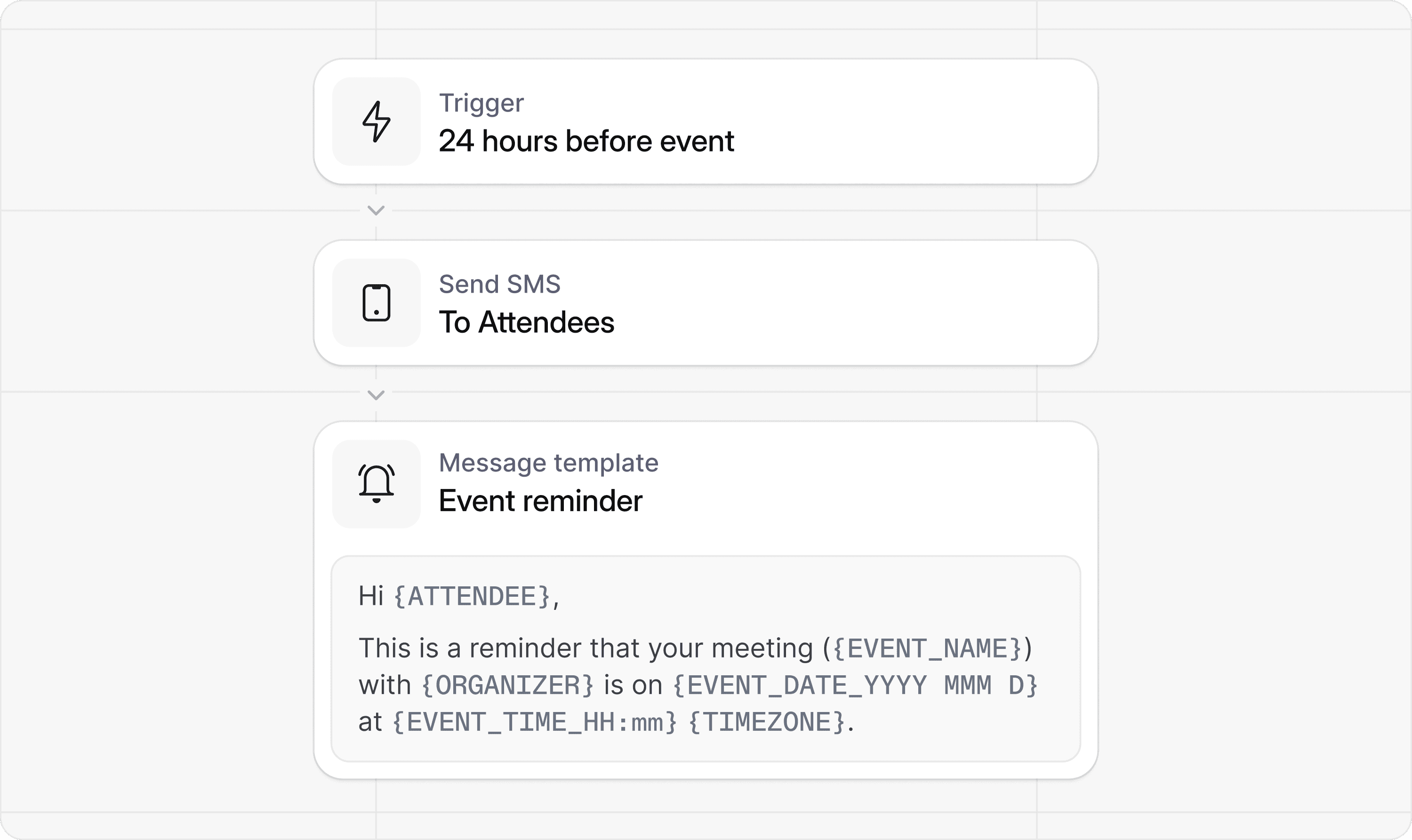
Reminder messages to reduce cancellations or no-shows. Send reminders 24 hours before, the morning of, or an hour before the appointment.
Follow-up messages for maintenance plans or seasonal tune-ups. Automate outreach for annual checkups, filter replacements, or system inspections.
Webhooks for connecting to your CRM or HVAC service management software. Automatically push appointment data to your existing systems.
Tag-based workflow rules that adjust the flow based on job type. Emergency calls get priority routing, while routine maintenance is scheduled through standard scheduling procedures.
AI-powered scheduling via Cal.ai, which handles inbound phone calls to book appointments, triage HVAC service requests, and reduce no-shows through natural conversations
For busy dispatch teams, automation eliminates much of the routine manual admin work. Instead of calling every customer, answering scheduling questions, and coordinating with technicians, Cal.com automates the routine steps.
How HVAC Teams Can Use Cal.com
Cal.com was built for teams that work together every day in the field. Here’s how it can help you achieve optimal efficiency:
Team Scheduling
Assign jobs across multiple technicians or multiple locations using simple team rules. Balance workload automatically or manually assign based on skills and location to optimize efficiency.
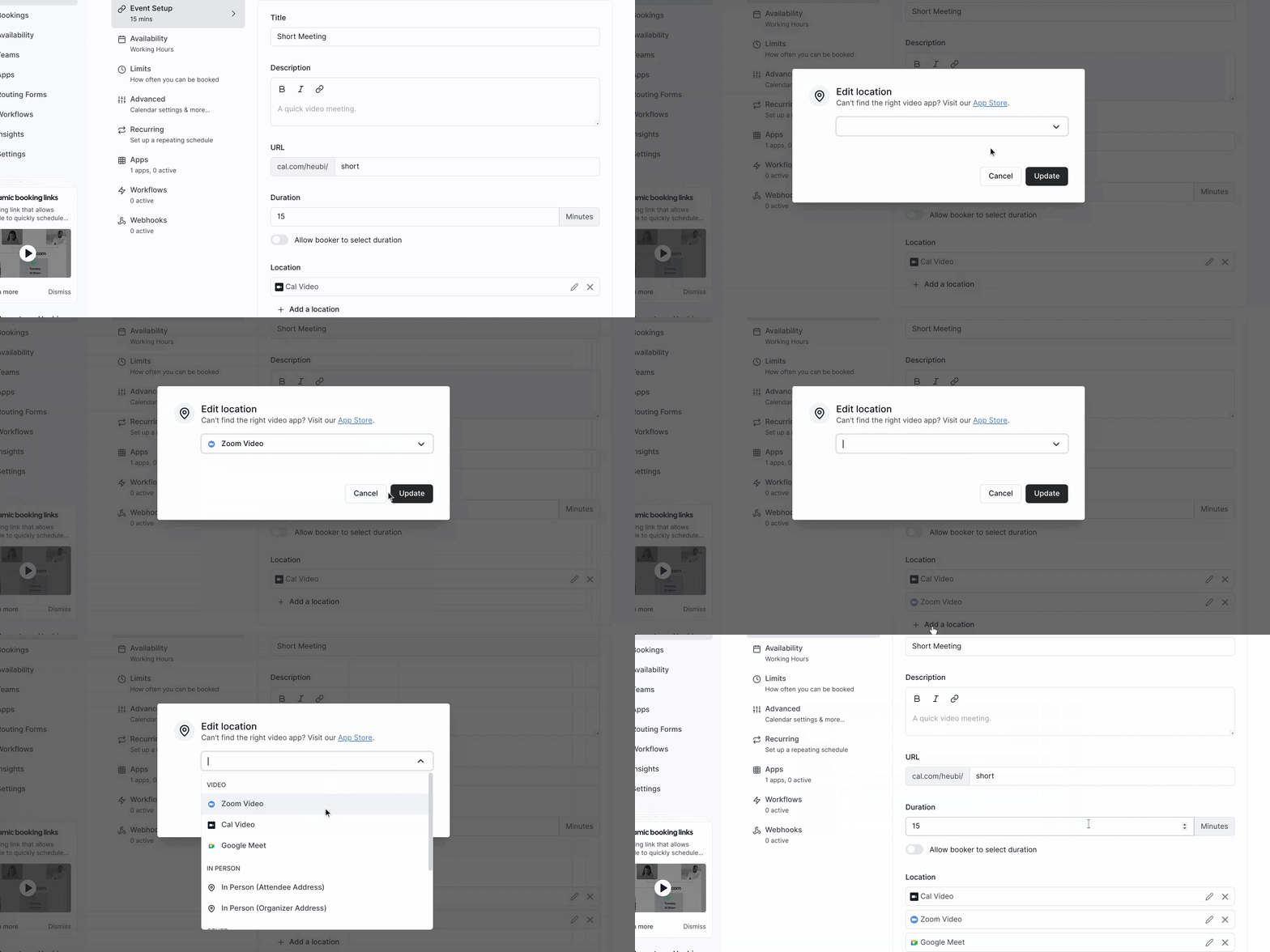
Calendar Syncing
Full calendar syncing with Google, Outlook, and iCloud ensures everyone sees the same updated schedule. Any changes made in one place update everywhere instantly.
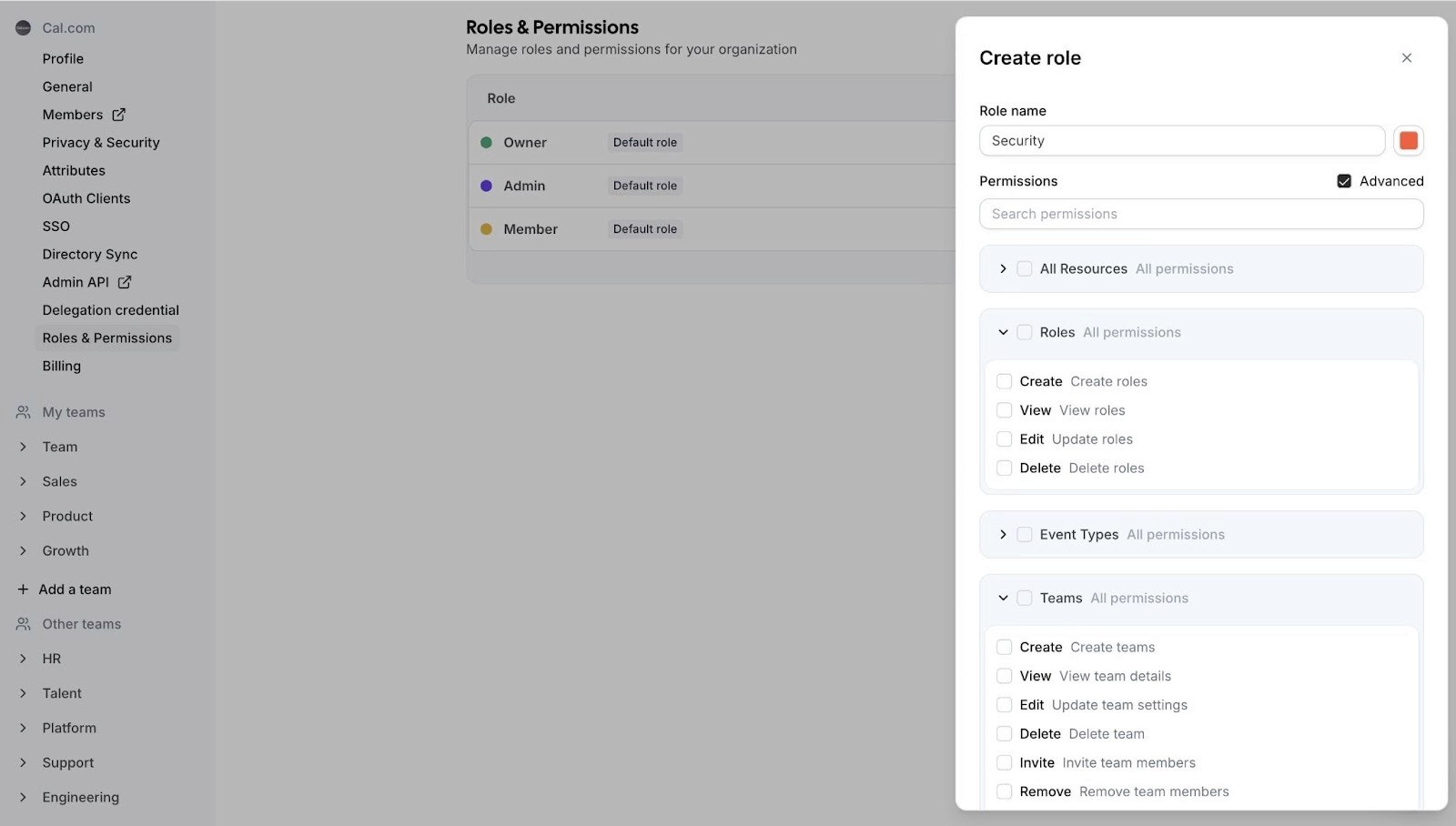
Role-Based Access
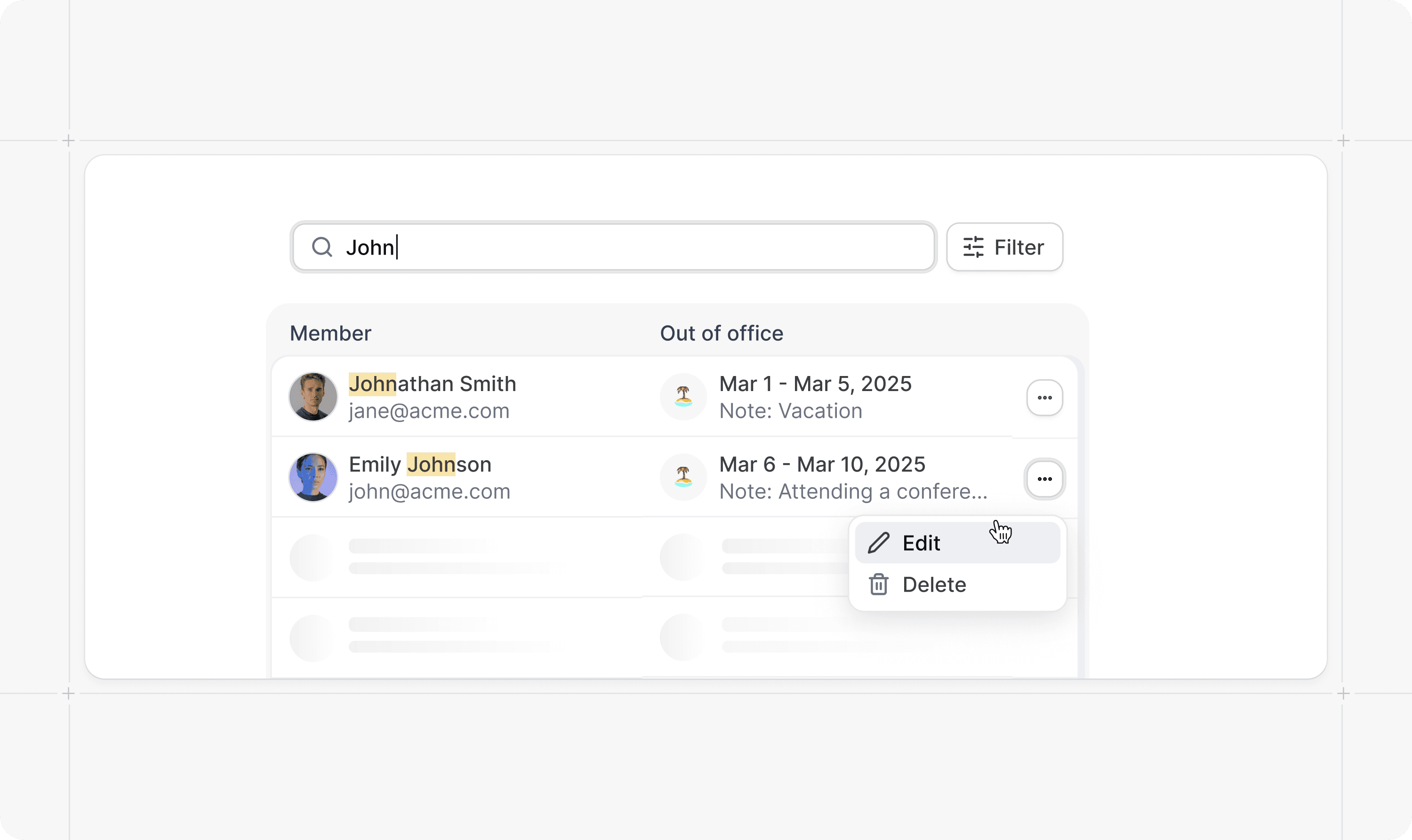
Owners, admins, and technicians each have the right level of control through role-based access. Dispatchers can manage all calendars, while techs only see their own schedules.
Rescheduling Options
Easy updates for customers and techs without losing job history. Customers can reschedule with one click via their confirmation email.
Internal Notes
Add instructions for installations, equipment checks, or special customer requests as needed. Notes stay attached to the appointment so technicians arrive prepared.
These features, and more, make Cal.com a smart option for businesses needing clean, reliable HVAC scheduling software without overwhelming staff.
Integrations HVAC Businesses Can Use With Cal.com
Cal.com has an app store featuring an extensive selection of 3rd party tools. This makes it super easy to connect your favorite scheduling software to your current toolstack.
Can’t find your particular tools in the app store? Cal.com also lets you use Make and Zapier to connect. This helps you create a more efficient system for running your business. Some integrations to note include:
CRM updates for customer relationship tracking
Assessment or job intake forms
Integrations with accounting or HVAC invoicing software
Payments integration through Stripe and other processors, allowing you to collect payments during booking
More advanced HVAC teams can also integrate Cal.com into their existing field service management software. This setup turns Cal.com into a powerful scheduling layer that plugs into whatever systems you already use. No switching platforms required.
Security and Reliability
While HVAC companies don't require healthcare-level compliance, Cal.com's security standards set it apart. After all, a breach could compromise your clients’ safety as well as your reputation. Here’s what Cal.com offers in this regard:
Available BAA for businesses that need it
Reliable uptime for teams handling hundreds of jobs per month
This level of protection is rare among service business software, and it gives HVAC companies confidence that customer information stays secure.
Ease of Use and Onboarding
Compared to large HVAC-specific tools, Cal.com is noticeably easier to learn and use.
Quick setup that takes an afternoon (or less), not weeks
Clean interface that doesn't require extensive training
Straightforward settings anyone can understand
Easy for technicians to use on mobile devices
Fully branded booking pages that match your company's look
A typical small HVAC team can set up Cal.com in a matter of hours. That’s why many turn to it when looking for HVAC scheduling software.
Customer Experience (CX) Improvements
Cal.com gives your customers the smooth, modern experience they expect in 2026. This is crucial for retaining them and getting recommendations. On the CX front, Cal.com helps ensure your customers can:
Book online instantly without calling during business hours
Get automatic confirmations and reminders
See accurate availability without waiting on hold
Receive updates for service windows or follow-up maintenance
Reschedule or cancel with one click
This builds trust and reduces frustration, especially during emergency HVAC situations..
When Cal.com Is the Right Fit for HVAC Businesses
If you run an HVAC business, you’ll find that Cal.com is ideal for:
Small to medium HVAC teams managing 10 to 100+ appointments per week
Companies that already use CRM or dispatch tools
Businesses wanting simple, reliable scheduling without feature bloat
Teams offering multiple job types (repair, installation, maintenance, emergency)
Companies needing flexible booking flows for different service tiers or areas
If you’re looking for a lightweight but powerful tool, Cal.com offers one of the best HVAC scheduling software experiences available.
Limitations of Cal.com
Cal.com is not a complete HVAC platform, so it has its limitations. For example, it does not include:
Route optimization for efficient driving between jobs
GPS tracking for technicians in the field
Inventory or parts management
Full field service dashboards with job costing
For these, you'll still rely on your current HVAC service software or job management software for trades and services. Cal.com is best used as the scheduling and automation layer that connects everything.
Comparison Table: Cal.com vs Traditional HVAC Scheduling Tools
Feature | Cal.com | Traditional HVAC Scheduling Software |
Setup time | Very fast | Medium to slow |
Flexibility | Extremely flexible | Limited templates |
Integrations | Hundreds | Limited, depending on the software |
Learning curve | Easy | Moderate |
Cost | Affordable | Higher |
Automation | Advanced | Basic |
Customization | Deep | Moderate |
Final Verdict
Cal.com stands out as the most flexible and modern scheduling solution for HVAC teams. It's simple, customizable, and powerful without forcing your business into a rigid system.
Choose Cal.com if you:
Want modern, clean scheduling that's easy for your team to learn
Already use CRM or invoicing tools and need better scheduling
Want automation to cut admin work and reduce no-shows
Run a small or mid-sized HVAC business
Need flexible workflows for different job types
Pair it with your existing software, and Cal.com becomes the scheduling system that ties everything together.
FAQs
What is HVAC scheduling software?
HVAC scheduling software is a digital platform that helps HVAC businesses manage appointments, dispatch technicians, organize service calls, and automate customer communication.
Can Cal.com be used for scheduling HVAC appointments?
Yes. Cal.com's flexible features make it a strong fit for HVAC workflows, including installations, repairs, maintenance calls, and emergency service.
Can customers book service calls online?
Yes. Cal.com offers customizable booking pages where customers can see real-time availability and book appointments instantly.
Does Cal.com integrate with HVAC invoicing or CRM tools?
Yes. Cal.com integrates with hundreds of tools via Zapier, Make, and the Cal.com API, including popular CRM and invoicing platforms.
Is Cal.com suitable for small HVAC companies?
Absolutely. It's affordable, easy to set up, and doesn't require weeks of training or onboarding.
Can Cal.com handle multiple technicians?
Yes. Cal.com supports team scheduling, round-robin assignments, and role-based access for dispatchers, admins, and technicians.
How does Cal.com improve customer communication?
Through automatic confirmations, reminders, and automated updates. Customers stay informed without your team having to make phone calls.
Can Cal.com automate service reminders?
Yes. You can automate seasonal tune-ups, maintenance plans, filter replacement reminders, and annual inspections.
Is Cal.com secure for business data?
Yes. Cal.com uses enterprise-grade, encrypted infrastructure with HIPAA-compliant security standards.
How does Cal.com compare to purpose-built HVAC software?
Cal.com is more flexible and easier to use, but it doesn't include features like GPS tracking, route optimization, or inventory management. Most HVAC teams pair it with their existing tools for a complete solution.

Get started with Cal.com for free today!
Experience seamless scheduling and productivity with no hidden fees. Sign up in seconds and start simplifying your scheduling today, no credit card required!