" height="18.016311920580208px" id="GKXyVanMq" stroke-dasharray="0" stroke-linecap="butt" stroke-linejoin="miter" stroke-miterlimit="10" stroke-width="0.5" stroke="rgb(0, 0, 0)" transform="translate(3 3)" width="18px"/></svg>)
"/><stop offset="1" stop-color="rgb(227, 224, 244)"/></linearGradient><linearGradient id="CBS1bzkxF-2031533640-linear-gradient" x1="0.49751243781094523" x2="0.5024875621890548" y1="0" y2="1"><stop offset="0" stop-color="rgb(255, 255, 255)"/><stop offset="1" stop-color="rgb(227, 224, 244)"/></linearGradient><linearGradient id="Jd7AK81w9-2031533640-linear-gradient" x1="0.49751243781094523" x2="0.5024875621890548" y1="0" y2="1"><stop offset="0" stop-color="rgb(255, 255, 255)"/><stop offset="1" stop-color="rgb(227, 224, 244)"/></linearGradient></defs><g d="M 0 16 L 0 0 L 16 0 L 16 16 Z M 9.167 5.167 C 9.167 4.891 8.943 4.667 8.667 4.667 C 8.391 4.667 8.167 4.891 8.167 5.167 C 8.167 6.784 7.809 7.834 7.155 8.488 C 6.501 9.143 5.451 9.5 3.833 9.5 C 3.557 9.5 3.333 9.724 3.333 10 C 3.333 10.276 3.557 10.5 3.833 10.5 C 5.451 10.5 6.501 10.857 7.155 11.512 C 7.809 12.166 8.167 13.216 8.167 14.833 C 8.167 15.109 8.391 15.333 8.667 15.333 C 8.943 15.333 9.167 15.109 9.167 14.833 C 9.167 13.216 9.524 12.166 10.178 11.512 C 10.832 10.857 11.883 10.5 13.5 10.5 C 13.776 10.5 14 10.276 14 10 C 14 9.724 13.776 9.5 13.5 9.5 C 11.883 9.5 10.832 9.143 10.178 8.488 C 9.524 7.834 9.167 6.784 9.167 5.167 Z M 4 3.667 C 4 3.483 3.851 3.333 3.667 3.333 C 3.483 3.333 3.333 3.483 3.333 3.667 C 3.333 4.32 3.189 4.715 2.952 4.952 C 2.715 5.189 2.32 5.333 1.667 5.333 C 1.483 5.333 1.333 5.483 1.333 5.667 C 1.333 5.851 1.483 6 1.667 6 C 2.32 6 2.715 6.145 2.952 6.382 C 3.189 6.618 3.333 7.013 3.333 7.667 C 3.333 7.851 3.483 8 3.667 8 C 3.851 8 4 7.851 4 7.667 C 4 7.013 4.145 6.618 4.382 6.382 C 4.618 6.145 5.013 6 5.667 6 C 5.851 6 6 5.851 6 5.667 C 6 5.483 5.851 5.333 5.667 5.333 C 5.013 5.333 4.618 5.189 4.382 4.952 C 4.145 4.715 4 4.32 4 3.667 Z M 7.333 1 C 7.333 0.816 7.184 0.667 7 0.667 C 6.816 0.667 6.667 0.816 6.667 1 C 6.667 1.422 6.573 1.65 6.445 1.778 C 6.317 1.906 6.089 2 5.667 2 C 5.483 2 5.333 2.149 5.333 2.333 C 5.333 2.517 5.483 2.667 5.667 2.667 C 6.089 2.667 6.317 2.761 6.445 2.889 C 6.573 3.016 6.667 3.244 6.667 3.667 C 6.667 3.851 6.816 4 7 4 C 7.184 4 7.333 3.851 7.333 3.667 C 7.333 3.244 7.427 3.016 7.555 2.889 C 7.683 2.761 7.911 2.667 8.333 2.667 C 8.517 2.667 8.667 2.517 8.667 2.333 C 8.667 2.149 8.517 2 8.333 2 C 7.911 2 7.683 1.906 7.555 1.778 C 7.427 1.65 7.333 1.422 7.333 1 Z" fill="transparent" height="16px" id="aoZYv33vR" width="16px"><path d="M 0 16 L 0 0 L 16 0 L 16 16 Z" fill="transparent" height="16px" id="Z2uGmhW9f" width="16px"/><g d="M 7.833 4.5 C 7.833 4.224 7.609 4 7.333 4 C 7.057 4 6.833 4.224 6.833 4.5 C 6.833 6.117 6.476 7.168 5.822 7.822 C 5.168 8.476 4.117 8.833 2.5 8.833 C 2.224 8.833 2 9.057 2 9.333 C 2 9.61 2.224 9.833 2.5 9.833 C 4.117 9.833 5.168 10.191 5.822 10.845 C 6.476 11.499 6.833 12.549 6.833 14.167 C 6.833 14.443 7.057 14.667 7.333 14.667 C 7.609 14.667 7.833 14.443 7.833 14.167 C 7.833 12.549 8.191 11.499 8.845 10.845 C 9.499 10.191 10.549 9.833 12.167 9.833 C 12.443 9.833 12.667 9.61 12.667 9.333 C 12.667 9.057 12.443 8.833 12.167 8.833 C 10.549 8.833 9.499 8.476 8.845 7.822 C 8.191 7.168 7.833 6.117 7.833 4.5 Z M 2.667 3 C 2.667 2.816 2.517 2.667 2.333 2.667 C 2.149 2.667 2 2.816 2 3 C 2 3.654 1.855 4.048 1.618 4.285 C 1.382 4.522 0.987 4.667 0.333 4.667 C 0.149 4.667 0 4.816 0 5 C 0 5.184 0.149 5.333 0.333 5.333 C 0.987 5.333 1.382 5.478 1.618 5.715 C 1.855 5.952 2 6.346 2 7 C 2 7.184 2.149 7.333 2.333 7.333 C 2.517 7.333 2.667 7.184 2.667 7 C 2.667 6.346 2.811 5.952 3.048 5.715 C 3.285 5.478 3.68 5.333 4.333 5.333 C 4.517 5.333 4.667 5.184 4.667 5 C 4.667 4.816 4.517 4.667 4.333 4.667 C 3.68 4.667 3.285 4.522 3.048 4.285 C 2.811 4.048 2.667 3.654 2.667 3 Z M 6 0.333 C 6 0.149 5.851 0 5.667 0 C 5.483 0 5.333 0.149 5.333 0.333 C 5.333 0.756 5.239 0.984 5.112 1.112 C 4.984 1.239 4.756 1.333 4.333 1.333 C 4.149 1.333 4 1.483 4 1.667 C 4 1.851 4.149 2 4.333 2 C 4.756 2 4.984 2.094 5.112 2.222 C 5.239 2.35 5.333 2.578 5.333 3 C 5.333 3.184 5.483 3.333 5.667 3.333 C 5.851 3.333 6 3.184 6 3 C 6 2.578 6.094 2.35 6.222 2.222 C 6.35 2.094 6.578 2 7 2 C 7.184 2 7.333 1.851 7.333 1.667 C 7.333 1.483 7.184 1.333 7 1.333 C 6.578 1.333 6.35 1.239 6.222 1.112 C 6.094 0.984 6 0.756 6 0.333 Z" fill="transparent" height="14.66671286102295px" id="ae6ccdFme" transform="translate(1.333 0.667)" width="12.66663px"><path d="M 5.833 0.5 C 5.833 0.224 5.609 0 5.333 0 C 5.057 0 4.833 0.224 4.833 0.5 C 4.833 2.117 4.476 3.168 3.822 3.822 C 3.168 4.476 2.117 4.833 0.5 4.833 C 0.224 4.833 0 5.057 0 5.333 C 0 5.61 0.224 5.833 0.5 5.833 C 2.117 5.833 3.168 6.191 3.822 6.845 C 4.476 7.499 4.833 8.549 4.833 10.167 C 4.833 10.443 5.057 10.667 5.333 10.667 C 5.609 10.667 5.833 10.443 5.833 10.167 C 5.833 8.549 6.191 7.499 6.845 6.845 C 7.499 6.191 8.549 5.833 10.167 5.833 C 10.443 5.833 10.667 5.61 10.667 5.333 C 10.667 5.057 10.443 4.833 10.167 4.833 C 8.549 4.833 7.499 4.476 6.845 3.822 C 6.191 3.168 5.833 2.117 5.833 0.5 Z" fill="url(%23t2lXByE48-2031533640-linear-gradient)" height="10.66671px" id="t2lXByE48" transform="translate(2 4)" width="10.66663px"/><path d="M 2.667 0.333 C 2.667 0.149 2.517 0 2.333 0 C 2.149 0 2 0.149 2 0.333 C 2 0.987 1.855 1.382 1.618 1.618 C 1.382 1.855 0.987 2 0.333 2 C 0.149 2 0 2.149 0 2.333 C 0 2.517 0.149 2.667 0.333 2.667 C 0.987 2.667 1.382 2.811 1.618 3.048 C 1.855 3.285 2 3.68 2 4.333 C 2 4.517 2.149 4.667 2.333 4.667 C 2.517 4.667 2.667 4.517 2.667 4.333 C 2.667 3.68 2.811 3.285 3.048 3.048 C 3.285 2.811 3.68 2.667 4.333 2.667 C 4.517 2.667 4.667 2.517 4.667 2.333 C 4.667 2.149 4.517 2 4.333 2 C 3.68 2 3.285 1.855 3.048 1.618 C 2.811 1.382 2.667 0.987 2.667 0.333 Z" fill="url(%23CBS1bzkxF-2031533640-linear-gradient)" height="4.66667px" id="CBS1bzkxF" transform="translate(0 2.667)" width="4.66667px"/><path d="M 2 0.333 C 2 0.149 1.851 0 1.667 0 C 1.483 0 1.333 0.149 1.333 0.333 C 1.333 0.756 1.239 0.984 1.112 1.112 C 0.984 1.239 0.756 1.333 0.333 1.333 C 0.149 1.333 0 1.483 0 1.667 C 0 1.851 0.149 2 0.333 2 C 0.756 2 0.984 2.094 1.112 2.222 C 1.239 2.35 1.333 2.578 1.333 3 C 1.333 3.184 1.483 3.333 1.667 3.333 C 1.851 3.333 2 3.184 2 3 C 2 2.578 2.094 2.35 2.222 2.222 C 2.35 2.094 2.578 2 3 2 C 3.184 2 3.333 1.851 3.333 1.667 C 3.333 1.483 3.184 1.333 3 1.333 C 2.578 1.333 2.35 1.239 2.222 1.112 C 2.094 0.984 2 0.756 2 0.333 Z" fill="url(%23Jd7AK81w9-2031533640-linear-gradient)" height="3.333333px" id="Jd7AK81w9" transform="translate(4 0)" width="3.3333399999999997px"/></g></g></svg>)
" height="24px" id="WCm44spAV" width="24px"/><path d="M 3.892 7.742 C 1.674 7.742 0 6.014 0 3.882 C 0 1.738 1.589 0 3.892 0 C 5.107 0 5.951 0.374 6.623 1.173 L 5.566 2.09 C 5.118 1.621 4.564 1.386 3.892 1.386 C 2.452 1.386 1.547 2.517 1.547 3.882 C 1.547 5.246 2.452 6.356 3.924 6.356 C 4.649 6.356 5.193 6.111 5.63 5.63 L 6.718 6.558 C 6.153 7.24 5.193 7.742 3.892 7.742 Z" fill="rgb(255, 255, 255)" height="7.741500000000002px" id="XEPpGD7l5" transform="translate(4 8.25)" width="6.717999999999989px"/><path d="M 2.74 7.922 C 1.215 7.922 0 6.632 0 5.032 C 0 3.433 1.215 2.122 2.74 2.122 C 3.7 2.122 4.201 2.516 4.5 3.113 L 4.5 2.239 L 5.928 2.239 L 5.928 7.784 L 4.531 7.784 L 4.531 6.877 C 4.233 7.507 3.731 7.922 2.74 7.922 Z M 1.439 5.023 C 1.439 5.865 2.057 6.622 2.975 6.622 C 3.924 6.622 4.531 5.897 4.531 5.033 C 4.531 4.169 3.924 3.423 2.975 3.423 C 2.057 3.423 1.439 4.159 1.439 5.022 Z M 6.784 7.784 L 6.784 0 L 8.224 0 L 8.224 7.784 L 6.784 7.784 Z" fill="rgb(255, 255, 255)" height="7.9224997406005855px" id="lGDJupIUR" transform="translate(10.5 8)" width="8.223500194549558px"/></g></svg>)
" width="18px"><path d="M 2 8 C 0.895 8 0 7.105 0 6 L 0 2 C 0 0.895 0.895 0 2 0 L 6 0 C 7.105 0 8 0.895 8 2 L 8 6 C 8 7.105 7.105 8 6 8 Z" fill="transparent" height="8px" id="ZrCrI93dV" stroke-dasharray="" stroke-linecap="round" stroke-linejoin="round" stroke-width="2" stroke="rgb(0, 0, 0)" width="8px"/><path d="M 0 0 L 0 4 C 0 5.105 0.895 6 2 6 L 6 6" fill="transparent" height="6px" id="emltWYAiE" stroke-dasharray="" stroke-linecap="round" stroke-linejoin="round" stroke-width="2" stroke="rgb(0, 0, 0)" transform="translate(4 8)" width="6px"/><path d="M 2 8 C 0.895 8 0 7.105 0 6 L 0 2 C 0 0.895 0.895 0 2 0 L 6 0 C 7.105 0 8 0.895 8 2 L 8 6 C 8 7.105 7.105 8 6 8 Z" fill="transparent" height="8px" id="WpBecYDfi" stroke-dasharray="" stroke-linecap="round" stroke-linejoin="round" stroke-width="2" stroke="rgb(0, 0, 0)" transform="translate(10 10)" width="8px"/></g></svg>)

15 Best Calendly Alternatives in 2026 (Free & Team-Ready)
One of the primary problems anyone who uses scheduling software faces isn’t finding a tool that has the right features. It is usually finding a tool that appropriately fits into their workflow.

Calendly is one of the most widely used scheduling tools, much like us. It has round robin, routing forms, an API, webhooks, and SOC 2 and ISO 27001 certifications. So why compare alternatives at all?
A tool can be well built and still not be the right choice for your team, budget, or requirements. We put Calendly’s pricing page and documentation alongside those of the other providers and looked at five things that can actually change the decision: what comes up in an enterprise security review, how each provider handles GDPR requirements, whether they’ll sign a HIPAA agreement, what team features cost per seat, and what you can use for free.
The sections below break down each of these areas and show how the alternatives compare, including what they cost.
We’ve tried to keep the comparison as easy to verify as possible. Every price and plan limit mentioned below links back to the provider’s own website, so you can check the details for yourself before making a decision.
Key takeaways
At enterprise scale, Calendly and Cal.com both offer SSO, SCIM and audit logs. Cal.com's Enterprise plan adds a dedicated database, HRIS and directory integrations, and uptime guarantees of 99.9%, with an option for 99.99%.
A GDPR review asks every provider about its DPA, sub-processors, data transfers and deletion. Cal.com answers each in its privacy policy, and its DPA, SOC 2 Type II report and ISO 27001 certificate are available to organizations in the app and through the trust center.
Calendly's customer terms ask you not to store HIPAA-covered health information in it. Cal.com's Enterprise plan includes a signed BAA, and Acuity, Zoho Bookings, SimplyBook.me and Setmore offer one on specific plans.
Round robin and routing forms start on Calendly Teams at $16 per seat per month, billed yearly. Cal.com includes both on its Teams plan at $12, which is $4 less per seat every month for teams of up to 30 people.
Calendly's free plan allows one active event type and one calendar connection. Cal.com, TidyCal and Koalendar offer unlimited event types for free.
Contents
Where Calendly's plans draw the line
Five reasons teams compare alternatives
The 15 alternatives at a glance
The 15 best Calendly alternatives, reviewed
Which alternative fits your situation
How to switch from Calendly without losing a booking
Frequently asked questions
Where Calendly's plans draw the line
To compare alternatives fairly, you need to know which Calendly plan you'd be on. Here's the current line-up, taken from calendly.com/pricing and Calendly's plan guide.
Calendly plan | Per seat, annually | Per seat, monthly | What it adds |
|---|---|---|---|
Free | $0 | $0 | One event type, one calendar connection, meeting polls, website embed |
Standard | $10 | $12 | Unlimited event types, six calendar connections, group and collective events, reminders, Stripe and PayPal payments, HubSpot, webhooks, removing Calendly branding |
Standard Plus | $18 | $24 | Standard, plus the Notetaker and the Callie assistant (beta) |
Teams | $16 | $20 | Round robin, routing forms, Salesforce, Marketo, HubSpot lookup routing, admin-managed events, SSO as an add-on |
Teams Plus | $24 | $32 | Teams, plus the Notetaker and Callie |
Enterprise | From $15,000 a year | / | Salesforce assignment routing, SCIM, audit log, Microsoft Dynamics, 50-seat minimum |
The two Plus plans are the newest. Calendly launched them on 19 August 2026 alongside its AI Notetaker and Callie.
Every scheduling tool gates features by plan, so a feature being on a paid plan isn't a reason to switch by itself. What matters is how Calendly's gates compare with other providers' gates for the features you'll actually use, and that's what the next section walks you through.
Five reasons teams compare alternatives
1. Your security review needs more than SSO and SCIM
At enterprise scale, the admin basics look alike. Calendly Enterprise, which starts at $15,000 a year for at least 50 seats, includes SAML SSO, SCIM, an audit log and domain control. Cal.com covers SSO, SCIM, audit logs and role-based permissions too.
The differences come out in the security review, where the questions move on to health data, database isolation and what the contract guarantees. Cal.com Enterprise includes a dedicated database, HRIS and directory integrations, dedicated onboarding and engineering support, and SLA and uptime guarantees. Our SLA guarantees 99.9% uptime, with an option for 99.99%. Reason 3 covers the BAA.
2. Your DPO has to sign off on GDPR
Any scheduling tool holds your bookers' names, emails and answers, so your data protection officer will ask every provider the same questions. Is there a data processing agreement (DPA)? Who else touches the data? How does it leave the EU? And can you delete it on request?
Here's how we answer them, from our privacy policy and trust center:
Your DPO asks | Cal.com's answer |
|---|---|
Who controls the data? | You do. We process attendee data on your instructions, under our DPA. |
Who else touches it? | Sub-processors are listed in the trust center, and each works under its own data processing agreement. |
How does data leave the EU? | We're a US company, and we process data in the United States. Transfers rely on Standard Contractual Clauses or the EU-US Data Privacy Framework. |
Can we delete it on request? | Yes, self-serve or by email. Deletion includes our sub-processors. |
What evidence can we see? | The signed DPA, SOC 2 Type II report, ISO 27001 certificate and report, penetration test report and breach notification policy. Organizations find them in the app under Settings, Security, Compliance, and they're also available through our trust center under NDA. |

The compliance page in the Cal.com app. They're available to organizations, as the DPA tooltip explains.
Consent is the other half of a GDPR review. If your policy doesn't allow Google Analytics on booking pages, our App Store also has privacy-focused analytics apps, including Fathom, Plausible and Umami.
3. You handle patient data and need a signed BAA
Calendly doesn't offer a HIPAA business associate agreement (BAA). Its customer terms ask customers not to store HIPAA-covered health information in it, so if your bookings will include patient health information, you need a provider that signs a BAA.
Which alternatives will sign one? Our Enterprise plan includes a signed BAA. Acuity signs on Premium, Zoho Bookings on Premium and SimplyBook.me on Standard and above, and Setmore offers one through Setmore Health. We give the details in the reviews below.
4. Your team needs round robin, and you're comparing per-seat cost
Round robin and routing forms are on Calendly Teams, at $16 per seat per month billed yearly or $20 monthly. We include both on our Teams plan, at $12 billed yearly or $16 monthly.
What does that add up to? For a team of up to 30 people, it's $4 less per seat every month on either billing cycle. A 20-person team saves $960 a year. Our Teams plan also includes collective and managed events and booking analytics.

It's available on Teams and Organizations
5. You want more than one event type without paying
Calendly's free plan allows one active event type and one calendar connection. Extra event types from the trial are deactivated when it ends, which a Calendly staff member confirmed in the Calendly Community. A G2 reviewer in August 2026 gave Calendly five stars and still called that limit restrictive.
Cal.com, TidyCal and Koalendar all list unlimited event types on their free plans. Each one has its own limit. TidyCal allows one calendar and charges a 1% platform fee on Stripe payments, and Koalendar's free plan has no payments. Ours is for one user, with unlimited calendars and payments included.

Calendar apps that sync with Cal.com
Your reason decides your shortlist. If it's reason 1 or 3, bring your security questionnaire to a demo with us. If it's one of the last two, you can test it today: create a free Cal.com account, import your Calendly event types, and start the 14-day Teams trial if you need round robin. Start for free and see how it works for yourself.
The 15 alternatives at a glance
Prices are for the lowest-priced plan, billed yearly unless marked. "Round robin from" is the cheapest plan that lists it.
Tool | Best for | Free plan | Paid from | Round robin from |
|---|---|---|---|---|
Cal.com | Enterprises that need a HIPAA BAA, a dedicated database and uptime guarantees, and teams that want a free plan with no event type limit | Yes: unlimited event types and calendars | $12/user/month | Teams, $12 |
Lunacal | Small businesses selling sessions | No, 7-day trial | $9/user/month | Teams, $15 |
SavvyCal | Meetings where invitees compare calendars | No, links need a paid plan | $10/user/month | Basic, $10 |
Acuity Scheduling | Service businesses with intake forms | No, 7-day trial | $16/month per account, 1 calendar | Standard, $27 (needs 2+ calendars) |
Koalendar | Small teams, and booking rooms or equipment | Yes: unlimited event types | $6.99/seat/month | Pro, $6.99 |
YouCanBookMe | Solo professionals | Yes, 1 booking page | $8.10/month per account | Team, $16.20/member |
TidyCal | Custom session bundles | Yes: unlimited booking types | $29 one-time, or $99/year | Agency Lifetime, $79 one-time |
HubSpot Meetings | Teams already on HubSpot CRM | Yes, 1 personal link | Sales Hub Starter, from $7/seat/month | Starter |
SimplyBook.me | Salons, studios | Yes, 50 bookings/month | €11.9/month per account | Not listed |
Zoho Bookings | Zoho CRM users | Yes, 1 user | $6/user/month | Basic, $6 |
Microsoft Bookings | Microsoft 365 organizations | No, but included in Microsoft 365 plans | Microsoft 365 Business Basic, $7/user/month | Not listed |
Google Calendar appointment schedules | Individuals on Google | Yes, 1 booking page | Included in Google Workspace | Not listed |
Setmore | Small service teams | Yes, up to 4 users | $5/user/month | Not listed |
Doodle | Group polls | Yes, 1 poll and 1 booking page | $11/seat/month | Not listed |
Julip | Creators who sell calls from a bio link | No, 14-day trial | $19/month per account | Not listed |
The 15 best Calendly alternatives, reviewed
1. Cal.com: best overall Calendly alternative

Our free plan includes several features that Calendly puts on paid plans. You get unlimited event types and calendar connections, Stripe and PayPal payments, workflows and webhooks, which start on Calendly Standard. It also includes two-way Salesforce sync, which starts on Calendly Teams, and import of your Calendly events.

What a new Cal.com account gets on the free plan, as listed in the welcome screen
What changes when you add a team? Our Teams plan costs $12 per user per month billed yearly, or $16 billed monthly. It adds round robin, collective and managed events, routing forms, booking analytics and removal of Cal.com branding. The Organizations plan, at $28 billed yearly or $37 monthly, adds attribute-based routing, SAML SSO, SCIM and role-based permissions.
For enterprises, our Enterprise plan adds a dedicated database, HRIS and directory integrations, a signed HIPAA BAA, dedicated onboarding and engineering support, priority Slack support, and SLA and uptime guarantees. It's priced by quote and billed annually.

What does that look like in practice?
Proof at scale: Storyblok leveraged Cal.com and moved its demo bookings from Calendly to fixed round robin after a handful of engineers had been taking 90% of them, and saw a 50% increase in demo efficiency. Deel runs Cal.com across more than 1,000 employees, spends 35% less time scheduling, and has cut the average time to book a client meeting from 48 hours to under 12.
For developers, we offer API v2 with OAuth or API-key access, webhooks for events such as bookings, cancellations, reschedules, payments and form submissions, four embed types and an MCP server for AI agents. Retell AI, which handles over 10 million calls a month, says building on Cal.com saved it 2+ days of development time for each customer.
Our App Store adds native apps for conferencing, calendars, CRMs, analytics and payments, and Zapier connects the rest. On security, we're SOC 2 Type II audited and ISO 27001 certified, with reports available through our trust center.
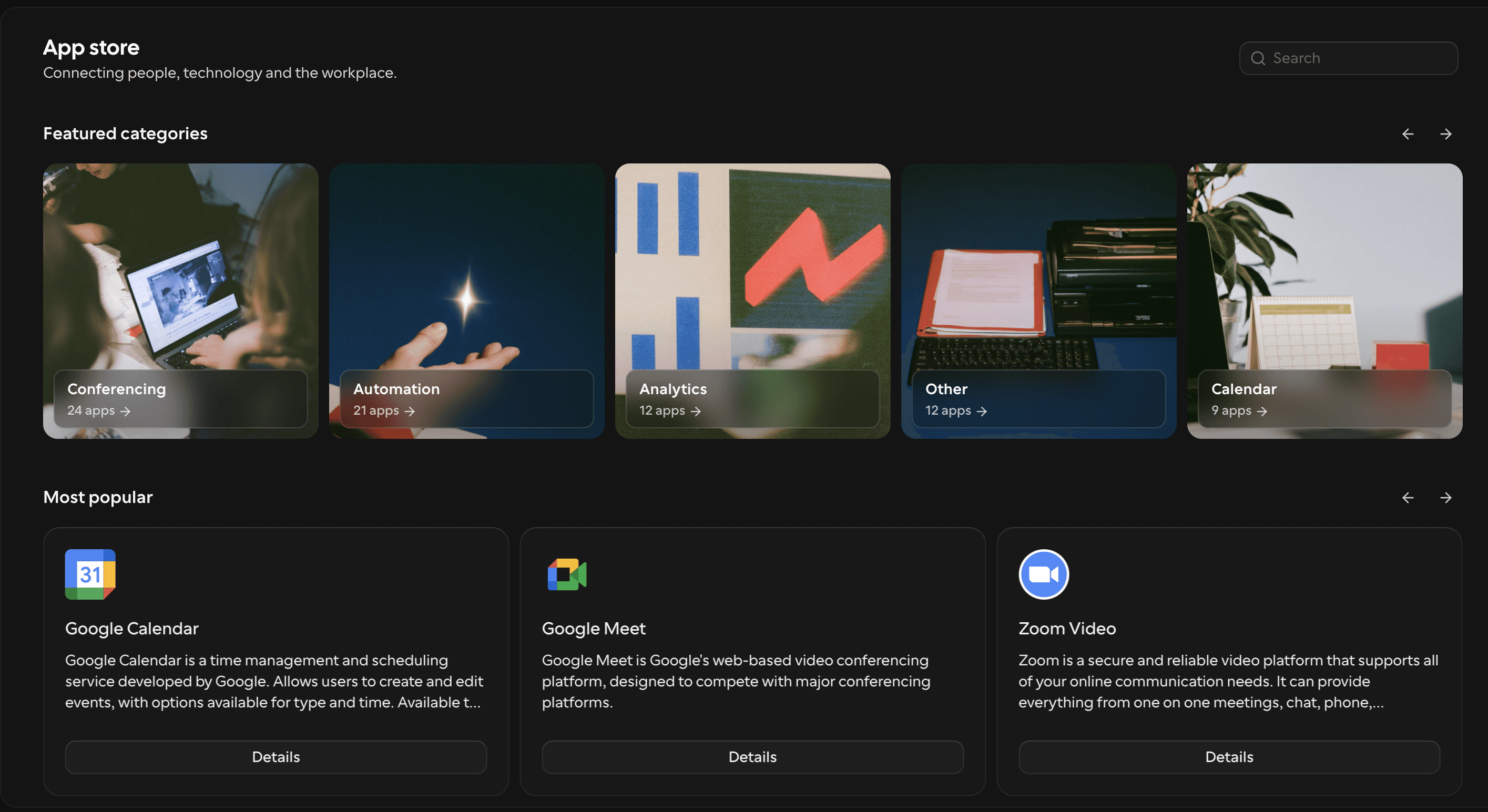
Cal.com's App Store by category
Pricing: Free forever for one user. Teams $12/user/month billed yearly ($16 monthly). Organizations $28 ($37 monthly). Enterprise is priced by quote, billed annually.
Bring your messiest routing rule to our demo, not the easy one. The rule that breaks your current setup is the one that tells you whether a tool fits. Book a demo.
2. Lunacal: best for small businesses that sell sessions

Lunacal lets you add videos, testimonials, maps and podcasts beside the calendar, and bookers can use the page in 12+ languages, including Arabic, Hebrew and Vietnamese.
Every plan includes unlimited event types and calendar connections, Stripe and PayPal payments with 0% commission, HubSpot and Pipedrive, and removal of Lunacal branding. The Teams plan adds round robin, collective scheduling, multi-session packages that clients pay for upfront, and webhooks.
Lunacal has no free plan, only a 7-day trial, and Salesforce isn't on its pricing page. Our free plan is free forever for one user and syncs with Salesforce and HubSpot both ways.
Pricing: No free plan, but there's a 7-day free trial. Standard is $9/user/month billed yearly ($10 monthly), Teams is $15 (currently discounted from $20), and Enterprise is $25 ($30 monthly).
3. SavvyCal: best for meetings where both sides compare calendars
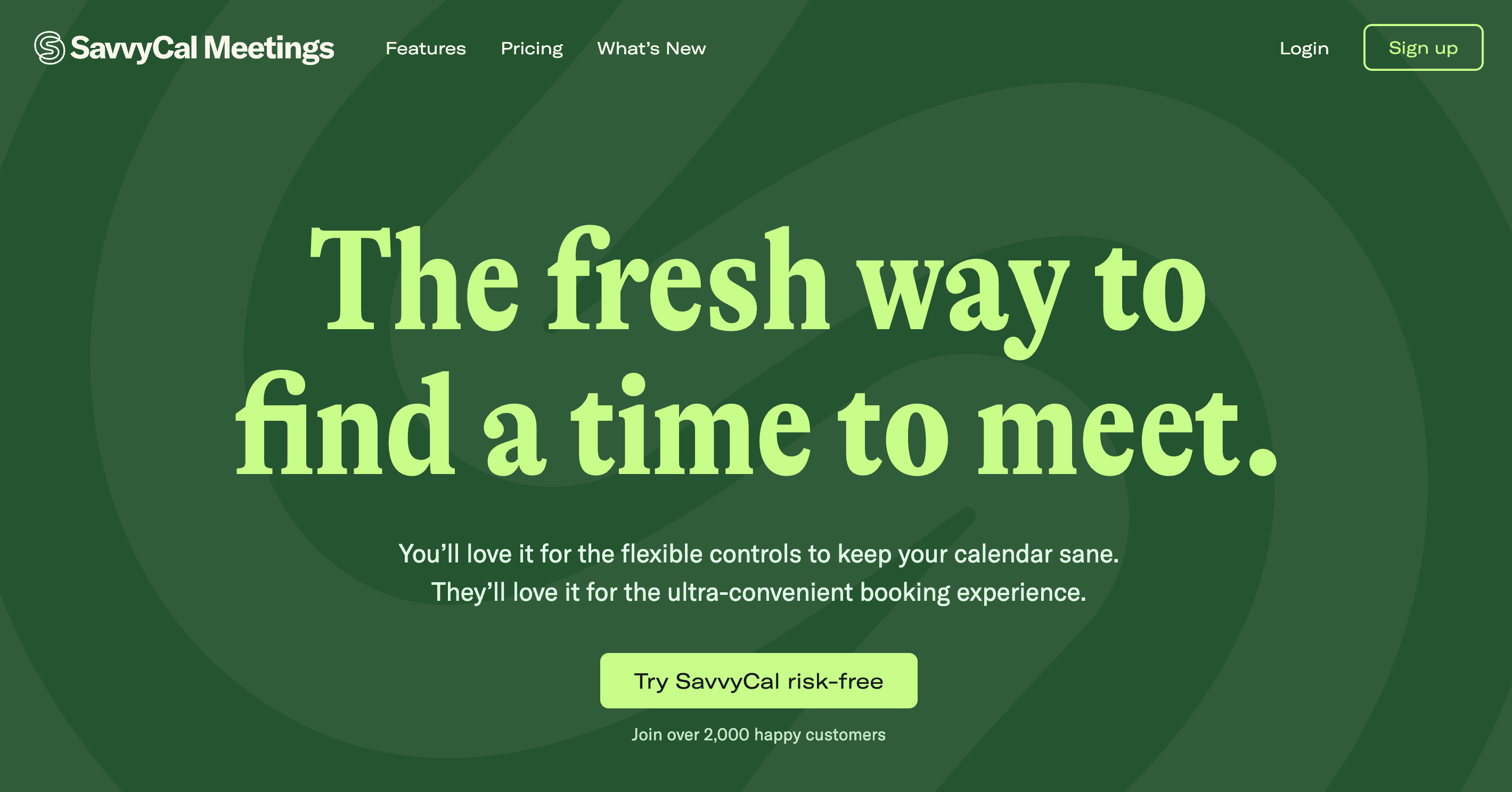
SavvyCal's signature feature flips the booking page around. Instead of scanning your open slots, invitees can overlay their own calendar on top of yours and spot a time that works for both of you. That suits sales and partnership calls, where the other person's calendar is often as full as yours.
Both plans include round robin, collective and group scheduling, HubSpot and Close CRM, Zapier and webhooks. Paid bookings through Stripe, custom domains and removal of SavvyCal branding need Premium, so price SavvyCal at the Premium rate if you plan to charge for meetings or put it on your own domain. Salesforce isn't in SavvyCal's integrations directory.
If security review matters, ask SavvyCal for its current status. Its security page, last updated in January 2023, says it didn't hold SOC 2 or ISO 27001 certification at the time.
Using HubSpot or Close with SavvyCal? Cal.com integrates with both, adds Salesforce with two-way sync on its free plan, and is SOC 2 Type II audited and ISO 27001 certified.
Pricing: You can sign up for free, but sharing scheduling links needs a paid plan. Basic is $10/user/month billed yearly ($12 monthly). Premium is $17 ($20 monthly). There's a 30-day money-back guarantee instead of a trial.
4. Acuity Scheduling: best for appointment-based service businesses

Acuity is built for businesses where the appointment is the product: salons, therapists, trainers, consultants. Every plan includes custom intake forms and payments through Stripe, Square, PayPal and Venmo. From Standard, you also get packages, memberships, gift certificates and SMS reminders. Acuity is part of Squarespace.
How many calendars do you need? That's the first question, because Acuity prices per account and tiers by calendars. Round robin works by pooling calendars, which means you need at least two, and that starts on Standard. HIPAA is available on Premium through a BAA signed in the app. Acuity notes that Zapier doesn't work with HIPAA mode turned on.
Acuity connects to Salesforce through Zapier only and doesn't list a native HubSpot integration. If your appointments need to reach a CRM, Cal.com syncs with Salesforce and HubSpot both ways.
Pricing: No free plan, 7-day trial. Starter is $16/month billed yearly ($20 monthly) for one calendar. Standard is $27 ($34) for up to six calendars. Premium is $49 ($61) for up to 36.
5. Koalendar: best for small teams and bookable resources

Need to book a meeting room as well as a person? In Koalendar, a seat can be a person or a bookable resource, so a room or a piece of equipment can take bookings the same way a teammate does.
Free plan on Koalendar pricing page covers unlimited bookings and event types with two calendar connections. Video is Google Meet only, and payments need Pro. Pro adds round robin, collective bookings, team roles, payments through Stripe and PayPal, Zoom and Teams, and branding removal. Koalendar is SOC 2 Type 2 compliant and offers a BAA as an add-on. It can also import your Calendly events.
Their free plan has no payments, and it reaches HubSpot and Salesforce through Zapier, Make or webhooks. Cal.com's free plan takes Stripe and PayPal payments and syncs with both CRMs natively.
Pricing: Free forever plan. Pro is $6.99/seat/month billed yearly ($9.99 monthly), with a 7-day trial and no credit card.
6. YouCanBookMe: best for solo professionals

YouCanBookMe's free plan takes payments, which Cal.com's, TidyCal's and Setmore's also do, but many free plans on this list don't. Stripe payments are available on every plan, alongside Zoom, Teams and Google Meet. The limits are one calendar connection, one booking page and a "Powered for free" button on your page and emails.
Paid plans are priced per account until you add a team, at which point the Team plan switches to per-member pricing and adds round robin, admin roles, multiple admins and API access. YouCanBookMe is SOC 2 Type II compliant and ISO 27001 certified, with data hosted in the US. It says it can't claim HIPAA compliance. Capacity acquired YouCanBookMe in February 2025.
If you work in healthcare, YouCanBookMe says it can't claim HIPAA compliance. Cal.com’s Enterprise plan includes a signed BAA.
Pricing: Free plan. Individual is $8.10/month billed yearly ($9 monthly). Professional is $11.70 ($13). Team is $16.20 per member ($18).
7. TidyCal: best for custom bundles

Selling sessions in bundles, like a block of five coaching calls or a monthly membership? TidyCal builds that into every plan, including the free one. Its pricing page lists package bookings, which let a client book several sessions at once, and subscriptions, which bill for a booking package on a recurring basis through Stripe. Coupons and recurring bookings are included too.
The free plan comes with one calendar connection, TidyCal branding and a 1% platform fee on Stripe payments. Round robin and collective booking need the Agency Lifetime licence or Pro, and Agency Lifetime licences bought from 1 September 2026 include four team members, you included. TidyCal has an API but no webhooks, so if your bookings need to trigger other systems, that's worth knowing. We, at Cal.com, include webhooks on our free plan.
Pricing: Free plan. Individual Lifetime $29 one-time or Agency Lifetime $79 one-time through AppSumo, or Pro at $12/month ($99/year).
8. HubSpot Meetings: best if your team already lives in HubSpot

Already running your pipeline in HubSpot? Its meetings tool removes an integration step. Every booking creates or updates a contact record, because the booking page is part of the CRM.
The free tools include one personal meeting link with HubSpot branding. Round robin and group links need a Sales Hub or Service Hub Starter seat or higher, and seat holders can remove HubSpot branding. When you compare costs, count a seat for everyone who takes meetings, because each round-robin host needs a Sales or Service seat.
Pricing: Free with HubSpot's free tools. HubSpot's pricing page lists Sales Hub Starter from $7 per seat per month and Professional from $90 per seat per month. Professional also carries a required $1,500 onboarding fee.
p.s.
You don't have to choose between HubSpot and a dedicated scheduler. Cal.com's HubSpot app syncs both ways on our free plan, so bookings land in your CRM, and it works alongside Salesforce if part of your team uses both. Round robin starts on our $12 Teams plan.

9. SimplyBook.me: best for salons, studios and clinics

SimplyBook.me prices by bookings instead of users. That works in your favor if several staff share a moderate number of bookings, and against you if one person takes hundreds of bookings a month. The free plan covers 50 bookings a month for one provider. Basic covers 100 bookings and five providers, Standard 500 bookings and 15 providers, and Premium 2,000 and 30.
It adds things a meeting scheduler doesn't usually have, such as a listing on the Booking.page marketplace, gift cards, memberships, packages and a point-of-sale system. Payments run through Stripe, PayPal, Square and others from Basic up. HIPAA support is available on Standard and above, with a BAA on request. SimplyBook.me is ISO/IEC 27001:2022 certified and part of team.blue.
If your booking volume grows, per-booking pricing grows with it. We at Cal.com don't cap bookings on any plan, including free.
Pricing: Free plan. Basic is €11.9/month billed yearly (€13.9 monthly). Standard is €24.9 (€29.9). Premium is €49.9 (€59.9). Prices are shown in euros.
10. Zoho Bookings: best for Zoho CRM users

Zoho Bookings syncs with Zoho CRM on its paid plans and supports four round-robin methods, including load-balancing and priority-based assignment. Does it have a free plan? Many comparison pages say no, but Zoho's pricing page lists a Free plan for one user, with two-way calendar sync and reminders.
Routing forms, taking payments, white labeling and a custom domain all need Premium, which is worth knowing before you compare Zoho's $6 Basic price with other tools' entry plans. HIPAA support is also Premium only, and you request the BAA from Zoho's legal team. If your company pays for Zoho One, Bookings Premium is already included.
Pricing: Forever Free for one user. Basic is $6/user/month billed yearly ($8 monthly). Premium is $9 ($12 monthly). There's a 15-day trial.
Already on Zoho? Cal.com integrates with Zoho CRM, Zoho Bigin and Zoho Calendar, and takes Stripe and PayPal payments on its free plan, which Zoho Bookings keeps for Premium.
11. Microsoft Bookings: best for Microsoft 365 organizations

Does your company run on Microsoft 365? Then you may already pay for a scheduler. Bookings is included in Business Basic, Business Standard and Business Premium, in Teams Essentials and Teams Premium, and in most enterprise, frontline, education and government plans. The full list is on Microsoft's Bookings overview.
The case for Bookings is governance. Its data sits in Exchange Online shared mailboxes, so your tenant's existing retention, eDiscovery and compliance policies apply. It's lighter on commercial features. Microsoft's service description doesn't list online payments, and SMS reminders are limited to North America and the UK and need a Teams Premium license.
Pricing: No standalone plan. Microsoft 365 Business Basic costs $7/user/month on annual billing, up from $6 on 1 July 2026.
p.s.
Staying on Microsoft 365 doesn't rule out Cal.com. We connect to Outlook, Exchange and Microsoft Teams, so bookings sit in the calendars and meetings your company already uses, and our free plan adds Stripe and PayPal payments.

The Outlook Calendar app in Cal.com's App Store
12. Google Calendar appointment schedules: best for individuals already on Google
Is there a Google equivalent to Calendly? Yes, and it's already in your Google Calendar. With a personal Google account you can create a single booking page at no cost.
The free version stops at one page, and the features you'd probably want next need Google One Premium or a Google Workspace plan. Those include multiple schedules, automatic email reminders and checking availability across several calendars.
Taking payments through Stripe needs Workspace Individual or higher. Business Standard and above add up to 20 co-hosts, which is the closest it gets to team scheduling. Google Calendar is covered by the Workspace HIPAA BAA for organizations that sign it.
Pricing: Free with a Google account for one booking page. More features come with Google One Premium or Google Workspace.
p.s.
If one page isn't enough, you can keep Google underneath. Cal.com connects to Google Calendar and Google Meet, and its free plan gives you unlimited event types and Stripe and PayPal payments.
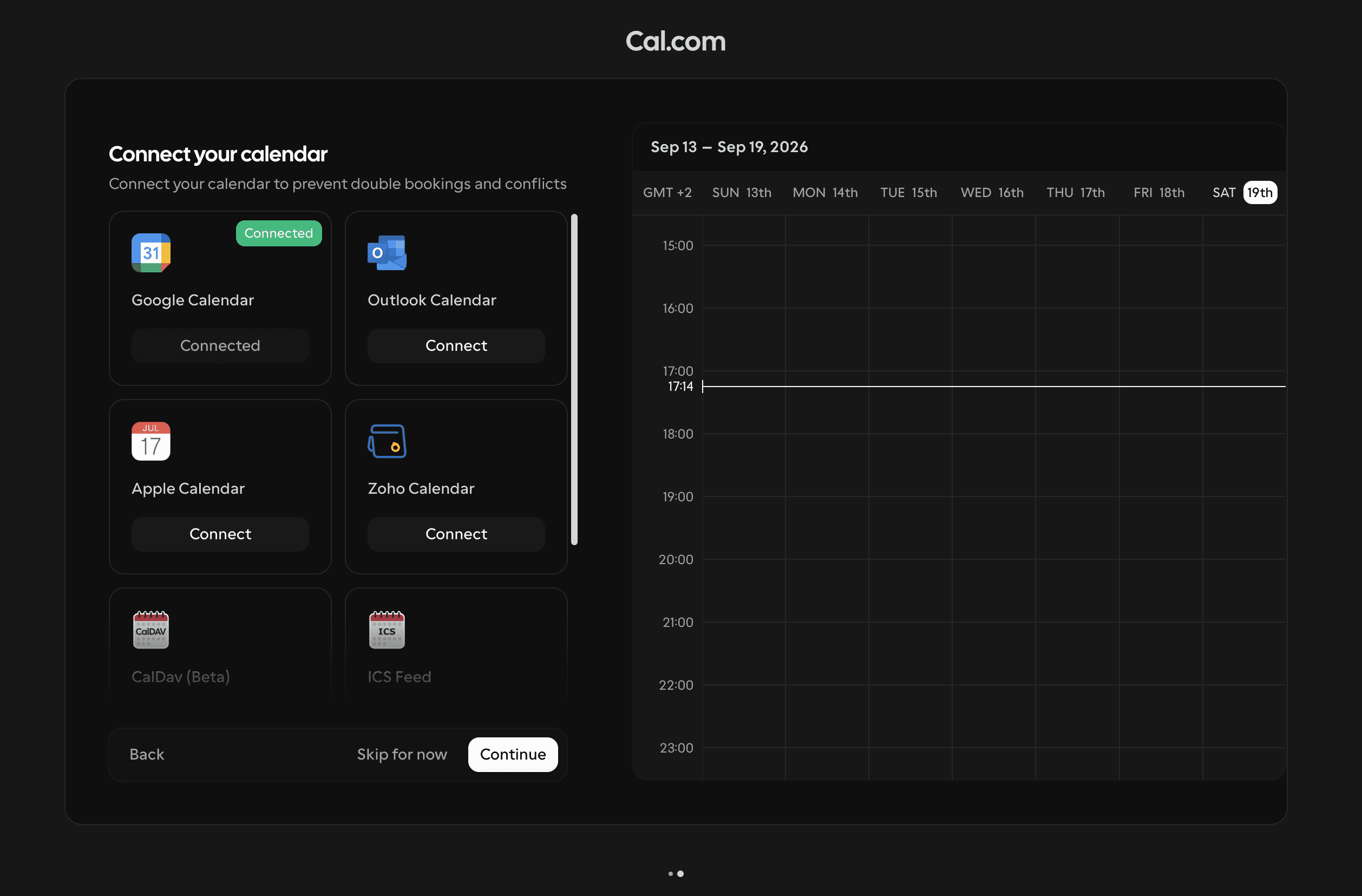
Connect your calendar with Cal.com
13. Setmore: best free plan for small service teams

Setmore's free plan covers up to four users with unlimited appointments, and it includes payments through Square, Stripe, PayPal and LawPay. For a small practice or studio, that's a working booking system at no cost.
Pro adds recurring appointments, two-way calendar sync, SMS reminders, video appointments and API access. Watch the billing period, because the gap between the two prices is wider than on most tools here: Pro is $5 per user per month billed yearly, but $12 billed monthly.
For healthcare, Setmore Health adds HIPAA support on Pro. You can only choose it when you create the account, and the choice is permanent.
Setmore doesn't list round robin on its pricing page. On Cal.com, round robin starts on the $12 Teams plan, and the free plan includes webhooks for connecting bookings to other systems.
Pricing: Free for up to four users. Pro is $5/user/month billed yearly ($12 monthly), with a 30-day refund window.
14. Doodle: best for group polls

Doodle is still the tool people reach for when 12 people need to agree on one time. You propose a handful of options, invitees vote, and the meeting goes wherever the votes land. Polls are Doodle's core product, and the rest of it is built around them.
The free plan includes one group poll, one booking page and one 1:1. Pro removes those limits and adds Zoom, Teams and Webex. The Team plan adds an admin console, custom branding and Stripe payments. HIPAA is available on Enterprise. Doodle also deletes inactive polls, including invitee data, after 90 days.
When the job is booking one-to-one or team meetings, Cal.com's free plan has no limit on event types and takes payments.
Pricing: Free plan. Pro is $11/seat/month billed yearly ($15 monthly). Team starts at $16/seat/month billed yearly. Enterprise starts at $15,000 a year.
15. Julip: best for creators who book calls from their bio

Julip isn't a scheduler first. It's a website-in-bio for creators, coaches and freelancers who find clients on Instagram, TikTok and LinkedIn. Booking sits inside the page those visitors already land on, next to a portfolio, a services menu and digital products.
Did you only ever use Calendly to take discovery calls or paid sessions? Then that bundle may replace two tools. Clients can book and pay for calls from your bio link, and Julip takes a 0% platform fee on what you sell, though Stripe's own fees still apply.
Pricing: $19/month billed yearly, with a 14-day free trial and no credit card.
Which Calendly alternative fits your situation?
If you… | Look at | Why |
|---|---|---|
Need a HIPAA BAA, a dedicated database and uptime guarantees from one provider | Cal.com Enterprise | All three on one plan, alongside SSO, SCIM and audit logs |
Need more than one event type for free | Cal.com, TidyCal, Koalendar | Unlimited event types on the free plan |
Need round robin at a lower per-seat price | Cal.com, Koalendar | Round robin from $12, $6 and $6.99 per seat, billed yearly |
Run a salon or studio | Acuity Scheduling, SimplyBook.me, Setmore | Intake forms, packages and in-person payments |
Need a HIPAA BAA | Cal.com (Enterprise), Acuity (Premium), Zoho Bookings (Premium), SimplyBook.me (Standard+), Setmore Health | Each offers a signed BAA on the plan shown |
Need GDPR documentation your DPO can sign off | Cal.com | DPA, sub-processor list and deletion terms in its privacy policy and trust center |
Already pay for Microsoft 365 or Google Workspace | Microsoft Bookings, Google appointment schedules, Cal.com | The first two come with plans you may already have. Cal.com connects to Outlook, Exchange, Teams, Google Calendar and Meet, and adds payments on its free plan |
Sell session bundles or subscriptions | TidyCal | Package and subscription bookings on every plan, including free |
Coordinate large groups | Doodle | Polls are the core product |
Sell calls from social media | Julip | Booking inside a bio-link site |
Want to self-host for personal use | Cal.diy | MIT-licensed community edition. For a business deployment, ask Cal.com's sales team about enterprise self-hosting |
How to switch from Calendly without losing a booking
What actually breaks when you switch? Mostly links. Your booking page lives in email signatures, website embeds, CRM sequences and old calendar invites, and any of them can keep sending people to a page you've stopped checking. So the order you do things in matters.
List what you have. Write down every event type, its duration and buffers, its booking questions, and any routing rules.
Import your event types. Our free plan imports your Calendly events in few clicks. TidyCal and Koalendar offer Calendly imports too.
Connect every calendar. We check the calendars you connect for conflicts, so connect all of them before you share a link, or we can't see when you're already busy.
Rebuild your automations. Recreate reminders and follow-ups, and reconnect payments and your CRM. Our workflow templates cover SMS and email reminders, no-show follow-ups and reminders to bring ID.
Test a full booking. Book, reschedule and cancel a test meeting, and check that each email and calendar invite arrives.
Swap your links. Update your website embed, email signature, CRM templates and social profiles.
Keep your Calendly account until old bookings have happened. Meetings booked through Calendly are managed there. Wait until they've taken place before you downgrade or close the account.

For 30 or more users, our migration team moves your event types and user details for you. It typically takes one to two weeks, and we price it by team size.
Moving a team? Tell us how many seats, event types and routing rules you have, and ask for the migration plan alongside the quote. Talk to us.
Ready to see it with your own event types? Create a free Cal.com account and import your Calendly events in a few clicks. There's no credit card, and nothing changes in your Calendly account until you decide it should. Get started free.
Frequently asked questions
What is the best alternative to Calendly?
Cal.com is the best overall Calendly alternative, from a free plan up to enterprise. Its Enterprise plan adds a signed HIPAA BAA, a dedicated database and uptime guarantees, alongside SSO, SCIM and audit logs. Its free plan includes unlimited event types, payments and two-way Salesforce and HubSpot sync. For appointment-based businesses such as salons, Acuity Scheduling and SimplyBook.me are strong alternatives.
Is there a free alternative to Calendly?
Yes. Cal.com, TidyCal and Koalendar all offer free plans with unlimited event types. Zoho Bookings is free for one user, Setmore is free for up to four users, and Google Calendar gives any Google account one free booking page.
Is Calendly free?
Calendly has a free plan with one active event type and one calendar connection. Paid plans start at $10 per seat per month billed yearly, or $12 billed monthly, according to Calendly's pricing page.
Is there an open-source Calendly alternative?
Cal.diy is Cal.com's open-source community edition, under the MIT license. You can self-host it, but it's built for personal, non-production use, and it leaves out teams, routing forms, workflows and SSO. The commercial Cal.com product has been closed source since April 2026.
Is Cal.com better than Calendly?
For enterprises, yes, on the questions a security review asks. Both offer SSO, SCIM and audit logs at enterprise level. Cal.com also offers a signed HIPAA BAA, included on Cal.com's Enterprise plan. You get a dedicated database and uptime guarantees on Cal.com Enterprise, with 99.9% uptime and an option for 99.99%.
For smaller teams, Cal.com's free plan includes unlimited event types and payments, and round robin costs $12 per seat on Cal.com Teams against $16 on Calendly Teams, both billed yearly.
Is there a Google equivalent to Calendly?
Yes. Google Calendar appointment schedules give any Google account one free booking page. Multiple schedules, reminders and payments need Google One Premium or a Google Workspace plan. If you'd rather keep Google Calendar and Meet underneath a fuller scheduler, Cal.com connects to both, with unlimited event types and payments on its free plan.
Which is better, Acuity or Calendly?
Acuity Scheduling suits appointment-based businesses that need intake forms, packages and in-person payments through Square. For meeting-based work such as sales calls and interviews, the comparison is between Calendly and tools like Cal.com, which includes unlimited event types on its free plan and round robin on its $12 Teams plan. Acuity has no free plan.
Which Calendly alternative has the most flexible API?
Both Cal.com and Calendly offer a REST API and webhooks. The difference is the plan. Cal.com includes webhooks on its free plan, and bookings can be embedded four ways. Calendly's webhooks and Scheduling API start on its paid Standard plan. Retell AI says building on Cal.com saved it 2+ days of development per customer.
Is Cal.com GDPR compliant?
Yes. Cal.com is GDPR compliant, and it processes attendee data as your processor under a data processing agreement. Data is processed in the United States, with transfers from the EU covered by Standard Contractual Clauses or the EU-US Data Privacy Framework. You can delete data self-serve or by email. Organizations can get the DPA, SOC 2 Type II report and ISO 27001 certificate in the app or through the trust center under NDA.

Get started with Cal.com for free today!
Experience seamless scheduling and productivity with no hidden fees. Sign up in seconds and start simplifying your scheduling today, no credit card required!