7 Best Room Booking Software | Cal.com
When you schedule a meeting, you need both the people and the room to be available. If either one isn't, you have to move the meeting or find another space.
Jul 16, 2026
On this page
- TL;DR: the ranked list at a glance
- What is room booking software?
- What to look for in room booking software
- The 7 best room booking software
- 1. Cal.com: best for booking both the rooms and the meetings they hold
- 2. Skedda: best for managing the rooms themselves
- 3. Robin: best for enterprise workplace analytics
- 4. Envoy: best for visitor management alongside rooms
- 5. OfficeSpace: best for space planning and office moves
- 6. Archie: best for coworking and shared workspaces
- 7. Joan: best for e-paper room displays
- Room booking software: quick comparison table
- Final verdict
- Frequently asked questions
Cal.com lets you set up the hosts and rooms involved in your meetings, then checks their calendars when someone chooses a time. A time is only available when both the host and room are free, so you don't end up booking a meeting when the room is already taken or booking an available room when the host isn’t available. The free plan includes unlimited event types, two-way calendar sync, and automated reminders.
We compared Cal.com with other room booking tools based on three criteria:
-
Check-in enforcement: Can it release a room when nobody shows up?
-
Booking rules: Can you control who can book a room, how far ahead they can book it, and whether a booking needs approval?
-
Pricing clarity: Can you understand the cost from public pricing?
The comparison table near the end summarizes how the seven tools compare against these criteria and whether each has a free plan.
TL;DR: the ranked list at a glance
-
Cal.com: best for booking rooms and meetings together
-
Skedda: best for managing rooms and shared spaces
-
Robin: best for enterprise workplace analytics and occupancy data
-
Envoy: best for managing visitors and room bookings
-
OfficeSpace: best for space planning and office moves
-
Archie: best for coworking and shared workspaces
-
Joan: best for e-paper room displays and booking at the door
What is room booking software?
Room booking software helps you find, reserve, and check into shared spaces such as meeting rooms, conference rooms, phone booths, focus rooms, labs, and classrooms. It usually connects to your existing calendar, so you can reserve a room while scheduling a meeting.
You can check whether a room is free, see whether it has enough capacity and the equipment you need, and confirm whether people actually showed up for their bookings. This gives you a clearer picture of which rooms are being used and which ones sit empty.
Many room booking platforms also include desk booking, parking, visitor management, digital signage, and wayfinding. Depending on the tool, you may pay per user, space, or room display, or need to request a custom quote.
What to look for in room booking software
Good room booking software should do three things well: show accurate availability, give you control over who can book, and free up rooms after cancellations and no-shows. The features you need beyond that depend on how your organization uses its space.
With this in mind, here are the key features to look for:
-
Two-way calendar sync. Room bookings often start in a calendar. Make sure the software syncs with Microsoft 365 and Google Workspace in both directions, including bookings, cancellations, attendees, and conferencing links.
-
Check-in and auto-release. Check-in helps prevent no-shows from keeping rooms blocked. Look for QR codes, tablets, email links, or Wi-Fi-based check-in, along with automatic release when someone doesn't check in.
-
Booking rules that match your policies. Different teams may need different rules for different rooms. Look for booking windows, quotas, buffers, approvals, and access controls that let you decide who can book a space and when.
-
Room displays and walk-up booking. Displays outside rooms show whether a space is available and may let people book, extend, or release a reservation. Check whether the software works with standard tablets or requires proprietary hardware.
-
Utilization analytics. Look for data on occupancy, no-shows, peak demand, and room usage by team, floor, or location. This helps you see which rooms are in demand and where space is going unused.
-
Scheduling for the meetings themselves. Room booking is only part of the process. If you also schedule interviews, client meetings, demos, or consultations, look for a tool that can coordinate people and rooms at the same time. Shared availability, round-robin scheduling, routing forms, and workflow automation are useful for these bookings.
The 7 best room booking software
1. Cal.com: best for booking both the rooms and the meetings they hold
| Free plan? | Starting price | Standout feature | Best use case |
|---|---|---|---|
| Yes, free forever | $16/user/month | Collective event types book the room and host together | Offices that need to book rooms and the meetings inside them, including with external guests |
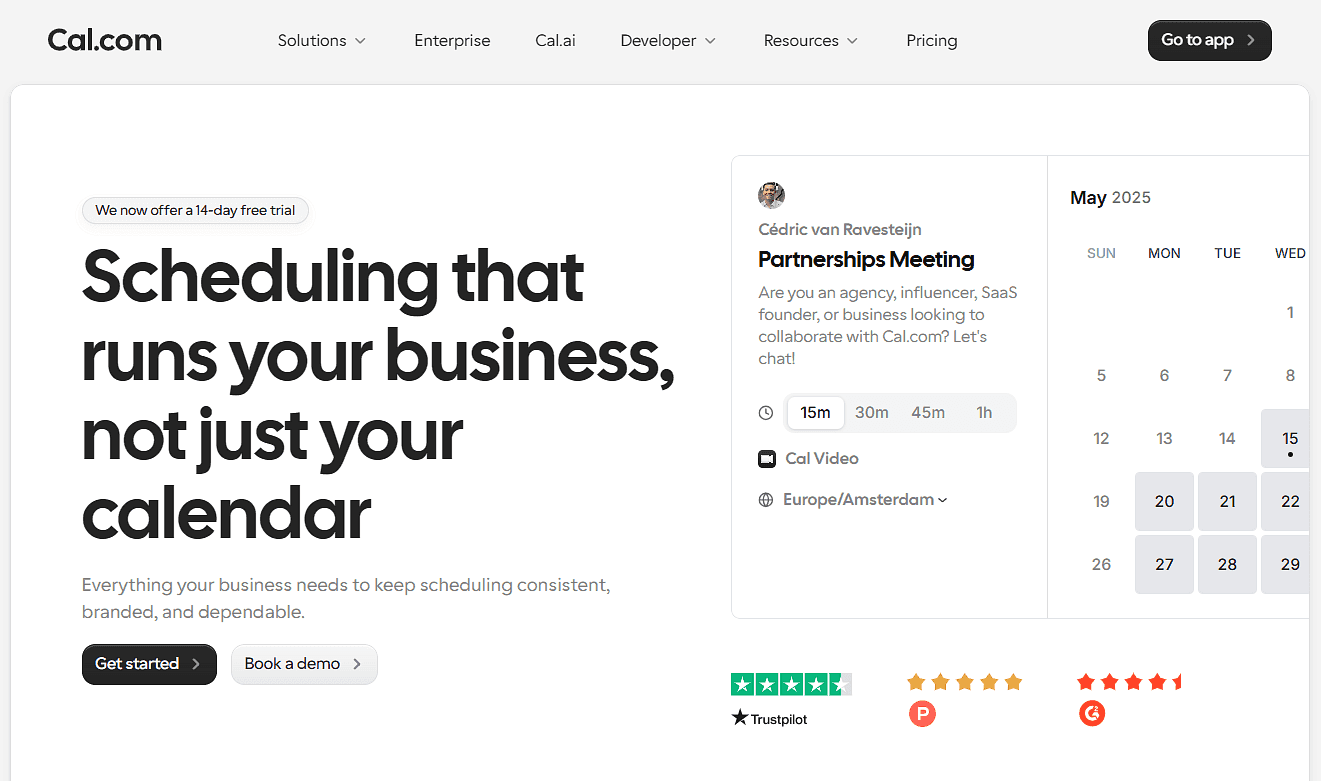
What it is: Cal.com lets you schedule the people and room needed for a meeting from the same booking page. Set up your hosts and rooms, connect each room to its Google Workspace resource calendar or Outlook room mailbox, and Cal.com checks their availability before showing someone a time to book.
If you're scheduling an interview, for example, you can require the interviewers and a room to be available before a time is offered. For meetings that could go to different people or rooms, routing and round-robin scheduling help send the booking to the right option. You can set limits on how rooms are booked, add approval steps for certain spaces, and send automated reminders before the meeting.
Why it ranks first: Cal.com gives you several ways to control how meetings get assigned to people and rooms. Collective event types pair hosts and rooms, routing forms send bookings to the right team or space, and round-robin scheduling distributes bookings across available options. You can also add booking limits, buffers, and approvals for rooms that need stricter rules to help you control how rooms are used.
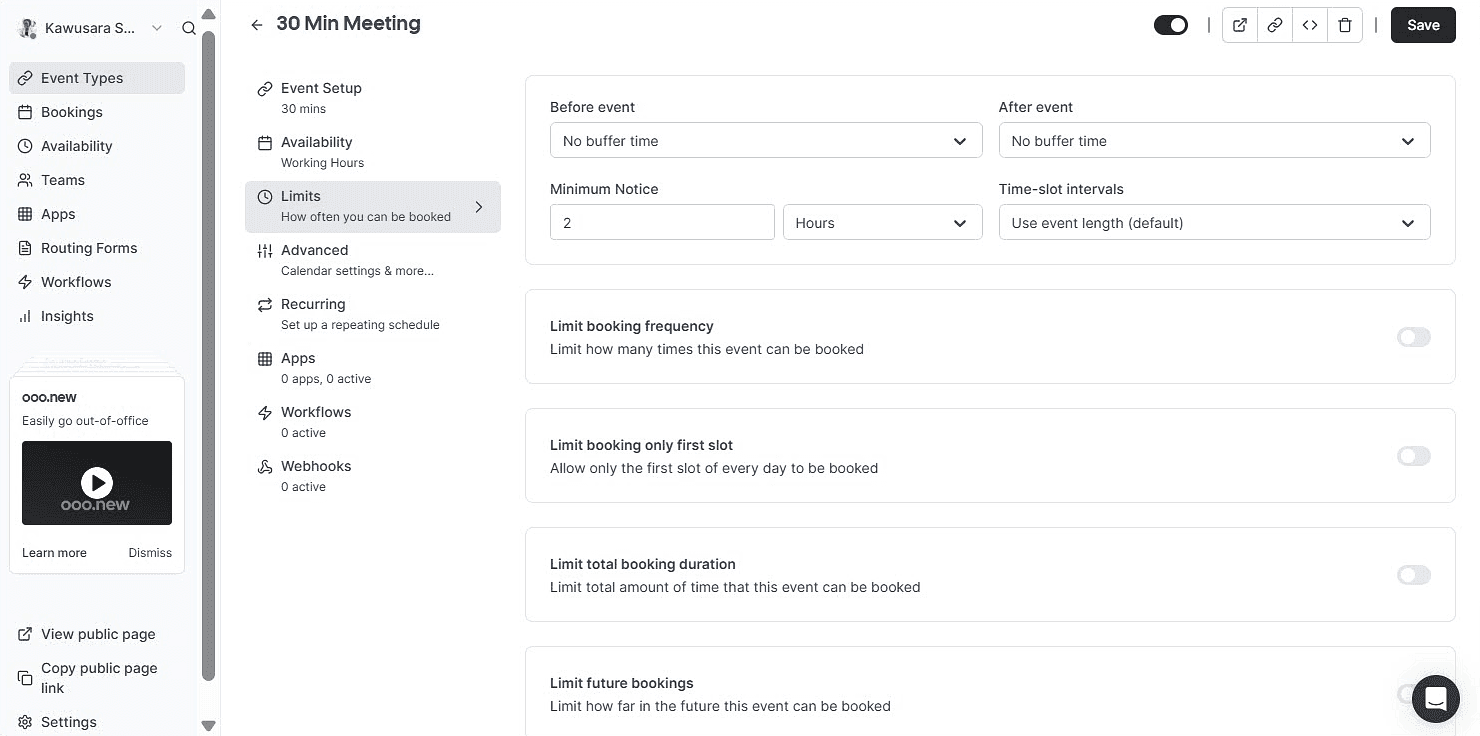
Key features:
-
Rooms as bookable accounts: Connect a Google Workspace resource calendar or Outlook room mailbox to a room account, set its availability, and make the room bookable.
-
Collective event types: Check the host and room at the same time, so a slot only appears when both are available.
-
Round-robin distribution: Pool rooms and distribute bookings across available rooms, or rotate hosts across a team.
-
Routing forms and attribute-based routing: Route requests based on factors such as floor, capacity, region, or team.
-
Approvals: Require approval before certain room bookings are confirmed.
-
Booking limits and buffers: Control how long or how far ahead people can book, and add buffer time between reservations.
-
External booking: Share a link or embed a widget so people outside your company can book against live availability.
-
Workflow automation: Send confirmations, reminders, and follow-ups by email and text to reduce no-shows.
-
Booking analytics: Track booking activity and see how your rooms and meeting capacity are being used.
-
100+ native integrations: Connect Cal.com with the tools your team uses for calendars, communication, payments, CRM, and workflows.
-
Seats and Stripe payments: Let multiple people book the same slot or collect payments for room bookings.
-
API and React Atoms: Build room and meeting scheduling into your own application or workplace portal.
-
White-label and security: Remove Cal.com branding and use your own domain. Cal.com supports SOC 2, ISO 27001, GDPR, SAML single sign-on (SSO), and SCIM provisioning.
Pricing: Cal.com has a free plan with unlimited event types, two-way calendar sync, external booking, and automated reminders. Paid plans start at $16/user/month, or $12/user/month when billed annually, and add features such as round-robin scheduling, routing forms, removing Cal.com branding, and booking analytics. Higher plans add SAML SSO, SCIM provisioning, and HIPAA with a BAA.

Best for: Teams that need to book rooms as part of scheduling meetings, including interviews, client meetings, and internal meetings where both the host and room need to be available.
Verdict: Cal.com lets you set up rooms alongside hosts and check both when someone books a meeting. For example, an interview can require two interviewers and a specific room, while a client meeting can route to an available host and room. You can also open these booking pages to external guests and send automated reminders before the meeting.
Start with Cal.com's free plan or or book a demo to see how it could work for your team.
2. Skedda: best for managing the rooms themselves
| Free plan? | Starting price | Standout feature | Best use case |
|---|---|---|---|
| No, and no trial | $249/month | Booking rules and interactive floor plans | Mid-to-large offices and universities that need detailed space controls |

What it is: Skedda is a scheduling platform built for shared physical spaces. It combines room booking with interactive floor plans, booking rules, check-in, occupancy tracking, and tablet displays that show whether a room is available or occupied. You can use it to manage meeting rooms, desks, and other bookable spaces from one system. For example, you can set rules for who can book a space, when they can book it, how long they can use it, and whether they need to check in. Floor plans show which spaces are available, while occupancy tracking helps you see how often rooms and other spaces are actually being used.
Key features:
-
Interactive floor plans: Build a digital map of your office that mirrors the physical layout. Employees can see available rooms and desks and book them directly from the map.
-
Rules and roles engine: Control who can book each space and when. Set booking windows, duration limits, quotas, buffers, cancellation rules, and approval requirements.
-
Two-way calendar sync: Connect Skedda with Microsoft 365, Outlook, or Google Workspace to keep space bookings and calendar events in sync and prevent double bookings.
-
Check-in and occupancy tracking: Require users to confirm their arrival through email, QR codes, Teams, Slack, or Wi-Fi. If someone doesn't check in, Skedda can automatically release the booking.
-
Insights dashboard: Analyze booking activity to see how spaces are being used and identify demand patterns across your workplace.
Limitations:
-
Space limits can fill up quickly when you manage rooms, desks, parking, and other resources.
-
Check-in and advanced booking rules aren't available on every plan.
-
Skedda is less suited to scheduling meetings with hosts and attendees.
Pricing: Skedda doesn’t offer a free plan or trial. Paid plans start at $249/month when billed annually and include 35 spaces, unlimited users and bookings, interactive floor plans, a basic rules engine, and an insights dashboard.
Best for: Hybrid workplaces and universities that need to manage different types of shared spaces with rules for availability, booking times, access, and usage.
Comparison verdict: Skedda handles room and space management with tools such as floor plans, booking rules, check-in, and occupancy tracking. Cal.com also supports room booking, but connects it more closely to meeting scheduling, so you can coordinate hosts and rooms and let external guests book.
3. Robin: best for enterprise workplace analytics
| Free plan? | Starting price | Standout feature | Best use case |
|---|---|---|---|
| No, and no trial | Custom quote | Sensor-verified occupancy and 100+ analytics metrics | Enterprises with 150-plus hybrid staff across multiple sites |
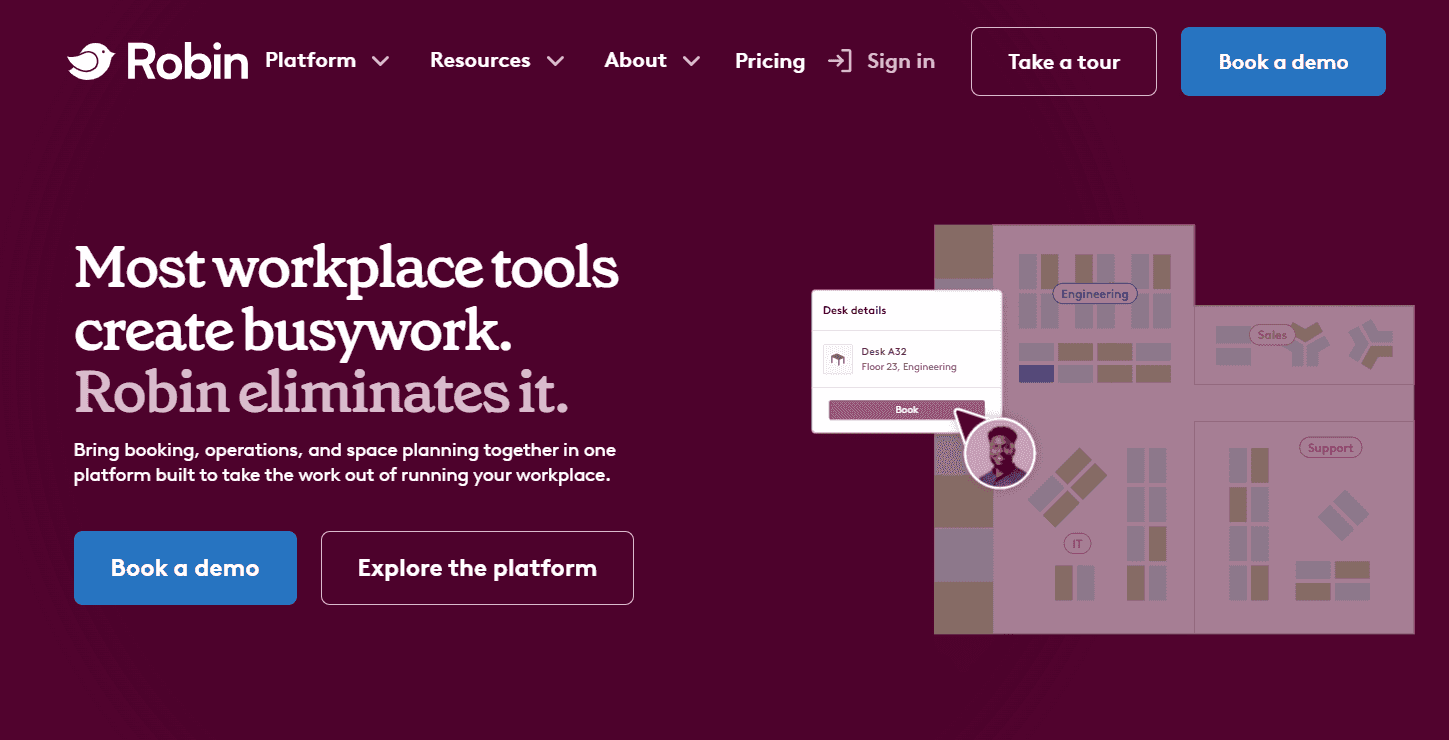
What it is: Robin is a workplace management platform for organizations with complex or multi-site offices. It covers room and desk booking, visitor management, room displays, and workplace analytics. Its analytics combine booking data with occupancy signals from connected sensors, giving teams a clearer view of how their spaces are being used. Robin also supports more than 100 workplace KPIs and recommends rooms based on factors such as meeting size and attendee preferences, helping teams to effectively plan how they use their offices.
Key features:
-
Smart room suggestions: Recommend available rooms based on meeting time, attendee count, amenities, and booking preferences.
-
Interactive office maps: Show rooms, desks, and other spaces on a digital floor map with live availability for quick booking.
-
Occupancy tracking: Use connected sensors and check-in data to see whether reserved spaces are actually being used and release abandoned bookings.
-
Room displays: Show a room's current status on a tablet, with options to book or check in directly from the display.
-
Workplace analytics: Track space and desk usage across offices, buildings, floors, and teams to spot underused space and changing demand.
Limitations:
-
Changing office layouts can be cumbersome and may require help from Robin's team.
-
Some users report glitches with availability, the interface, and mobile performance.
Pricing: Robin doesn't offer a free plan or trial. Pricing isn't published on its website, so you'll need to request a custom quote.
Best for: Large enterprises with 150+ hybrid employees, multiple offices, and complex workplace policies that need detailed data on occupancy and space usage.
Comparison verdict: Robin provides comprehensive tools for managing physical spaces, including occupancy tracking, workplace analytics, and room management. Cal.com also supports room booking, but connects it more closely to meeting scheduling, with features such as external booking, routing, round-robin scheduling, and shareable booking links.
4. Envoy: best for visitor management alongside rooms
| Free plan? | Starting price | Standout feature | Best use case |
|---|---|---|---|
| No, 14-day trial | $5/resource/month | Visitor management | Offices that need visitor workflows alongside room booking |

What it is: Envoy is a workplace platform for managing visitors and the spaces they use. It covers visitor check-in alongside room and desk reservations, parking, deliveries, and digital signage. For room booking, Envoy lets employees reserve spaces, check availability on office maps, and use room displays to see whether a space is free. Check-in and automatic release help keep room availability accurate when someone doesn't show up. Teams can also manage a guest's arrival and the meeting space they'll use from the same platform.
Key features:
-
Room, desk, and parking reservations: Book different workplace resources from one platform, with options for hourly, multi-day, and mobile bookings.
-
Walk-up booking: Use room tablets to see the day's schedule, book an available room, check in, or end a meeting directly at the door.
-
Smart auto-release: Automatically reopen rooms, desks, or parking spaces when someone misses their check-in, so unused bookings don't block others.
-
Real-time availability: See available rooms, desks, and parking on interactive maps or book through the Envoy app, Google Calendar, or Outlook.
-
Visitor management: Pre-register guests, collect required information, screen visitors, print badges, and notify hosts when they arrive.
Limitations:
-
You’ll pay for extra features even if you only need to manage room bookings.
-
Complex visitor workflows take more time to set up.
Pricing: Envoy doesn’t have a free plan, but it offers a 14-day free trial. Room booking is available on its Reservations module and starts at $5 per bookable resource per month when billed annually. Other modules, including visitor management, are priced separately.
Best for: Offices that need to manage visitors, room bookings, and workplace access from one platform.
Comparison verdict: Envoy is built for offices that need to manage visitors alongside rooms and other workplace resources. Cal.com connects room bookings to meetings, so external guests can book, get routed to the right host, and receive reminders before the meeting.
5. OfficeSpace: best for space planning and office moves
| Free plan? | Starting price | Standout feature | Best use case |
|---|---|---|---|
| No, and no trial | Custom quote | Scenario planning and move management | Large enterprises managing frequent moves and multi-building estates |
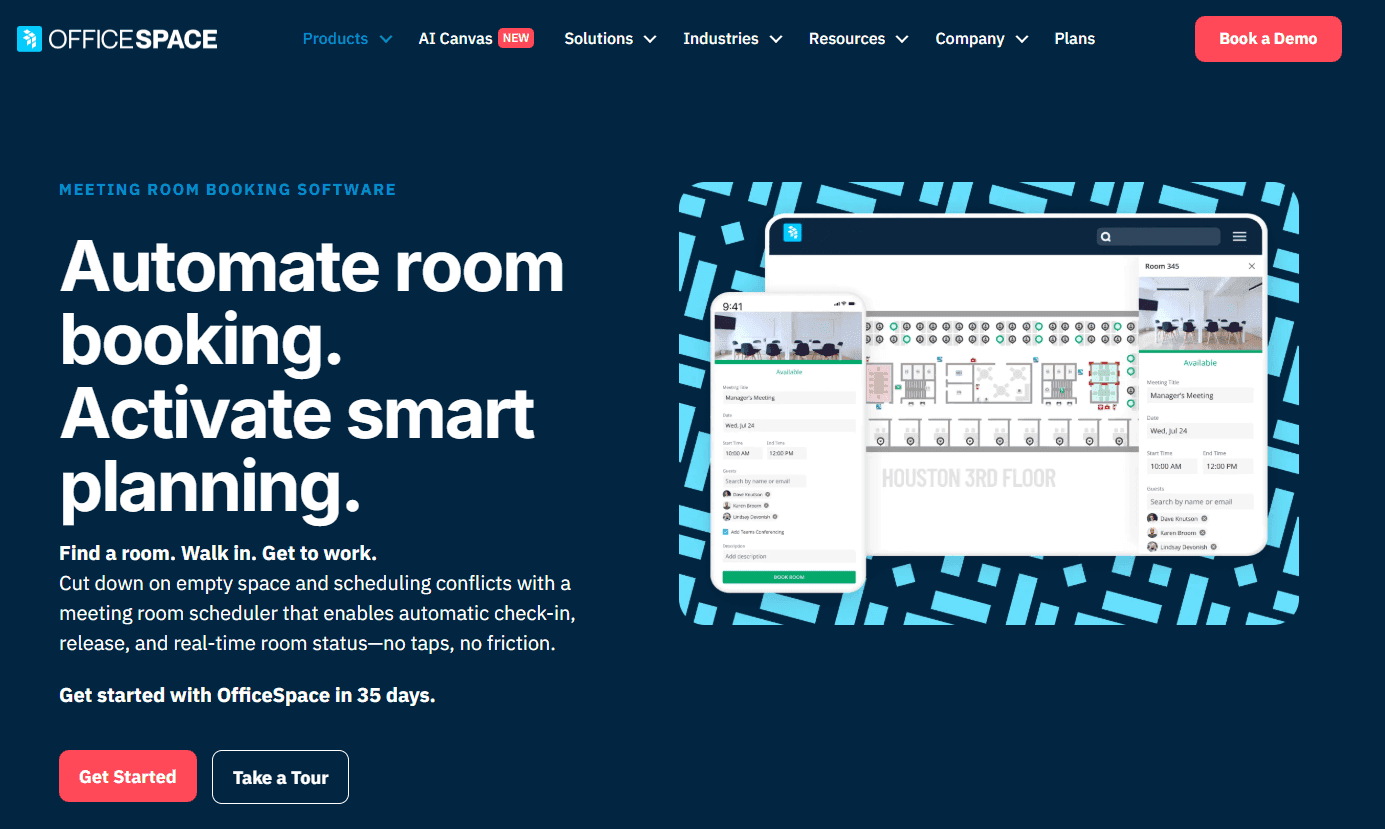
What it is: OfficeSpace is a workplace management platform designed for large organizations. Alongside room booking, it supports space planning, move management, asset tracking, floor plans, and workplace analytics. Its scenario-planning tools let facilities teams create a model of a proposed office change, such as moving a department to another floor or combining teams into fewer spaces, before making the change. It gives teams a way to plan how their office space will change alongside day-to-day room and workplace management.
Key features:
-
Room booking: Find and reserve rooms by availability, location, capacity, or amenities from the web, mobile app, Slack, Teams, or connected calendars.
-
Automatic room release: Require check-in and automatically cancel unused bookings when nobody shows up, making the room available to others.
-
Room profiles: Add details such as capacity, equipment, and amenities so employees can find a room that fits their meeting.
-
Kiosk and tablet check-in: Use iPads or Android tablets to see room availability, make walk-up bookings, and check in at the room.
-
Scenario planning and move management: Create and compare proposed floor plans, then use them to plan team moves, seating changes, and office consolidations before making changes to the physical space.
Limitations:
-
Onboarding can take 1-2 months or longer.
-
There’s a steep learning curve for new users.
Pricing: OfficeSpace offers no free plan or trial. Pricing isn’t published on their site, so you’ll need to request a custom quote.
Comparison verdict: OfficeSpace combines room booking with floor plans, space planning, move management, and workplace analytics. Cal.com lets you book a room as part of scheduling a meeting, so the host and room can be checked together before someone chooses a time.
6. Archie: best for coworking and shared workspaces
| Free plan? | Starting price | Standout feature | Best use case |
|---|---|---|---|
| No, 14-day trial | $159/month | Coworking billing and memberships | Coworking operators and multi-tenant spaces |
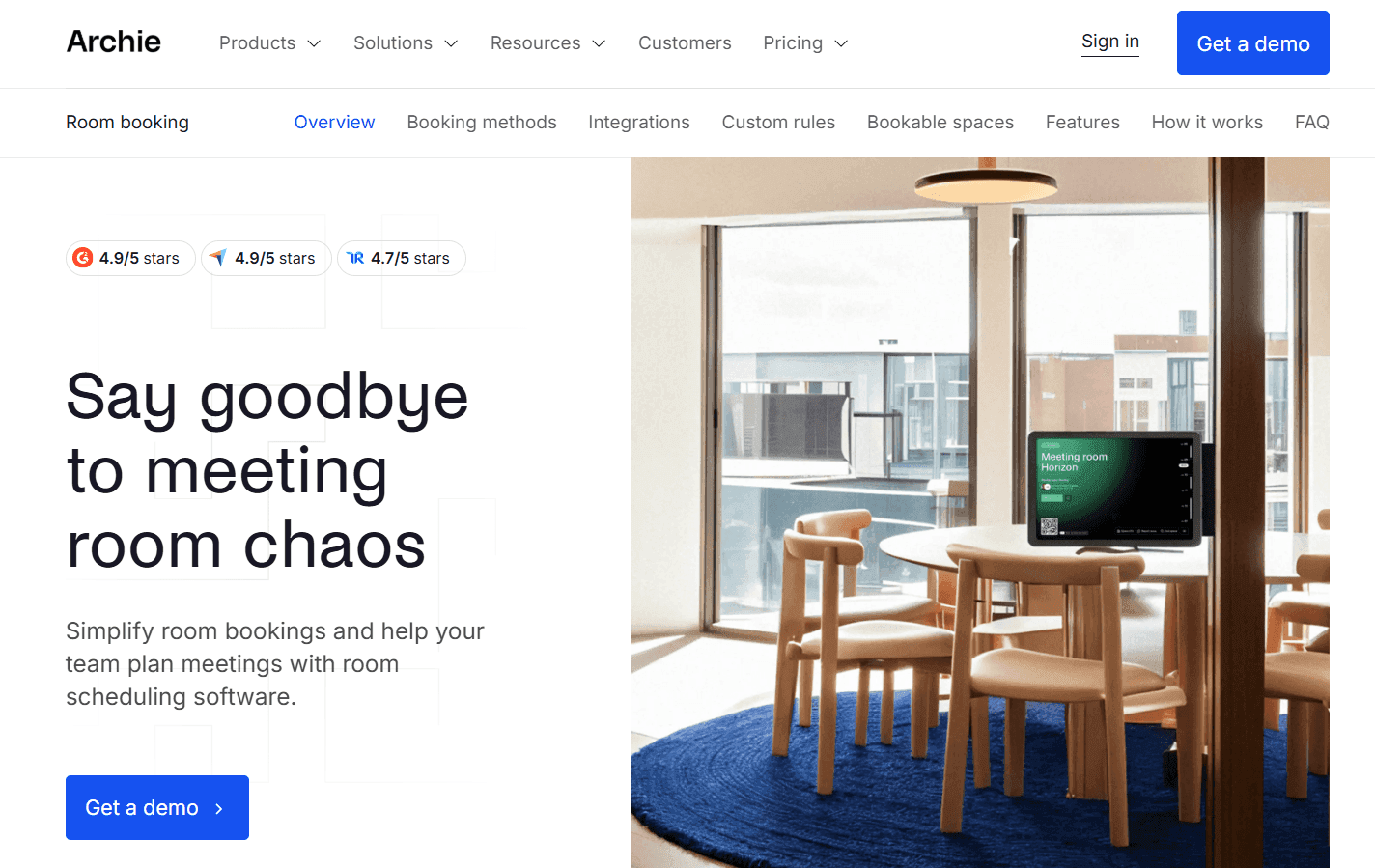
What it is: Archie is a workspace management platform built for coworking spaces and other businesses that rent out shared offices and rooms. It handles room and desk bookings, visitor management, and the business side of managing members. A coworking operator, for example, can give members booking credits, manage their memberships and invoices, collect payments, and connect the financial data to accounting software from the same platform.
Key features:
-
Booking across platforms: Reserve rooms and desks from the web or mobile app, room screens, Google Calendar, Outlook, or Microsoft Teams. Slack supports booking notifications and check-ins.
-
Room screens and kiosks: Use standard tablets to show room availability and let users book spaces from the room or a shared kiosk.
-
QR check-in and auto-release: Require users to check in for room and desk bookings, then automatically free unused spaces when they don't show up.
-
Booking rules: Set advance booking limits, buffers, cancellation rules, approvals, and recurring bookings for different spaces and user groups.
-
Coworking billing and memberships: Manage membership plans, booking credits, invoices, and payments, with QuickBooks and Xero integrations.
Limitations:
-
Setting up Archie can take up to four weeks.
-
It has limited dashboard customization.
Pricing: Archie doesn’t offer a free plan, but you get a 14-day free trial after booking a demo. Its room scheduling and desk booking modules start at $159/month each for one location when billed annually, while the coworking space module starts at $165/month. You’ll still need to request a custom quote for your exact setup.
Best for: Coworking spaces, innovation hubs, and other shared workplaces that rent out rooms and desks and need to manage bookings and payments together.
Comparison verdict: Archie is built for businesses that rent out shared spaces, with tools for managing bookings alongside memberships and billing. Cal.com also handles room bookings, but connects them more closely to meeting scheduling, with external booking, routing, and host availability.
7. Joan: best for e-paper room displays
| Free plan? | Starting price | Standout feature | Best use case |
|---|---|---|---|
| No, 30-day trial | Custom quote | Battery-powered e-paper door displays | Offices that want dedicated displays outside meeting rooms |

What it is: Joan is a workplace management platform best known for its e-paper room displays. The battery-powered panels sit outside meeting rooms, showing whether a space is available and letting people book, extend, or release a reservation.The platform also supports desk and parking reservations, visitor management, digital signage, and workplace analytics, with the room displays serving as the main way people interact with the system.
Key features:
-
E-paper room displays: Joan's wireless, battery-powered displays show room availability outside each space without needing a permanent power connection.
-
Walk-up booking: Book, extend, or release a room directly from the display when you need a space on the spot.
-
Calendar sync: Connect Joan with Microsoft 365, Google Workspace, Exchange, Slack, or Microsoft Teams to keep room availability aligned with your existing calendars.
-
Room and team grids: View multiple rooms, locations, and their availability from one screen, making it easier to find an open space.
-
Utilization reporting: Track room usage, meeting patterns, popular spaces, and no-shows to understand how your rooms are being used.
Limitations:
-
You’ll have to pay separately for the room displays.
-
Some users report slow loading and delays when checking availability or using the mobile app.
Pricing: Joan doesn’t have a free plan, but it offers a 30-day free trial. Pricing isn’t public, so you’ll have to request a custom quote.
Best for: Offices that want dedicated physical displays outside meeting rooms and prefer to manage the hardware and software through one provider.
Comparison verdict: Joan combines room booking with dedicated displays that let employees see availability and manage bookings outside the room. Cal.com also lets you book rooms, but connects them with hosts and meetings, including external bookings and routing. The two can work together when you need both room displays and meeting scheduling.
Room booking software: quick comparison table
Here’s how the seven room booking software compare on key features, free plans, and pricing clarity:
| Tool | Free plan | Check-in enforcement | Booking rules | Pricing clarity |
|---|---|---|---|---|
| Cal.com | ✅ Free forever | ⚠️ No check-in, but reminders and approvals help reduce no-shows | ✅ Booking limits, buffers, routing, approvals | ✅ Published pricing |
| Skedda | ❌ No free plan or trial | ✅ Yes | ✅ Booking windows, access rules, approvals | ✅ Published pricing |
| Robin | ❌ No free plan or trial | ✅ Yes | ✅ Access controls, booking limits, approvals | ❌ Custom quote |
| Envoy | ❌ No free plan, 14-day trial | ✅ Yes | ✅ Booking policies and access controls | ⚠️ Published pricing, but you still need a custom quote |
| OfficeSpace | ❌ No free plan or trial | ✅ Yes | ✅ Access controls, booking rules, approvals | ❌ Custom quote |
| Archie | ❌ No free plan, 14-day trial | ✅ Yes | ✅ Access and booking rules | ⚠️ Published pricing, but you still need a custom quote |
| Joan | ❌ No free plan, 30-day trial | ✅ Yes | ⚠️ Basic booking controls | ❌ Custom quote |
Final verdict
When choosing room booking software, think about whether you need to schedule rooms and meetings together or mainly manage the spaces themselves.
Cal.com is the best match if you need both. It checks room and host availability before showing booking times and supports external bookings, routing, round-robin scheduling, and automated reminders. The free plan includes unlimited event types and two-way calendar sync.
If you mainly need space management, look at Skedda, Robin, or OfficeSpace. Envoy makes more sense if visitor management is part of the requirement. Archie suits coworking spaces that also need bookings, memberships, and billing, while Joan is a good option if you want dedicated room displays.
If coordinating rooms alongside meetings is what you need, start with Cal.com’s free plan or book a demo.
Frequently asked questions
-
What's the best room booking software? If you need to schedule both the room and the people attending, Cal.com is a strong option. Its collective event types check host and room availability together, while routing and round-robin help send bookings to the right people and spaces.
-
How much does room booking software cost? Pricing varies by tool and can be based on users, spaces, resources, or a custom quote. Cal.com has a free plan, while paid plans start at $16/user/month. Skedda starts at $249/month, Envoy Reservations at $5/resource/month, and Archie at $159/month. Robin, OfficeSpace, and Joan require a custom quote.
-
Can Cal.com book meeting rooms directly, or only the meetings? Yes. You can connect a room to its Google Workspace resource calendar or Outlook room mailbox. Cal.com then checks the room alongside the host (or hosts) when someone books a meeting.
-
Which room booking software is best for small business? If you mainly need to schedule meetings and rooms, Cal.com's free plan includes unlimited event types, two-way calendar sync, external booking, and automated reminders. Skedda, Robin, and OfficeSpace are better suited to teams that also need tools for managing rooms, floors, occupancy, or office space.
-
Do we need room display panels and occupancy sensors? Not necessarily. Room displays can support walk-up bookings, while occupancy tracking shows how spaces are being used. If you don't need those features, you can choose software that handles availability, booking rules, and check-in without dedicated hardware.