O Calendly é grátis? O que o plano grátis inclui (e os seus limites)
O Calendly é grátis? A resposta curta é: o Calendly tem um nível grátis que é grátis para sempre para particulares. No entanto, o Calendly não é um software de agendamento gratuito. A distinção importa porque o plano grátis não dá aos utilizadores acesso a todas as funcionalidades do Calendly. Oferece acesso limitado a utilizadores individuais que podem ter necessidades simples de agendamento. O plano grátis do Calendly permite usar funcionalidades como reuniões 1:1, uma integração de calendário ligado e uma página de reservas básica com a marca Calendly.
Aug 23, 2026
On this page
- O Calendly é grátis? Resposta rápida
- O que inclui o plano grátis do Calendly?
- Quais são as limitações do plano grátis do Calendly?
- O Calendly é grátis para sempre ou é um teste gratuito?
- Calendly grátis vs pago: Quando tens de fazer upgrade?
- Existe uma alternativa grátis ao Calendly?
- Calendly grátis vs Cal.com grátis: O que os utilizadores recebem em cada plano?
- Veredito final
- Perguntas frequentes
O plano grátis do Calendly é limitado de forma a impedir que os utilizadores usem o serviço para fins comerciais ou empresariais. O acesso a apenas um tipo de evento por conta grátis e as restrições nas ligações de calendário tornam difícil para os utilizadores continuarem a usar o plano grátis à medida que os seus casos de uso se expandem. Isto força naturalmente os utilizadores a passarem para planos pagos, completando a conversão do funil de utilizador grátis para utilizador pago.
Então, o Calendly é mesmo grátis? O que recebes com os seus planos grátis? Continua a valer a pena em 2026? E, mais importante, quais são as suas limitações? E, por fim, como se compara com o plano grátis oferecido por outras plataformas de agendamento líderes como a Cal.com? Vamos responder a todas estas perguntas.
O Calendly é grátis? Resposta rápida
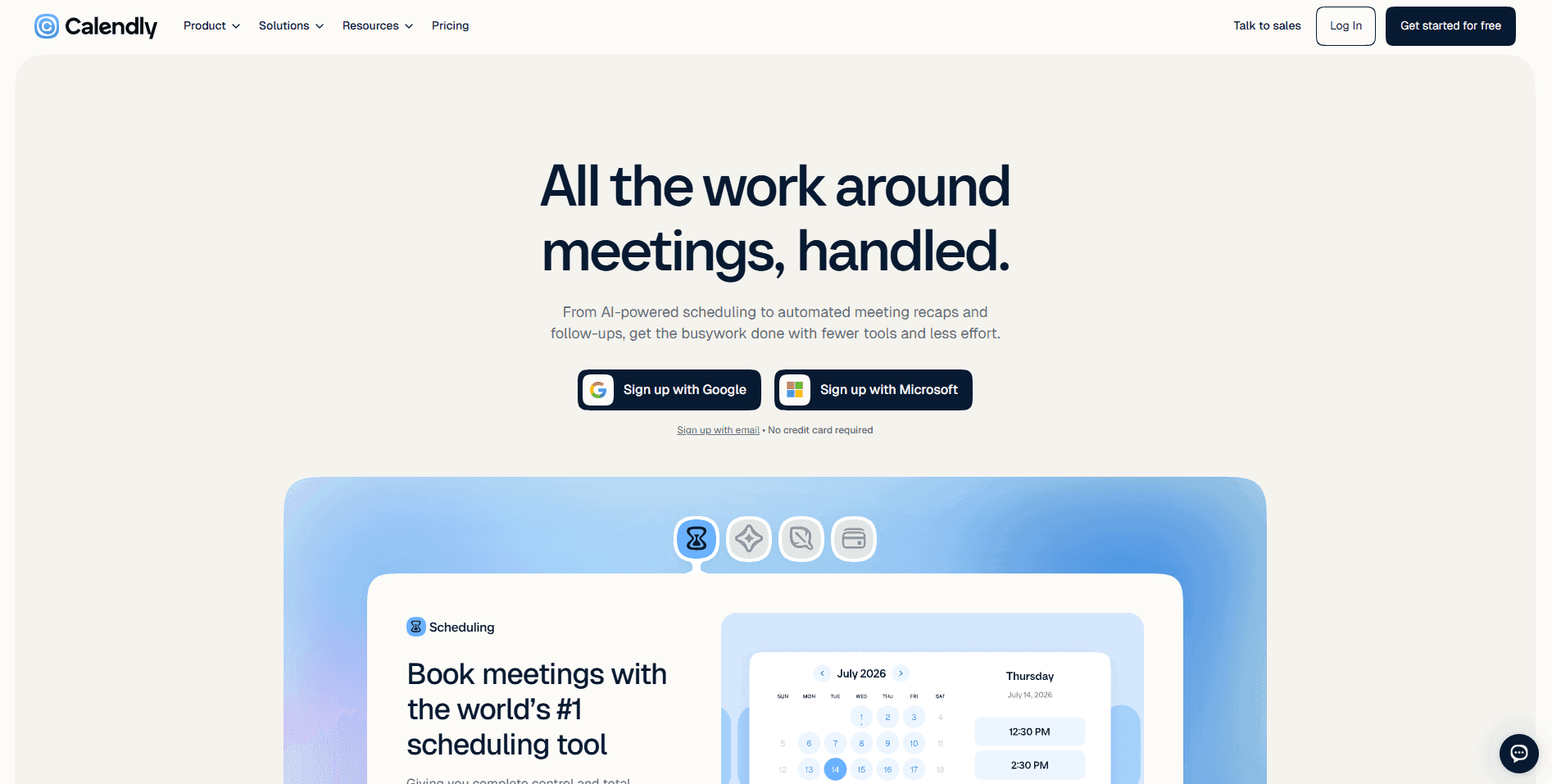
O Calendly tem um plano grátis que é gratuito para uso individual para sempre. No entanto, isso não faz do Calendly ‘software gratuito’. O Calendly é um Software como Serviço baseado na cloud que oferece um modelo de acesso freemium aos utilizadores. Isto significa que o Calendly oferece funcionalidades básicas gratuitamente, mas as funcionalidades premium só estão acessíveis a utilizadores pagos, e ainda por cima com acesso por níveis mesmo nos planos pagos.
Software gratuito refere-se, em geral, a software que é open-source e gratuito para usar indefinidamente, sem quaisquer limitações nas suas funcionalidades e capacidades. O Calendly não é isso. Portanto, a pergunta correta é: “O Calendly tem um plano grátis?” E sim, tem. No entanto, como explicado, o Calendly não é software gratuito; é um SaaS freemium, tal como muitas outras plataformas de agendamento como a Setmore, Square Appointments e até a Cal.com.
O que inclui o plano grátis do Calendly?
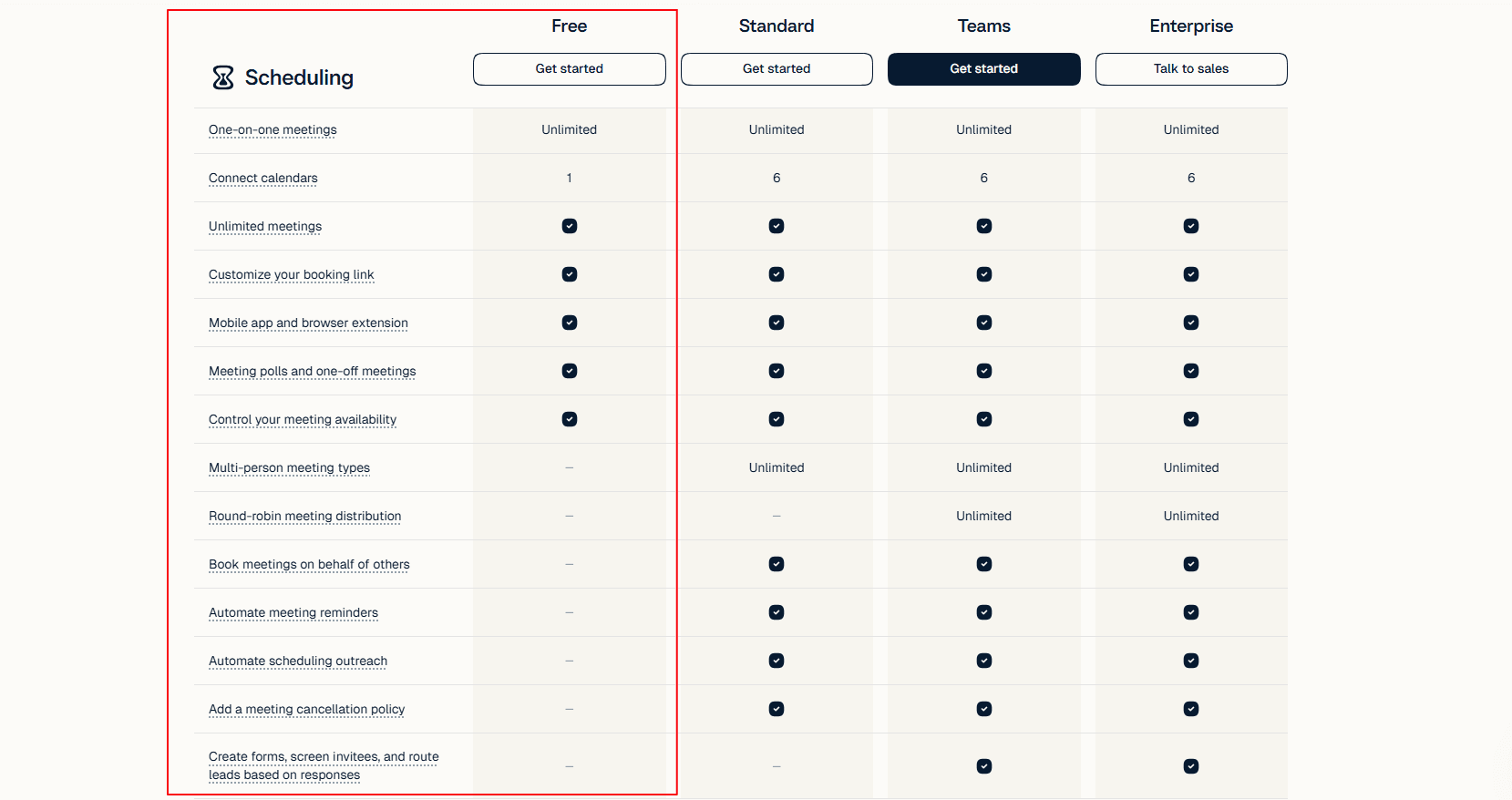
O plano grátis do Calendly cobre o essencial para agendamento individual simples. As principais funcionalidades oferecidas incluem:
-
Um tipo de evento: Os utilizadores podem criar um tipo de reunião, como uma consulta de 30 minutos ou uma chamada de descoberta por conta no nível grátis.
-
Agendamentos 1:1 ilimitados: Ao contrário de muitas outras plataformas de agendamento, o Calendly não limita os utilizadores a um número definido de agendamentos por mês. Podes usar o nível grátis do Calendly para tantos agendamentos individuais quantos precisares por mês.
-
Um calendário ligado: Liga um único calendário para verificar a disponibilidade e evitar agendamentos duplicados.
-
Página de reservas básica: O Calendly oferece a sua própria página de reservas com marca para utilizadores no nível grátis. Podes simplesmente partilhar o link de agendamento para que as pessoas vejam a tua disponibilidade e marquem uma reunião.
-
Suporte para telemóvel e extensão: O Calendly permite-te gerir o teu agendamento a partir de um dispositivo móvel e também de uma extensão do navegador para maior facilidade de utilização.
-
Integrações: Embora o plano grátis do Calendly não tenha muitas opções de integração, há algumas funcionalidades úteis de integração dentro do próprio ecossistema do Calendly que podem ser úteis para os utilizadores.
Estas funcionalidades compõem o plano grátis, e cada uma delas é oferecida com foco na praticidade. Embora não pareça muito, um estudante que gere a sua agenda diária para estudos e compromissos pessoais tem aqui o suficiente para manter um horário estável. Portanto, é esse o tipo de utilização pessoal e não comercial para o qual o plano grátis foi desenvolvido.
Quais são as limitações do plano grátis do Calendly?
Sami A avaliação do Calendly
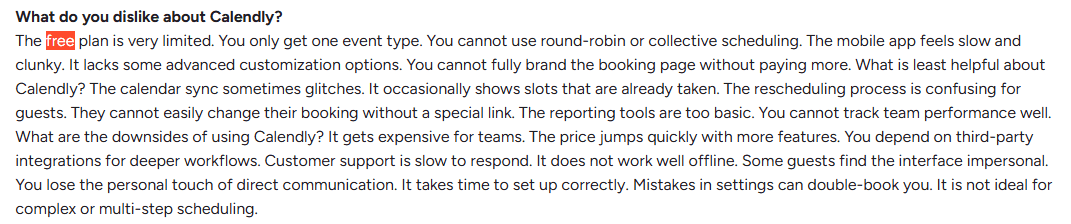
Esta é a secção a que deves prestar mais atenção do que à anterior. Isto porque o Calendly é um SaaS freemium e há muito mais funcionalidades a que não tens acesso no nível grátis do que aquelas a que tens acesso. Portanto, aqui está tudo o que não está disponível para utilizadores do Calendly no plano grátis.
-
Tipo de evento único: Se quiseres criar um evento de chamada de descoberta de 30 minutos e um evento de atualização semanal de 15 minutos na mesma conta gratuita do Calendly, não podes. Cada conta só suporta um evento, o que dificulta continuar a usar o nível grátis à medida que as tuas necessidades crescem.
-
Ligação de calendário limitada: A maioria dos utilizadores tem calendários diferentes para o pessoal, trabalho e projetos paralelos. No entanto, no plano grátis do Calendly, só podes ligar um calendário por conta. Isto deixa em aberto a possibilidade de marcações duplicadas ou compromissos sobrepostos, o que pode dificultar a gestão do teu equilíbrio entre vida pessoal e profissional.
-
Lembretes restritos: Os lembretes automáticos são significativamente limitados para utilizadores no plano grátis. Isto dificulta evitar no-shows nas tuas marcações no plano grátis do Calendly.
-
Branding do Calendly: Usar a conta gratuita do Calendly garante que a tua página de reservas mantém a marca do Calendly, o que pode não ser adequado para empresas que querem uma UX coesa para os utilizadores.
-
Sem agendamento em equipa: O plano grátis do Calendly não oferece quaisquer funcionalidades de agendamento em equipa para os utilizadores, incluindo agendamento round robin, reservas baseadas em equipa e funcionalidades de encaminhamento de leads.
-
Integrações limitadas: Como mencionado anteriormente, o número de opções de integração disponíveis no plano grátis do Calendly é limitado. Embora tenhas algumas opções de integração do ecossistema, elas são bastante restritivas em comparação com a experiência nos planos pagos.
-
Sem eventos coletivos: Não só a conta gratuita do Calendly te limita a um tipo de evento por conta, como também formatos avançados de eventos como eventos coletivos e em grupo não estão disponíveis no plano grátis.
Os utilizadores individuais que usam o Calendly para reuniões 1:1 podem não sentir dificuldades devido às limitações mencionadas acima. No entanto, para todas as outras pessoas, até mesmo freelancers e solopreneurs, estas limitações tornam-se mais cedo ou mais tarde estrangulamentos nos seus workflows de agendamento.
O Calendly é grátis para sempre ou é um teste gratuito?
O Calendly oferece um plano grátis para sempre aos seus utilizadores. Também oferece um teste gratuito de período limitado (14 dias) para os seus planos pagos, nomeadamente o plano Teams. São duas coisas diferentes, e tens de perceber a diferença entre elas.
-
Plano grátis: Não tem qualquer limite de tempo e pode ser usado gratuitamente por particulares durante o tempo que quiserem, sem problemas. A única desvantagem do plano grátis é que tem funcionalidades limitadas e não permite aos utilizadores explorar toda a capacidade do software.
-
Teste gratuito: Os planos de teste permitem-te experimentar um plano pago antes de te comprometeres com ele. O teste gratuito está disponível no Calendly especificamente para o plano Teams e não exige que os utilizadores forneçam as informações do cartão de crédito. Ao contrário do plano grátis, o teste gratuito permite aos utilizadores explorar mais funcionalidades e capacidades do Calendly durante o período de teste.
O que acontece quando o período de teste expira?
Quando o período de teste expira, o Calendly não começa a cobrar automaticamente aos utilizadores. Em vez disso, a plataforma rebaixa a conta de teste para uma conta de plano grátis depois de terminar o período de 14 dias. Isto significa que vais perder acesso às funcionalidades Pro a que tinhas acesso durante o teste gratuito. Para recuperar o acesso, tens de configurar manualmente uma subscrição no Calendly para o plano pago que escolheres. Se não fizeres nada depois de o teste expirar, a tua conta continuará ativa como conta grátis até que escolhas desativá-la ou eliminá-la.
Calendly grátis vs pago: Quando tens de fazer upgrade?
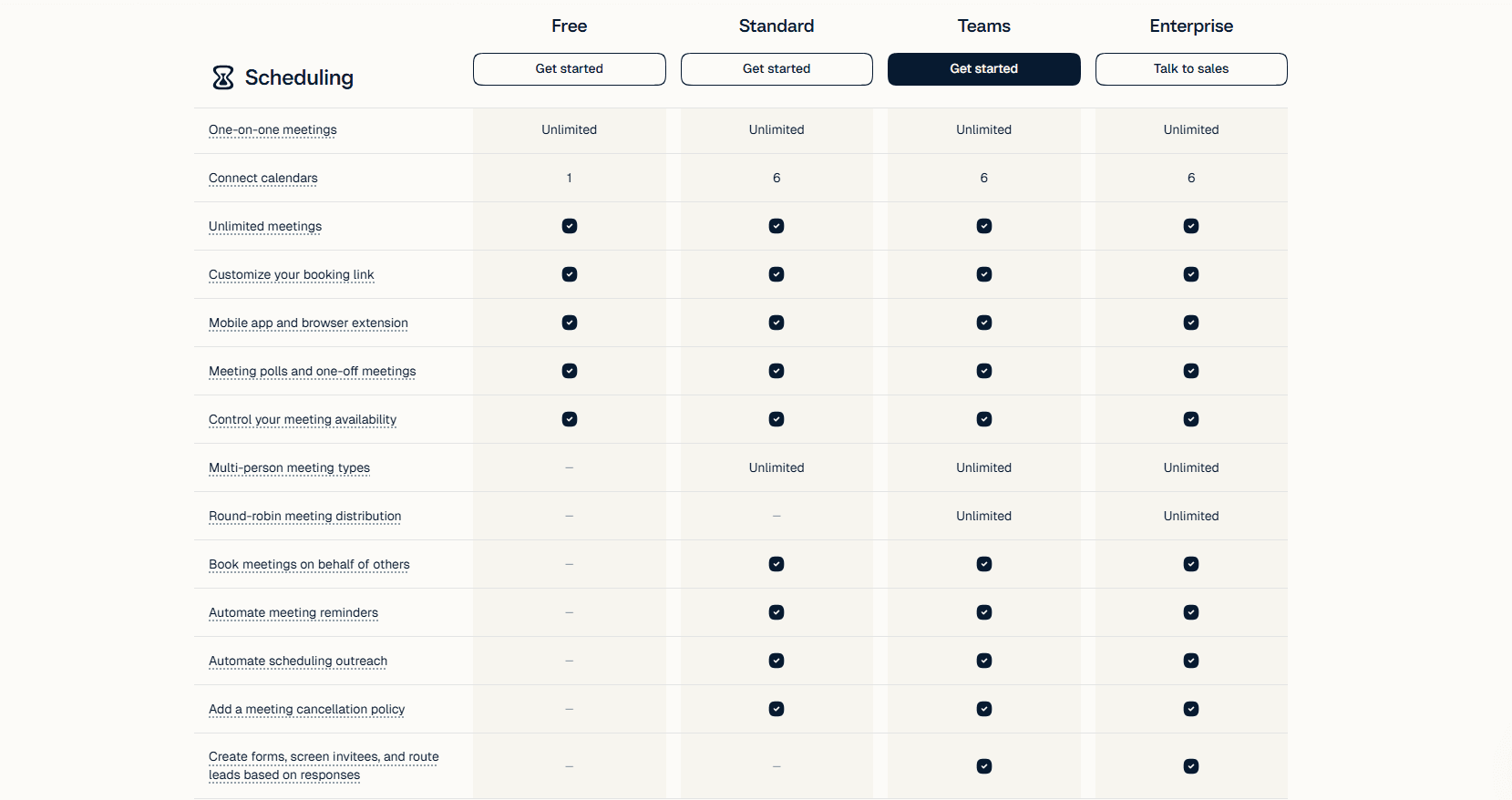
Como o Calendly não te obriga a fazer upgrade, todo o processo é voluntário e só deve ser feito quando precisares de acesso às funcionalidades premium que oferece. O upgrade é valioso para os utilizadores à medida que te vais sentindo mais à vontade a usar um sistema de agendamento e queres aceder às funcionalidades premium para uma melhor experiência de utilização e uma solução de agendamento mais simplificada. Aqui tens alguns cenários em que podes considerar fazer upgrade para um plano pago em vez do plano grátis do Calendly.
-
Precisas de mais do que um tipo de evento: O acesso a diferentes tipos de evento de durações diferentes é uma das razões mais comuns pelas quais os utilizadores escolhem fazer upgrade para um plano pago no Calendly.
-
Acesso à automação: Para obter acesso completo a funcionalidades como lembretes automáticos, os utilizadores optam muitas vezes por fazer upgrade para planos pagos, porque isso ajuda a reduzir significativamente o esforço manual.
-
Agendamento em equipa: À medida que as equipas crescem e mais membros entram, funcionalidades como agendamento round robin, encaminhamento de leads e workflows de reservas partilhados tornam-se cruciais. Esta também é uma razão comum para os utilizadores fazerem upgrade para planos pagos.
-
Mais integrações: O Calendly permite melhores integrações nos planos pagos, incluindo integrações com software de CRM e vendas comuns. Para uso comercial do Calendly, estas funcionalidades são necessárias e, por isso, são referidas pelos utilizadores como motivo para fazer upgrade.
-
Controlos de branding: Por fim, para obter uma experiência de reserva limpa para os teus utilizadores, alinhada com a imagem da tua marca, o Calendly oferece a remoção da sua marca aos utilizadores pagos. Portanto, quem tenta criar uma experiência de reserva sem falhas acaba muitas vezes por fazer upgrade para planos pagos.
O percurso de upgrade do Calendly baseia-se em funcionalidades e valor. Desde que o plano grátis se adeque ao teu workflow, és livre de o usar sem limitações. No entanto, mais cedo ou mais tarde, as limitações começam a aparecer e resultam em bloqueios no workflow. Por isso, a maioria dos utilizadores é forçada a fazer upgrade do plano Calendly quando o workflow fica comprometido pelas limitações do plano.
Existe uma alternativa grátis ao Calendly?
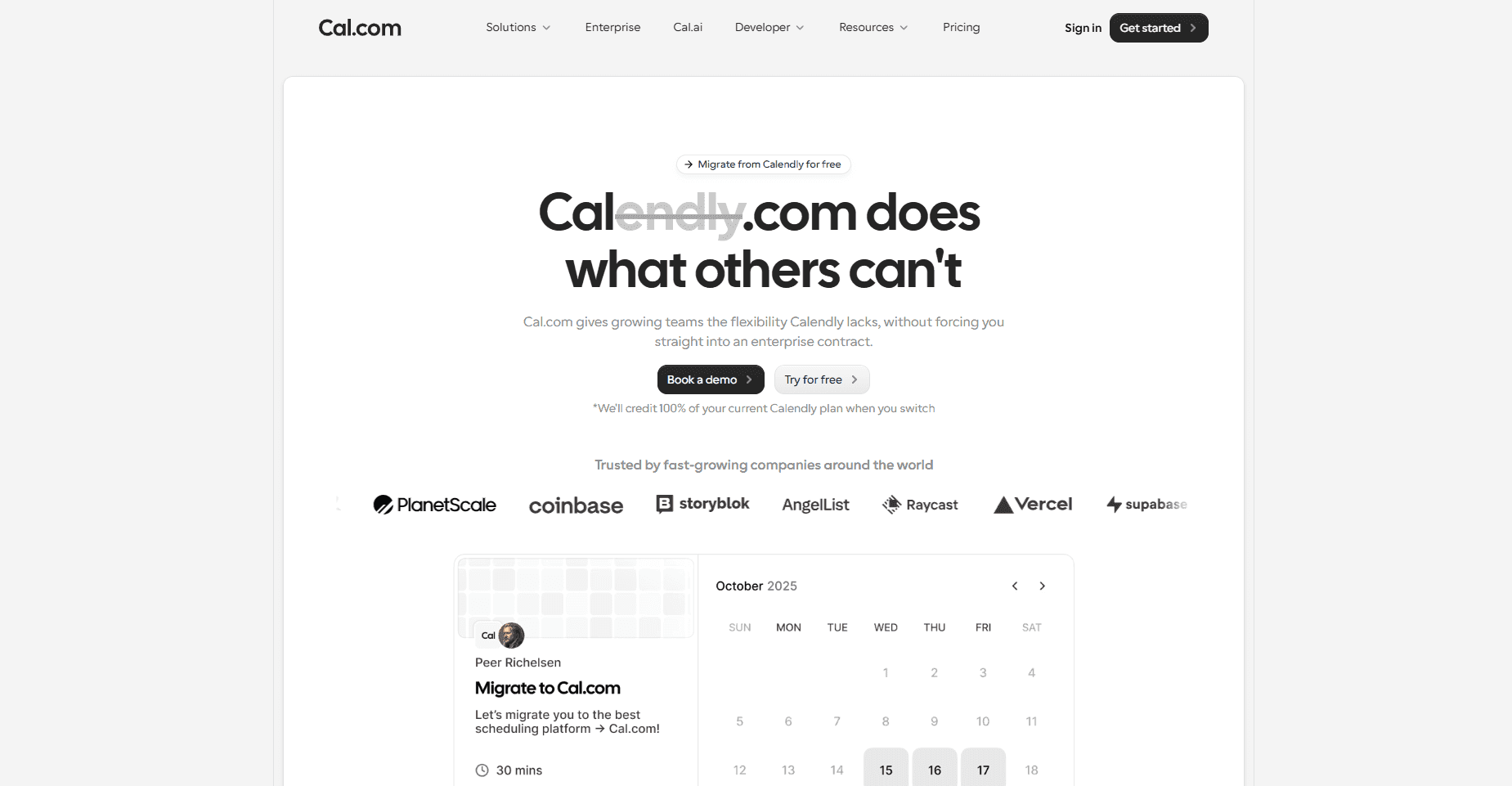
Como já foi mencionado, o Calendly e qualquer plataforma de agendamento, nesse caso, são plataformas SaaS com modelo freemium. Portanto, não existem alternativas verdadeiramente gratuitas ao Calendly. No entanto, há outras plataformas de agendamento com planos grátis semelhantes ou melhores do que o Calendly, como a Cal.com.
A razão pela qual a Cal.com fica melhor classificada do que o Calendly em termos do plano grátis é que elimina muitas das falhas e limitações que estão incorporadas no plano grátis do Calendly. Comparado com a Cal.com, o plano grátis do Calendly é significativamente mais restritivo e oportunista, o que obrigaria os utilizadores a migrar ou a optar por um plano pago, sem outra escolha.
A Cal.com funciona de uma forma diferente. O plano grátis oferecido pela Cal.com é flexível e um verdadeiro testemunho do objetivo de ajudar os utilizadores a alcançar uma solução prática de agendamento. O plano grátis para sempre para particulares na Cal.com permite aos utilizadores:
-
Criar tipos de evento ilimitados
-
Criar reservas ilimitadas
-
Obter integrações de calendário ilimitadas
-
Aceder à aplicação móvel e a extensões de navegador
-
Obter integração bidirecional com Salesforce e HubSpot
-
Criar reservas pagas com integração com Stripe e PayPal
-
Importar eventos do Calendly com um clique
Como podes ver, a Cal.com enfrenta diretamente as limitações oferecidas pelo Calendly. A razão para isto é que a Cal.com foi desenvolvida especificamente como uma alternativa melhor e mais poderosa ao Calendly, e consegues ver a diferença de valor logo a partir do próprio plano grátis. Funcionalidades como reuniões pagas e integrações com CRM são oferecidas pelo Calendly apenas nos seus planos pagos; a Cal.com oferece-as gratuitamente.
Portanto, quando se trata de escolher uma melhor alternativa de plano grátis ao Calendly, só há uma plataforma que se destaca, e essa é a Cal.com. No entanto, há outras opções também, como Koalendar, TidyCal e Zoho Bookings. Mesmo comparada com estas alternativas, a Cal.com destaca-se como a opção mais forte para começares.
Calendly grátis vs Cal.com grátis: O que os utilizadores recebem em cada plano?
Embora já tenhas percebido o quanto a Cal.com é melhor do que o Calendly em termos das funcionalidades do seu plano grátis. Aqui tens uma comparação detalhada, lado a lado, das funcionalidades dos planos grátis do Calendly e da Cal.com.
| Funcionalidade | Calendly grátis | Cal.com grátis |
|---|---|---|
| Preço | Grátis para sempre | Grátis para sempre |
| Tipos de evento | Um | ✅ Ilimitados |
| Número de reservas | Ilimitado | ✅ Ilimitado |
| Ligações de calendário | Uma | ✅ Ilimitadas |
| Lembretes automáticos | Limitados/inexistentes | ✅ Email e SMS |
| Agendamento round robin/em equipa | Não incluído | Não incluído |
| Eventos de grupo/coletivos | Não incluído | Não incluído |
| Integrações | Limitadas | ✅ Mais de 100 integrações com integração bidirecional com Salesforce e HubSpot |
| Opção de migração | Não disponível | ✅ Importação de eventos do Calendly com um clique |
Veredito final
O Calendly tem um plano grátis que funciona perfeitamente e, se as tuas necessidades de agendamento caberem no âmbito limitado do seu plano grátis, é uma plataforma de agendamento perfeitamente aceitável para começares. A Cal.com, por outro lado, é uma plataforma de agendamento mais poderosa que é útil tanto como plataforma de agendamento alojada como também como uma infraestrutura de agendamento para developers que te permite integrar agendamento no teu próprio produto, site ou serviço. Portanto, se te interessa experimentar uma infraestrutura de agendamento de ponta a ponta construída como resposta direta às limitações do Calendly, certifica-te de que experimentas a Cal.com hoje; ela é e será sempre gratuita para começar.
Perguntas frequentes
1. O Calendly é grátis para sempre ou é um teste?
O Calendly tem um plano grátis para sempre, por isso podes continuar a usá-lo sem pagar. É separado do teste do plano pago por tempo limitado do Calendly. O plano grátis continua disponível depois de o teste acabar, mas as funcionalidades pagas são removidas a menos que faças upgrade.
2. O que inclui o plano grátis do Calendly?
O plano grátis inclui um tipo de evento, reuniões 1:1 ilimitadas, um calendário ligado e uma página de reservas básica. Também oferece acesso móvel e algumas integrações. Estas funcionalidades são, em geral, suficientes para um utilizador individual com necessidades de agendamento simples.
3. Quais são as limitações do plano grátis do Calendly?
As principais limitações são um tipo de evento, um calendário ligado, lembretes e integrações limitados, branding do Calendly e ausência de agendamento avançado em equipa ou eventos de grupo/coletivos. Estas restrições tornam o plano grátis mais adequado para agendamento individual simples do que para workflows complexos.
4. Quais são as desvantagens do Calendly?
As maiores desvantagens do nível grátis são os limites de funcionalidades e o ponto em que tens de fazer upgrade para um agendamento mais avançado. O tipo de evento único pode ser restritivo, enquanto o branding, os lembretes limitados e a falta de funcionalidades de equipa podem tornar-se problemas para empresas em crescimento.
5. Quantos tipos de evento tens no Calendly grátis?
O plano grátis do Calendly dá-te um tipo de evento. Isto significa que podes configurar um tipo de reunião, como uma consulta ou uma chamada de descoberta. Se precisares de opções de reserva separadas para diferentes tipos de reunião, vais precisar de um plano que suporte tipos de evento adicionais.
6. Podes usar o Calendly para uma equipa de forma gratuita?
O Calendly Free destina-se principalmente ao agendamento individual. Funcionalidades orientadas para equipas, como agendamento round robin, não estão incluídas no plano grátis, por isso equipas com necessidades de agendamento partilhadas ou mais avançadas vão, em geral, precisar de um plano pago.
7. O Calendly grátis tem lembretes / remove a marca?
O plano grátis tem lembretes automáticos limitados ou indisponíveis, dependendo da configuração atual do plano, e a marca do Calendly permanece na página de reservas. Se os lembretes automáticos ou a remoção da marca do Calendly forem importantes para o teu workflow, podes precisar de fazer upgrade.
8. Quanto custa o Calendly se fizeres upgrade?
O briefing não fornece os preços atuais dos planos pagos do Calendly, e o Calendly altera periodicamente os seus preços e a estrutura de níveis. Em vez de usar um valor potencialmente desatualizado, consulta a página de preços atual do Calendly antes de publicar. A distinção prática é que o plano grátis não custa nada, enquanto os planos pagos desbloqueiam tipos de evento adicionais, lembretes, agendamento em equipa, integrações e controlos de branding.
9. Existe uma alternativa gratuita ao Calendly?
Sim, o Cal.com é a principal alternativa destacada neste guia. É open-source e oferece uma opção gratuita para sempre com um conjunto de funcionalidades mais generoso, incluindo vários tipos de evento e workflows. Outras alternativas mencionadas no resumo incluem Koalendar, Zoho Bookings e TidyCal.
10. Qual é a melhor ferramenta gratuita de agendamento?
Não há uma única melhor ferramenta para toda a gente. O Calendly Free é uma boa escolha se precisares de um agendamento simples 1:1 e apenas de um tipo de evento. O Cal.com é a opção mais forte se quiseres vários tipos de evento, workflows, funcionalidade open-source ou self-hosting sem pagares imediatamente por um plano.
11. O Calendly é gratuito para estudantes/ONGs?
O resumo fornecido não estabelece se o Calendly oferece um plano gratuito ou com desconto específico para estudantes ou ONGs. Como estes programas podem mudar, isto deve ser verificado diretamente com o Calendly antes de fazeres uma afirmação. O plano gratuito standard é a única oferta gratuita do Calendly estabelecida pelo material de origem.