Parent-Teacher Conferences: How to Schedule, Prepare and Run Them
Most teachers handle the conversation just fine. But getting families to the table is the part that usually eats your week. Here is how to fix the scheduling drop-off.
Oct 15, 2026
On this page
- What Is a Parent-Teacher Conference?
- Why do fewer parents show up after elementary school?
- The design problem
- The logistics problem
- How do you schedule parent-teacher conferences?
- 1. Pick the format
- 2. Set the slot length
- 3. Open only the conference evenings
- 4. Ask only what you need
- 5. Send reminders the day before and an hour before
- 6. Let families reschedule themselves
- Booking link or sign-up sheet?
- How do you set up conferences for a whole school?
- One template for every teacher with managed event types
- How do you get the teacher and an interpreter in the same meeting?
- How does one family book several teachers?
- Rolling out across a district or university
- What your IT office will ask
- How Do You Prepare for a Parent-Teacher Conference?
- A 15-minute agenda
- What should you say in a parent-teacher conference?
- How to start
- Talking points that work
- How to share difficult news
- What not to do
- How Do You Run a Virtual Parent-Teacher Conference?
- Send the link days ahead
- Plan for the day the tech fails
- Plan for the conversation itself
- Keep an in-person option and tell people about it
- Afterwards, mark who didn’t come
- Should Students Attend Parent-Teacher Conferences?
- What should parents ask at a parent-teacher conference?
- What to expect
- Learning
- Behavior and friendships
- Helping at home
- Staying in touch
- One question worth asking first
- Questions by school stage
- What Happens After the Conference?
- If you change one thing this term
- Frequently asked questions
- How long should a parent-teacher conference last?
- How many parent-teacher conferences are there per year?
- What is another name for a parent-teacher conference?
- What is a parent-teacher conference in Spanish?
- Do students attend parent-teacher conferences?
- Can parents request a conference outside conference season?
- What is the best way to schedule parent-teacher conferences?
It’s the first week of October, and you’ve just emailed 28 families about parent-teacher conferences.
By lunch, two have replied. And by Thursday, the sign-up sheet on the classroom door has four names on it. Then three parents write in to say 6pm is the only time they can do, and you have exactly one 6pm slot.
Most teachers handle the conversation just fine. But getting families to the table is the part that usually eats your week.
And the numbers show it.
In the 2022-23 school year, 88% of students in kindergarten to 2nd grade had a parent at a scheduled parent-teacher conference. By high school, it was 51%, according to the National Center for Education Statistics (NCES).
In our reading, much of that drop comes down to how the meeting is offered, long before anyone sits down to talk. One format, one evening, one sign-up method and one language is where families drop out.
A parent-teacher conference is a scheduled meeting where a teacher and a student’s parent or guardian talk about progress and next steps. Most last 10 to 30 minutes, with shorter slots per teacher on high school conference nights. And most schools hold one or two a year, in person or online (KidsHealth).
Key Takeaways:
-
Attendance falls as students get older, from 88% in K-2 to 51% in grades 9-12 (NCES, 2022-23). Cal.com works on the booking stage, where we think many of those families are lost.
-
One format and one evening lose families. On Cal.com’s free plan, you can open only your conference evenings and add in-person, video and phone locations to a single conference event.
-
Families change plans, so let them. Every Cal.com confirmation includes reschedule and cancel links, and the free plan includes a templated reminder email you can switch on.
-
A school can set it up once. On Cal.com’s Teams plan, managed event types copy one locked conference template to every teacher, so the office sees every booking in one place.
What Is a Parent-Teacher Conference?

Image source: https://unsplash.com/photos/a-group-of-people-sitting-in-a-room-RfIywtE7jHQ (Photo by Timur Shakerzianov (@shaker_jpg))
At its simplest, a parent-teacher conference is a scheduled sit-down between a teacher and a student’s parent or guardian. They talk through how school is going and agree on what to try next.
The purpose is to share progress, agree on goals and hear what the family knows.
Teachers tend to remember the first two and forget the third. Families see sides of a student that never show up in class, like the kid who breezes through reading at school but dreads it at home.
A good parent conference puts both views on the table, so everyone leaves with one plan instead of two separate impressions.
Most schools hold one or two a year, so the timing follows the school year. Some states set a floor. In Ohio, teachers must meet with families at least once every school year, according to the state’s checklist for families. The fall conference is usually the first real chance to meet, swap work samples and set an early goal. The spring one checks how that goal is going and what the student needs before summer.
Some schools add extra meetings for students who need more support.
You’ll hear this meeting called different things depending on where you are:
-
Parent-teacher meeting
-
Parent-teacher interview
-
Parents’ evening (the usual term in the UK, as in this Tes guide for teachers)
-
Family conference
Plenty of schools prefer “family conference” because the person who turns up isn’t always a parent. Grandparents, aunts, older siblings and foster carers come too.
Parent-teacher conferences are still very much a thing. In 2022-23, 72% of K-12 students had a parent or guardian attend a regularly scheduled parent-teacher conference, according to the NCES.
Why do fewer parents show up after elementary school?
Attendance falls at every stage after elementary school, and the likely causes are how schools invite families and how hard the evening is to organize. NCES doesn’t say why, so what follows is our reading of its numbers.
| Grade level | Students whose parent attended a scheduled conference, 2022-23 |
|---|---|
| Kindergarten to 2nd grade | 88% |
| 3rd to 5th grade | 86% |
| 6th to 8th grade | 68% |
| 9th to 12th grade | 51% |
Source: NCES, 2022-23 school year. Table by Cal.com.

Share of students whose parent attended a scheduled conference, by grade level, 2022-23. Source: NCES
The design problem
When a high school invites only the families of students who are struggling, a conference starts to feel like a summons, and a parent whose teenager is doing fine has little reason to rearrange their evening. Ohio’s checklist for families feels the need to say that an invitation “does not mean your child is in trouble”.
The logistics problem
A high school parent may need to see six or seven teachers in one night, and one teacher may have 150 families to fit in. For that reason, parents who work evenings, have kids at two schools or need an interpreter are the first to drop out.
The gaps show up in the data. In 2022-23, where no parent speaks English at home, 65% of students had a parent attend, against 73% where both parents, or the only parent, speak English. In households earning $20,000 or less, it was 65%, against 75% above $100,000 (NCES).
Going online doesn’t fix this on its own. New York City kept conferences virtual after the pandemic, and in 2022-23 participation was down 40% on the last school year before it (Chalkbeat, 2023).
A different design can help, though. At Open World Learning Community in St. Paul, students in grades 6-12 lead their own conferences, and 85% to 100% of parents routinely attend (Education Week, 2025). It’s one school, but it shows what’s possible.
You can change several of these things this term. Open more than one evening, offer in person, video and phone for the same conference, and let families reschedule without emailing you.
How do you schedule parent-teacher conferences?
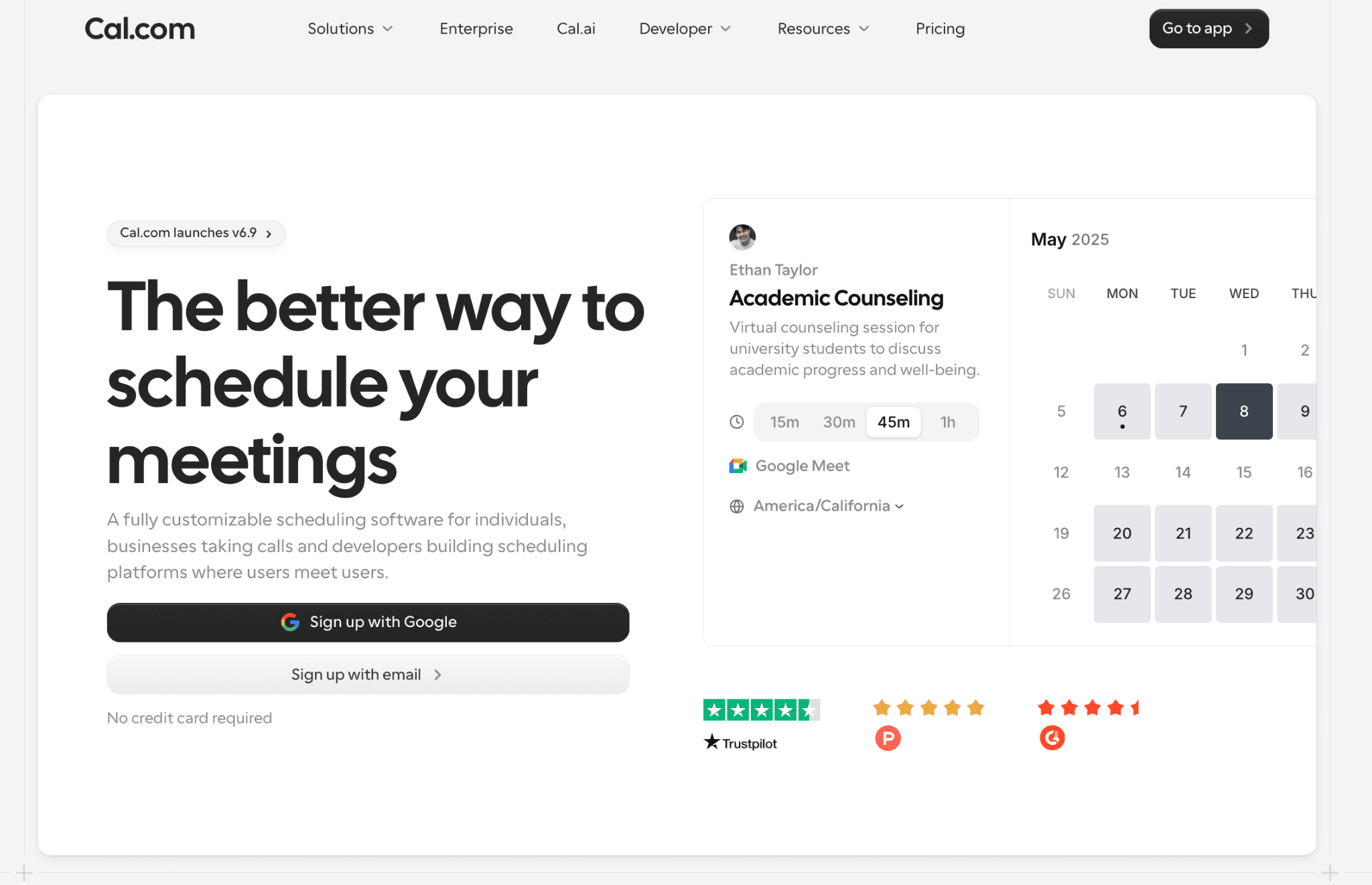
Pick a format, set short slots, open only your conference evenings, ask a few questions, send reminders and let families move their own bookings. A booking page works as your parent teacher conference scheduler. Below, each step comes with the settings we used to build this booking page in Cal.com.

What a family sees: only the conference evenings are open, and each 15-minute conference starts 20 minutes after the last, so you get 5 minutes in between. This one is set up as a video call, and you can add the school room as a second location on the same link. Screenshot from Cal.com.
1. Pick the format
| Format | Best for | Watch out for |
|---|---|---|
| In person | Showing work samples, building trust early in the year | Evenings, childcare, travel |
| Video | Working parents, families with kids at two schools | Devices, weaker rapport |
| Phone | Families without reliable internet | No shared screen |
| All three on one link | Most schools | Needs one link that offers all three |
Most schools end up in the last row.
To create the conference link in Cal.com, go to Links and click New. Give it a title, such as “Parent-teacher conference”, set the duration to 15 minutes, keep For myself selected and click Continue.

Creating the conference link. Round robin, Collective and Template, which is what Cal.com calls a managed event type here, come with the Teams plan. Screenshot from Cal.com.
On Cal.com’s free plan, you can add several locations to one conference event, so in person, video and phone all sit behind one link. The family picks one when they book. On the link’s Basics tab, Cal Video is usually set already. To offer more formats, click Add a location below it for each one, instead of changing the existing row.

The location menu. Pick In Person (Organizer Address) for the school, not Attendee Address, which asks for the family’s home address, even if you give it a custom label. Screenshot from Cal.com.
For in-person meetings, choose In Person (Organizer Address) and type the school address or room, such as “Room 12, Lincoln Elementary”. It can show on the booking page or appear only after booking.
Turn on timezone lock for these nights, so families see the time as scheduled and not converted to their phone’s timezone.
2. Set the slot length
Give elementary conferences 15 to 20 minutes. High school conference nights run on 5 to 10 minutes, since a parent may be moving between six or seven teachers. Some big New York City middle schools have capped conferences at three minutes per teacher (DNAinfo, 2013). Leave 5 minutes between slots so you can jot notes and breathe.
In Cal.com, you set the slot length, buffer time between slots, a daily limit and minimum notice, all on the free plan. On the link’s Limits & buffers tab, set After event to 5 minutes.

After event set to 5 minutes. Time-slot intervals sits next to it. Screenshot from Cal.com.
The buffer only blocks time once a slot is booked, so the booking page still offers a slot every 15 minutes. To make the gap visible to families, set Time-slot intervals to 20 minutes. The page then offers 4:00, 4:20, 4:40 and so on.
3. Open only the conference evenings
Nobody wants a family booking you for a Tuesday at 10am. To keep the rest of your week closed, create a separate schedule for the conference evenings and add a date range for when bookings can be made. Because the page reads your calendar, you also avoid double bookings with your regular teaching commitments.
To create the schedule, go to Availability and click New. Name it “Conference evenings”, turn on only the evenings you need, set the hours and choose the school’s time zone. Then click Save.

A separate schedule with only Tuesday and Thursday evenings, in the school’s time zone. Screenshot from Cal.com.
Check that this isn’t your default schedule. If it is, every booking link you have follows these hours, so make your usual schedule the default again. Then open the conference link, go to its Availability tab and choose Conference evenings.
To close everything outside conference week, go back to Limits & buffers, turn on Limit future bookings, choose Within a date range and pick the conference dates.
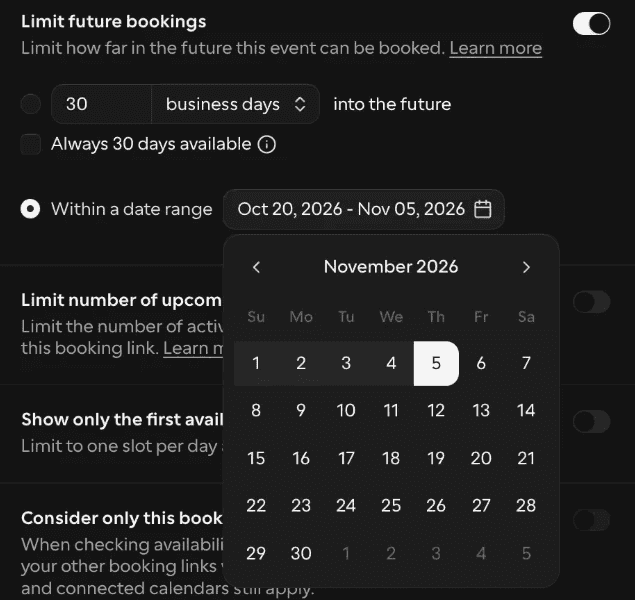
Bookings limited to the conference weeks, 20 October to 5 November. Screenshot from Cal.com.
4. Ask only what you need
Families will skip a long form, so stick to student name, grade, preferred language and whether an interpreter is needed. Add one open question, like “What would you like us to talk about?” Custom booking questions cover all of this on the free plan.
5. Send reminders the day before and an hour before
Each parent teacher conference reminder is a second chance for a busy family. On the free plan, you can switch on a templated reminder email. Custom wording comes with Teams, which also includes SMS credits for text reminders, and our page on workflows for education shows how schools set them up.

Reminder templates in Cal.com Workflows. Screenshot from Cal.com.
Deel, the global HR and payroll platform, sends meeting reminders through Cal.com workflows and has seen a 20% improvement in meeting attendance since moving its scheduling to Cal.com. Those are client meetings, not conference nights, but a forgotten meeting looks much the same in both.
Planning reminders for a whole school? Book a demo with Cal.com and bring the reminder you send families today. You’ll see it go out from every teacher’s conference link without anyone copying and pasting.
6. Let families reschedule themselves
Someone’s shift will change. Every Cal.com confirmation includes reschedule and cancel links, so families can move their own slot without emailing you. The freed time then reopens for the next family.
Booking link or sign-up sheet?
A parent teacher conference sign-up sheet gets you a list of names. And a booking link gets you the names plus the work around them. It checks your calendar before offering a slot, and it creates a video link for every booking, so you’re not pasting meeting URLs into emails at 9pm.
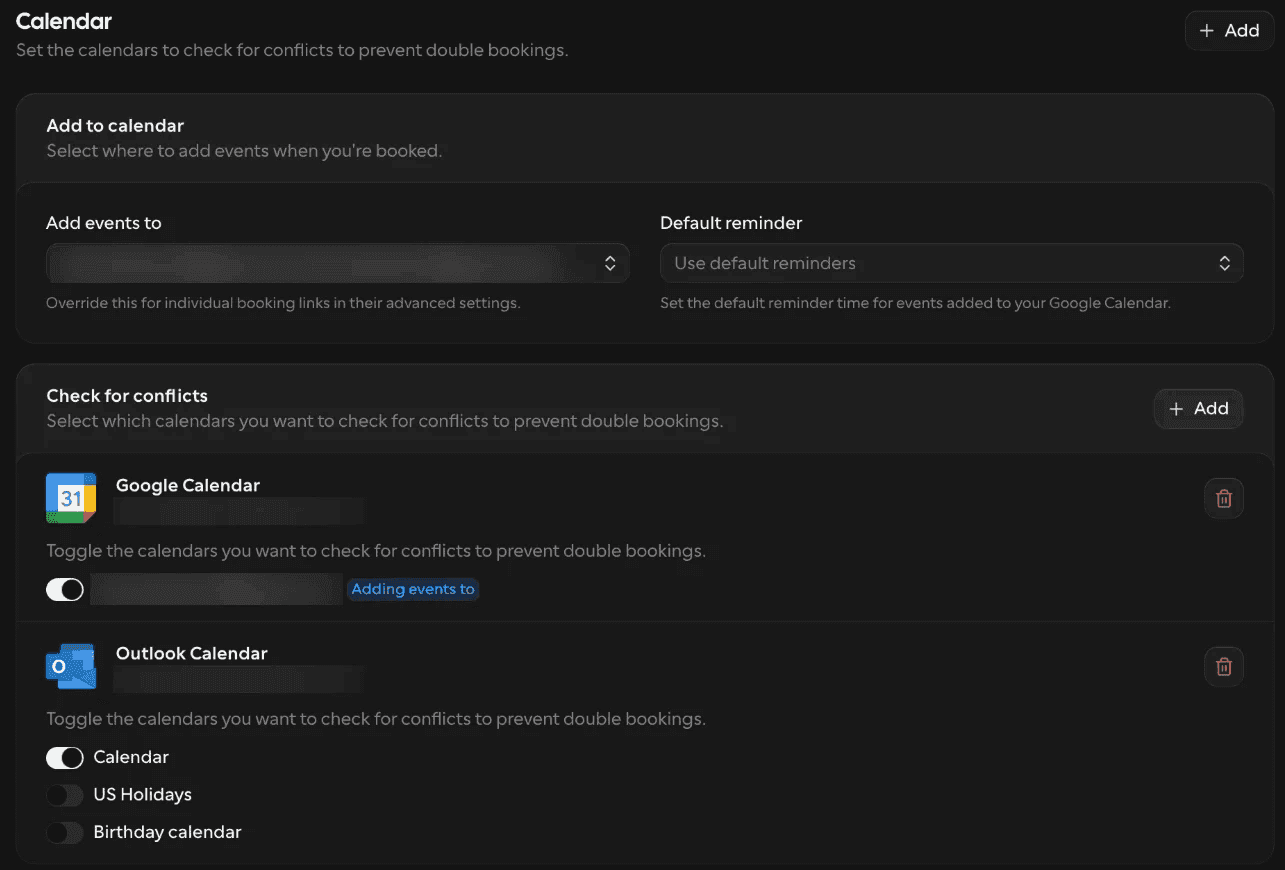
Choose which calendars Cal.com checks for conflicts. Screenshot from Cal.com.
For a single teacher, that’s a link in a class newsletter. And for a school, it can also sit on the school website, since Cal.com’s booking page can be embedded on the free plan.
Try it before your next conference week. Create a free Cal.com account, open only your conference evenings and send families one link instead of the sheet on the door. When the 6pm slot goes, the next family sees what’s left instead of emailing you.
How do you set up conferences for a whole school?
Create the conference once, push it to every teacher, and see every booking in one place.

Insights shows booking volume, cancellations and how meetings spread across the team. It comes with Teams and Organizations. Screenshot from Cal.com.
One template for every teacher with managed event types
Start with a managed event type, called Template when you create a new link. An admin sets up the conference event once, with the slot length, the buffers, the locations and the booking questions. Cal.com then copies that locked template to every teacher.
Every family gets the same experience, and your 5th grade team can’t accidentally end up with 30-minute slots while everyone else runs 15. Managed event types come with the Teams plan.
Shimmer, an ADHD coaching platform, runs on the same setup. Its admins build managed templates with lockable fields, so essential settings can’t be changed by accident, and it has run more than 31,000 coaching sessions through Cal.com. Swap coaches for teachers, and that’s conference night across a building.
Want to see it with your own conference settings? Book a demo with Cal.com and bring your slot length, your evenings and your booking questions. You’ll see one locked conference template go out to every teacher in your school.
How do you get the teacher and an interpreter in the same meeting?
Use a collective event, which comes with Teams. The booking page only offers times when everyone in the meeting is free, so a slot appears only when the teacher and the interpreter are both open. If any available interpreter will do, use round robin with the teacher as a fixed host instead.
Give those meetings a longer slot. As Colorín Colorado points out, a conference with an interpreter takes more time while everyone exchanges information.
How does one family book several teachers?
The cleanest setup is also the simplest. Each teacher has their own booking link, and the school lists all of them on one page. Families go down the list and choose a time with each teacher.
If you’d rather not make families hunt, routing forms can send them to the right teacher based on their answers. Routing forms come with Teams, and routing by grade or homeroom needs Organizations. Our page on routing for K-12 schools shows what that looks like in practice.
Rolling out across a district or university
Past a single building, Cal.com’s Organizations plan gives each school its own sub-team, signs staff in with their school accounts, sets up accounts from your staff directory and connects calendars centrally. Very large districts can go further with Enterprise, which adds a dedicated database, an uptime guarantee and custom pricing.
Kiaora, a women’s health company, has a problem shaped a lot like a district’s. Its providers work across several states, each with its own rules. Since moving their availability into one place on Cal.com, Kiaora saves 12 to 24 hours of admin a month.
Running conferences across more than one school? Bring your district calendar to a call with our team, and see how it maps to one Cal.com organization with a sub-team for each school.
Universities can set it up the same way. For a wider look, see our overview of education scheduling software.
Here’s the Cal.com pricing, billed yearly: Free is $0, Teams is $12 per user a month, Organizations is $28 per user a month and Enterprise is custom.
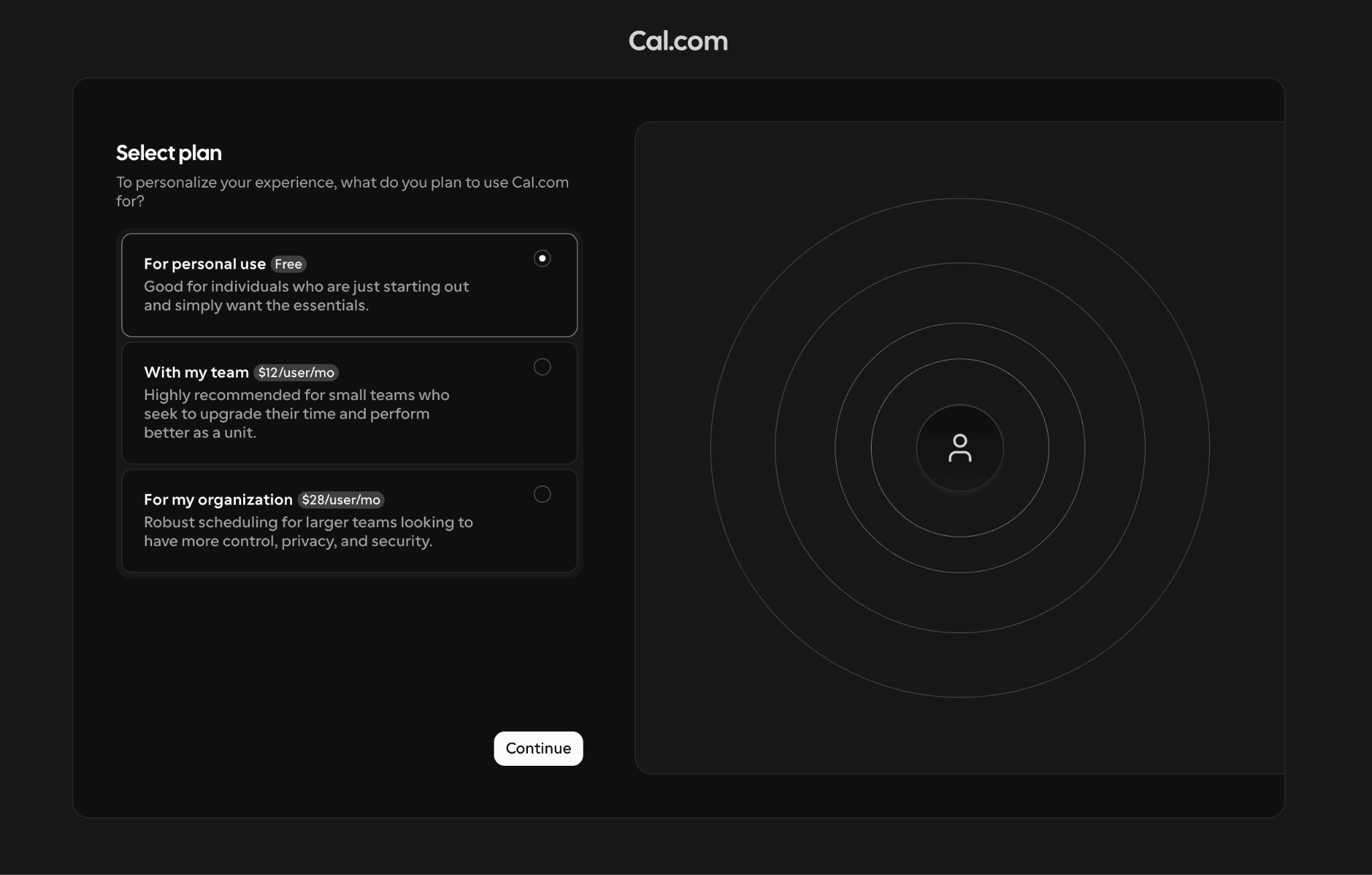
The plan picker when you sign up for Cal.com.
What your IT office will ask
Expect a security questionnaire, and expect it early. Cal.com holds SOC 2 Type II and ISO 27001 certifications, and it supports GDPR, CCPA and HIPAA requirements. Our security page lists the certifications, and the reports themselves sit in the app’s compliance settings for organizations.

The compliance documents in Cal.com’s settings open to organizations.
Already holding a security questionnaire? Bring it to a call with our team about rolling Cal.com out across your school or district, and go through it question by question before anyone signs anything.
How Do You Prepare for a Parent-Teacher Conference?

Image source: https://www.rawpixel.com/image/11072726/photo-image-face-people-phone)
Gather your work samples and grades, pick one strength and one goal, and read what the family told you when they booked. Then plan the meeting minute by minute, because 15 minutes disappears fast.
Here’s the parent teacher conference checklist we’d tape to the desk:
-
Work samples: Two or three pieces, not the whole folder. One shows a strength, and one shows where the student can grow.
-
Grades: Know the numbers and what sits behind them.
-
One strength: Something you’ve actually seen, not a general compliment.
-
One goal: Just one. A conference that ends with five goals usually ends with none.
-
Interpreter booked: If a family asked for one, confirm it before the day, not at the door.
-
The family’s answers, read: Check what they wrote on the booking form, including the open question.
Families get the same advice. KidsHealth tells parents to review recent homework, tests, report cards and progress reports beforehand, and to ask their child what they want raised. Families who show up that prepared deserve a teacher who did the same.
A 15-minute agenda
Most conferences go wrong in the same way. The teacher talks for 12 minutes, and the family gets the last three. This agenda for a parent-teacher conference flips that by asking the family first.
| Minutes | What happens |
|---|---|
| 0-2 | Welcome and introductions |
| 2-5 | Ask the family first: what do you see at home? |
| 5-10 | One strength and one area to grow, with a work sample |
| 10-13 | Agree on one goal and who does what |
| 13-15 | Set the next contact date and how to reach you |
A 15-minute parent-teacher conference agenda. Agenda by Cal.com.
The two minutes at the start are for small talk and nerves, both yours and theirs. The five minutes in the middle carry the meeting, so spend them on the work sample.
And the final two are where the follow-up gets set, which most teachers skip when time runs short. Protect them.
What should you say in a parent-teacher conference?
Start warm, lead with a strength, stay specific and finish with one thing the family can try at home. Hard news gets its own order, which we cover below.
You don’t need a script for the whole meeting. A few lines you can say word for word are enough to get you through the first minute, and the rest follows.
How to start
The first sentence sets the temperature for the whole meeting. Pick one of these and use it as written.
“Thanks so much for coming in. Before I share anything, I’d love to hear what you see at home.”
“I’m really glad Maya is in my class. I’ll go through a few things, and then I want to leave plenty of time for your questions.”
Both do the same job. They thank the family, and they tell them they’ll get a say. Parents often arrive braced for a verdict, so hearing that early helps.
Talking points that work
Open with a strength. It’s usually true, and the family wants to hear it. Edutopia’s conference tips go a step further and suggest sending families a short summary of academic data before the meeting, so nobody sees the numbers cold.
Then get specific. Labels slide right off a parent, but details stick. “He’s a good reader” tells them nothing new. “She re-reads a paragraph before answering” tells them what their child actually does, and it shows you’ve been paying attention.
A few more of the same:
-
Instead of “She’s creative,” try “She turned our fractions lesson into a pizza menu.”
-
Instead of “He’s struggling with focus,” try “He loses the thread about ten minutes into independent work.”
Finish with one thing to try at home. Keep it small enough to do tonight, like “Ask him to explain the math problem out loud to you. Five minutes is plenty.”
How to share difficult news
Hard news goes down better in a set order. Say what you’ve seen, show the evidence, say what you’ve tried, ask for one thing, and name when you’ll check in.
Here’s how that sounds in practice:
“Over the last three weeks, Sam has handed in two of seven homework assignments. Here are the two he finished, and here’s the gap in my gradebook. I’ve moved his seat closer to me, and I check in with him at the start of each class. Could we try ten minutes of homework at the kitchen table after dinner? I’ll email you next Friday to tell you how it’s going.”
Notice how there are no labels or guesses about why, just what happened, what’s been done and what comes next.
What not to do
-
Skip the sibling comparisons. “Her brother was never like this” helps nobody, and the family will remember it for years.
-
Leave the jargon at school. If you say “tier two intervention,” you’ll get a polite nod and no understanding. Say what you actually do.
-
Watch the clock. A conference that runs long means the family waiting outside is now late and annoyed, and the next teacher on their list gets less of them.
-
Don’t spring a brand new problem on a family in person. If something has been building for weeks, tell them before conference night. A hard message lands better when it isn’t a surprise.
How Do You Run a Virtual Parent-Teacher Conference?
Send the video link with the booking confirmation, keep a phone backup ready, put one work sample on screen and leave an in-person option open. Those habits cover most of what goes wrong online.
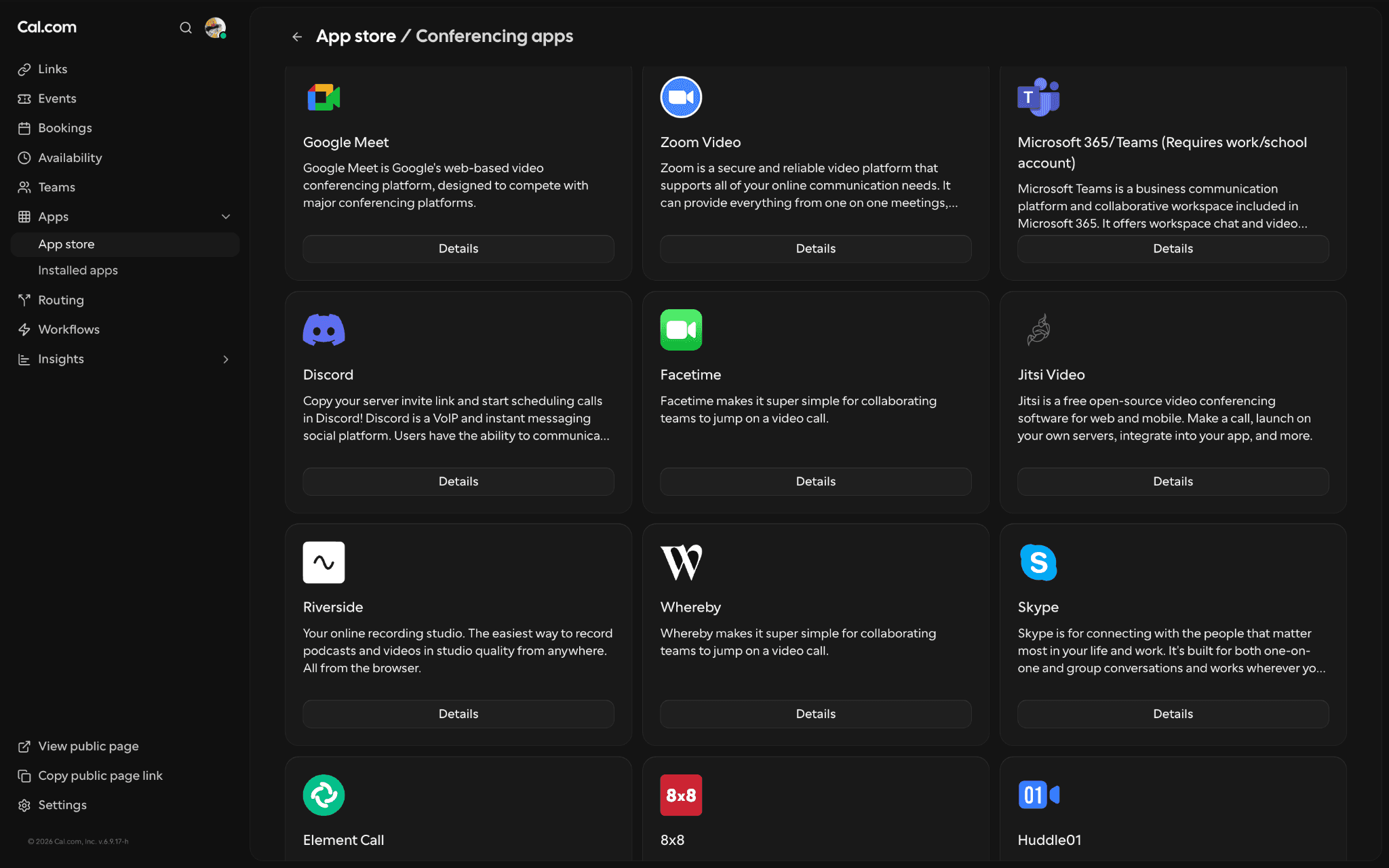
Cal Video is built in, and the conferencing apps include Google Meet, Zoom and Microsoft Teams and many others.
Send the link days ahead
The link belongs in the booking confirmation, not in a panicked email at 5:50pm. On Cal.com, a video link is created for each booking, and Cal Video is built in on the free plan. Zoom, Google Meet and Microsoft Teams also work, so you can stay with whatever your school already uses.
Plan for the day the tech fails
Offer a phone number as a backup and say so in the confirmation. Something like “If the video won’t load, call this number, and we’ll finish by phone.” You can add phone as another location on the same conference event, so you don’t need a second sign-up.
Plan for the conversation itself
Online meetings lose something, and teachers notice. A teacher at an NYC high school told Chalkbeat in 2023 that virtual conferences “feel shallower”. That’s partly because it’s harder to go over documents and parents often join from a car or a workplace.
So plan for it. Pick one work sample, open it before the family joins, share your screen and walk through it together. Ten minutes of scrolling through a gradebook is how a good meeting goes flat.
Keep an in-person option and tell people about it
In NYC, the city said in-person conferences could happen on request, but Chalkbeat reported in 2023 that many parents didn’t know that. Nobody can ask for an option nobody mentioned. Put it on the booking page and in the confirmation.
Afterwards, mark who didn’t come
Cal.com lets you mark no-shows on past bookings. Then send each of those families a reschedule link. A missed slot is usually a late shift or a dead phone battery, and one easy link gets most of them back into your week.
Should Students Attend Parent-Teacher Conferences?

Image source: https://unsplash.com/photos/a-group-of-people-sitting-around-a-wooden-table-XklL9zyYa6Y (Photo by Parabol | The Agile Meeting Tool (@parabol)
It depends on the student’s age and on what the meeting is for. Younger children often stay home, while older students can get a lot out of sitting at the table.
A meeting about a worry over behavior or learning usually goes better with the adults talking first, and the student hears the plan afterwards. And a meeting that looks back over the term’s work is different. There, the student knows the story better than anyone.
As a rough rule, we’d lean toward adult-only and invite students in from upper elementary on, though every school sets its own policy.
The fullest version is student-led conferences, where the student runs the meeting. They share the goals they set, show work they picked themselves, explain how they got to the final version and say what they’d change.
The teacher mostly listens and adds questions. Education Week describes sessions of roughly 30 minutes, with plenty of preparation beforehand.
Younger students can do it as well. Education Week describes Friends School of Baltimore, where students start leading conferences in kindergarten. They build a portfolio of work from the first month of school and practice presenting to a classmate before the May meeting. The fall conference there is for adults only, which is a good example of letting the purpose decide who sits in.
If students will be in the room, plan a longer slot and tell families ahead of time. In Cal.com, you set the slot length yourself and can add a custom booking question, such as “Will your child be joining?”
What should parents ask at a parent-teacher conference?
Ask about how your child is learning, getting along, what you can do at home and how you’ll stay in touch. Bring a short written list, since you won’t have long.
What to expect
Most conferences last 10 to 30 minutes, so ten good parent teacher conference questions beat thirty. Bringing notes is completely normal, and teachers are glad to see them. Ohio’s checklist for families also suggests bringing examples of your child’s work that you have questions about.
A day or two before, ask your child what they’d like you to raise. If your child has an IEP or 504 plan, or a recent outside evaluation, bring a copy.
Learning
-
What is my child doing well right now, and where do they need the most help?
-
Is my child working at grade level in reading and math?
-
How do they handle a task that’s hard for them?
Behavior and friendships
-
Who does my child work and play with?
-
How do they act when they’re frustrated or upset?
-
Have you noticed any change in mood or energy since the start of the year?
Helping at home
-
What’s one thing we could do at home that would help most?
-
How much homework should there be, and how long should it take?
-
Are there books, apps or routines you’d recommend?
Staying in touch
-
What’s the best way to reach you, and how soon do you usually reply?
-
How will I hear about progress between conferences?
-
If I have a concern next month, can we book a short follow-up?
One question worth asking first
Ask the teacher to show you an example of what they’ve noticed. Understood shares the story of parents whose fifth grader had a lower reading grade than expected. When they asked for examples, the teacher had none ready, and the conversation showed that the school’s assessments weren’t capturing how well the girl read. A concrete example turns a grade into something you can both look at.
Questions by school stage
Questions shift as children grow, so here are two lines for each stage.
-
Preschool: “How does my child handle drop-off and group time?” and “What skills, like sharing or taking turns, are you seeing?”
-
Elementary: “How is my child doing in reading and math this term?” and “Is there a skill we should practice before the next report card?”
-
Middle school: “How is my child managing the move between classes and keeping track of assignments?” and “Who can they go to if they get stuck or upset?”
-
High school: “Is my teen on track for credits, and what should they take next?” and “How can I back them up at home without hovering?”
What Happens After the Conference?
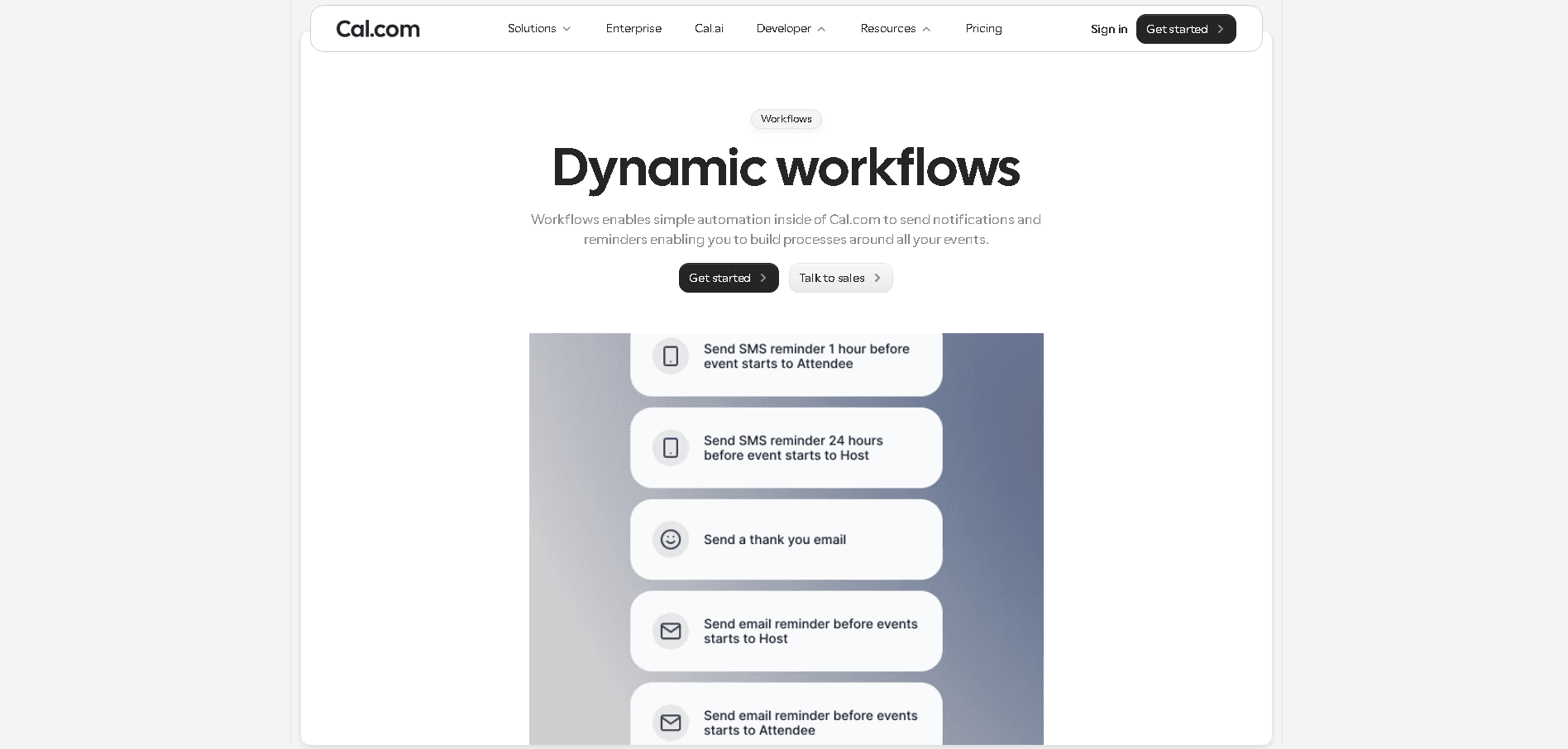
Send a short follow-up within 48 hours, put the agreed goal in writing and book the next check-in before the family leaves. A conference only pays off when something happens after it.
Families hear plenty from schools, just not much about their own child. In 2022-23, families of 90% of K-12 students got school-wide newsletters, memos or emails, but only 66% got emails or notes about their own child (NCES). A personal follow-up fills that gap, and it usually takes a few minutes.
It’s also the habit with the best evidence behind it. In one field experiment, a single weekly sentence from teacher to parent cut the share of high school students failing to earn course credit from 15.8% to 9.3% (Kraft and Rogers, 2015). That’s a 41% reduction, from one line a week.
Write it while the meeting is fresh. That evening is ideal, and 48 hours is the outer limit. A few lines are enough. Thank them for coming, repeat the one goal you agreed on, say who’s doing what and give the date of your next contact.
For example: “We agreed Maya will read for ten minutes each night, and I’ll send you a quick update in two weeks.” Once it’s written down, nobody is working from memory. A parent who was juggling a toddler or a translator during the meeting can read it again later in peace.
Then get the next check-in on the calendar. The last two minutes of the meeting are the time to name a date. In the follow-up email, add your booking link so the family can choose a time themselves.
A note, a goal and a date mean the family leaves the meeting knowing what happens next.
If you change one thing this term
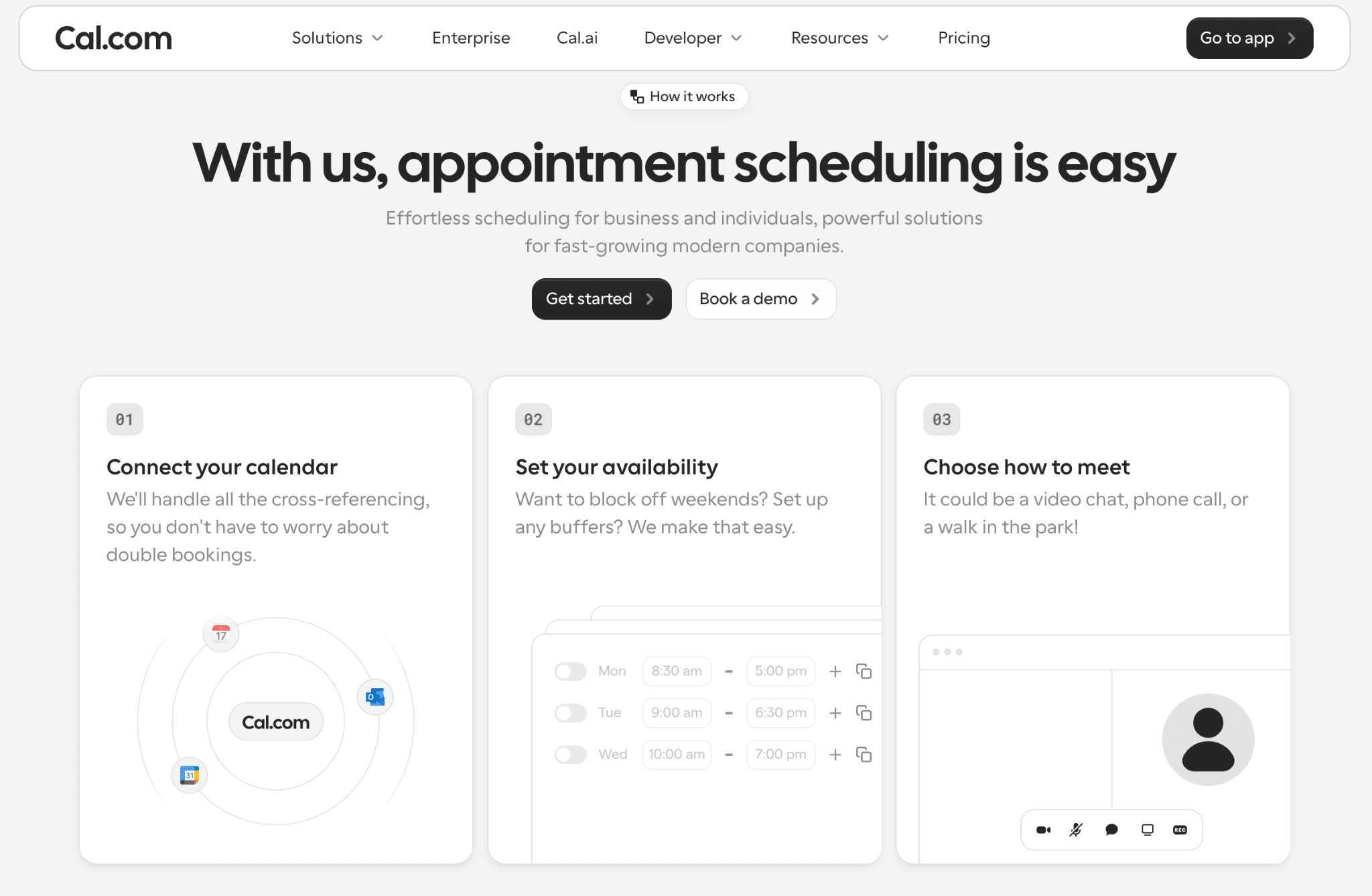
Put in-person and video behind one link.
Some parents can’t leave work, and others want to see the classroom, so a single option tends to miss someone. On Cal.com, you add several locations to one conference event, so the school address, a video call and a phone line all sit behind the same link.
Teachers can start with Cal.com’s free plan. If you also tutor outside school hours, our guide to tutor scheduling software is worth a look.
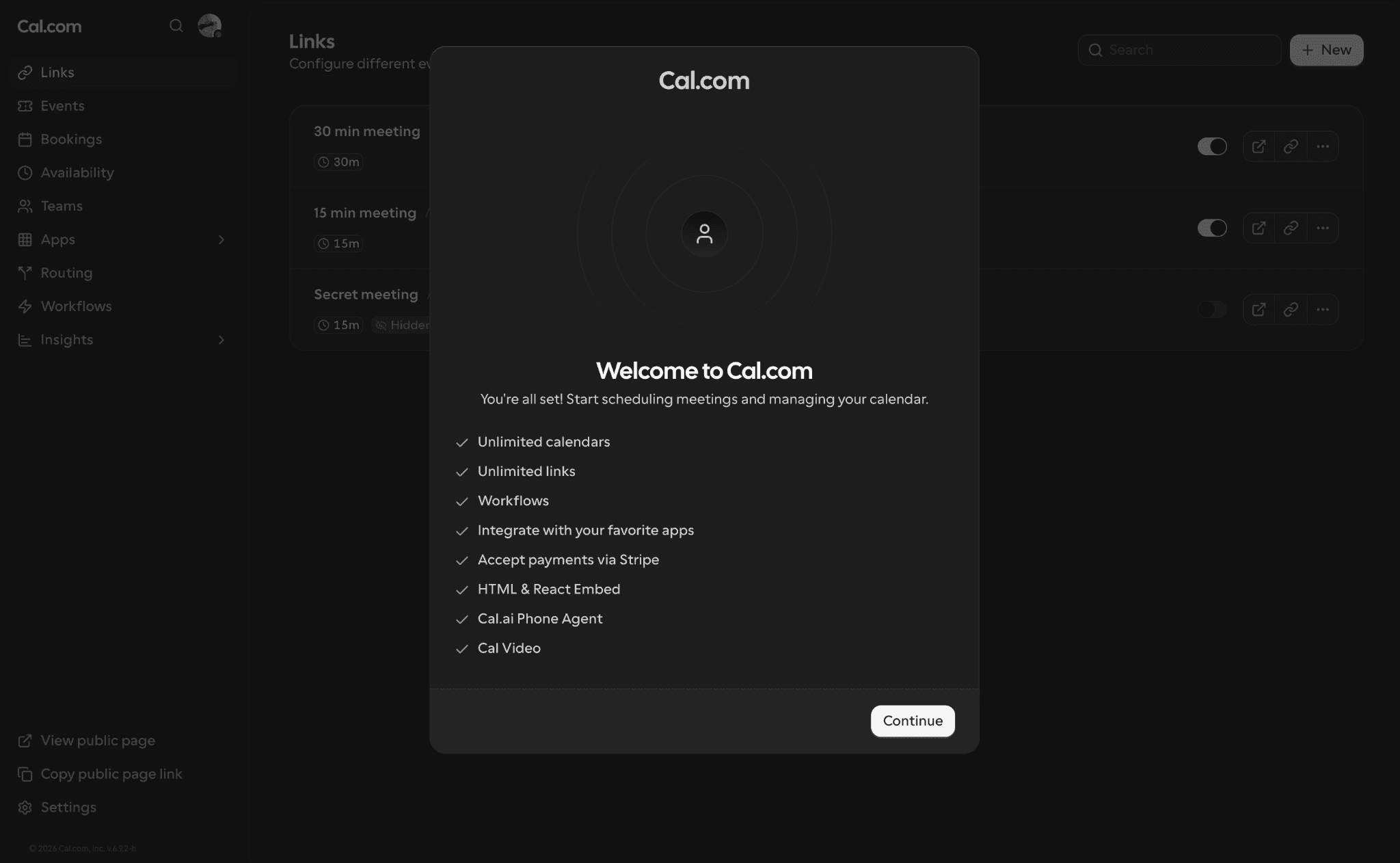
What a free Cal.com account starts with
Schools and districts, talk to our team, and we’ll walk you through what fits your setup.
Frequently asked questions
How long should a parent-teacher conference last?
Most parent-teacher conferences last 10 to 30 minutes, according to KidsHealth. High school conference nights give each teacher a shorter slot, because families see several teachers in one evening. These are the slot lengths we’d plan:
| Type of meeting | Slot to plan |
|---|---|
| Elementary conference | 15 to 20 minutes |
| High school conference night | 5 to 10 minutes per teacher |
| Multi-subject high school meeting | 20 to 30 minutes |
Suggested slot lengths.
How many parent-teacher conferences are there per year?
Most schools hold one or two conferences a year, often one in fall and one in spring.
What is another name for a parent-teacher conference?
Common names include parent-teacher meeting, parent-teacher interview, parents’ evening and family conference. Parents’ evening is the usual term in the UK, and “family conference” is popular because grandparents and other carers often attend.
What is a parent-teacher conference in Spanish?
It’s usually called a reunión de padres y maestros. Many US schools also say conferencia de padres y maestros.
Do students attend parent-teacher conferences?
It depends on the student’s age and the purpose of the meeting. Younger children often stay home, while older students are invited, and some schools have students run the meeting themselves.
Can parents request a conference outside conference season?
Yes. A parent can ask for a meeting at any point in the school year, and most teachers welcome it. Email or call, say briefly what you’d like to discuss, and suggest a couple of times. Don’t wait for the next conference night if something is worrying you.
What is the best way to schedule parent-teacher conferences?
A booking link that checks the teacher’s calendar and lets families book and reschedule on their own is the best way to schedule parent-teacher conferences. Cal.com’s free plan covers it: teachers can open only the conference evenings, add in-person, video and phone locations to one event and ask custom booking questions.